ECO mode TOYOTA GT86 2012 Owner's Manual
[x] Cancel search | Manufacturer: TOYOTA, Model Year: 2012, Model line: GT86, Model: TOYOTA GT86 2012Pages: 448, PDF Size: 13.47 MB
Page 253 of 448
253 3-1. Using the air conditioning system and defogger
3
Interior features
FT86_EE
The defoggers can be operated when
Vehicles without a smart entry & start system
The engine switch is in the “ON” position.
Vehicles with a smart entry & start system
The “ENGINE START STOP” switch is in IGNITION ON mode.
The outside rear view mirror defoggers (vehicles with outside rear view
mirror defoggers)
Turning the rear window defogger on will turn the outside rear view mirror
defoggers on.
When continuous operation is set (vehicles with an automatic air con-
ditioning system)
During continuous operation, the defogger stops operating for 2 minutes
after every 15 minutes of continual operation. Even during the 2 minutes that
operation stops, the operating light remains illuminated. The rear window
defogger will continue to operate in this cycle until it is turned off.
Customization that can be configured at any authorized Toyota dealer
or repairer, or another duly qualified and equipped professional (vehi-
cles with an automatic air conditioning system)
The rear window defogger can be set to 15-minute operation or continuous
operation. (Customizable features P. 430)
CAUTION
When the outside rear view mirror defoggers are on (vehicles with out-
side rear view mirror defoggers)
Do not touch the outside surface of the rear view mirrors, as they can
become very hot and burn you.
NOTICE
To prevent battery discharge
Do not leave the rear window defogger on longer than necessary when the
engine is stopped.
Page 264 of 448
264
3-5. Other interior features
FT86_EE
Clock
The clock is displayed when
Vehicles without a smart entry & start system
The engine switch is in the “ACC” or “ON” position.
Vehicles with a smart entry & start system
The “ENGINE START STOP” switch is in ACCESSORY or IGNITION ON
mode.
When disconnecting and reconnecting battery terminals
The clock data will be reset.
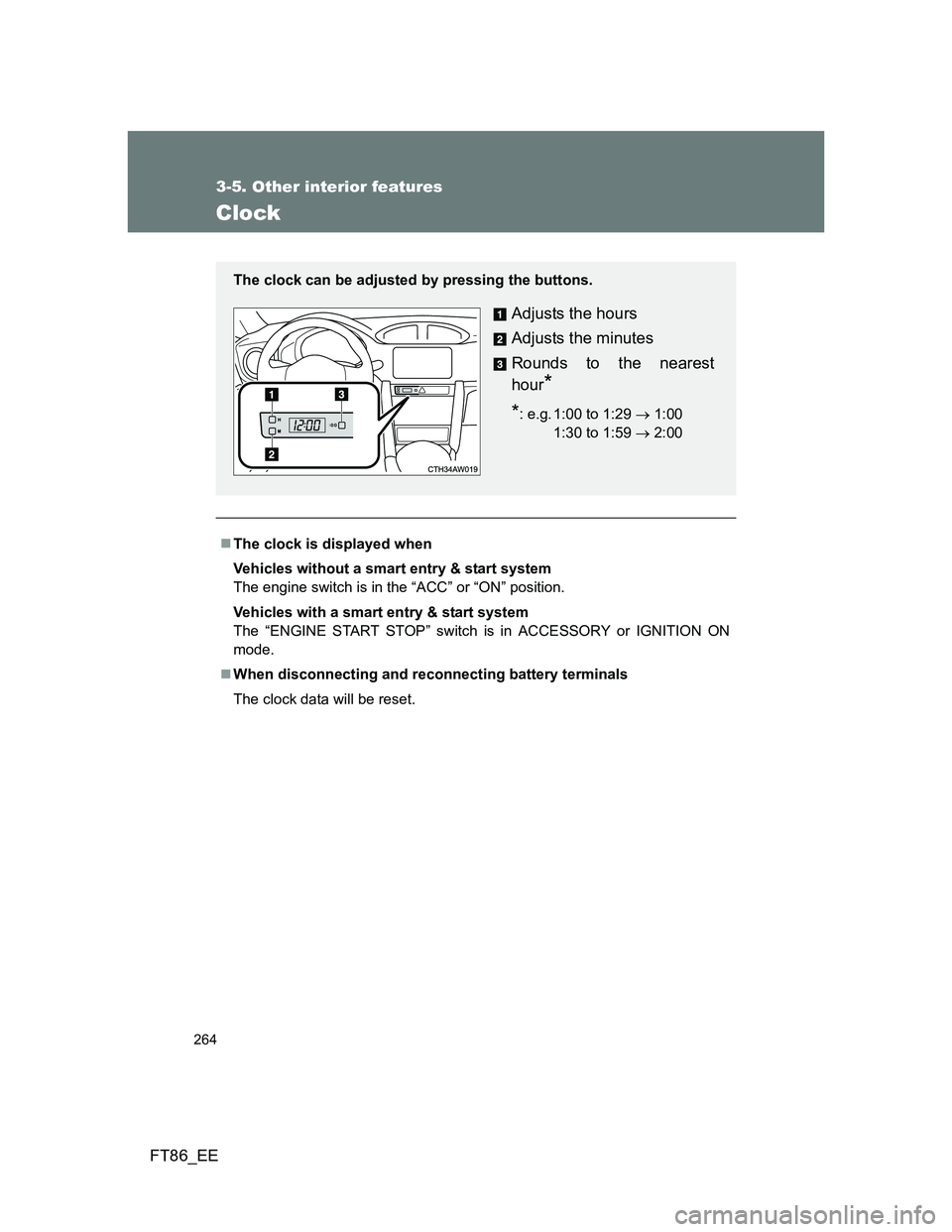
The clock can be adjusted by pressing the buttons.
Adjusts the hours
Adjusts the minutes
Rounds to the nearest
hour
*
*: e.g. 1:00 to 1:29 1:00
1:30 to 1:59 2:0000
Page 272 of 448
272 3-5. Other interior features
FT86_EE
CAUTION
Observe the following precautions.
Failure to do so may cause the driver's floor mat to slip, possibly interfering
with the pedals while driving. An unexpectedly high speed may result or it may
become difficult to stop the vehicle, leading to a serious accident.
When installing a floor mat
Do not use floor mats designed for other models or different model year
vehicles, even if they are Toyota Genuine floor mats.
Front: Always install the floor mat securely using the retaining hooks (clips)
provided.
Do not use two or more floor mats on top of each other.
Do not place the floor mat bottom-side up or upside-down.
Before driving
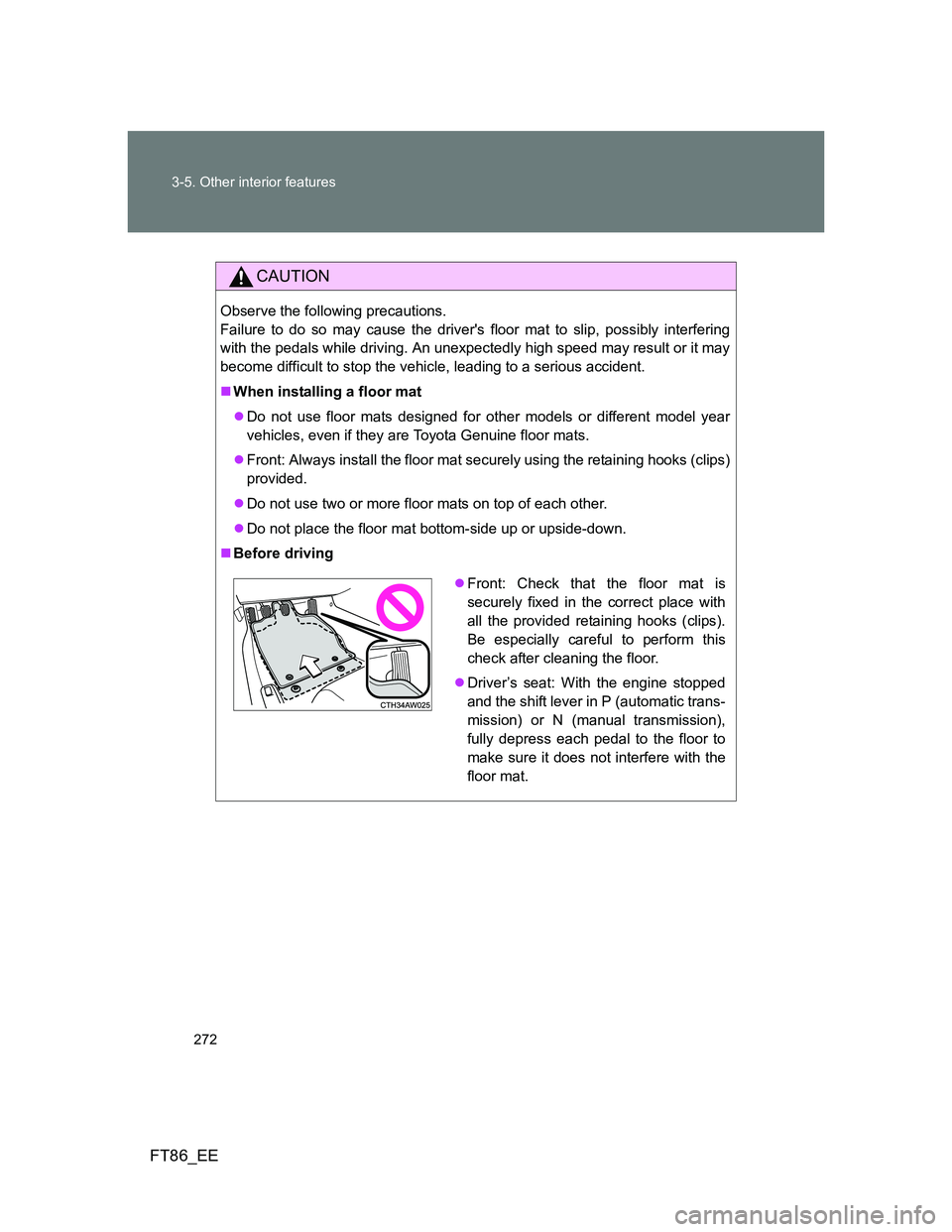
Front: Check that the floor mat is
securely fixed in the correct place with
all the provided retaining hooks (clips).
Be especially careful to perform this
check after cleaning the floor.
Driver’s seat: With the engine stopped
and the shift lever in P (automatic trans-
mission) or N (manual transmission),
fully depress each pedal to the floor to
make sure it does not interfere with the
floor mat.
Page 307 of 448
307 4-3. Do-it-yourself maintenance
4
Maintenance and care
FT86_EE
Before recharging
When recharging, the battery produces hydrogen gas which is flammable
and explosive. Therefore, before recharging:
If recharging with the battery installed on the vehicle, be sure to discon-
nect the ground cable.
Make sure the power switch on the charger is off when connecting and
disconnecting the charger cables to the battery.
After recharging/reconnecting the battery (vehicles with a smart entry
& start system)
Unlocking the doors using the smart entry & start system may not be
possible immediately after reconnecting the battery. If this happens, use
the wireless remote control or the mechanical key to lock/unlock the
doors.
Start the engine with the “ENGINE START STOP” switch in ACCES-
SORY mode. The engine may not start with the “ENGINE START STOP”
switch turned off. However, the engine will operate normally from the sec-
ond attempt.
The “ENGINE START STOP” switch mode is recorded by the vehicle. If
the battery is reconnected, the vehicle will return the “ENGINE START
STOP” switch mode to the status it was in before the battery was discon-
nected. Make sure to turn off the engine before disconnect the battery.
Take extra care when connecting the battery if the “ENGINE START
STOP” switch mode prior to discharge is unknown.
If the engine will not start even after multiple attempts, contact any
authorized Toyota dealer or repairer, or another duly qualified and equipped
professional.
Page 386 of 448
386 5-2. Steps to take in an emergency
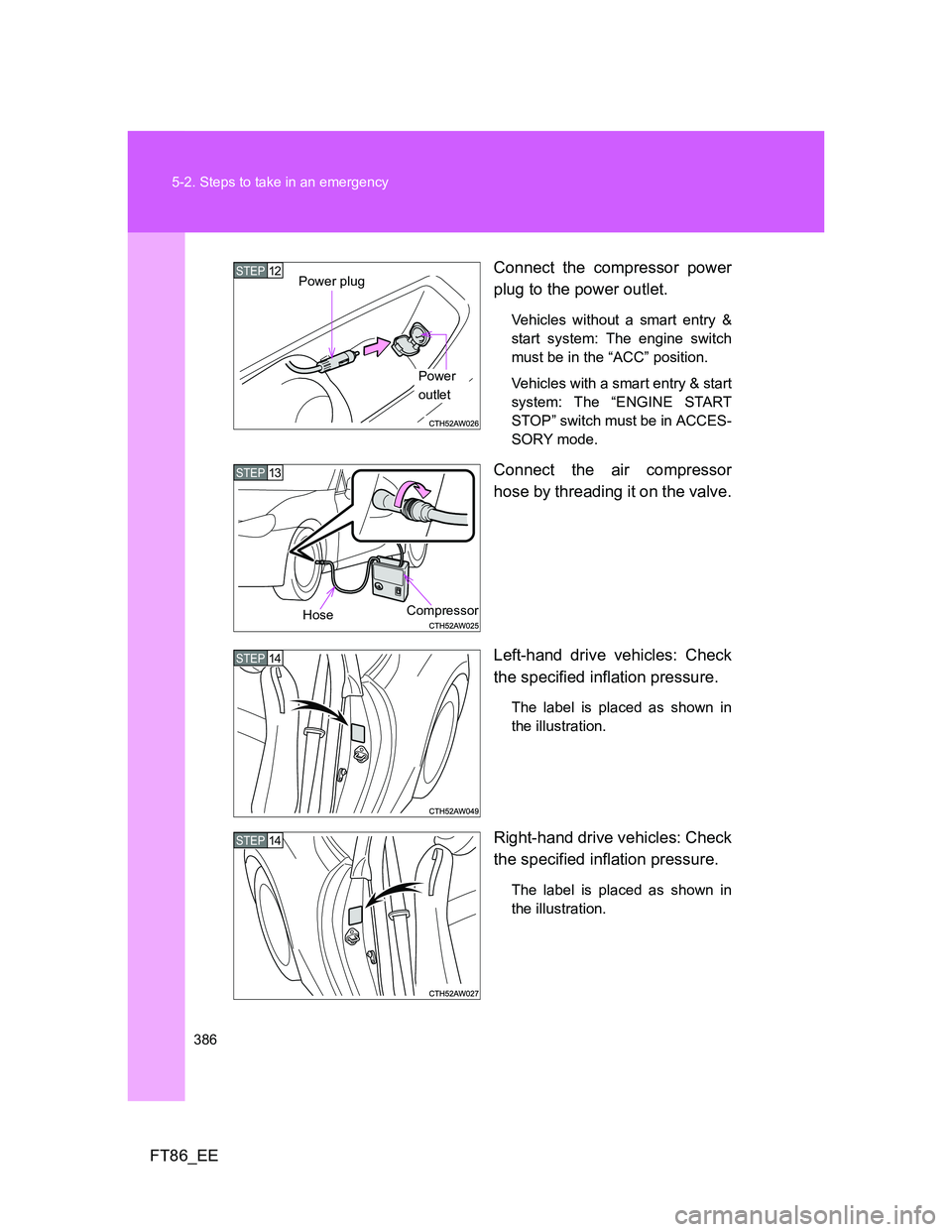
FT86_EEConnect the compressor power
plug to the power outlet.
Vehicles without a smart entry &
start system: The engine switch
must be in the “ACC” position.
Vehicles with a smart entry & start
system: The “ENGINE START
STOP” switch must be in ACCES-
SORY mode.
Connect the air compressor
hose by threading it on the valve.
Left-hand drive vehicles: Check
the specified inflation pressure.
The label is placed as shown in
the illustration.
Right-hand drive vehicles: Check
the specified inflation pressure.
The label is placed as shown in
the illustration.
Power
outlet
STEP12Power plug
STEP13
CompressorHose
STEP14
STEP14
Page 395 of 448
5
395 5-2. Steps to take in an emergency
When trouble arises
FT86_EE
Emergency start function (vehicles with a smart entry & start system)
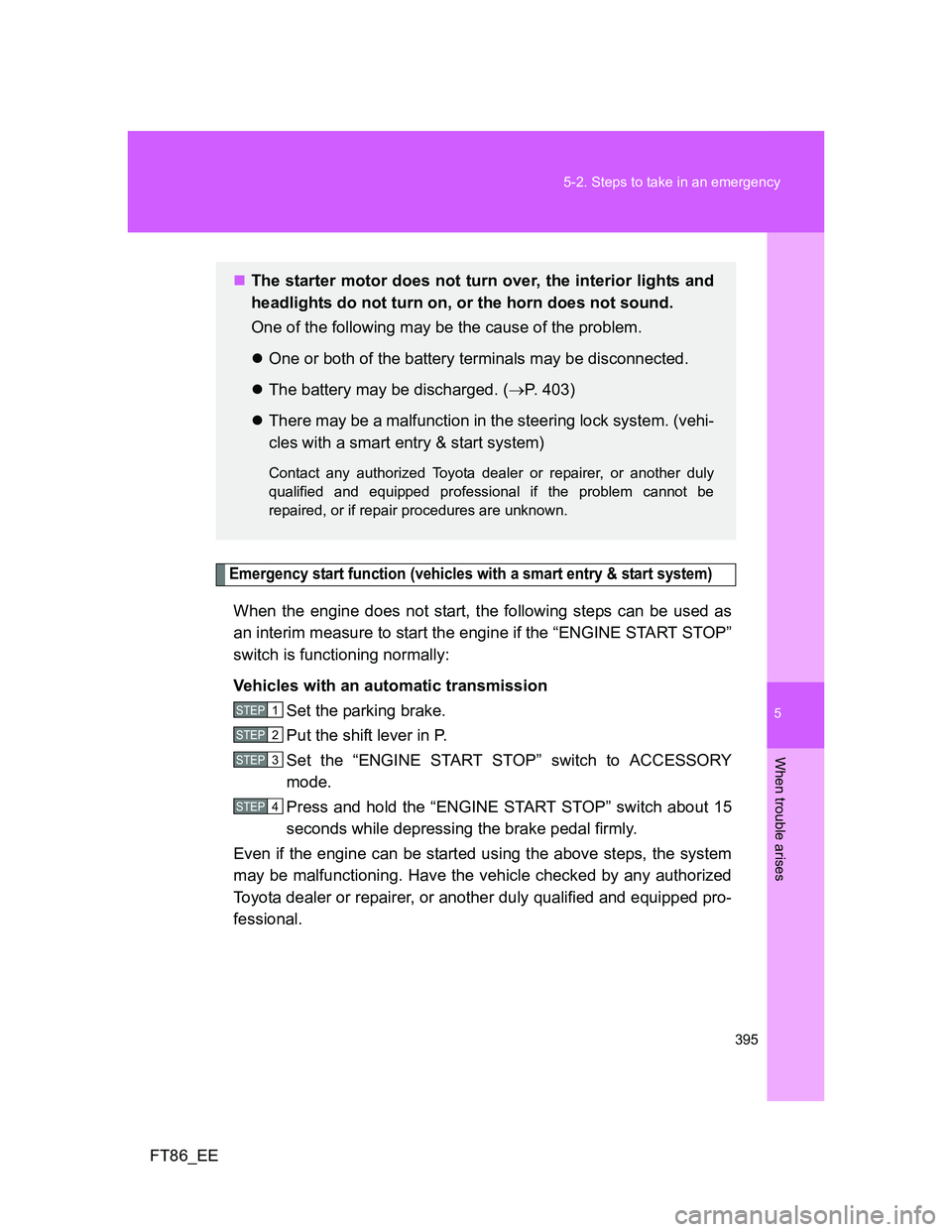
When the engine does not start, the following steps can be used as
an interim measure to start the engine if the “ENGINE START STOP”
switch is functioning normally:
Vehicles with an automatic transmission
Set the parking brake.
Put the shift lever in P.
Set the “ENGINE START STOP” switch to ACCESSORY
mode.
Press and hold the “ENGINE START STOP” switch about 15
seconds while depressing the brake pedal firmly.
Even if the engine can be started using the above steps, the system
may be malfunctioning. Have the vehicle checked by any authorized
Toyota dealer or repairer, or another duly qualified and equipped pro-
fessional.
The starter motor does not turn over, the interior lights and
headlights do not turn on, or the horn does not sound.
One of the following may be the cause of the problem.
One or both of the battery terminals may be disconnected.
The battery may be discharged. (P. 403)
There may be a malfunction in the steering lock system. (vehi-
cles with a smart entry & start system)
Contact any authorized Toyota dealer or repairer, or another duly
qualified and equipped professional if the problem cannot be
repaired, or if repair procedures are unknown.
STEP 1
STEP 2
STEP 3
STEP 4
Page 396 of 448
396 5-2. Steps to take in an emergency
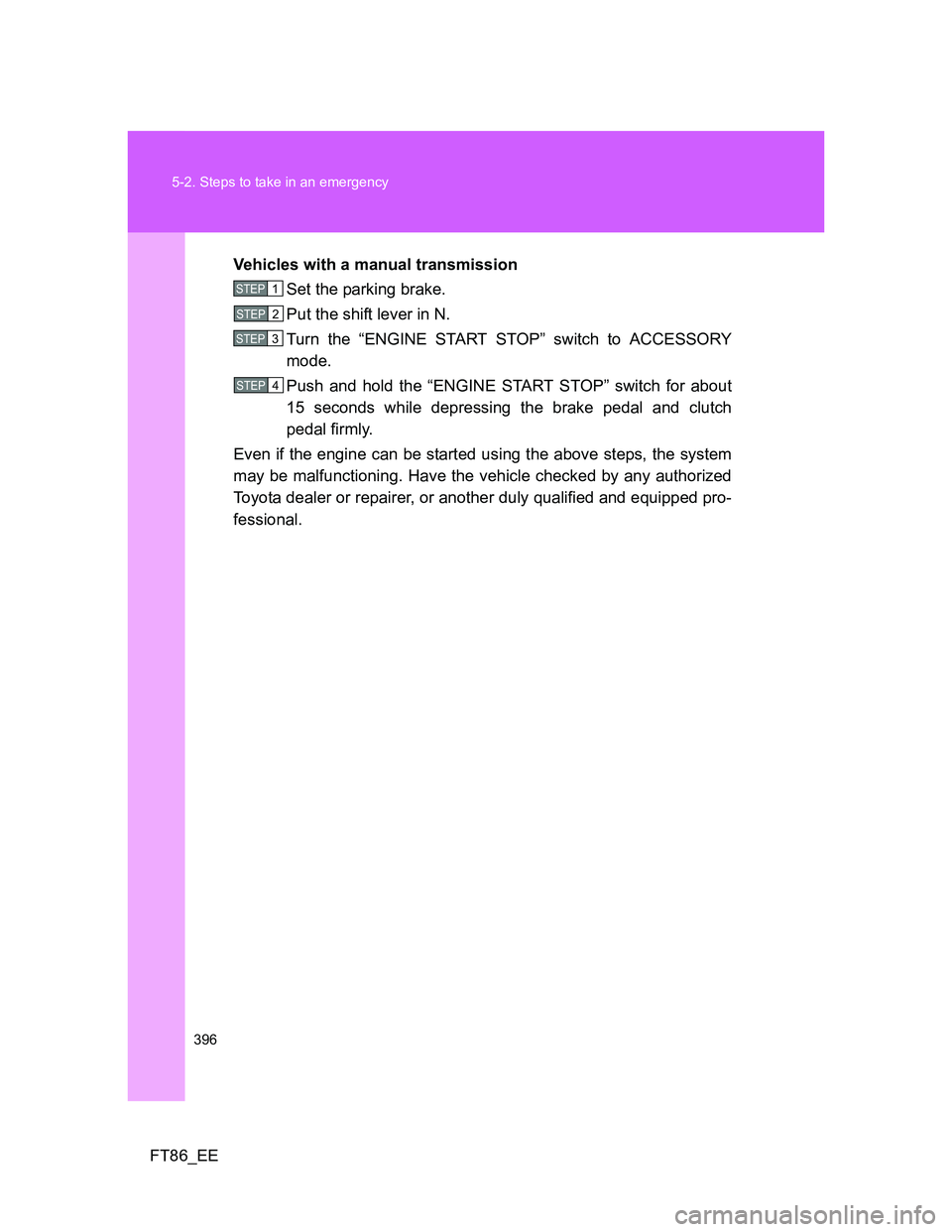
FT86_EEVehicles with a manual transmission
Set the parking brake.
Put the shift lever in N.
Turn the “ENGINE START STOP” switch to ACCESSORY
mode.
Push and hold the “ENGINE START STOP” switch for about
15 seconds while depressing the brake pedal and clutch
pedal firmly.
Even if the engine can be started using the above steps, the system
may be malfunctioning. Have the vehicle checked by any authorized
Toyota dealer or repairer, or another duly qualified and equipped pro-
fessional.
STEP 1
STEP 2
STEP 3
STEP 4
Page 402 of 448
402 5-2. Steps to take in an emergency
FT86_EE
Stopping the engine
Vehicles with an automatic transmission: Shift the shift lever to P and press
the “ENGINE START STOP” switch as you normally do when stopping the
engine.
Vehicles with a manual transmission: Shift the shift lever to N and press the
“ENGINE START STOP” switch as you normally do when stopping the
engine.
Replacing the key battery
As the above procedure is a temporary measure, it is recommended that the
electronic key battery be replaced immediately when the battery depletes.
(P. 320)
Changing “ENGINE START STOP” switch modes (if the smart entry &
start system has been deactivated in a customized setting)
Vehicles with an automatic transmission
Release the brake pedal and press the “ENGINE START STOP” switch in
above.The engine does not start and modes will be changed each
time the switch is pressed. (P. 168)
Vehicles with a manual transmission
Release the clutch pedal and press the “ENGINE START STOP” switch in
above.The engine does not start and modes will be changed each
time the switch is pressed. (P. 168)
If the doors cannot be locked or unlocked by the smart entry & start
system
Lock and unlock the doors by the mechanical key or wireless remote control.
STEP 3
STEP 3
Page 404 of 448
404 5-2. Steps to take in an emergency
FT86_EE
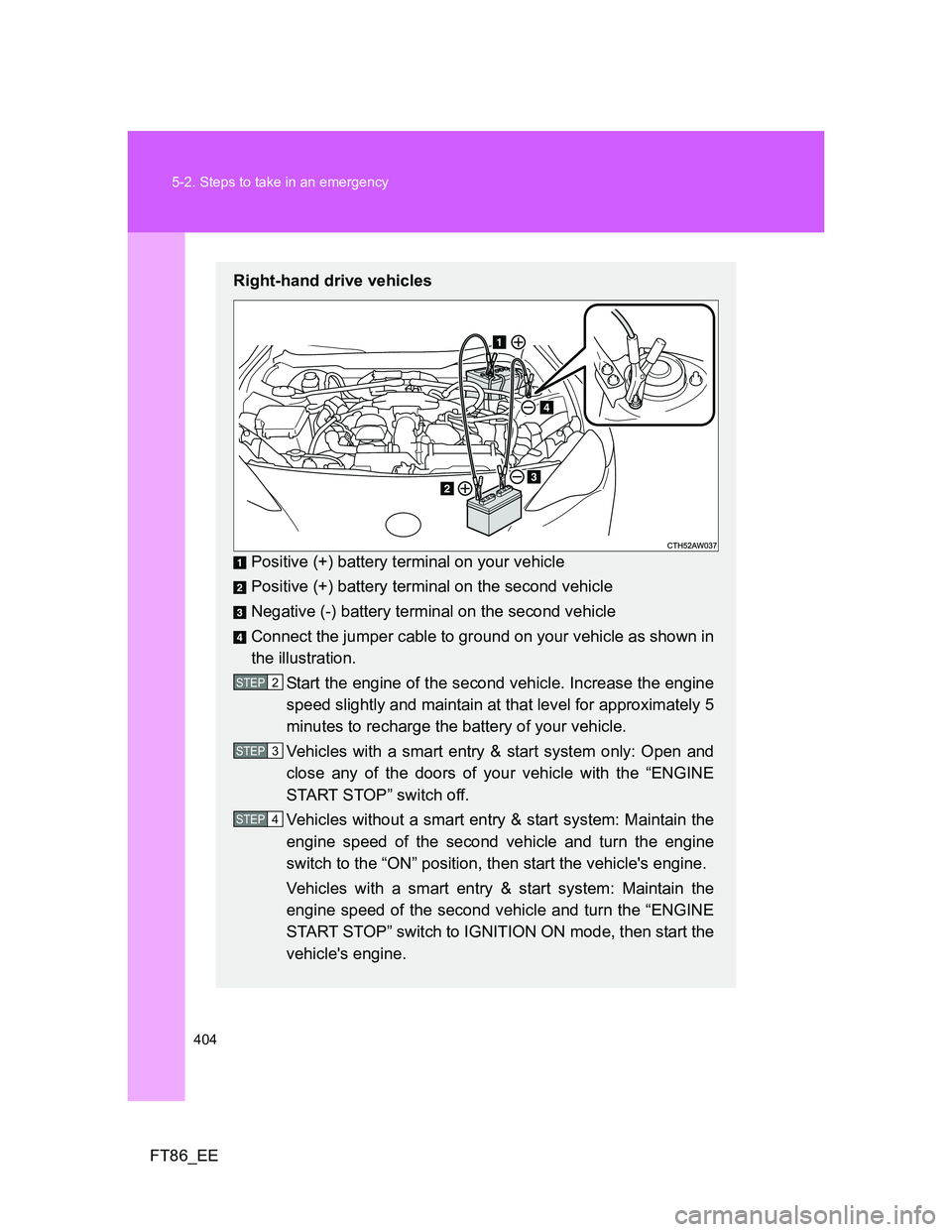
Right-hand drive vehicles
Positive (+) battery terminal on your vehicle
Positive (+) battery terminal on the second vehicle
Negative (-) battery terminal on the second vehicle
Connect the jumper cable to ground on your vehicle as shown in
the illustration.
Start the engine of the second vehicle. Increase the engine
speed slightly and maintain at that level for approximately 5
minutes to recharge the battery of your vehicle.
Vehicles with a smart entry & start system only: Open and
close any of the doors of your vehicle with the “ENGINE
START STOP” switch off.
Vehicles without a smart entry & start system: Maintain the
engine speed of the second vehicle and turn the engine
switch to the “ON” position, then start the vehicle's engine.
Vehicles with a smart entry & start system: Maintain the
engine speed of the second vehicle and turn the “ENGINE
START STOP” switch to IGNITION ON mode, then start the
vehicle's engine.
STEP 2
STEP 3
STEP 4
Page 406 of 448
406 5-2. Steps to take in an emergency
FT86_EE
The “ENGINE START STOP” switch mode is memorized by the vehicle.
When the battery is reconnected, the system will return to the mode it
was in before the battery was discharged. Before disconnecting the bat-
tery, turn the “ENGINE START STOP” switch off.
If you are unsure what mode the “ENGINE START STOP” switch was in
before the battery discharged, be especially careful when reconnecting
the battery.
CAUTION
Avoiding battery fires or explosions
Observe the following precautions to prevent accidentally igniting the flam-
mable gas that may be emitted from the battery.
Make sure the jumper cable is connected to the correct terminal and that it
is not unintentionally in contact with any part other than the intended termi-
nal.
Do not allow the jumper cables to come into contact with the “+” and “-” ter-
minals.
Do not allow open flame or use matches, cigarette lighters or smoke near
the battery.
Battery precautions
The battery contains poisonous and corrosive acidic electrolyte, while
related parts contain lead and lead compounds. Observe the following pre-
cautions when handling the battery.
When working with the battery, always wear safety glasses and take care
not to allow any battery fluids (acid) to come into contact with skin, clothing
or the vehicle body.
Do not lean over the battery.
In the event that battery fluid comes into contact with the skin or eyes,
immediately wash the affected area with water and seek medical attention.
Place a wet sponge or cloth over the affected area until medical attention
can be received.
Always wash your hands after handling the battery support, terminals, and
other battery-related parts.
Do not allow children near the battery.