battery TOYOTA HIGHLANDER 2018 (in English) Owner's Guide
[x] Cancel search | Manufacturer: TOYOTA, Model Year: 2018, Model line: HIGHLANDER, Model: TOYOTA HIGHLANDER 2018Pages: 732, PDF Size: 14.5 MB
Page 396 of 732
396
HIGHLANDER_U (OM0E031U)
5-8. Bluetooth® Audio
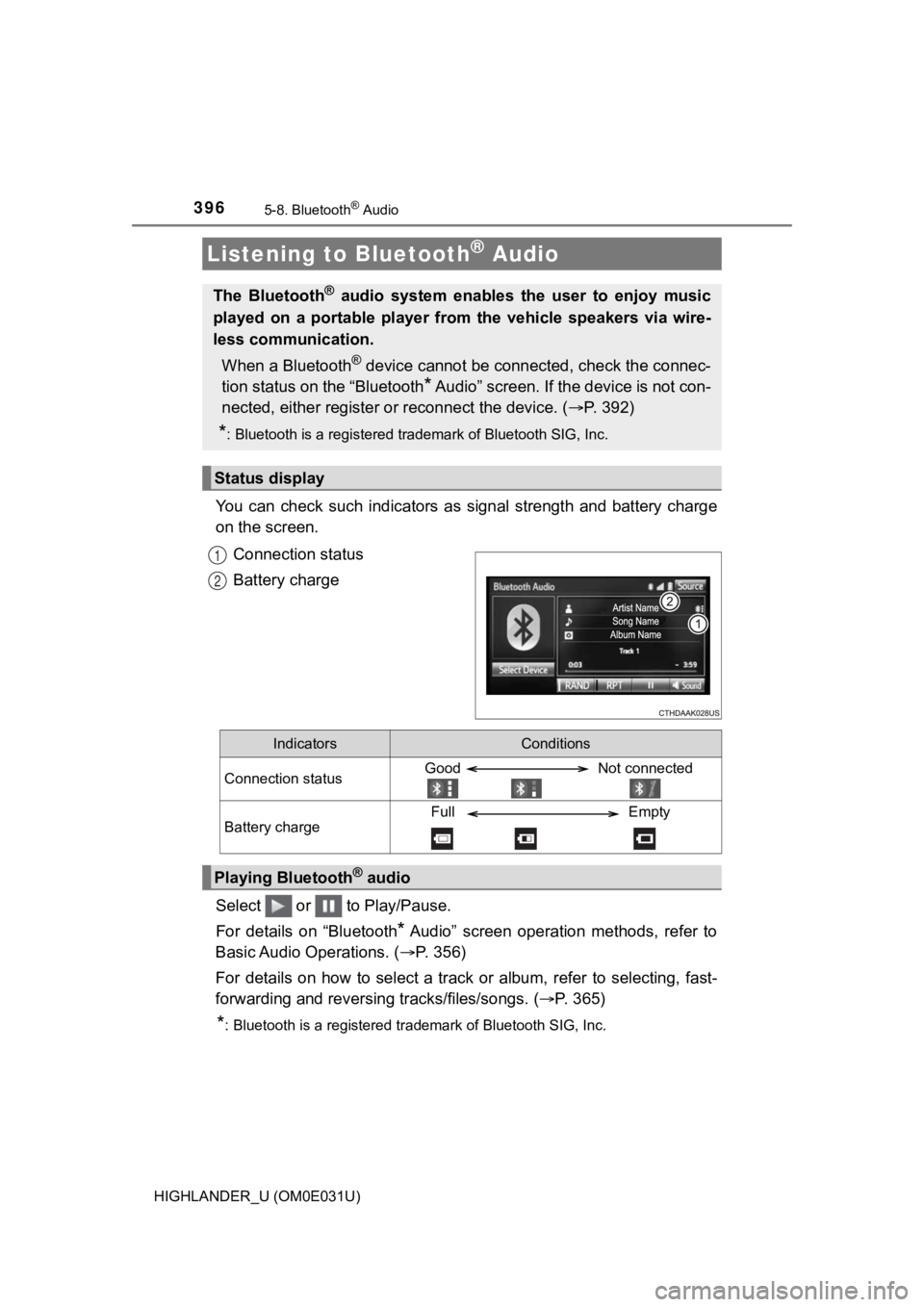
You can check such indicators as signal strength and battery charge
on the screen.
Connection status
Battery charge
Select or to Play/Pause.
For details on “Bluetooth
* Audio” screen operation methods, refer to
Basic Audio Operations. ( P. 356)
For details on how to select a tra ck or album, refer to selecting, fast-
forwarding and reversing tracks/files/songs. ( P. 365)
*: Bluetooth is a registered trademark of Bluetooth SIG, Inc.
Listening to Bluetooth® Audio
The Bluetooth® audio system enables the user to enjoy music
played on a portable player from the vehicle speakers via wire-
less communication.
When a Bluetooth
® device cannot be connected, check the connec-
tion status on the “Bluetooth
* Audio” screen. If the device is not con-
nected, either register o r reconnect the device. ( P. 3 9 2 )
*: Bluetooth is a registered trademark of Bluetooth SIG, Inc.
Status display
1
2
IndicatorsConditions
Connection statusGood Not connected
Battery chargeFull Empty
Playing Bluetooth® audio
Page 398 of 732
3985-9. Bluetooth® phone
HIGHLANDER_U (OM0E031U)■
Telephone switch (
P. 410)
■Microphone
The vehicle’s built in microphone is used when talking on the
phone.
The vehicle’s built in microphone is located near the ceiling, in the
front of the vehicle.
The person you are speaking to c an be heard from the front speak-
ers.
To use the hands-free system, y ou must register your Bluetooth
®
phone in the system. (P. 390)
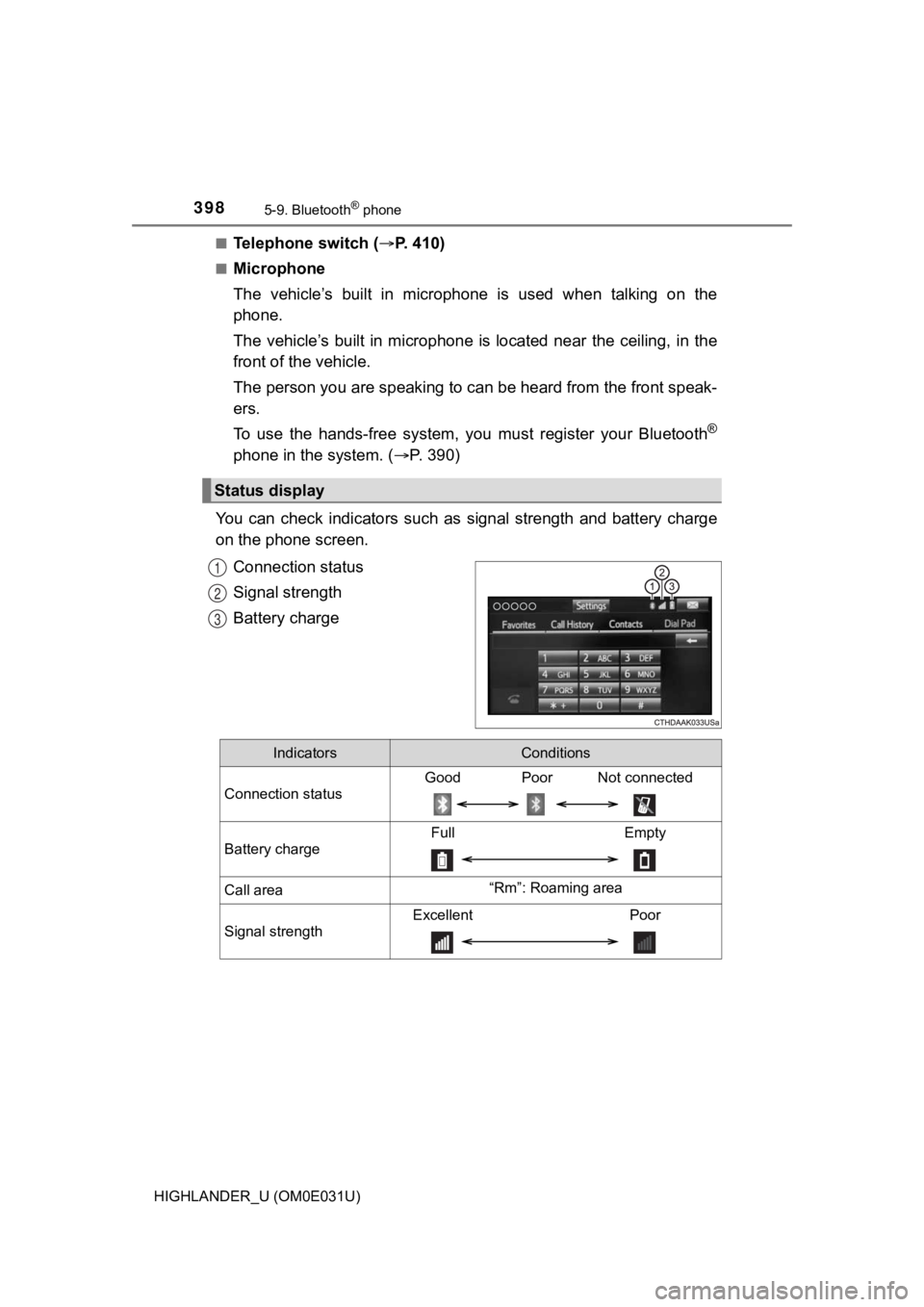
You can check indicators such as signal strength and battery ch arge
on the phone screen.
Connection status
Signal strength
Battery charge
Status display
1
2
3
IndicatorsConditions
Connection status
Good Poor Not connected
Battery charge
Full Empty
Call area“Rm”: Roaming area
Signal strength
Excellent Poor
Page 424 of 732
4245-9. Bluetooth® phone
HIGHLANDER_U (OM0E031U)
In other situations
Even though all conceivable measures have been taken, the symptom sta-
tus does not change.
The cellular phone is not close enough to this system.
Bring the cellular phone closer to this system.
The cellular phone is the most likely cause of the symptom.
Turn the cellular phone off, remove and reinstall the battery pack,
and then restart th e cellular phone.
Enable the cellular phone’s Bluetooth
® connection.
Stop the cellular phone’s security software and close all appli ca-
tions.
Before using an application installed on the cellular phone, ca re-
fully check its source and how it s operation might affect this sys-
tem.
Page 425 of 732
425
5
Audio system
HIGHLANDER_U (OM0E031U)
5-10. Bluetooth®
■When using the Bluetooth® audio system
● In the following conditions, the system may not function.
• If the portable audio player is turned off
• If the portable audio player is not connected
• If the portable audio player’s battery is low
● There may be a delay if a cellular phone connection is made dur ing
Bluetooth
® audio play.
● Depending on the type of portable audio player that is connecte d to the sys-
tem, operation may differ slightly and certain functions may no t be available.
■ When using the hands-free system
●Entune Audio is muted when making a call.
● If both parties speak at the same time, it may be difficult to hear.
● If the received call volume is overly loud, an echo may be heard.
If the Bluetooth
® phone is too close to the system, quality of the sound may
deteriorate and connection status may deteriorate.
● In the following circumstances, it may be difficult to hear the other party:
• When driving on unpaved roads
• When driving at high speeds
• If a roof or window is open
• If the air conditioning is blowing directly on the microphone
• If there is interference from the network of the cellular phon e
■ Conditions under which the system will not operate
●If using a cellular phone that does not support Bluetooth
®
●If the cellular phone is turned off
● If you are outside of cellular phone service coverage
● If the cellular phone is not connected
● If the cellular phone’s battery is low
● When outgoing calls are controlled, due to heavy traffic on tel ephone lines,
etc.
● When the cellular phone itself cannot be used
● When transferring contact data from the cellular phone
Bluetooth®
Page 426 of 732

4265-10. Bluetooth®
HIGHLANDER_U (OM0E031U)■
Bluetooth
® antenna
The antenna is built into the display.
If the portable audio player is behind the seat or in the glove box or console
box, or is touching or covered by metal objects, the connection status may
deteriorate.
If the cellular phone is behind the seat or in the console box, or touching or
covered by metal objects, the connection status may deteriorate .
■ Battery charge/signal status
●This display may not correspond exactly with the portable audio player or
cellular phone itself.
● This system does not have a charging function.
● The portable audio player or cellular phone battery will be dep leted quickly
when the device is connected to Bluetooth
®.
■ When using the Bluetooth
® audio and hands-free system at the same
time
The following problems may occur.
● The Bluetooth
® audio connection may be interrupted.
● Noise may be heard during Bluetooth
® audio playback.
■ About the contact in this system
The following data is stored for every registered cellular phone. When
another phone is connecting, you cannot read the registered dat a.
● Contact data
● Call history
● Favorite
● Message
When removing a Bluetooth
® phone from the system, the above-mentioned
data is also deleted.
Page 441 of 732
4416-1. Using the air conditioning system and defogger
6
Interior features
HIGHLANDER_U (OM0E031U)
WARNING
■To prevent the windshield from fogging up
● Do not use during cool air operation in extremely humid weathe r.
The difference between the temperature of the outside air and t hat of the
windshield can cause the outer surface of the windshield to fog up, block-
ing your vision.
■ To prevent burns
● Do not touch the rear view mirror surfaces when the outside rear view mir-
ror defoggers are on.
● Do not touch the glass at lower part of the windshield or to the side of the
front pillars when the windshield wiper de-icer is on.
NOTICE
■To prevent battery discharge
Do not leave the air conditioning system on longer than necessa ry when the
engine is stopped.
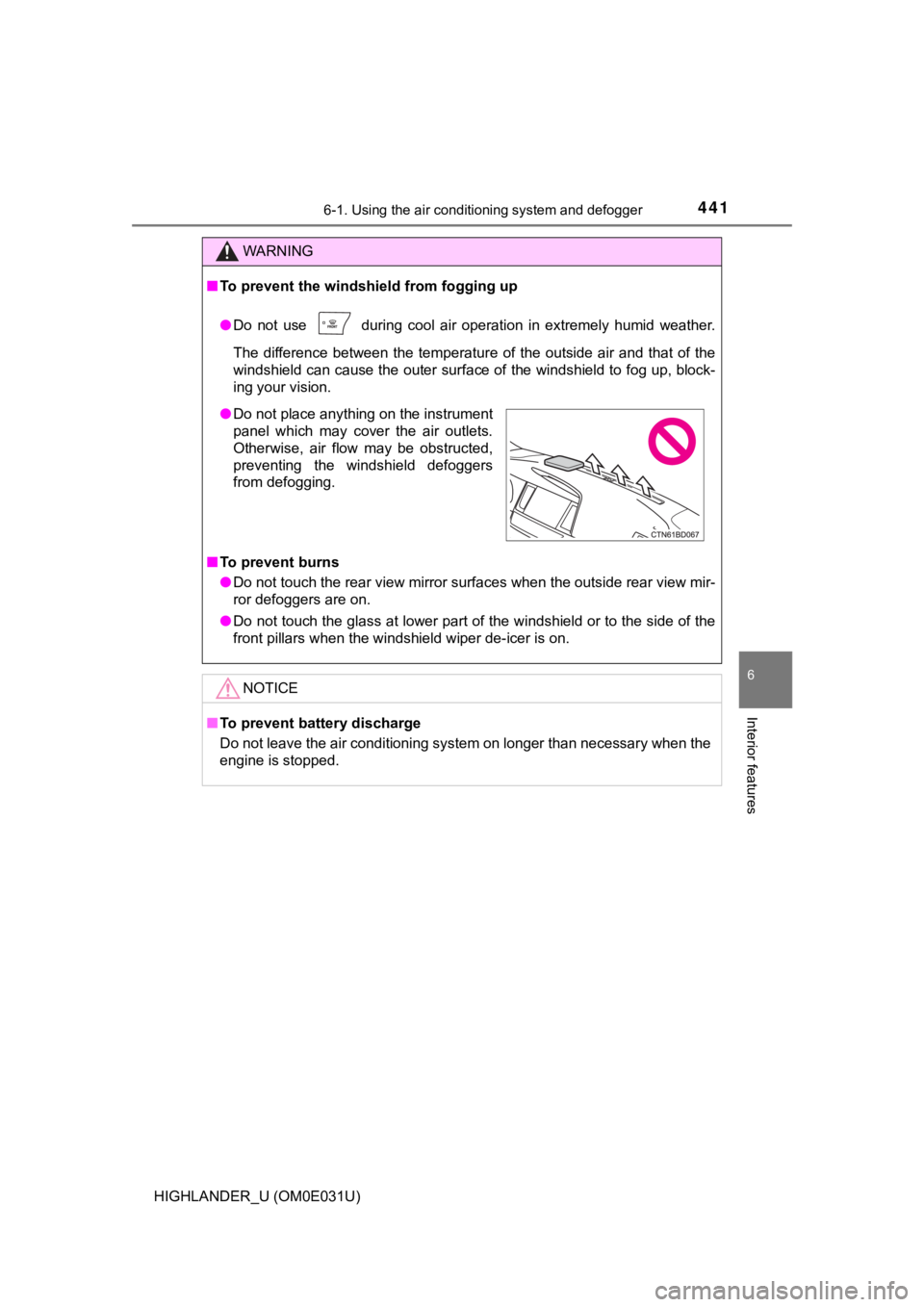
● Do not place anything on the instrument
panel which may cover the air outlets.
Otherwise, air flow may be obstructed,
preventing the windshield defoggers
from defogging.
Page 448 of 732
4486-1. Using the air conditioning system and defogger
HIGHLANDER_U (OM0E031U)
WARNING
■To prevent the windshield from fogging up
● Do not use during cool air operation in extremely humid weathe r.
The difference between the temperature of the outside air and t hat of the
windshield can cause the outer surface of the windshield to fog up, block-
ing your vision.
■ To prevent burns
● Do not touch the rear view mirror surfaces when the outside rear view mir-
ror defoggers are on.
● Do not touch the glass at lower part of the windshield or to the side of the
front pillars when the windshield wiper de-icer is on.
NOTICE
■To prevent battery discharge
Do not leave the air conditioning system on longer than necessa ry when the
engine is stopped.
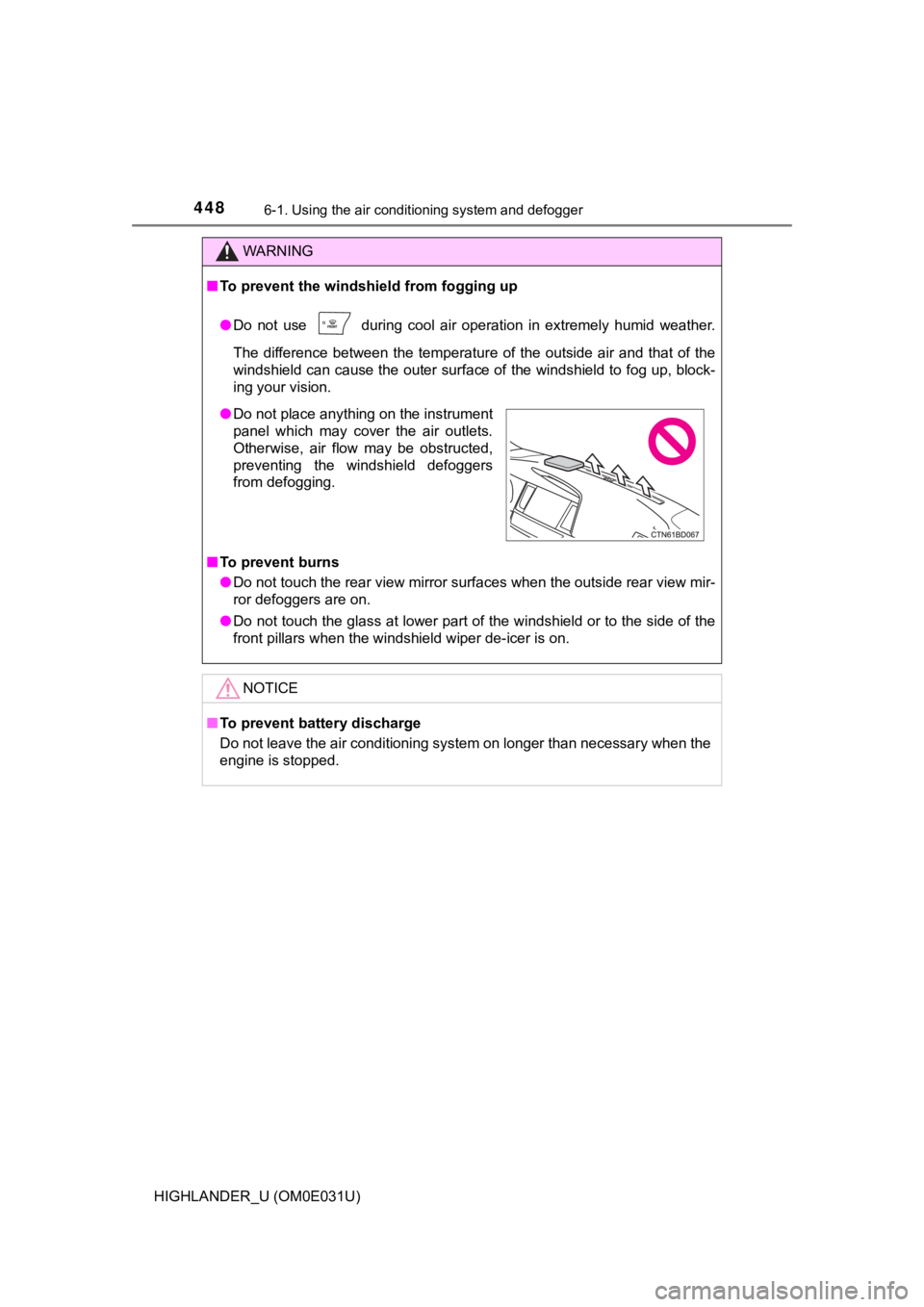
● Do not place anything on the instrument
panel which may cover the air outlets.
Otherwise, air flow may be obstructed,
preventing the windshield defoggers
from defogging.
Page 451 of 732
4516-1. Using the air conditioning system and defogger
6
Interior features
HIGHLANDER_U (OM0E031U)■
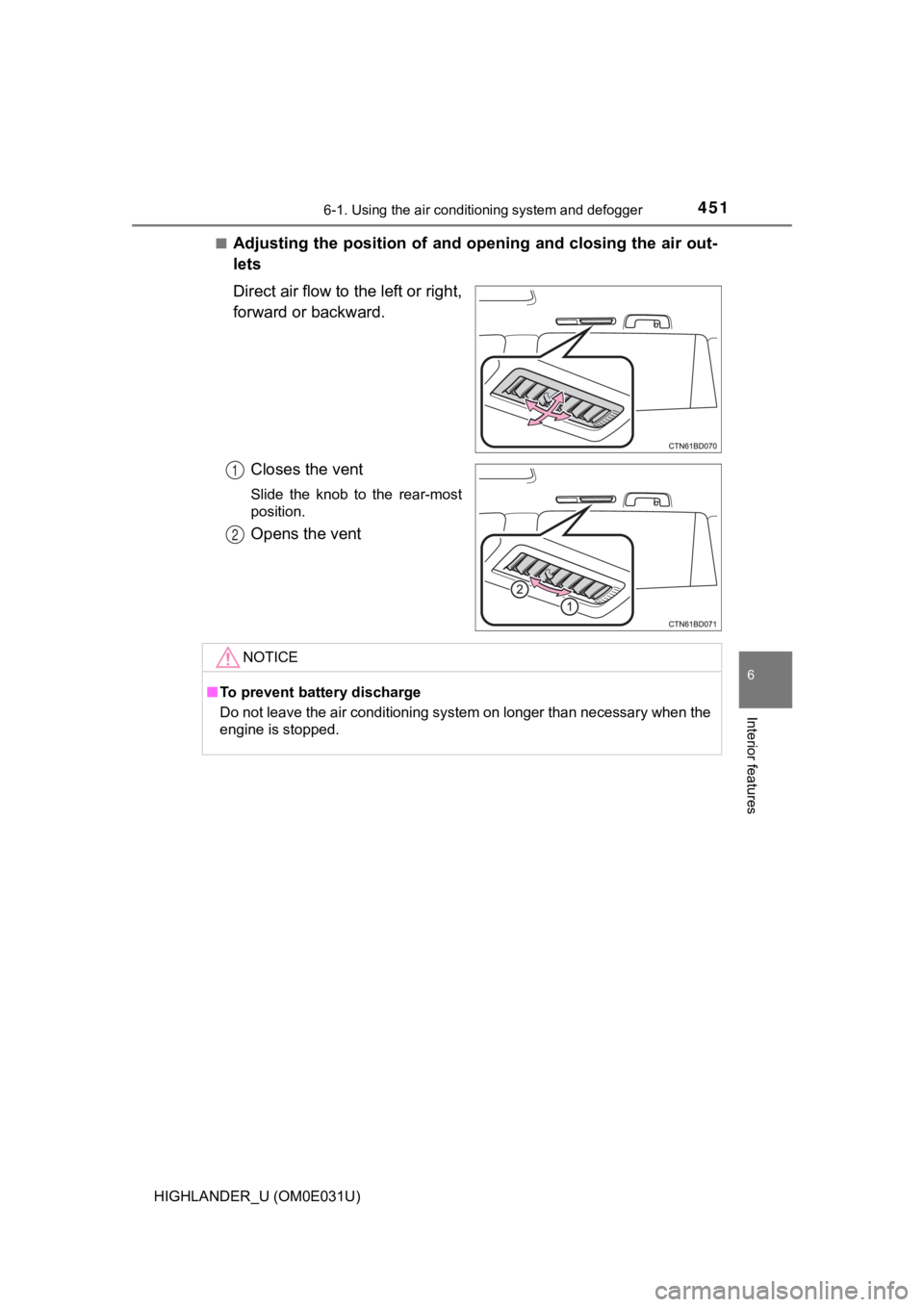
Adjusting the position of and opening and closing the air out-
lets
Direct air flow to the left or right,
forward or backward.
Closes the vent
Slide the knob to the rear-most
position.
Opens the vent
1
2
NOTICE
■To prevent battery discharge
Do not leave the air conditioning system on longer than necessa ry when the
engine is stopped.
Page 454 of 732
4546-1. Using the air conditioning system and defogger
HIGHLANDER_U (OM0E031U)■
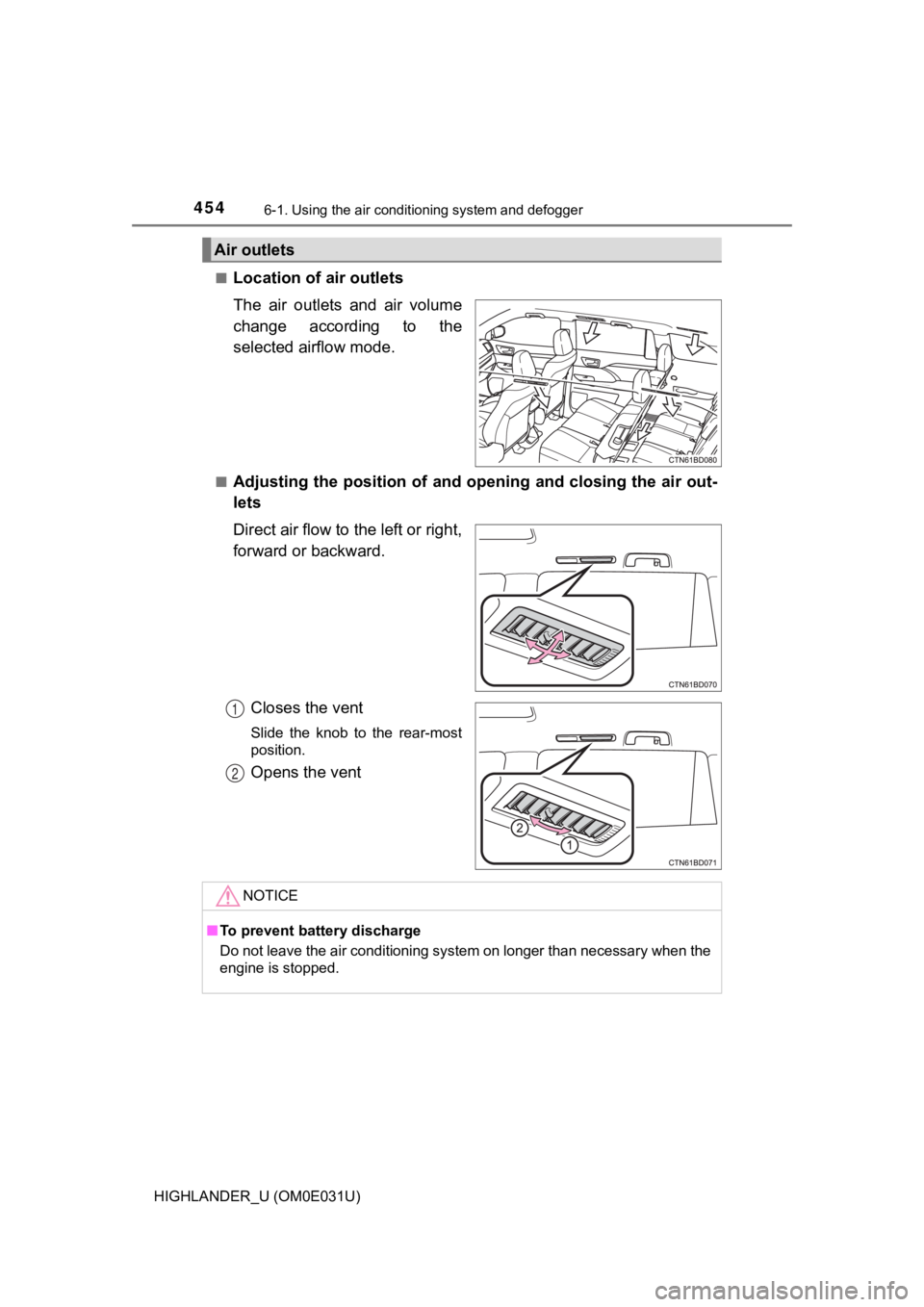
Location of a
ir outlets
The air outlets and air volume
change according to the
selected airflow mode.
■Adjusting the position of and opening and closing the air out-
lets
Direct air flow to the left or right,
forward or backward.
Closes the vent
Slide the knob to the rear-most
position.
Opens the vent
Air outlets
1
2
NOTICE
■To prevent battery discharge
Do not leave the air conditioning system on longer than necessa ry when the
engine is stopped.
Page 455 of 732
4556-1. Using the air conditioning system and defogger
6
Interior features
HIGHLANDER_U (OM0E031U)
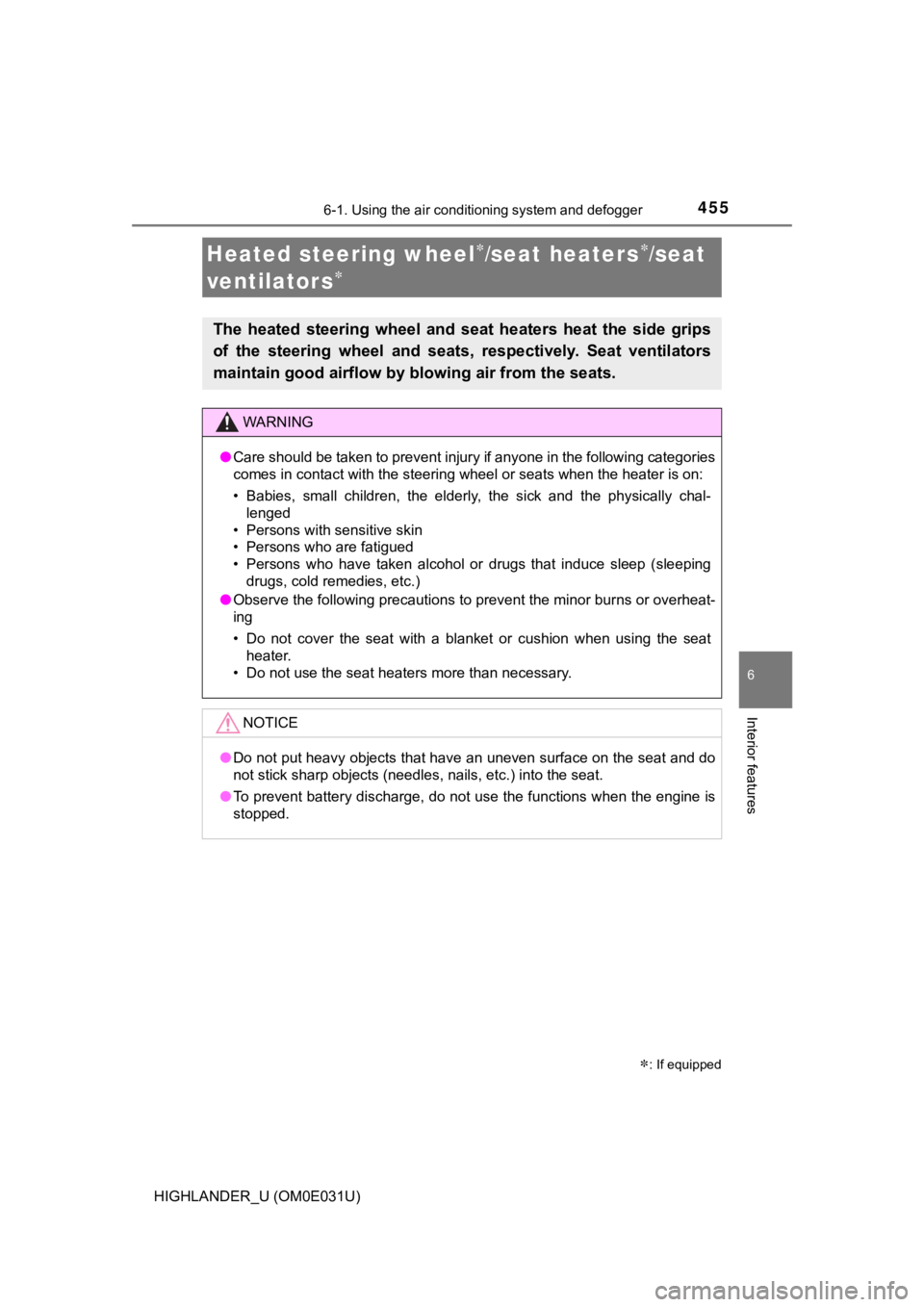
Heated steering wheel/seat heaters/seat
ventilator s
: If equipped
The heated steering wheel and seat heaters heat the side grips
of the steering wheel and seats, respectively. Seat ventilators
maintain good airflow by blo wing air from the seats.
WARNING
●Care should be taken to prevent injury if anyone in the following categories
comes in contact with the steering wheel or seats when the heater is on:
• Babies, small children, the elderly, the sick and the physical ly chal-
lenged
• Persons with sensitive skin
• Persons who are fatigued
• Persons who have taken alcohol or drugs that induce sleep (sle eping
drugs, cold remedies, etc.)
● Observe the following precautions to prevent the minor burns or overheat-
ing
• Do not cover the seat with a blanket or cushion when using the seat
heater.
• Do not use the seat heaters more than necessary.
NOTICE
● Do not put heavy objects that have an uneven surface on the sea t and do
not stick sharp objects (needles, nails, etc.) into the seat.
● To prevent battery discharge, do not use the functions when the engine is
stopped.