wheel TOYOTA HIGHLANDER 2018 (in English) Workshop Manual
[x] Cancel search | Manufacturer: TOYOTA, Model Year: 2018, Model line: HIGHLANDER, Model: TOYOTA HIGHLANDER 2018Pages: 732, PDF Size: 14.5 MB
Page 305 of 732
3054-5. Using the driving support systems
4
Driving
HIGHLANDER_U (OM0E031U)●
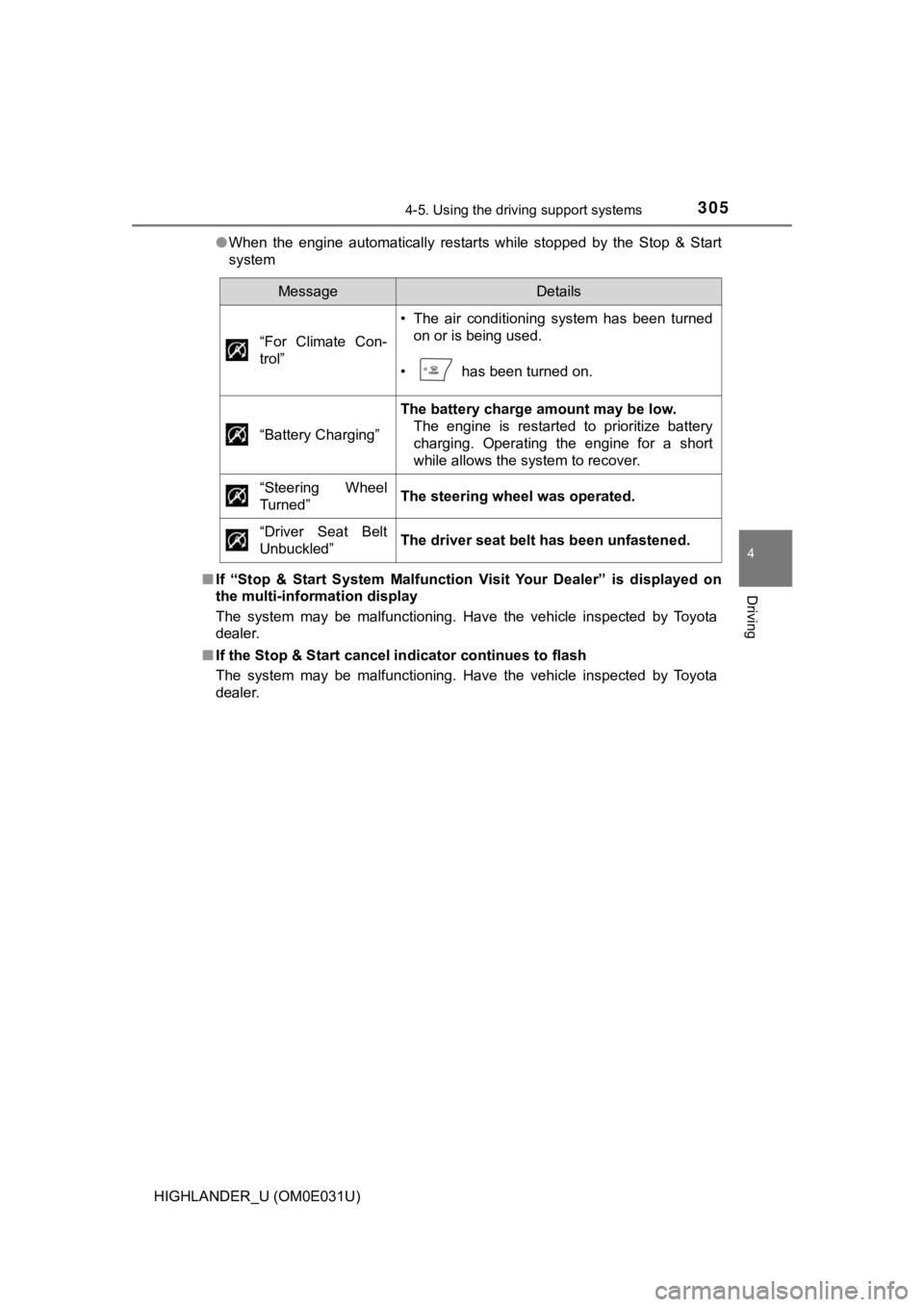
When the engine automatically restarts while stopped by the Sto p & Start
system
■ If “Stop & Start System Malfunction Visit Your Dealer” is displ ayed on
the multi-information display
The system may be malfunctioning. Have the vehicle inspected by Toyota
dealer.
■ If the Stop & Start cancel indicator continues to flash
The system may be malfunctioning. Have the vehicle inspected by Toyota
dealer.
MessageDetails
“For Climate Con-
trol”
• The air conditioning system has been turned on or is being used.
• has been turned on.
“Battery Charging”
The battery charge amount may be low. The engine is restarted to prioritize battery
charging. Operating the engine for a short
while allows the system to recover.
“Steering Wheel
Turned”
The steering wheel was operated.
“Driver Seat Belt
Unbuckled”
The driver seat belt has been unfastened.
Page 314 of 732
3144-5. Using the driving support systems
HIGHLANDER_U (OM0E031U)
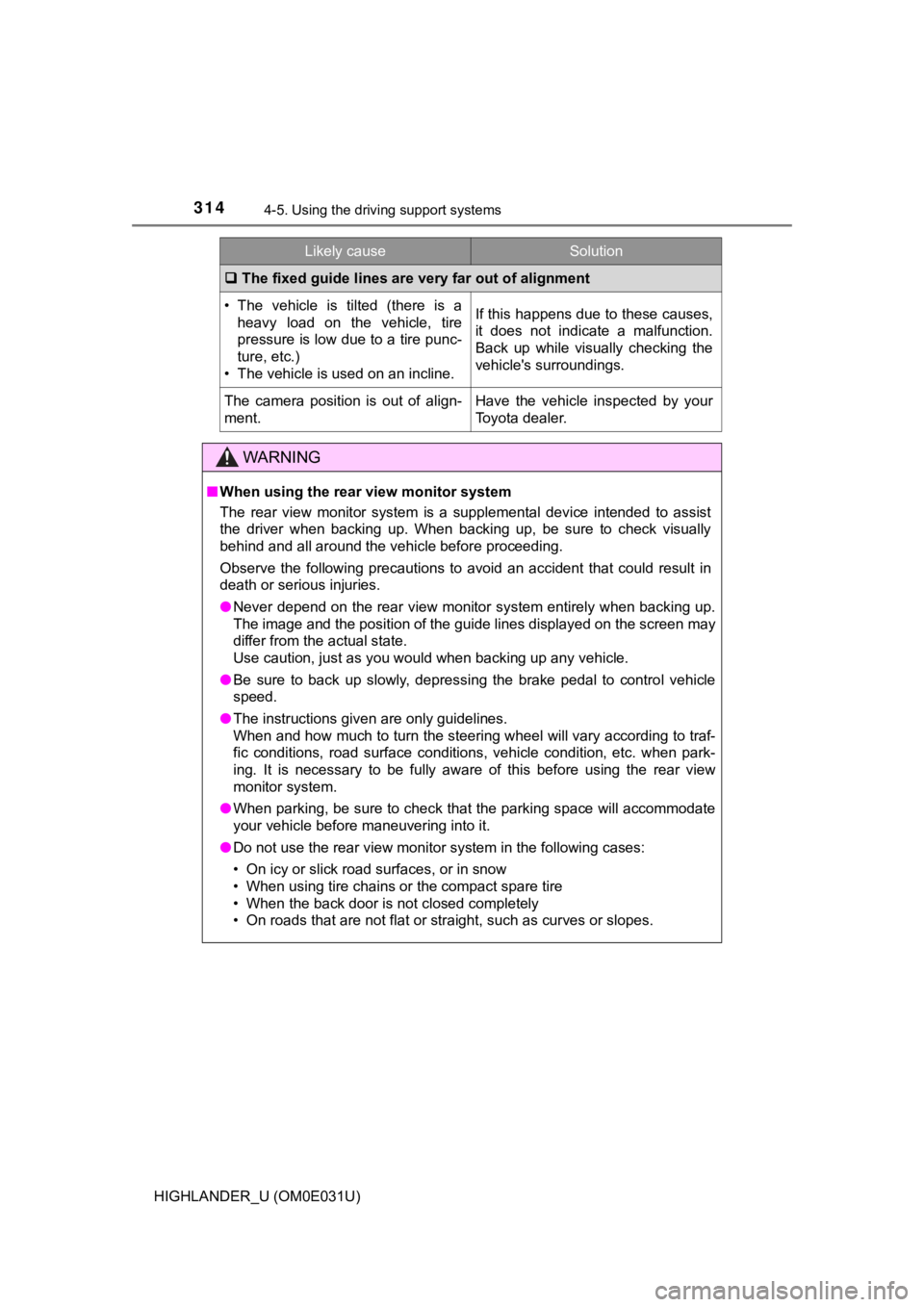
The fixed guide lines are very far out of alignment
• The vehicle is tilted (there is a
heavy load on the vehicle, tire
pressure is low due to a tire punc-
ture, etc.)
• The vehicle is used on an incline.If this happens due to these causes,
it does not indicate a malfunction.
Back up while visually checking the
vehicle's surroundings.
The camera position is out of align-
ment.Have the vehicle inspected by your
Toyota dealer.
WARNING
■ When using the rear view monitor system
The rear view monitor system is a supplemental device intended to assist
the driver when backing up. When backing up, be sure to check v isually
behind and all around the vehicle before proceeding.
Observe the following precautions to avoid an accident that cou ld result in
death or serious injuries.
● Never depend on the rear view monitor system entirely when back ing up.
The image and the position of the guide lines displayed on the screen may
differ from the actual state.
Use caution, just as you would when backing up any vehicle.
● Be sure to back up slowly, depressing the brake pedal to contro l vehicle
speed.
● The instructions given are only guidelines.
When and how much to turn the steering wheel will vary accordin g to traf-
fic conditions, road surface conditions, vehicle condition, etc . when park-
ing. It is necessary to be fully aware of this before using the rear view
monitor system.
● When parking, be sure to check that the parking space will acco mmodate
your vehicle before maneuvering into it.
● Do not use the rear view monitor system in the following cases:
• On icy or slick road surfaces, or in snow
• When using tire chains or the compact spare tire
• When the back door is not closed completely
• On roads that are not flat or straight, such as curves or slop es.
Likely causeSolution
Page 330 of 732
3304-5. Using the driving support systems
HIGHLANDER_U (OM0E031U)
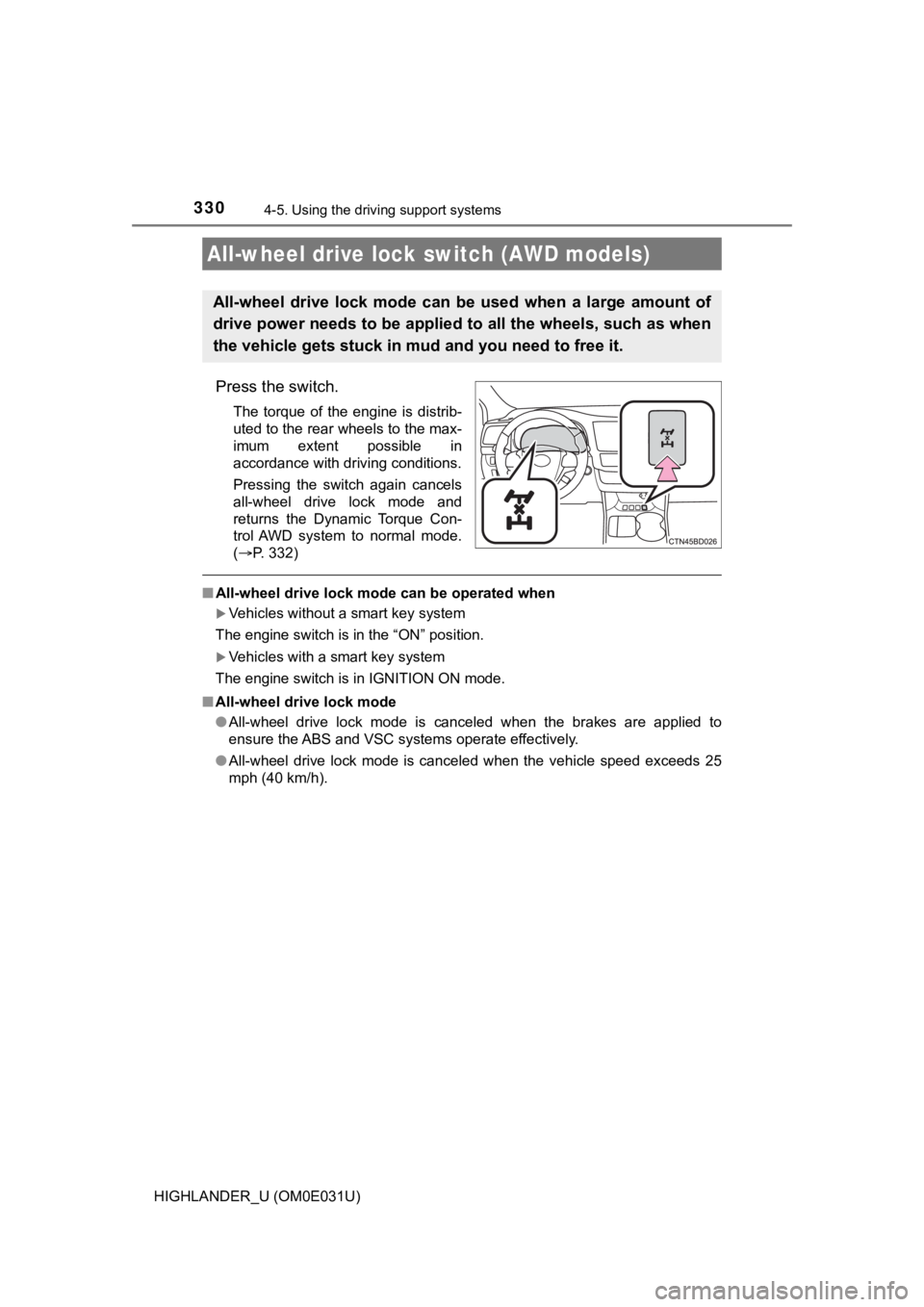
Press the switch.
The torque of the engine is distrib-
uted to the rear wheels to the max-
imum extent possible in
accordance with driving conditions.
Pressing the switch again cancels
all-wheel drive lock mode and
returns the Dynamic Torque Con-
trol AWD system to normal mode.
(P. 332)
■ All-wheel drive lock mode can be operated when
Vehicles without a smart key system
The engine switch is in the “ON” position.
Vehicles with a smart key system
The engine switch is in IGNITION ON mode.
■ All-wheel drive lock mode
●All-wheel drive lock mode is canceled when the brakes are appli ed to
ensure the ABS and VSC systems operate effectively.
● All-wheel drive lock mode is canceled when the vehicle speed ex ceeds 25
mph (40 km/h).
All-wheel drive lock switch (AWD models)
All-wheel drive lock mode can b e used when a large amount of
drive power needs to be applied to all the wheels, such as when
the vehicle gets stuck in m ud and you need to free it.
Page 331 of 732
3314-5. Using the driving support systems
4
Driving
HIGHLANDER_U (OM0E031U)
◆ABS (Anti-lock Brake System)
Helps to prevent wheel lock when the brakes are applied suddenl y,
or if the brakes are applied while driving on a slippery road surface
◆Brake assist
Generates an increased level of braking force after the brake p edal
is depressed when the system de tects a panic stop situation
◆VSC (Vehicle Stability Control)
Helps the driver to control skidding when swerving suddenly or
turning on slippery road surfaces
◆Enhanced VSC (Enhanced Vehicle Stability Control)
Provides cooperative control of the ABS, TRAC, VSC and EPS.
Helps to maintain directional stability when swerving on slippe ry
road surfaces by controlling steering performance.
◆Trailer Sway Control
Helps the driver to control tra iler sway by selectively applying brake
pressure for individual wheels and reducing driving torque when
trailer sway is detected.
◆TRAC (Traction Control)
Helps to maintain drive power and prevent the drive wheels from
spinning when starting the vehicl e or accelerating on slippery roads
◆Hill-start assist control
Helps to reduce the backward movement of the vehicle when start -
ing on an uphill
Driving assist systems
To help enhance driving safety and performance, the following
systems operate autom atically in response to various driving
situations. Be aware, however, that these systems are supple-
mentary and should not be relied upon too heavily when operat-
ing the vehicle.
Page 332 of 732

3324-5. Using the driving support systems
HIGHLANDER_U (OM0E031U)
◆Dynamic Torque Control AWD system (AWD models)
Automatically switches from fron t-wheel drive to all-wheel drive
(AWD) according to the driving conditions, helping to ensure re li-
able handling and stability. Ex amples of conditions where the s ys-
tem will switch to AWD are when cornering, going uphill, starting off
or accelerating, and when the road surface is slippery due to s now,
rain, etc.
◆EPS (Electric Power Steering)
Employs an electric motor to reduce the amount of effort needed to
turn the steering wheel
Page 333 of 732
3334-5. Using the driving support systems
4
Driving
HIGHLANDER_U (OM0E031U)
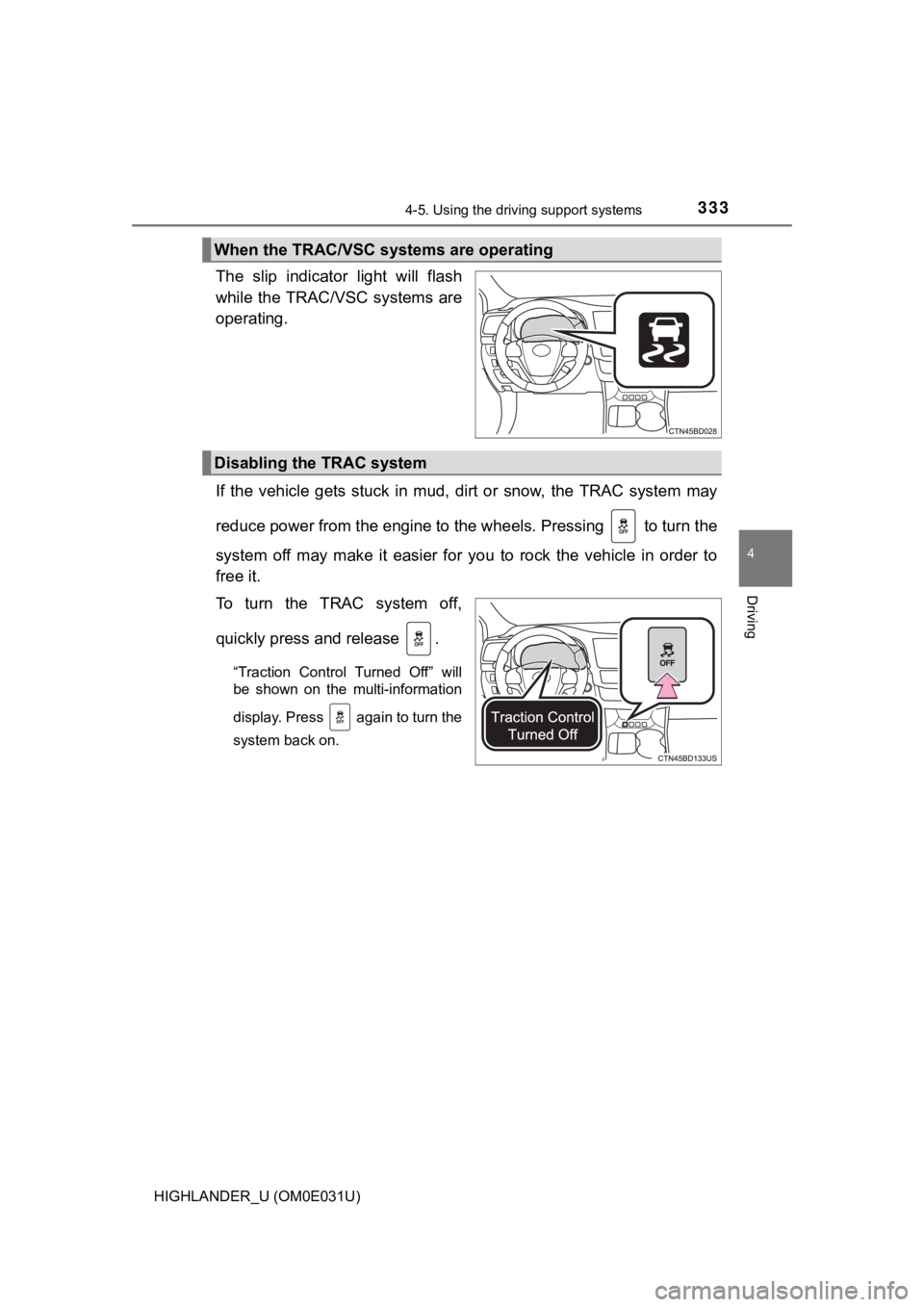
The slip indicator light will flash
while the TRAC/VSC systems are
operating.
If the vehicle gets stuck in mud, dirt or snow, the TRAC system may
reduce power from the engine to the wheels. Pressing to turn t he
system off may make it easier for you to rock the vehicle in or der to
free it.
To turn the TRAC system off,
quickly press and release .
“Traction Control Turned Off” will
be shown on the multi-information
display. Press again to turn the
system back on.
When the TRAC/VSC systems are operating
Disabling the TRAC system
Page 335 of 732

3354-5. Using the driving support systems
4
Driving
HIGHLANDER_U (OM0E031U)■
EPS operation sound
When the steering wheel is operated, a motor sound (whirring so und) may be
heard. This does not indicate a malfunction.
■ Automatic reactivation of TRAC and VSC systems
After turning the TRAC and VSC systems off, the systems will be automati-
cally re-enabled in the following situations:
● Vehicles without a smart key system: When the engine switch is turned to
the “LOCK” position
Vehicles with a smart key system: When the engine switch is tur ned off
● If only the TRAC system is turned off, the TRAC will turn on wh en vehicle
speed increases
If both the TRAC and VSC systems are turned off, automatic re-e nabling will
not occur when vehicle speed increases.
■ Reduced effectiveness of the EPS system
The effectiveness of the EPS system is reduced to prevent the s ystem from
overheating when there is frequent steering input over an exten ded period of
time. The steering wheel may feel heavy as a result. Should thi s occur, refrain
from excessive steering input or stop the vehicle and turn the engine off. The
EPS system should return to normal within 10 minutes.
WARNING
■ The ABS does not operate effectively when
● The limits of tire gripping performance have been exceeded (suc h as
excessively worn tires on a snow covered road).
● The vehicle hydroplanes while driving at high speed on wet or s lick roads.
■ Stopping distance when the ABS is operating may exceed that of nor-
mal conditions
The ABS is not designed to shorten the vehicle’s stopping distance. Always
maintain a safe distance from the vehicle in front of you, espe cially in the
following situations:
● When driving on dirt, gravel or snow-covered roads
● When driving with tire chains
● When driving over bumps on the road
● When driving over roads with potholes or uneven surfaces
Page 336 of 732

3364-5. Using the driving support systems
HIGHLANDER_U (OM0E031U)
WARNING
■TRAC/VSC may not operate effectively when
Directional control and power may not be achievable while driving on slip-
pery road surfaces, even if the TRAC/VSC system is operating.
Drive the vehicle carefully in conditions where stability and p ower may be
lost.
■ Hill- start assist control does not operate effectively when
● Do not overly rely on hill-start assist control. Hill-start ass ist control may
not operate effectively on steep inclines and roads covered wit h ice.
● Unlike the parking brake, hill-start assist control is not inte nded to hold the
vehicle stationary for an extended period of time. Do not attempt to use
hill-start assist control to hold the vehicle on an incline, as doing so may
lead to an accident.
■ When the VSC is activated
The slip indicator light flashes. Always drive carefully. Reckless driving may
cause an accident. Exercise particular care when the indicator light flashes.
■ When the TRAC/VSC systems are turned off
Be especially careful and drive at a speed appropriate to the r oad condi-
tions. As these are the systems to help ensure vehicle stabilit y and driving
force, do not turn the TRAC/VSC systems off unless necessary.
Trailer Sway Control is part of the VSC system and will not ope rate if VSC
turned off or experiences a malfunction.
■ Replacing tires
Make sure that all tires are of the specified size, brand, trea d pattern and
total load capacity. In addition, make sure that the tires are inflated to the
recommended tire inflation pressure level.
The ABS, TRAC and VSC systems will not function correctly if di fferent tires
are installed on the vehicle.
Contact your Toyota dealer for further information when replaci ng tires or
wheels.
■ Handling of tires and the suspension
Using tires with any kind of problem or modifying the suspensio n will affect
the driving assist systems, and may cause a system to malfuncti on.
Page 338 of 732

3384-5. Using the driving support systems
HIGHLANDER_U (OM0E031U)●
In the following situations, the indicator flashes to alert the driver, but the
system will operate:
• The shift lever is in N.
• The “DAC” switch is turned off while the system is operating. The system will gradually ceases operation. The indicator will flash during
operation, and then go off when the system is fully off.
■ Downhill assist control system operation sound
●A sound may be heard from the engine compartment when the engin e is
started or just after the vehicle begins to move. This sound do es not indicate
that a malfunction has occurred in downhill assist control syst em.
● Either of the following conditions may occur when the downhill assist control
system is operating. None of these are indicators that a malfun ction has
occurred.
• Vibrations may be felt through the vehicle body and steering.
• A motor sound may be heard after the vehicle comes to a stop.
■ If the slip indicator comes on
It may indicate a malfunction in the system. Contact your Toyota dealer.
WARNING
■When using downhill assist control system
Do not rely overmuch on the downhill assist control system. Thi s function
does not extend the vehicle’s performance limitations. Always t horoughly
check the road conditions, and drive safely.
■ The system may not operate on the following surfaces, which may lead
to an accident causing death or serious injury
● Slippery surfaces such as wet or muddy roads
● Icy surface
● Unpaved roads
■ Do not shift the shift lever to R while driving forward, or to D while driv-
ing backward.
Doing so may cause the wheels to lock up, leading to an acciden t causing
death or serious injury.
In addition, excessive stress will be applied to the automatic transmission,
possibly resulting in damage.
Page 340 of 732

3404-6. Driving tips
HIGHLANDER_U (OM0E031U)
Perform the following according to the driving conditions:
● Do not try to forcibly open a window or move a wiper that is fr ozen.
Pour warm water over the frozen area to melt the ice. Wipe away
the water immediately to p revent it from freezing.
● To ensure proper operation of the climate control system fan,
remove any snow that has accumulated on the air inlet vents in
front of the windshield.
● Check for and remove any excess ic e or snow that may have accu-
mulated on the exterior lights, vehicle’s roof, chassis, around the
tires or on the brakes.
● Remove any snow or mud from the bottom of your shoes before
getting in the vehicle.
Accelerate the vehicle slowly, keep a safe distance between you and
the vehicle ahead, and drive at a reduced speed suitable to roa d con-
ditions.
● Park the vehicle and move the shift lever to P without setting the
parking brake. The parking brake may freeze up, preventing it from
being released. If the vehicle is parked without setting the pa rking
brake, make sure t o block the wheels.
Failure to do so may be dangerou s because it may cause the vehi-
cle to move unexpectedly, pos sibly leading to an accident.
● If the vehicle is parked without setting the parking brake, confirm
that the shift lever c annot be moved out of P
*.
*: The shift lever will be locked if it is attempted to be shift ed from P to any
other position without depressing the brake pedal. If the shift lever can be
shifted from P, there may be a problem with the shift lock syst em. Have the
vehicle inspected by your Toyota dealer immediately.
Before driving the vehicle
When driving the vehicle
When parking the vehicle