air condition TOYOTA HIGHLANDER 2023 Owners Manual
[x] Cancel search | Manufacturer: TOYOTA, Model Year: 2023, Model line: HIGHLANDER, Model: TOYOTA HIGHLANDER 2023Pages: 552, PDF Size: 13.36 MB
Page 1 of 552
1
2
3
4
5
6
7
8
9
9
HIGHLANDER_U
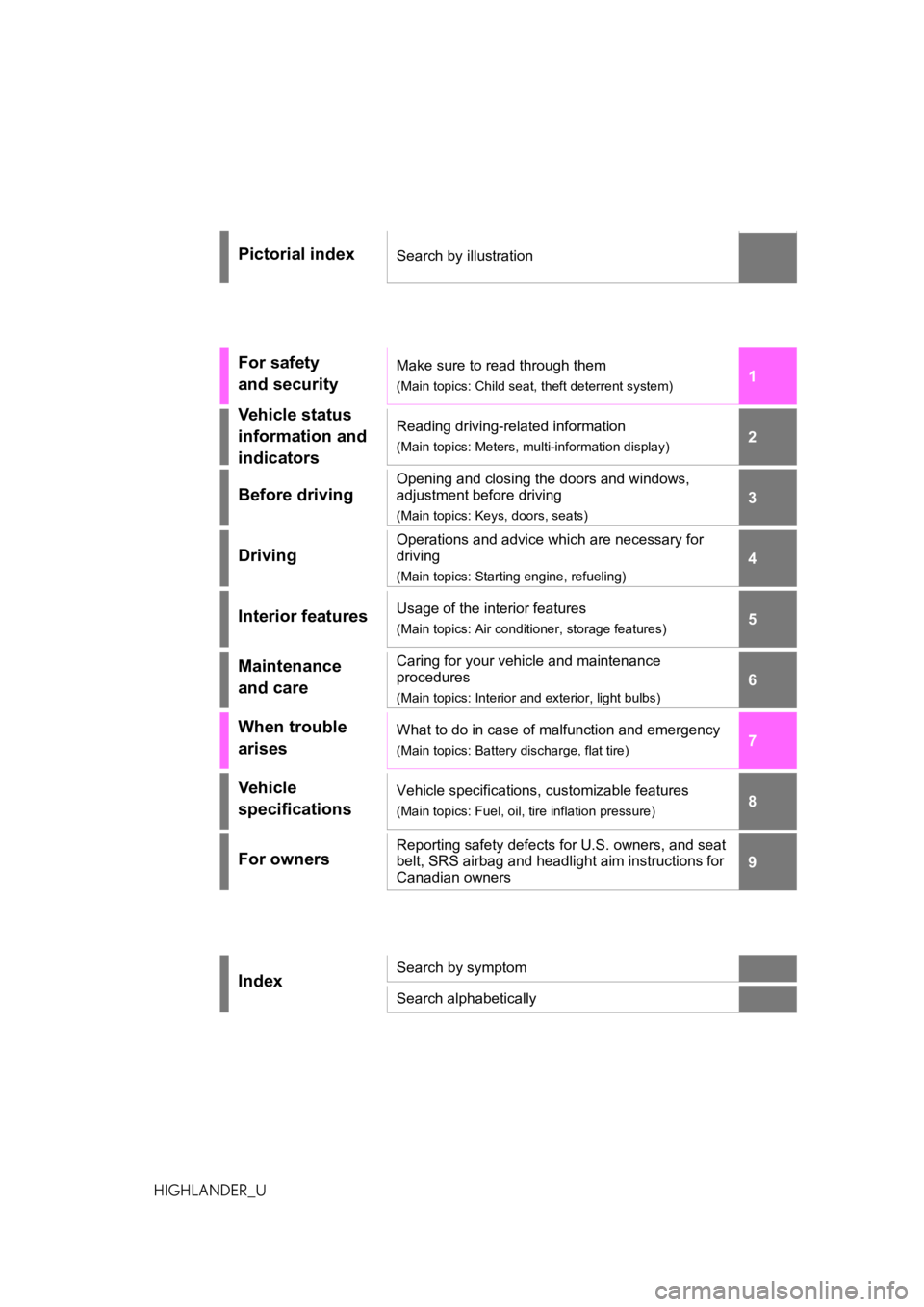
Pictorial indexSearch by illustration
For safety
and securityMake sure to read through them
(Main topics: Child seat, theft deterrent system)
Vehicle status
information and
indicatorsReading driving-related information
(Main topics: Meters, multi-information display)
Before driving
Opening and closing the doors and windows,
adjustment before driving
(Main topics: Keys, doors, seats)
Driving
Operations and advice which are necessary for
driving
(Main topics: Starting engine, refueling)
Interior featuresUsage of the interior features
(Main topics: Air conditioner, storage features)
Maintenance
and careCaring for your vehicle and maintenance
procedures
(Main topics: Interior and exterior, light bulbs)
When trouble
arisesWhat to do in case of malfunction and emergency
(Main topics: Battery discharge, flat tire)
Vehicle
specificationsVehicle specifications, customizable features
(Main topics: Fuel, oil, tire inflation pressure)
For ownersReporting safety defects for U.S. owners, and seat
belt, SRS airbag and headlight aim instructions for
Canadian owners
IndexSearch by symptom
Search alphabetically
Page 3 of 552
3TABLE OF CONTENTS
1
2
3
4
5
6
7
8
9
10
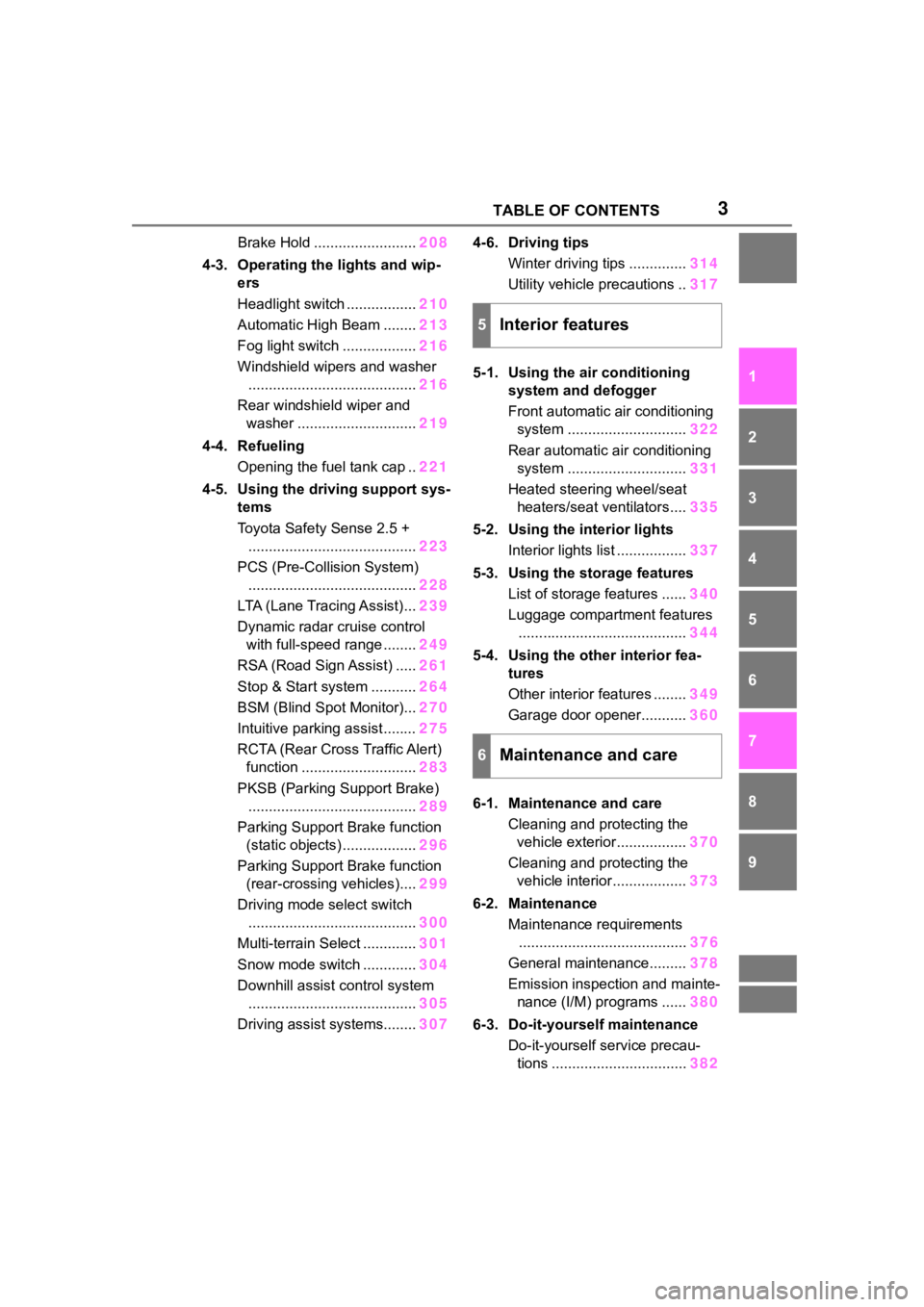
Brake Hold .........................208
4-3. Operating the lights and wip- ers
Headlight switch ................. 210
Automatic High Beam ........ 213
Fog light switch .................. 216
Windshield wipers and washer ......................................... 216
Rear windshield wiper and washer ............................. 219
4-4. Refueling Opening the fuel tank cap .. 221
4-5. Using the driving support sys- tems
Toyota Safety Sense 2.5 +......................................... 223
PCS (Pre-Collision System) ......................................... 228
LTA (Lane Tracing Assist)... 239
Dynamic radar cruise control with full-speed range ........ 249
RSA (Road Sign Assist) ..... 261
Stop & Start system ........... 264
BSM (Blind Spot Monitor)... 270
Intuitive parking assist ........ 275
RCTA (Rear Cross Traffic Alert) function ............................ 283
PKSB (Parking Support Brake) ......................................... 289
Parking Support Brake function (static objects) .................. 296
Parking Support Brake function (rear-crossing vehicles).... 299
Driving mode select switch ......................................... 300
Multi-terrain Select ............. 301
Snow mode switch ............. 304
Downhill assist control system ......................................... 305
Driving assist systems........ 3074-6. Driving tips
Winter driving tips .............. 314
Utility vehicle precautions .. 317
5-1. Using the air conditioning system and defogger
Front automatic air conditioning
system ............................. 322
Rear automatic air conditioning system ............................. 331
Heated steering wheel/seat heaters/seat ventilators.... 335
5-2. Using the interior lights Interior lights list ................. 337
5-3. Using the storage features List of storage features ...... 340
Luggage compartment features ......................................... 344
5-4. Using the other interior fea- tures
Other interior features ........ 349
Garage door opener........... 360
6-1. Maintenance and care Cleaning and protecting the vehicle exterior................. 370
Cleaning and protecting the vehicle interior.................. 373
6-2. Maintenance
Maintenance requirements ........ ................................. 37
6
General maintenance......... 378
Emission inspection and mainte- nance (I/M) programs ...... 380
6-3. Do-it-yourself maintenance Do-it-yourself service precau-tions ................................. 382
5Interior features
6Maintenance and care
Page 4 of 552
4TABLE OF CONTENTS
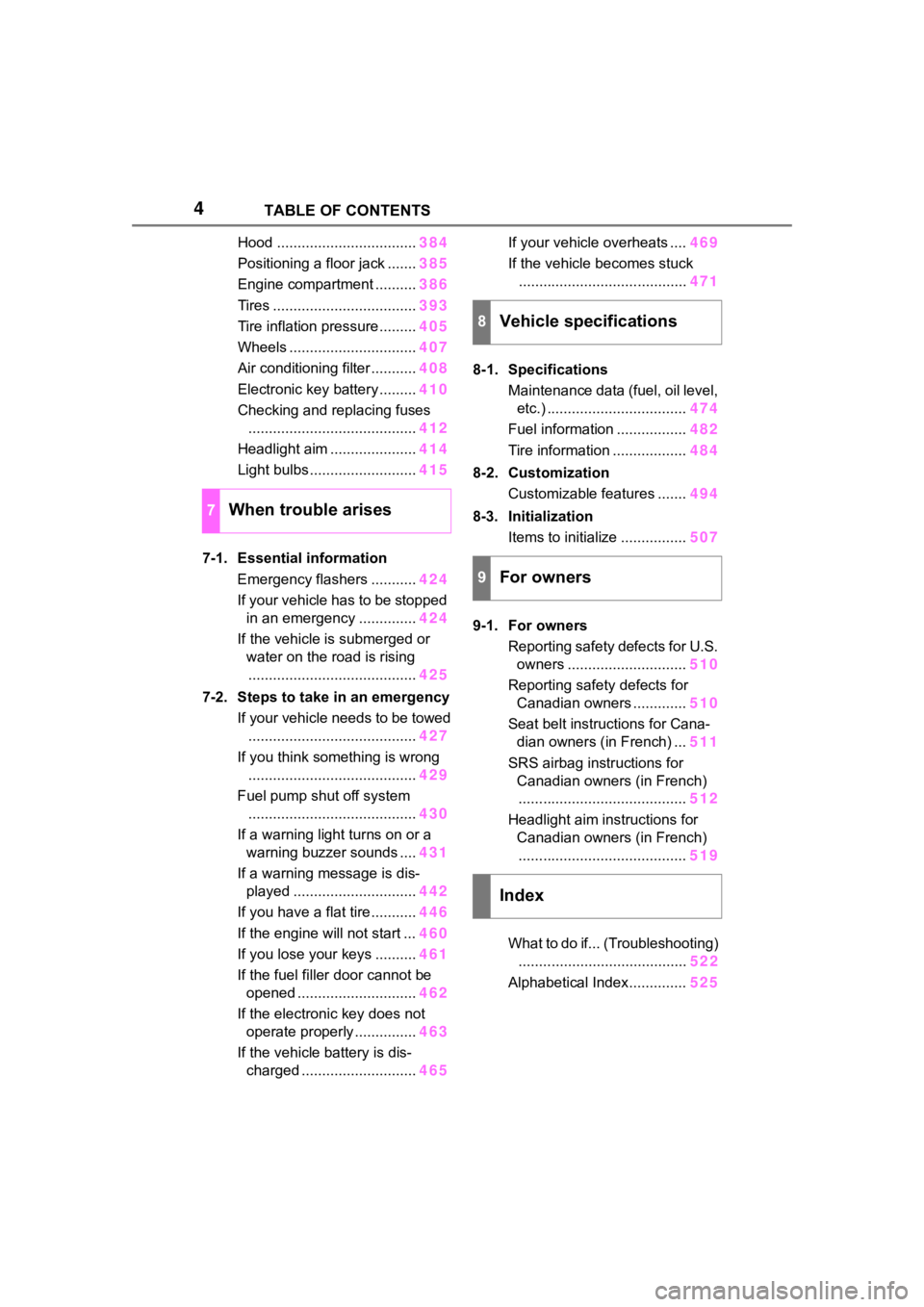
Hood ..................................384
Positioning a floor jack ....... 385
Engine compartment .......... 386
Tires ................................... 393
Tire inflation pressure......... 405
Wheels ............................... 407
Air conditioning filter ........... 408
Electronic key battery ......... 410
Checking and replacing fuses ......................................... 412
Headlight aim ..................... 414
Light bulbs .......................... 415
7-1. Essential information Emergency flashers ........... 424
If your vehicle has to be stopped in an emergency .............. 424
If the vehicle is submerged or water on the road is rising......................................... 425
7-2. Steps to take in an emergency If your vehicle needs to be towed......................................... 427
If you think something is wrong ......................................... 429
Fuel pump shut off system ......................................... 430
If a warning light turns on or a warning buzzer sounds .... 431
If a warning message is dis- played .............................. 442
If you have a flat tire ........... 446
If the engine will not start ... 460
If you lose your keys .......... 461
If the fuel filler door cannot be opened ............................. 462
If the electronic key does not operate properly ............... 463
If the vehicle battery is dis- charged ............................ 465If your vehicle overheats ....
469
If the vehicle becomes stuck ......................................... 471
8-1. Specifications Maintenance data (fuel, oil level, etc.) .................................. 474
Fuel information ................. 482
Tire information .................. 484
8-2. Customization Customizable features ....... 494
8-3. Initialization Items to initialize ................ 507
9-1. For owners Reporting safety defects for U.S. owners ............................. 510
Reporting safety defects for Canadian owners ............. 510
Seat belt instructions for Cana- dian owners (in French) ... 511
SRS airbag instructions for Canadian owners (in French)......................................... 512
Headlight aim instructions for Canadian owners (in French)......................................... 519
What to do if... (Troubleshooting) ........ ................................. 522
Alphab
etical Index.............. 525
7When trouble arises
8Vehicle specifications
9For owners
Index
Page 7 of 552
7
To learn more about the vehi-
cle data collected, used and
shared by Toyota, please visit
www.toyota.com/privacyvts/
.
If your Toyota has Safety Con-
nect and if you have subscribed
to those services, please refer to
the Safety Connect Telematics
Subscription Service Agreement
for information on data collected
and its usage.
To learn more about the vehicle
data collected, used and shared
by Toyota, please visit
www.toyota.com/privacyvts/
.
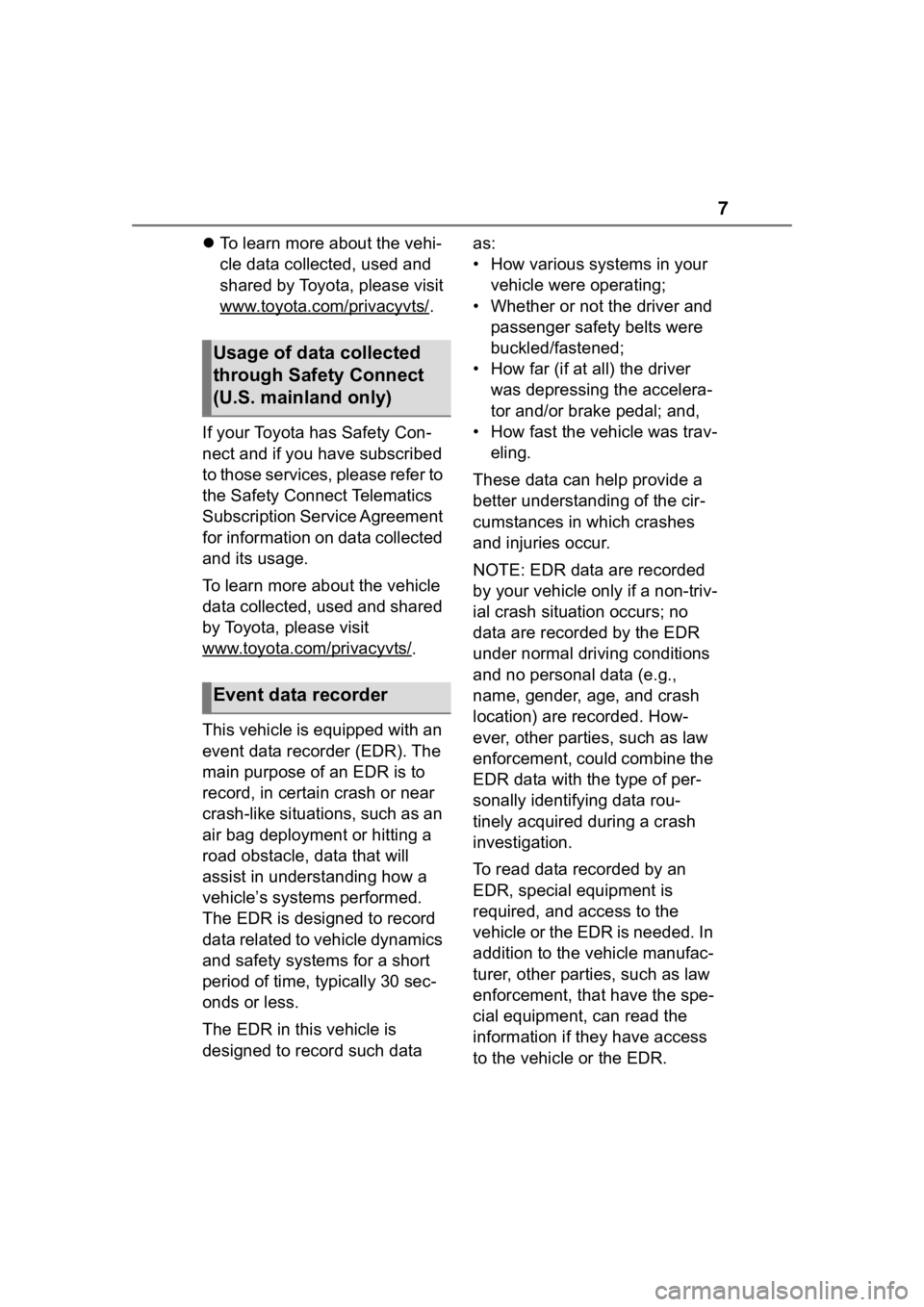
This vehicle is equipped with an
event data recorder (EDR). The
main purpose of an EDR is to
record, in certain crash or near
crash-like situations, such as an
air bag deployment or hitting a
road obstacle, data that will
assist in understanding how a
vehicle’s systems performed.
The EDR is designed to record
data related to vehicle dynamics
and safety systems for a short
period of time, typically 30 sec-
onds or less.
The EDR in this vehicle is
designed to record such data as:
• How various systems in your
vehicle were operating;
• Whether or not the driver and passenger safety belts were
buckled/fastened;
• How far (if at all) the driver was depressing the accelera-
tor and/or brake pedal; and,
• How fast the vehicle was trav- eling.
These data can help provide a
better understanding of the cir-
cumstances in which crashes
and injuries occur.
NOTE: EDR data are recorded
by your vehicle only if a non-triv-
ial crash situation occurs; no
data are recorded by the EDR
under normal driving conditions
and no personal data (e.g.,
name, gender, age, and crash
location) are recorded. How-
ever, other parties, such as law
enforcement, could combine the
EDR data with the type of per-
sonally identifying data rou-
tinely acquired during a crash
investigation.
To read data recorded by an
EDR, special equipment is
required, and access to the
vehicle or the EDR is needed. In
addition to the vehicle manufac-
turer, other parties, such as law
enforcement, that have the spe-
cial equipment, can read the
information if they have access
to the vehicle or the EDR.
Usage of data collected
through Safety Connect
(U.S. mainland only)
Event data recorder
Page 16 of 552

16Pictorial index
Turn signal lever................................................................. P.204
Headlight switch ............................................... ................. P.210
Headlights/side marker lights/pa rking lights/tail lights/license plate
lights/daytime running lights .................................. ............... P.210
Front fog lights
*1............................................................... .... P.216
Windshield wiper and washer sw itch....................... P.216, 219
Usage.......................................................... ................. P.216, 219
Adding washer fluid .............................................................. P.392
Warning messages ............................................... ............... P.442
Emergency flasher switch ....................................... .......... P.424
Hood lock release lever ........................................ ............. P.384
Tilt and telescopic steering lock release lever ................P. 1 4 8
Adjustment ..................................................... ...................... P.148
Air conditioning system ............................. ....................... P.322
Usage................................................................................... P.322
Rear window defogger ........................................... .............. P.324
Windshield wiper de-icer
*1................................................... P.324
Audio system
*2
Fuel filler door opener swi tch ........................................... P.221
*1: If equipped
*2: Refer to “MULTIMEDIA OWNER’S MANUAL”.
Page 37 of 552
371-1. For safe use
1
For safety and security
●The SRS front airbags for the front
passenger will not activate if there
is no passenger sitting in the front
passenger seat. However, the
SRS front airbags for the front
passenger may de ploy if luggage
is put in the seat, even if the seat
is unoccupied.
●The SRS seat cushion airbag on
the front passen ger seat will not
operate if the occupant is not
wearing a seat belt.
■SRS airbag deployment condi-
tions (SRS side and curtain
shield airbags)
●The SRS side and curtain shield
airbags will deploy i n the event of
an impact that exceeds the set
threshold level (the level of force
corresponding to the impact force
produced by an approximately
3300 lb. [1500 kg] vehicle colliding
with the vehicle cabin from a
direction perpendicular to the
vehicle orientation at an approxi-
mate speed of 12 - 18 mph [20 -
30 km/h]).
●Both SRS curtain shield airbags
may deploy in the event of a
severe side collision.
●Both SRS curtain shield airbags
will deploy in the event of vehicle
rollover.
●Both SRS curtain shield airbags
may also deploy in the event of a
severe frontal collision.
■Conditions under which the
SRS airbags may deploy
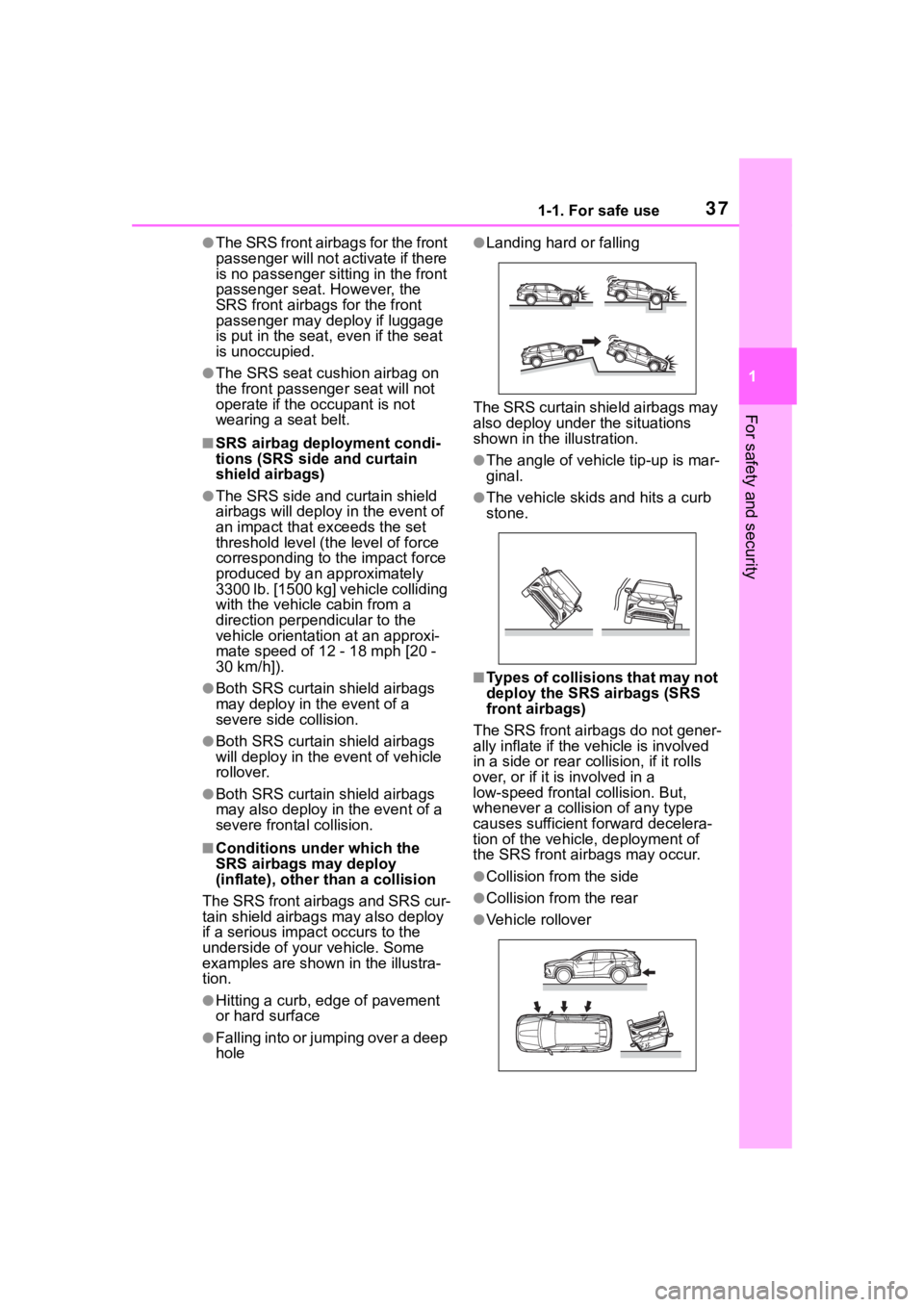
(inflate), other t han a collision
The SRS front airbags and SRS cur-
tain shield airbags may also deploy
if a serious impact occurs to the
underside of your vehicle. Some
examples are shown in the illustra-
tion.
●Hitting a curb, edge of pavement
or hard surface
●Falling into or jumping over a deep
hole
●Landing hard or falling
The SRS curtain shield airbags may
also deploy under the situations
shown in the illustration.
●The angle of vehicle tip-up is mar-
ginal.
●The vehicle skids and hits a curb
stone.
■Types of collisions that may not
deploy the SRS airbags (SRS
front airbags)
The SRS front airbags do not gener-
ally inflate if the vehicle is involved
in a side or r ear collision, if it rolls
over, or if it is involved in a
low-speed frontal collision. But,
whenever a collis ion of any type
causes sufficient forward decelera-
tion of the vehicle, deployment of
the SRS front airbags may occur.
●Collision from the side
●Collision from the rear
●Vehicle rollover
Page 43 of 552
431-1. For safe use
1
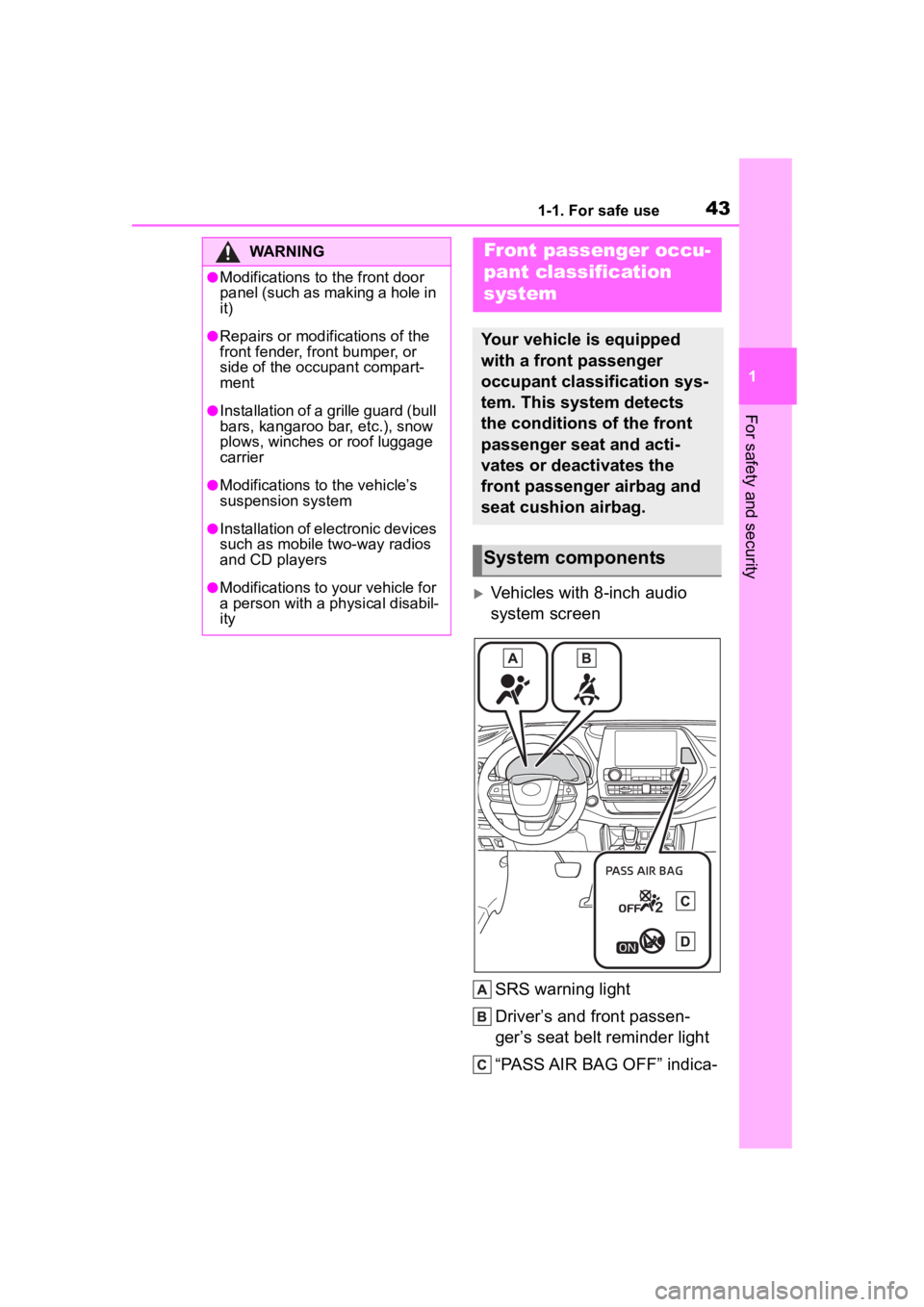
For safety and security
Vehicles with 8-inch audio
system screenSRS warning light
Driver’s and front passen-
ger’s seat belt reminder light
“PASS AIR BAG OFF” indica-
WARNING
●Modifications to the front door
panel (such as making a hole in
it)
●Repairs or modifications of the
front fender, front bumper, or
side of the occ upant compart-
ment
●Installation of a grille guard (bull
bars, kangaroo bar, etc.), snow
plows, winches or roof luggage
carrier
●Modifications to the vehicle’s
suspension system
●Installation of electronic devices
such as mobile two-way radios
and CD players
●Modifications to your vehicle for
a person with a physical disabil-
ity
Front passenger occu-
pant classification
system
Your vehicle is equipped
with a front passenger
occupant classification sys-
tem. This system detects
the conditions of the front
passenger seat and acti-
vates or deactivates the
front passenger airbag and
seat cushion airbag.
System components
Page 46 of 552
461-1. For safe use
■Adult*1
■Child*4
■Child restraint system with infant*5
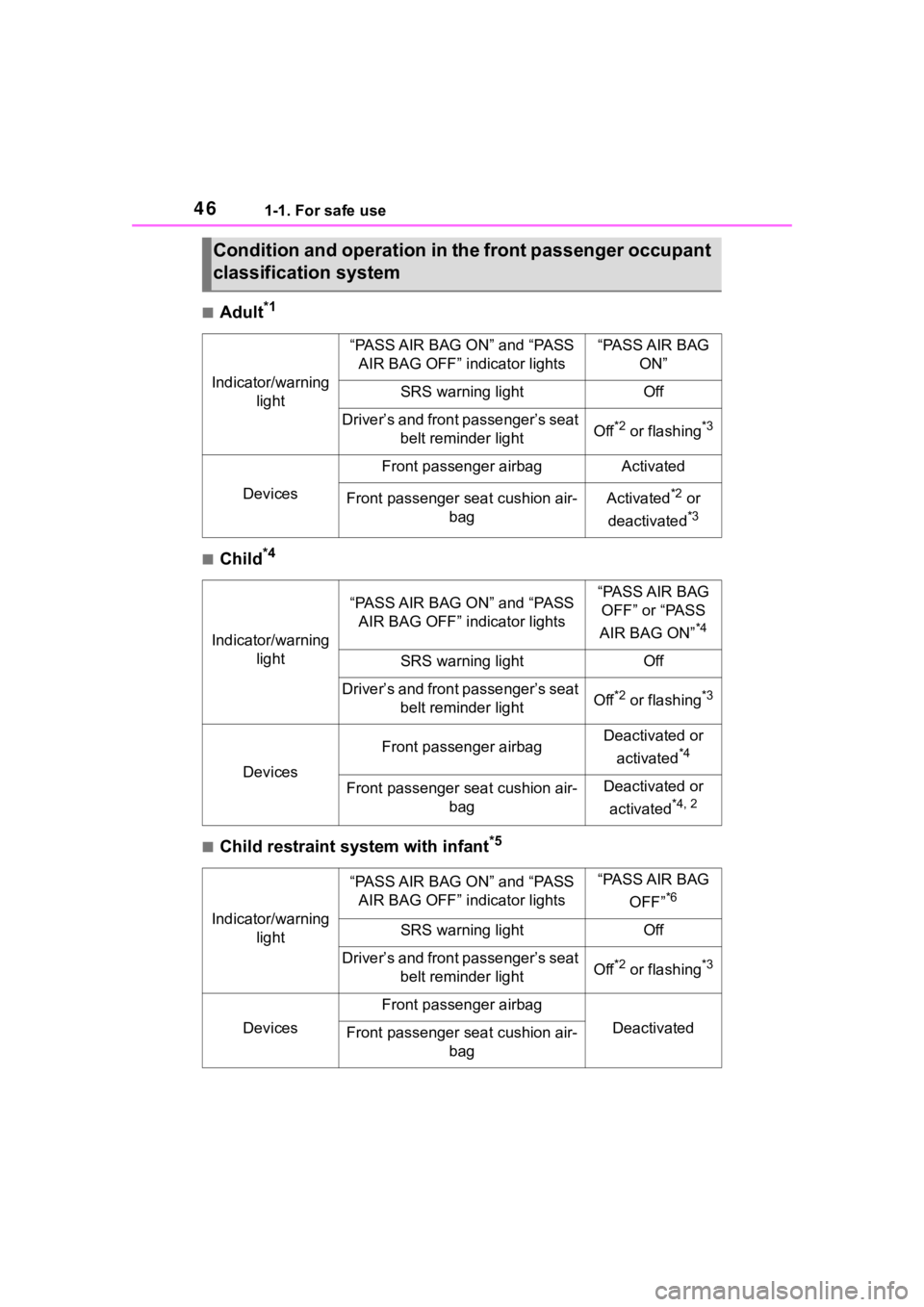
Condition and operation in the front passenger occupant
classification system
Indicator/warning light
“PASS AIR BAG ON” and “PASS AIR BAG OFF” indicator lights“PASS AIR BAG ON”
SRS warning lightOff
Driver’s and front passenger’s seat belt reminder lightOff*2 or flashing*3
Devices
Front passenger airbagActivated
Front passenger seat cushion air- bagActivated*2 or
deactivated
*3
Indicator/warning light
“PASS AIR BAG ON” and “PASS AIR BAG OFF” indicator lights“PASS AIR BAG OFF” or “PASS
AIR BAG ON”
*4
SRS warning lightOff
Driver’s and front passenger’s seat belt reminder lightOff*2 or flashing*3
Devices
Front passenger airbagDeactivated or
activated
*4
Front passenger seat cushion air- bagDeactivated or
activated
*4, 2
Indicator/warning light
“PASS AIR BAG ON” and “PASS AIR BAG OFF” indicator lights“PASS AIR BAG
OFF”
*6
SRS warning lightOff
Driver’s and front passenger’s seat belt reminder lightOff*2 or flashing*3
Devices
Front passenger airbag
DeactivatedFront passenger seat cushion air- bag
Page 67 of 552
671-3. Emergency assistance
1
For safety and security
active.
The following indicator light pat-
terns indicate specific system
usage conditions:
Green indicator light on =
Active service
Green indicator light flashing
= Safety Connect call in pro-
cess
Red indicator light (except at
vehicle start-up) = System
malfunction (contact your Toy-
ota dealer)
No indicator light (off) =
Safety Connect service not
active
■Automatic Collision Notifi-
cation
In case of either airbag deploy-
ment or severe rear-end colli-
sion, the system is designed to
automatically call the response
center. The responding agent
receives the vehicle’s location
and attempts to speak with the
vehicle occupants to assess the
level of emergency. If the occu-
pants are unable to communi-
cate, the agent automatically
treats the call as an emergency,
contacts the nearest emer-
gency services provider to
describe the situation, and
requests that assistance be sent
to the location.
■Stolen Vehicle Location
If your vehicle is stolen, Safety
Connect can work with local
authorities to assist them in
locating and recovering the
vehicle. After filing a police
report, call the Customer Experi-
ence Center at 1-800-331-4331
in the United States,
1-877-855-8377 in Puerto Rico
or 1-888-869-6828 in Canada,
and follow the prompts for
Safety Connect to initiate this
service.
In addition to assisting law
enforcement with recovery of a
stolen vehicle, Safety-Con-
nect-equipped vehicle location
data may, under certain circum-
stances, be shared with third
parties to locate your vehicle.
Further information is available
at Toyota.com in the United
States, Toyotapr.com in Puerto
Rico and Toyota.ca in Canada.
■Emergency Assistance But-
ton (“SOS”)
In the event of an emergency on
the road, push the “SOS” button
to reach the Safety Connect
response center. The answer-
ing agent will determine your
vehicle’s location, assess the
emergency, and dispatch the
necessary assistance required.
If you accidentally press the “SOS”
button, tell the response-center
agent that you are not experiencing
an emergency.
Safety Connect services
Page 94 of 552

942-1. Instrument cluster
(Stop & Start) (if
equipped) ( P.264)
Select to set the length of time the
Stop & Start system will operate
when the “A/C” switch of the air
conditioning system is on.
“TPWS” (Tire Pressure Warn-
ing System) ( P.396)
• “Set Pressure” (tire pressure
warning system initialization)
Select to initialize the tire pressure
warning system.
• “Change Wheel” (register tire pressure warning system sensor
ID codes)
Select to register the ID codes of
the tire pressure s ensors to the tire
pressure warning system.
“Rear Seat Reminder”
( P. 1 1 7 )
Select to enable/disable the rear
seat reminder.
“Scheduled Maintenance”
( P.377)
Select to reset the scheduled main-
tenance information (maintenance
required message and distance
until maintenance necessary) after
all maintenance is performed.
“Oil Maintenance” ( P.386)
Select to reset the oil maintenance
information (maintenance required
message and distance until mainte-
nance necessary) after an oil
change is performed.
■ Meter settings
Press and hold to change
the settings of the following
items:
Language
Select to change the language dis-
played.
Units
Select to change the units of mea-
sure displayed.
Eco Driving Indicator Light
( P.89)
Select to enable/disable the Eco
Driving Indi cator Light.
Speedometer display (digital
speed)
Select to enable/disable the speed-
ometer display.
Gadget content
Select to turn the display of a gad-
get.
Fuel economy type
Select to change the average fuel
consumption display and an item to
be displayed as gadget.
Pop-up display
Select to enable/disable pop-up
displays for each relevant system.
Multi-information display off
Displays a blank screen.
Default setting
Select to reset the meter display
settings to the default setting.