radio TOYOTA HIGHLANDER HYBRID 2023 User Guide
[x] Cancel search | Manufacturer: TOYOTA, Model Year: 2023, Model line: HIGHLANDER HYBRID, Model: TOYOTA HIGHLANDER HYBRID 2023Pages: 572, PDF Size: 14.07 MB
Page 146 of 572

1463-2. Opening, closing and locking the doors
WARNING
■Caution regarding interfer-
ence with electronic devices
●People with implantable car-
diac pacemakers, cardiac
resynchronization ther-
apy-pacemakers or implantable
cardioverter defibrillators should
keep away from the smart key
system antennas. ( P.142) The
radio waves may affect the
operation of such devices. If
necessary, the entry function
can be disabled. Ask your Toy-
ota dealer for details, such as
the frequency of radio waves
and timing of the emitted radio
waves. Then, consult your doc-
tor to see if you should disable
the entry function.
●Users of any electrical medical
device other than implantable
cardiac pacemakers, cardiac
resynchronization ther-
apy-pacemakers or implantable
cardioverter defib rillators should
consult the manufacturer of the
device for information about its
operation under the influence of
radio waves. Radio waves could
have unexpected e ffects on the
operation of such medical
devices.
Ask your Toyota dealer for details
on disabling the entry function.
Page 168 of 572
1683-4. Adjusting the steering wheel and mirrors
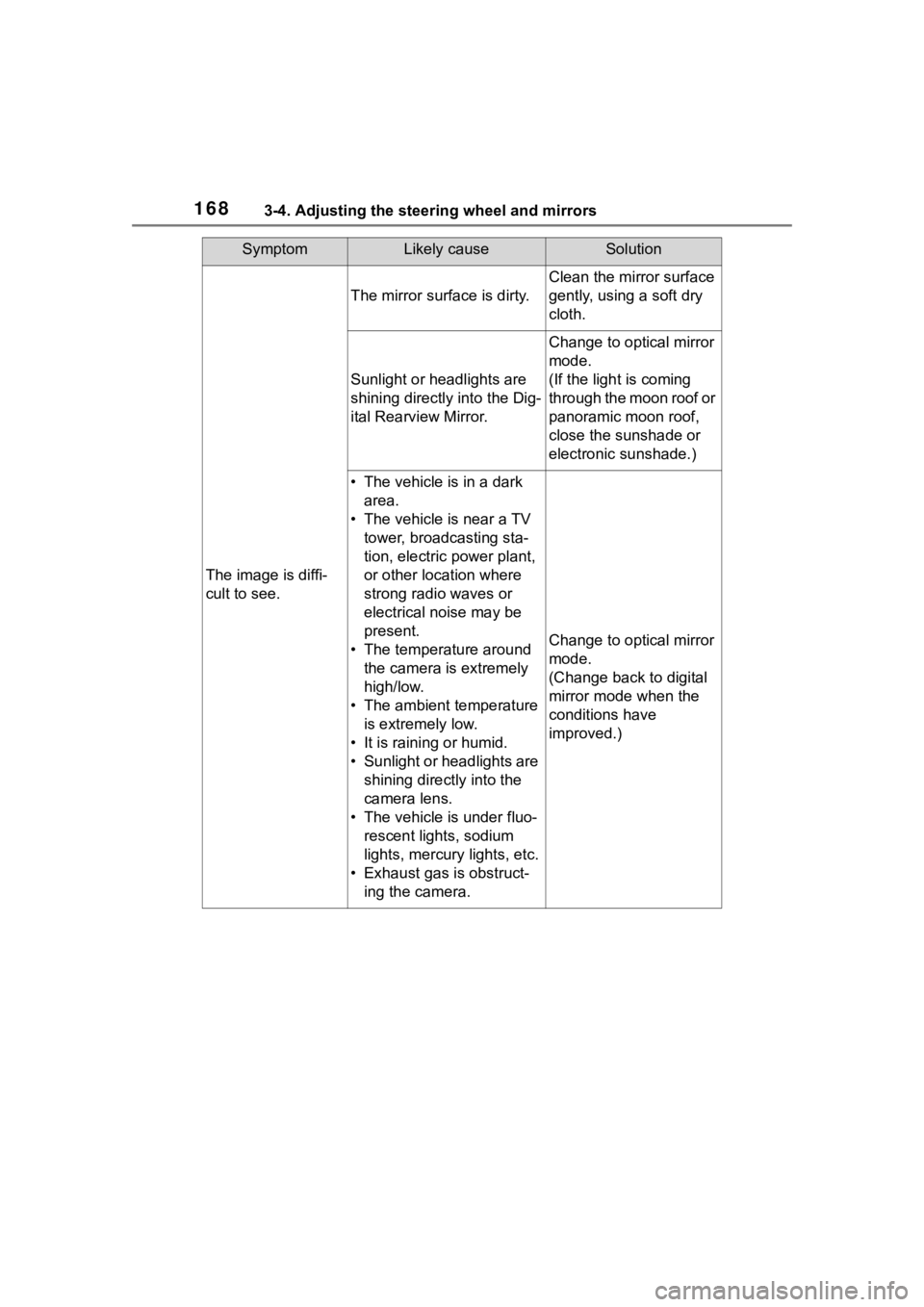
SymptomLikely causeSolution
The image is diffi-
cult to see.
The mirror surface is dirty.
Clean the mirror surface
gently, using a soft dry
cloth.
Sunlight or headlights are
shining directly into the Dig-
ital Rearview Mirror.
Change to optical mirror
mode.
(If the light is coming
through the moon roof or
panoramic moon roof,
close the sunshade or
electronic sunshade.)
• The vehicle is in a dark area.
• The vehicle is near a TV tower, broadcasting sta-
tion, electric power plant,
or other location where
strong radio waves or
electrical noise may be
present.
• The temperature around the camera is extremely
high/low.
• The ambient temperature is extremely low.
• It is raining or humid.
• Sunlight or headlights are shining directly into the
camera lens.
• The vehicle is under fluo- rescent lights, sodium
lights, mercury lights, etc.
• Exhaust gas is obstruct- ing the camera.
Change to optical mirror
mode.
(Change back to digital
mirror mode when the
conditions have
improved.)
Page 250 of 572
2504-5. Using the driving support systems
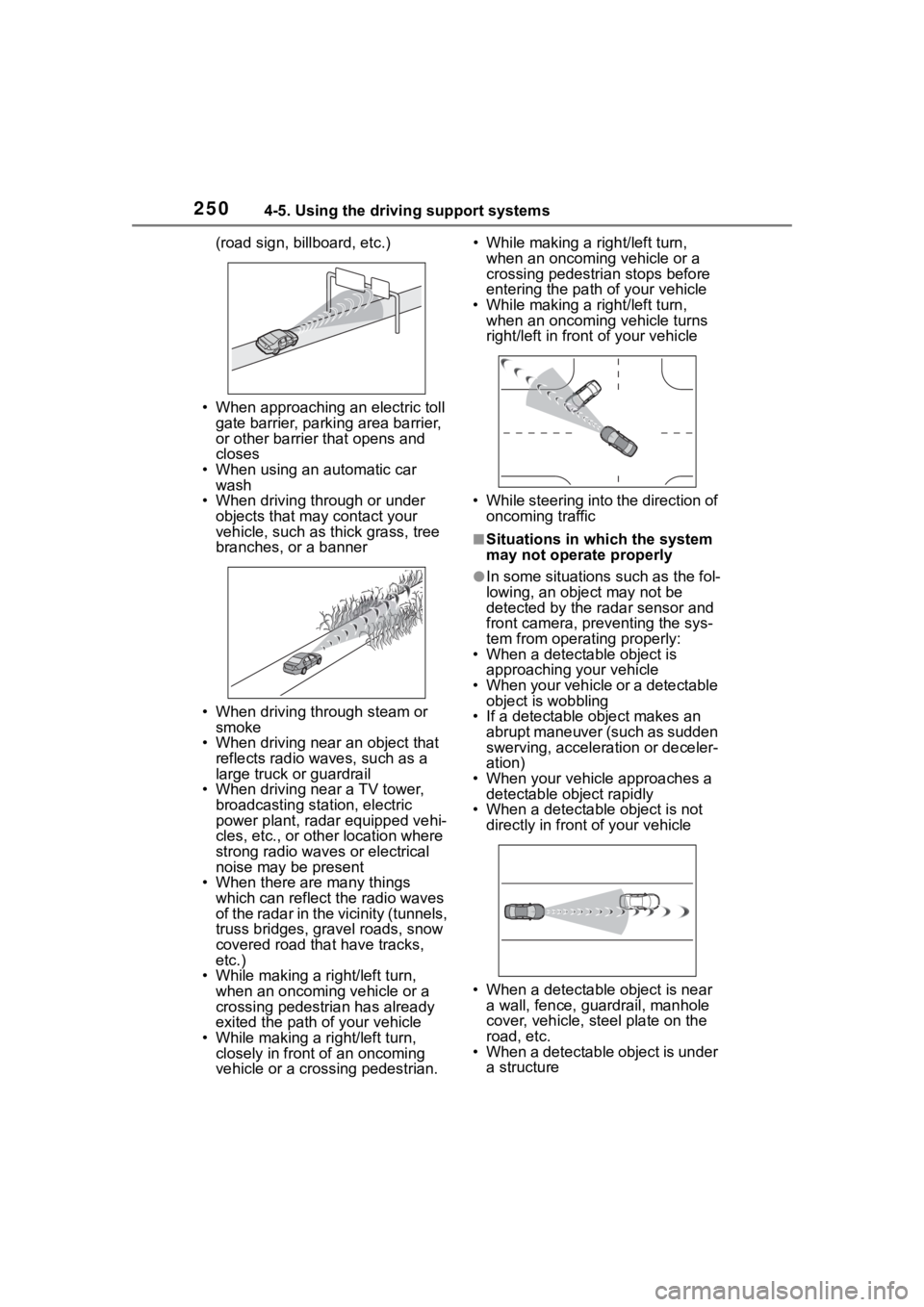
(road sign, billboard, etc.)
• When approaching an electric toll gate barrier, parking area barrier,
or other barrier that opens and
closes
• When using an automatic car wash
• When driving through or under
objects that may contact your
vehicle, such as thick grass, tree
branches, or a banner
• When driving through steam or smoke
• When driving near an object that reflects radio waves, such as a
large truck or guardrail
• When driving near a TV tower, broadcasting station, electric
power plant, radar equipped vehi-
cles, etc., or other location where
strong radio waves or electrical
noise may be present
• When there are many things which can reflect the radio waves
of the radar in the vicinity (tunnels,
truss bridges, gravel roads, snow
covered road that have tracks,
etc.)
• While making a right/left turn, when an oncoming vehicle or a
crossing pedestrian has already
exited the path of your vehicle
• While making a right/left turn, closely in front of an oncoming
vehicle or a crossing pedestrian. • While making a
right/left turn,
when an oncoming vehicle or a
crossing pedestrian stops before
entering the path of your vehicle
• While making a right/left turn,
when an oncoming vehicle turns
right/left in fron t of your vehicle
• While steering into the direction of oncoming traffic
■Situations in which the system
may not operate properly
●In some situations such as the fol-
lowing, an object may not be
detected by the radar sensor and
front camera, pre venting the sys-
tem from opera ting properly:
• When a detectable object is
approaching your vehicle
• When your vehicle or a detectable object is wobbling
• If a detectable object makes an abrupt maneuver (such as sudden
swerving, acceleration or deceler-
ation)
• When your vehicle approaches a detectable object rapidly
• When a detectable object is not
directly in front of your vehicle
• When a detectable object is near
a wall, fence, gua rdrail, manhole
cover, vehicle, steel plate on the
road, etc.
• When a detectable object is under a structure
Page 251 of 572
2514-5. Using the driving support systems
4
Driving
• When part of a detectable object is hidden by an object, such as
large baggage, an umbrella, or
guardrail
• When there are many things which can reflect the radio waves
of the radar in the vicinity (tunnels,
truss bridges, gravel roads, snow
covered road that have tracks,
etc.)
• When there is an effect on the radio waves to the radar that is
installed on another vehicle
• When multiple detectable objects are close together
• If the sun or other light is shining directly on a detectable object
• When a detectable object is a
shade of white and looks
extremely bright
• When a detectable object appears
to be nearly the same color or
brightness as its surroundings
• If a detectable object cuts or sud-
denly emerges in front of your
vehicle
• When the front of your vehicle is
hit by water, snow, dust, etc.
• When a very bright light ahead, such as the sun or the headlights
of oncoming traffic, shines directly
into the front camera
• When approaching the side or
front of a vehicle ahead
• If a vehicle ahead is a motorcycle
• If a vehicle ahead is narrow, such as a personal mobility vehicle
• If a preceding vehicle has a small rear end, such as an unloaded
truck
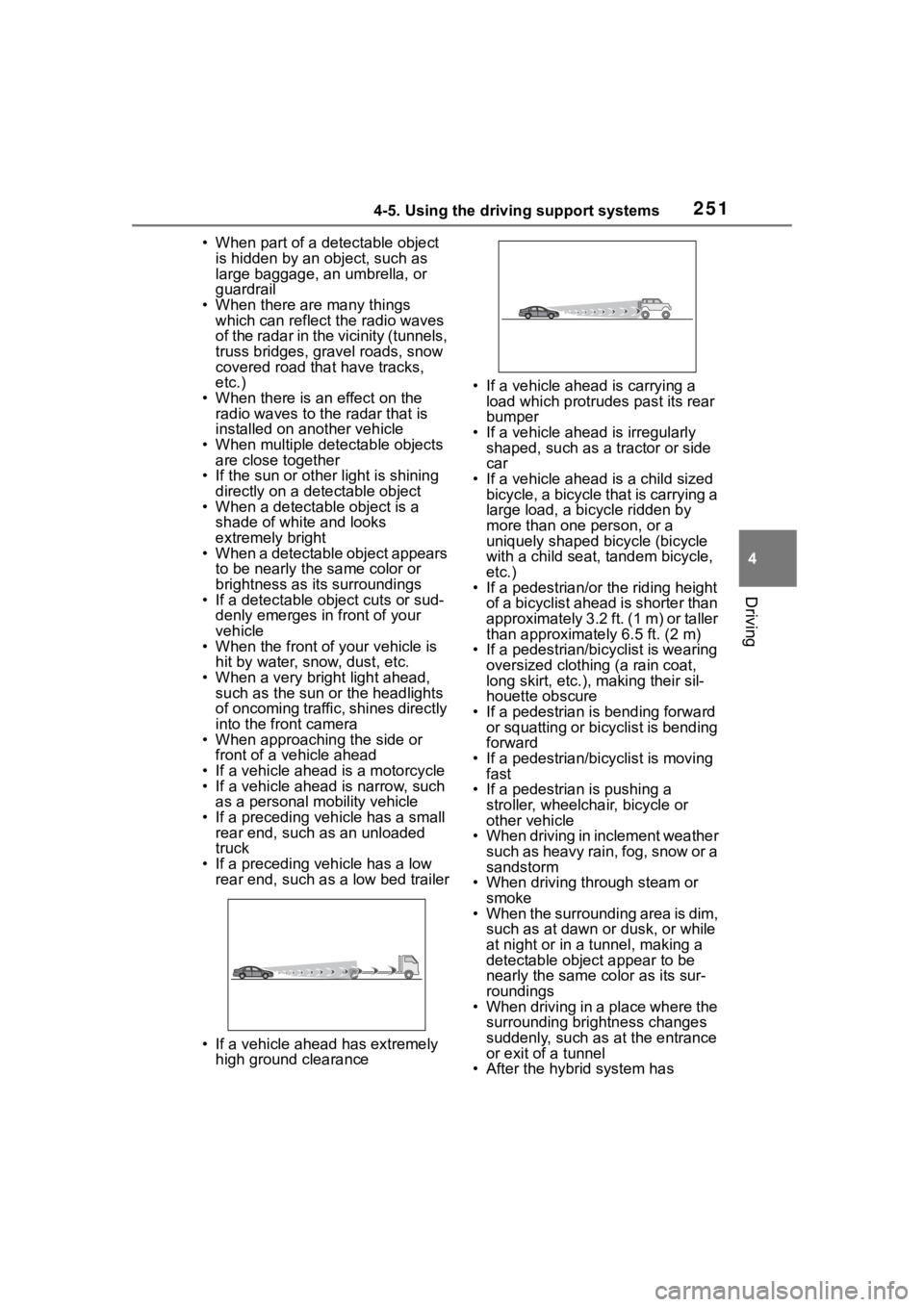
• If a preceding vehicle has a low rear end, such as a low bed trailer
• If a vehicle ahead has extremely high ground clearance • If a vehicle ahead is carrying a
load which protrudes past its rear
bumper
• If a vehicle ahead is irregularly shaped, such as a tractor or side
car
• If a vehicle ahead is a child sized bicycle, a bicycle that is carrying a
large load, a bicycle ridden by
more than one person, or a
uniquely shaped bicycle (bicycle
with a child seat, tandem bicycle,
etc.)
• If a pedestrian/or the riding height of a bicyclist ahead is shorter than
approximately 3.2 ft. (1 m) or taller
than approximate ly 6.5 ft. (2 m)
• If a pedestrian/bic yclist is wearing
oversized clothing (a rain coat,
long skirt, etc.), making their sil-
houette obscure
• If a pedestrian is bending forward or squatting or bicyclist is bending
forward
• If a pedestrian/bicyclist is moving fast
• If a pedestrian is pushing a
stroller, wheelchair, bicycle or
other vehicle
• When driving in inclement weather
such as heavy rain, fog, snow or a
sandstorm
• When driving through steam or
smoke
• When the surrounding area is dim, such as at dawn or dusk, or while
at night or in a tunnel, making a
detectable object appear to be
nearly the same co lor as its sur-
roundings
• When driving in a place where the surrounding brightness changes
suddenly, such as at the entrance
or exit of a tunnel
• After the hybrid system has
Page 358 of 572
3585-4. Using the other interior features
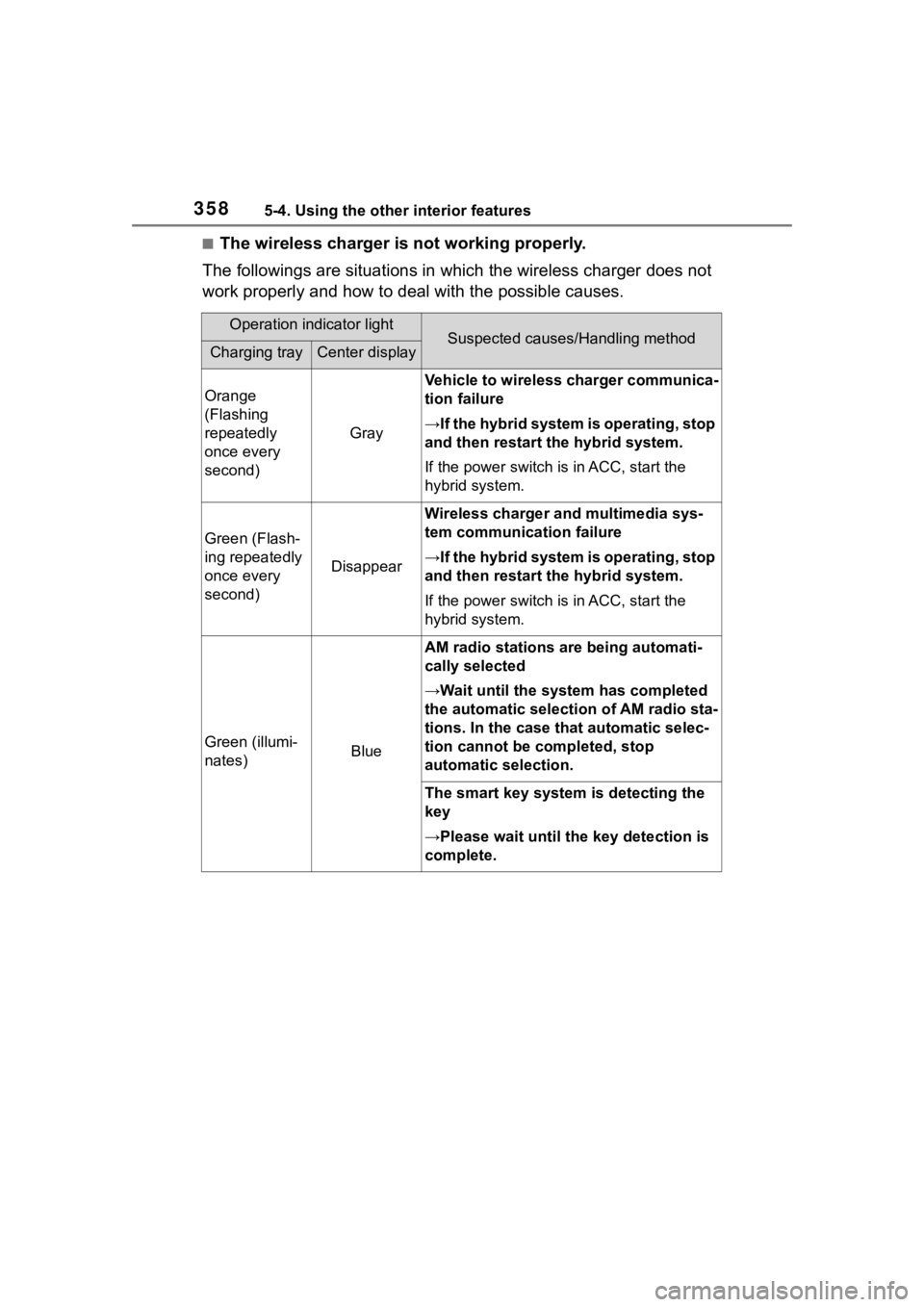
■The wireless charger is not working properly.
The followings are situations in which the wireless charger doe s not
work properly and how to deal with the possible causes.
Operation indicator lightSuspected causes/Handling methodCharging trayCenter display
Orange
(Flashing
repeatedly
once every
second)
Gray
Vehicle to wireless charger communica-
tion failure
→If the hybrid system is operating, stop
and then restart the hybrid system.
If the power switch is in ACC, start the
hybrid system.
Green (Flash-
ing repeatedly
once every
second)
Disappear
Wireless charger and multimedia sys-
tem communica tion failure
→If the hybrid system is operating, stop
and then restart the hybrid system.
If the power switch is in ACC, start the
hybrid system.
Green (illumi-
nates)Blue
AM radio stations are being automati-
cally selected
→Wait until the sys tem has completed
the automatic select ion of AM radio sta-
tions. In the case that automatic selec-
tion cannot be completed, stop
automatic selection.
The smart key system is detecting the
key
→Please wait until the key detection is
complete.
Page 360 of 572
3605-4. Using the other interior features
does not charge, remove the cover
and/or accessories.
■AM radio cooperation function
during charging
●When noise enters the AM radio
during charging, charging fre-
quency will be automatically
changed to reduce noise.
●While the AM radio automatic tun-
ing, charging is temporarily
stopped in order to prevent tuning
error due to noise caused by
charging. When tuning is finished,
charging will be automatically
resumed.
■Charging precautions
●If the electronic key cannot be
detected in the cabin, charging
cannot be performed. When a
door is opened and closed,
charging may be temporarily sus-
pended.
●While charging, the wireless char-
ger and the portable device will
become warm. This is not a mal-
function. If a portable device
becomes warm while charging
and charging stops due to the pro-
tection function of the portable
device, wait until the portable
device cools down and charge it
again.
The fan may start operating to
lower the temperature inside the
wireless charger, however this is
not a malfunction.
■Sound generated during opera-
tion
When the power su pply switch is
turned on or while a portable device
is being identified, operation sounds
may be heard. This is not a malfunc-
tion.
■Cleaning the wireless charger
P. 3 8 3
WARNING
■Caution while driving
When charging a portable device,
for safety reasons, the driver
should not operate the main part
of the portable device while driv-
ing.
■Caution while in motion
Do not charge lightweight devices
such as wireless headphones
while in motion. These devices
are very light and may be ejected
from the charging tray, which may
lead to unforeseen accidents.
■Caution regarding interfer-
ence with electronic devices
People with implantable cardiac
pacemakers, cardiac resynchroni-
zation therapy pacemakers or
implantable cardioverter def ibrilla-
tors, as well as any other electri-
cal medical device, should consult
their physician about the usage of
the wireless charger.
■To prevent malfunctions or
burns
Observe the following precau-
tions.
Failure to do so may result in an
equipment failure and damage,
catch fire, burns due to overheat
or electric shock.
●Do not insert any metallic
objects between the charging
area and the portable device
while charging.
●Do not attach a n aluminum
sticker or other metallic objects
to the charge area.
●Do not attach a n aluminum
sticker or other metallic objects
to the side of the portable
device (or to its case or cover)
that touches the charge area.
Page 365 of 572
3655-4. Using the other interior features
5
Interior features
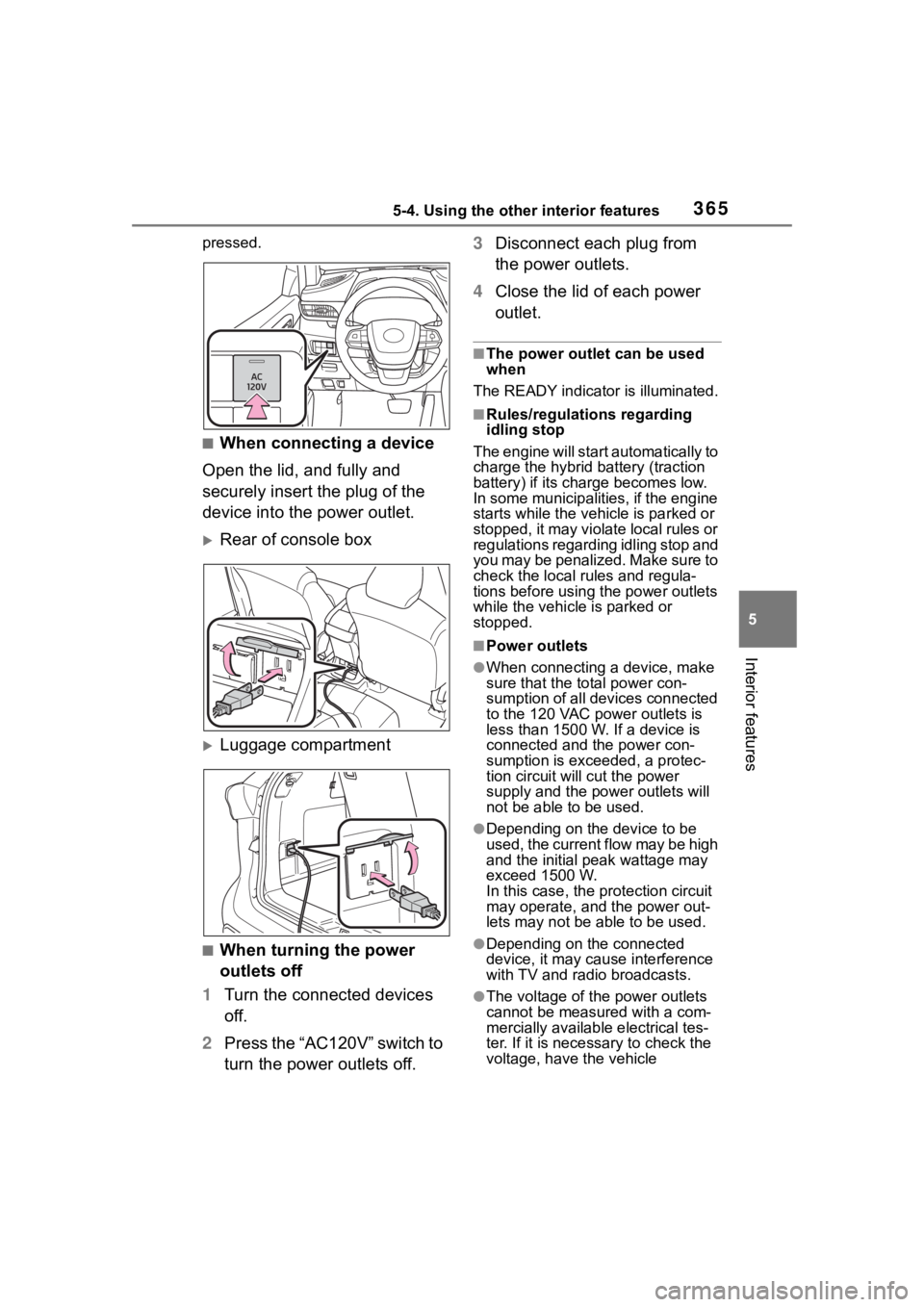
pressed.
■When connecting a device
Open the lid, and fully and
securely insert the plug of the
device into the power outlet.
Rear of console box
Luggage compartment
■When turning the power
outlets off
1 Turn the connected devices
off.
2 Press the “AC120V” switch to
turn the power outlets off. 3
Disconnect each plug from
the power outlets.
4 Close the lid of each power
outlet.
■The power outlet can be used
when
The READY indicator is illuminated.
■Rules/regulations regarding
idling stop
The engine will star t automatically to
charge the hybrid battery (traction
battery) if its charge becomes low.
In some municipalities, if the engine
starts while the vehicle is parked or
stopped, it may violate local rules or
regulations regarding idling stop and
you may be penalized. Make sure to
check the local rules and regula-
tions before using the power outlets
while the vehicle is parked or
stopped.
■Power outlets
●When connecting a device, make
sure that the to tal power con-
sumption of all devices connected
to the 120 VAC power outlets is
less than 1500 W. If a device is
connected and the power con-
sumption is exce eded, a protec-
tion circuit will cut the power
supply and the p ower outlets will
not be able to be used.
●Depending on the device to be
used, the current flow may be high
and the initial peak wattage may
exceed 1500 W.
In this case, the protection circuit
may operate, and the power out-
lets may not be able to be used.
●Depending on the connected
device, it may cause interference
with TV and radio broadcasts.
●The voltage of the power outlets
cannot be measured with a com-
mercially available electrical tes-
ter. If it is necessary to check the
voltage, have the vehicle
Page 408 of 572
4086-3. Do-it-yourself maintenance
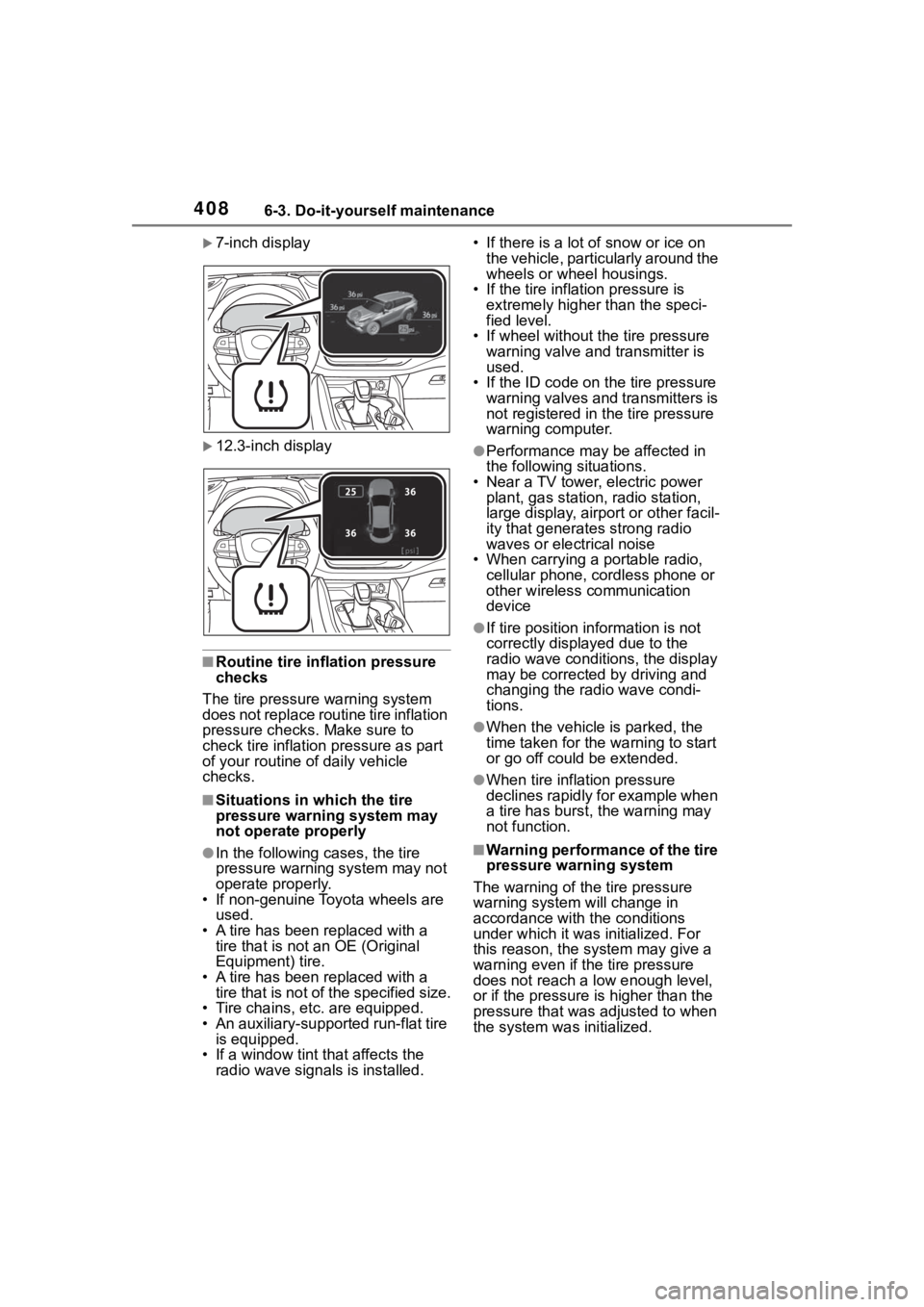
7-inch display
12.3-inch display
■Routine tire inflation pressure
checks
The tire pressure warning system
does not replace routine tire inflation
pressure checks. Make sure to
check tire inflation pressure as part
of your routine of daily vehicle
checks.
■Situations in which the tire
pressure warning system may
not operate properly
●In the following cases, the tire
pressure warning system may not
operate properly.
• If non-genuine Toyota wheels are used.
• A tire has been replaced with a
tire that is not an OE (Original
Equipment) tire.
• A tire has been replaced with a
tire that is not of the specified size.
• Tire chains, etc. are equipped.
• An auxiliary-supported run-flat tire is equipped.
• If a window tint that affects the radio wave signals is installed. • If there is a lot of snow or ice on
the vehicle, particularly around the
wheels or wheel housings.
• If the tire inflation pressure is extremely higher than the speci-
fied level.
• If wheel without the tire pressure warning valve and transmitter is
used.
• If the ID code on the tire pressure warning valves and transmitters is
not registered in the tire pressure
warning computer.
●Performance may be affected in
the following situations.
• Near a TV tower, electric power plant, gas station, radio station,
large display, airpo rt or other facil-
ity that generates strong radio
waves or electrical noise
• When carrying a portable radio, cellular phone, cordless phone or
other wireless communication
device
●If tire position information is not
correctly displayed due to the
radio wave conditions, the display
may be corrected by driving and
changing the radio wave condi-
tions.
●When the vehicle is parked, the
time taken for the warning to start
or go off could be extended.
●When tire inflation pressure
declines rapidly for example when
a tire has burst, the warning may
not function.
■Warning performance of the tire
pressure warning system
The warning of the tire pressure
warning system w ill change in
accordance with the conditions
under which it was initialized. For
this reason, the system may give a
warning even if th e tire pressure
does not reach a low enough level,
or if the pressure is higher than the
pressure that was adjusted to when
the system was initialized.
Page 504 of 572
5048-1. Specifications
Grade C corresponds to a level of
performance which all passenger
car tires must meet under the Fed-
eral Motor Vehicle Safety Standard
No. 109.
Grades B and A represent higher
levels of performance on the labo-
ratory test wheel than the minimum
required by law. Warning: The temperature grades
of a tire assume tha
t it is properly
inflated and not overloaded.
Excessive speed, underinflation, or
excessive loading, either sepa-
rately or in combination, can cause
heat buildup and possible tire fail-
ure.
Glossary of tire terminology
Tire related termMeaning
Cold tire infl ation pressure
Tire pressure when the vehicle has been
parked for three hours or more, or has not
been driven more than 1 mile or 1.5 km
under that condition
Maximum inflation pressure
The maximum cold inf lated pressure to
which a tire may be inflated, shown on the
sidewall of the tire
Recommended inflation pres-
sureCold tire inflation pressure recommended
by a manufacturer
Accessory weight
The combined weight (in excess of those
standard items which may be replaced) of
hybrid transmission, power steering,
power brakes, power windows, power
seats, radio and heater, to the extent that
these items are available as fac-
tory-installed equipment (whether installed
or not)
Curb weight
The weight of a motor vehicle with stan-
dard equipment, including the maximum
capacity of fuel, oil and coolant, and if so
equipped, air conditioning and additional
weight optional engine
Page 534 of 572
5349-1. For owners
AVERTISSEMENT
■Modification et mise au rebut
des composants du système
de coussins gonflables SRS
Ne mettez pas votre véhicule au
rebut et ne procédez à aucune
des modifications suivantes sans
consulter votre concessionnaire
Toyota. Les coussins gonflables
SRS peuvent ne pas fonctionner
correctement ou se déployer (se
gonfler) accidentellement, provo-
quant la mort ou de graves bless-
ures.
●Installation, dépose, démon-
tage et réparation des coussins
gonflables SRS
●Réparations, modifications,
démontage ou remplacement
du volant, du tableau de bord,
de la planche de bord, des
sièges ou de leur garnissage,
des montants avant, latéraux et
arrière, des rails latéraux de toit,
des panneaux de porte avant,
des garnitures de porte avant
ou des haut-par leurs de porte
avant
●Modifications du panneau de
porte avant (par exemple,
perçage d'un trou dans le pan-
neau)
●Réparations ou modifications
des ailes avant, du pare-chocs
avant ou des flancs de l'habita-
cle
●Installation d'un protège-calan-
dre (pare-buffle, pare-kangou-
rou, etc.), de chasse-neige, de
treuils ou d'un porte-bagages de
toit
●Modifications du système de
suspension du véhicule
●Installation d'appareils électro-
niques tels que les émet-
teurs/récepteurs radios mobiles
et les lecteurs CD
●Modifications de votre véhicule
pour une personne atteinte d'un
handicap physique