phone TOYOTA HILUX 2013 (in English) Service Manual
[x] Cancel search | Manufacturer: TOYOTA, Model Year: 2013, Model line: HILUX, Model: TOYOTA HILUX 2013Pages: 644, PDF Size: 34.35 MB
Page 412 of 644
412 3-3. Using the “touch screen”
HILUX_OM_OM0K189E_(EE)
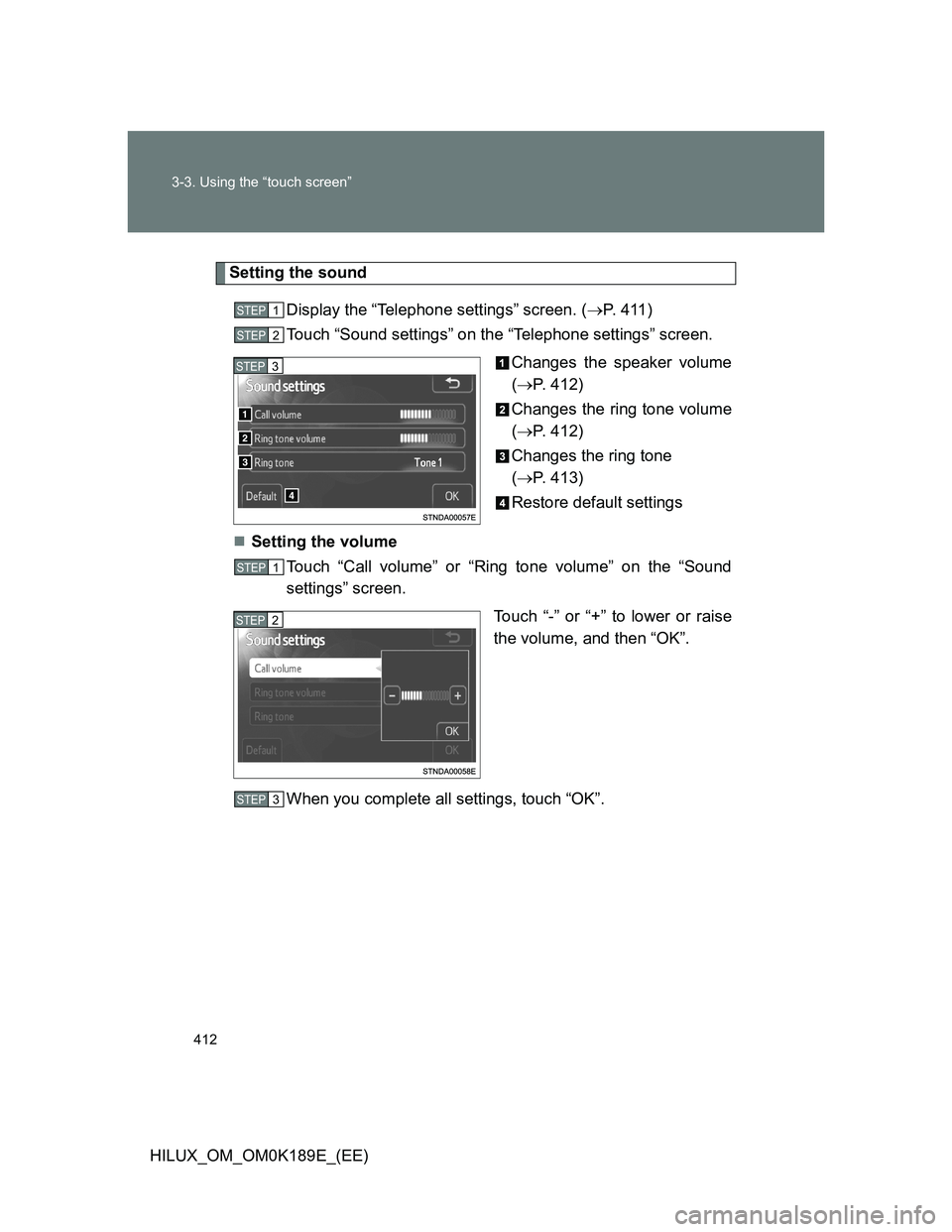
Setting the sound
Display the “Telephone settings” screen. (P. 4 1 1 )
Touch “Sound settings” on the “Telephone settings” screen.
Changes the speaker volume
(P. 412)
Changes the ring tone volume
(P. 412)
Changes the ring tone
(P. 413)
Restore default settings
Setting the volume
Touch “Call volume” or “Ring tone volume” on the “Sound
settings” screen.
Touch “-” or “+” to lower or raise
the volume, and then “OK”.
When you complete all settings, touch “OK”.
STEP1
STEP2
STEP3
STEP1
STEP2
STEP3
Page 414 of 644
414 3-3. Using the “touch screen”
HILUX_OM_OM0K189E_(EE)
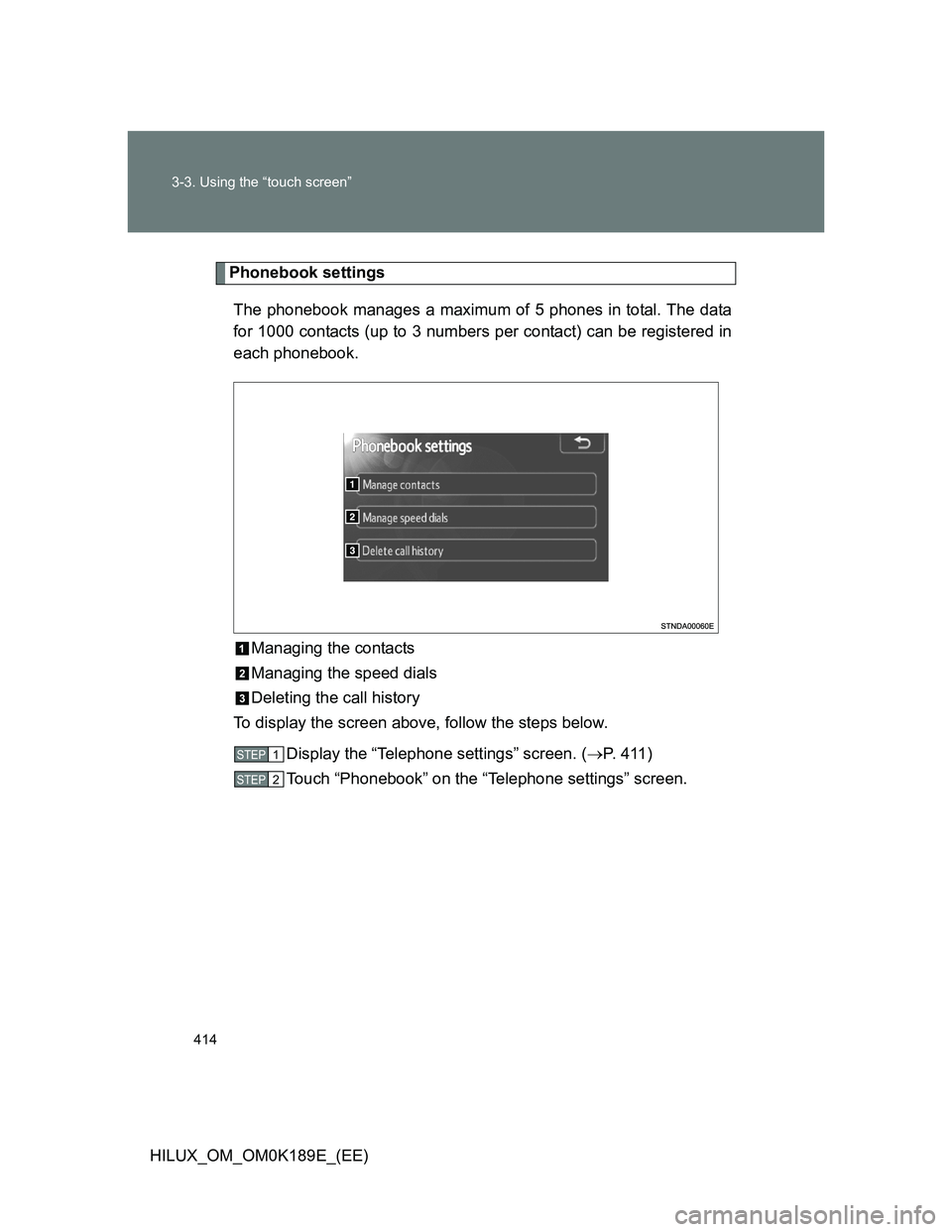
Phonebook settings
The phonebook manages a maximum of 5 phones in total. The data
for 1000 contacts (up to 3 numbers per contact) can be registered in
each phonebook.
Managing the contacts
Managing the speed dials
Deleting the call history
To display the screen above, follow the steps below.
Display the “Telephone settings” screen. (P. 4 1 1 )
Touch “Phonebook” on the “Telephone settings” screen.
STEP1
STEP2
Page 415 of 644
415 3-3. Using the “touch screen”
3
Interior features
HILUX_OM_OM0K189E_(EE)Managing the contacts
Transferring a phone number
You can transfer the phone numbers in your Bluetooth
phone to the
system. Operation methods differ between PBAP compatible and
PBAP incompatible Bluetooth
phones. If your cellular phone does
not support either PBAP or OPP services, you cannot transfer con-
tacts.
Display the “Phonebook settings” screen. (P. 411)
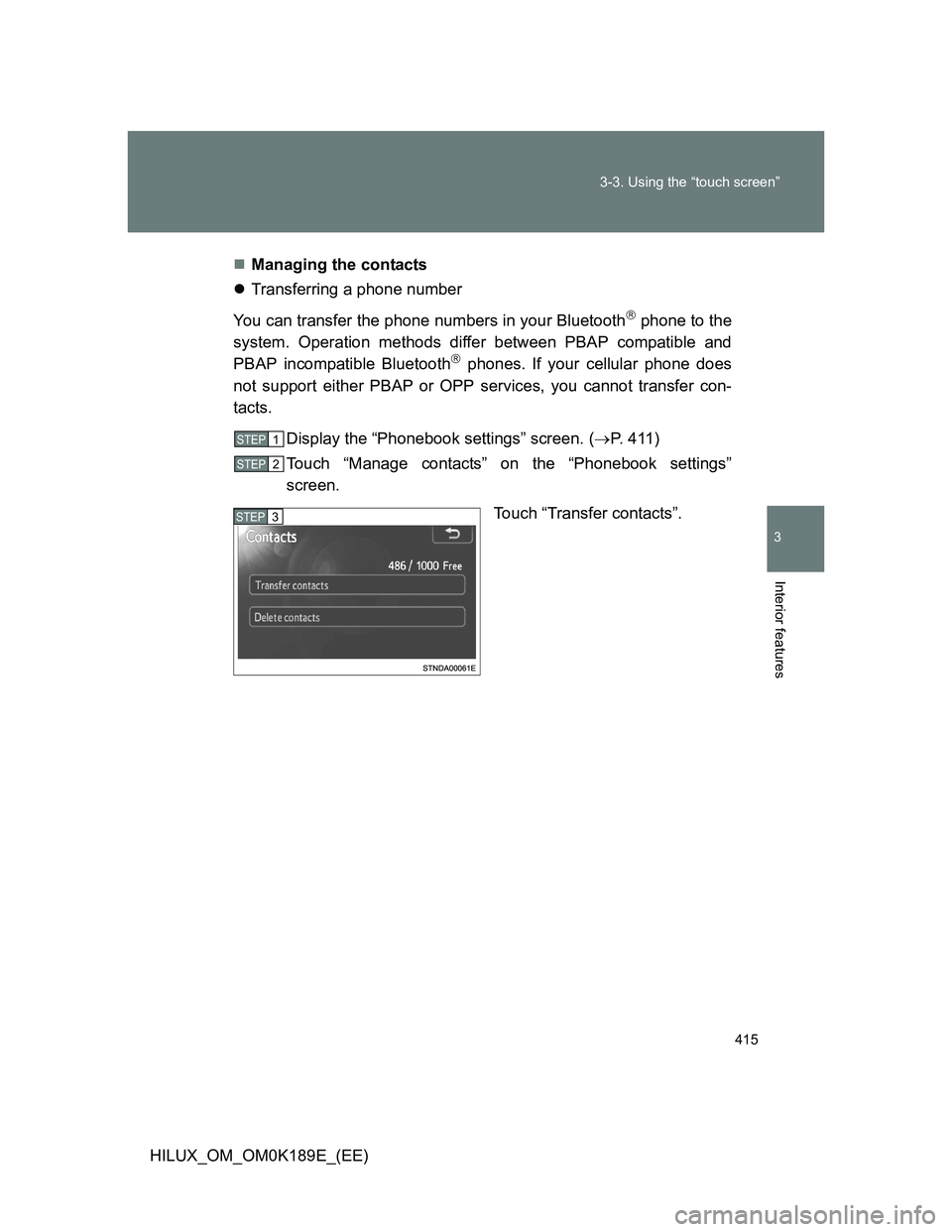
Touch “Manage contacts” on the “Phonebook settings”
screen.
Touch “Transfer contacts”.
STEP1
STEP2
STEP3
Page 416 of 644
416 3-3. Using the “touch screen”
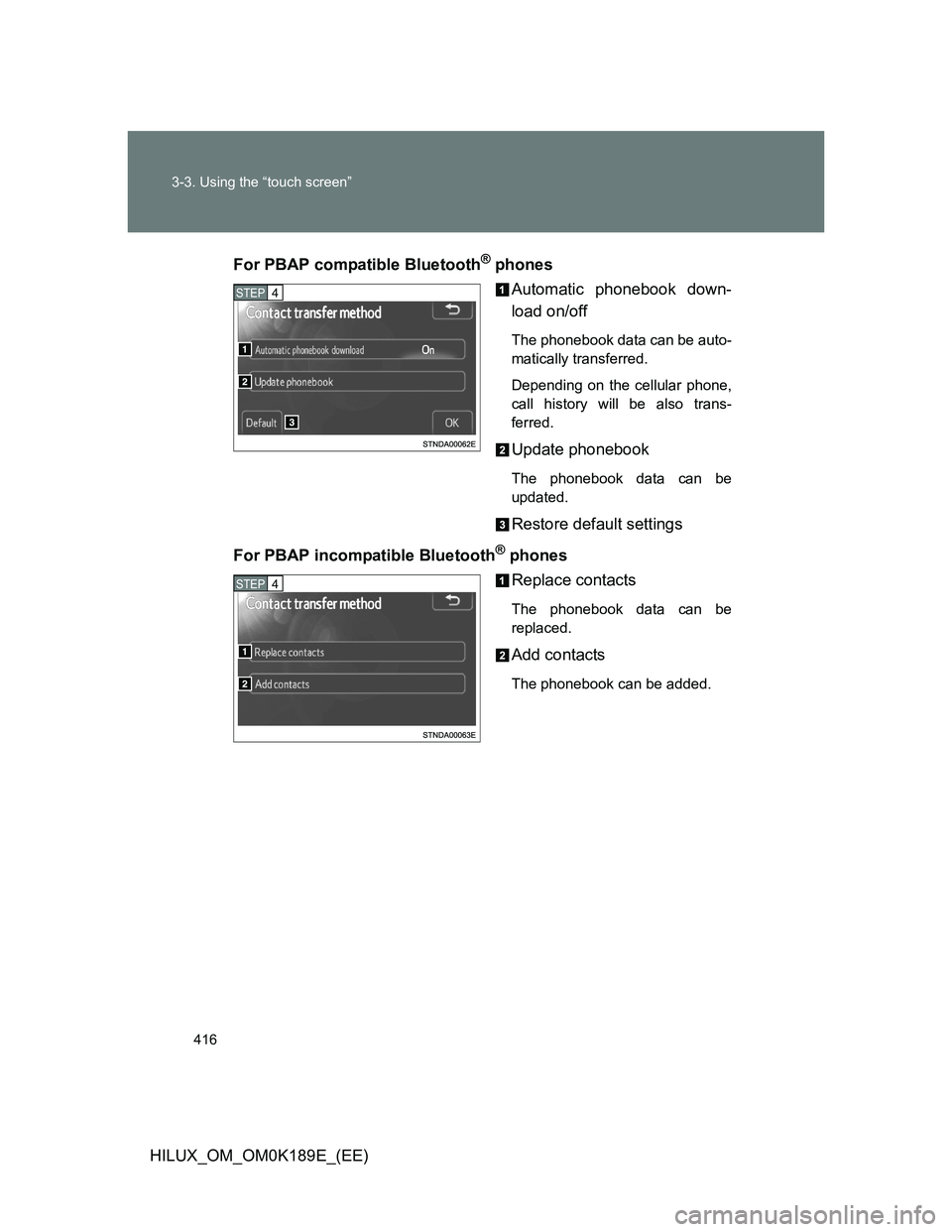
HILUX_OM_OM0K189E_(EE)For PBAP compatible Bluetooth
® phones
Automatic phonebook down-
load on/off
The phonebook data can be auto-
matically transferred.
Depending on the cellular phone,
call history will be also trans-
ferred.
Update phonebook
The phonebook data can be
updated.
Restore default settings
For PBAP incompatible Bluetooth
® phones
Replace contacts
The phonebook data can be
replaced.
Add contacts
The phonebook can be added.
STEP4
STEP4
Page 417 of 644
417 3-3. Using the “touch screen”
3
Interior features
HILUX_OM_OM0K189E_(EE)Deleting the phonebook data
Display the “Phonebook settings” screen. (P. 414)
Touch “Manage contacts” on the “Phonebook settings”
screen.
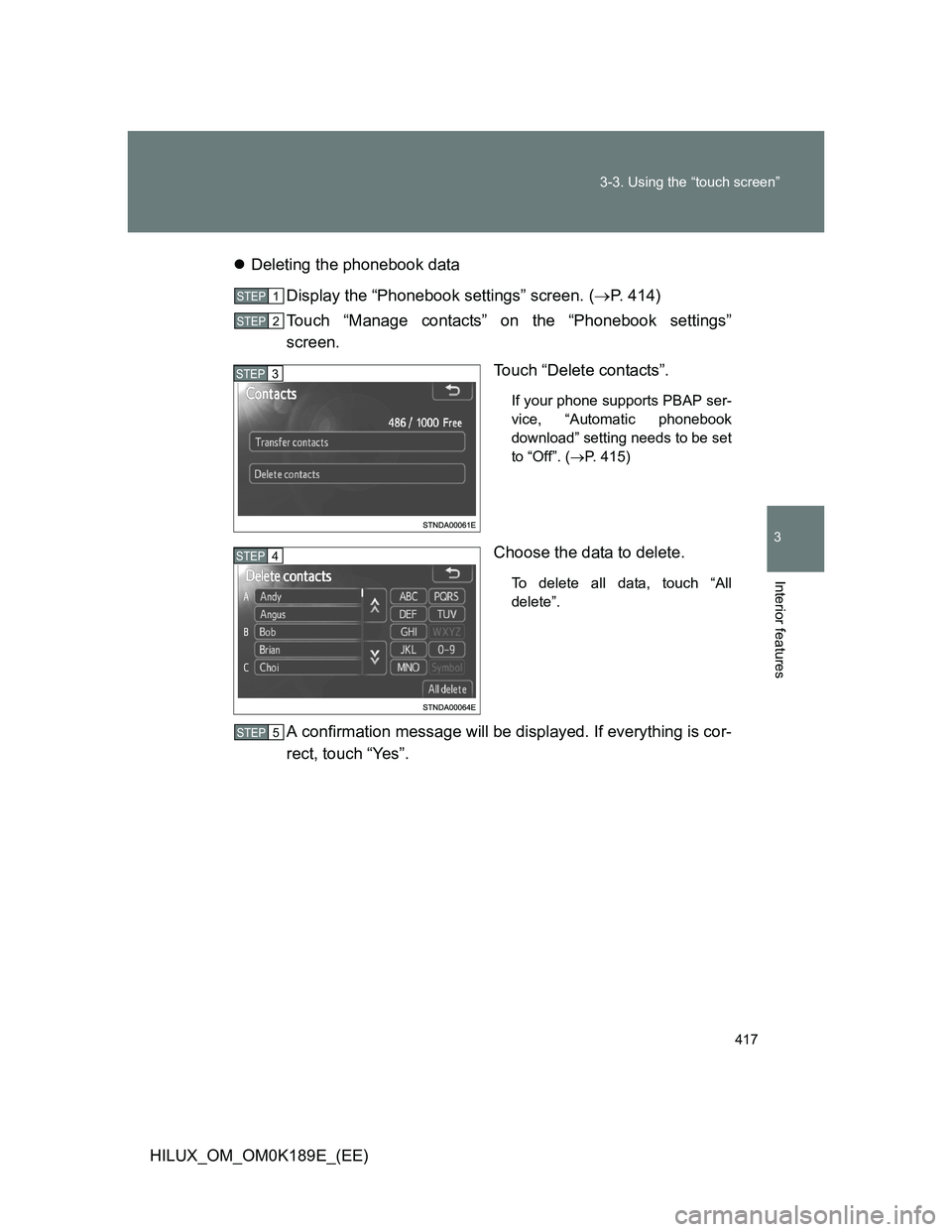
Touch “Delete contacts”.
If your phone supports PBAP ser-
vice, “Automatic phonebook
download” setting needs to be set
to “Off”. (P. 415)
Choose the data to delete.
To delete all data, touch “All
delete”.
A confirmation message will be displayed. If everything is cor-
rect, touch “Yes”.
STEP1
STEP2
STEP3
STEP4
STEP5
Page 418 of 644
418 3-3. Using the “touch screen”
HILUX_OM_OM0K189E_(EE)
Phonebook data
Phonebook data is managed for every registered phone. When another
phone is connecting, you cannot read the registered data.
Setting the phonebook in a different way (To display the “Contacts”
screen)
Display the “Telephone” screen. (P. 395)
Touch “Contacts” on the “Telephone” screen.
Touch “Options” on the “Contacts” screen.
Touch “Manage contacts” on the “Phonebook settings” screen.
When transferring a phone number
Transfer the phone number while engine is running.
If your cellular phone is OPP or PBAP compatible, you may need to input
“1234” by your cellular phone for OBEX certification.
When you have selected “Update phonebook” to transfer the phone
number
If your cellular phone does not support PBAP service, you cannot use
this function.
If your phone supports PBAP service, you can transfer the phonebook
data without operating your phone.
When you have selected “Replace contacts” or “Add contacts” to
transfer the phone number
If your cellular phone does not support OPP service, you cannot use these
functions. You can transfer the phonebook data only by operating your
phone.
STEP1
STEP3
STEP3
STEP4
Page 419 of 644
419 3-3. Using the “touch screen”
3
Interior features
HILUX_OM_OM0K189E_(EE)
Transferring the phone number in a different way (To display the
“Contact transfer method” screen)
Display the “Telephone” screen. (P. 395)
Touch “Contacts” on the “Telephone” screen.
Touch “Transfer” on the “Contacts” screen.
Transferring the phone number while Bluetooth
audio is playing
Bluetooth
audio will disconnect. It will reconnect automatically when data
transfer finishes. It will not be reconnected depending on the phone you are
using.
Deleting the phonebook data in a different way
Display the “Telephone” screen. (P. 395)
Touch “Contacts” on the “Telephone” screen.
Choose the desired data from the list.
Touch “Options” on the “Contact” screen.
Touch “Delete” on the “Contact data” screen.
A confirmation message will be displayed. If everything is correct,
touch “Yes”.
If your phone supports PBAP service, “Automatic phonebook download” set-
ting needs to be set to “Off”. (P. 415)
When you delete a Bluetooth
phone, the phonebook data will be deleted at
the same time.
STEP1
STEP2
STEP3
STEP1
STEP2
STEP3
STEP4
STEP5
STEP6
Page 420 of 644
420 3-3. Using the “touch screen”
HILUX_OM_OM0K189E_(EE)Managing the speed dials
Registering the speed dial from contacts
You can register the desired phone number from phonebook. Up to
18 numbers per phone can be registered.
Display the “Phonebook settings” screen. (P. 414)
Touch “Manage speed dials” on the “Phonebook settings”
screen.
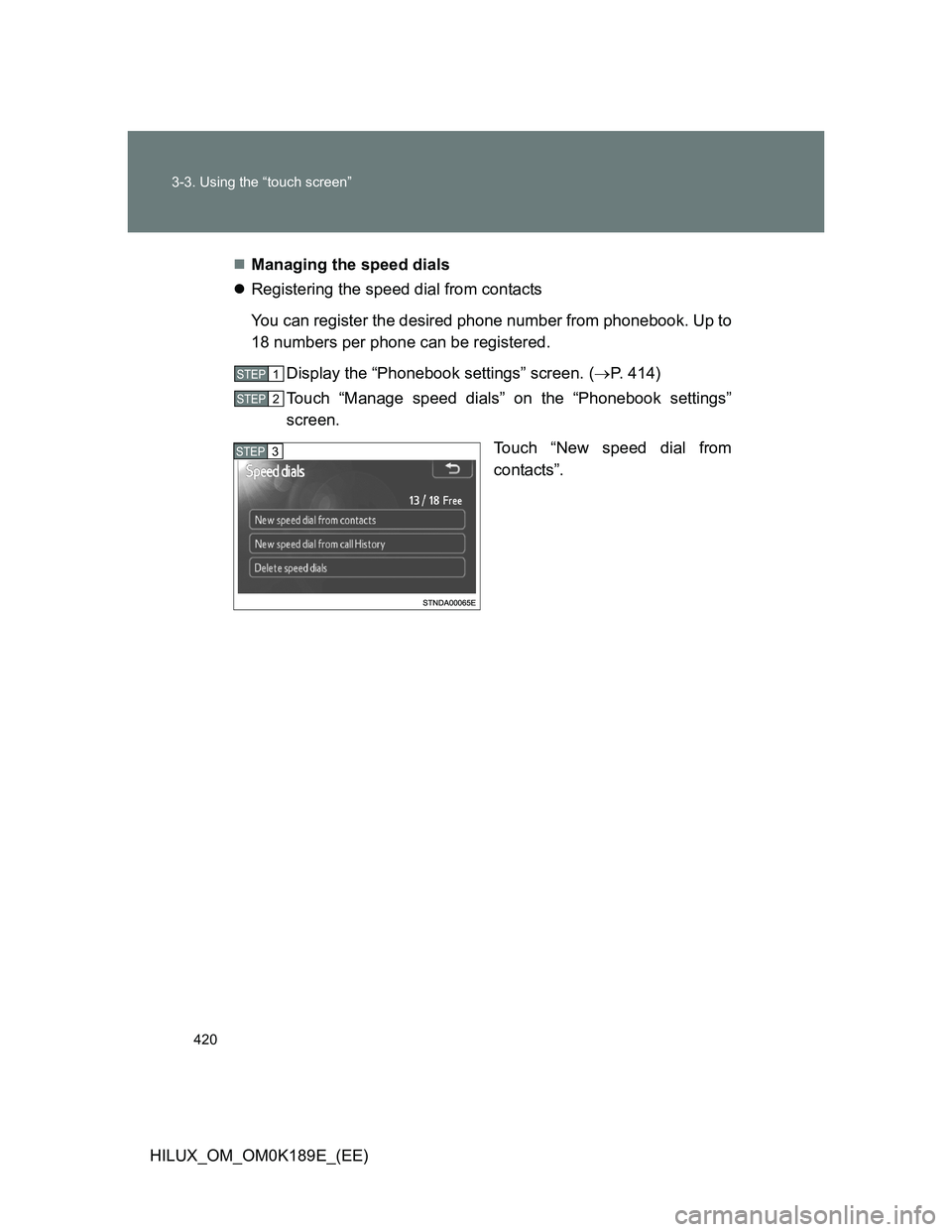
Touch “New speed dial from
contacts”.
STEP1
STEP2
STEP3
Page 421 of 644
421 3-3. Using the “touch screen”
3
Interior features
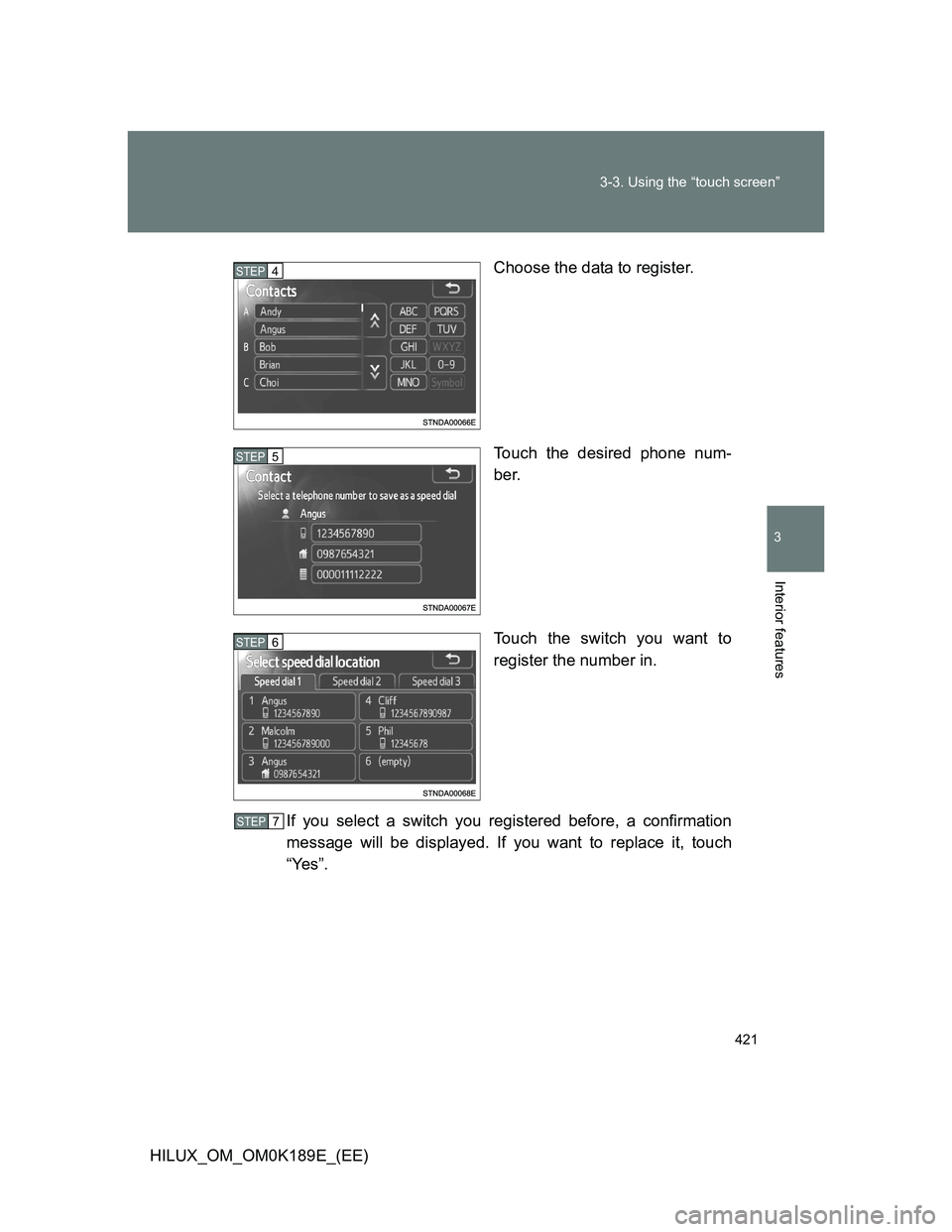
HILUX_OM_OM0K189E_(EE)Choose the data to register.
Touch the desired phone num-
ber.
Touch the switch you want to
register the number in.
If you select a switch you registered before, a confirmation
message will be displayed. If you want to replace it, touch
“Yes”.
STEP4
STEP5
STEP6
STEP7
Page 422 of 644
422 3-3. Using the “touch screen”
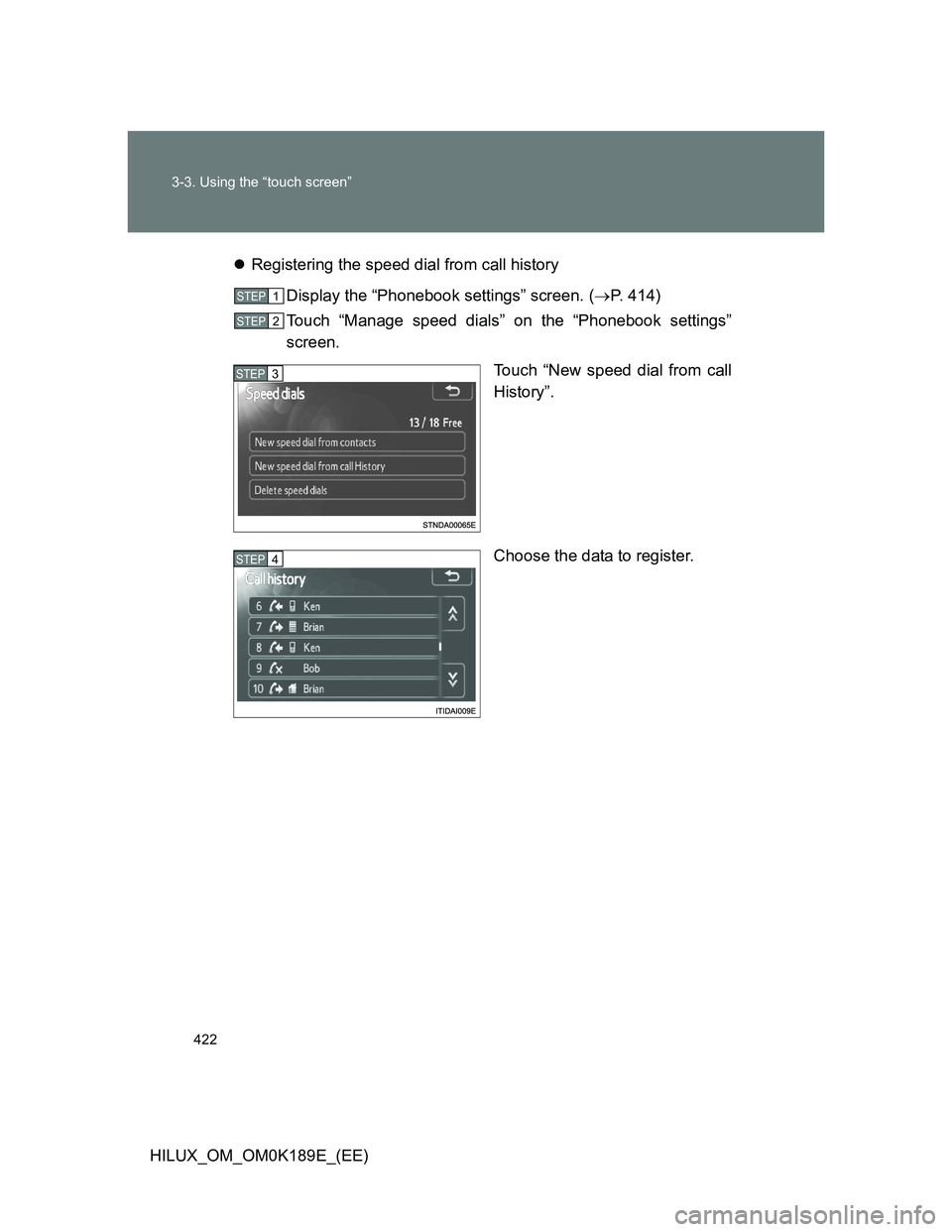
HILUX_OM_OM0K189E_(EE)Registering the speed dial from call history
Display the “Phonebook settings” screen. (P. 414)
Touch “Manage speed dials” on the “Phonebook settings”
screen.
Touch “New speed dial from call
History”.
Choose the data to register.
STEP1
STEP2
STEP3
STEP4