alarm TOYOTA HILUX 2023 Owners Manual
[x] Cancel search | Manufacturer: TOYOTA, Model Year: 2023, Model line: HILUX, Model: TOYOTA HILUX 2023Pages: 810, PDF Size: 131.54 MB
Page 4 of 810
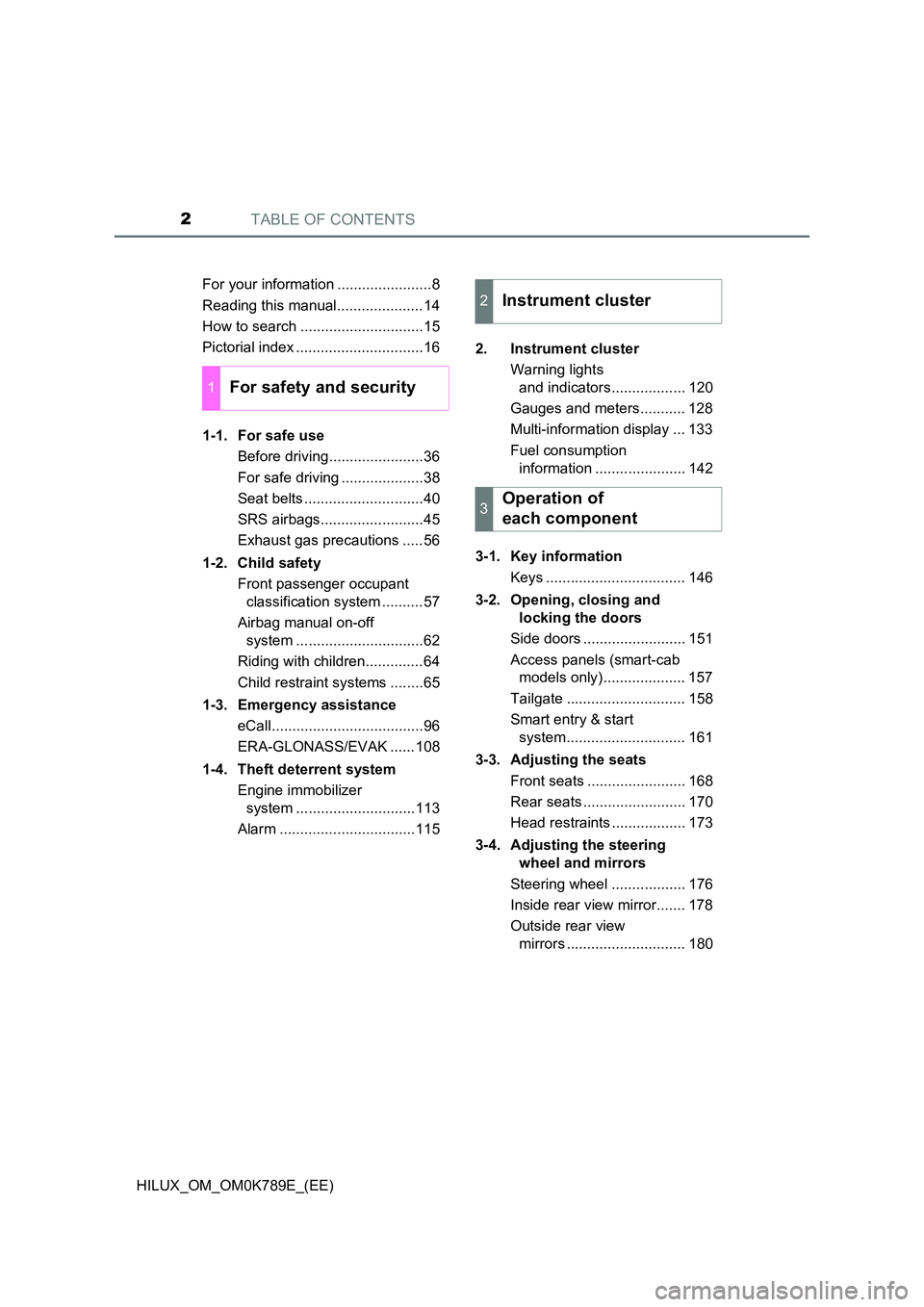
TABLE OF CONTENTS2
HILUX_OM_OM0K789E_(EE)
For your information .......................8
Reading this manual.....................14
How to search ..............................15
Pictorial index ...............................16
1-1. For safe use
Before driving.......................36
For safe driving ....................38
Seat belts .............................40
SRS airbags.........................45
Exhaust gas precautions .....56
1-2. Child safety
Front passenger occupant
classification system ..........57
Airbag manual on-off
system ...............................62
Riding with children..............64
Child restraint systems ........65
1-3. Emergency assistance
eCall.....................................96
ERA-GLONASS/EVAK ......108
1-4. Theft deterrent system
Engine immobilizer
system .............................113
Alarm .................................115
2. Instrument cluster
Warning lights
and indicators.................. 120
Gauges and meters........... 128
Multi-information display ... 133
Fuel consumption
information ...................... 142
3-1. Key information
Keys .................................. 146
3-2. Opening, closing and
locking the doors
Side doors ......................... 151
Access panels (smart-cab
models only).................... 157
Tailgate ............................. 158
Smart entry & start
system............................. 161
3-3. Adjusting the seats
Front seats ........................ 168
Rear seats ......................... 170
Head restraints .................. 173
3-4. Adjusting the steering
wheel and mirrors
Steering wheel .................. 176
Inside rear view mirror....... 178
Outside rear view
mirrors ............................. 180
1For safety and security
2Instrument cluster
3Operation of
each component
Page 37 of 810
35
1For safety and security
HILUX_OM_OM0K789E_(EE)
1-1. For safe use
Before driving....................... 36
For safe driving .................... 38
Seat belts ............................. 40
SRS airbags......................... 45
Exhaust gas precautions ..... 56
1-2. Child safety
Front passenger occupant
classification system .......... 57
Airbag manual on-off
system ............................... 62
Riding with children.............. 64
Child restraint systems ........ 65
1-3. Emergency assistance
eCall..................................... 96
ERA-GLONASS/EVAK ...... 108
1-4. Theft deterrent system
Engine immobilizer
system ............................. 113
Alarm ................................. 115
Page 117 of 810
115
1
1-4. Theft deterrent system
HILUX_OM_OM0K789E_(EE)
For safety and security
Alar m
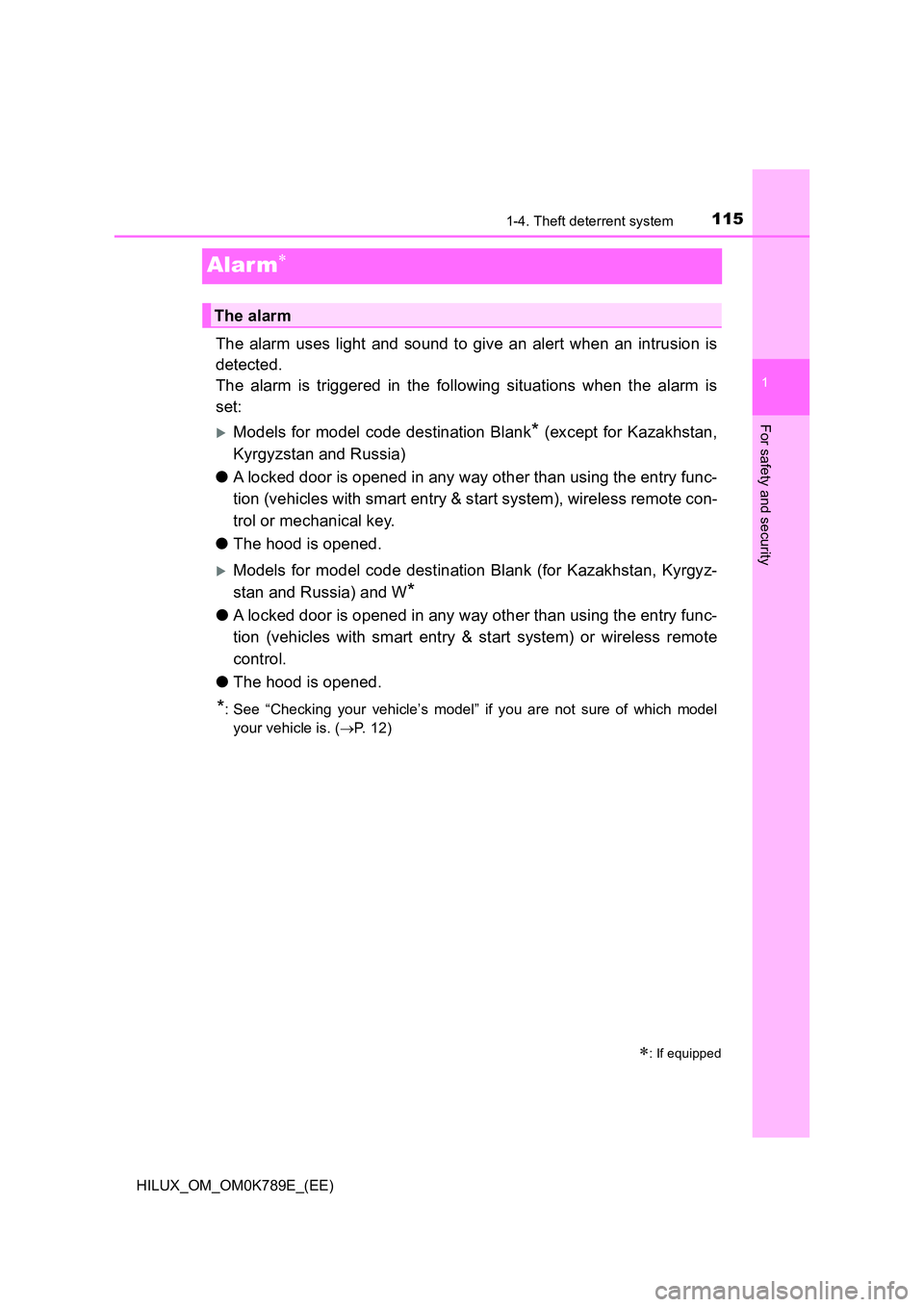
The alarm uses light and sound to give an alert when an intrusion is
detected.
The alarm is triggered in the following situations when the alarm is
set:
Models for model code destination Blank* (except for Kazakhstan,
Kyrgyzstan and Russia)
● A locked door is opened in any way other than using the entry func-
tion (vehicles with smart entry & start system), wireless remote con-
trol or mechanical key.
● The hood is opened.
Models for model code destination Blank (for Kazakhstan, Kyrgyz-
stan and Russia) and W*
● A locked door is opened in any way other than using the entry func-
tion (vehicles with smart entry & start system) or wireless remote
control.
● The hood is opened.
*: See “Checking your vehicle’s model” if you are not sure of which model
your vehicle is. ( P. 1 2 )
: If equipped
The alarm
Page 118 of 810
1161-4. Theft deterrent system
HILUX_OM_OM0K789E_(EE)
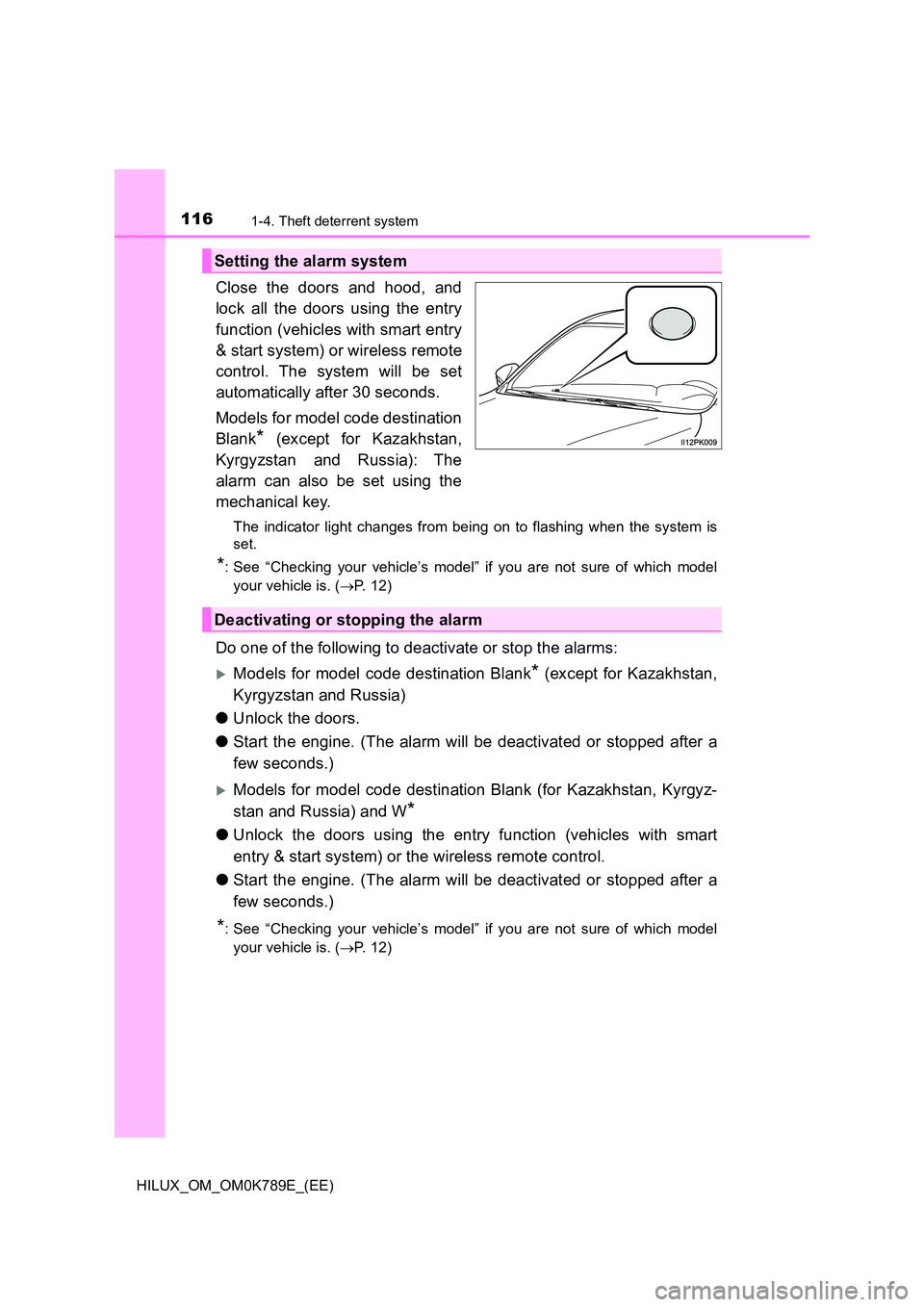
Close the doors and hood, and
lock all the doors using the entry
function (vehicles with smart entry
& start system) or wireless remote
control. The system will be set
automatically after 30 seconds.
Models for model code destination
Blank* (except for Kazakhstan,
Kyrgyzstan and Russia): The
alarm can also be set using the
mechanical key.
The indicator light changes from being on to flashing when the system is
set.
*: See “Checking your vehicle’s model” if you are not sure of which model
your vehicle is. ( P. 1 2 )
Do one of the following to deactivate or stop the alarms:
Models for model code destination Blank* (except for Kazakhstan,
Kyrgyzstan and Russia)
● Unlock the doors.
● Start the engine. (The alarm will be deactivated or stopped after a
few seconds.)
Models for model code destination Blank (for Kazakhstan, Kyrgyz-
stan and Russia) and W*
● Unlock the doors using the entry function (vehicles with smart
entry & start system) or the wireless remote control.
● Start the engine. (The alarm will be deactivated or stopped after a
few seconds.)
*: See “Checking your vehicle’s model” if you are not sure of which model
your vehicle is. ( P. 1 2 )
Setting the alarm system
Deactivating or stopping the alarm
Page 119 of 810
1171-4. Theft deterrent system
1
HILUX_OM_OM0K789E_(EE)
For safety and security
■System maintenance
The vehicle has a maintenance-free type alarm system.
■ Items to check before locking the vehicle
To prevent unexpected triggering of the alarm and vehicle theft, make sure of
the following:
● Nobody is in the vehicle.
● The windows are closed before the alarm is set.
● No valuables or other personal items are left in the vehicle.
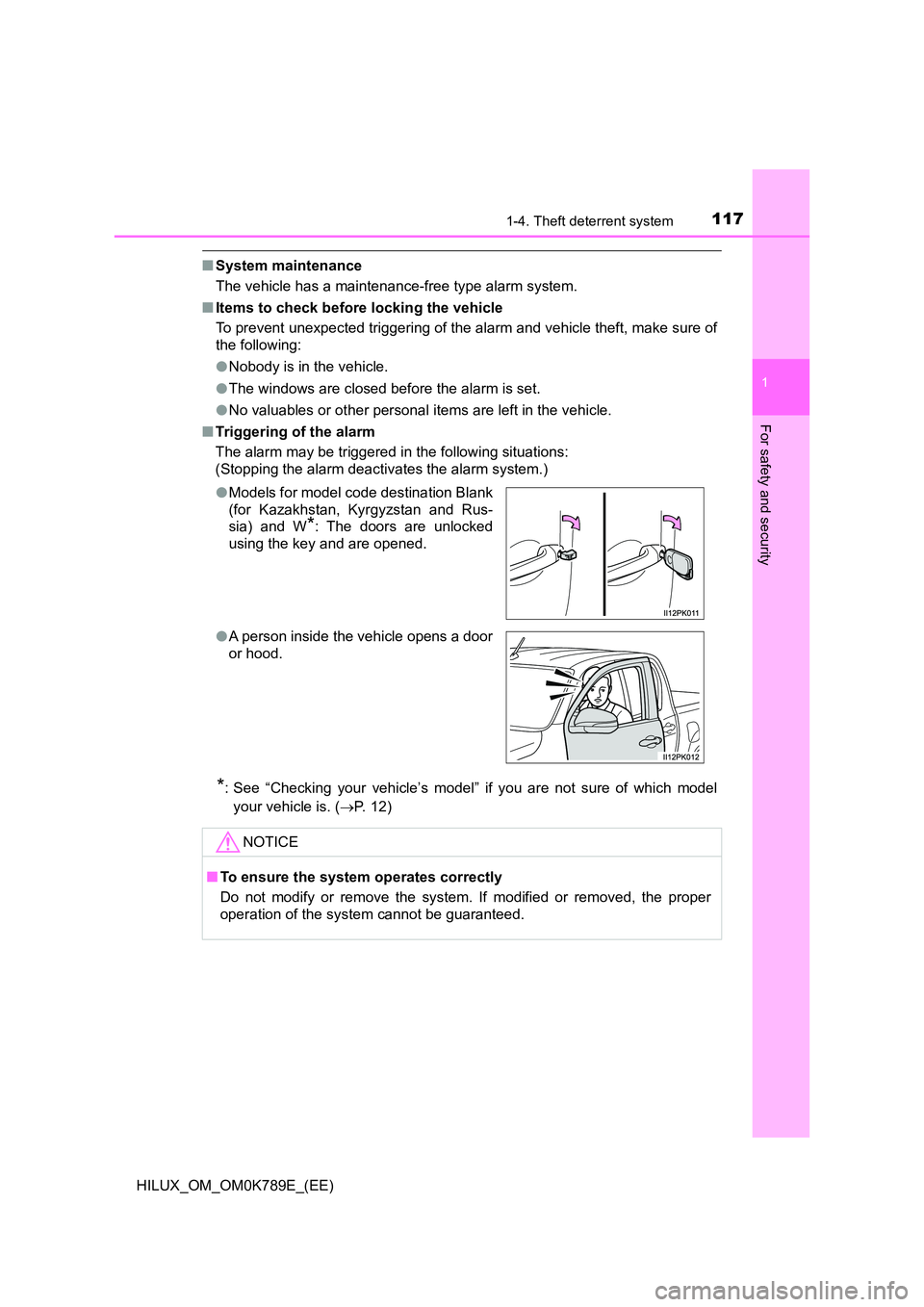
■ Triggering of the alarm
The alarm may be triggered in the following situations:
(Stopping the alarm deactivates the alarm system.)
*: See “Checking your vehicle’s model” if you are not sure of which model
your vehicle is. ( P. 1 2 )
● Models for model code destination Blank
(for Kazakhstan, Kyrgyzstan and Rus-
sia) and W*: The doors are unlocked
using the key and are opened.
● A person inside the vehicle opens a door
or hood.
NOTICE
■ To ensure the system operates correctly
Do not modify or remove the system. If modified or removed, the proper
operation of the system cannot be guaranteed.
Page 149 of 810
1473-1. Key information
3
Operation of each component
HILUX_OM_OM0K789E_(EE)
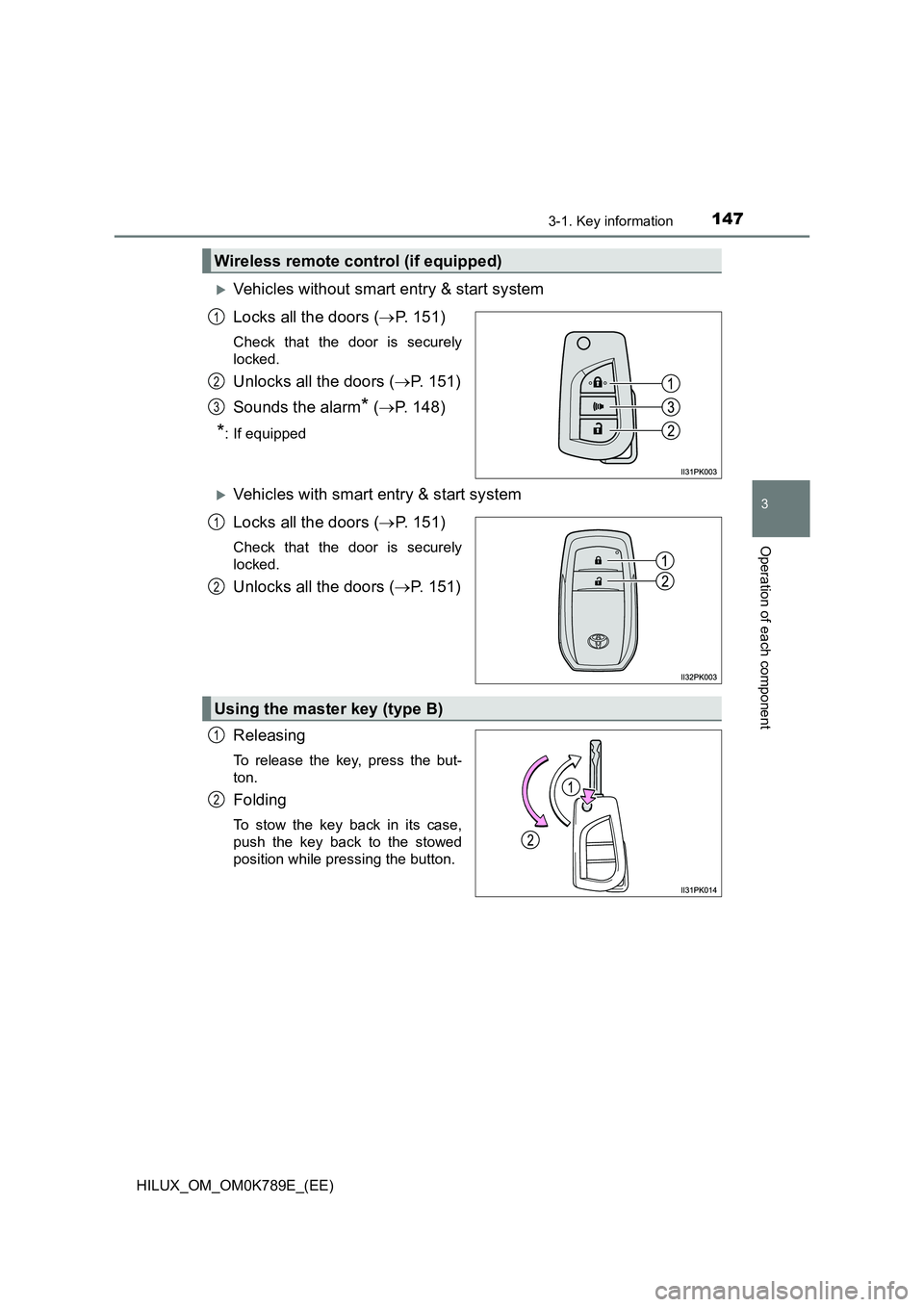
Vehicles without smart entry & start system
Locks all the doors ( P. 151)
Check that the door is securely
locked.
Unlocks all the doors ( P. 151)
Sounds the alarm* ( P. 148)
*: If equipped
Vehicles with smart entry & start system
Locks all the doors ( P. 151)
Check that the door is securely
locked.
Unlocks all the doors ( P. 151)
Releasing
To release the key, press the but-
ton.
Folding
To stow the key back in its case,
push the key back to the stowed
position while pressing the button.
Wireless remote control (if equipped)
1
2
3
1
2
Using the master key (type B)
1
2
Page 150 of 810
1483-1. Key information
HILUX_OM_OM0K789E_(EE)
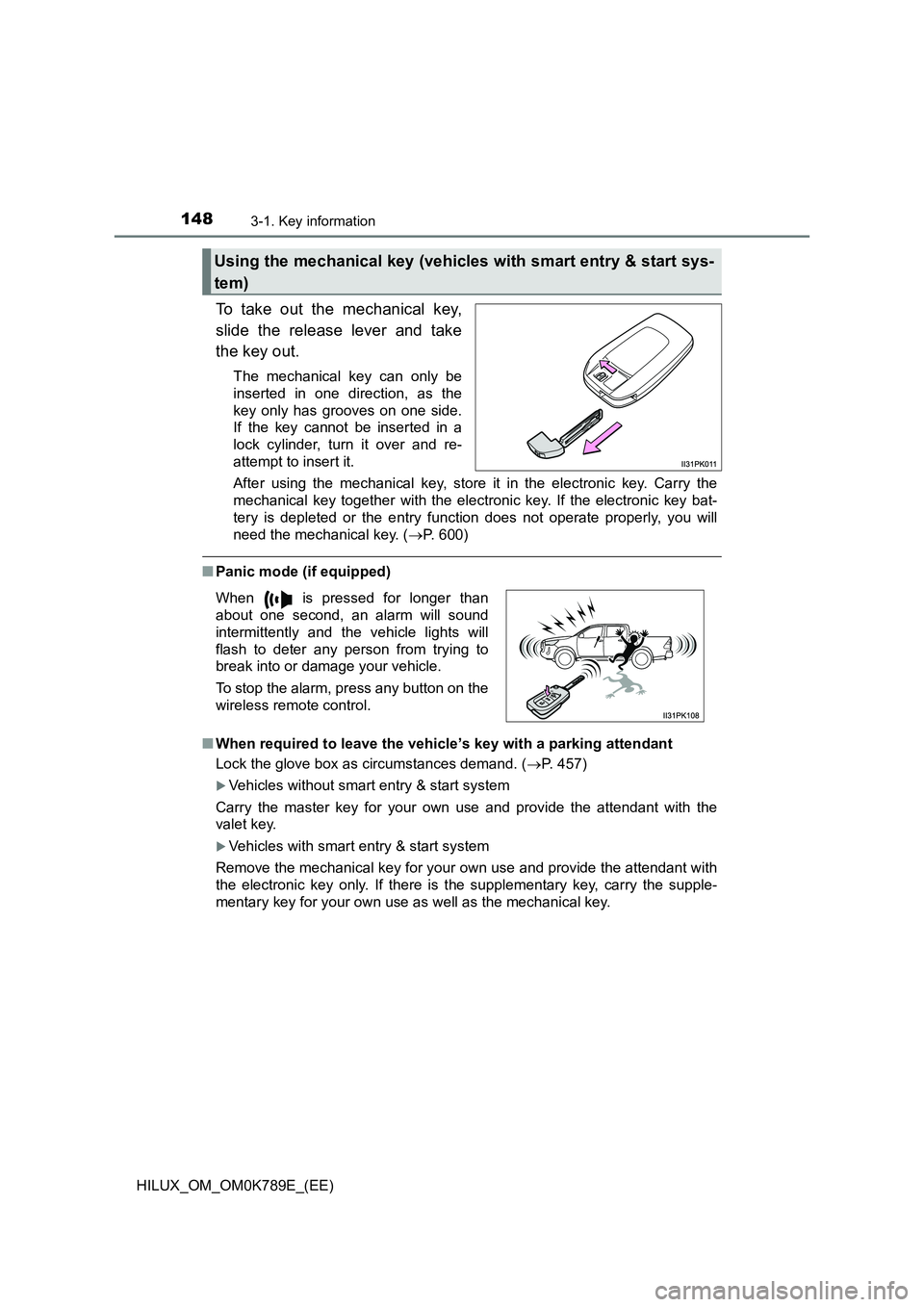
To take out the mechanical key,
slide the release lever and take
the key out.
The mechanical key can only be
inserted in one direction, as the
key only has grooves on one side.
If the key cannot be inserted in a
lock cylinder, turn it over and re-
attempt to insert it.
After using the mechanical key, store it in the electronic key. Carry the
mechanical key together with the electronic key. If the electronic key bat-
tery is depleted or the entry func tion does not operate properly, you will
need the mechanical key. ( P. 600)
■Panic mode (if equipped)
■ When required to leave the vehicle’s key with a parking attendant
Lock the glove box as circumstances demand. ( P. 457)
Vehicles without smart entry & start system
Carry the master key for your own use and provide the attendant with the
valet key.
Vehicles with smart entry & start system
Remove the mechanical key for your own use and provide the attendant with
the electronic key only. If there is the supplementary key, carry the supple-
mentary key for your own use as well as the mechanical key.
Using the mechanical key (vehicles with smart entry & start sys-
tem)
When is pressed for longer than
about one second, an alarm will sound
intermittently and the vehicle lights will
flash to deter any person from trying to
break into or damage your vehicle.
To stop the alarm, press any button on the
wireless remote control.
Page 155 of 810
1533-2. Opening, closing and locking the doors
3
Operation of each component
HILUX_OM_OM0K789E_(EE)
■ Setting the alarm (if equipped)
Locking the doors will set the alarm system. ( P. 115)
■ If a symbol indicating one or more doors are open is shown on the multi-
information display
One or more of the doors is not fully closed. The system also indicates which
doors are not fully closed. If the vehicle reaches a speed of 5 km/h (3 mph),
master warning light flashes and a buzzer sounds to indicate that the door(s)
are not yet fully closed.
Make sure that all the doors are closed.
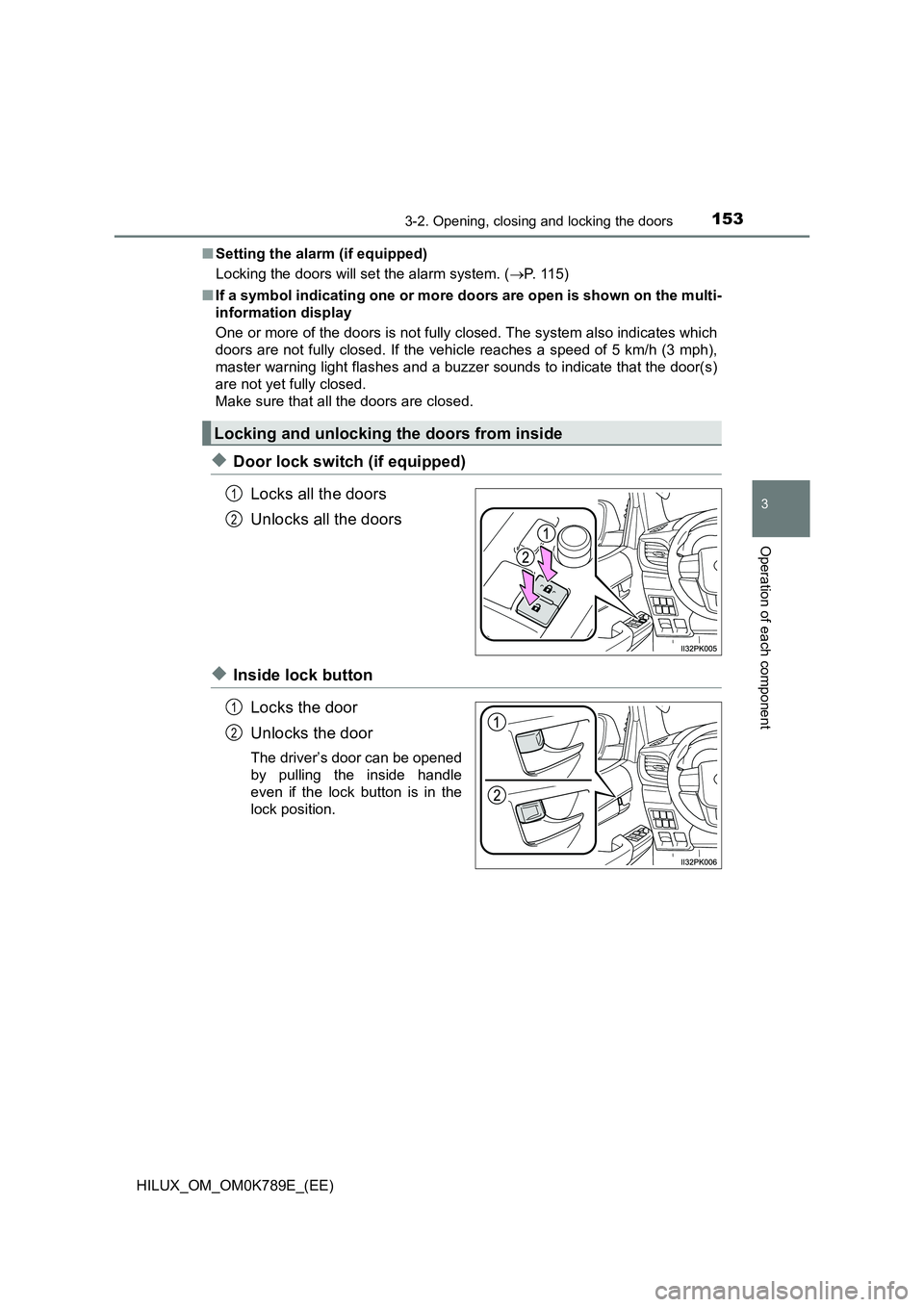
◆Door lock switch (if equipped)
Locks all the doors
Unlocks all the doors
◆Inside lock button
Locks the door
Unlocks the door
The driver’s door can be opened
by pulling the inside handle
even if the lock button is in the
lock position.
Locking and unlocking the doors from inside
1
2
1
2
Page 165 of 810
1633-2. Opening, closing and locking the doors
3
Operation of each component
HILUX_OM_OM0K789E_(EE)
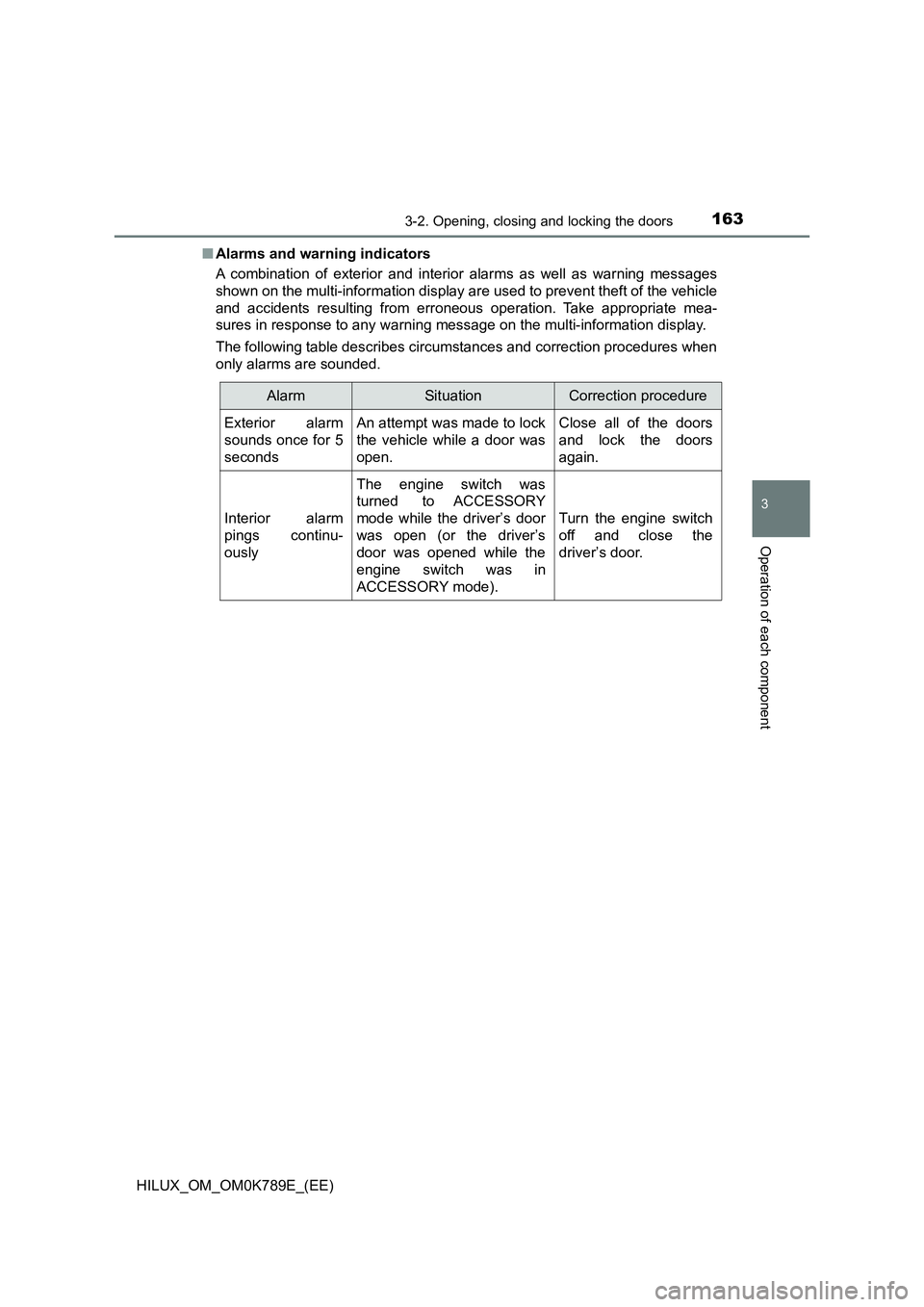
■ Alarms and warning indicators
A combination of exterior and interior alarms as well as warning messages
shown on the multi-information display are used to prevent theft of the vehicle
and accidents resulting from erroneous operation. Take appropriate mea-
sures in response to any warning message on the multi-information display.
The following table describes circumstances and correction procedures when
only alarms are sounded.
AlarmSituationCorrection procedure
Exterior alarm
sounds once for 5
seconds
An attempt was made to lock
the vehicle while a door was
open.
Close all of the doors
and lock the doors
again.
Interior alarm
pings continu-
ously
The engine switch was
turned to ACCESSORY
mode while the driver’s door
was open (or the driver’s
door was opened while the
engine switch was in
ACCESSORY mode).
Turn the engine switch
off and close the
driver’s door.
Page 167 of 810
1653-2. Opening, closing and locking the doors
3
Operation of each component
HILUX_OM_OM0K789E_(EE)
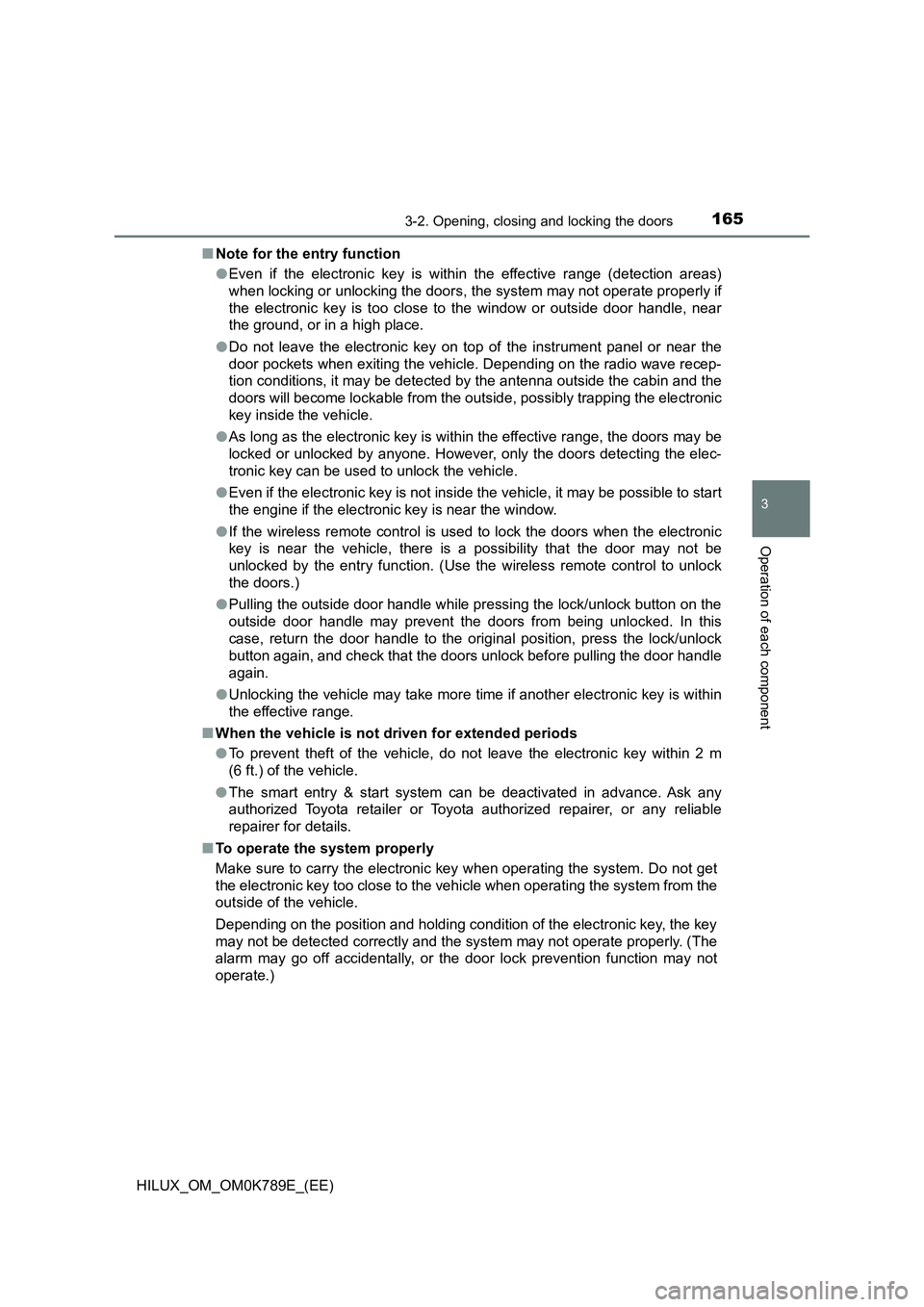
■ Note for the entry function
● Even if the electronic key is within the effective range (detection areas)
when locking or unlocking the doors, the system may not operate properly if
the electronic key is too close to the window or outside door handle, near
the ground, or in a high place.
● Do not leave the electronic key on top of the instrument panel or near the
door pockets when exiting the vehicle. Depending on the radio wave recep-
tion conditions, it may be detected by the antenna outside the cabin and the
doors will become lockable from the outside, possibly trapping the electronic
key inside the vehicle.
● As long as the electronic key is within the effective range, the doors may be
locked or unlocked by anyone. However, only the doors detecting the elec-
tronic key can be used to unlock the vehicle.
● Even if the electronic key is not inside the vehicle, it may be possible to start
the engine if the electronic key is near the window.
● If the wireless remote control is used to lock the doors when the electronic
key is near the vehicle, there is a possibility that the door may not be
unlocked by the entry function. (Use the wireless remote control to unlock
the doors.)
● Pulling the outside door handle while pressing the lock/unlock button on the
outside door handle may prevent the doors from being unlocked. In this
case, return the door handle to the original position, press the lock/unlock
button again, and check that the doors unlock before pulling the door handle
again.
● Unlocking the vehicle may take more time if another electronic key is within
the effective range.
■ When the vehicle is not driven for extended periods
● To prevent theft of the vehicle, do not leave the electronic key within 2 m
(6 ft.) of the vehicle.
● The smart entry & start system can be deactivated in advance. Ask any
authorized Toyota retailer or Toyota authorized repairer, or any reliable
repairer for details.
■ To operate the system properly
Make sure to carry the electronic key when operating the system. Do not get
the electronic key too close to the vehicle when operating the system from the
outside of the vehicle.
Depending on the position and holding condition of the electronic key, the key
may not be detected correctly and the system may not operate properly. (The
alarm may go off accidentally, or the door lock prevention function may not
operate.)