stop start TOYOTA IQ 2012 User Guide
[x] Cancel search | Manufacturer: TOYOTA, Model Year: 2012, Model line: IQ, Model: TOYOTA IQ 2012Pages: 476, PDF Size: 23.52 MB
Page 98 of 476
98 1-3. Adjustable components (seats, mirrors, steering wheel)
iQ_WE_74014E
Mirror angle can be adjusted when
Vehicles without smart entry & start system
The engine switch is in the ACC or ON position.
Vehicles with smart entry & start system
The “ENGINE START STOP” switch is in ACCESSORY or IGNITION ON
mode.
When the mirrors are fogged up (vehicles with outside rear view mirror
defoggers)
Turn on the mirror defoggers to defog the mirrors. (P. 254)
CAUTION
When driving the vehicle
Observe the following precautions while driving.
Failing to do so may result in loss of control of the vehicle and cause an acci-
dent, resulting in death or serious injury.
Do not adjust the mirrors while driving.
Do not drive with the mirrors folded back.
Both the driver and passenger side mirrors must be extended and properly
adjusted before driving.
When a mirror is moving
To avoid personal injury and mirror malfunction, be careful not to get your
hand caught by the moving mirror.
When the mirror defoggers are operating (vehicles with outside rear
view mirror defoggers)
Do not touch the rear view mirror surfaces, as they can become very hot and
burn you.
Page 101 of 476
101 1-4. Opening and closing the windows
1
Before driving
iQ_WE_74014E
The power windows can be operated when
Vehicles without smart entry & start system
The engine switch is in the ON position.
Vehicles with smart entry & start system
The “ENGINE START STOP” switch is in IGNITION ON mode.
Operating the power windows after turning the engine switch off
(driver’s window only)
Vehicles without smart entry & start system
The power windows can be operated for approximately 45 seconds even
after the engine switch is turned off. They cannot, however, be operated
once either front door is opened.
Vehicles with smart entry & start system
The power windows can be operated for approximately 45 seconds after
the “ENGINE START STOP” switch is turned to ACCESSORY mode or
turned off. They cannot, however, be operated once either front door is
opened.
Jam protection function
If an object becomes caught between the window and the window frame,
window travel is stopped and the window opens slightly.
When the power window does not close normally
If the jam protection function is operating abnormally and a window cannot
be closed, perform the following operations using the power window switch
on the relevant door.
After stopping the vehicle, the window can be closed by holding the
power window switch in the one-touch closing position while the engine
switch is turned to the ON position (vehicles without smart entry & start
system) or the “ENGINE START STOP” switch is turned to IGNITION ON
mode (vehicles with smart entry & start system).
Page 103 of 476
103
1
Before driving
iQ_WE_74014E
1-5. Refueling
Opening the fuel tank cap
Perform the following steps to open the fuel tank cap.
Before refueling the vehicle
Vehicles without smart entry & start system
Turn the engine switch off and ensure that all the doors and
windows are closed.
Vehicles with smart entry & start system
Turn the “ENGINE START STOP” switch OFF and ensure that
all the doors and windows are closed.
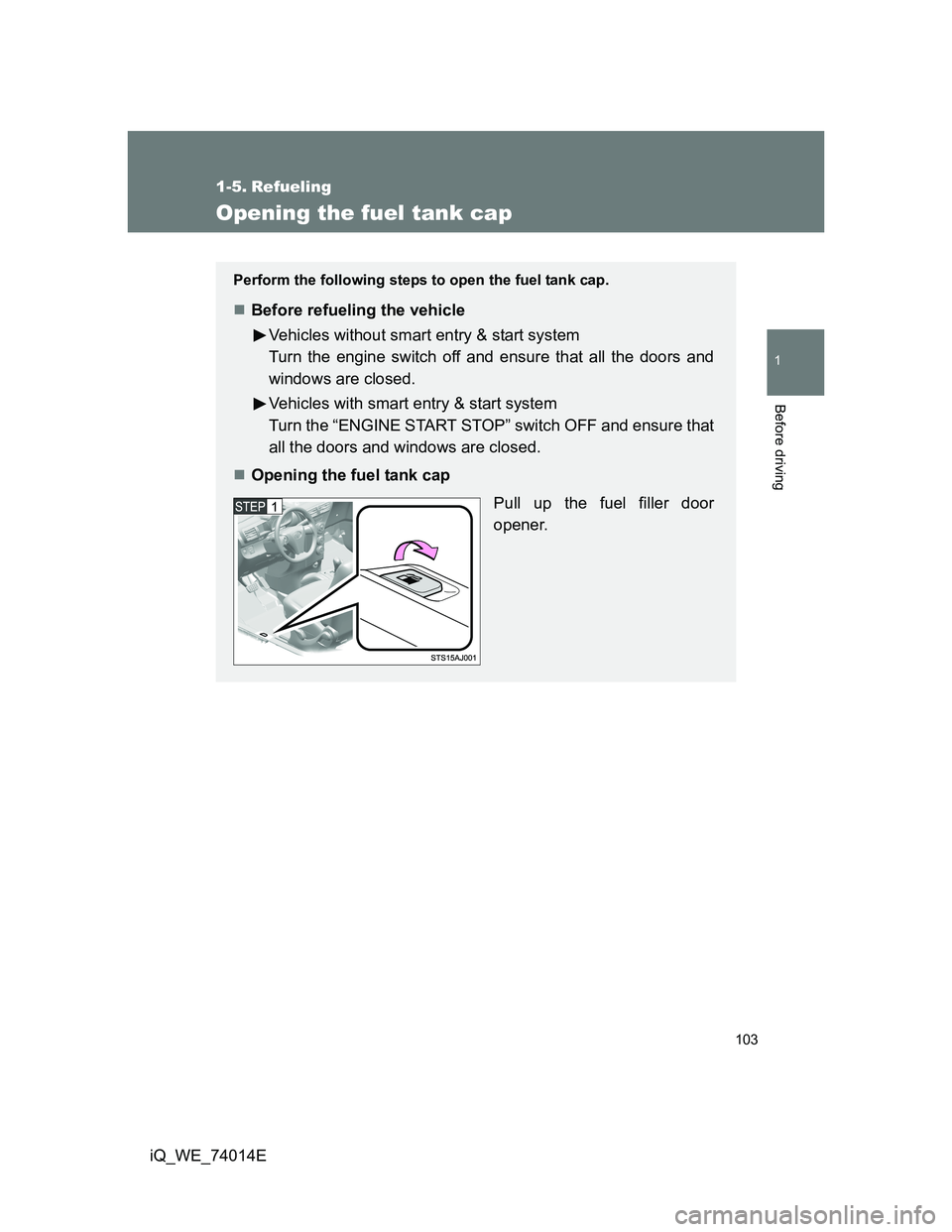
Opening the fuel tank cap
Pull up the fuel filler door
opener.
Page 108 of 476
108
iQ_WE_74014E
1-6. Theft deterrent system
Engine immobilizer system
System maintenance
The vehicle has a maintenance-free type engine immobilizer system.
Conditions that may cause the system to malfunction
If the key is in contact with a metallic object
If the key is in close proximity to or touching a key to the security system
(key with a built-in transponder chip) of another vehicle
The vehicle’s keys have built-in transponder chips that prevent the
engine from starting if the key has not been previously registered in
the vehicle’s on-board computer.
Never leave the keys inside the vehicle when you leave the vehicle.
Vehicles without smart entry & start system: The system begins
operating after the key has been removed from the engine switch.
Vehicles with smart entry & start system: The system begins oper-
ating after the “ENGINE START STOP” switch has been turned
OFF.
Vehicles without smart entry & start system: The system is can-
celed after the registered key has been inserted into the engine
switch.
Vehicles with smart entry & start system: The system is canceled
after the “ENGINE START STOP” switch has been turned to
ACCESSORY or IGNITION ON mode.
Page 117 of 476
117
1
1-6. Theft deterrent system
Before driving
iQ_WE_74014E
Double locking system
Setting the double locking system
Vehicles without smart entry & start system
Turn the engine switch to the LOCK position and remove the
key. Have all the passengers exit the vehicle and ensure that
all the doors are closed.
Press the button twice within 5 seconds.
Vehicles with smart entry & start system
Turn the “ENGINE START STOP” switch OFF, have all the
passengers exit the vehicle and ensure that all the doors are
closed.
Using the entry function:
Touch the lock sensor on the outside door handle or press the
lock button on the back door, twice within 5 seconds.
Using the wireless remote control:
Press the button twice within 5 seconds.
: If equipped
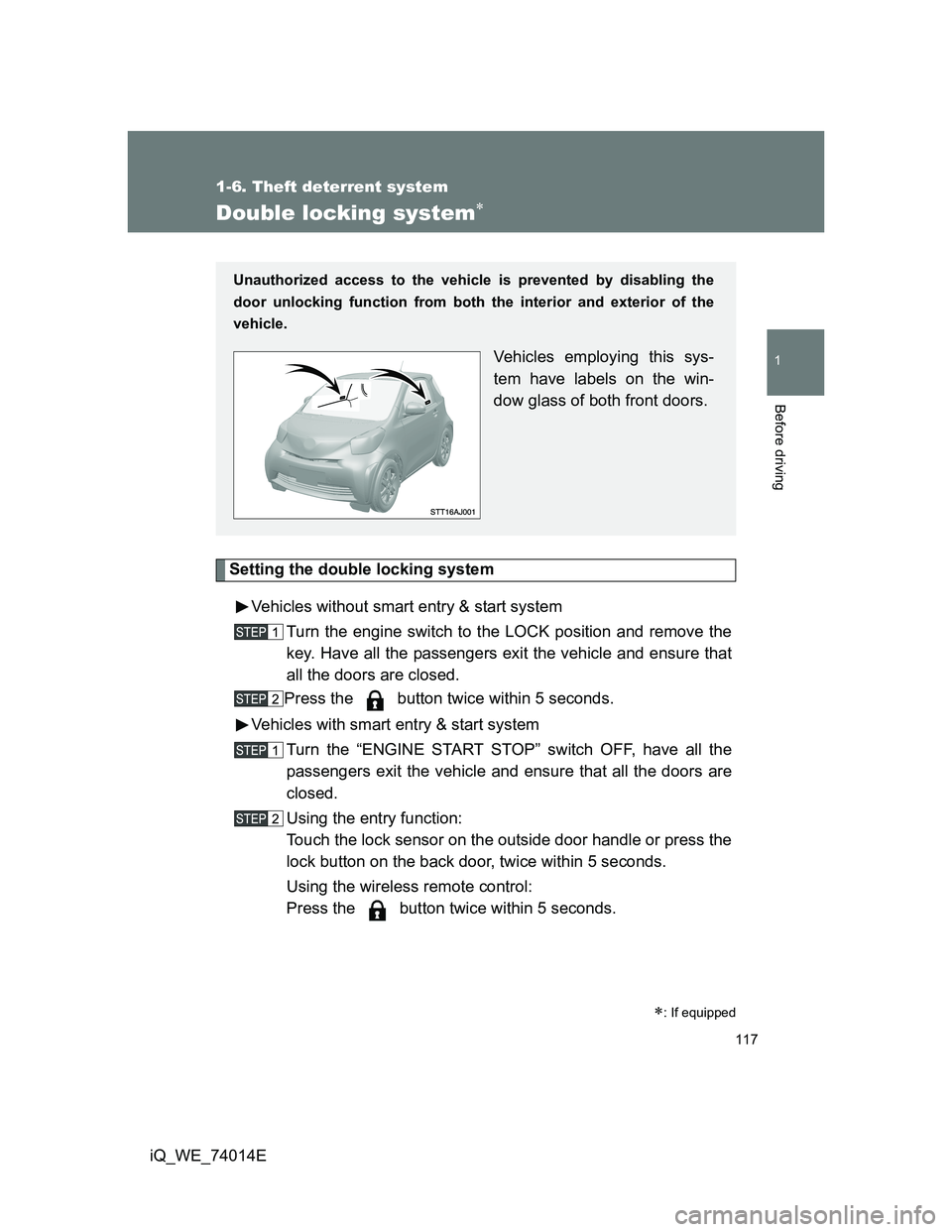
Unauthorized access to the vehicle is prevented by disabling the
door unlocking function from both the interior and exterior of the
vehicle.
Vehicles employing this sys-
tem have labels on the win-
dow glass of both front doors.
Page 120 of 476
120 1-6. Theft deterrent system
iQ_WE_74014E
System maintenance
The vehicle has a maintenance-free type alarm system.
Items to check before locking the vehicle
To prevent unexpected triggering of the alarm and vehicle theft, make sure
of the following.
Nobody is in the vehicle.
The windows are closed before the alarm is set.
No valuables or other personal items are left in the vehicle.
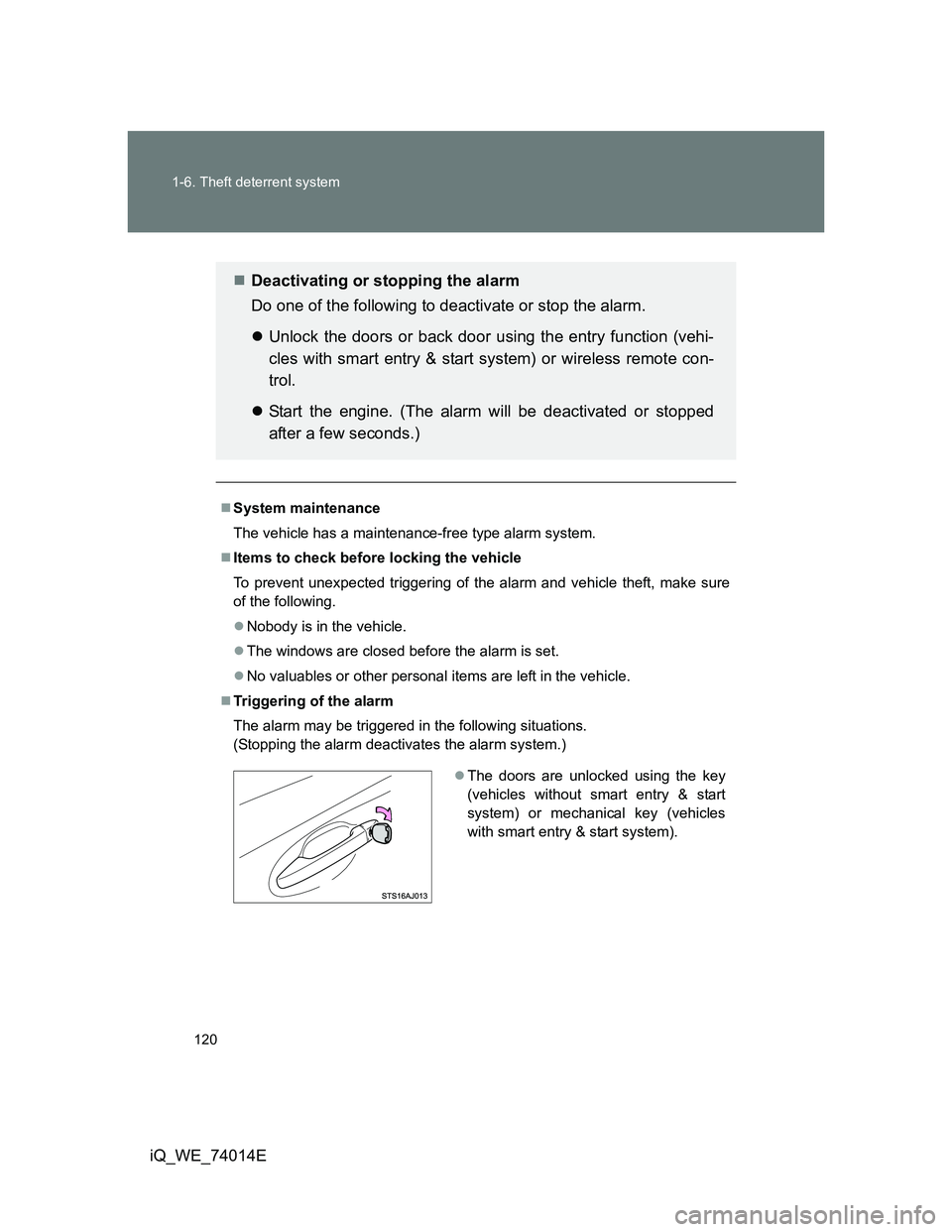
Triggering of the alarm
The alarm may be triggered in the following situations.
(Stopping the alarm deactivates the alarm system.)
Deactivating or stopping the alarm
Do one of the following to deactivate or stop the alarm.
Unlock the doors or back door using the entry function (vehi-
cles with smart entry & start system) or wireless remote con-
trol.
Start the engine. (The alarm will be deactivated or stopped
after a few seconds.)
The doors are unlocked using the key
(vehicles without smart entry & start
system) or mechanical key (vehicles
with smart entry & start system).
Page 159 of 476
159
1
1-7. Safety information
Before driving
iQ_WE_74014E
Airbag manual on-off system
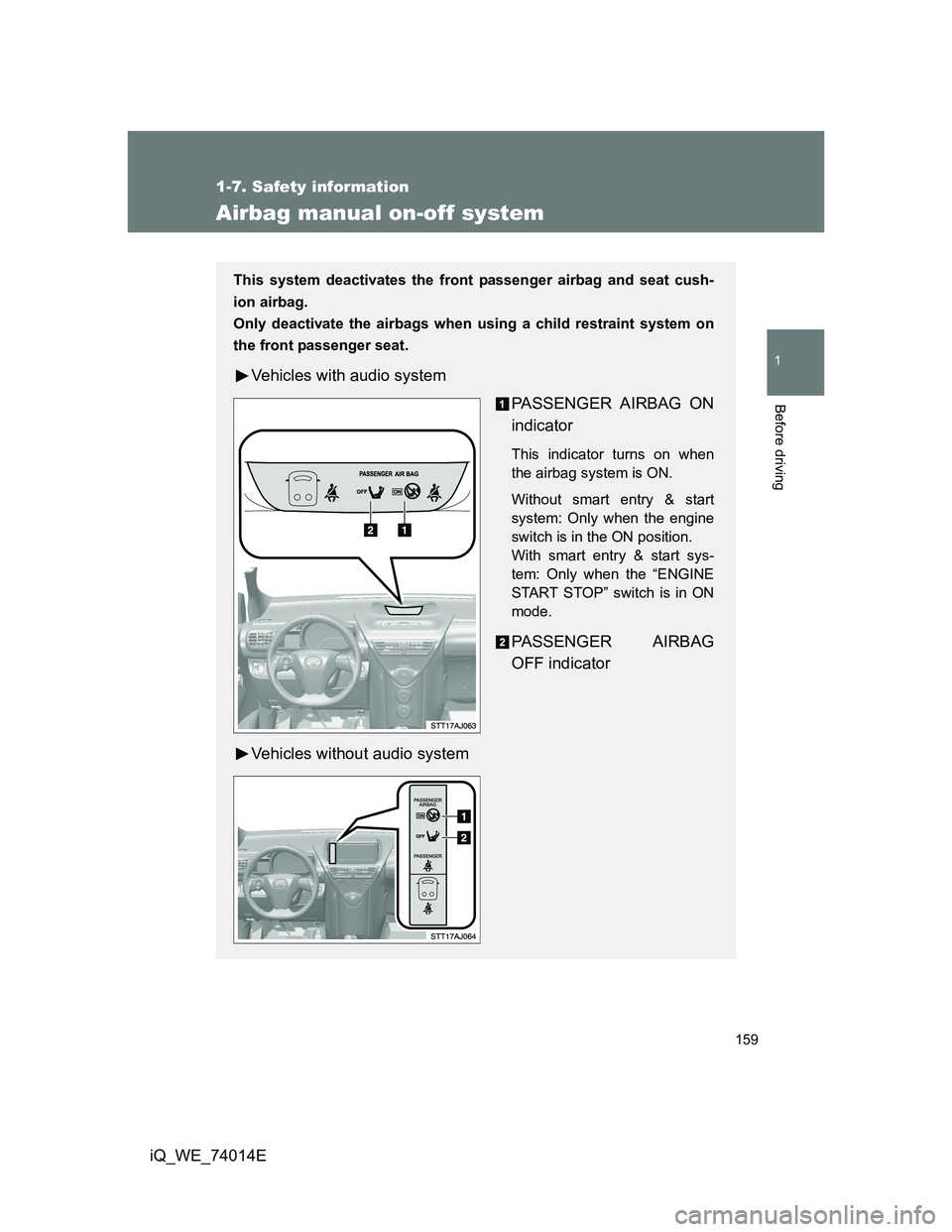
This system deactivates the front passenger airbag and seat cush-
ion airbag.
Only deactivate the airbags when using a child restraint system on
the front passenger seat.
Vehicles with audio system
PASSENGER AIRBAG ON
indicator
This indicator turns on when
the airbag system is ON.
Without smart entry & start
system: Only when the engine
switch is in the ON position.
With smart entry & start sys-
tem: Only when the “ENGINE
START STOP” switch is in ON
mode.
PASSENGER AIRBAG
OFF indicator
Vehicles without audio system
Page 160 of 476
160 1-7. Safety information
iQ_WE_74014E
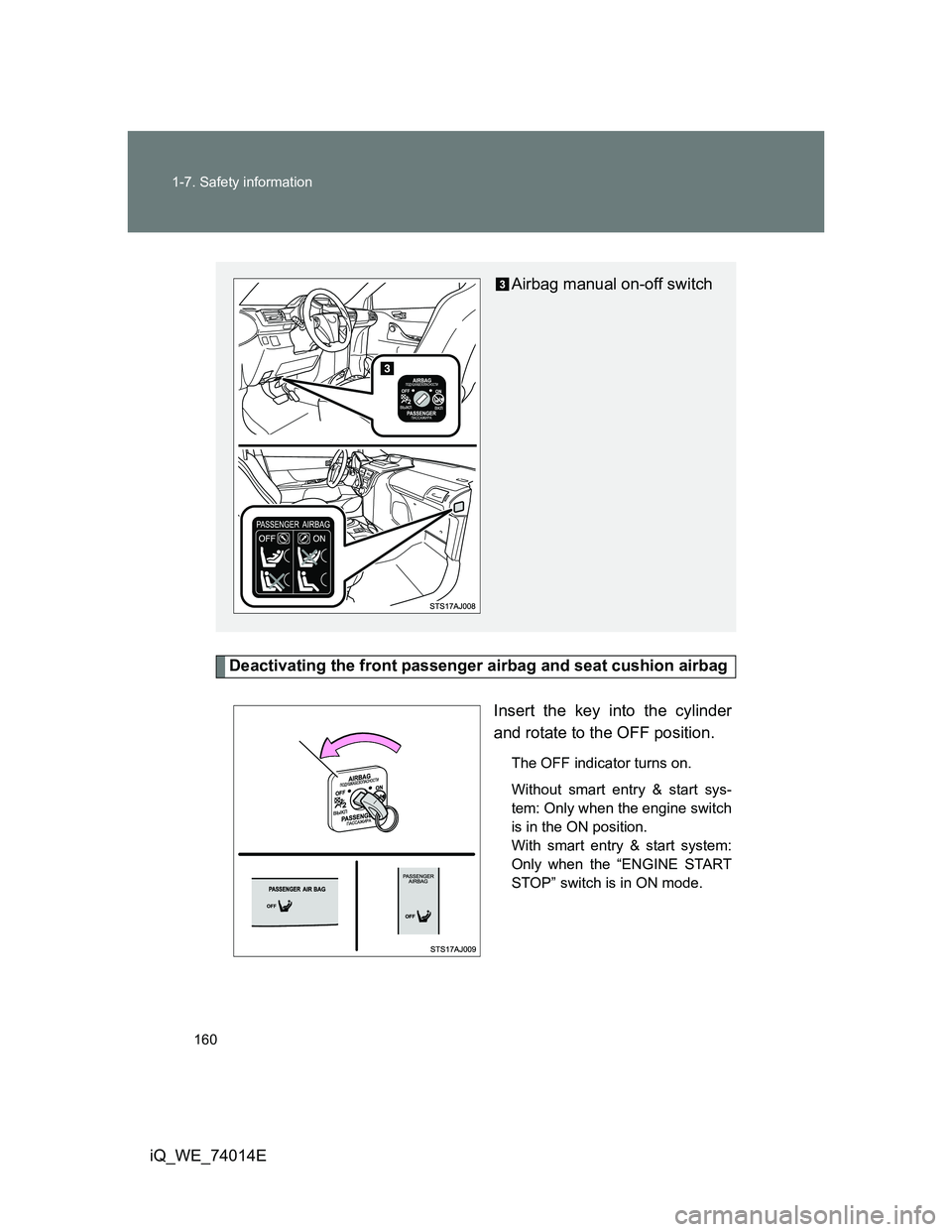
Deactivating the front passenger airbag and seat cushion airbag
Insert the key into the cylinder
and rotate to the OFF position.
The OFF indicator turns on.
Without smart entry & start sys-
tem: Only when the engine switch
is in the ON position.
With smart entry & start system:
Only when the “ENGINE START
STOP” switch is in ON mode.
Airbag manual on-off switch
Page 164 of 476
164
iQ_WE_74014E
2-1. Driving procedures
Driving the vehicle
The following procedures should be observed to ensure safe driv-
ing.
Starting the engine
P. 176, 179
Driving
Multidrive
With the brake pedal depressed, shift the shift lever to D.
(P. 185)
Release the parking brake. (P. 194)
Gradually release the brake pedal and gently depress the
accelerator pedal to accelerate the vehicle.
Manual transmission
With the clutch pedal fully depressed, shift the shift lever to
1. (P. 189)
Release the parking brake. (P. 194)
Gradually release the clutch pedal. At the same time, gently
depress the accelerator pedal to accelerate the vehicle.
Stopping
Multidrive
With the shift lever in D, depress the brake pedal.
If necessary, set the parking brake.
When the vehicle is stopped for an extended period of time, shift
the shift lever to P or N. (P. 185)
Manual transmission
With the clutch pedal fully depressed, depress the brake
pedal.
Page 165 of 476
165 2-1. Driving procedures
2
When driving
iQ_WE_74014E
If necessary, set the parking brake.
When the vehicle is stopped for an extended period of time, shift
the shift lever to N. (P. 189)
Parking the vehicle
Multidrive
With the shift lever in D, depress the brake pedal.
Set the parking brake. (P. 194)
Shift the shift lever to P. (P. 185)
When parking on a hill, if necessary, block the wheels.
Vehicles without smart entry & start system: Turn the
engine switch off to stop the engine.
Vehicles with smart entry & start system: Turn the “ENGINE
START STOP” switch off and stop the engine.
Lock the door, making sure that you have the key on your
person.
Manual transmission
With the clutch pedal fully depressed, depress the brake
pedal.
Set the parking brake. (P. 194)
Shift the shift lever to N. (P. 189)
When parking on a hill, shift the shift lever to 1 or R. If necessary,
block the wheels.
Vehicles without smart entry & start system: Turn the
engine switch off to stop the engine.
Vehicles with smart entry & start system: Turn the “ENGINE
START STOP” switch off to stop the engine.
Lock the door, making sure that you have the key on your
person.