wheel TOYOTA IQ 2012 Workshop Manual
[x] Cancel search | Manufacturer: TOYOTA, Model Year: 2012, Model line: IQ, Model: TOYOTA IQ 2012Pages: 476, PDF Size: 23.52 MB
Page 237 of 476
3Interior features
237
iQ_WE_74014E
3-1. Using the air conditioning
system and defogger
Manual air conditioning
system ............................ 238
Automatic air conditioning
system ............................ 244
Rear window defogger...... 252
Rear window and outside
rear view mirror
defoggers ....................... 254
3-2. Using the audio system
Audio system type ............ 257
Using the radio ................. 260
Using the CD player ......... 265
Playing back MP3 and
WMA discs...................... 272
Optimal use of the audio
system ............................ 280
Using the AUX port ........... 282
Using the steering wheel
audio switches ................ 284
3-3. Using the interior lights
Interior lights list................ 286
• Interior light ..................... 2873-4. Using the storage features
List of storage features ..... 288
• Cup holder ...................... 289
• Bottle holders.................. 289
• Auxiliary box ................... 290
3-5. Other interior features
Sun visors ......................... 293
Vanity mirrors.................... 294
Power outlet ...................... 295
Seat heaters ..................... 296
Assist grips ....................... 298
Floor mat........................... 299
Luggage compartment
features........................... 301
Page 257 of 476
257
3
Interior features
iQ_WE_74014E
3-2. Using the audio system
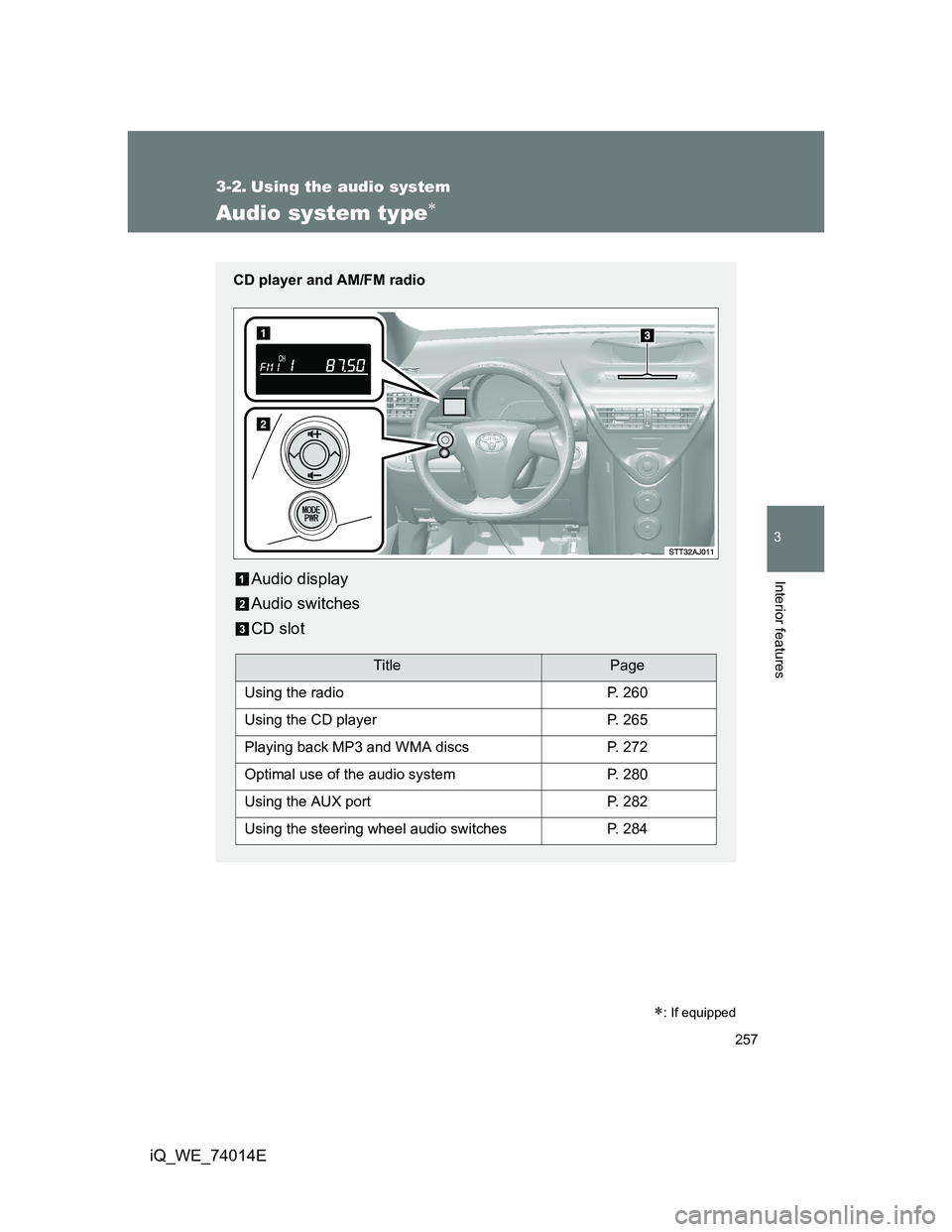
Audio system type
: If equipped
CD player and AM/FM radio
Audio display
Audio switches
CD slot
TitlePage
Using the radioP. 260
Using the CD playerP. 265
Playing back MP3 and WMA discsP. 272
Optimal use of the audio systemP. 280
Using the AUX portP. 282
Using the steering wheel audio switchesP. 284
Page 284 of 476
284
3-2. Using the audio system
iQ_WE_74014E
Using the steering wheel audio switches
Turning on the power
Press when the audio system is turned off.
The audio system can be turned off by holding the switch down until you
hear two beeps.
Selecting the audio mode
Press when the audio system is turned on. The audio mode
changes as follows each time the button is pressed.
FM1FM2FM3CDAUXAM
Adjusting the volume
Press “ ” on to increase the volume and “ ” to decrease the
volume.
Hold down the button to continue increasing or decreasing the volume.
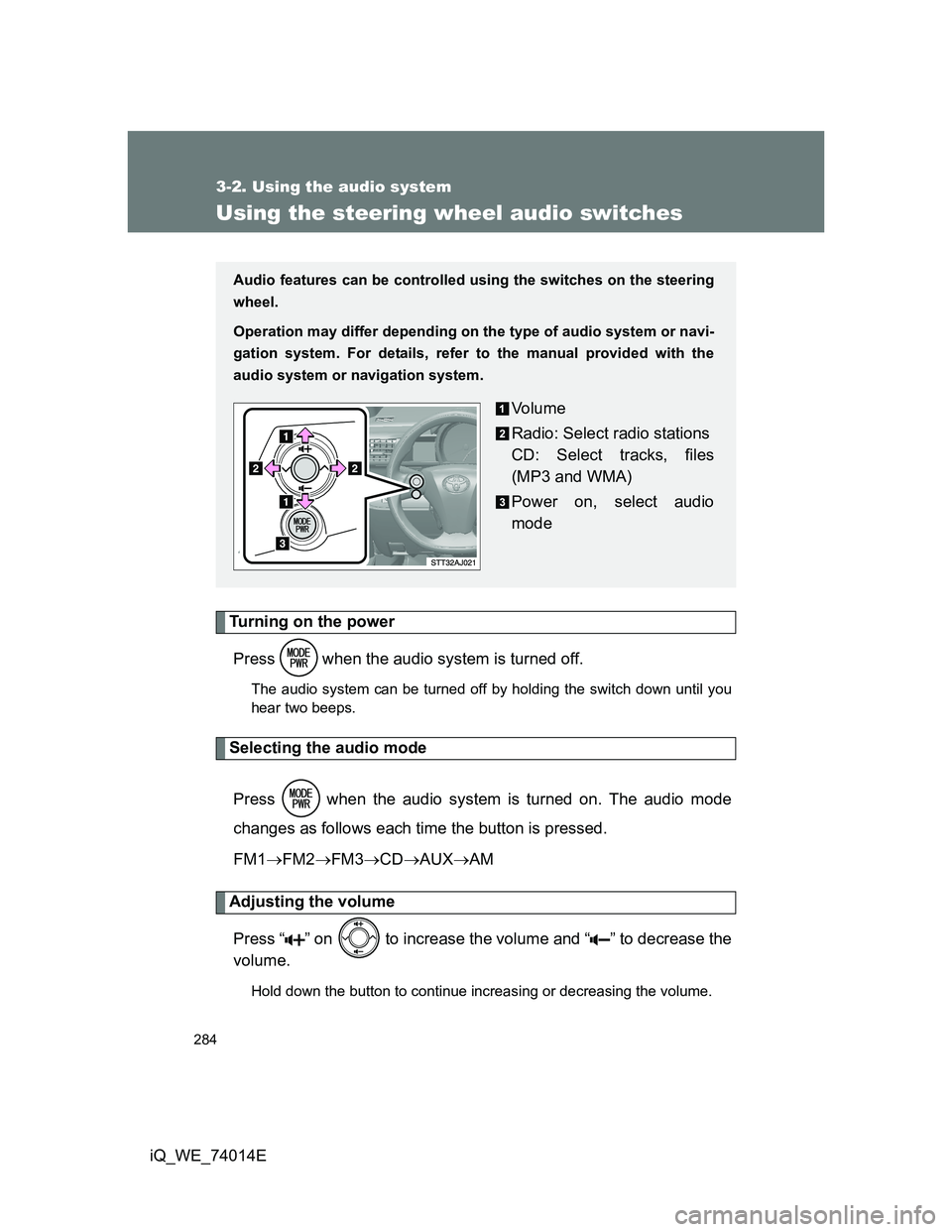
Audio features can be controlled using the switches on the steering
wheel.
Operation may differ depending on the type of audio system or navi-
gation system. For details, refer to the manual provided with the
audio system or navigation system.
Vo l u m e
Radio: Select radio stations
CD: Select tracks, files
(MP3 and WMA)
Power on, select audio
mode
Page 285 of 476
285 3-2. Using the audio system
3
Interior features
iQ_WE_74014E
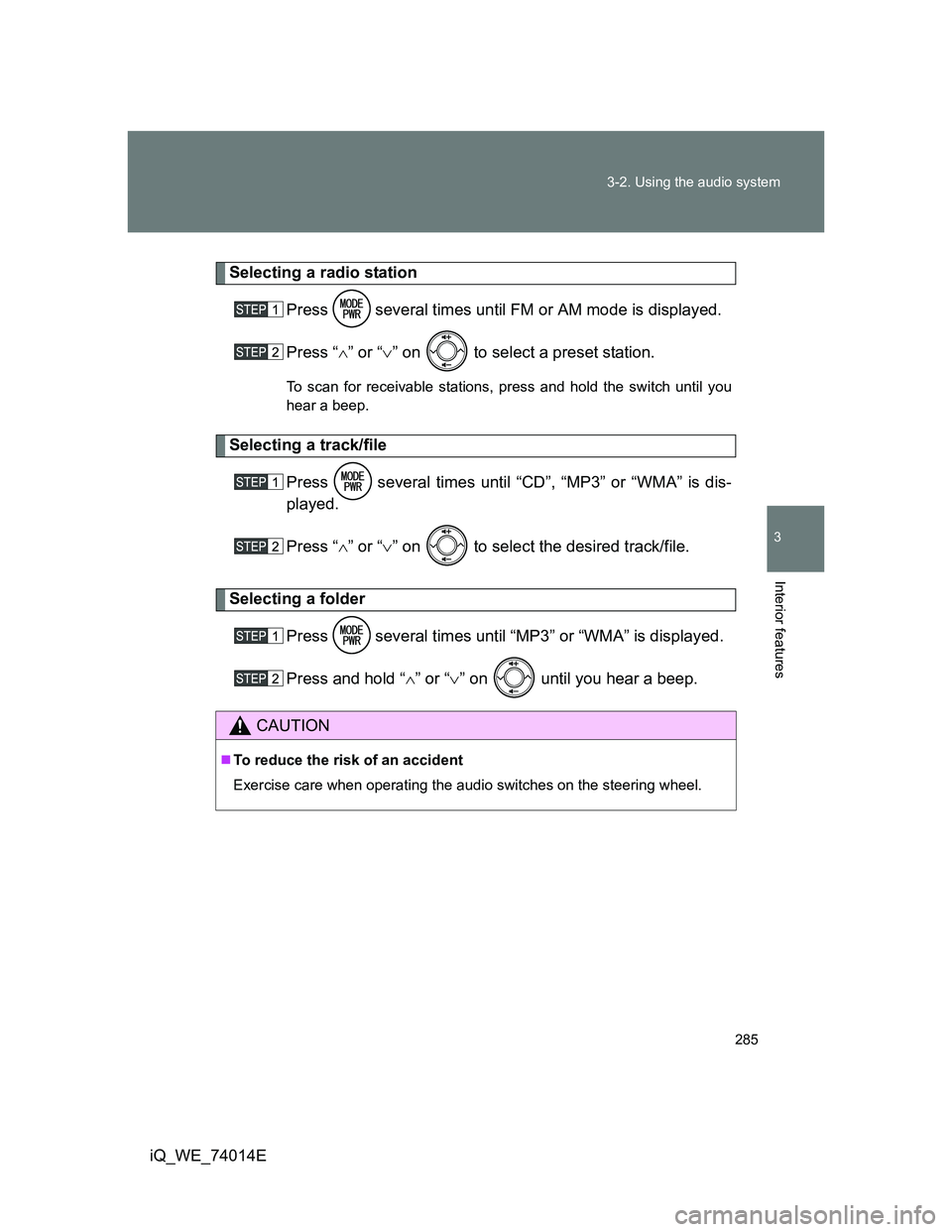
Selecting a radio station
Press several times until FM or AM mode is displayed.
Press “” or “” on to select a preset station.
To scan for receivable stations, press and hold the switch until you
hear a beep.
Selecting a track/file
Press several times until “CD”, “MP3” or “WMA” is dis-
played.
Press “” or “” on to select the desired track/file.
Selecting a folder
Press several times until “MP3” or “WMA” is displayed.
Press and hold “” or “” on until you hear a beep.
CAUTION
To reduce the risk of an accident
Exercise care when operating the audio switches on the steering wheel.
Page 305 of 476
4Maintenance and care
305
iQ_WE_74014E
4-1. Maintenance and care
Cleaning and protecting
the vehicle exterior ......... 306
Cleaning and protecting
the vehicle interior .......... 310
4-2. Maintenance
Maintenance
requirements................... 313
4-3. Do-it-yourself maintenance
Do-it-yourself service
precautions ..................... 316
Hood ................................. 319
Positioning a floor jack ...... 321
Replacing the tire .............. 324
Engine compartment......... 334
Tires .................................. 347
Tire inflation pressure ....... 350
Wheels .............................. 352
Air conditioning filter ......... 354
Key battery........................ 357
Checking and replacing
fuses ............................... 361
Light bulbs ........................ 373
Page 306 of 476
306
iQ_WE_74014E
4-1. Maintenance and care
Cleaning and protecting the vehicle exterior
Automatic car washes
Fold the mirrors and remove the antenna before washing the vehicle.
Start washing from the front of the vehicle. Make sure to re-install the
antenna and extend the mirrors before driving.
Brushes used in automatic car washes may scratch the vehicle surface
and harm your vehicle’s paint.
Rain-sensing windshield wipers (if equipped): Turn the wipers off before
washing the vehicle. (P. 219)
High pressure car washes
Do not allow the nozzles of the car wash to come within close proximity
of the windows.
Before car wash, check that the fuel filler door on your vehicle is closed
properly.
Perform the following to protect the vehicle and maintain it in prime
condition.
Working from top to bottom, liberally apply water to the vehicle
body, wheel wells and underside of the vehicle to remove any
dirt and dust.
Wash the vehicle body using a sponge or soft cloth, such as a
chamois.
For hard-to-remove marks, use car wash soap and rinse thor-
oughly with water.
Wipe away any water.
Wax the vehicle when the waterproof coating deteriorates.
If water does not bead on a clean surface, apply wax when the vehicle
body is cool.
Page 307 of 476
307 4-1. Maintenance and care
4
Maintenance and care
iQ_WE_74014E
Aluminum wheels (if equipped)
Remove any dirt immediately by using a neutral detergent. Do not use
hard brushes or abrasive cleaners. Do not use strong or harsh chemical
cleaners. Use the same mild detergent and wax as used on the paint.
Do not use detergent on the wheels when they are hot, for example after
driving for long distance in the hot weather.
Wash detergent from the wheels immediately after use.
Bumpers and side moldings
Do not scrub with abrasive cleaners.
CAUTION
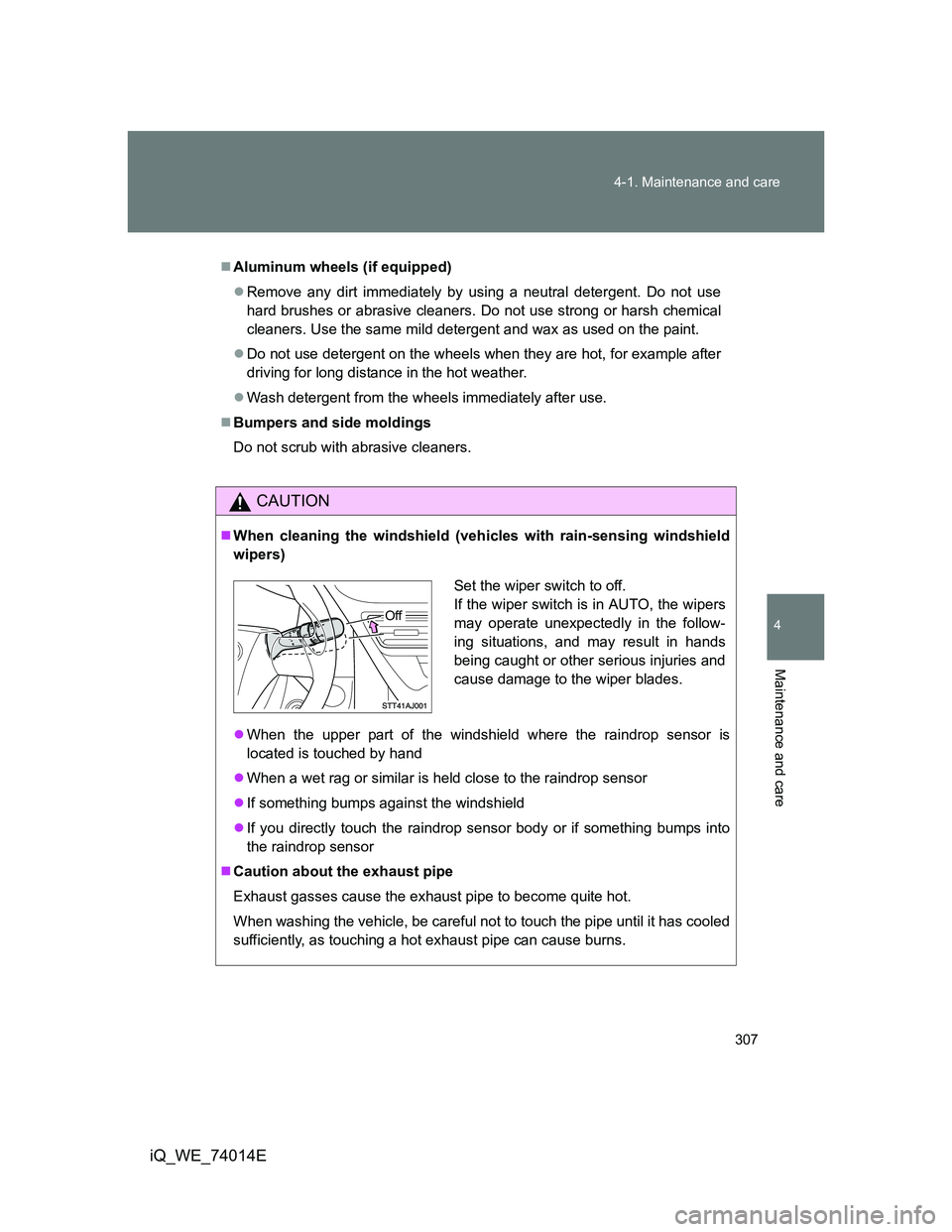
When cleaning the windshield (vehicles with rain-sensing windshield
wipers)
When the upper part of the windshield where the raindrop sensor is
located is touched by hand
When a wet rag or similar is held close to the raindrop sensor
If something bumps against the windshield
If you directly touch the raindrop sensor body or if something bumps into
the raindrop sensor
Caution about the exhaust pipe
Exhaust gasses cause the exhaust pipe to become quite hot.
When washing the vehicle, be careful not to touch the pipe until it has cooled
sufficiently, as touching a hot exhaust pipe can cause burns.
Set the wiper switch to off.
If the wiper switch is in AUTO, the wipers
may operate unexpectedly in the follow-
ing situations, and may result in hands
being caught or other serious injuries and
cause damage to the wiper blades.
Off
Page 308 of 476
308 4-1. Maintenance and care
iQ_WE_74014E
NOTICE
To prevent paint deterioration and corrosion on the body and compo-
nents (aluminum wheels etc.)
Wash the vehicle immediately in the following cases:
• After driving near the sea coast
• After driving on salted roads
• If you see coal tar or tree sap on the paint surface
• If you see dead insects, insect droppings or bird droppings on the paint
• After driving in an area contaminated with soot, oily smoke, mine dust,
iron powder or chemical substances
• If the vehicle becomes heavily soiled in dust or mud
• If liquids such as benzene and gasoline are spilled on the paint surface
If the paint is chipped or scratched, have it repaired immediately.
To prevent the wheels from corroding, remove any dirt and store in a place
with low humidity when storing the wheels.
Cleaning the exterior lights
Wash carefully. Do not use organic substances or scrub with a hard brush.
This may damage the surfaces of the lights.
Do not apply wax on the surfaces of the lights.
Wax may cause damage to the lenses.
Antenna installation and removal precautions
Before driving, ensure that the antenna is installed.
When the antenna is removed, such as before entering an automatic car
wash, make sure to store it in a suitable place so as not to lose it. Also,
before driving, make sure to reinstall the antenna in its original position.
To prevent damage to the windshield wiper arms
When lifting the wiper arms away from the windshield, pull the driver side
wiper arm upward first, and repeat for the passenger side. When returning
the wipers to their original position, do so from the passenger side first.
Page 324 of 476
324
4-3. Do-it-yourself maintenance
iQ_WE_74014E
Replacing the tire
When raising your vehicle with a jack, position the jack correctly.
Improper placement may damage your vehicle or cause injury.
Before jacking up the vehicle
Stop the vehicle on a hard, flat surface.
Set the parking brake.
Shift the shift lever to P (Multidrive) or R (manual transmis-
sion).
Stop the engine.
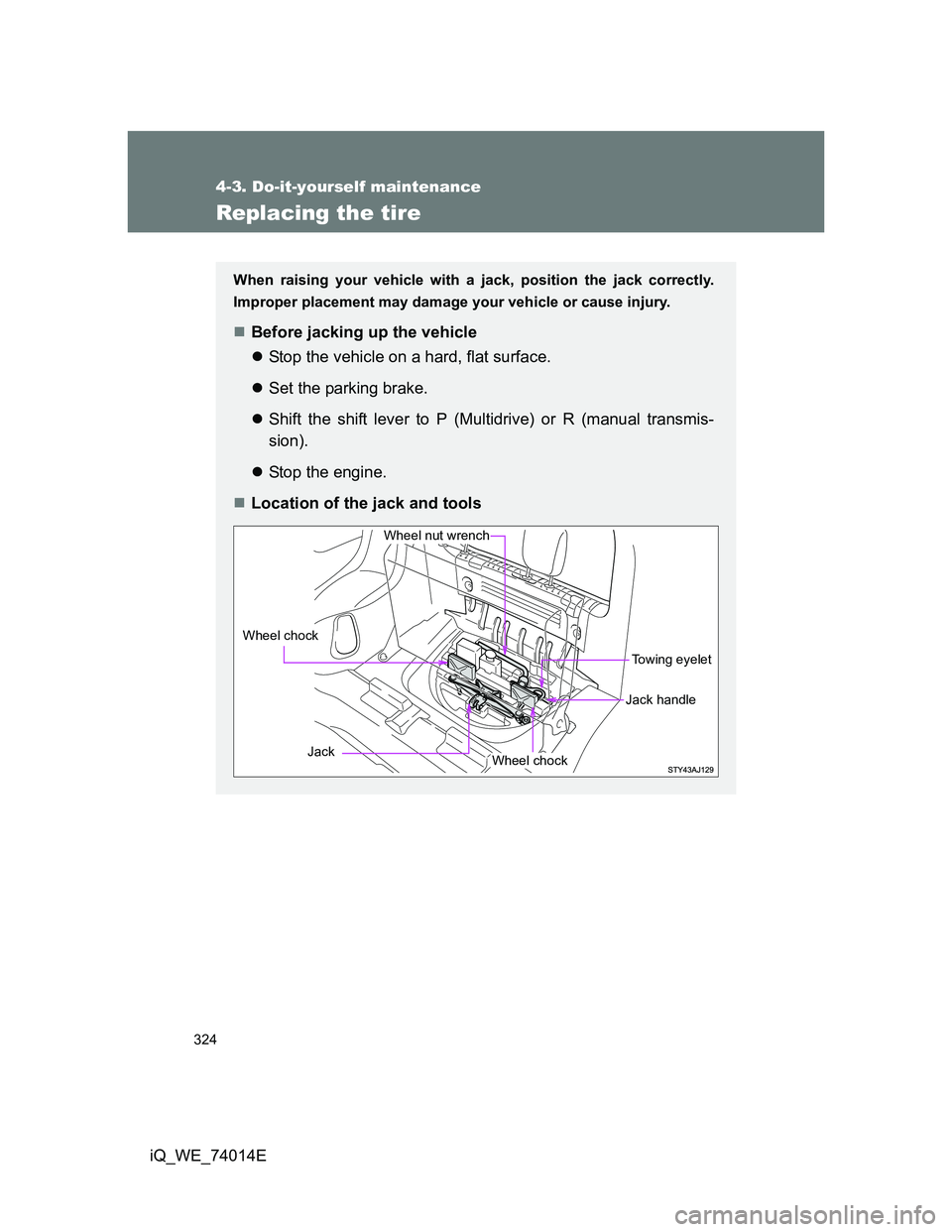
Location of the jack and tools
Towing eyelet
Jack
Wheel nut wrench
Wheel chock
Wheel chock
Jack handle
Page 327 of 476
327 4-3. Do-it-yourself maintenance
4
Maintenance and care
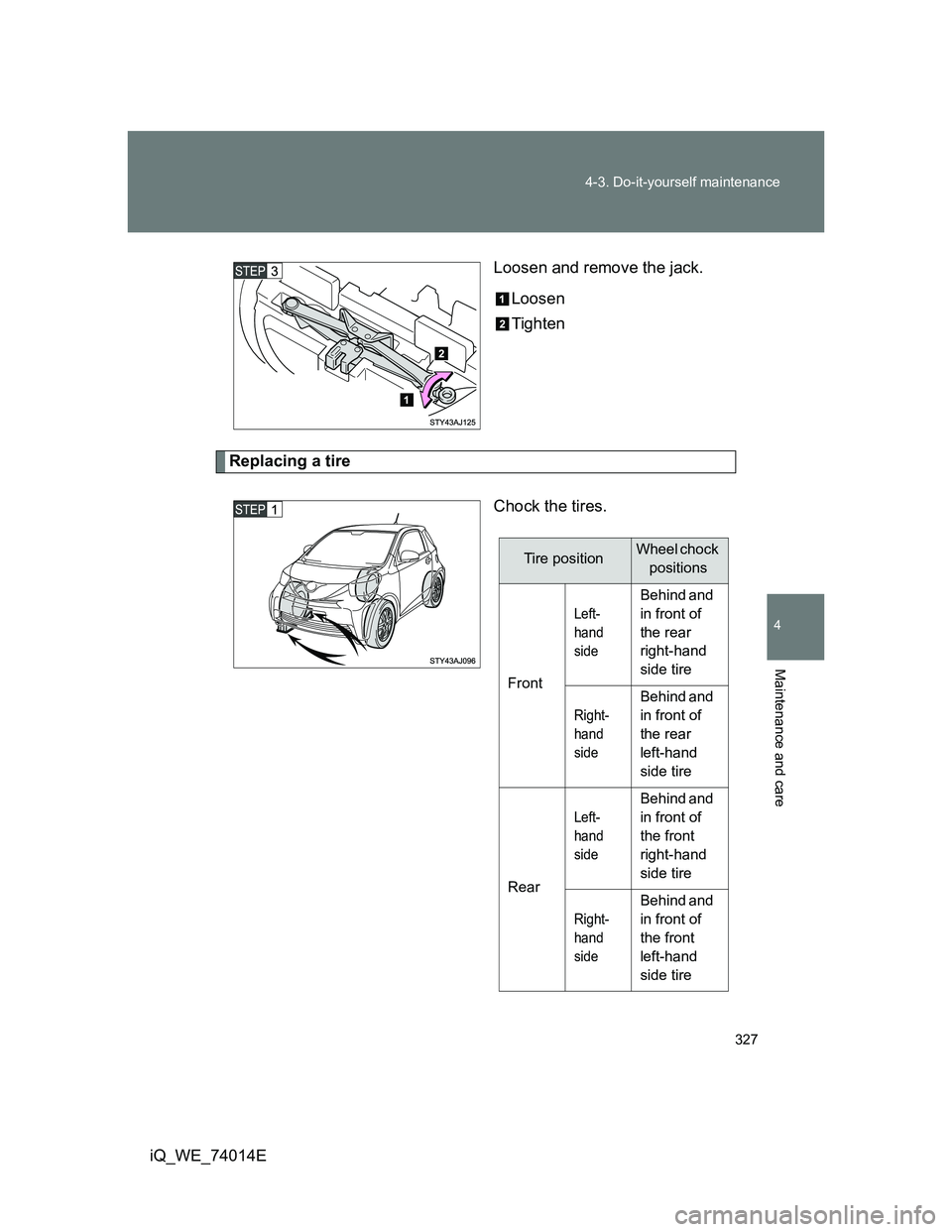
iQ_WE_74014ELoosen and remove the jack.
Loosen
Tighten
Replacing a tire
Chock the tires.
Tire positionWheel chock
positions
Front
Left-
hand
side
Behind and
in front of
the rear
right-hand
side tire
Right-
hand
side
Behind and
in front of
the rear
left-hand
side tire
Rear
Left-
hand
side
Behind and
in front of
the front
right-hand
side tire
Right-
hand
side
Behind and
in front of
the front
left-hand
side tire