ESP TOYOTA LAND CRUISER 2012 User Guide
[x] Cancel search | Manufacturer: TOYOTA, Model Year: 2012, Model line: LAND CRUISER, Model: TOYOTA LAND CRUISER 2012Pages: 692, PDF Size: 29.3 MB
Page 245 of 692
245 2-4. Using other driving systems
2
When driving
L/C200_EE (OM60G38E)
Sensor detection information
The sensor’s detection areas are limited to the areas around the vehi-
cle’s front corner and rear bumpers.
Certain vehicle conditions and the surrounding environment may affect
the ability of the sensor to correctly detect obstacles. Particular instances
where this may occur are listed below.
• There is dirt, snow or ice on the sensor. (Wiping the sensors will
resolve this problem.)
• The sensor is frozen. (Thawing the area will resolve this problem.)
In especially cold weather, if a sensor is frozen the screen may show
an abnormal display, or obstacles may not be detected.
• The sensor is covered in any way.
• The vehicle is leaning considerably to one side.
• On an extremely bumpy road, on an incline, on gravel, or on grass
• The vicinity of the vehicle is noisy due to vehicle horns, motorcycle
engines, air brakes of large vehicles, or other loud noises producing
ultrasonic waves.
• There is another vehicle equipped with parking assist sensors in the
vicinity.
• The sensor is coated with a sheet of spray or heavy rain.
• The vehicle is equipped with a fender pole or wireless antenna.
• Towing eyelets are installed.
• The bumper or sensor receives a strong impact.
• The vehicle is approaching a tall or curved curb.
• In harsh sunlight or intense cold weather
• The area directly under the bumpers is not detected.
• If obstacles draw too close to the sensor.
• A non-genuine Toyota suspension (lowered suspension etc.) is
installed.
• People may not be detected if they are wearing certain types of cloth-
ing.
In addition to the examples above, there are instances in which, because
of their shape, signs and other objects may be judged by the sensor to be
closer than they are.
Page 247 of 692
247 2-4. Using other driving systems
2
When driving
L/C200_EE (OM60G38E)
CAUTION
When using the Toyota parking assist-sensor
Observe the following precautions.
Failing to do so may result in the vehicle being unable to be driven safely
and possibly cause an accident.
Do not use the sensor at speeds in excess of 10 km/h (6 mph).
The sensors’ detection areas and reaction times are limited. When moving
forward or reversing, check the areas surrounding the vehicle (especially
the sides of the vehicle) for safety, and drive slowly, using the brake to
control the vehicle’s speed.
Do not install accessories within the sensors’ detection areas.
NOTICE
When using Toyota parking assist-sensor
In the following situations, the system may not function correctly due to a
sensor malfunction etc. Have the vehicle checked by any authorized Toyota
dealer or repairer, or another duly qualified and equipped professional,
immediately.
A beep does not sound when you turn the main switch on.
The Toyota parking assist-sensor operation display flashes, and a beep
sounds when no obstacles are detected.
If the area around a sensor collides with something, or is subjected to
strong impact.
If the bumper collides with something.
If the display shows continuously without a beep.
If a display error occurs, first check the sensor.
If the error occurs even if there is no ice, snow or mud on the sensor, it is
likely that the sensor is malfunctioning.
Notes when washing the vehicle
Do not apply intensive bursts of water or steam to the sensor area.
Doing so may result in the sensor malfunctioning.
Page 278 of 692
278 2-4. Using other driving systems
L/C200_EE (OM60G38E)
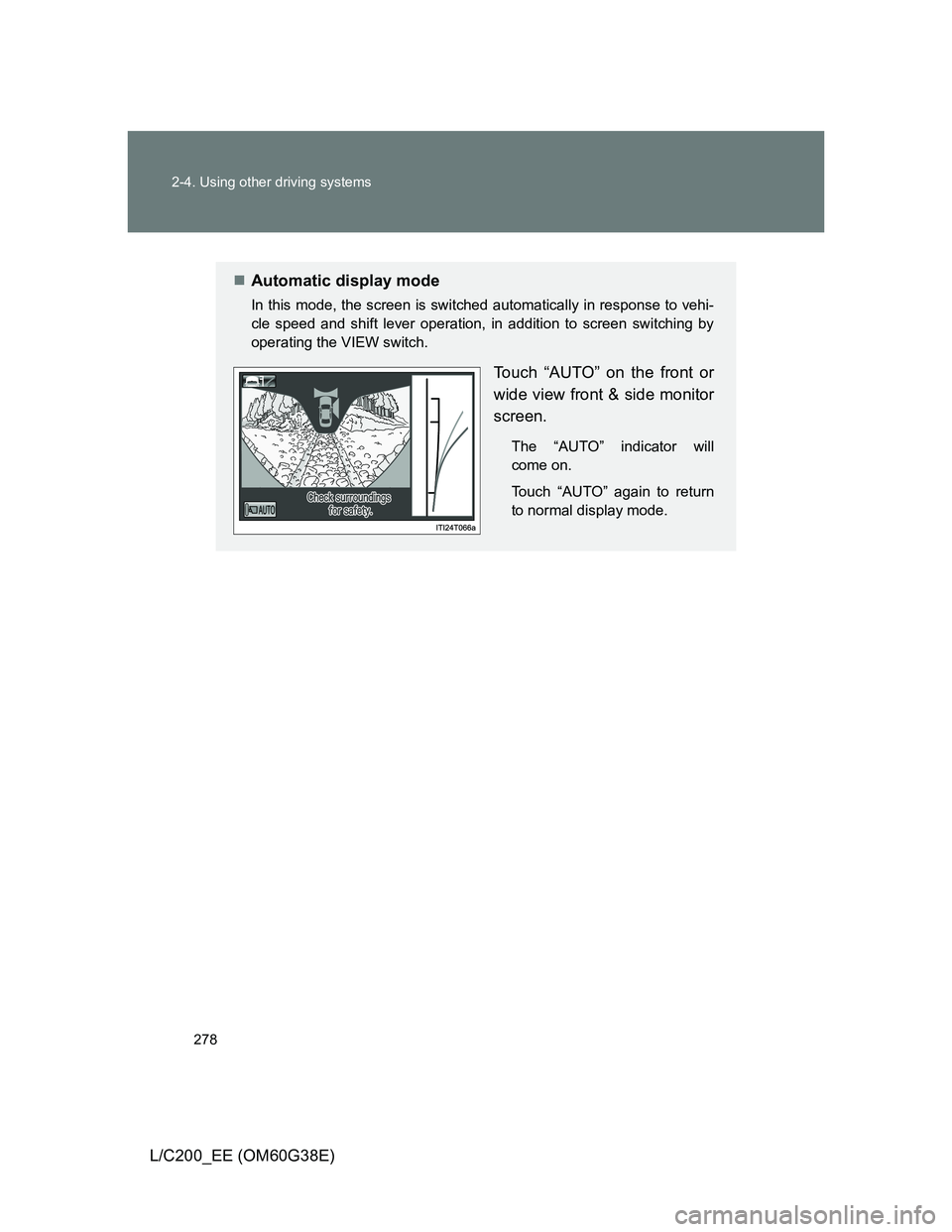
Automatic display mode
In this mode, the screen is switched automatically in response to vehi-
cle speed and shift lever operation, in addition to screen switching by
operating the VIEW switch.
Touch “AUTO” on the front or
wide view front & side monitor
screen.
The “AUTO” indicator will
come on.
Touch “AUTO” again to return
to normal display mode.
Page 300 of 692
300
2-4. Using other driving systems
L/C200_EE (OM60G38E)
Driving assist systems
To help enhance driving safety and performance, the following sys-
tems operate automatically in response to various driving situations.
Be aware, however, that these systems are supplementary and
should not be relied upon too heavily when operating the vehicle.
Multi Terrain ABS (Anti-lock Brake System)
Helps to prevent wheel lock when the brakes are applied suddenly, or if
the brakes are applied while driving on a slippery road surface, or in off-
road conditions (such as rough roads, sand and mud).
Brake assist
Generates an increased level of braking force after the brake pedal is
depressed, when the system detects a panic stop situation.
VSC (Vehicle Stability Control)
Helps the driver to control skidding when swerving suddenly or turning
on slippery road surfaces.
Active TRC (Traction Control)
Helps to maintain drive power and prevent the 4 wheels from spinning
when starting the vehicle or accelerating on slippery roads.
Hill-start assist control
Helps prevent the vehicle from rolling backwards when starting on an
incline or slippery slope.
KDSS (Kinetic Dynamic Suspension System) (if equipped)
KDSS helps to ensure ride comfort and handling response by using a
hydraulic control system to control the suspension stabilizer bars in
response to road surface and driving conditions during cornering or off-
road driving.
VGRS (Variable Gear Ratio Steering) (if equipped)
Helps to adjust the wheel turning angle in accordance with the vehicle
speed and steering wheel movement.
Pre-Crash Safety (if equipped)
P. 307
Page 305 of 692
305 2-4. Using other driving systems
2
When driving
L/C200_EE (OM60G38E)
CAUTION
Active TRC may not operate effectively when
Directional control and power may not be achievable while driving on slip-
pery road surfaces, even if the Active TRC is operating.
Do not drive the vehicle in conditions where stability and power may be lost.
If the hill-start assist control does not operate effectively
Do not overly rely on the hill-start assist control. The hill-start assist control
may not operate effectively on steep inclines and roads covered in ice.
When Active TRC and VSC are off
Be especially careful and drive at a speed appropriate to the road condi-
tions. As there are systems to help to ensure vehicle stability and driving
force, do not turn off Active TRC and VSC unless necessary.
When the VSC is activated
The slip indicator light flashes. Always drive carefully.
Reckless driving may cause an accident. Exercise particular care when the
indicator light flashes.
Replacing tires
Make sure that all tires are of the same size, brand, tread pattern and total
load capacity. In addition, make sure that the tires are inflated to the speci-
fied tire pressure level.
The Multi Terrain ABS and VSC will not function correctly if different tires are
fitted on the vehicle.
Contact any authorized Toyota dealer or repairer, or another duly qualified
and equipped professional for further information when replacing tires or
wheels.
Handling of tires and suspension
Using tires with any kind of problem or modifying the suspension will affect
the driving assist systems, and may cause the system to malfunction.
Page 315 of 692
315 2-5. Driving information
2
When driving
L/C200_EE (OM60G38E)
CAUTION
Off-road driving precautions
Always observe the following precautions to help minimize the risk of serious
personal injury or damage to your vehicle:
Drive carefully when off the road. Do not take unnecessary risks by driving
in dangerous places.
Do not grip the steering wheel spokes when driving off-road. A bad bump
could jerk the wheel and injure your hands. Keep both hands and espe-
cially your thumbs on the outside of the rim.
Always check your brakes for effectiveness immediately after driving in
sand, mud, water or snow.
After driving through tall grass, mud, rock, sand, rivers, etc., check that
there is no grass, bush, paper, rags, stone, sand, etc. adhering or trapped
on the underbody. Clear off any such matter from the underbody. If the
vehicle is used with these materials trapped or adhering to the underbody,
a breakdown or fire could occur.
When driving off-road or in rugged terrain, do not drive at excessive
speeds, jump, make sharp turns, strike objects, etc. This may cause loss
of control or vehicle rollover causing death or serious injury. You are also
risking expensive damage to your vehicle’s suspension and chassis.
Page 330 of 692
330 2-5. Driving information
L/C200_EE (OM60G38E)
Guidance
Your vehicle will handle differently when towing a trailer. In order to
avoid accident, death or serious injury, keep the following in mind
when towing:
Checking connections between trailer and lights
Stop the vehicle and check the operation of the connection
between the trailer and lights after driving for a brief period as well
as before setting off.
Practicing driving with a coupled trailer
Get the feel for turning, stopping and reversing with the trailer
coupled by practicing in an area with no or light traffic.
When reversing with a coupled trailer, hold the section of the
steering wheel nearest to you and rotate clockwise to turn the
trailer left or counterclockwise to turn right. Always rotate gradu-
ally to prevent steering error. Have someone guide you when
reversing to lessen the risk of accident.
Increasing vehicle-to-vehicle distance
At a speed of 10 km/h (6 mph), the distance to the vehicle running
ahead of you should be equivalent to or greater than the combined
length of your vehicle and trailer. Avoid sudden braking that may
cause skidding. Otherwise, the vehicle may spin out of control.
This is especially true when driving on wet or slippery road sur-
faces.
Page 360 of 692
360
L/C200_EE (OM60G38E)
3-2. Using the audio system
Audio system types
With navigation system
Owners of models equipped with a navigation system should
refer to the “Navigation System Owner’s Manual”.
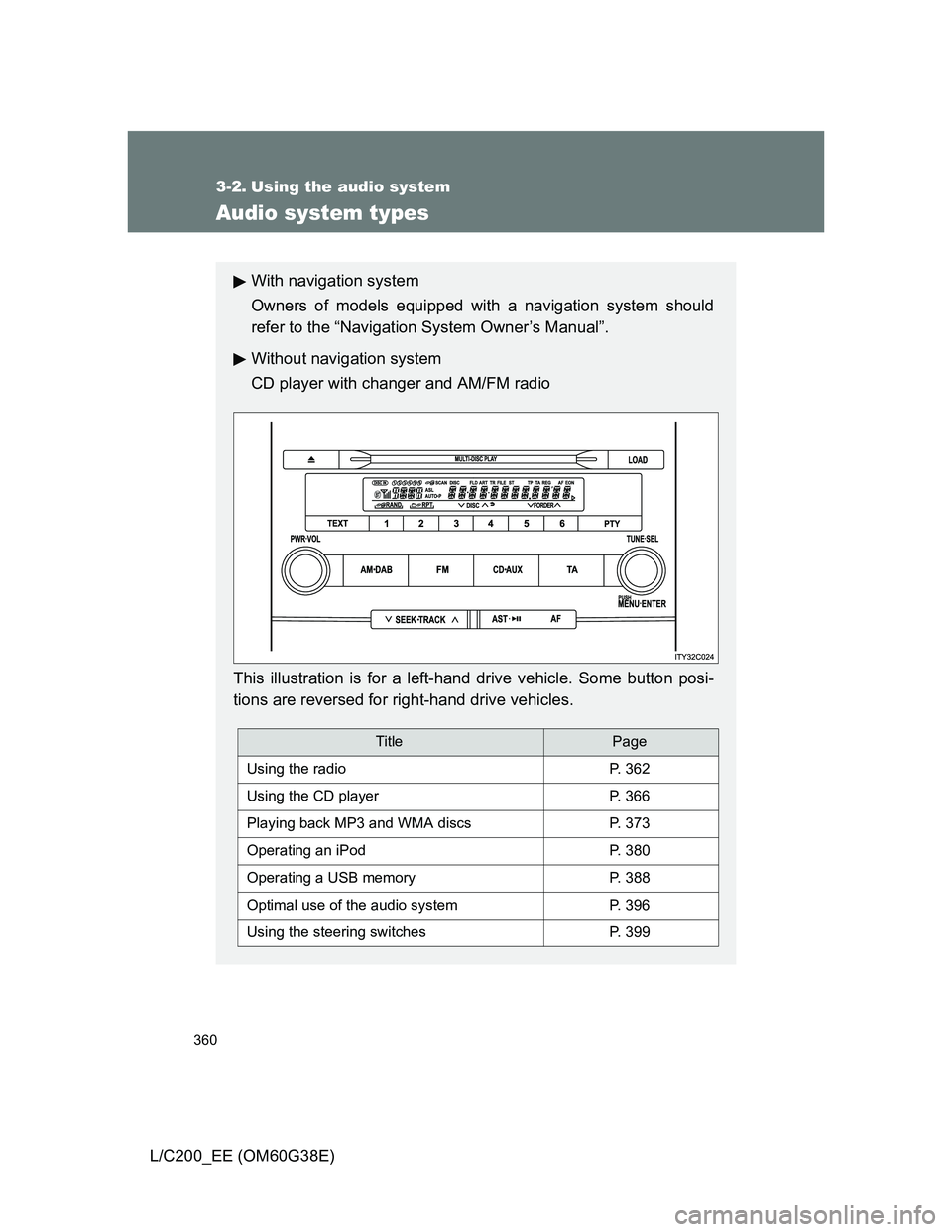
Without navigation system
CD player with changer and AM/FM radio
This illustration is for a left-hand drive vehicle. Some button posi-
tions are reversed for right-hand drive vehicles.
TitlePage
Using the radioP. 362
Using the CD playerP. 366
Playing back MP3 and WMA discsP. 373
Operating an iPodP. 380
Operating a USB memoryP. 388
Optimal use of the audio systemP. 396
Using the steering switchesP. 399
Page 385 of 692
385 3-2. Using the audio system
3
Interior features
L/C200_EE (OM60G38E)
Switching the display
Press .
Each time the button is pressed, the display changes in the following
order:
Elapsed time Album title Track title Artist name
Adjusting sound quality and volume balance
Press to enter iPod menu mode.
Pressing changes sound modes. (P. 396)
About iPod
Apple is not responsible for the operation of this device or its compliance
with safety and regulatory standards.
iPod is a trademark of Apple Inc., registered in the U.S. and other coun-
tries.
iPod functions
When an iPod is connected and the audio source is changed to iPod
mode, the iPod will resume play from the same point in which it was last
used.
Depending on the iPod that is connected to the system, certain functions
may not be available. Disconnecting the device and reconnecting it once
again may resolve some malfunctions.
STEP1
STEP2
Page 392 of 692
392 3-2. Using the audio system
L/C200_EE (OM60G38E)
When using the USB port
You may be unable to use the instrument panel power outlet if a device is
connected to the USB port at the same time.
USB memory functions
Depending on the USB memory that is connected to the system, certain
functions may not be available. Disconnecting the device and reconnecting it
once again may resolve some malfunctions.
Display
P. 369
Error messages
“ERROR”: This indicates a problem in the USB memory or its connection.
“NO MUSIC”: This indicates that no MP3/WMA files are included in the USB
memory.
USB memory
Compatible devices
USB memory that can be used for MP3 and WMA playback
Compatible device formats
The following device formats can be used:
• USB communication formats: USB2.0 FS (12mbps)
• File formats: FAT16/32 (Windows)
• Correspondence class: Mass storage class
MP3 and WMA files written in any format other than those listed above
may not play correctly, and their file names and folder names may not be
displayed correctly.
Items related to standards and limitations are as follows:
• Maximum directory hierarchy: 8 levels
• Maximum number of folders in a device: 999 (including the root)
• Maximum number of files in a device: 65025
• Maximum number of files per folder: 255