key TOYOTA LAND CRUISER 2012 Owner's Guide
[x] Cancel search | Manufacturer: TOYOTA, Model Year: 2012, Model line: LAND CRUISER, Model: TOYOTA LAND CRUISER 2012Pages: 692, PDF Size: 29.3 MB
Page 190 of 692
190
2-1. Driving procedures
L/C200_EE (OM60G38E)
Engine (ignition) switch
Performing the following operations when carrying the electronic
key on your person starts the engine or changes “ENGINE START
STOP” switch modes.
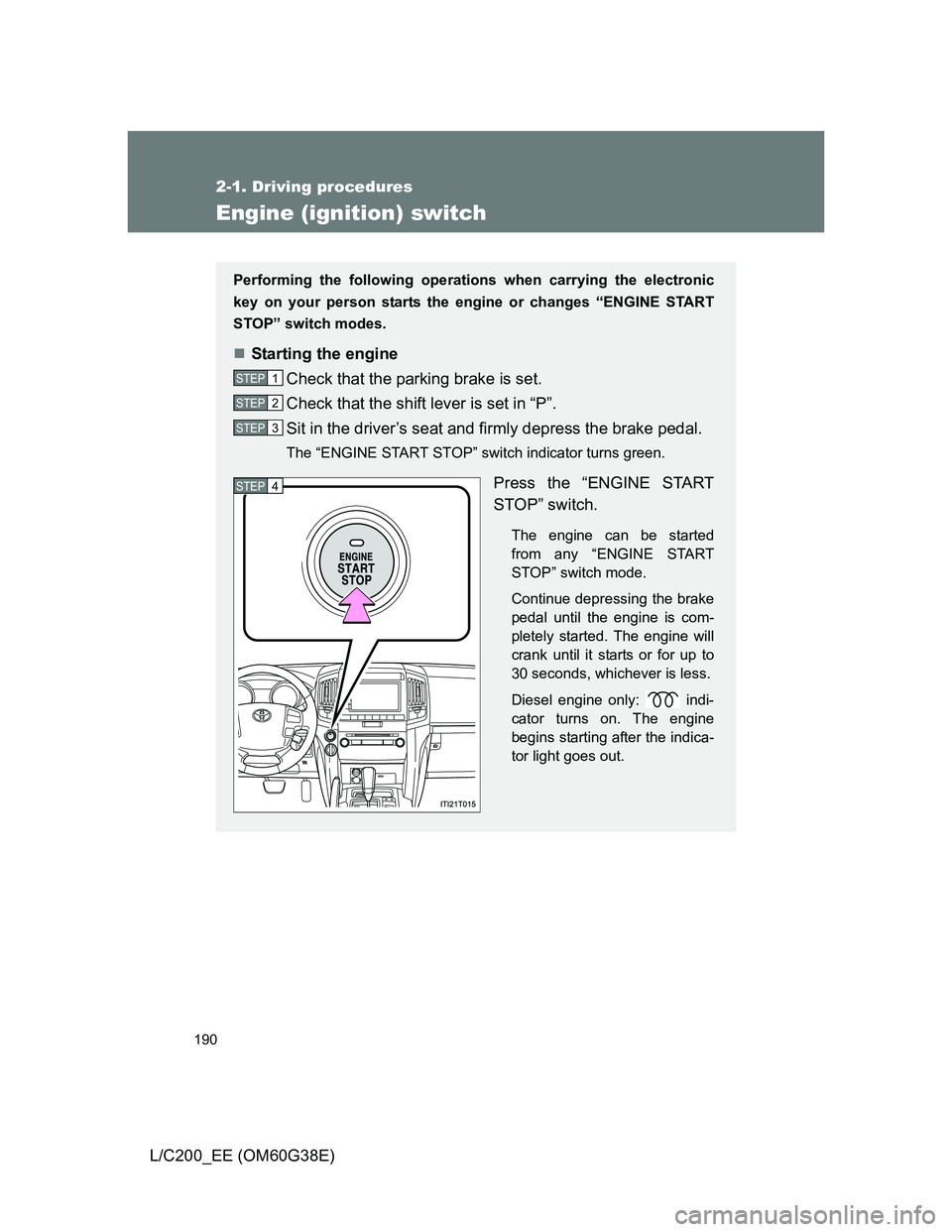
Starting the engine
Check that the parking brake is set.
Check that the shift lever is set in “P”.
Sit in the driver’s seat and firmly depress the brake pedal.
The “ENGINE START STOP” switch indicator turns green.
Press the “ENGINE START
STOP” switch.
The engine can be started
from any “ENGINE START
STOP” switch mode.
Continue depressing the brake
pedal until the engine is com-
pletely started. The engine will
crank until it starts or for up to
30 seconds, whichever is less.
Diesel engine only: indi-
cator turns on. The engine
begins starting after the indica-
tor light goes out.
STEP1
STEP2
STEP3
STEP4
Page 192 of 692
192 2-1. Driving procedures
L/C200_EE (OM60G38E)
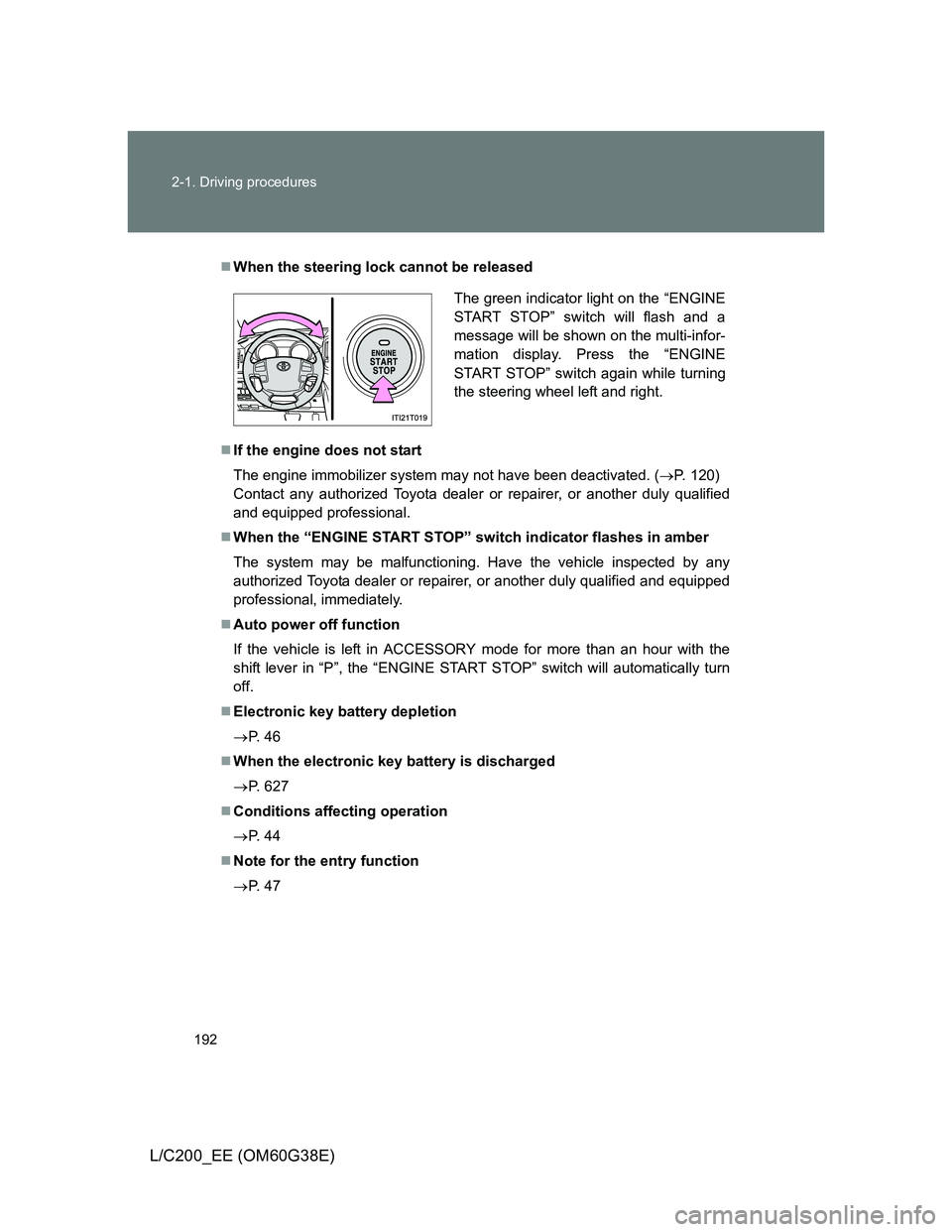
When the steering lock cannot be released
If the engine does not start
The engine immobilizer system may not have been deactivated. (P. 120)
Contact any authorized Toyota dealer or repairer, or another duly qualified
and equipped professional.
When the “ENGINE START STOP” switch indicator flashes in amber
The system may be malfunctioning. Have the vehicle inspected by any
authorized Toyota dealer or repairer, or another duly qualified and equipped
professional, immediately.
Auto power off function
If the vehicle is left in ACCESSORY mode for more than an hour with the
shift lever in “P”, the “ENGINE START STOP” switch will automatically turn
off.
Electronic key battery depletion
P. 4 6
When the electronic key battery is discharged
P. 627
Conditions affecting operation
P. 4 4
Note for the entry function
P. 4 7
The green indicator light on the “ENGINE
START STOP” switch will flash and a
message will be shown on the multi-infor-
mation display. Press the “ENGINE
START STOP” switch again while turning
the steering wheel left and right.
Page 408 of 692
408 3-3. Using the Bluetooth
® audio system
L/C200_EE (OM60G38E)
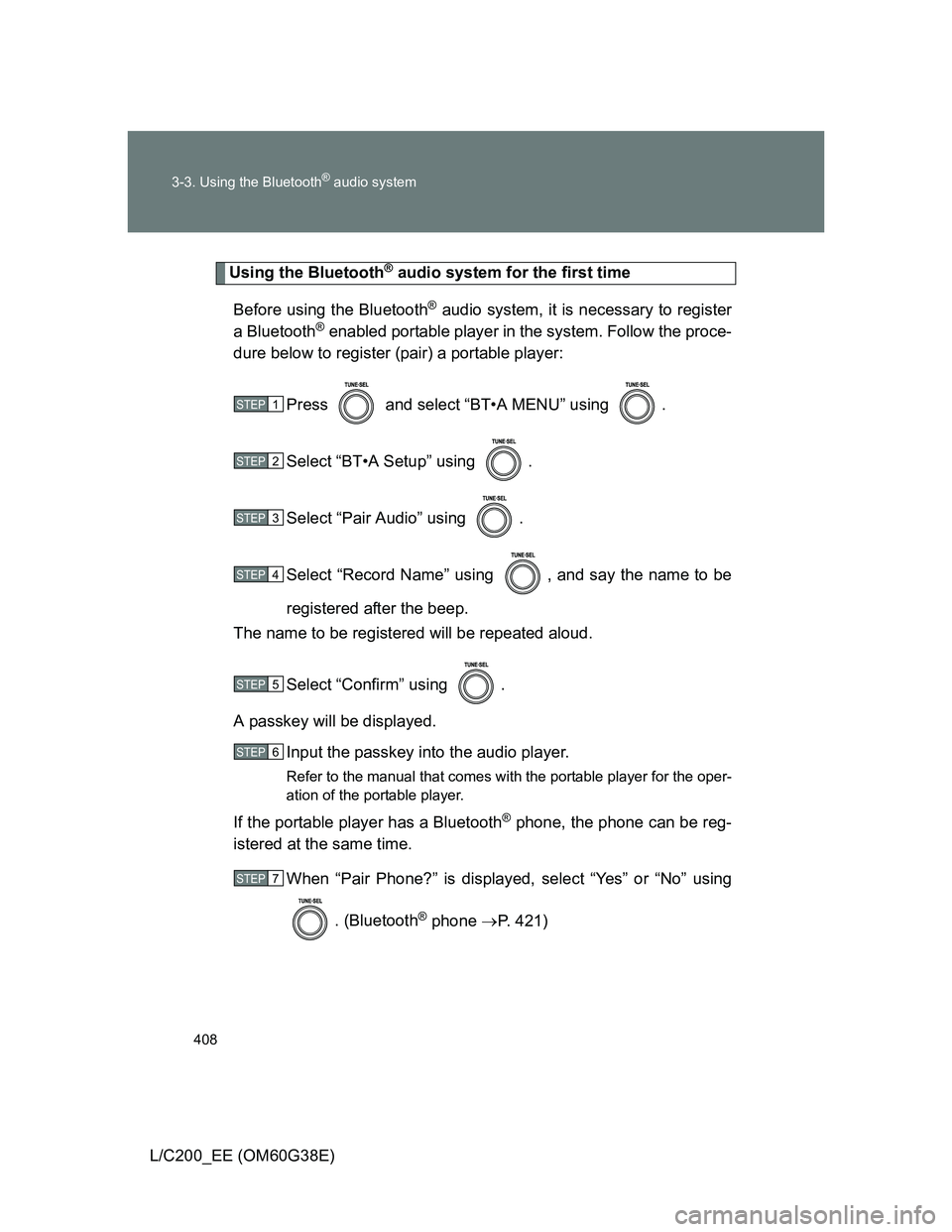
Using the Bluetooth® audio system for the first time
Before using the Bluetooth
® audio system, it is necessary to register
a Bluetooth
® enabled portable player in the system. Follow the proce-
dure below to register (pair) a portable player:
Press and select “BT•A MENU” using .
Select “BT•A Setup” using .
Select “Pair Audio” using .
Select “Record Name” using , and say the name to be
registered after the beep.
The name to be registered will be repeated aloud.
Select “Confirm” using .
A passkey will be displayed.
Input the passkey into the audio player.
Refer to the manual that comes with the portable player for the oper-
ation of the portable player.
If the portable player has a Bluetooth® phone, the phone can be reg-
istered at the same time.
When “Pair Phone?” is displayed, select “Yes” or “No” using
. (Bluetooth
® phone P. 421)
STEP1
STEP2
STEP3
STEP4
STEP5
STEP6
STEP7
Page 409 of 692
409 3-3. Using the Bluetooth
® audio system
3
Interior features
L/C200_EE (OM60G38E)
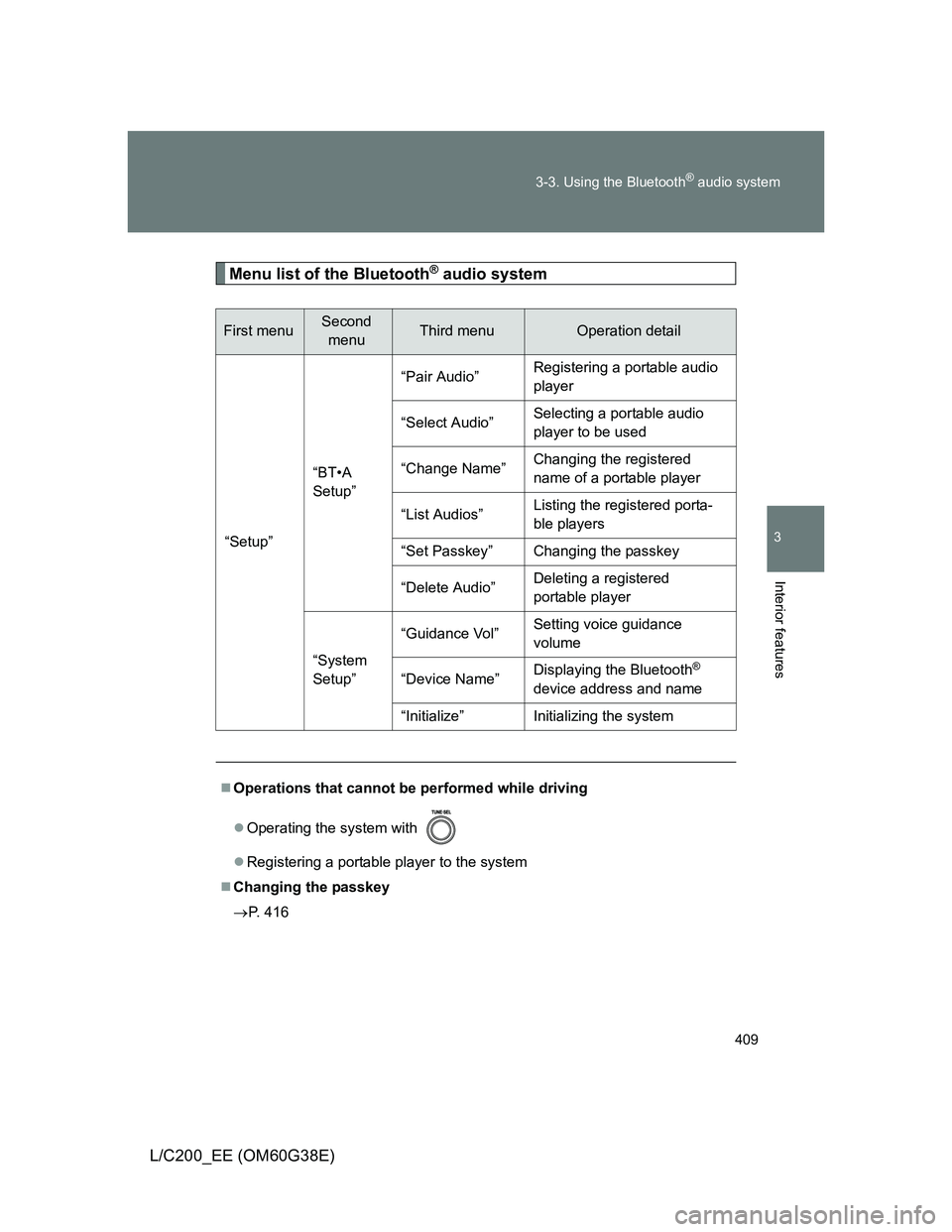
Menu list of the Bluetooth® audio system
First menuSecond
menuThird menuOperation detail
“Setup”“BT•A
Setup”“Pair Audio”Registering a portable audio
player
“Select Audio”Selecting a portable audio
player to be used
“Change Name”Changing the registered
name of a portable player
“List Audios”Listing the registered porta-
ble players
“Set Passkey” Changing the passkey
“Delete Audio”Deleting a registered
portable player
“System
Setup”“Guidance Vol”Setting voice guidance
volume
“Device Name”Displaying the Bluetooth
®
device address and name
“Initialize” Initializing the system
Operations that cannot be performed while driving
Operating the system with
Registering a portable player to the system
Changing the passkey
P. 416
Page 413 of 692
413
3-3. Using the Bluetooth® audio system
3
Interior features
L/C200_EE (OM60G38E)
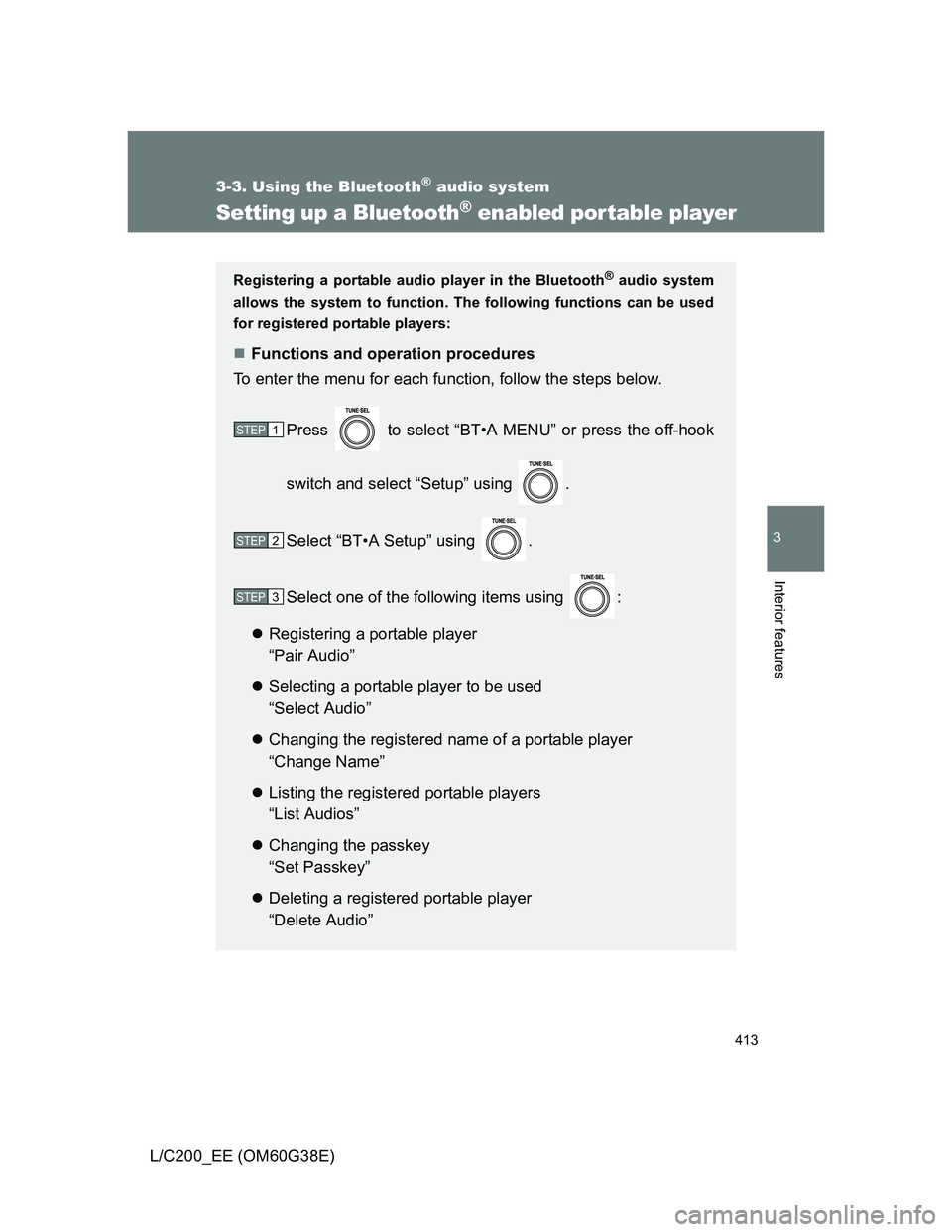
Setting up a Bluetooth® enabled portable player
Registering a portable audio player in the Bluetooth® audio system
allows the system to function. The following functions can be used
for registered portable players:
Functions and operation procedures
To enter the menu for each function, follow the steps below.
Press to select “BT•A MENU” or press the off-hook
switch and select “Setup” using .
Select “BT•A Setup” using .
Select one of the following items using :
Registering a portable player
“Pair Audio”
Selecting a portable player to be used
“Select Audio”
Changing the registered name of a portable player
“Change Name”
Listing the registered portable players
“List Audios”
Changing the passkey
“Set Passkey”
Deleting a registered portable player
“Delete Audio”
STEP1
STEP2
STEP3
Page 416 of 692
416 3-3. Using the Bluetooth
® audio system
L/C200_EE (OM60G38E)
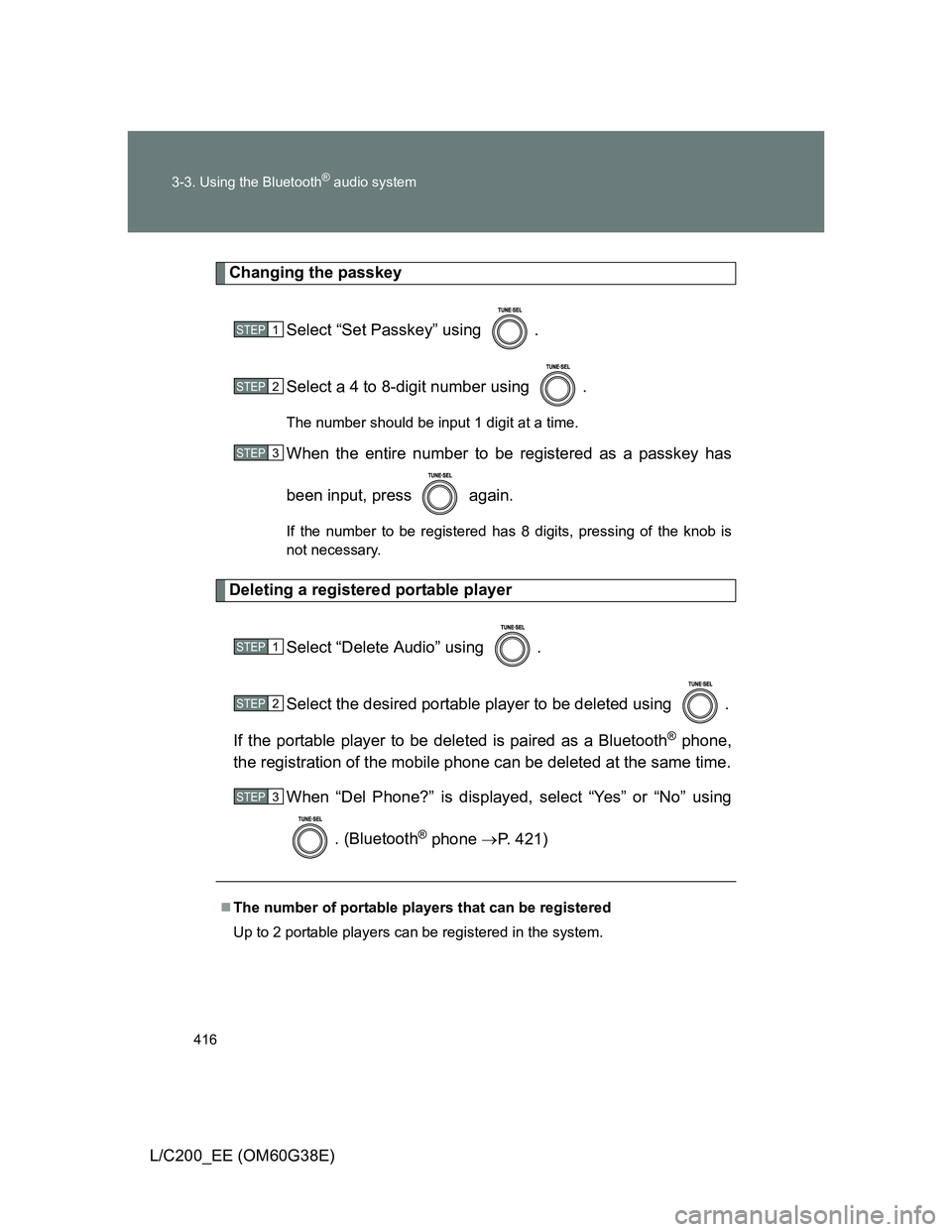
Changing the passkey
Select “Set Passkey” using .
Select a 4 to 8-digit number using .
The number should be input 1 digit at a time.
When the entire number to be registered as a passkey has
been input, press again.
If the number to be registered has 8 digits, pressing of the knob is
not necessary.
Deleting a registered portable player
Select “Delete Audio” using .
Select the desired portable player to be deleted using .
If the portable player to be deleted is paired as a Bluetooth
® phone,
the registration of the mobile phone can be deleted at the same time.
When “Del Phone?” is displayed, select “Yes” or “No” using
. (Bluetooth
® phone P. 421)
The number of portable players that can be registered
Up to 2 portable players can be registered in the system.
STEP1
STEP2
STEP3
STEP1
STEP2
STEP3
Page 426 of 692
426 3-4. Using the hands-free system (for cellular phone)
L/C200_EE (OM60G38E)
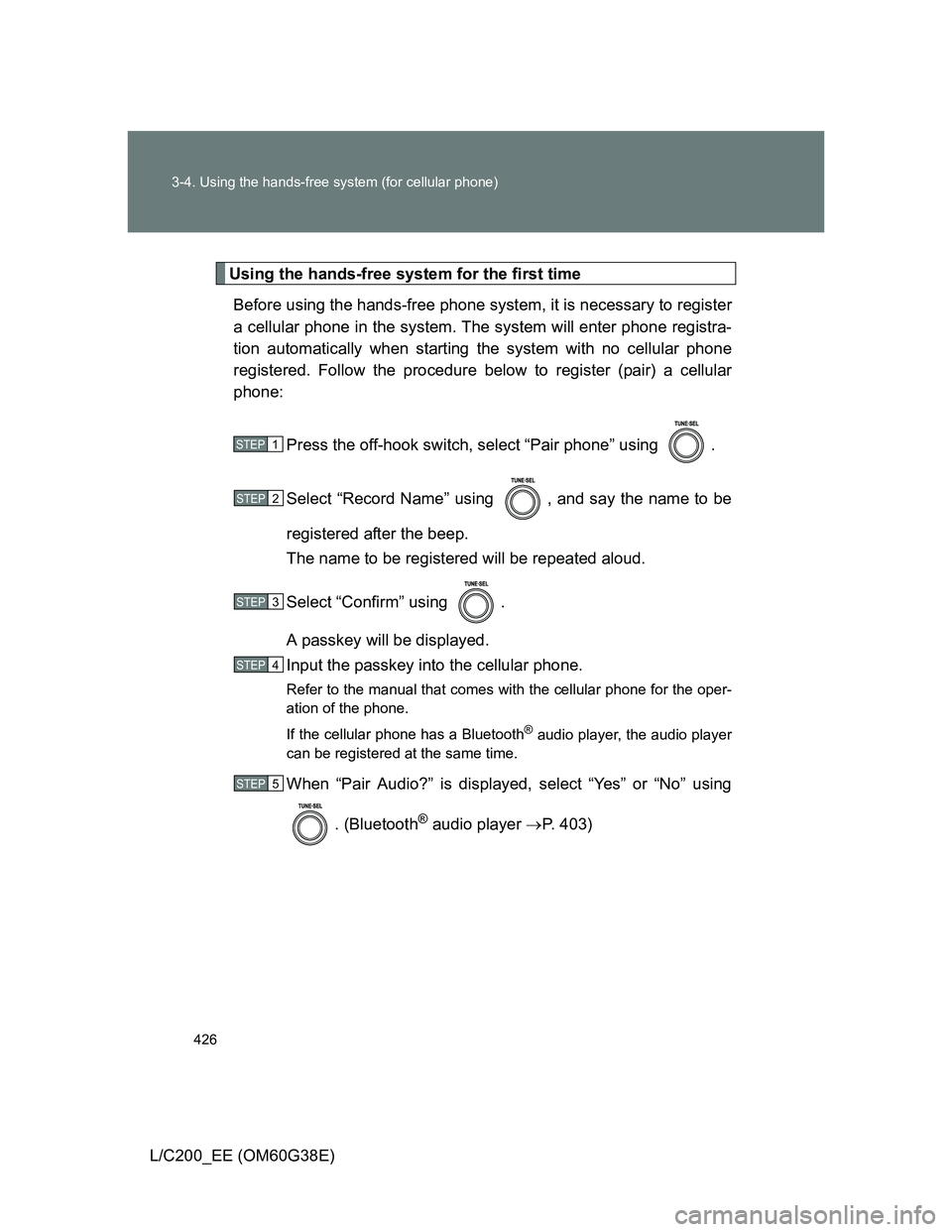
Using the hands-free system for the first time
Before using the hands-free phone system, it is necessary to register
a cellular phone in the system. The system will enter phone registra-
tion automatically when starting the system with no cellular phone
registered. Follow the procedure below to register (pair) a cellular
phone:
Press the off-hook switch, select “Pair phone” using .
Select “Record Name” using , and say the name to be
registered after the beep.
The name to be registered will be repeated aloud.
Select “Confirm” using .
A passkey will be displayed.
Input the passkey into the cellular phone.
Refer to the manual that comes with the cellular phone for the oper-
ation of the phone.
If the cellular phone has a Bluetooth
® audio player, the audio player
can be registered at the same time.
When “Pair Audio?” is displayed, select “Yes” or “No” using
. (Bluetooth
® audio player P. 403)
STEP1
STEP2
STEP3
STEP4
STEP5
Page 428 of 692
428 3-4. Using the hands-free system (for cellular phone)
L/C200_EE (OM60G38E)
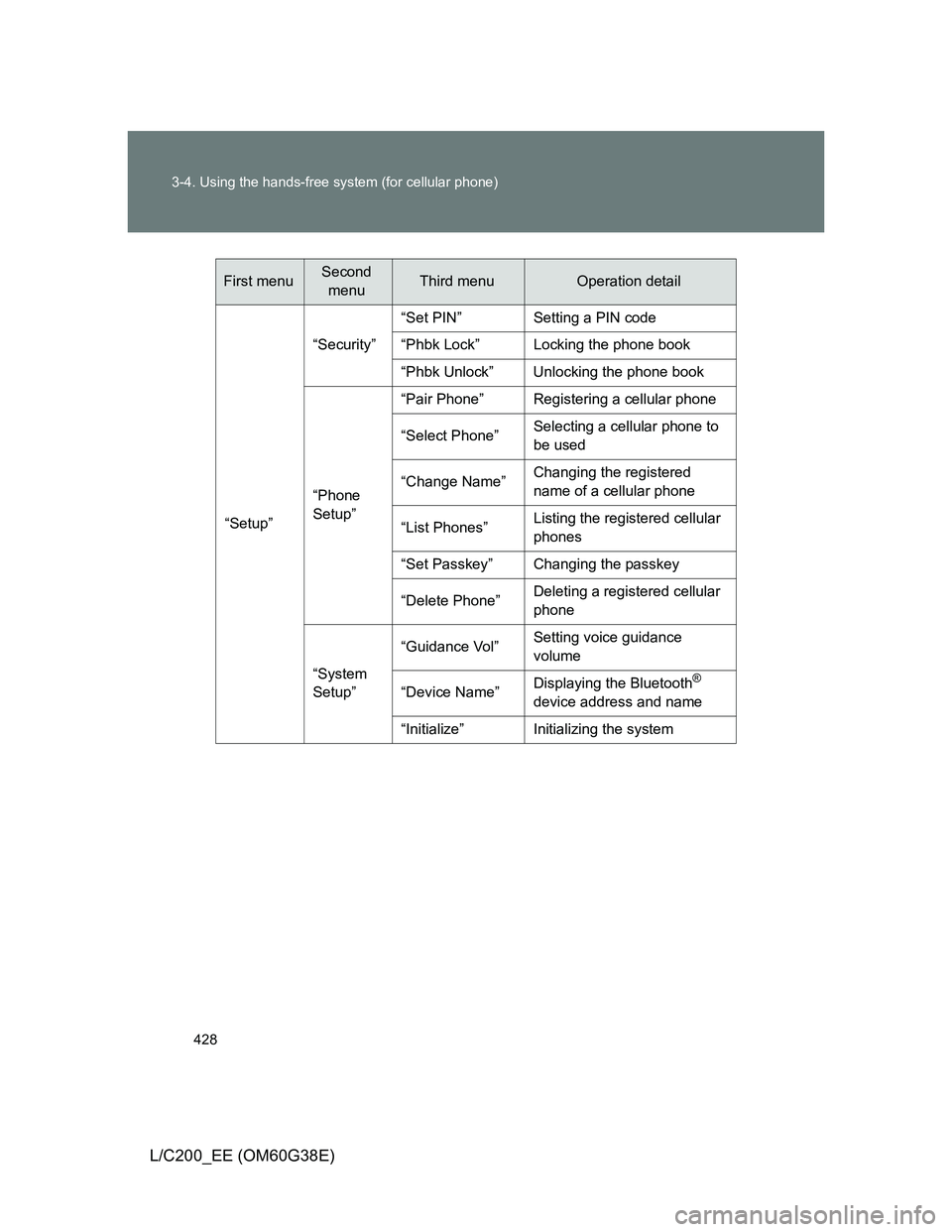
“Setup”“Security”“Set PIN” Setting a PIN code
“Phbk Lock” Locking the phone book
“Phbk Unlock” Unlocking the phone book
“Phone
Setup”“Pair Phone” Registering a cellular phone
“Select Phone”Selecting a cellular phone to
be used
“Change Name”Changing the registered
name of a cellular phone
“List Phones”Listing the registered cellular
phones
“Set Passkey” Changing the passkey
“Delete Phone”Deleting a registered cellular
phone
“System
Setup”“Guidance Vol”Setting voice guidance
volume
“Device Name”Displaying the Bluetooth
®
device address and name
“Initialize” Initializing the system
First menuSecond
menuThird menuOperation detail
Page 429 of 692
429 3-4. Using the hands-free system (for cellular phone)
3
Interior features
L/C200_EE (OM60G38E)
Automatic volume adjustment
When vehicle speed reaches 80 km/h (50 mph) or more, the volume auto-
matically increases. The volume returns to the previous volume setting when
vehicle speed drops to 70 km/h (43 mph) or less.
Operations that cannot be performed while driving
Operating the system with
Registering a cellular phone to the system
Changing the passkey
P. 436
Page 434 of 692
434
3-4. Using the hands-free system (for cellular phone)
L/C200_EE (OM60G38E)
Setting a cellular phone
Registering a cellular phone in the hands-free system allows the
system to function. The following functions can be used for regis-
tered cellular phones:
Functions and operation procedures
To enter the menu for each function, follow the steps below.
Press the off-hook switch and select “Setup” using .
Select “Phone Setup” using .
Select one of the following items using :
Registering a cellular phone
“Pair Phone”
Selecting a cellular phone to be used
“Select Phone”
Changing the registered name of a cellular phone
“Change Name”
Listing the registered cellular phones
“List Phones”
Changing the passkey
“Set Passkey”
Deleting a cellular phone
“Delete Phone”
STEP1
STEP2
STEP3