sensor TOYOTA LAND CRUISER 2017 J200 User Guide
[x] Cancel search | Manufacturer: TOYOTA, Model Year: 2017, Model line: LAND CRUISER, Model: TOYOTA LAND CRUISER 2017 J200Pages: 608, PDF Size: 15.88 MB
Page 210 of 608

210
LC200_OM_OM60P24U_(U)
4-3. Operating the lights and wipers
■Customization
Settings (e.g. light sensor sensitivity) can be changed.
(Customizable features: →P. 574)
NOTICE
■To prevent battery discharge
Do not leave the lights on longer than necessary when the engine is not
running.
Page 211 of 608
211
LC200_OM_OM60P24U_(U)
4-3. Operating the lights and wipers
4
Driving
Automatic High Beam
The Automatic High Beam uses an in-vehicle camera sensor to
assess the brightness of streetlights, the lights of vehicles
ahead etc., and automatically turns the high beam on or off as
necessary.
WARNING
■ Limitations of the Automatic High Beam
Do not rely on the Automatic High Beam. Always drive safely, taking care to
observe your surroundings and turning the high beam on or off manually if
necessary.
■ To prevent incorrect operation of the Automatic High Beam system
Do not overload the vehicle.
NOTICE
■Notes when using the Automatic High Beam system
Vehicles without PCS (Pre-Collision System):
● Do not spill liquid onto the inside rear view mirror or the camera sensor.
● Do not apply window tinting or stickers to the camera sensor or the area of
windshield near the camera sensor.
● Do not place items on the dashboard. There is a possibility that the cam-
era sensor will mistake items reflected in the windshield for streetlights,
the headlights of other vehicles, etc.
● Do not install a parking tag or any other accessories near or around the
inside rear view mirror and the camera sensor.
● Do not modify the vehicle.
● Do not replace windshield with a non-genuine windshield.
Contact your Toyota dealer.
Vehicles with PCS (Pre-Collision System):
→ P. 232
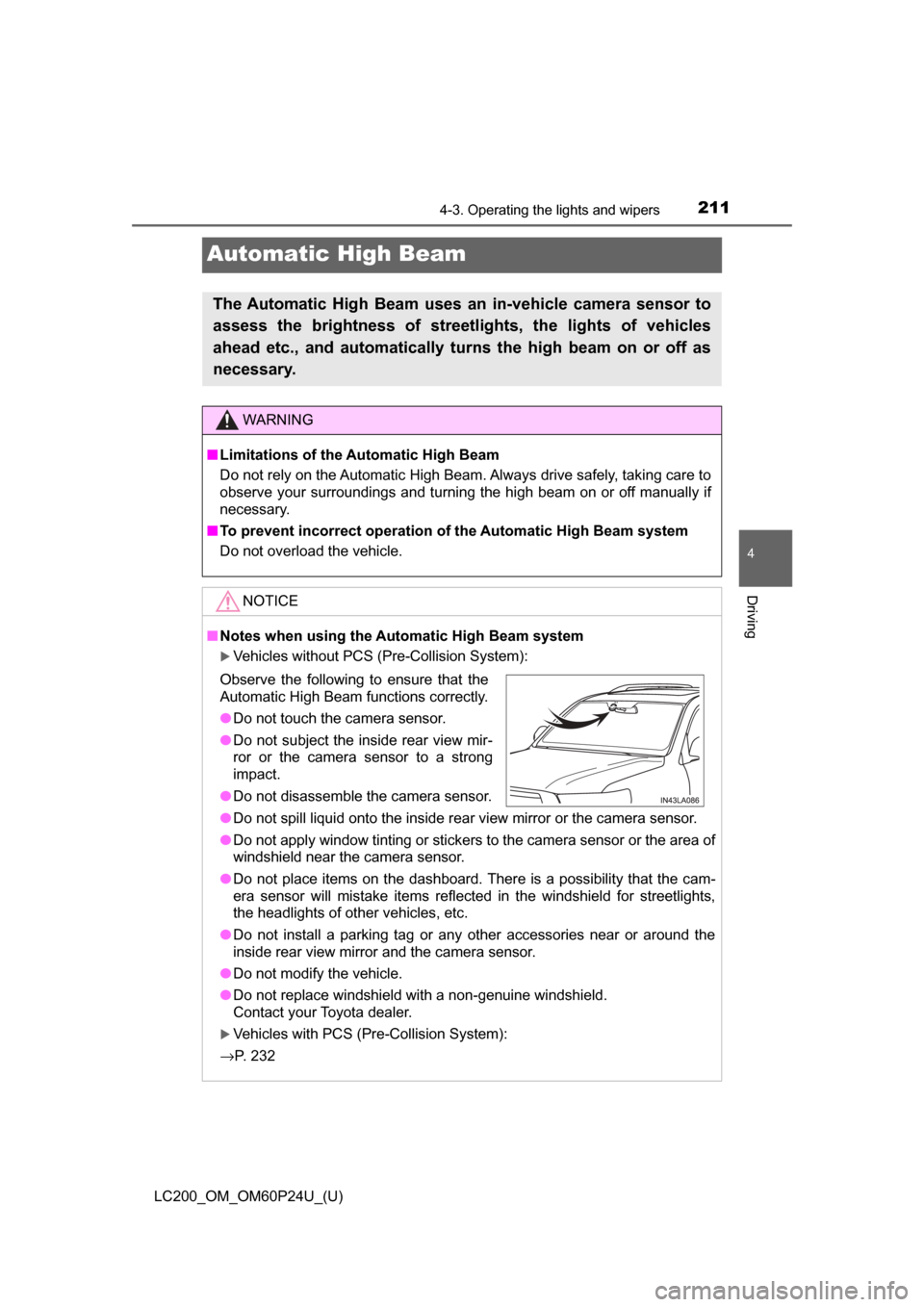
Observe the following to ensure that the
Automatic High Beam functions correctly.
●Do not touch the camera sensor.
● Do not subject the inside rear view mir-
ror or the camera sensor to a strong
impact.
● Do not disassemble the camera sensor.
Page 213 of 608

LC200_OM_OM60P24U_(U)
2134-3. Operating the lights and wipers
4
Driving
■High beam automatic turning on or off conditions
●When all of the following conditions are fulfilled, the high beam will be auto-
matically turned on (after approximately 1 second):
• Vehicle speed is above approximately 21 mph (34 km/h).
• The area ahead of the vehicle is dark.
• There are no vehicles ahead with headlights or tail lights turned on.
• There are few streetlights on the road ahead.
● If any of the following conditions are fulfilled, the high beam will be automat-
ically turned off:
• Vehicle speed drops below approximately 17 mph (27 km/h).
• The area ahead of the vehicle is not dark.
• Vehicles ahead have headlights or tail lights turned on.
• There are many streetlights on the road ahead.
■ Camera sensor detection information
●The high beam may not be automatically turned off in the following situa-
tions:
• When oncoming vehicles suddenly appear from a curve
• When the vehicle is cut in front of by another vehicle
• When vehicles ahead are hidden from sight due to repeated curves, road
dividers or roadside trees
• When vehicles ahead appear from the faraway lane on wide road
• When vehicles ahead have no lights
● The high beam may be turned off if a vehicle ahead that is using fog lights
without using the headlights is detected.
● Houselights, streetlights, traffic signals, and illuminated billboards or signs
may cause the high beam to switch to the low beams, or the low beams to
remain on.
● The following factors may affect the amount of time taken to turn the high
beam on or off:
• The brightness of headlights, fog lights, and tail lights of vehicles ahe\
ad
• The movement and direction of vehicles ahead
• When a vehicle ahead only has operational lights on one side
• When a vehicle ahead is a two-wheeled vehicle
• The condition of the road (gradient, curve, condition of the road surface
etc.)
• The number of passengers and amount of baggage
● The high beam may be turned on or off when the driver does not expect it.
● Bicycles or similar objects may not be detected.
Page 214 of 608

214
LC200_OM_OM60P24U_(U)
4-3. Operating the lights and wipers
●In the situations shown below, the system may not be able to accurately
detect surrounding brightness levels. This may cause the low beams to
remain on or the high beams to cause problems for pedestrians, vehicles
ahead or other parties. In these cases, manually switch between the high
and low beams.
• In bad weather (rain, snow, fog, sandstorms etc.)
• The windshield is obscured by fog, mist, ice, dirt etc.
• The windshield is cracked or damaged.
• The inside rear view mirror or ca mera sensor is deformed or dirty.
• The camera sensor temperature is extremely high.
• Surrounding brightness levels are equal to those of headlights, tail lights or fog lights.
• Vehicles ahead have headlights that are either switched off, dirty, are
changing color, or are not aimed properly.
• When driving through an area of in termittently changing brightness and
darkness
• When frequently and repeatedly driving ascending/descending roads, or roads with rough, bumpy or uneven surfaces (such as stone-paved
roads, gravel tracks etc.)
• When frequently and repeatedly taking curves or driving on a winding road
• There is a highly reflective object ahead of the vehicle, such as a sign or
a mirror.
• The back of a vehicle ahead is highly reflective, such as a container on a truck.
• The vehicle’s headlights are damaged or dirty, or are not aimed properly.
• The vehicle is listing or tilting, due to a flat tire, a trailer being towed etc.
• The high beam and low beam are repeatedly being switched between in an abnormal manner.
• The driver believes that the high beam may be causing problems or dis-
tress to other drivers or pedestrians nearby.
■ If a warning message of the Auto matic High Beam is displayed...
It may indicate a malfunction in the system. Contact your Toyota dealer.
Page 215 of 608

LC200_OM_OM60P24U_(U)
2154-3. Operating the lights and wipers
4
Driving
■Temporary lowering sensor sensitivity
The sensitivity of the sensor can be temporarily lowered.
Vehicles without PCS (Pre-Collision System):
To lower the sensitivity, push and hold on the inside rear view mirror for
15 to 20 seconds, and release. The indicator light on the inside rear view mir-
ror will flash to indicate that the sensitivity has been lowered.
When the engine switch is turned off, the sensitivity will be returned to its nor-
mal level.
Vehicles with PCS (Pre-Collision System):
Turn the engine switch off while the following conditions are met.
• The headlight switch is in .
• The headlight switch lever is in low beam position. Turn the engine switch to IGNITION ON mode.
Within 30 seconds after , repeat pushing the headlight switch lever to
the high beam position then pulling it to the low beam position quickly 10
times, then leave the lever in high beam position.
Automatic High Beam (headlights) may turn on even the vehicle is stopped.
1
2
32
Page 218 of 608
218
LC200_OM_OM60P24U_(U)
4-3. Operating the lights and wipers
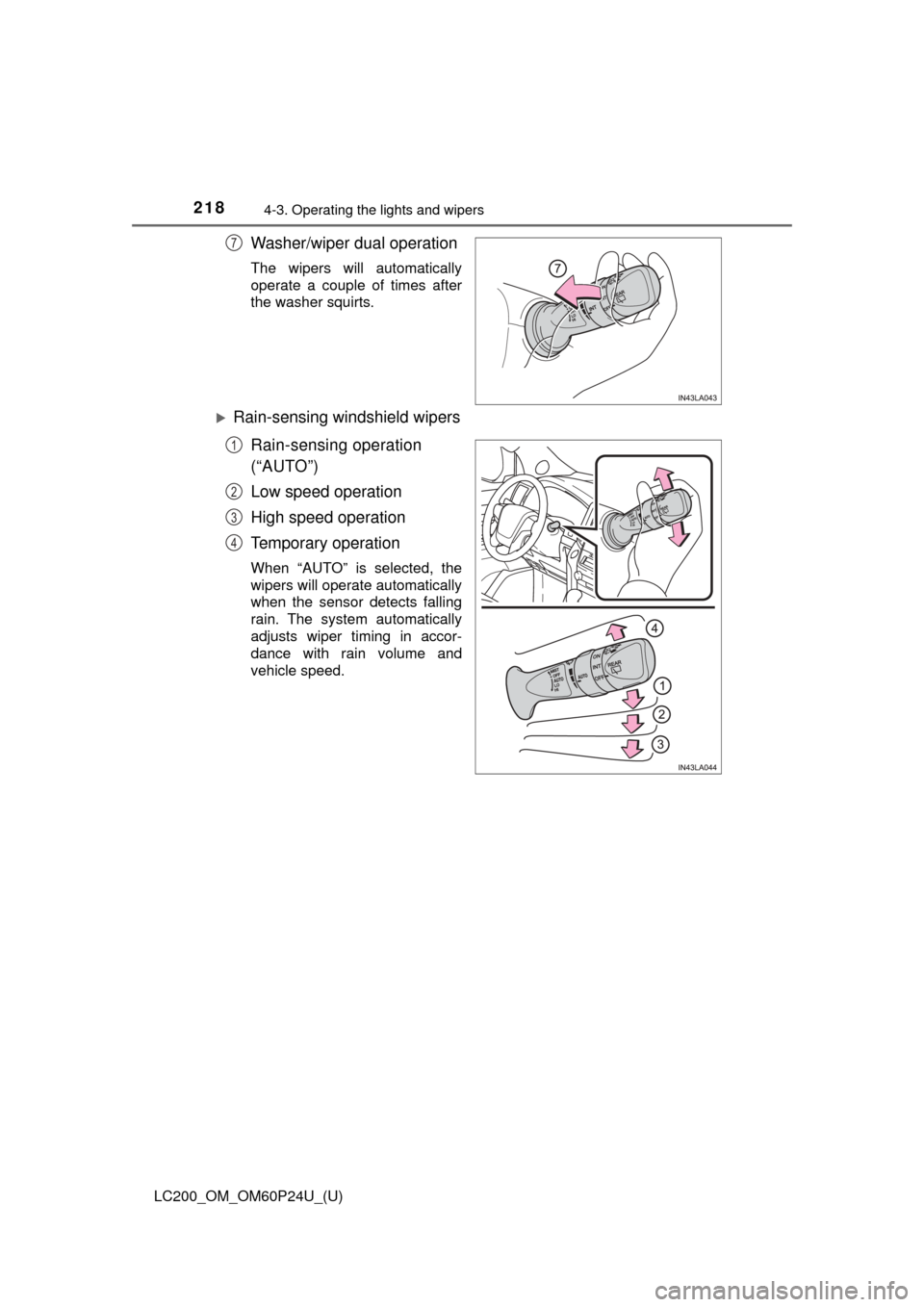
Washer/wiper dual operation
The wipers will automatically
operate a couple of times after
the washer squirts.
Rain-sensing windshield wipersRain-sensing operation
(“AUTO”)
Low speed operation
High speed operation
Temporary operation
When “AUTO” is selected, the
wipers will operate automatically
when the sensor detects falling
rain. The system automatically
adjusts wiper timing in accor-
dance with rain volume and
vehicle speed.
7
1
2
3
4
Page 219 of 608
LC200_OM_OM60P24U_(U)
2194-3. Operating the lights and wipers
4
Driving
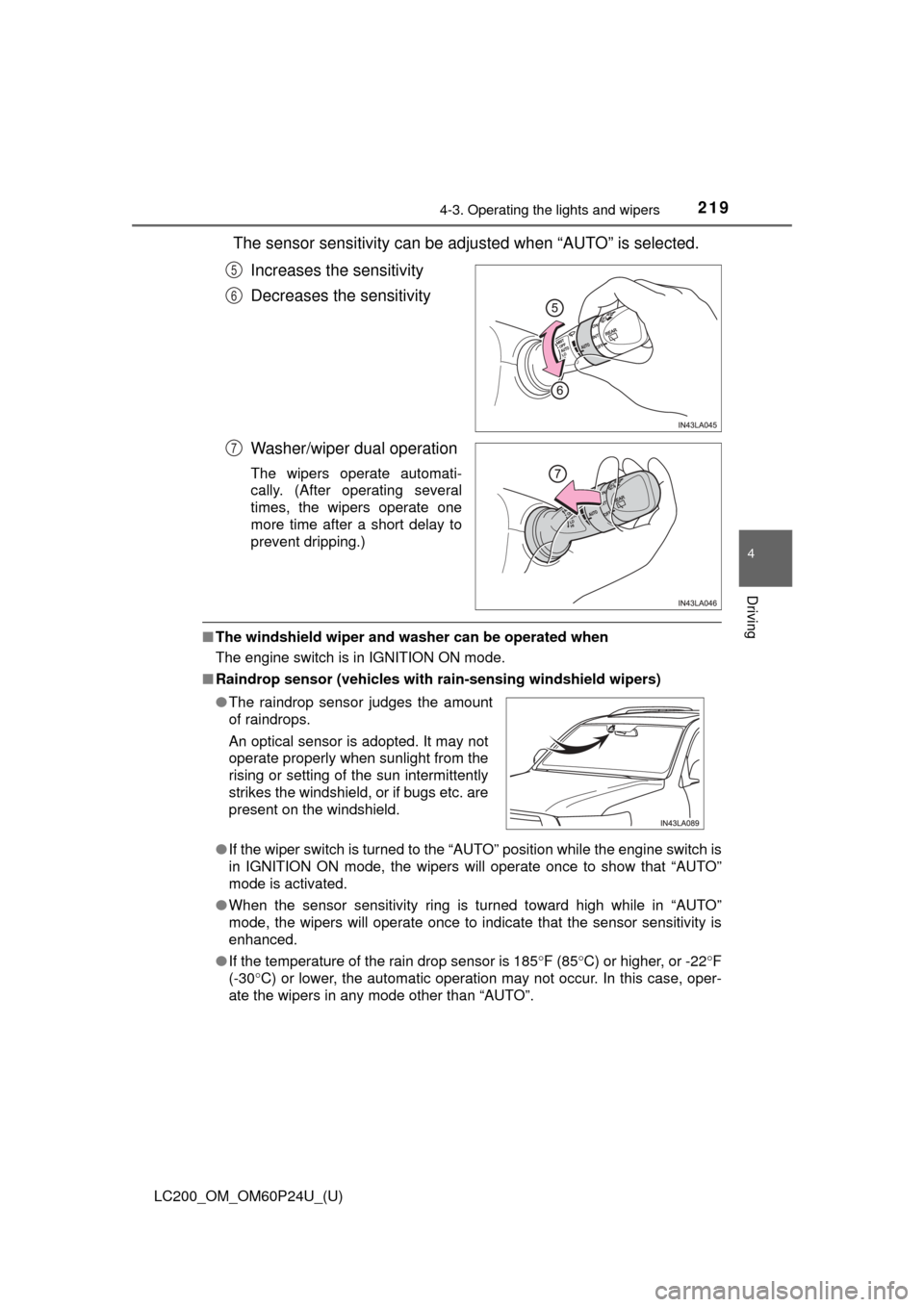
The sensor sensitivity can be adjusted when “AUTO” is selected.Increases the sensitivity
Decreases the sensitivity
Washer/wiper dual operation
The wipers operate automati-
cally. (After operating several
times, the wipers operate one
more time after a short delay to
prevent dripping.)
■The windshield wiper and washer can be operated when
The engine switch is in IGNITION ON mode.
■ Raindrop sensor (vehicles with ra in-sensing windshield wipers)
● If the wiper switch is turned to the “AUTO” position while the engine switch is
in IGNITION ON mode, the wipers will operate once to show that “AUTO”
mode is activated.
● When the sensor sensitivity ring is turned toward high while in “AUTO”
mode, the wipers will operate once to indicate that the sensor sensitivity is
enhanced.
● If the temperature of the rain drop sensor is 185 °F (85 °C) or higher, or -22 °F
(-30° C) or lower, the automatic operation may not occur. In this case, oper-
ate the wipers in any mode other than “AUTO”.
5
6
7
● The raindrop sensor judges the amount
of raindrops.
An optical sensor is adopted. It may not
operate properly when sunlight from the
rising or setting of the sun intermittently
strikes the windshield, or if bugs etc. are
present on the windshield.
Page 220 of 608

220
LC200_OM_OM60P24U_(U)
4-3. Operating the lights and wipers
■If no windshield washer fluid sprays
Check that the washer nozzles are not blocked if there is washer fluid in the
windshield washer fluid reservoir.
WARNING
■Caution regarding the use of windshie ld wipers in “AUTO” mode (vehi-
cles with rain-sensing windshield wipers)
The windshield wipers may operate unexpectedly if the sensor is touched or
the windshield is subject to vibration in “AUTO” mode. Take care that your
fingers etc. anything else does not become caught in the windshield wipers.
■ Caution regarding the use of washer fluid
When it is cold, do not use the washer fluid until the windshield becomes
warm. The fluid may freeze on the windshield and cause low visibility. This
may lead to an accident, resulting in death or serious injury.
NOTICE
■When the windshield is dry
Do not use the wipers, as they may damage the windshield.
■ When the washer fluid tank is empty
Do not operate the switch continually as the washer fluid pump may over-
heat.
■ When there is no washer fluid spray from the nozzle
Damage to the washer fluid pump may be caused if the lever is pulled
toward you and held continually.
■ When a nozzle becomes blocked
Do not try to clear it with a pin or other object. The nozzle will be damaged.
Page 229 of 608

LC200_OM_OM60P24U_(U)
2294-5. Using the driving support systems
4
Driving
The pre-collision system is equipp ed with a sophisticated computer
that will record cert ain data, such as:
• Accelerator status
• Brake status
• Vehicle speed
• Operation status of the pre-collision system functions
• Information (such as the distanc e and relative speed between your
vehicle and the vehicle ahead or other objects)
• Images from the camera sensor (available only when the pre-colli-
sion braking function or the pre-collision brake assist function was
operating)
The pre-collision system does not record conversations, sounds or
images of the inside of the vehicle.
● Data usage
Toyota may use the data recorded in this computer to diagnose
malfunctions, conduct research and development, and improve
quality.
Toyota will not disclose the recor ded data to a third party except:
• With the consent of the vehicle owner or with the consent of the lessee if the vehicle is leased
• In response to an official request by the police, a court of law or a
government agency
• For use by Toyota in a lawsuit
• For research purposes where the data is not tied to a specific vehicle or vehicle owner
● Recorded images can be erased using a specialized device.
The image recording function can be disabled. However, if the func-
tion is disabled, data from when the pre-collision system operates
will not be available.
Vehicle data recording
Page 230 of 608
230
LC200_OM_OM60P24U_(U)
4-5. Using the driving support systems
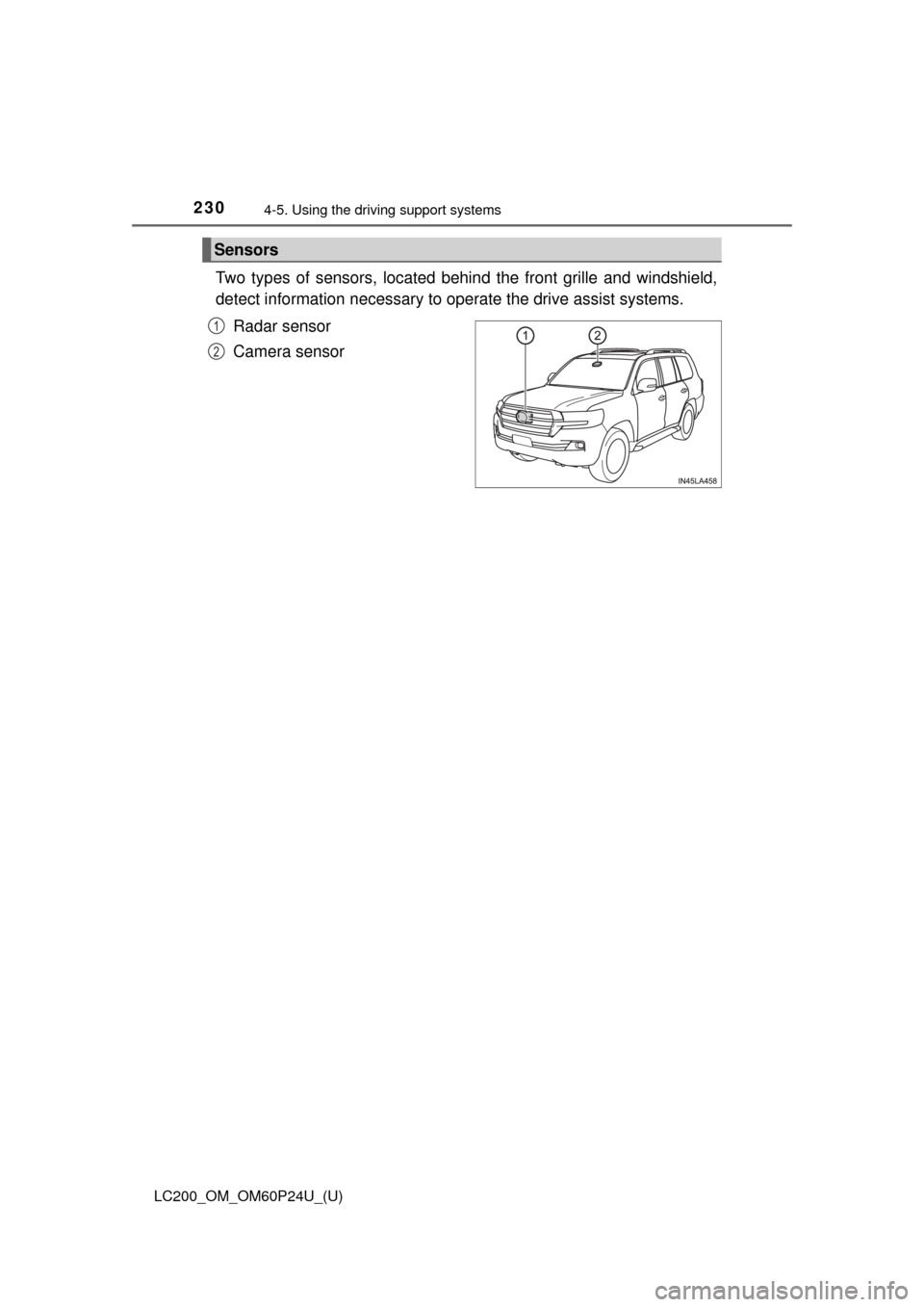
Two types of sensors, located behin d the front grille and windshield,
detect information necessary to operate the drive assist systems.
Radar sensor
Camera sensor
Sensors
1
2