stop start TOYOTA LAND CRUISER 2017 J200 Owners Manual
[x] Cancel search | Manufacturer: TOYOTA, Model Year: 2017, Model line: LAND CRUISER, Model: TOYOTA LAND CRUISER 2017 J200Pages: 608, PDF Size: 15.88 MB
Page 5 of 608
5
1
8 7
6
5
4
3
2
LC200_OM_OM60P24U_(U)
9
6-1. Maintenance and careCleaning and protecting the vehicle exterior .......... 434
Cleaning and protecting the vehicle interior ........... 437
6-2. Maintenance Maintenance requirements ................... 440
General maintenance ........ 443
Emission inspection and maintenance (I/M)
programs ......................... 446
6-3. Do-it-yourself maintenance Do-it-yourself service precautions ..................... 447
Hood.................................. 449
Engine compartment ......... 450
Tires .................................. 463
Tire inflation pressure........ 472
Wheels .............................. 475
Air conditioning filter .......... 477
Electronic key battery ........ 479
Checking and replacing fuses ............................... 481
Headlight aim .................... 485
Light bulbs ......................... 487 7-1. Essential information
Emergency flashers ........... 500
If your vehicle has to be stopped in
an emergency.................. 501
7-2. Steps to take in an emergency
If your vehicle needs to be towed ...................... 502
If you think something is wrong............................... 508
Fuel pump shut off system ............................. 509
If a warning light turns on or a warning buzzer
sounds ............................. 510
If a warning message is displayed ......................... 519
If you have a flat tire .......... 524
If the engine will not start ................................. 538
If the electronic key does not operate properly ........ 540
If the vehicle battery is discharged ....................... 543
If your vehicle overheats.... 546
If the vehicle becomes stuck ................................ 549
6Maintenance and care7When trouble arises
Page 15 of 608
15Pictorial index
LC200_OM_OM60P24U_(U)Windshield wipers . . . . . . . . . . . . . . . . . . . . . . . . . . . . . . . . . P. 217
Rear window wiper . . . . . . . . . . . . . . . . . . . . . . . . . . . . . . . . P. 221
Precautions against winter season . . . . . . . . . . . . . . . . . . . . . P. 370
To prevent freezing (windshield wiper de-icer
*). . . . . . . . . . . . P. 380
Precautions against car wash . . . . . . . . . . . . . . . . . . . . . . . . . P. 435
Fuel filler door . . . . . . . . . . . . . . . . . . . . . . . . . . . . . . . . . . . . P. 224
Refueling method . . . . . . . . . . . . . . . . . . . . . . . . . . . . . . . . . . . P. 224
Fuel type/fuel tank capacity . . . . . . . . . . . . . . . . . . . . . . . . . . . P. 554
Tires . . . . . . . . . . . . . . . . . . . . . . . . . . . . . . . . . . . . . . . . . . P. 463
Tire size/inflation pressure . . . . . . . . . . . . . . . . . . . . . . . . . P. 558
Winter tires/tire chain . . . . . . . . . . . . . . . . . . . . . . . . . . . . . P. 370
Checking/rotation/tire pressure warning system . . . . . . . . . P. 463
Coping with flat tires . . . . . . . . . . . . . . . . . . . . . . . . . . . . . . P. 524
Hood . . . . . . . . . . . . . . . . . . . . . . . . . . . . . . . . . . . . . . . . . . . . P. 449
Opening . . . . . . . . . . . . . . . . . . . . . . . . . . . . . . . . . . . . . . . . . . P. 449
Engine oil . . . . . . . . . . . . . . . . . . . . . . . . . . . . . . . . . . . . . . . . . P. 554
Coping with overheat . . . . . . . . . . . . . . . . . . . . . . . . . . . . . . . . P. 546
Camera
* . . . . . . . . . . . . . . . . . . . . . . . . . . . . . . . . . . . . . . . . . P. 294
Headlights/daytime running lights . . . . . . . . . . . . . . . . . . . . P. 207
Parking lights . . . . . . . . . . . . . . . . . . . . . . . . . . . . . . . . . . . . . P. 207
Fog lights . . . . . . . . . . . . . . . . . . . . . . . . . . . . . . . . . . . . . . . . P. 216
Turn signal lights . . . . . . . . . . . . . . . . . . . . . . . . . . . . . . . . . . P. 205
Stop/tail lights
Hill-start assist control . . . . . . . . . . . . . . . . . . . . . . . . . . . . . . . P. 358
License plate lights . . . . . . . . . . . . . . . . . . . . . . . . . . . . . . . . P. 207
Back-up lights
Shifting the shift lever to R . . . . . . . . . . . . . . . . . . . . . . . . . . . . P. 199
Side marker lights . . . . . . . . . . . . . . . . . . . . . . . . . . . . . . . . . P. 207
4
5
6
7
8
Light bulbs of the exter ior lights for driving
(Replacing method: P. 487, Watts: P. 552)
*: If equipped
9
10
11
12
13
14
15
16
Page 16 of 608
16Pictorial index
LC200_OM_OM60P24U_(U)
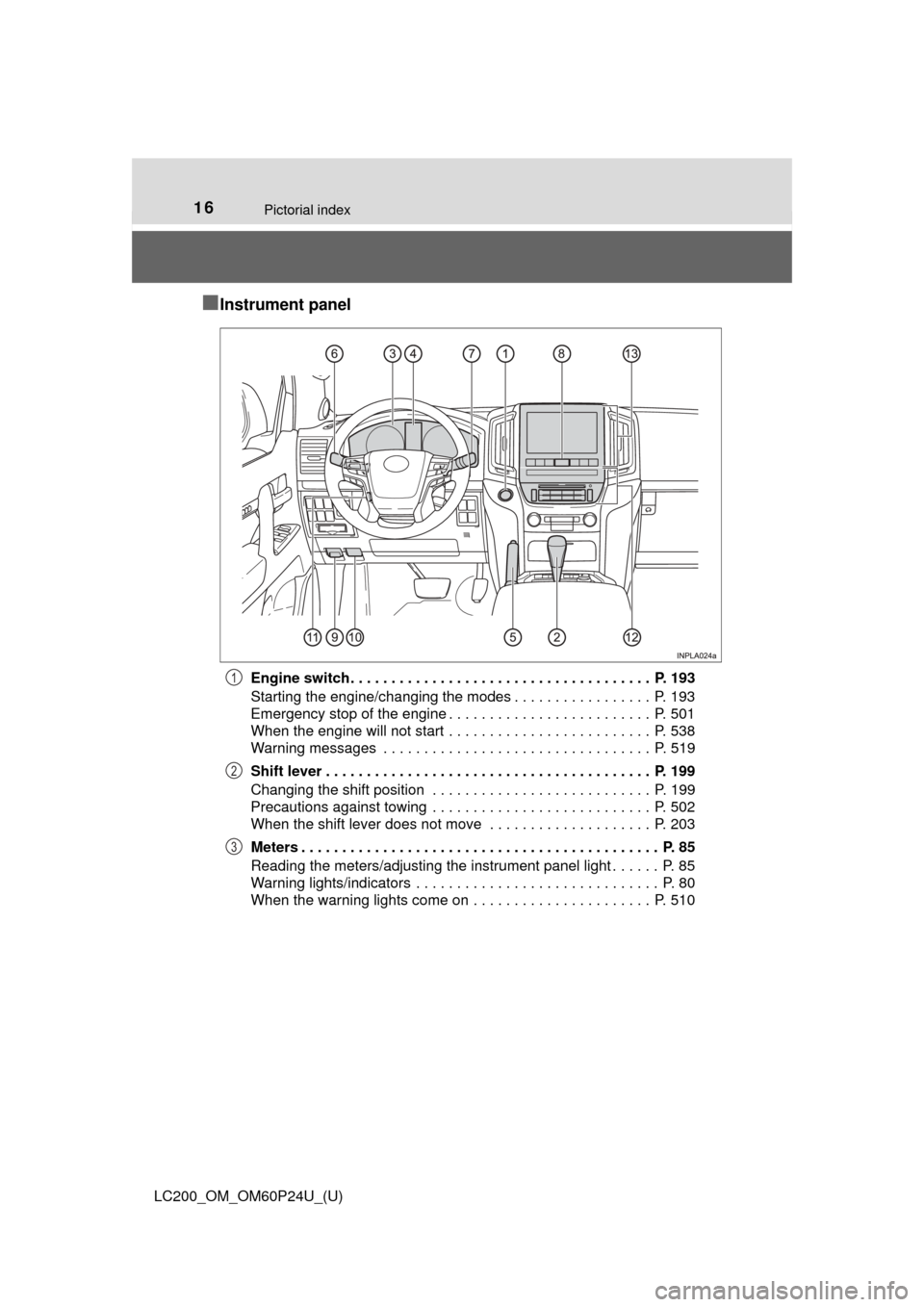
■Instrument panel
Engine switch . . . . . . . . . . . . . . . . . . . . . . . . . . . . . . . . . . . . . P. 193
Starting the engine/changing the modes . . . . . . . . . . . . . . . . . P. 193
Emergency stop of the engine . . . . . . . . . . . . . . . . . . . . . . . . . P. 501
When the engine will not start . . . . . . . . . . . . . . . . . . . . . . . . . P. 538
Warning messages . . . . . . . . . . . . . . . . . . . . . . . . . . . . . . . . . P. 519
Shift lever . . . . . . . . . . . . . . . . . . . . . . . . . . . . . . . . . . . . . . . . P. 199
Changing the shift position . . . . . . . . . . . . . . . . . . . . . . . . . . . P. 199
Precautions against towing . . . . . . . . . . . . . . . . . . . . . . . . . . . P. 502
When the shift lever does not move . . . . . . . . . . . . . . . . . . . . P. 203
Meters . . . . . . . . . . . . . . . . . . . . . . . . . . . . . . . . . . . . . . . . . . . . P. 85
Reading the meters/adjusting the instrument panel light . . . . . . P. 85
Warning lights/indicators . . . . . . . . . . . . . . . . . . . . . . . . . . . . . . P. 80
When the warning lights come on . . . . . . . . . . . . . . . . . . . . . . P. 5101
2
3
Page 29 of 608
291-1. For safe use
LC200_OM_OM60P24U_(U)
1
For safety and security
Make sure that you can see backward clearly by adjusting the inside
and outside rear view mirrors properly. (→P. 145, 147)
Adjusting the mirrors
WARNING
Observe the following precautions.
Failure to do so may result in death or serious injury.
● Do not adjust the position of the driver’s seat while driving.
Doing so could cause the driver to lose control of the vehicle.
● Do not place a cushion between the driver or passenger and the seatback.
A cushion may prevent correct posture from being achieved, and reduce
the effectiveness of the seat belt and head restraint.
● Do not place anything under the front seats.
Objects placed under the front seats may become jammed in the seat
tracks and stop the seat from locking in place. This may lead to an acci-
dent and the adjustment mechanism may also be damaged.
● Always observe the legal speed limit when driving on public roads.
● When driving over long distances, take regular breaks before you start to
feel tired.
Also, if you feel tired or sleepy while driving, do not force yourself to con-
tinue driving and take a break immediately.
Page 74 of 608
741-2. Theft deterrent system
LC200_OM_OM60P24U_(U)
Engine immobilizer system
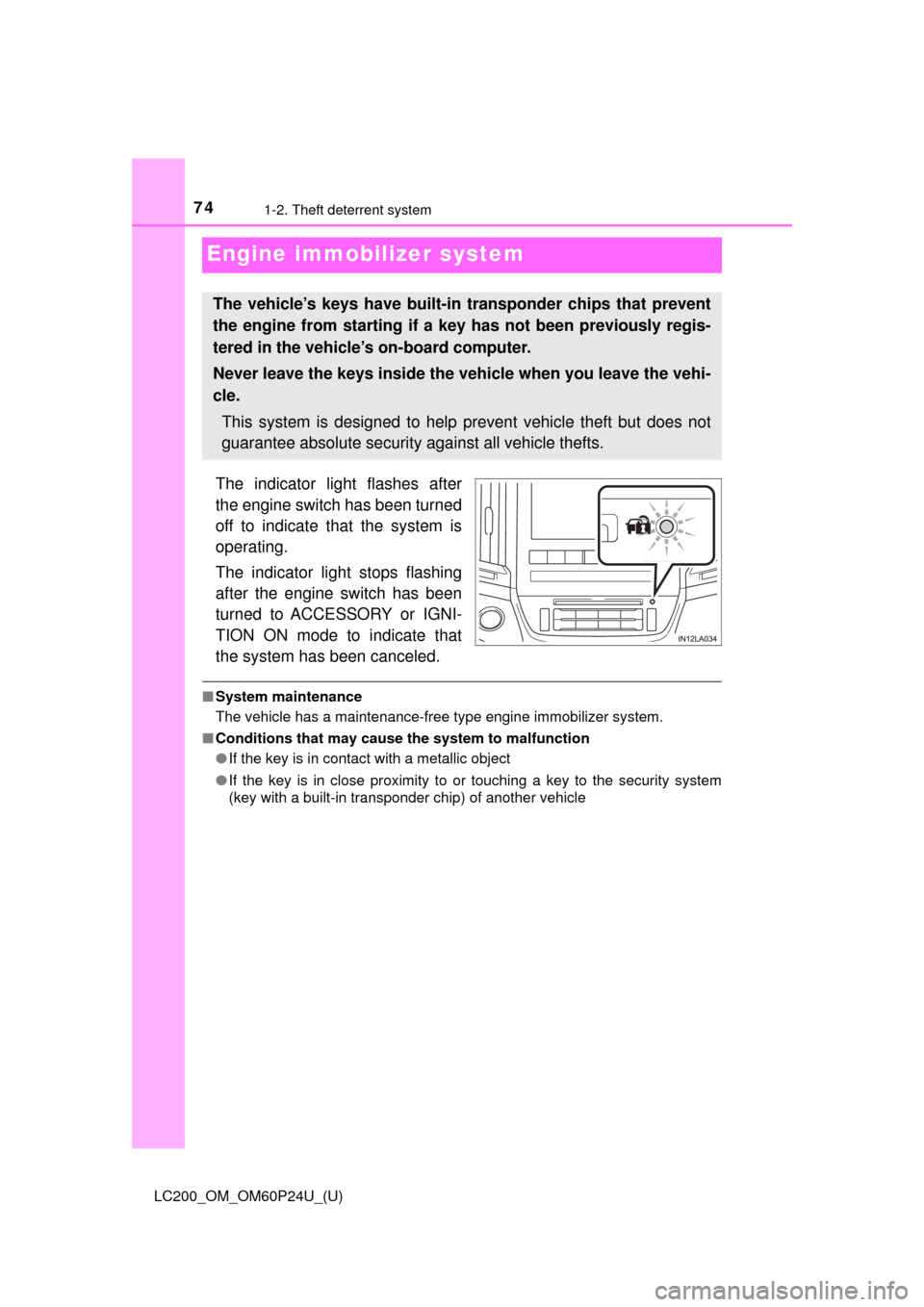
The indicator light flashes after
the engine switch has been turned
off to indicate that the system is
operating.
The indicator light stops flashing
after the engine switch has been
turned to ACCESSORY or IGNI-
TION ON mode to indicate that
the system has been canceled.
■System maintenance
The vehicle has a maintenance-free type engine immobilizer system.
■ Conditions that may cause the system to malfunction
●If the key is in contact with a metallic object
● If the key is in close proximity to or touching a key to the security system
(key with a built-in transponder chip) of another vehicle
The vehicle’s keys have built-in transponder chips that prevent
the engine from starting if a key has not been previously regis-
tered in the vehicle’s on-board computer.
Never leave the keys inside the vehicle when you leave the vehi-
cle.
This system is designed to help prevent vehicle theft but does not
guarantee absolute security against all vehicle thefts.
Page 76 of 608
761-2. Theft deterrent system
LC200_OM_OM60P24U_(U)
Alarm
The alarm uses light and sound to give an alert when an intrusion is
detected.
The alarm is triggered in the following situations when the alarm is
set:
●A locked door is unlocked or opened in any way other than using
the entry function or wireless re mote control. (The doors will lock
again automatically.)
● The hood is opened.
● The battery is reconnected.
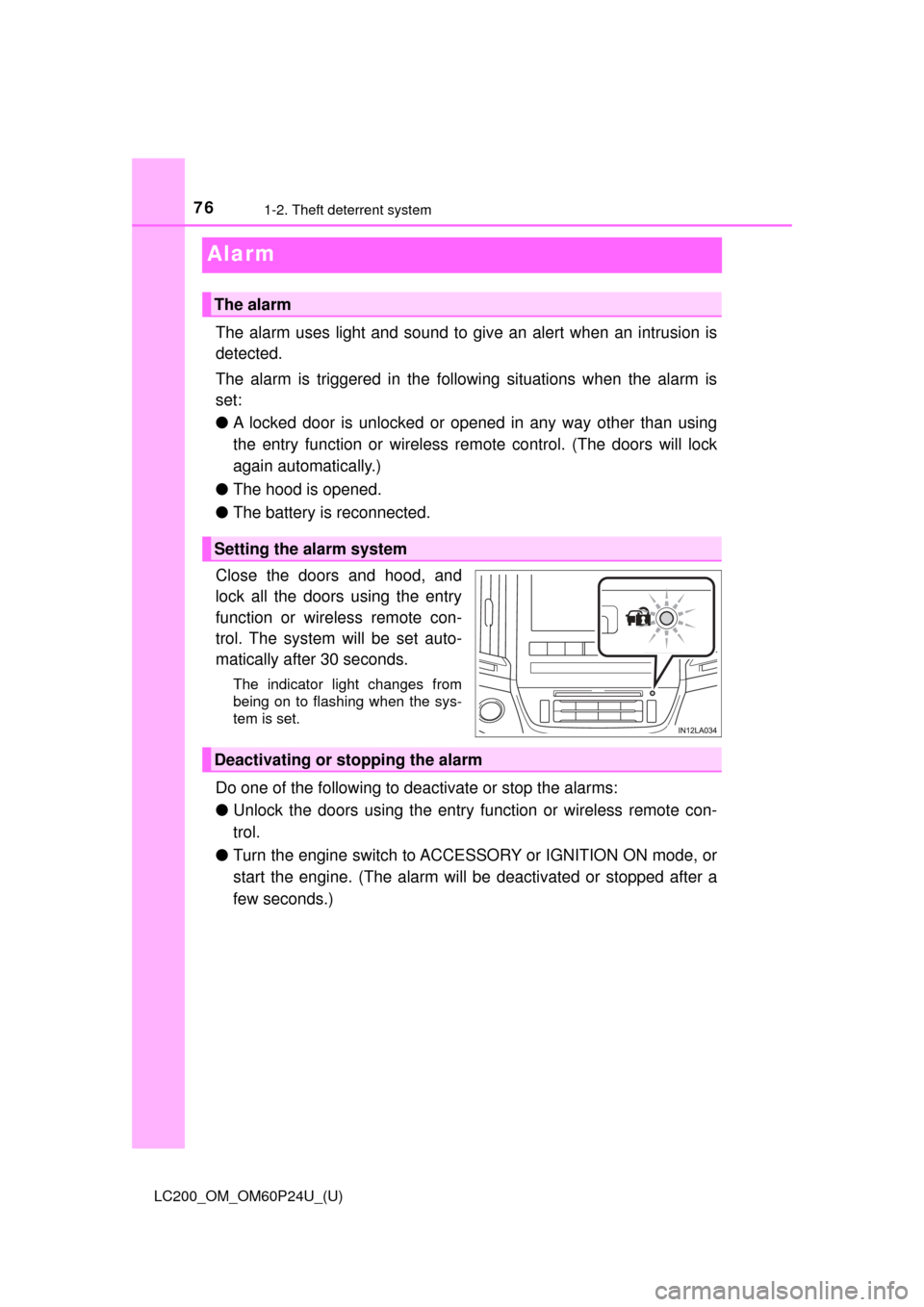
Close the doors and hood, and
lock all the doors using the entry
function or wireless remote con-
trol. The system will be set auto-
matically after 30 seconds.
The indicator light changes from
being on to flashing when the sys-
tem is set.
Do one of the following to d eactivate or stop the alarms:
● Unlock the doors using the entry function or wireless remote con-
trol.
● Turn the engine switch to ACCESSORY or IGNITION ON mode, or
start the engine. (The alarm will be deactivated or stopped after a
few seconds.)
The alarm
Setting the alarm system
Deactivating or stopping the alarm
Page 84 of 608
84
LC200_OM_OM60P24U_(U)
2. Instrument cluster
■Eco Driving Indicator Light
●The shift lever is in any position other than D.
● The vehicle is set to second start mode or power mode. ( →P. 199)
● The vehicle speed is approximately 81 mph (130 km/h) or higher.
● The Crawl Control is operating. ( →P. 285)
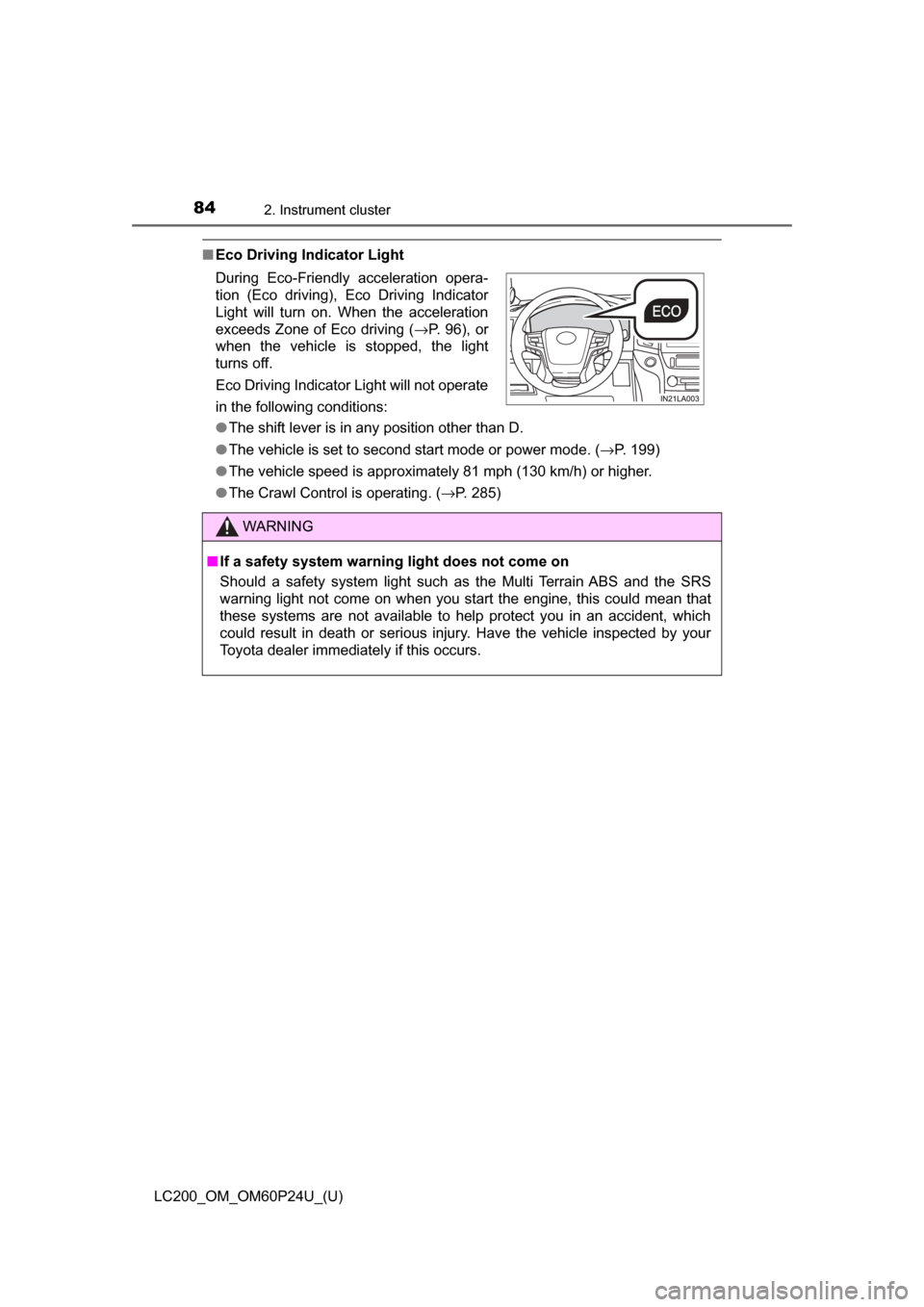
During Eco-Friendly acceleration opera-
tion (Eco driving), Eco Driving Indicator
Light will turn on. When the acceleration
exceeds Zone of Eco driving (
→P. 96), or
when the vehicle is stopped, the light
turns off.
Eco Driving Indicator Light will not operate
in the following conditions:
WARNING
■ If a safety system warning light does not come on
Should a safety system light such as the Multi Terrain ABS and the SRS
warning light not come on when you start the engine, this could mean that
these systems are not available to help protect you in an accident, which
could result in death or serious injury. Have the vehicle inspected by your
Toyota dealer immediately if this occurs.
Page 125 of 608
LC200_OM_OM60P24U_(U)
1253-2. Opening, closing and locking the doors
3
Operation of each component
■If the smart key system do es not operate properly
● Locking and unlocking the doors: Use the mechanical key. ( →P. 540)
● Starting the engine: →P. 541
■ Customization
Settings (e. g. smart key system) can be changed.
(Customizable features: →P. 574)
■ If the smart key system has been deactivated in a customized setting
●Locking and unlocking the doors:
Use the wireless remote control or mechanical key. ( →P. 106, 540)
● Starting the engine and changing engine switch modes: →P. 541
● Stopping the engine: →P. 194
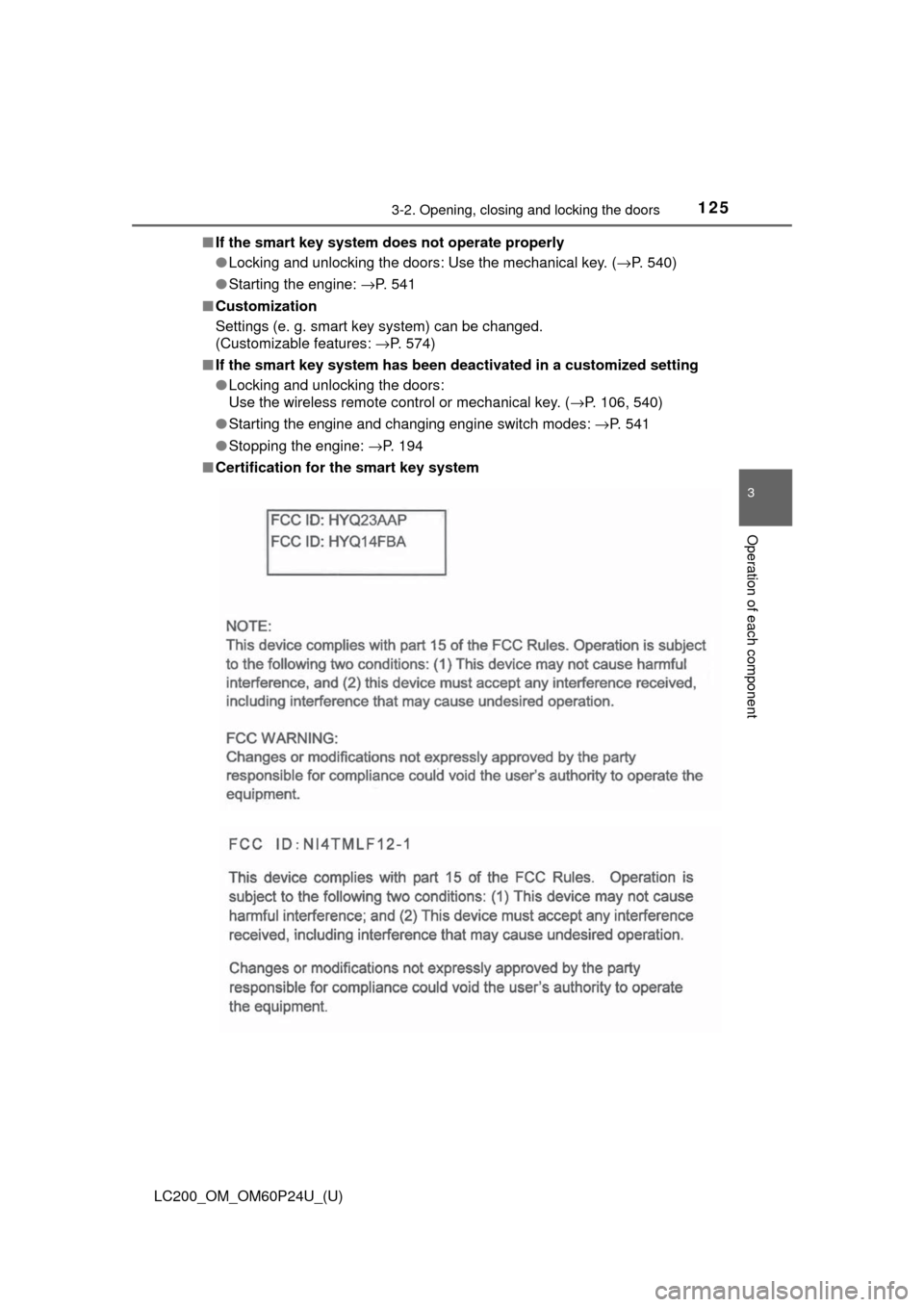
■ Certification for the smart key system
Page 152 of 608

152
LC200_OM_OM60P24U_(U)
3-5. Opening, closing the windows and moon roof
■When the window cannot be opened or closed
When the jam protection function or catch protection function operates
unusually and the door window cannot be opened or closed, perform the fol-
lowing operations with the power window switch of that door.
●Stop the vehicle. With the engine switch in IGNITION ON mode, within 4
seconds of the jam protection function or catch protection function acti\
vat-
ing, continuously operate the power window switch in the one-touch closing
direction or one-touch opening direction so that the door window can be
opened and closed.
● If the door window cannot be opened and closed even when performing the
above operations, perform the following procedure for function initialization.
Turn the engine switch to IGNITION ON mode.
Pull and hold the power window switch in the one-touch closing direction
and completely close the door window.
Release the power window switch for a moment, resume pulling the
switch in the one-touch closing direction, and hold it there for approxi-
mately 6 seconds or more.
Press and hold the power window switch in the one-touch opening direc-
tion. After the door window is completely opened, continue holding the
switch for an additional 1 second or more.
Release the power window switch for a moment, resume pushing the
switch in the one-touch opening direction, and hold it there for approxi-
mately 4 seconds or more.
Pull and hold the power window switch in the one-touch closing direction
again. After the door window is completely closed, continue holding the
switch for a further 1 second or more.
If you release the switch while the window is moving, start again from t\
he
beginning.
If the window reverses and cannot be fully closed or opened, have the vehicle
inspected by your Toyota dealer.
■ Door lock linked window operation
●The power windows can be opened and closed using the mechanical key.
*
(→P. 540)
● The power windows can be opened using the wireless remote control.
*
( →P. 106)
*: The settings must be customized at your Toyota dealer.
■ Power windows open warning buzzer
The buzzer sounds and a message is shown on the multi-information display
in the instrument cluster when the engine switch is turned off and the driver’s
door is opened with the power windows open.
■ Customization
Settings (e.g. linked door lock operation) can be changed.
(Customizable features: →P. 574)
1
2
3
4
5
6
Page 160 of 608
160
LC200_OM_OM60P24U_(U)
4-1. Before driving
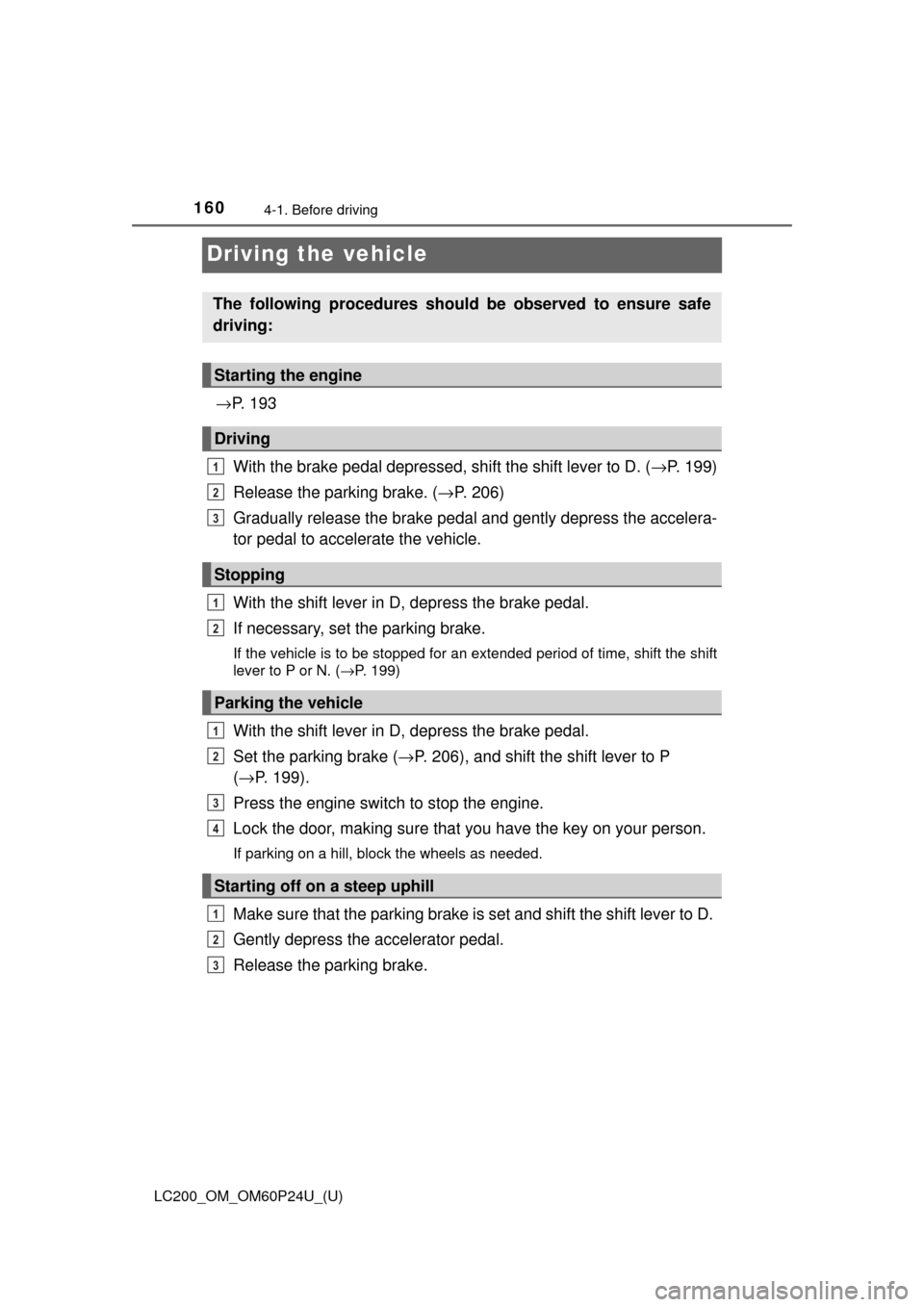
Driving the vehicle
→P. 1 9 3
With the brake pedal depressed, shift the shift lever to D. ( →P. 199)
Release the parking brake. ( →P. 206)
Gradually release the brake pedal and gently depress the accelera-
tor pedal to accelerate the vehicle.
With the shift lever in D, depress the brake pedal.
If necessary, set the parking brake.
If the vehicle is to be stopped for an extended period of time, shift the shift
lever to P or N. ( →P. 199)
With the shift lever in D, depress the brake pedal.
Set the parking brake ( →P. 206), and shift the shift lever to P
( → P. 199).
Press the engine switch to stop the engine.
Lock the door, making sure that you have the key on your person.
If parking on a hill, block the wheels as needed.
Make sure that the parking brake is set and shift the shift lever to D.
Gently depress the accelerator pedal.
Release the parking brake.
The following procedures should be observed to ensure safe
driving:
Starting the engine
Driving
Stopping
Parking the vehicle
Starting off on a steep uphill
1
2
3
1
2
1
2
3
4
1
2
3