seat TOYOTA MATRIX 2009 E140 / 2.G Repair Manual
[x] Cancel search | Manufacturer: TOYOTA, Model Year: 2009, Model line: MATRIX, Model: TOYOTA MATRIX 2009 E140 / 2.GPages: 440, PDF Size: 9.39 MB
Page 161 of 440
Interior features3
161
3-3. Using the hands-free
phone system
(for cellular phone) ...... 200
Hands-free phone system
(for cellular phone)
features .......................... 200
Using the hands-free
phone system
(for cellular phone) ......... 203
Making a phone call ......... 212
Setting a cellular phone ... 216
Security and system
setup .............................. 221
Using the phone book ...... 225
3-4. Using the interior
lights ............................. 232
Interior lights list ............... 232
• Interior light .................... 233
• Personal/interior lights ... 234
• Personal lights ............... 2353-5. Using the storage
features ......................... 236
List of storage features .... 236
• Glove box....................... 237
• Console box ................... 237
• Cup holders ................... 239
• Bottle holders ................. 241
• Auxiliary boxes ............... 242
3-6. Other interior
features ......................... 244
Sun visors ........................ 244
Vanity mirrors ................... 245
Clock ................................ 246
Ashtrays ........................... 247
Cigarette lighter................ 248
Power outlet ..................... 249
Grocery bag hook ............ 251
Seatback table ................. 253
Floor mat .......................... 254
Luggage compartment
feature............................ 255
Compass .......................... 262
Page 200 of 440
200
3-3. Using the hands-free phone system (for cellular phone)
Hands-free phone system (for cellular phone) features (if equipped)
■Conditions affecting operation
The hands-free phone system may not operate normally in the following situ-
ations:
●The cellular phone is turned off, or located outside the service area.
●The cellular phone has a low battery.
●The cellular phone is not connected to the system.
●The cellular phone is behind the seat or in the glove box, or metal mate-
rial covers or touches the phone.
■When transferring ownership of the vehicle
Be sure to initialize the system to prevent personal data from being improp-
erly accessed.
■Required profiles for the cellular phone
●HFP (Hands Free Profile) Ver. 1.0
●OPP (Object Push Profile) Ver. 1.1
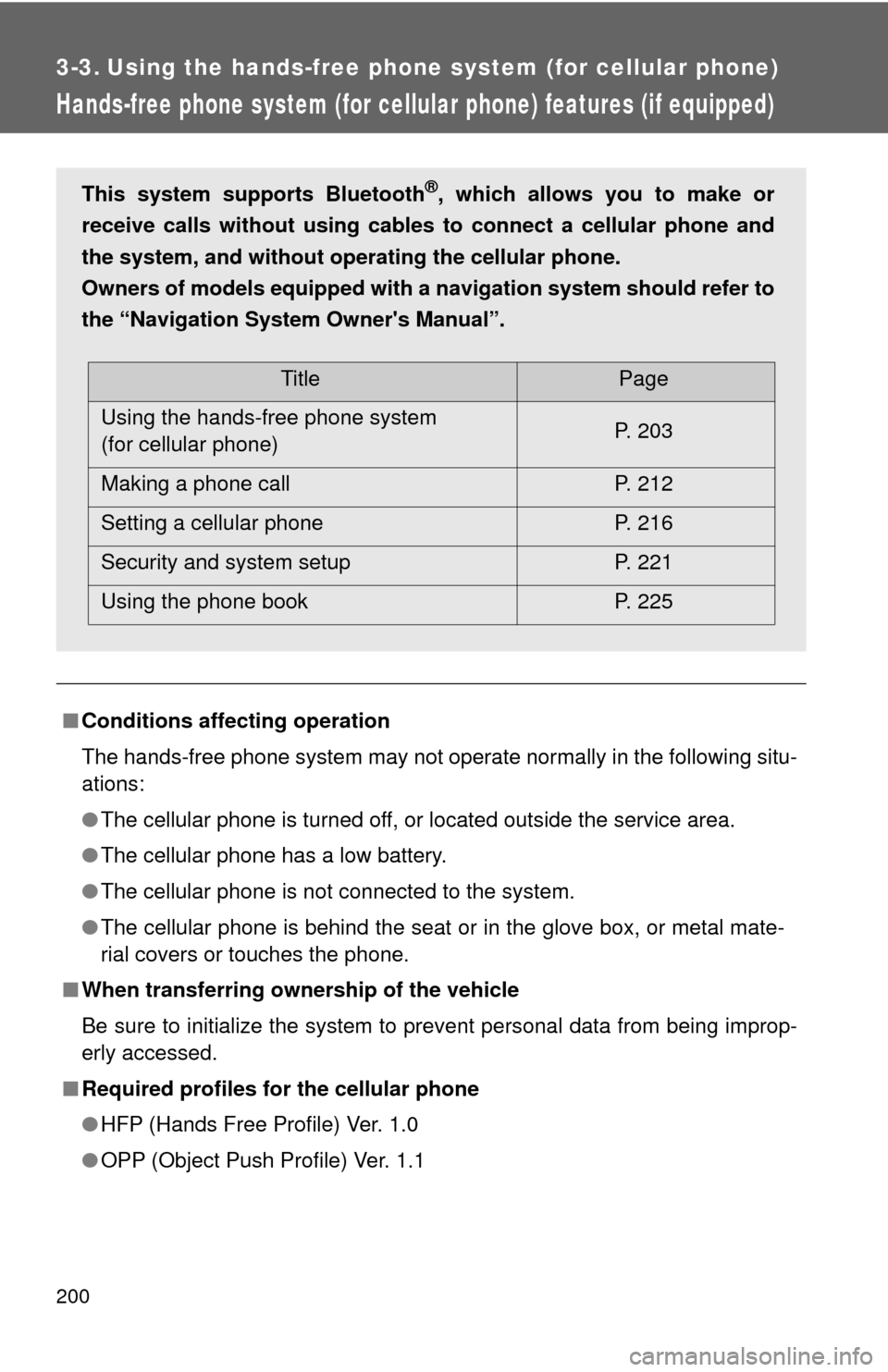
This system supports Bluetooth®, which allows you to make or
receive calls without using cables to connect a cellular phone and
the system, and without operating the cellular phone.
Owners of models equipped with a navigation system should refer to
the “Navigation System Owner's Manual”.
TitlePage
Using the hands-free phone system
(for cellular phone)P. 203
Making a phone call P. 212
Setting a cellular phone P. 216
Security and system setup P. 221
Using the phone book P. 225
Page 253 of 440
253
3-6. Other interior features
3
Interior features
Seatback table (if equipped)
CAUTION
■Caution while driving
Observe the following precautions to avoid death or serious injury.
●Do not set up the seatback table.
●Do not sit on or place anything on the seatback table.
NOTICE
■To prevent damage to the seatback table
Do not put heavy loads on the table.
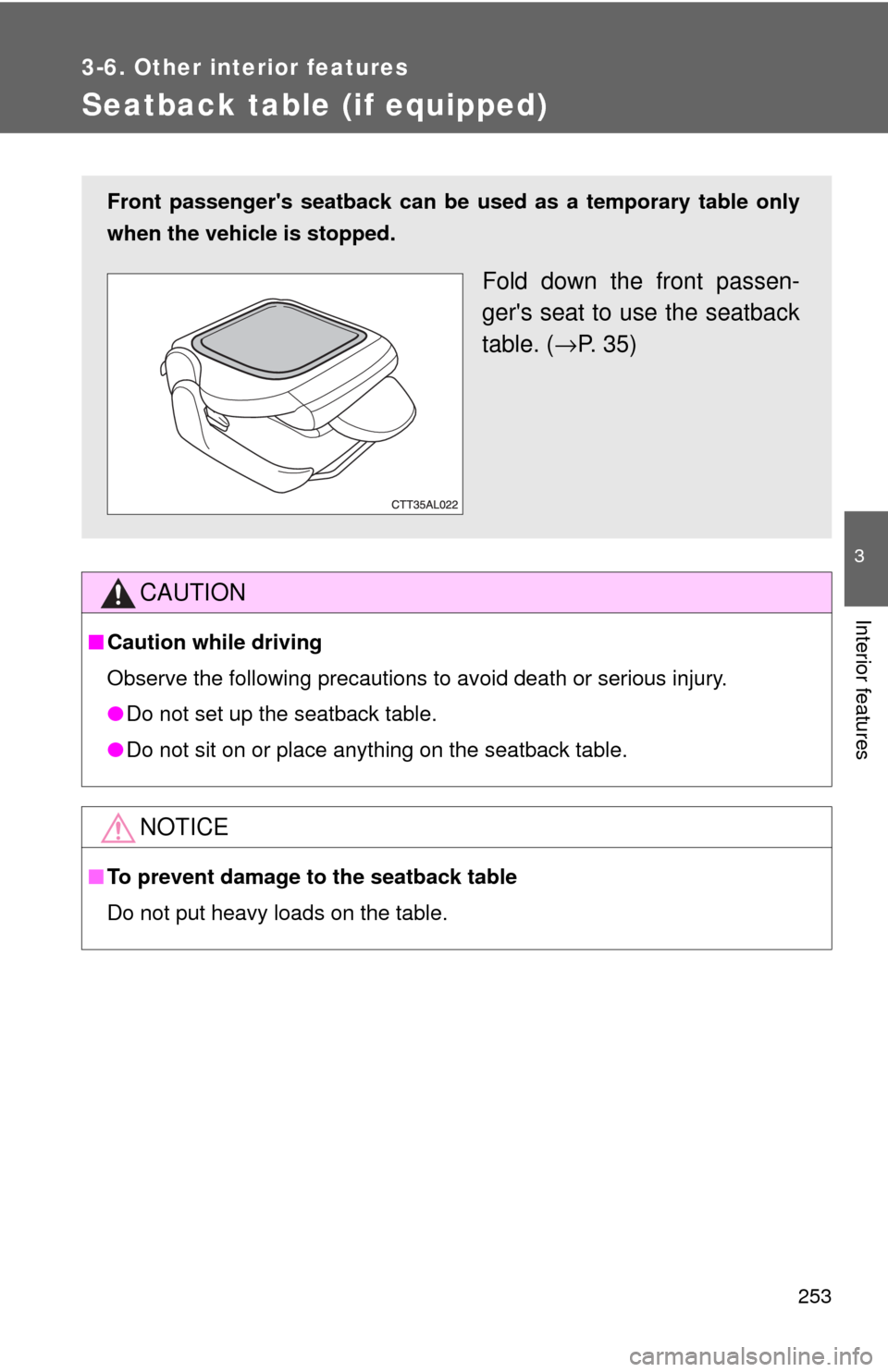
Front passenger's seatback can be used as a temporary table only
when the vehicle is stopped.
Fold down the front passen-
ger's seat to use the seatback
table. (→P. 3 5 )
Page 271 of 440
271 4-1. Maintenance and care
4
Maintenance and care
■Cleaning the inside of the rear window
Do not use glass cleaner to clean the rear window, as this may cause dam-
age to the rear window defogger heater wires. Use a cloth dampened with
lukewarm water to gently wipe the window clean. Wipe the window in
strokes running parallel to the heater wires.
■Caring for leather areas
Toyota recommends cleaning the interior of the vehicle at least twice a year
to maintain the quality of the vehicle's interior.
■Shampooing the carpets
There are several commercial foaming-type cleaners available. Use a
sponge or brush to apply the foam. Rub in overlapping circles. Do not apply
water. Excellent results are obtained by keeping the carpet as dry as possi-
ble.
■Seat belts
Clean with mild soap and lukewarm water using a cloth or sponge. Also
check the belts periodically for excessive wear, fraying or cuts.
CAUTION
■Water in the vehicle
●Be careful not to splash or spill liquid on the floor.
●Do not get any of the SRS components or wiring in the vehicle interior wet.
(→P. 66)
Electrical malfunction may cause the airbags to deploy or not function
properly, resulting in death or severe injury.
Page 276 of 440
276 4-2. Maintenance
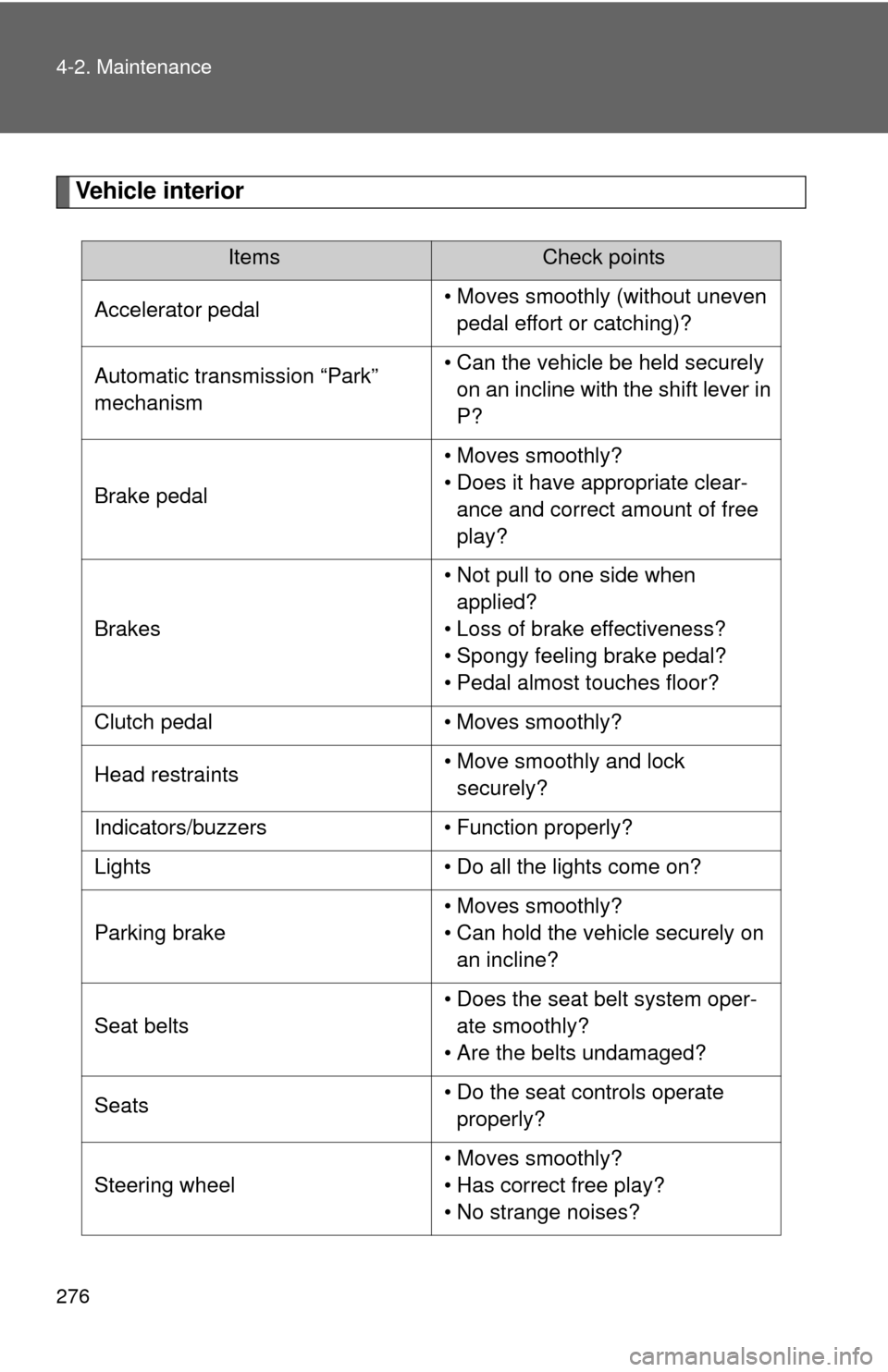
Vehicle interior
ItemsCheck points
Accelerator pedal• Moves smoothly (without uneven
pedal effort or catching)?
Automatic transmission “Park”
mechanism• Can the vehicle be held securely
on an incline with the shift lever in
P?
Brake pedal• Moves smoothly?
• Does it have appropriate clear-
ance and correct amount of free
play?
Brakes• Not pull to one side when
applied?
• Loss of brake effectiveness?
• Spongy feeling brake pedal?
• Pedal almost touches floor?
Clutch pedal • Moves smoothly?
Head restraints• Move smoothly and lock
securely?
Indicators/buzzers • Function properly?
Lights • Do all the lights come on?
Parking brake• Moves smoothly?
• Can hold the vehicle securely on
an incline?
Seat belts• Does the seat belt system oper-
ate smoothly?
• Are the belts undamaged?
Seats• Do the seat controls operate
properly?
Steering wheel• Moves smoothly?
• Has correct free play?
• No strange noises?
Page 340 of 440
340 4-3. Do-it-yourself maintenance
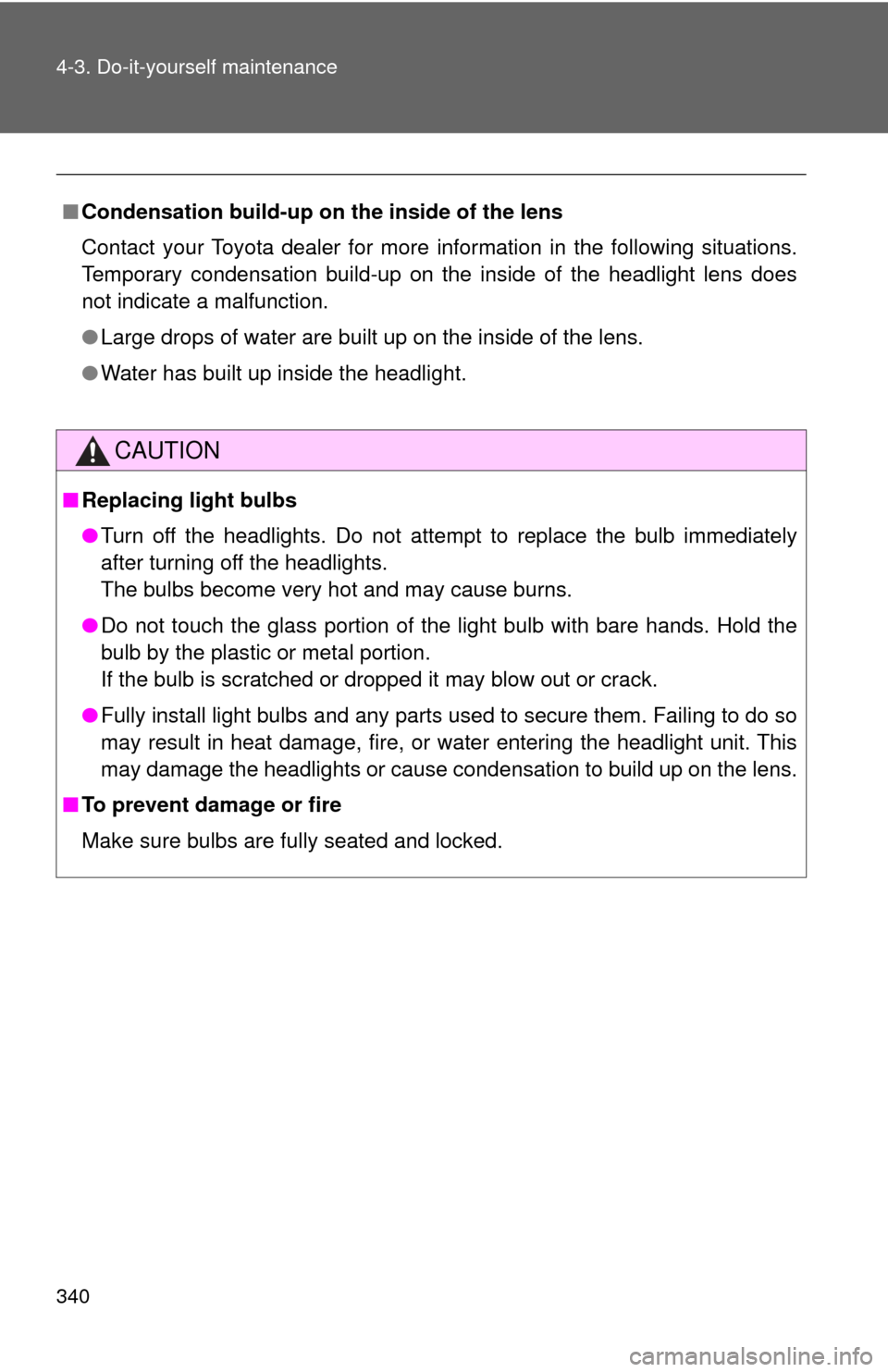
■Condensation build-up on the inside of the lens
Contact your Toyota dealer for more information in the following situations.
Temporary condensation build-up on the inside of the headlight lens does
not indicate a malfunction.
●Large drops of water are built up on the inside of the lens.
●Water has built up inside the headlight.
CAUTION
■Replacing light bulbs
●Turn off the headlights. Do not attempt to replace the bulb immediately
after turning off the headlights.
The bulbs become very hot and may cause burns.
●Do not touch the glass portion of the light bulb with bare hands. Hold the
bulb by the plastic or metal portion.
If the bulb is scratched or dropped it may blow out or crack.
●Fully install light bulbs and any parts used to secure them. Failing to do so
may result in heat damage, fire, or water entering the headlight unit. This
may damage the headlights or cause condensation to build up on the lens.
■To prevent damage or fire
Make sure bulbs are fully seated and locked.
Page 350 of 440
350
5-1. Essential information
Event data recorder
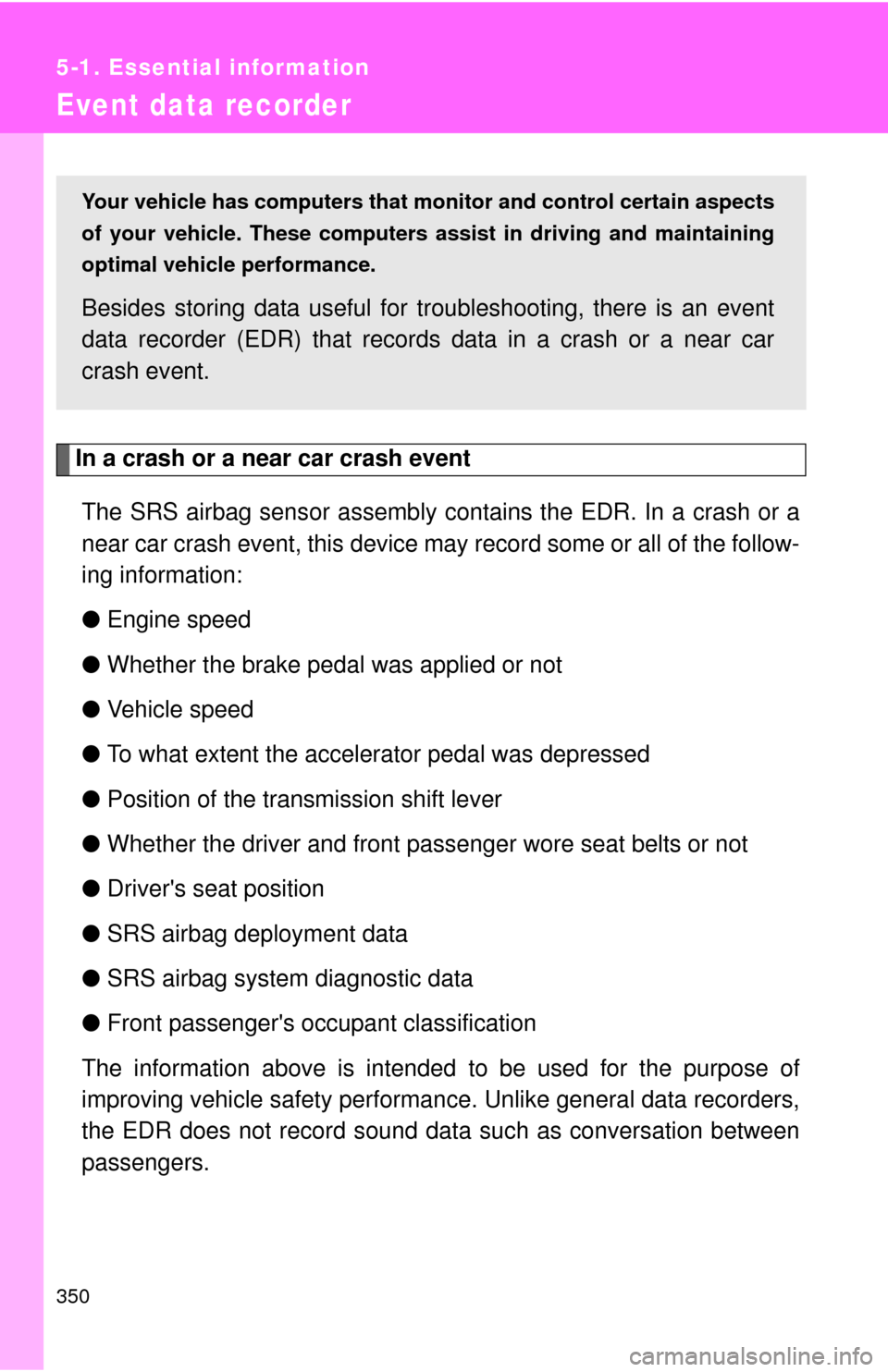
In a crash or a near car crash event
The SRS airbag sensor assembly contains the EDR. In a crash or a
near car crash event, this device may record some or all of the follow-
ing information:
●Engine speed
●Whether the brake pedal was applied or not
●Vehicle speed
●To what extent the accelerator pedal was depressed
●Position of the transmission shift lever
●Whether the driver and front passenger wore seat belts or not
●Driver's seat position
●SRS airbag deployment data
●SRS airbag system diagnostic data
●Front passenger's occupant classification
The information above is intended to be used for the purpose of
improving vehicle safety performance. Unlike general data recorders,
the EDR does not record sound data such as conversation between
passengers.
Your vehicle has computers that monitor and control certain aspects
of your vehicle. These computers assist in driving and maintaining
optimal vehicle performance.
Besides storing data useful for troubleshooting, there is an event
data recorder (EDR) that records data in a crash or a near car
crash event.
Page 353 of 440
5
When trouble arises
353 5-2. Steps to take in an emergency
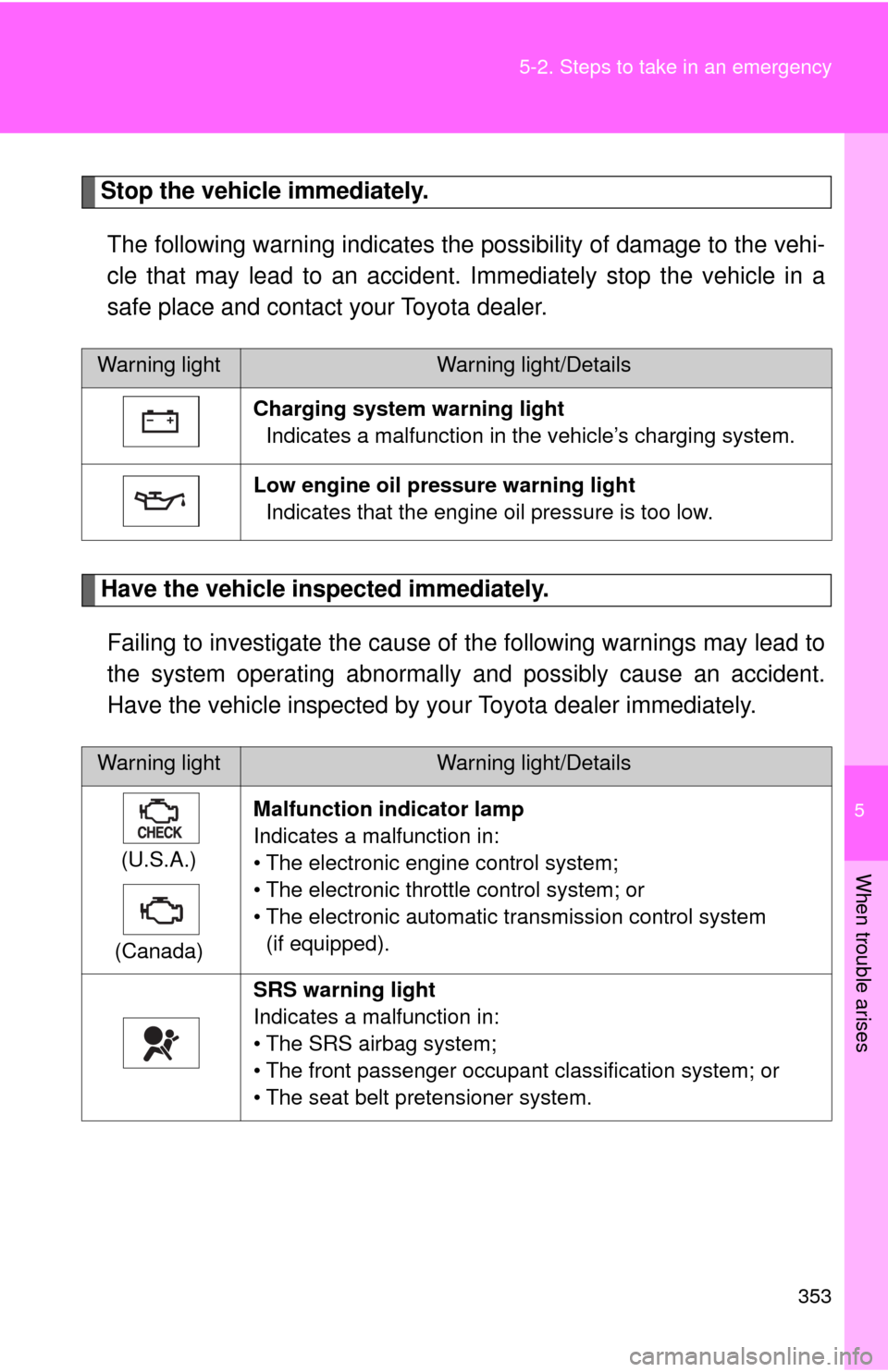
Stop the vehicle immediately.
The following warning indicates the possibility of damage to the vehi-
cle that may lead to an accident. Immediately stop the vehicle in a
safe place and contact your Toyota dealer.
Have the vehicle inspected immediately.
Failing to investigate the cause of the following warnings may lead to
the system operating abnormally and possibly cause an accident.
Have the vehicle inspected by your Toyota dealer immediately.
Warning lightWarning light/Details
Charging system warning light
Indicates a malfunction in the vehicle’s charging system.
Low engine oil pressure warning light
Indicates that the engine oil pressure is too low.
Warning lightWarning light/Details
(U.S.A.)
(Canada)Malfunction indicator lamp
Indicates a malfunction in:
• The electronic engine control system;
• The electronic throttle control system; or
• The electronic automatic transmission control system
(if equipped).
SRS warning light
Indicates a malfunction in:
• The SRS airbag system;
• The front passenger occupant classification system; or
• The seat belt pretensioner system.
Page 355 of 440
5
When trouble arises
355 5-2. Steps to take in an emergency
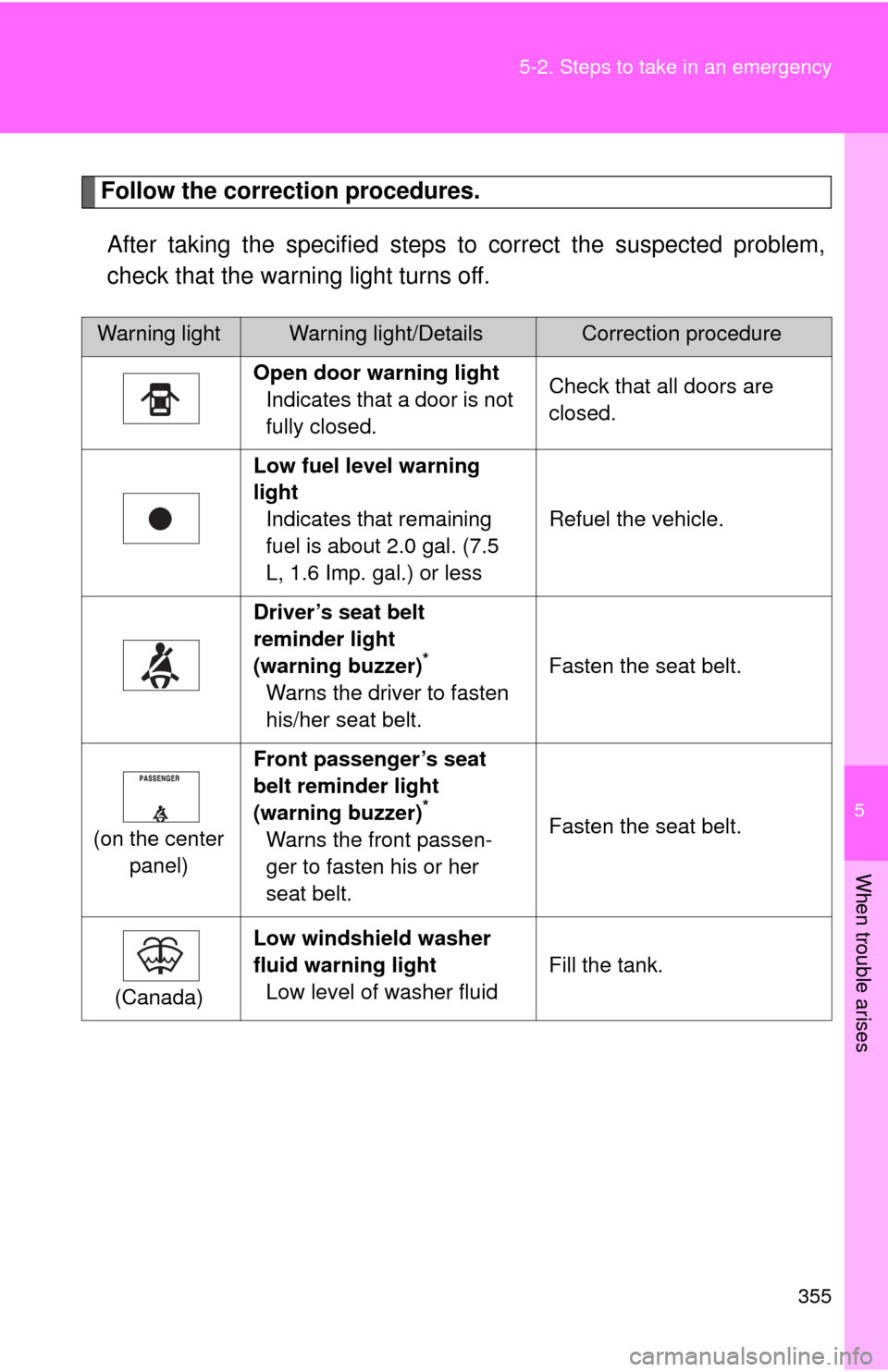
Follow the correction procedures.
After taking the specified steps to correct the suspected problem,
check that the warning light turns off.
Warning lightWarning light/DetailsCorrection procedure
Open door warning light
Indicates that a door is not
fully closed.Check that all doors are
closed.
Low fuel level warning
light
Indicates that remaining
fuel is about 2.0 gal. (7.5
L, 1.6 Imp. gal.) or lessRefuel the vehicle.
Driver’s seat belt
reminder light
(warning buzzer)
*
Warns the driver to fasten
his/her seat belt.Fasten the seat belt.
(on the center
panel)Front passenger’s seat
belt reminder light
(warning buzzer)
*
Warns the front passen-
ger to fasten his or her
seat belt.Fasten the seat belt.
(Canada)Low windshield washer
fluid warning light
Low level of washer fluidFill the tank.
Page 356 of 440
356 5-2. Steps to take in an emergency
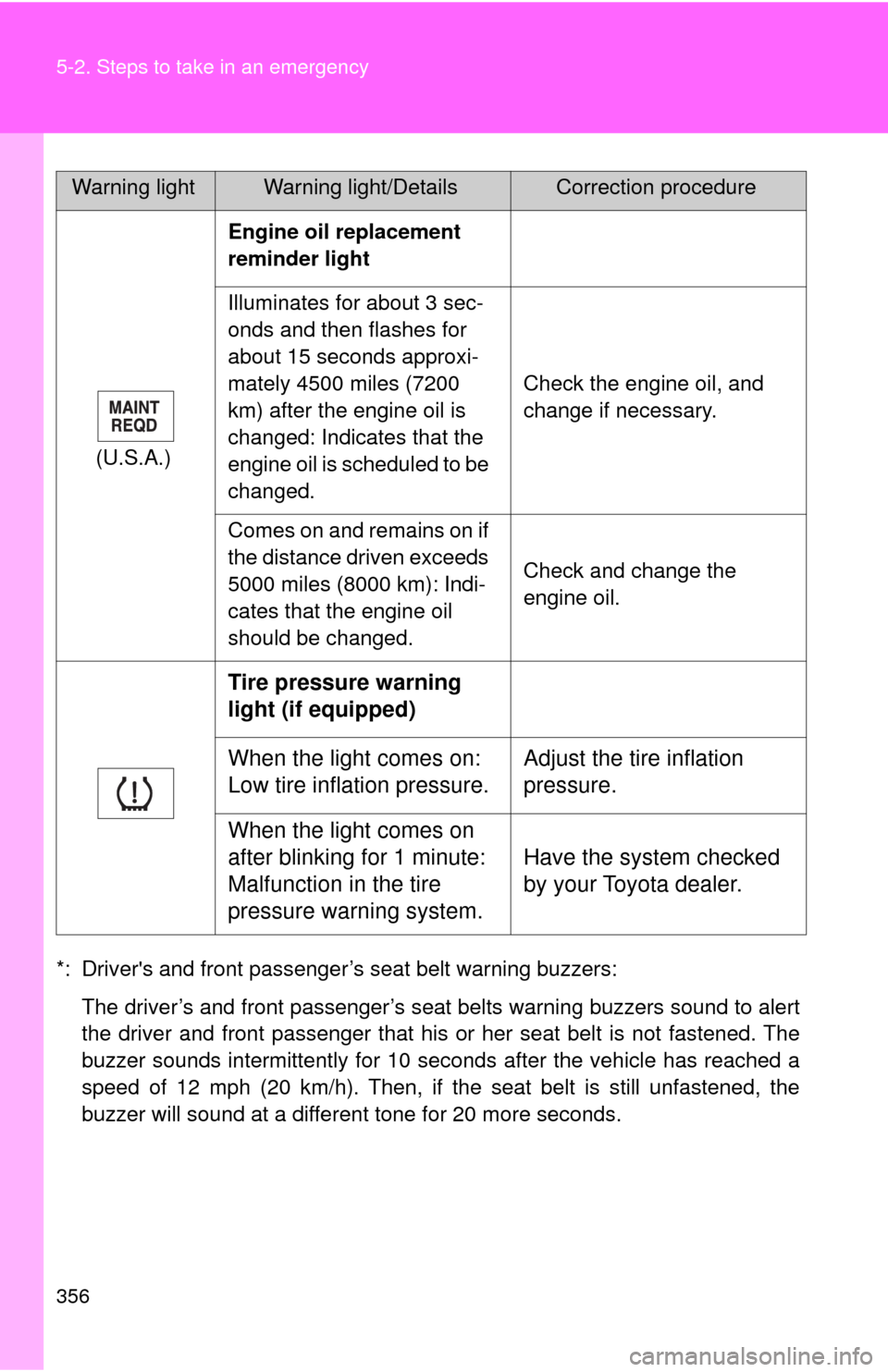
*: Driver's and front passenger’s seat belt warning buzzers:
The driver’s and front passenger’s seat belts warning buzzers sound to alert
the driver and front passenger that his or her seat belt is not fastened. The
buzzer sounds intermittently for 10 seconds after the vehicle has reached a
speed of 12 mph (20 km/h). Then, if the seat belt is still unfastened, the
buzzer will sound at a different tone for 20 more seconds.(U.S.A.)Engine oil replacement
reminder light
Illuminates for about 3 sec-
onds and then flashes for
about 15 seconds approxi-
mately 4500 miles (7200
km) after the engine oil is
changed: Indicates that the
engine oil is scheduled to be
changed.Check the engine oil, and
change if necessary.
Comes on and remains on if
the distance driven exceeds
5000 miles (8000 km): Indi-
cates that the engine oil
should be changed.Check and change the
engine oil.
Tire pressure warning
light (if equipped)
When the light comes on:
Low tire inflation pressure.Adjust the tire inflation
pressure.
When the light comes on
after blinking for 1 minute:
Malfunction in the tire
pressure warning system.Have the system checked
by your Toyota dealer.
Warning lightWarning light/DetailsCorrection procedure