wheel TOYOTA MATRIX 2010 E140 / 2.G Workshop Manual
[x] Cancel search | Manufacturer: TOYOTA, Model Year: 2010, Model line: MATRIX, Model: TOYOTA MATRIX 2010 E140 / 2.GPages: 448, PDF Size: 9.74 MB
Page 203 of 448
203
3-2. Using the audio system
3
Interior features
Using the steering wheel audio switches
Turning on the power
Press when the audio system is turned off.
The audio system can be turned off by holding down until you
hear a beep.
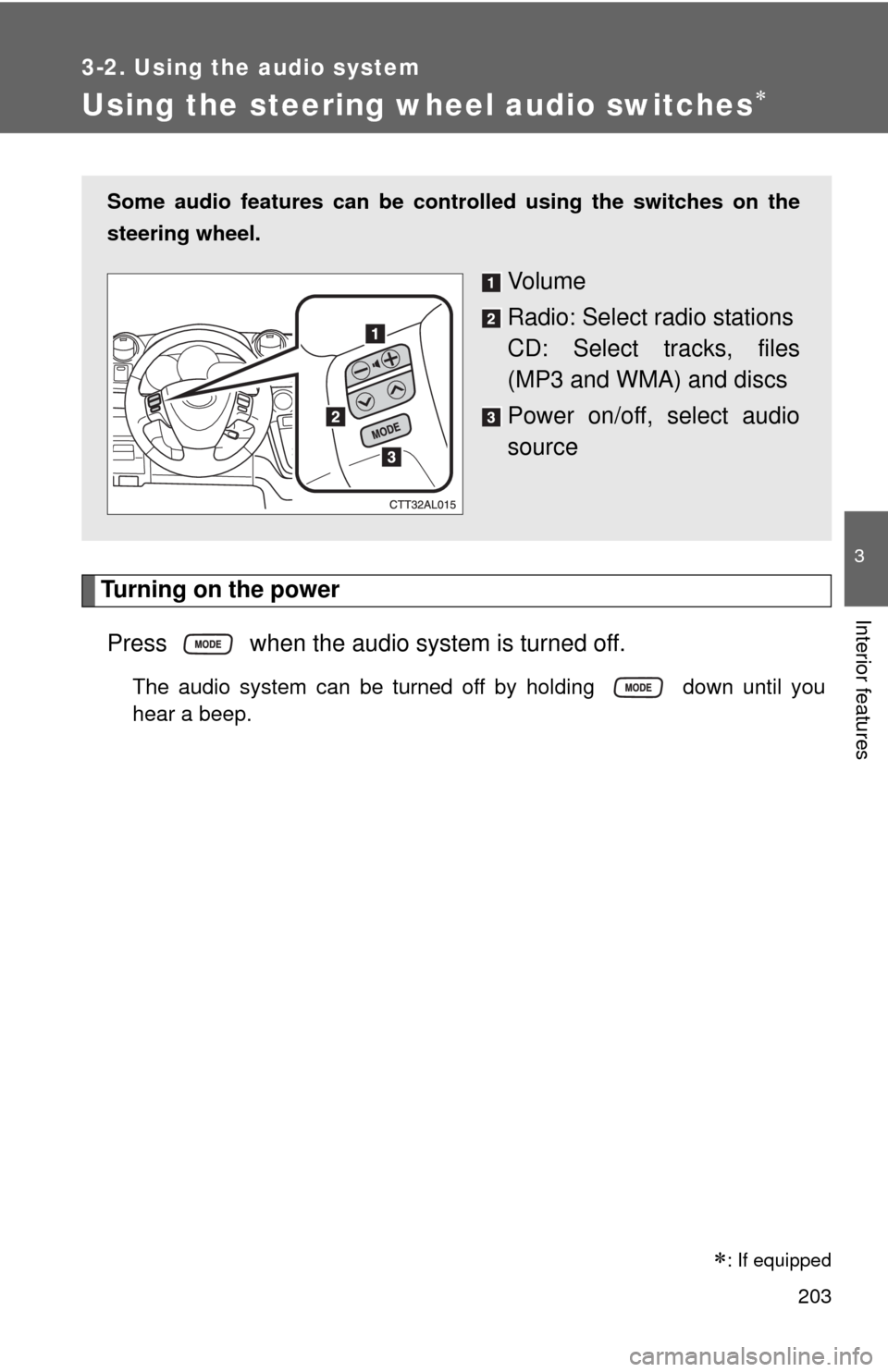
Some audio features can be controlled using the switches on the
steering wheel.
Vo l u m e
Radio: Select radio stations
CD: Select tracks, files
(MP3 and WMA) and discs
Power on/off, select audio
source
: If equipped
Page 205 of 448
205 3-2. Using the audio system
3
Interior features
Selecting a track/file
Press to select the CD mode.
Press to select the desired track/file.
Selecting a folder (type A)
Press to select the CD mode.
Press and hold until you hear a beep.
Selecting a disc (type A with a CD changer and type B)
Press to select the CD mode.
Press and hold until you hear a beep.
CAUTION
■To reduce the risk of an accident
Exercise care when operating the audio switches on the steering wheel.
STEP1
STEP2
STEP1
STEP2
STEP1
STEP2
Page 210 of 448
210 3-3. Using the hands-free phone system (for cellular phone)
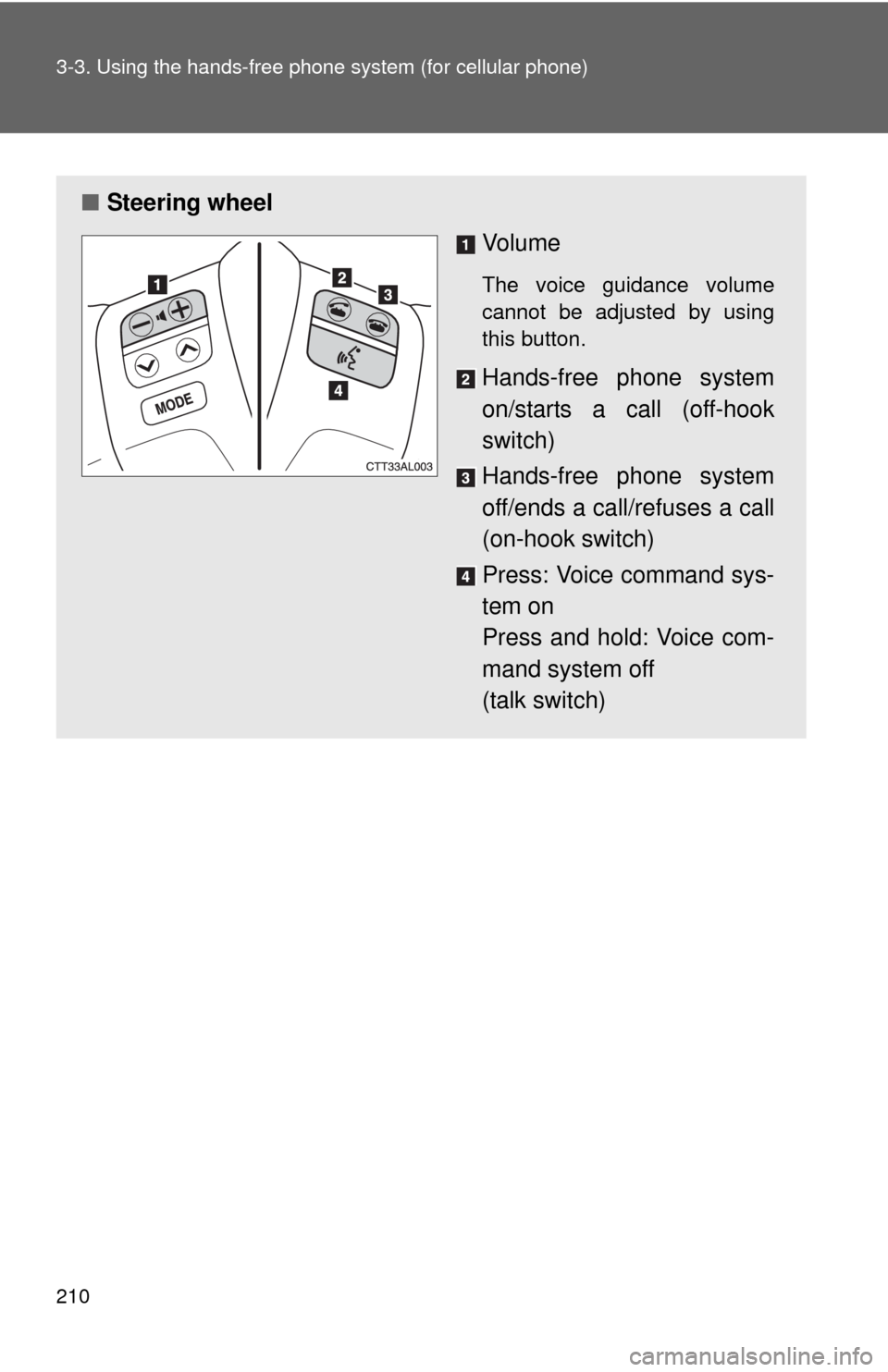
■Steering wheel
Vo l u m e
The voice guidance volume
cannot be adjusted by using
this button.
Hands-free phone system
on/starts a call (off-hook
switch)
Hands-free phone system
off/ends a call/refuses a call
(on-hook switch)
Press: Voice command sys-
tem on
Press and hold: Voice com-
mand system off
(talk switch)
Page 273 of 448
Maintenance and care4
273
4-1. Maintenance and care
Cleaning and protecting
the vehicle exterior......... 274
Cleaning and protecting
the vehicle interior.......... 276
4-2. Maintenance
Maintenance
requirements .................. 279
General maintenance....... 281
Emission inspection and
maintenance (I/M)
programs........................ 2844-3. Do-it-yourself maintenance
Do-it-yourself service
precautions .................... 285
Hood ................................ 289
Positioning a floor jack ..... 291
Engine compartment ........ 294
Tires ................................. 308
Tire inflation pressure ...... 317
Wheels ............................. 321
Air conditioning filter......... 323
Key battery ....................... 325
Checking and replacing
fuses .............................. 328
Light bulbs........................ 337
Page 274 of 448
274
4-1. Maintenance and care
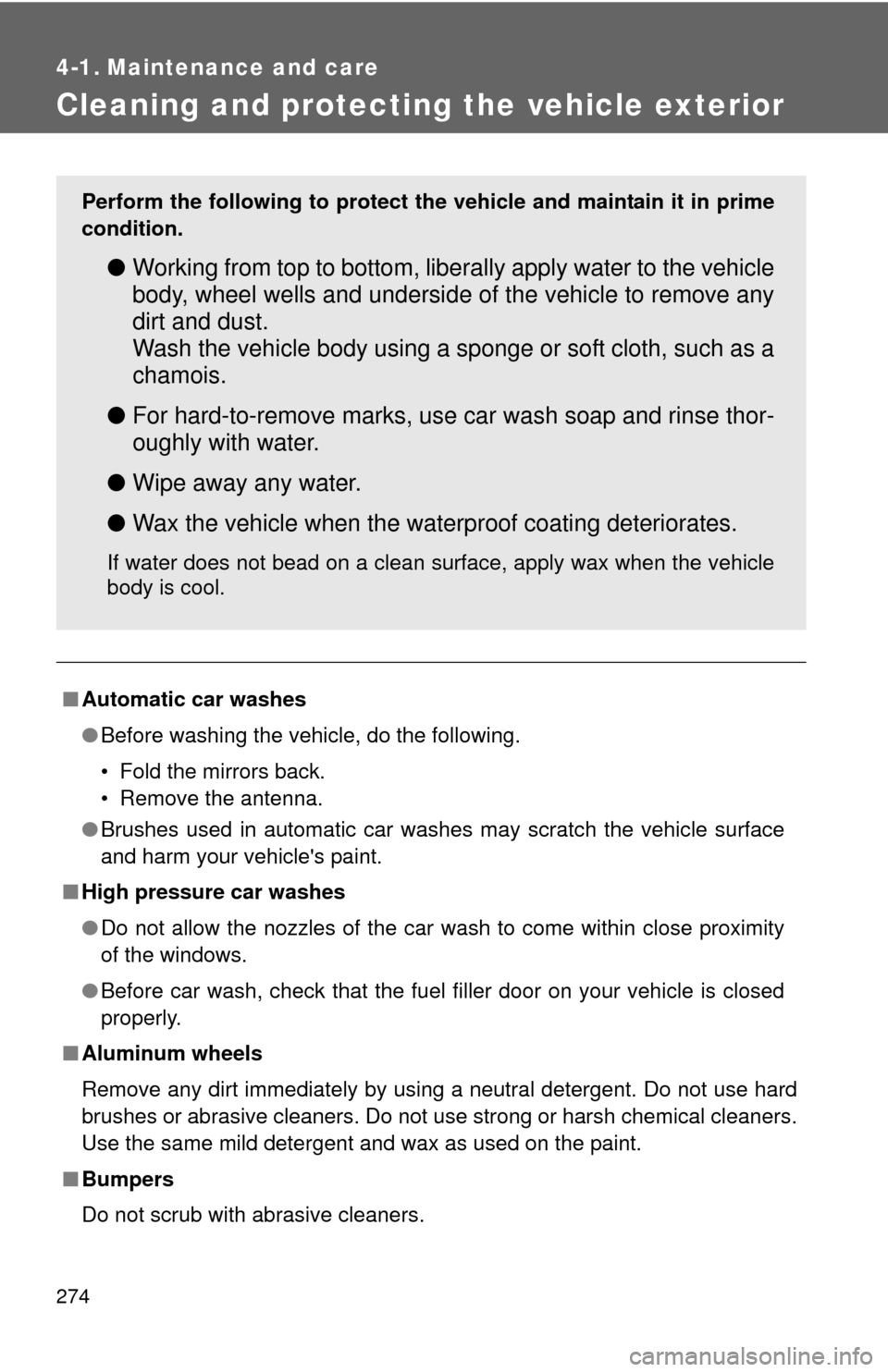
Cleaning and protecting the vehicle exterior
■Automatic car washes
●Before washing the vehicle, do the following.
• Fold the mirrors back.
• Remove the antenna.
●Brushes used in automatic car washes may scratch the vehicle surface
and harm your vehicle's paint.
■High pressure car washes
●Do not allow the nozzles of the car wash to come within close proximity
of the windows.
●Before car wash, check that the fuel filler door on your vehicle is closed
properly.
■Aluminum wheels
Remove any dirt immediately by using a neutral detergent. Do not use hard
brushes or abrasive cleaners. Do not use strong or harsh chemical cleaners.
Use the same mild detergent and wax as used on the paint.
■Bumpers
Do not scrub with abrasive cleaners.
Perform the following to protect the vehicle and maintain it in prime
condition.
●Working from top to bottom, liberally apply water to the vehicle
body, wheel wells and underside of the vehicle to remove any
dirt and dust.
Wash the vehicle body using a sponge or soft cloth, such as a
chamois.
●For hard-to-remove marks, use car wash soap and rinse thor-
oughly with water.
●Wipe away any water.
●Wax the vehicle when the waterproof coating deteriorates.
If water does not bead on a clean surface, apply wax when the vehicle
body is cool.
Page 282 of 448

282 4-2. Maintenance
Vehicle interior
ItemsCheck points
Accelerator pedal• Moves smoothly (without uneven
pedal effort or catching)?
Automatic transmission “Park”
mechanism• Can the vehicle be held securely
on an incline with the shift lever in
P?
Brake pedal• Moves smoothly?
• Does it have appropriate clear-
ance and correct amount of free
play?
Brakes• Not pull to one side when
applied?
• Loss of brake effectiveness?
• Spongy feeling brake pedal?
• Pedal almost touches floor?
Clutch pedal • Moves smoothly?
Head restraints• Move smoothly and lock
securely?
Indicators/buzzers • Function properly?
Lights • Do all the lights come on?
Parking brake• Moves smoothly?
• Can hold the vehicle securely on
an incline?
Seat belts• Does the seat belt system oper-
ate smoothly?
• Are the belts undamaged?
Seats• Do the seat controls operate
properly?
Steering wheel• Moves smoothly?
• Has correct free play?
• No strange noises?
Page 283 of 448
283 4-2. Maintenance
4
Maintenance and care
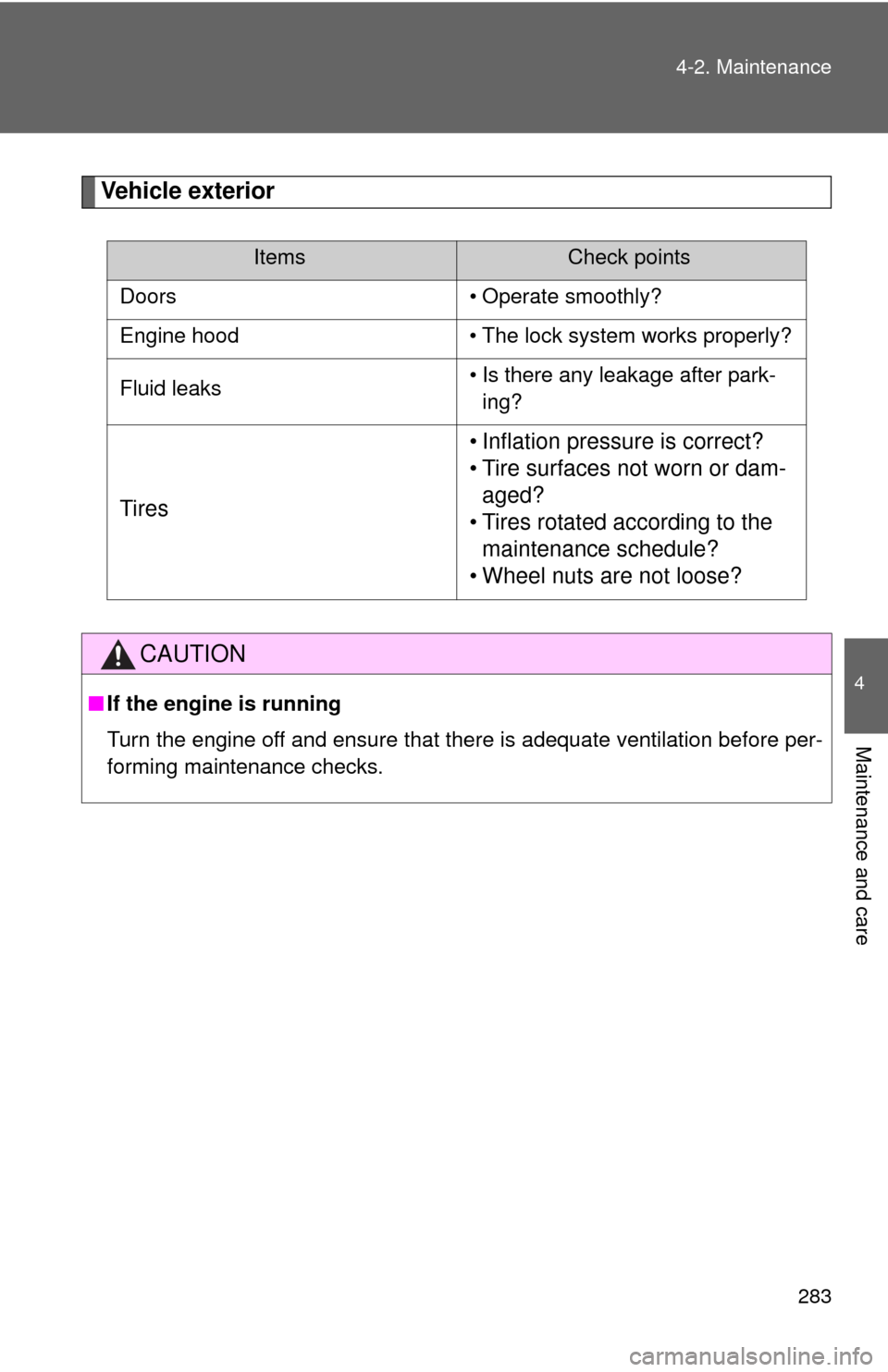
Vehicle exterior
ItemsCheck points
Doors • Operate smoothly?
Engine hood • The lock system works properly?
Fluid leaks• Is there any leakage after park-
ing?
Tires• Inflation pressure is correct?
• Tire surfaces not worn or dam-
aged?
• Tires rotated according to the
maintenance schedule?
• Wheel nuts are not loose?
CAUTION
■If the engine is running
Turn the engine off and ensure that there is adequate ventilation before per-
forming maintenance checks.
Page 309 of 448

309 4-3. Do-it-yourself maintenance
4
Maintenance and care
Installing tire pressure warning valves and transmitters
When replacing tires or wheels, tire pressure warning valves and
transmitters must also be installed.
When new tire pressure warning valves and transmitters are
installed, new tire pressure warning valve and transmitter ID codes
must be registered in the tire pressure warning computer and the tire
pressure warning system must be initialized. Have tire pressure
warning valve and transmitter ID codes registered by your Toyota
dealer
. (P. 311)
Initializing the tire pressure warning system
■The tire pressure warning system must be initialized in the fol-
lowing circumstances:
●When rotating the tires on vehicles differing with front and rear tire
inflation pressure.
●When changing the tire size.
When the tire pressure warning system is initialized, the current tire
inflation pressure is set as the pressure benchmark.
Page 311 of 448

311 4-3. Do-it-yourself maintenance
4
Maintenance and care
Registering ID codes
The tire pressure warning valve and transmitter is equipped with a
unique ID code. When replacing a tire pressure warning valve and
transmitter, it is necessary to register the ID code of tire pressure
warning valve and transmitter. Have the ID code registered by your
Toyota dealer.
■When to replace your vehicle’s tires
Tires should be replaced if:
●You have tire damage such as cuts, splits, cracks deep enough to
expose the fabric, or bulges indicating internal damage
●A tire goes flat repeatedly or cannot be properly repaired due to the
size or location of a cut or other damage
If you are not sure, consult with your Toyota dealer.
■Replacing tires and wheels
If the ID code of the tire pressure warning valve and transmitter is not
registered, the tire pressure warning system will not work properly. After
driving for about 20 minutes, the tire pressure warning light comes on
after blinking for 1 minute to indicate a system malfunction.
■Tire life
Any tire over 6 years old must be checked by a qualified technician even
if they have seldom or never been used or damage is not obvious.
■If the tread wears down below 0.16 in. (4 mm) on snow tires
The effectiveness of snow tires is lost.
■If you push the tire pressure warning reset switch accidentally
If initialization is performed, adjust the tire inflation pressure to the speci-
fied level and initialize the tire pressure warning system again.
Page 313 of 448

313 4-3. Do-it-yourself maintenance
4
Maintenance and care
■Tire types
1 Summer tires
Summer tires are high-speed performance tires best suited to highway
driving under dry conditions. Since summer tires do not have the same
traction performance as snow tires, summer tires are inadequate for
driving on snow-covered or icy roads. For driving on snow-covered
roads or icy roads, the use of snow tires is recommended. When
installing snow tires, be sure to replace all four tires.
2 All season tires
All season tires are designed to provide better traction in snow and to
be adequate for driving in most winter conditions, as well as for use
year round. All season tires, however, do not have adequate traction
performance compared with snow tires in heavy or loose snow. Also,
all season tires fall short in acceleration and handling performance
compared with summer tires in highway driving.
3Snow tires
For driving on snow-covered roads or icy roads, we recommend using
snow tires. If you need snow tires, select tires of the same size, con-
struction and load capacity as the originally installed tires. Since your
vehicle has radial tires as original equipment, make sure your snow
tires also have radial construction. Do not install studded tires without
first checking local regulations for possible restrictions. Snow tires
should be installed on all wheels. (P. 151)
■Initializing the tire pressure warning system
Initialize the tires with the tire inflation pressure adjusted to the specified
level.