battery TOYOTA MATRIX 2012 E140 / 2.G Owners Manual
[x] Cancel search | Manufacturer: TOYOTA, Model Year: 2012, Model line: MATRIX, Model: TOYOTA MATRIX 2012 E140 / 2.GPages: 516, PDF Size: 7.02 MB
Page 4 of 516

TABLE OF CONTENTSIndex
4
3-5. Using the interior lightsInterior lights list ................. 296
• Interior light ...................... 297
• Personal/interior lights...... 298
• Personal lights ................. 299
3-6. Using the storage features List of storage features....... 300
• Glove box ......................... 301
• Console box ..................... 301
• Cup holders ...................... 302
• Bottle holders ................... 304
• Auxiliary boxes ................. 305
3-7. Other interior features Sun visors .......................... 307
Vanity mirrors ..................... 308
Clock .................................. 309
Ashtrays ............................. 310
Cigarette lighter .................. 311
Power outlet ....................... 312
Grocery bag hook............... 314
Seatback table ................... 316
Floor mat ............................ 317
Luggage compartment feature .............................. 318
Compass ............................ 325 4-1. Maintenance and care
Cleaning and protecting the vehicle exterior ........... 330
Cleaning and protecting the vehicle interior ............ 333
4-2. Maintenance Maintenance requirements .................... 336
General maintenance ......... 338
Emission inspection and maintenance (I/M)
programs .......................... 341
4-3. Do-it-yourself maintenance Do-it-yourself service precautions ....................... 342
Hood ................................... 346
Positioning a floor jack........ 348
Engine compartment .......... 351
Tires.................................... 365
Tire inflation pressure ......... 374
Wheels................................ 378
Air conditioning filter ........... 381
Key battery ......................... 383
Checking and replacing fuses ................................. 385
Light bulbs .......................... 394
4Maintenance and care
Page 5 of 516

1
2
3
4
5
6
7
5
5-1. Essential informationEmergency flashers ............ 404
If your vehicle needs to be towed ........................... 405
If you think something is wrong ............................ 411
Fuel pump shut off system .............................. 412
5-2. Steps to take in an emergency
If a warning light turns on or a warning buzzer
sounds... .......................... 413
If you have a flat tire............ 424
If the engine will not start ................................... 438
If the shift lever cannot be shifted from P.................... 439
If you lose your keys ........... 440
If the battery is discharged ........................ 441
If your vehicle overheats ..... 446
If the vehicle becomes stuck ................................. 449
If your vehicle has to be stopped in an
emergency ........................ 451 6-1. Specifications
Maintenance data (fuel, oil level, etc.) ........... 454
Fuel information.................. 470
Tire information .................. 473
6-2. Customization Customizable features........ 485
6-3. Initialization Items to initialize ................. 487
Reporting safety defects for U.S. owners ................ 490
Seat belt instructions for Canadian owners
(in French) ........................ 491
SRS airbag instructions for Canadian owners
(in French) ........................ 493
Abbreviation list ......................... 502
Alphabetical index ..................... 504
What to do if... ........................... 514
5When trouble arises6Vehicle specifications
7For owners
Index
Page 29 of 516

29
1-2. Opening, closing and locking the doors
1
Before driving
■
Key battery depletion
If the wireless remote control function does not operate, the battery may be
depleted. Replace the battery when necessary. ( P. 383)
■ Security feature
If a door is not opened within approximately 60 seconds after the vehicle is
unlocked, the security feature automatically locks the vehicle again.
■ Conditions affecting operation
The wireless remote control function may not operate normally in the follow-
ing situations.
●Near a TV tower, radio station, electr ic power plant, airport or other facil-
ity that generates strong radio waves
● When carrying a portable radio, cell ular phone or other wireless commu-
nication devices
● When multiple wireless keys are in the vicinity
● When the wireless key has come into contact with, or is covered by, a
metallic object
● When a wireless key (that emits radio waves) is being used nearby
● When the wireless key has been left near an electrical appliance such as
a personal computer
● When the wireless key battery is depleted
● If window tint with a metallic content or metallic objects are attached to
the rear window
■ Customization that can be co nfigured at Toyota dealer
Settings (e.g. operation signal) can be changed.
(Customizable features P. 485)
Page 121 of 516

121
2-1. Driving procedures
2
When driving
NOTICE
■
To prevent battery discharge
Do not leave the key in the “ACC” or “ON” position for long periods if the
engine is not running.
■ When starting the engine
●2.4 L 4-cylinder (2AZ-FE) engine Do not crank for more than 30 sec-
onds at a time. This may overheat the starter and wiring systems.
● Do not race a cold engine.
● If the engine becomes difficult to start or stalls frequently, have the engine
checked immediately.
Page 140 of 516

140 2-3. Operating the lights and wipers
■Daytime running light system
●To make your vehicle more visible to other drivers, the headlights turn on
automatically whenever the engine is started and the parking brake is
released.
● Compared to turning on the headlights, the daytime running light system
offers greater durability and consumes less electricity, so it can help
improve fuel economy.
■ Light reminder buzzer
A buzzer sounds when the engine switch is turned OFF and the driver's door
is opened with the key removed from the engine switch while the lights are
turned on.
NOTICE
■To prevent battery discharge
Do not leave the lights on longer than necessary when the engine is not run-
ning.
Page 161 of 516
161
2-5. Driving information
2
When driving
Winter driving tips
Carry out the necessary preparations and inspections before driving
the vehicle in winter. Always drive the vehicle in a manner appropri-
ate to the prevailing weather conditions.
■ Pre-winter preparations
●Use fluids that are appropriate to the prevailing outside tem-
peratures.
• Engine oil
• Engine coolant
• Washer fluid
● Have a service technician inspect the level and specific grav-
ity of battery electrolyte.
● Have the vehicle fitted with four snow tires or purchase a set
of tire chains for the front tires.
Ensure that all tires are the same size and brand, and that chains
match the size of the tires.
■Before driving the vehicle
Perform the following according to the driving conditions.
●Do not try to forcibly open a window or move a wiper that is
frozen. Pour warm water over the frozen area to melt the ice.
Wipe away the water immediately to prevent it from freezing.
● To ensure proper operation of th e climate control system fan,
remove any snow that has accumulated on the air inlet vents
in front of the windshield.
● Remove any ice that has accumu lated on the vehicle chassis.
● Periodically check for and remove any excess ice or snow
that may have accumulated in the wheel well or on the
brakes.
Page 192 of 516

192 3-1. Using the air conditioning system and defogger
NOTICE
■To prevent battery discharge
Do not leave the air conditioning system on longer than necessary when the
engine is stopped.
Page 193 of 516
193
3-1. Using the air conditioning system and defogger
3
Interior features
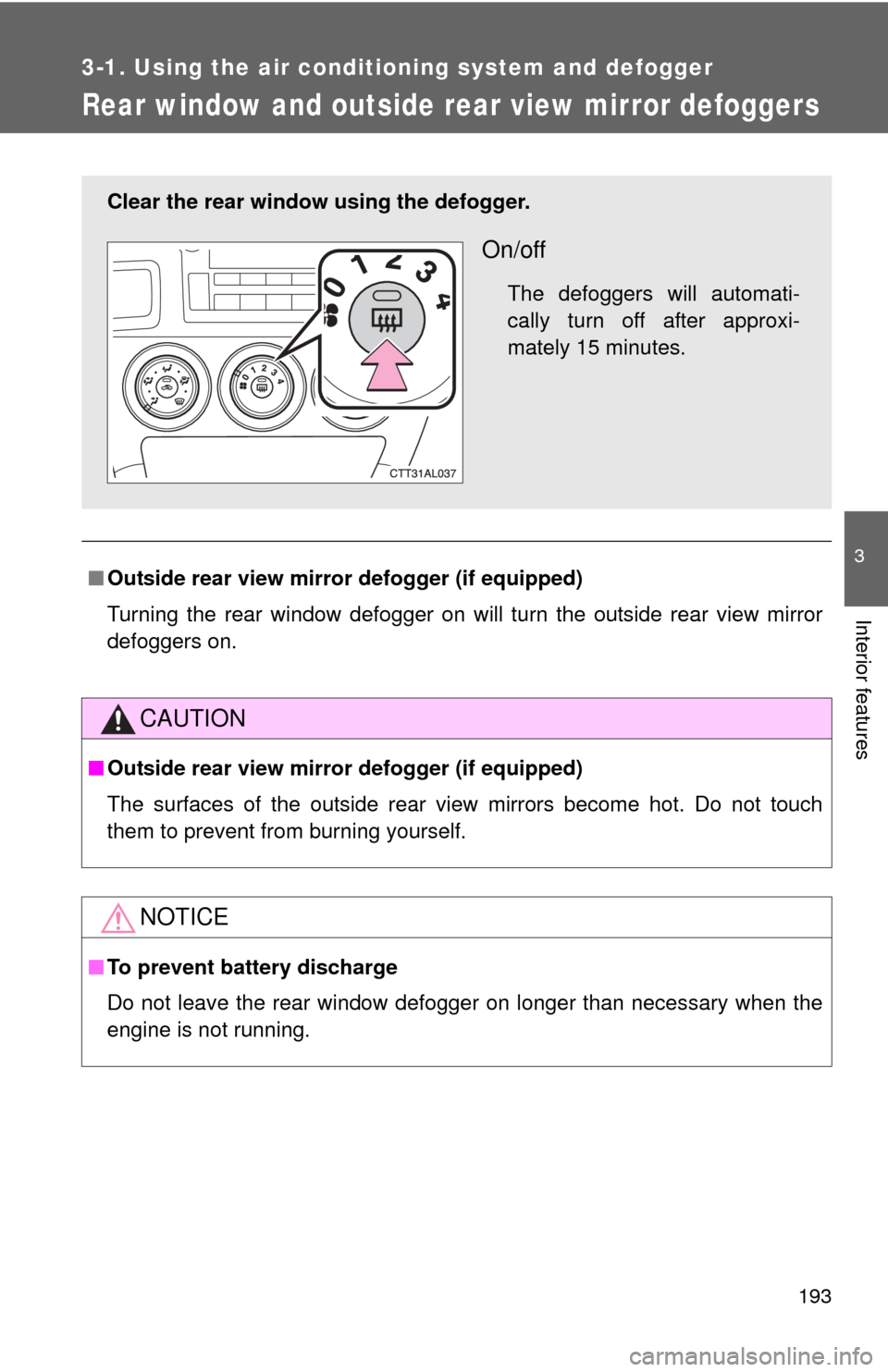
Rear window and outside rear view mirror defoggers
■Outside rear view mirror defogger (if equipped)
Turning the rear window defogger on will turn the outside rear view mirror
defoggers on.
CAUTION
■Outside rear view mirror defogger (if equipped)
The surfaces of the outside rear view mirrors become hot. Do not touch
them to prevent from burning yourself.
NOTICE
■To prevent battery discharge
Do not leave the rear window defogger on longer than necessary when the
engine is not running.
Clear the rear window using the defogger.
On/off
The defoggers will automati-
cally turn off after approxi-
mately 15 minutes.
Page 196 of 516
196 3-2. Using the audio system
CAUTION
■For vehicles sold in U.S.A. and Canada
●Part 15 of the FCC Rules
FCC Warning:
Any unauthorized changes or modifications to this equipment will void the
user’s authority to operate this device.
● Laser products
• Do not take this unit apart or attempt to make any changes yourself.
This is an intricate unit that uses a laser pickup to retrieve information
from the surface of compact discs. The laser is carefully shielded so
that its rays remain inside the cabinet. Therefore, never try to disas-
semble the player or alter any of its parts since you may be exposed to
laser rays and dangerous voltages.
• This product utilizes a laser. Use of controls or adjustments or performance of procedures other
than those specified herein may result in hazardous radiation expo-
sure.
NOTICE
■ To prevent battery discharge
Do not leave the audio system on longer than necessary with the engine o\
ff.
■ To avoid damaging the audio system
Take care not to spill drinks or other fluids over the audio system.
Page 244 of 516
244
3-3. Using the Bluetooth® audio system
Bluetooth® audio system
■Conditions under which th e system will not operate
● If using a portable player that does not support Bluetooth
®
●If the portable player is switched off
● If the portable player is not connected
● If the portable player’s battery is low
● If the portable player is behind the seat or in the glove box or console box
● If metal is covering or touching the portable player
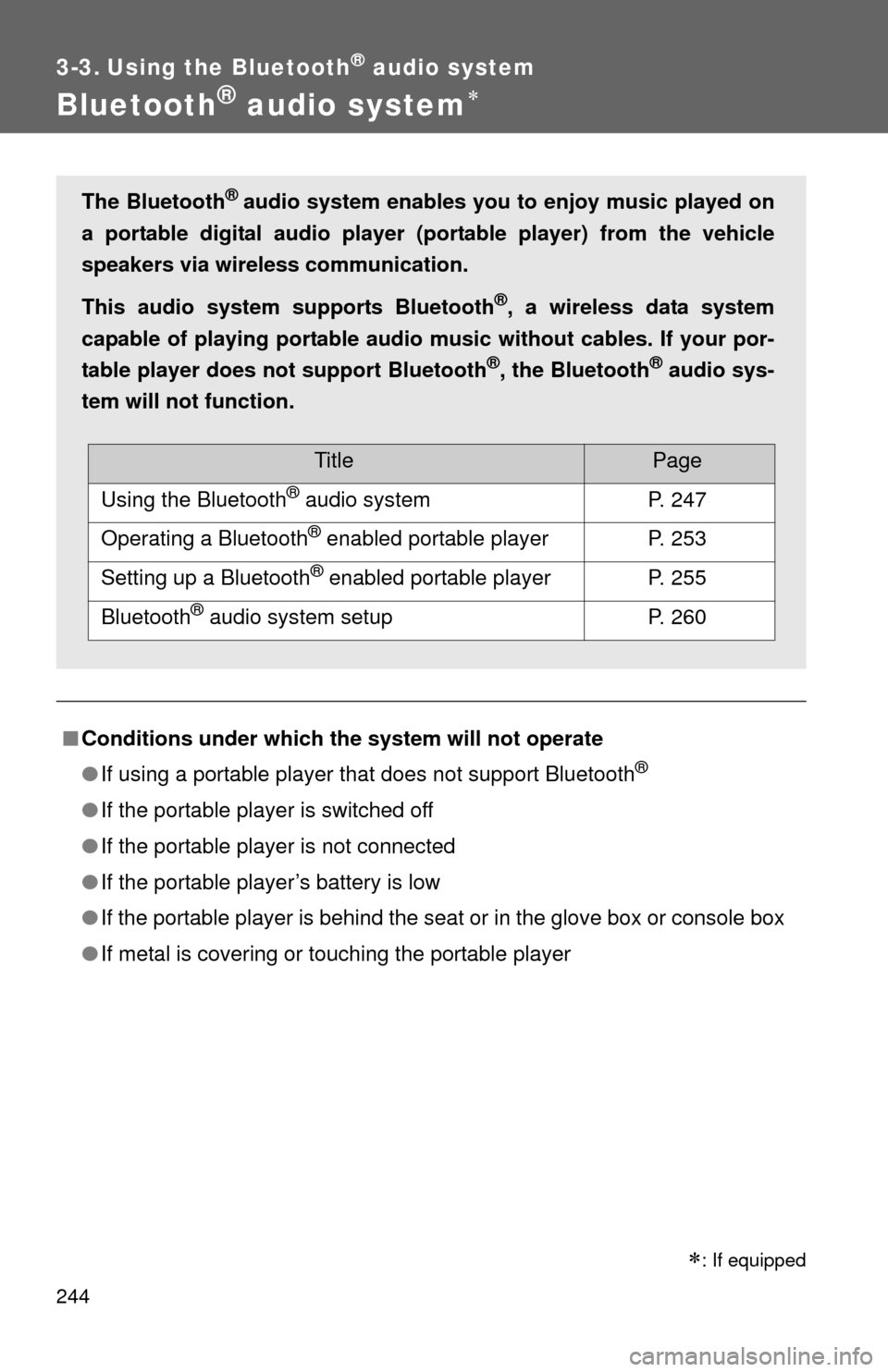
The Bluetooth® audio system enables you to enjoy music played on
a portable digital audio player (portable player) from the vehicle
speakers via wireless communication.
This audio system supports Bluetooth
®, a wireless data system
capable of playing portable audio music without cables. If your por-
table player does not support Bluetooth
®, the Bluetooth® audio sys-
tem will not function.
TitlePage
Using the Bluetooth® audio systemP. 247
Operating a Bluetooth® enabled portable playerP. 253
Setting up a Bluetooth® enabled portable playerP. 255
Bluetooth® audio system setupP. 260
: If equipped