service TOYOTA MIRAI 2018 Accessories, Audio & Navigation (in English)
[x] Cancel search | Manufacturer: TOYOTA, Model Year: 2018, Model line: MIRAI, Model: TOYOTA MIRAI 2018Pages: 292, PDF Size: 4.36 MB
Page 255 of 292
9
255
1
2
3
4
5
6
7
8
9
MIRAI_Navi_USA_OM62029U_17CY
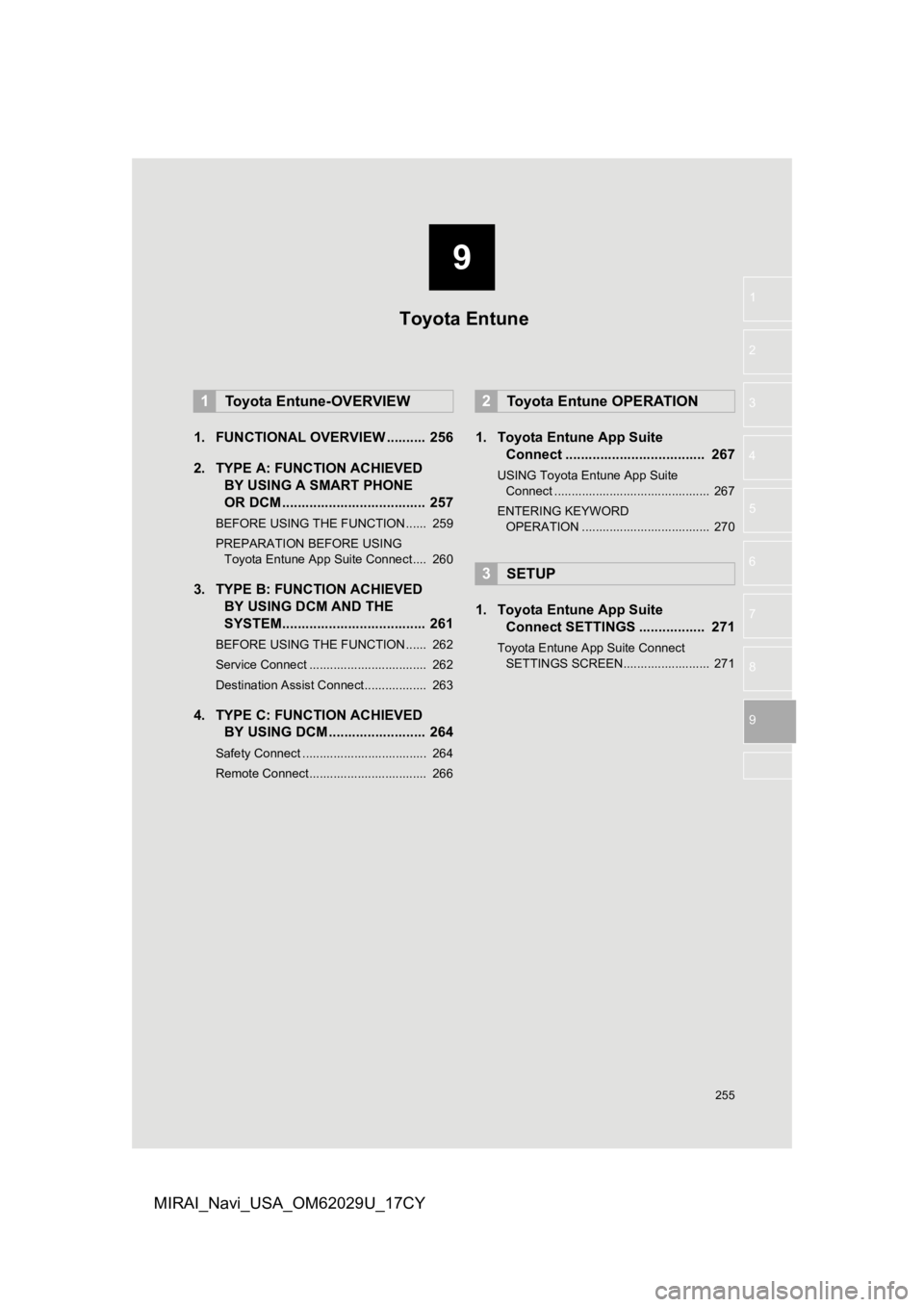
1. FUNCTIONAL OVERVIEW .......... 256
2. TYPE A: FUNCTION ACHIEVED BY USING A S MART PHONE
OR DCM ..................................... 257
BEFORE USING THE FUNCTION ...... 259
PREPARATION BEFORE USING
Toyota Entune App Suite Connect .... 260
3. TYPE B: FUNCTION ACHIEVED BY USING DCM AND THE
SYSTEM..................................... 261
BEFORE USING THE FUNCTION ...... 262
Service Connect .................................. 262
Destination Assist Connect.................. 263
4. TYPE C: FUNCTION ACHIEVEDBY USING DCM ......................... 264
Safety Connect .................................... 264
Remote Connect.................................. 266
1. Toyota Entune App Suite
Connect .................................... 267
USING Toyota Entune App Suite
Connect ............................................. 267
ENTERING KEYWORD OPERATION ..................................... 270
1. Toyota Entune App Suite Connect SETTINGS ................. 271
Toyota Entune App Suite Connect
SETTINGS SCREEN......................... 271
1Toyota Entune-OVERVIEW2Toyota Entune OPERATION
3SETUP
Toyota Entune
Page 256 of 292
256
MIRAI_Navi_USA_OM62029U_17CY
1. Toyota Entune-OVERVIEW
1. FUNCTIONAL OVERVIEW
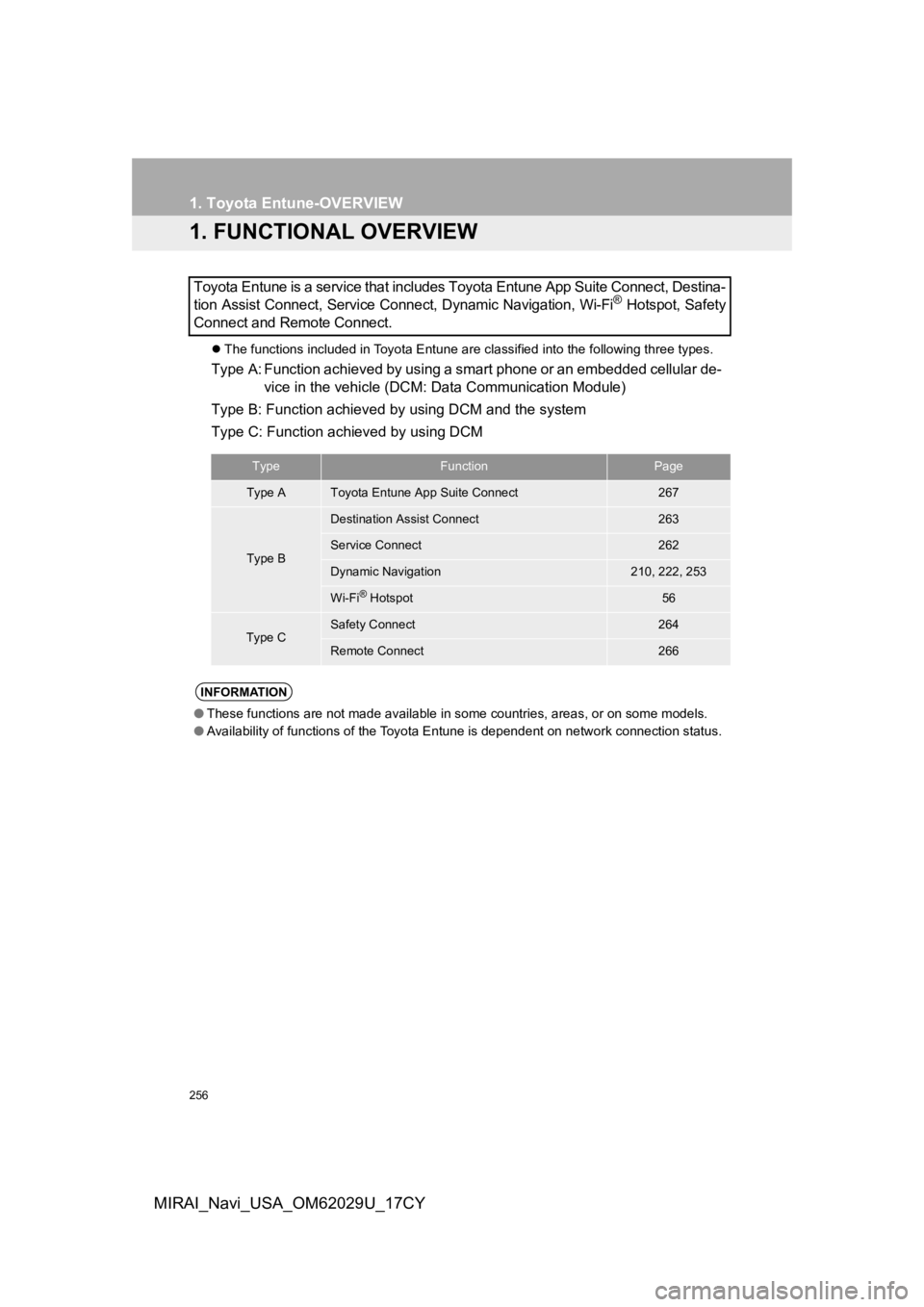
The functions included in Toyota Entune are classified into the following three types.
Type A: Function achieved by using a smart phone or an embedded cellular de-
vice in the vehicle (DCM: Data Communication Module)
Type B: Function achieved by using DCM and the system
Type C: Function achieved by using DCM
Toyota Entune is a service that includes Toyota Entune App Suit
e Connect, Destina-
tion Assist Connect, Service Connect, Dynamic Navigation, Wi-Fi
® Hotspot, Safety
Connect and Remote Connect.
TypeFunctionPage
Type AToyota Entune App Suite Connect267
Type B
Destination Assist Connect263
Service Connect262
Dynamic Navigation210, 222, 253
Wi-Fi® Hotspot56
Type CSafety Connect264
Remote Connect266
INFORMATION
● These functions are not made available in some countries, areas , or on some models.
● Availability of functions of the Toyota Entune is dependent on network connection status.
Page 259 of 292
259
1. Toyota Entune-OVERVIEW
Toyota Entune
9
MIRAI_Navi_USA_OM62029U_17CY
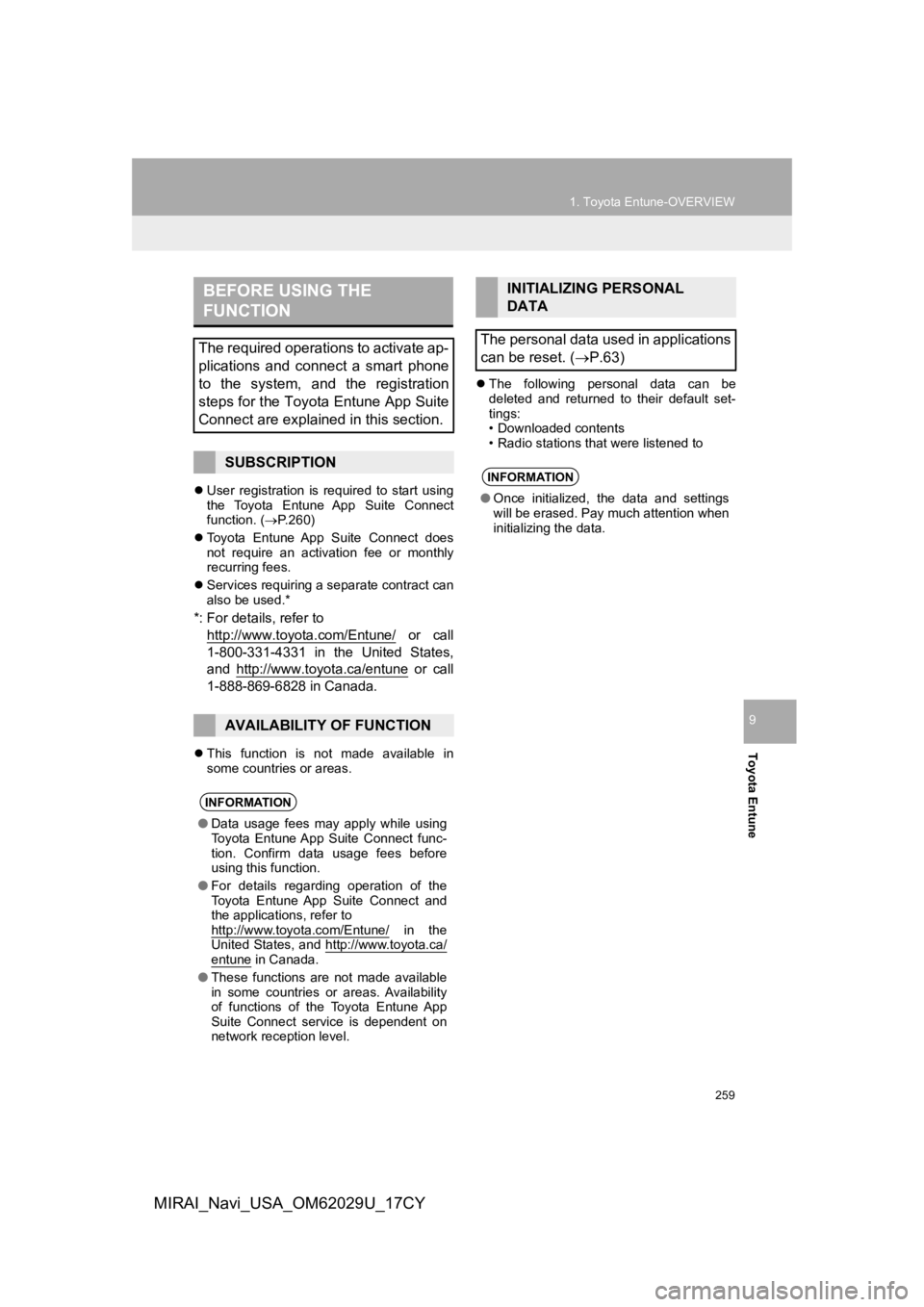
User registration is required to start using
the Toyota Entune App Suite Connect
function. ( P.260)
Toyota Entune App Suite Connect does
not require an activation fee or monthly
recurring fees.
Services requiring a separate contract can
also be used.*
*: For details, refer to
http://www.toyota.com/Entune/
or call
1-800-331-4331 in the United States,
and http://www.toyota.ca/entune
or call
1-888-869-6828 in Canada.
This function is not made available in
some countries or areas.
The following personal data can be
deleted and returned to their default set-
tings:
• Downloaded contents
• Radio stations that were listened to
BEFORE USING THE
FUNCTION
The required operations to activate ap-
plications and connect a smart phone
to the system, and the registration
steps for the Toyota Entune App Suite
Connect are explained in this section.
SUBSCRIPTION
AVAILABILITY OF FUNCTION
INFORMATION
●Data usage fees may apply while using
Toyota Entune App Suite Connect func-
tion. Confirm data usage fees before
using this function.
● For details regarding operation of the
Toyota Entune App Suite Connect and
the applications, refer to
http://www.toyota.com/Entune/
in the
United States, and http://www.toyota.ca/
entune in Canada.
● These functions are not made available
in some countries or areas. Availability
of functions of the Toyota Entune App
Suite Connect service is dependent on
network reception level.
INITIALIZING PERSONAL
DATA
The personal data used in applications
can be reset. ( P.63)
INFORMATION
●Once initialized, the data and settings
will be erased. Pay much attention when
initializing the data.
Page 260 of 292
260
1. Toyota Entune-OVERVIEW
MIRAI_Navi_USA_OM62029U_17CY
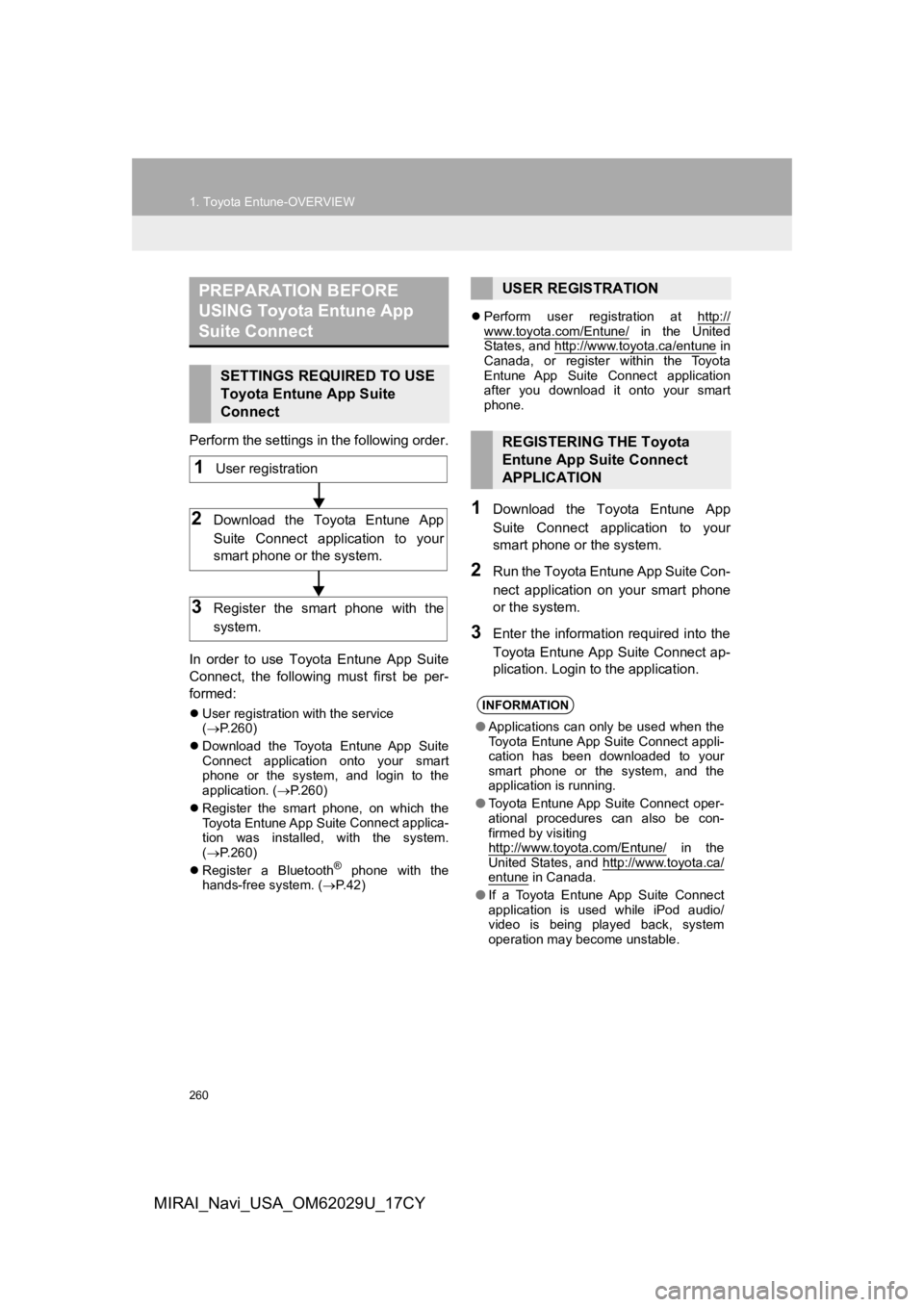
Perform the settings in the following order.
In order to use Toyota Entune App Suite
Connect, the following must first be per-
formed:
User registration with the service
( P.260)
Download the Toyota Entune App Suite
Connect application onto your smart
phone or the system, and login to the
application. ( P.260)
Register the smart phone, on which the
Toyota Entune App Suite
Connect applica-
tion was installed, with the system.
( P.260)
Register a Bluetooth
® phone with the
hands-free system. ( P. 4 2 )
Perform user registration at http://
www.toyota.com/Entune/ in the United
States, and http://www.toyota.ca/entune in
Canada, or register within the Toyota
Entune App Suite Connect application
after you download it onto your smart
phone.
1Download the Toyota Entune App
Suite Connect application to your
smart phone or the system.
2Run the Toyota Entune App Suite Con-
nect application on your smart phone
or the system.
3Enter the information required into the
Toyota Entune App Suite Connect ap-
plication. Login to the application.
PREPARATION BEFORE
USING Toyota Entune App
Suite Connect
SETTINGS REQUIRED TO USE
Toyota Entune App Suite
Connect
1User registration
2Download the Toyota Entune App
Suite Connect application to your
smart phone or the system.
3Register the smart phone with the
system.
USER REGISTRATION
REGISTERING THE Toyota
Entune App Suite Connect
APPLICATION
INFORMATION
● Applications can only be used when the
Toyota Entune App Suite Connect appli-
cation has been downloaded to your
smart phone or the system, and the
application is running.
● Toyota Entune App Suite Connect oper-
ational procedures can also be con-
firmed by visiting
http://www.toyota.com/Entune/
in the
United States, and http://www.toyota.ca/
entune in Canada.
● If a Toyota Entune App Suite Connect
application is used while iPod audio/
video is being played back, system
operation may become unstable.
Page 261 of 292
261
1. Toyota Entune-OVERVIEW
Toyota Entune
9
MIRAI_Navi_USA_OM62029U_17CY
3. TYPE B: FUNCTION ACHIEVED BY USING DCM AND THE SYSTEM*
The functionality of Destination Assist Connect, Service Connect, Dynamic Navi-
gation, and Wi-Fi® Hotspot function is made possible through the shared work of
the DCM and the system.
These are subscription-based telematics services that use Global Positioning Sys-
tem (GPS) data and embedded cellular technology to provide safety and security
as well as convenience features.
These services are available by subscription on select, telematics hardware-
equipped vehicles and supported by the Toyota Entune center, wh ich operates 24
hours a day, 7 days a week.
For details about:
• Dynamic Navigation P.210, 222, 253
•Wi-Fi® Hotspot function P. 5 6
*: Vehicles with DCM
Page 262 of 292
262
1. Toyota Entune-OVERVIEW
MIRAI_Navi_USA_OM62029U_17CY
After you have signed the Telematics Sub-
scription Service Agreement and are
enrolled, you can begin receiving ser-
vices. A variety of subscription terms are
available. Contact your Toyota dealer, or
call 1-800-331-4331 in the United States,
and 1-888-869-6828 in Canada, for further
subscription details. ( P.259)
These functions are not made available in
some countries or areas.
This function is not made available in
some countries, areas, or on some mod-
els.
Some Service Connect features may not
be available on some models.
BEFORE USING THE
FUNCTION
SUBSCRIPTION
AVAILABILITY OF FUNCTIONS
Service Connect
Service Connect uses DCM to collect
and transmit vehicle data that allows
Toyota to provide:
Vehicle Health Report (VHR)
(Safety Recalls, Service Campaigns,
Current Vehicle Alerts, Required Mainte-
nance, and Vehicle Condition Status)
Maintenance Notifications
Vehicle Alert Notifications
For details about this service and how
to register, refer to
http://www.toyota.com/Entune/
in the
United States, and http://www.toyo-
ta.ca/entune in Canada.
AVAILABILITY OF FUNCTIONS
INFORMATION
● Availability of functions of the Service
Connect is dependent on network recep-
tion level.
Page 263 of 292
263
1. Toyota Entune-OVERVIEW
Toyota Entune
9
MIRAI_Navi_USA_OM62029U_17CY
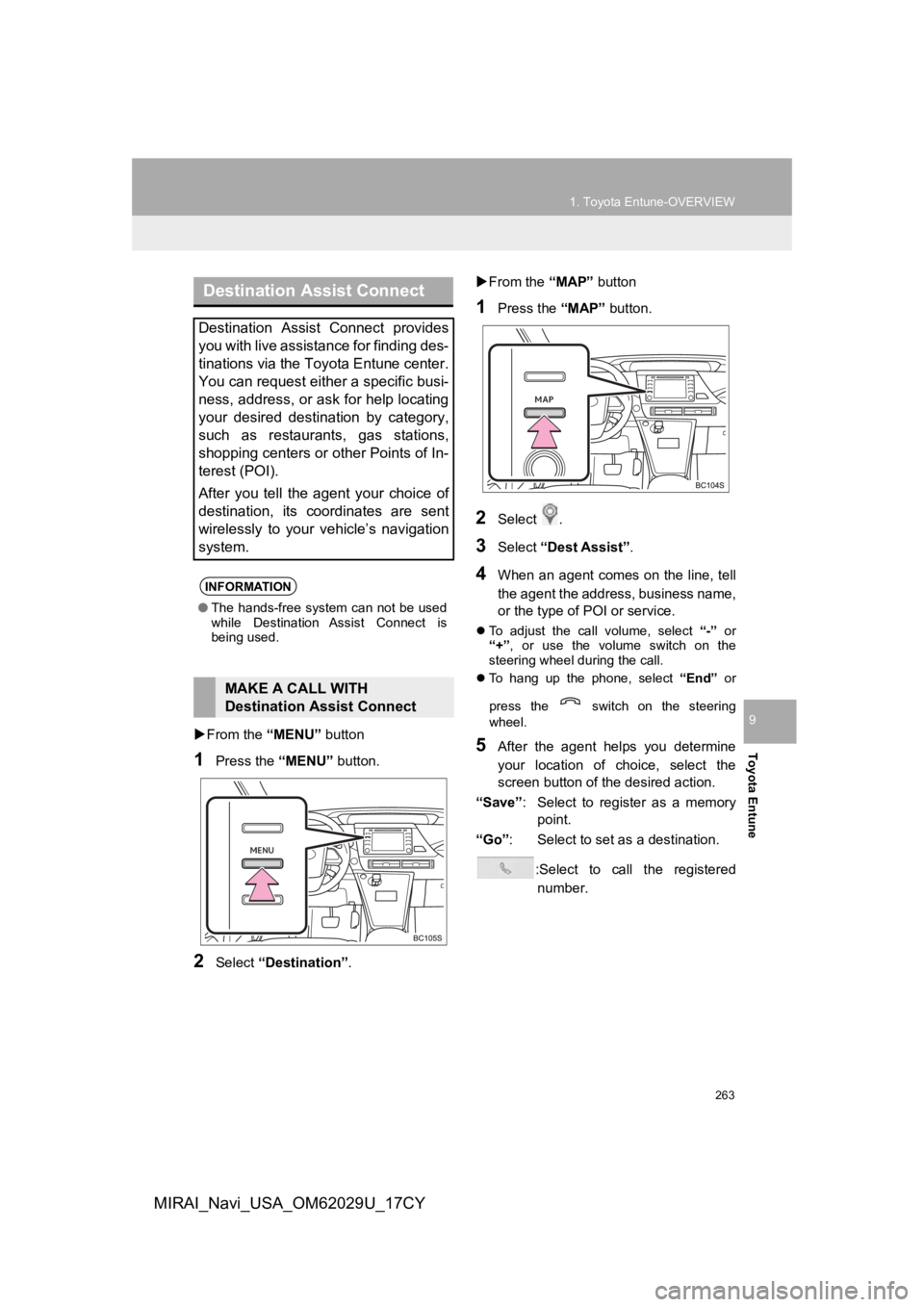
From the “MENU” button
1Press the “MENU” button.
2Select “Destination”.
From the “MAP” button
1Press the “MAP” button.
2Select .
3Select “Dest Assist” .
4When an agent comes on the line, tell
the agent the address, business name,
or the type of POI or service.
To adjust the call volume, select “-” or
“+”, or use the volume switch on the
steering wheel during the call.
To hang up the phone, select “End” or
press the switch on the steering
wheel.
5After the agent helps you determine
your location of choice, select the
screen button of the desired action.
“Save” : Select to register as a memory
point.
“Go” : Select to set as a destination.
:Select to call the registerednumber.
Destination Assist Connect
Destination Assist Connect provides
you with live assistance for finding des-
tinations via the Toyota Entune center.
You can request either a specific busi-
ness, address, or ask for help locating
your desired destination by category,
such as restaurants, gas stations,
shopping centers or other Points of In-
terest (POI).
After you tell the agent your choice of
destination, its coordinates are sent
wirelessly to your vehicle’s navigation
system.
INFORMATION
● The hands-free system can not be used
while Destination Assist Connect is
being used.
MAKE A CALL WITH
Destination Assist Connect
Page 264 of 292
264
1. Toyota Entune-OVERVIEW
MIRAI_Navi_USA_OM62029U_17CY
4. TYPE C: FUNCTION ACHIEVED BY USING DCM*
Safety Connect
The functionality of Safety Connect is made possible by the use of a DCM.
For details, refer to “Owner’s Manual”.
INFORMATION
● Free/Open Source Software Information
This product contains Free/O pen Source Software (FOSS).
The license information and/or the source code of such FOSS can be found at the follow-
ing URL. https://www.toyota.com/opensource/dcm
● Exposure to radio frequency signals:
The Toyota Entune system installed in your vehicle includes a l ow power radio transmitter
and receiver. The system receives and also sends out radio frequency (RF) signals.
● In August 1996, the Federal Communications Commission (FCC) adopted RF exposure
guidelines with safety levels for mobile wireless phones. Those guidelines are consistent
with the safety standards previously set by both U.S. and inter national standards bodies.
• ANSI (American National Standards Institute) C95.1 [1992]
• NCRP (National Council on Radiation Protection and Measurement ) Report 86 [1986]
• ICNIRP (International Commission on Non-Ionizing Radiation Pro tection) [1996]
● These standards are based on comprehensive and periodic evaluat ions of the relevant
scientific literature. Over 120 scientists, engineers, and phys icians from universities, gov-
ernment health agencies, and industry reviewed the available bo dy of research to
develop the ANSI Standard (C95.1).
● The design of Toyota Entune system complies with the FCC guidel ines in addition to
those standards.
● Contact with the Toyota Entune center is dependent upon the telematics device being in
operative condition, cellular connection availability, navigati on map data, and GPS satel-
lite signal reception, which can limit the ability to reach the Toyota Entune center or
receive support. Enrollment and Telematics Subscription Service Agreement required. A
variety of subscription terms are available; charges vary by subscription term selected.
● The Toyota Entune center offers support in multiple languages.
● Select Safety Connect-subscribed vehicles are capable of commun icating vehicle infor-
mation. Please see the terms and conditions for additional deta ils.
Owners who do not wish to have their vehicle transmit this information can opt out at the
time of enrollment or by calling 1-800-331-4331 in the United S tates, and 1-888-869-6828
in Canada, and following the prompts for Safety Connect.
● For further details about the service, contact your Toyota deal er.
● Toyota Entune functions are not subject to section 255 of the T elecommunications Act
and the system is not TTY compatible.
*: Vehicles with DCM
Page 266 of 292
266
1. Toyota Entune-OVERVIEW
MIRAI_Navi_USA_OM62029U_17CY
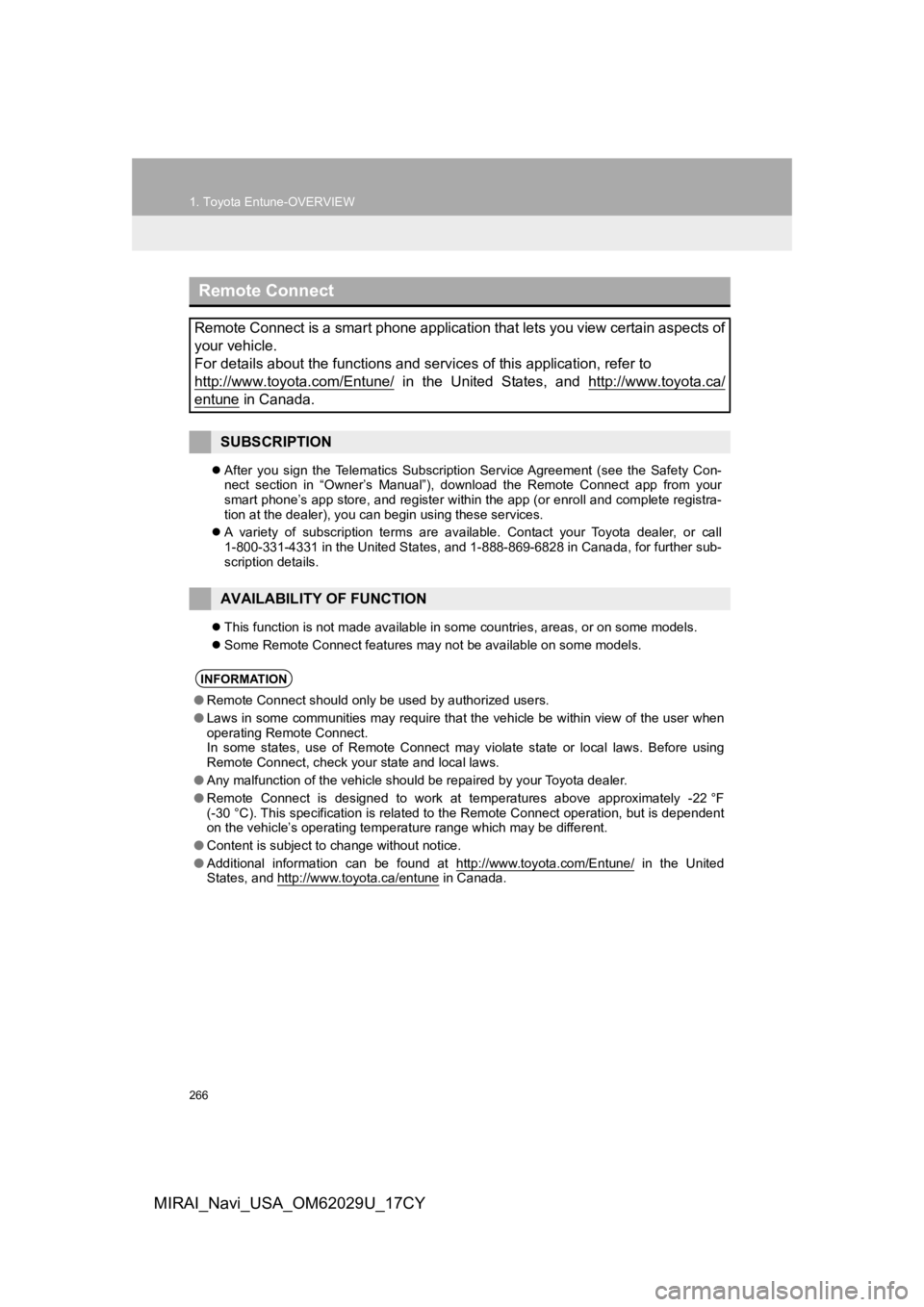
After you sign the Telematics Subscription Service Agreement (s ee the Safety Con-
nect section in “Owner’s Manual”), download the Remote Connect app from your
smart phone’s app store, and register within the app (or enroll and complete registra-
tion at the dealer), you can begin using these services.
A variety of subscription terms are available. Contact your Toy ota dealer, or call
1-800-331-4331 in the United States, and 1-888-869-6828 in Cana da, for further sub-
scription details.
This function is not made available in some countries, areas, o r on some models.
Some Remote Connect features may not be available on some model s.
Remote Connect
Remote Connect is a smart phone application that lets you view certain aspects of
your vehicle.
For details about the functions and services of this application, refer to
http://www.toyota.com/Entune/
in the United States, and http://www.toyota.ca/
entune in Canada.
SUBSCRIPTION
AVAILABILITY OF FUNCTION
INFORMATION
● Remote Connect should only be used by authorized users.
● Laws in some communities may require that the vehicle be within view of the user when
operating Remote Connect.
In some states, use of Remote Connect may violate state or loca l laws. Before using
Remote Connect, check your state and local laws.
● Any malfunction of the vehicle should be repaired by your Toyota dealer.
● Remote Connect is designed to work at temperatures above approximately -22 °F
(-30 °C). This specification is related to the Remote Connect op eration, but is dependent
on the vehicle’s operating temperature range which may be diffe rent.
● Content is subject to change without notice.
● Additional information can be found at http://www.toyota.com/En tune/
in the United
States, and http://www.toyota.ca/entune in Canada.
Page 269 of 292
269
2. Toyota Entune OPERATION
Toyota Entune
9
MIRAI_Navi_USA_OM62029U_17CY
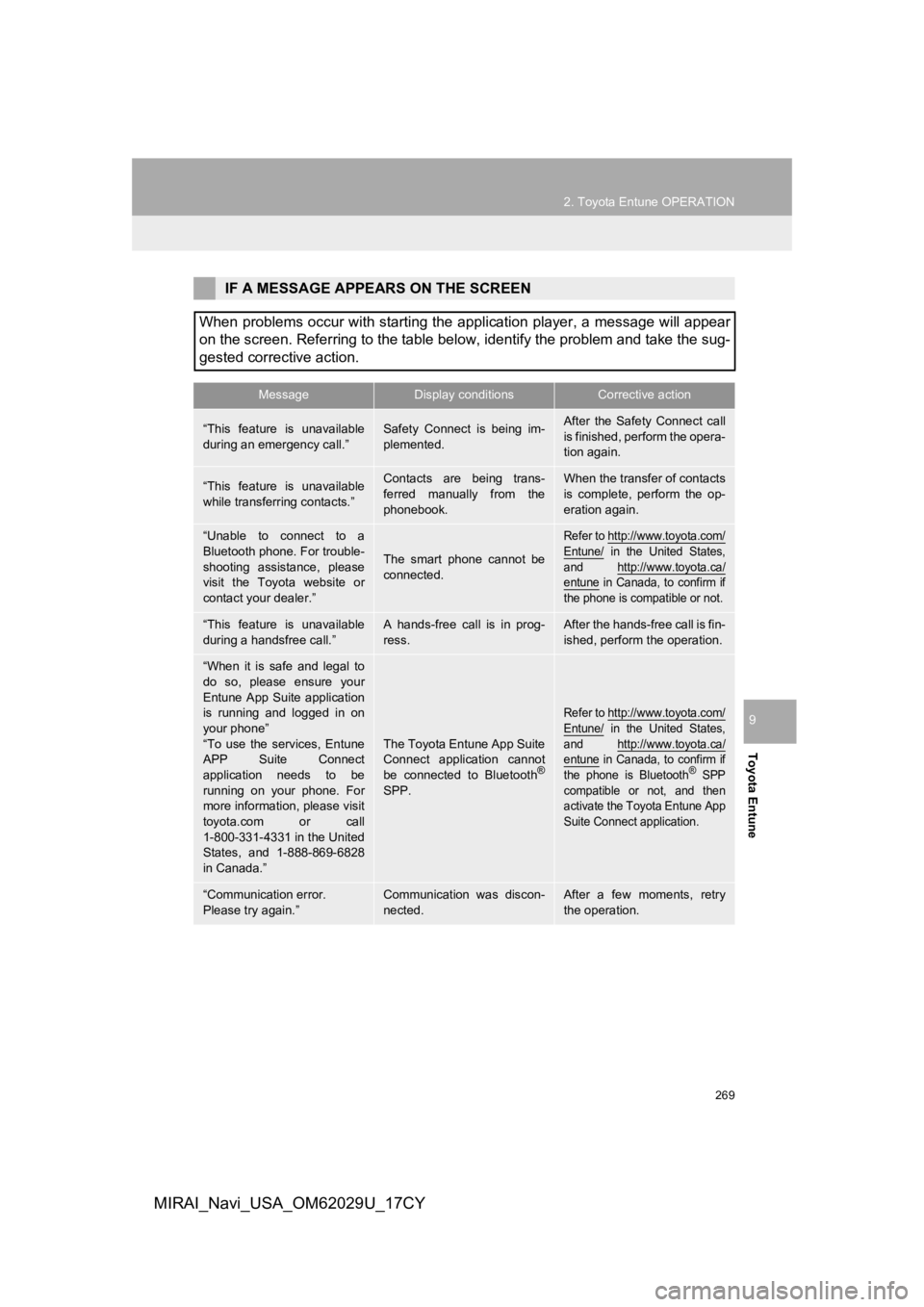
IF A MESSAGE APPEARS ON THE SCREEN
When problems occur with starting the application player, a mes sage will appear
on the screen. Referring to the table below, identify the probl em and take the sug-
gested corrective action.
MessageDisplay conditionsCorrective action
“This feature is unavailable
during an emergency call.”Safety Connect is being im-
plemented.After the Safety Connect call
is finished, perform the opera-
tion again.
“This feature is unavailable
while transferring contacts.”Contacts are being trans-
ferred manually from the
phonebook.When the transfer of contacts
is complete, perform the op-
eration again.
“Unable to connect to a
Bluetooth phone. For trouble-
shooting assistance, please
visit the Toyota website or
contact your dealer.”
The smart phone cannot be
connected.
Refer to http://www.toyota.com/
Entune/ in the United States,
and http://www.toyota.ca/
entune in Canada, to confirm if
the phone is compatible or not.
“This feature is unavailable
during a handsfree call.”A hands-free call is in prog-
ress.After the hands-free call is fin-
ished, perform the operation.
“When it is safe and legal to
do so, please ensure your
Entune App Suite application
is running and logged in on
your phone”
“To use the services, Entune
APP Suite Connect
application needs to be
running on your phone. For
more information, please visit
toyota.com or call
1-800-331-4331 in the United
States, and 1-888-869-6828
in Canada.”
The Toyota Entune App Suite
Connect application cannot
be connected to Bluetooth
®
SPP.
Refer to http://www.toyota.com/
Entune/ in the United States,
and http://www.toyota.ca/
entune in Canada, to confirm if
the phone is Bluetooth® SPP
compatible or not, and then
activate the Toyota Entune App
Suite Connect application.
“Communication error.
Please try again.”Communication was discon-
nected.After a few moments, retry
the operation.