audio TOYOTA MIRAI 2019 Owners Manual (in English)
[x] Cancel search | Manufacturer: TOYOTA, Model Year: 2019, Model line: MIRAI, Model: TOYOTA MIRAI 2019Pages: 528, PDF Size: 11.84 MB
Page 5 of 528
5
MIRAI_OM_USA_OM62054U(18MY)_O
M62048U(19MY)
1
9 8 6 5
4
3
2
10
7
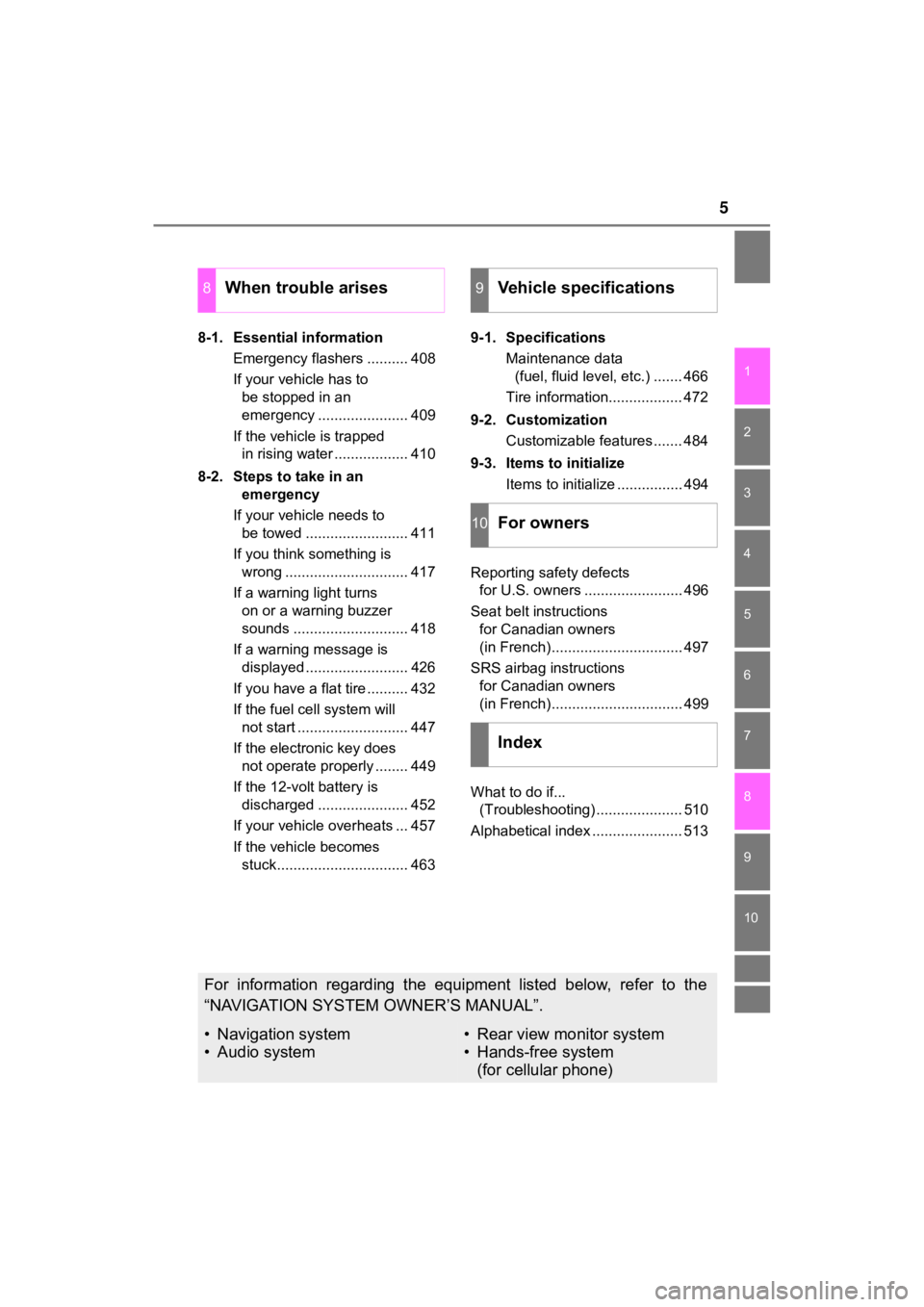
8-1. Essential informationEmergency flashers .......... 408
If your vehicle has to be stopped in an
emergency ...................... 409
If the vehicle is trapped in rising water .................. 410
8-2. Steps to take in an emergency
If your vehicle needs to be towed ......................... 411
If you think something is wrong .............................. 417
If a warning light turns on or a warning buzzer
sounds ............................ 418
If a warning message is displayed ......................... 426
If you have a flat tire .......... 432
If the fuel cell system will not start ........................... 447
If the electronic key does not operate properly ........ 449
If the 12-volt battery is discharged ...................... 452
If your vehicle overheats ... 457
If the vehicle becomes stuck................................ 463 9-1. Specifications
Maintenance data (fuel, fluid level, etc.) ....... 466
Tire information.................. 472
9-2. Customization Customizable features ....... 484
9-3. Items to initialize Items to initialize ................ 494
Reporting safety defects for U.S. owners ........................ 496
Seat belt instructions for Canadian owners
(in French)................................ 497
SRS airbag instructions for Canadian owners
(in French)................................ 499
What to do if... (Troubleshooting) ..................... 510
Alphabetical index ...................... 513
8When trouble arises9Vehicle specifications
10For owners
Index
For information regarding the equipment listed below, refer to the
“NAVIGATION SYSTEM OWNER’S MANUAL”.
• Navigation system
• Audio system• Rear view monitor system
• Hands-free system (for cellular phone)
Page 20 of 528
20Pictorial index
MIRAI_OM_USA_OM62054U(18MY)_O
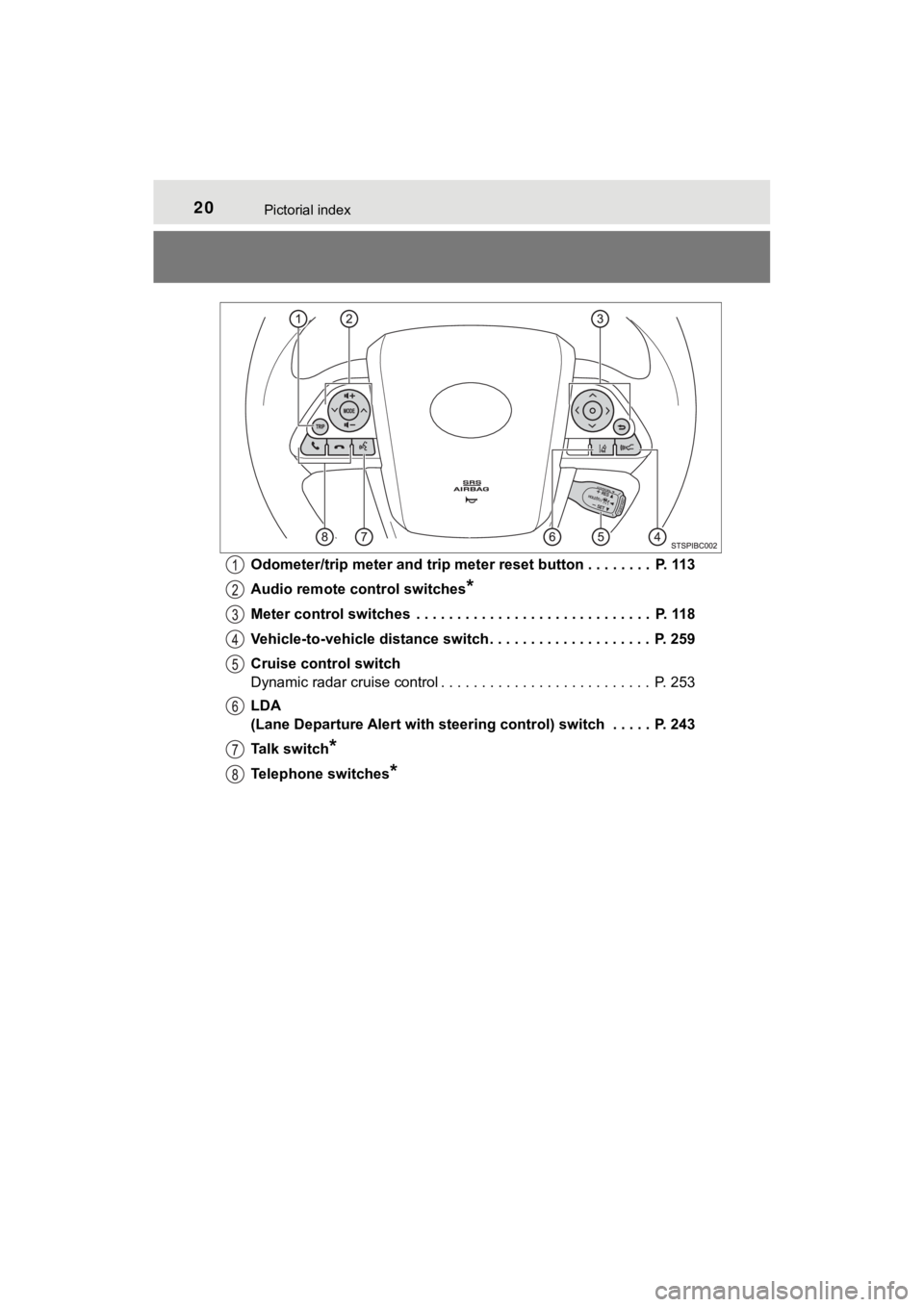
M62048U(19MY)Odometer/trip meter and trip meter reset button . . . . . . . .
P. 113
Audio remote control switches
*
Meter control switches . . . . . . . . . . . . . . . . . . . . . . . . . . . . . P. 118
Vehicle-to-vehicle distance switch . . . . . . . . . . . . . . . . . . . . P. 259
Cruise control switch
Dynamic radar cruise control . . . . . . . . . . . . . . . . . . . . . . . . . . P. 253
LDA
(Lane Departure Alert with steering control) switch . . . . . P. 243
Talk switch
*
Telephone switches*
Page 117 of 528
1173. Instrument cluster
3
Instrument cluster
MIRAI_OM_USA_OM62054U(18MY)_O
M62048U(19MY)
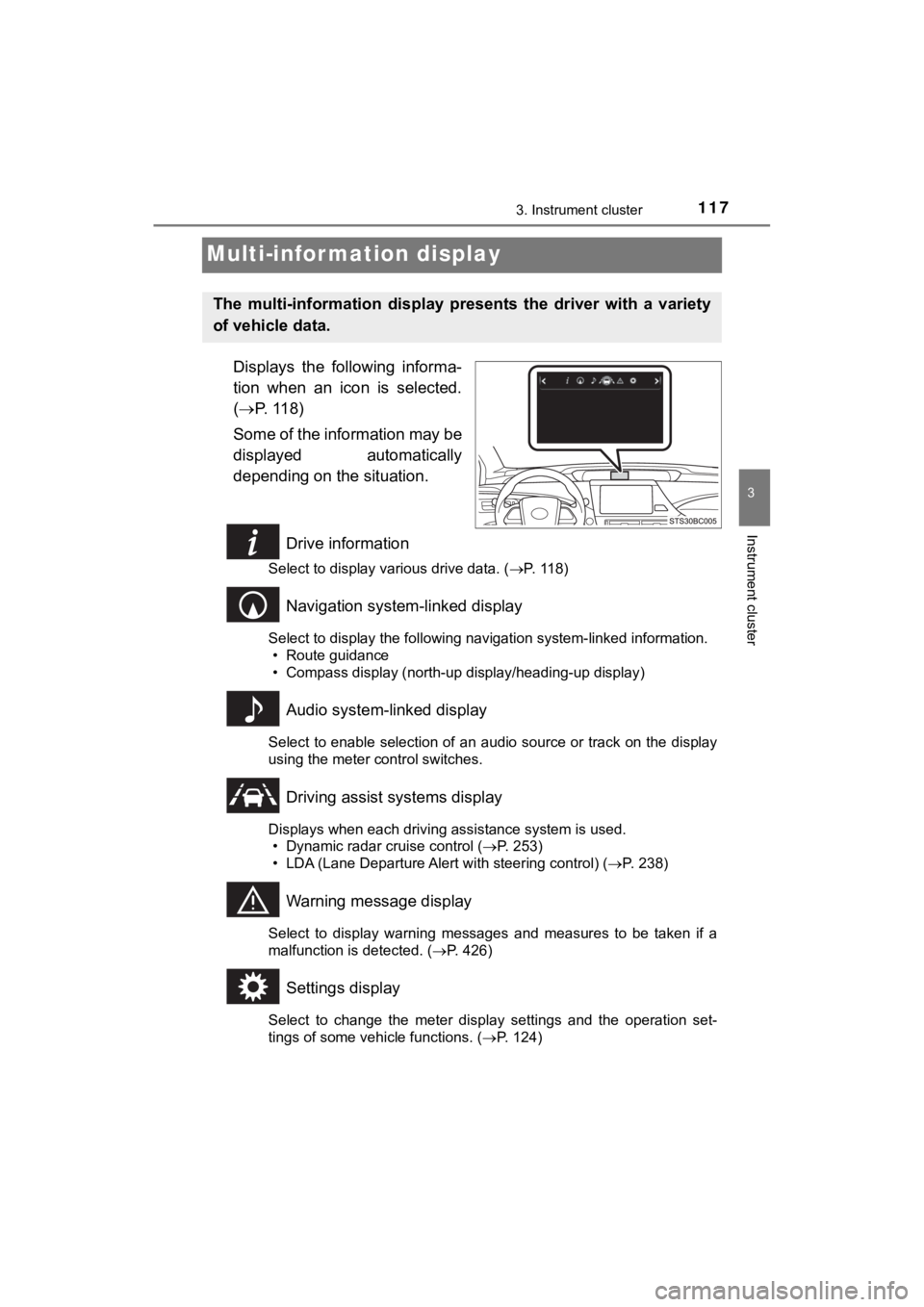
Multi-infor mation display
Displays the following informa-
tion when an icon is selected.
( P. 118)
Some of the information may be
displayed automatically
depending on the situation.
Drive information
Select to display various drive data. ( P. 118)
Navigation system-linked display
Select to display the following navigation system-linked information.
• Route guidance
• Compass display (north-up display/heading-up display)
Audio system-linked display
Select to enable selection of an audio source or track on the d isplay
using the meter control switches.
Driving assist systems display
Displays when each driving assistance system is used. • Dynamic radar cruise control ( P. 253)
• LDA (Lane Departure Alert with steering control) ( P. 238)
Warning message display
Select to display warning messages and measures to be taken if a
malfunction is detected. ( P. 426)
Settings display
Select to change the meter display settings and the operation set-
tings of some vehicle functions. ( P. 124)
The multi-information display pre sents the driver with a variety
of vehicle data.
Page 131 of 528
1314-1. Key information
4
Operation of each component
MIRAI_OM_USA_OM62054U(18MY)_O
M62048U(19MY)
NOTICE
■To prevent key damage
● Do not drop the keys, subject them to strong shocks or bend them.
● Do not expose the keys to high temperatures for long periods of time.
● Do not get the keys wet or wash them in an ultrasonic washer, e tc.
● Do not attach metallic or magnetic materials to the keys or pla ce the keys
close to such materials.
● Do not disassemble the keys.
● Do not attach a sticker or anything else to the surface of the electronic key.
● Do not place the keys near objects that produce magnetic fields , such as
TVs, audio systems and induction cookers, or medical electrical equip-
ment, such as low-frequency therapy equipment.
■ Carrying the electronic key on your person
Carry the electronic key 3.9 in. (10 cm) or more away from elec tric appli-
ances that are turned on. Radio waves emitted from electric app liances
within 3.9 in. (10 cm) of the electronic key may interfere with the key, caus-
ing the key to not function properly.
■ In case of a smart key system malfunction or other key-related prob-
lems
Take your vehicle with all the electronic keys provided with yo ur vehicle to
your Toyota dealer.
■ When an electronic key is lost
If the electronic key remains lost, the risk of vehicle theft i ncreases signifi-
cantly. Visit your Toyota dealer immediately with all remaining electronic
keys that were provided with your vehicle.
Page 146 of 528

1464-2. Opening, closing and locking the doors
MIRAI_OM_USA_OM62054U(18MY)_O
M62048U(19MY)■
Conditions affecting operation
The smart key system uses weak radio waves. In the following si tuations, the
communication between the electronic key and the vehicle may be affected,
preventing the smart key system, wireless remote control and immobilizer
system from operating properly. (Ways of coping: P. 449)
● When the electronic key battery is depleted
● Near a TV tower, electric power plant, gas station, radio stati on, large dis-
play, airport or other facility that generates strong radio wav es or electrical
noise
● When the electronic key is in contact with, or is covered by the following
metallic objects
• Cards to which aluminum foil is attached
• Cigarette boxes that have aluminum foil inside
• Metallic wallets or bags
• Coins
• Hand warmers made of metal
• Media such as CDs and DVDs
● When other wireless keys (that emit radio waves) are being used nearby
● When carrying the electronic key together with the following devices that
emit radio waves
• Portable radio, cellular phone, cordless phone or other wirele ss commu-
nication devices
• Another vehicle’s electronic key or a wireless key that emits radio waves
• Personal computers or personal digital assistants (PDAs)
• Digital audio players
• Portable game systems
● If window tint with a metallic content or metallic objects are attached to the
rear window
● When the electronic key is placed near a battery charger or ele ctronic
devices
Page 188 of 528
1885-2. Driving procedures
MIRAI_OM_USA_OM62054U(18MY)_O
M62048U(19MY)
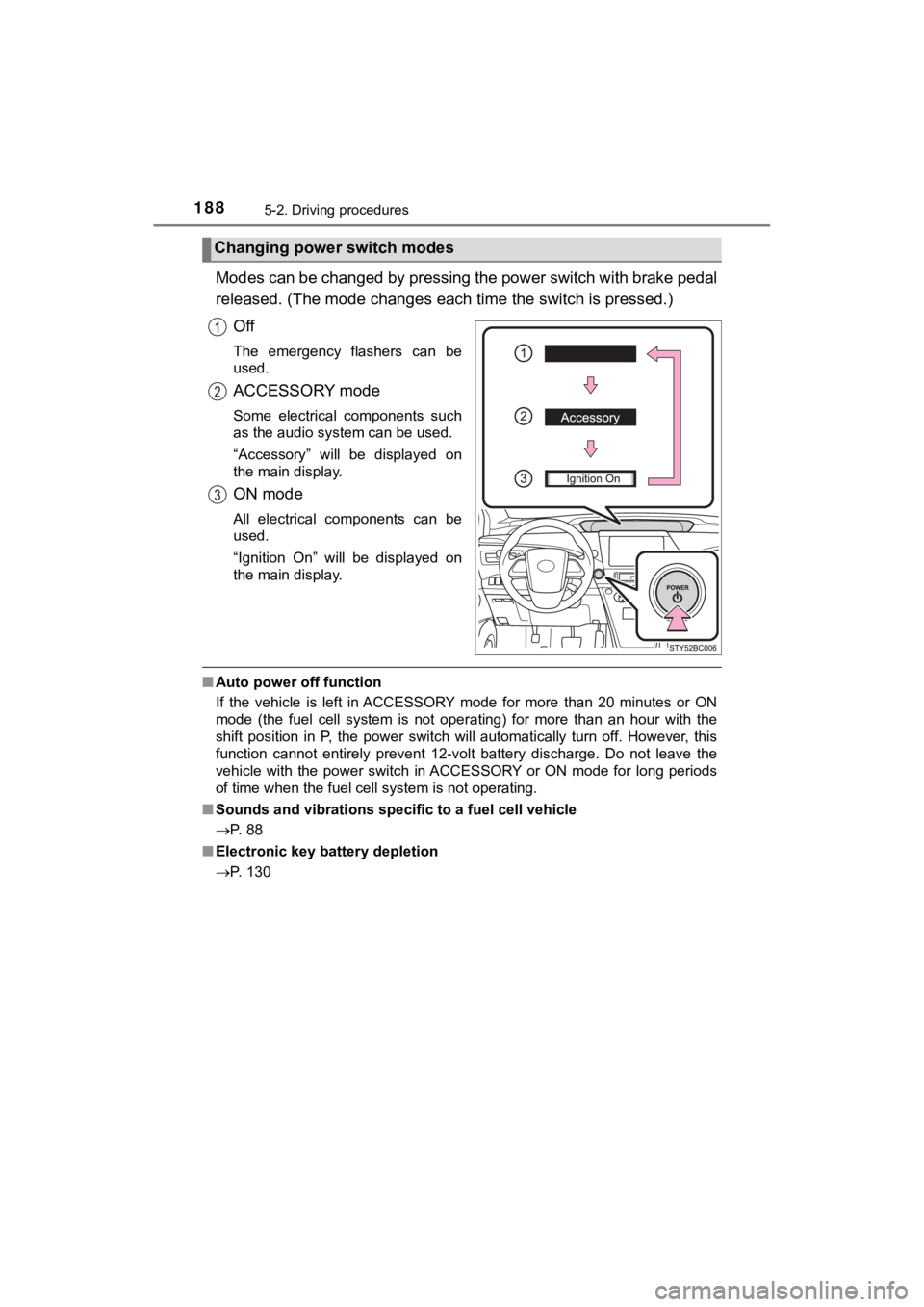
Modes can be changed by pressing the power switch with brake pedal
released. (The mode changes each time the switch is pressed.)
Off
The emergency flashers can be
used.
ACCESSORY mode
Some electrical components such
as the audio system can be used.
“Accessory” will be displayed on
the main display.
ON mode
All electrical components can be
used.
“Ignition On” will be displayed on
the main display.
■ Auto power off function
If the vehicle is left in ACCESSORY mode for more than 20 minut es or ON
mode (the fuel cell system is not operating) for more than an h our with the
shift position in P, the power switch will automatically turn o ff. However, this
function cannot entirely prevent 12-volt battery discharge. Do not leave the
vehicle with the power switch in ACCESSORY or ON mode for long periods
of time when the fuel cell system is not operating.
■ Sounds and vibrations speci fic to a fuel cell vehicle
P. 88
■ Electronic key battery depletion
P. 130
Changing power switch modes
Page 246 of 528
2465-5. Using the driving support systems
MIRAI_OM_USA_OM62054U(18MY)_O
M62048U(19MY)■
Temporary cancelation of functions
When operation conditions are no longer met, a function may be temporarily
canceled. However, when the operation conditions are met again, operation
of the function is automatically restored. ( P. 245)
■ Steering assist function
●Depending on the vehicle speed, lane departure situation, road conditions,
etc., the driver may not feel the function is operating or the function may not
operate at all.
● The steering control of the function is overridden by the drive r’s steering
wheel operation.
● Do not attempt to test the operation of the steering assist fun ction.
■ Lane departure alert function
●The warning buzzer may be difficult to hear due to external noi se, audio
playback, etc.
● If the edge of the course
* is not clear or straight, the lane departure alert
function may not operate.
● Do not attempt to test the operation of the lane departure aler t function.
*: Boundary between asphalt and the side of the road, such as gra ss, soil, or
a curb
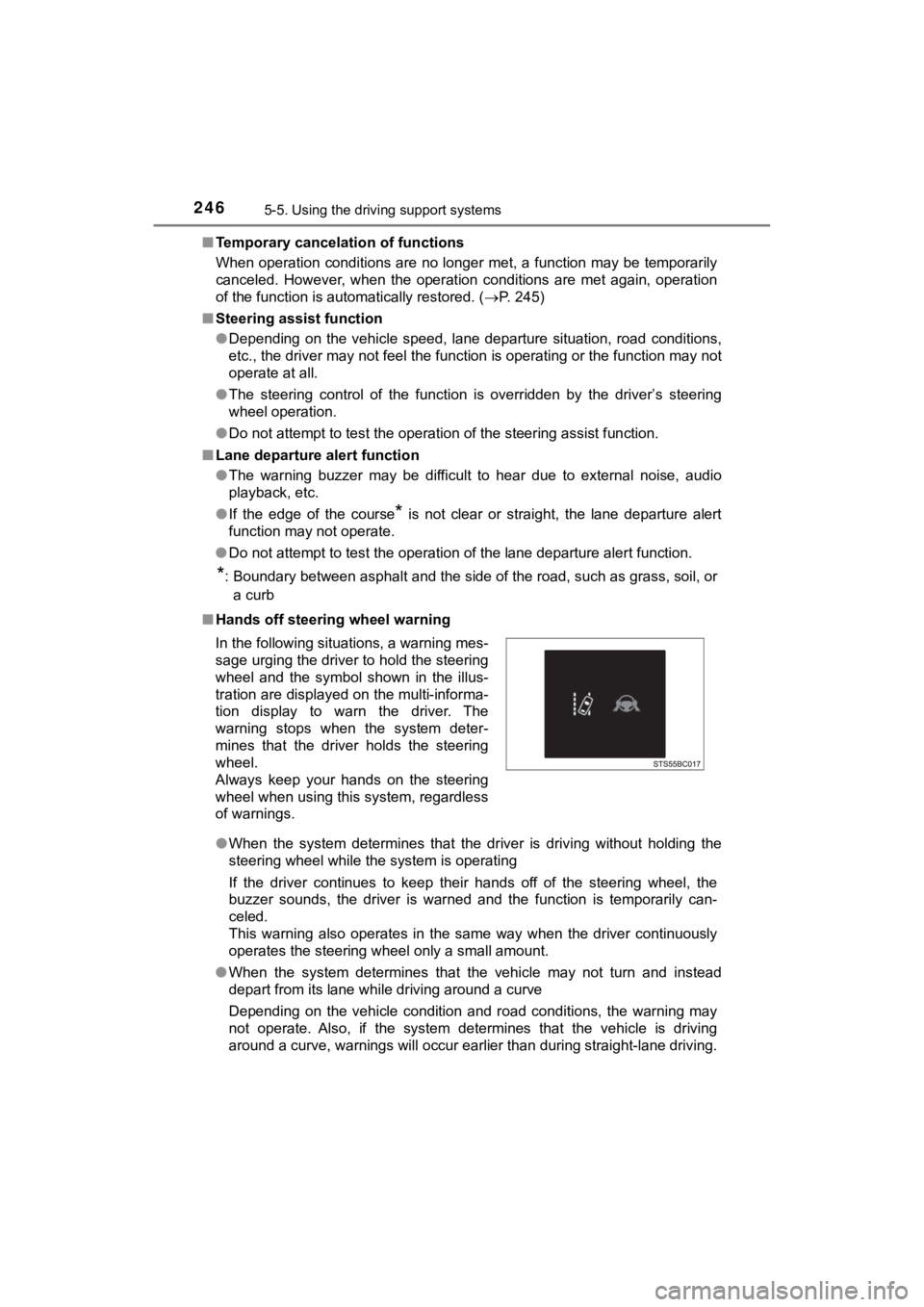
■ Hands off steering wheel warning
●When the system determines that t he driver is driving without holding the
steering wheel while the system is operating
If the driver continues to keep their hands off of the steering wheel, the
buzzer sounds, the driver is warned and the function is temporarily can-
celed.
This warning also operates in the same way when the driver cont inuously
operates the steering wheel only a small amount.
● When the system determines that the vehicle may not turn and instead
depart from its lane while driving around a curve
Depending on the vehicle condition and road conditions, the war ning may
not operate. Also, if the system determines that the vehicle is driving
around a curve, warnings will occur earlier than during straight-lane driving.
In the following situations, a warning mes-
sage urging the driver
to hold the steering
wheel and the symbol shown in the illus-
tration are displayed on the multi-informa-
tion display to warn the driver. The
warning stops when the system deter-
mines that the driver holds the steering
wheel.
Always keep your hands on the steering
wheel when using this system, regardless
of warnings.
Page 271 of 528
2715-5. Using the driving support systems
5
Driving
MIRAI_OM_USA_OM62054U(18MY)_O
M62048U(19MY)●
The following situations may occur during use.
• Depending on the shape of the obstacle and other factors, the detection
distance may shorten, or detection may be impossible.
• Obstacles may not be detected if they are too close to the sen sor.
• There will be a short delay between obstacle detection and dis play. Even
at slow speeds, there is a possibility that the obstacle will c ome within the
sensor’s detection areas before the display is shown and the bu zzer
sounds.
• Thin posts or objects lower than the sensor may not be detecte d when
approached, even if they have been detected once.
• It might be difficult to hear beeps due to the volume of audio system or air
flow noise of the air conditioning system.
■ Muting the buzzer sound
●To mute the buzzer sound
The buzzer can be temporarily muted by pressing of the meter c ontrol
switches while an obstacle detection display is shown on the mu lti-informa-
tion display.
● To cancel the mute
Mute will be automatically canceled in the following situations .
• When the shift position is changed
• When the vehicle speed has reac hed or exceeded approximately 6 mph
(10 km/h)
• When the intuitive parking assist is turned off once and turned on again
• When the power switch is turned off once and turned to ON mode again
• When a sensor is malfunctioning
■ If “Parking Assist Unavailable Clean Parking Assist Sensor” is displayed
on the multi-information display
A sensor may be dirty or covered with snow or ice. In such case s, if it is
removed from the sensor, the system should return to normal.
Also, due to the sensor being frozen at low temperatures, a mal function dis-
play may appear or an obstacle may not be detected. If the sens or thaws out,
the system should return to normal.
■ If “Parking Assist Malfunction Visit Your Dealer” is displayed on the
multi-information display
Depending on the malfunction of the sensor, the device may not be working
normally.
Have the vehicle inspected by your Toyota dealer.
■ Customization
Some functions can be customized.
(Customizable features: P. 492)
Page 287 of 528
2875-5. Using the driving support systems
5
Driving
MIRAI_OM_USA_OM62054U(18MY)_O
M62048U(19MY)
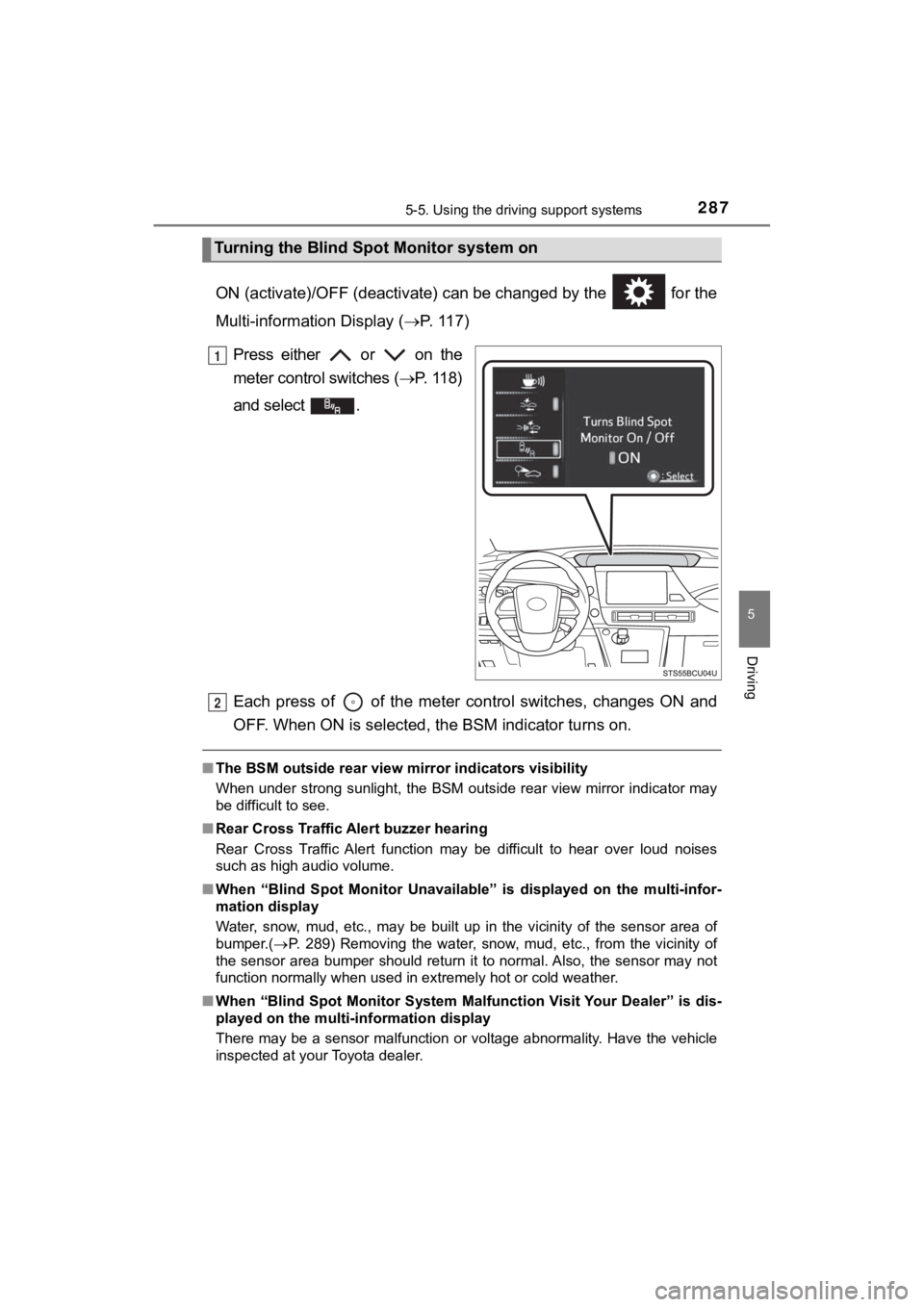
ON (activate)/OFF (deactivate) can be changed by the for the
Multi-information Display (P. 117)
Press either or on the
meter control switches ( P. 11 8 )
and select .
Each press of of the meter control switches, changes ON and
OFF. When ON is selected, t he BSM indicator turns on.
■The BSM outside rear view mi rror indicators visibility
When under strong sunlight, the BSM outside rear view mirror in dicator may
be difficult to see.
■ Rear Cross Traffic Alert buzzer hearing
Rear Cross Traffic Alert function may be difficult to hear over loud noises
such as high audio volume.
■ When “Blind Spot Monitor Unavaila ble” is displayed on the multi-infor-
mation display
Water, snow, mud, etc., may be built up in the vicinity of the sensor area of
bumper.( P. 289) Removing the water, snow, mud, etc., from the vicinity of
the sensor area bumper should return it to normal. Also, the se nsor may not
function normally when used in extremely hot or cold weather.
■ When “Blind Spot Monitor System M alfunction Visit Your Dealer” is dis-
played on the multi-information display
There may be a sensor malfunction or voltage abnormality. Have the vehicle
inspected at your Toyota dealer.
Turning the Blind S pot Monitor system on
1
2
Page 358 of 528
3587-1. Maintenance and care
MIRAI_OM_USA_OM62054U(18MY)_O
M62048U(19MY)
NOTICE
■Cleaning detergents
● Do not use the following types of detergent, as they may discol or the vehi-
cle interior or cause streaks or damage to painted surfaces:
• Non-seat portions: Organic substances such as benzene or gasol ine,
alkaline or acidic solutions, dye, and bleach
• Seats: Alkaline or acidic solutions, such as thinner, benzene, and alco-
hol
● Do not use a polish wax or polish cleaner. The instrument panel’s or other
interior part’s painted surface may be damaged.
■ Preventing damage to leather surfaces
Observe the following precautions to avoid damage to and deterioration of
leather surfaces:
● Remove any dust or dirt from leather surfaces immediately.
● Do not expose the vehicle to direct sunlight for extended perio ds of time.
Park the vehicle in the shade, especially during summer.
● Do not place items made of vinyl, plastic, or containing wax on the uphol-
stery, as they may stick to the leather surface if the vehicle interior heats
up significantly.
■ Water on the floor
Do not wash the vehicle floor with water.
Vehicle systems such as the audio system may be damaged if wate r comes
into contact with electrical components such as the audio syste m above or
under the floor of the vehicle. Water may also cause the body to rust.
■ When cleaning the inside of the windshield
Do not allow glass cleaner to contact the lens. Also, do not to uch the lens.
( P. 219)
■ Cleaning the inside of the rear window
● Do not use glass cleaner to clean the rear window, as this may cause
damage to the rear window defogger heater wires or antenna. Use a cloth
dampened with lukewarm water to gently wipe the window clean. Wipe the
window in strokes running parallel to the heater wires or antenna.
● Be careful not to scratch or damage the heater wires or antenna .