ESP TOYOTA MIRAI 2022 User Guide
[x] Cancel search | Manufacturer: TOYOTA, Model Year: 2022, Model line: MIRAI, Model: TOYOTA MIRAI 2022Pages: 556, PDF Size: 17.34 MB
Page 68 of 556
681-3. Emergency assistance
Owners Manual_USA_M62084_en
necessary assistance required.
If you accidentally press the “SOS”
button, tell the response-center
agent that you are not experiencing
an emergency.
■Enhanced Roadside Assis-
tance
Enhanced Roadside Assistance
adds GPS data to the already
included warranty-based Toyota
roadside service.
Subscribers can press the
“SOS” button to reach a Safety
Connect response-center agent,
who can help with a wide range
of needs, such as: towing, flat
tire, fuel delivery, etc. For a
description of the Roadside
Assistance services and their
limitations, please see the
Safety Connect Terms and Con-
ditions, which are available at
Toyota.com.
Important! Read this informa-
tion about exposure to radio fre-
quency signals before using
Safety Connect;
The Safety Connect system
installed in your vehicle is a low-
power radio transmitter and
receiver. It receives and also
sends out radio frequency (RF)
signals.
In August 1996, the Federal
Communications Commission (FCC) adopted RF exposure
guidelines with safety levels for
mobile wireless phones. Those
guidelines are consistent with
the safety standards previously
set by the following U.S. and
international standards bodies.
ANSI (American National
Standards Institute) C95.1
[1992]
NCRP (National Council on
Radiation Protection and
Measurement) Report 86
[1986]
ICNIRP (International Com-
mission on Non-Ionizing Radi-
ation Protection) [1996]
Those standards were based on
comprehensive and periodic
evaluations of the relevant sci-
entific literature. Over 120 scien-
tists, engineers, and physicians
from universities, and govern-
ment health agencies and
industries reviewed the avail-
able body of research to
develop the ANSI Standard
(C95.1).
The design of Safety Connect
complies with the FCC guide-
lines in addition to those stan-
dards.
Safety information for
Safety Connect
Page 83 of 556
832-1. Fuel cell vehicle
Owners Manual_USA_M62084_en
2
Fuel cell system
fuel cell vehicles have an electro-
magnetic shielding configuration,
and therefore emi t approximately
the same amount of electromag-
netic waves as conventional gaso-
line-powered vehicles or home
electronic appliances.
●Your vehicle may cause sound
interference in so me third party-
produced radio parts.
■Starting the fuel cell system in
an extremely col d environment
When the tracti on battery is
extremely cold (below approxi- mately -22˚F [-30˚C]) under the
influence of outsi
de temperature, it
may not be possible to start the fuel
cell system. In this case, try to start
the fuel cell system again after the
temperature of the traction battery
increases due to the outside tem-
perature increase etc.
■Traction battery
The traction battery has a limited
service life. The lifespan of the trac-
tion battery can change according to
driving style and driving conditions.
■Hydrogen Gas Characteristics
●Hydrogen gas ignites more easily than gasoline, however it is l ight than air
and disperses quickly. The hydrogen system and tank sufficientl y serve as
a counter-measure to prevent gas leaks. However, if by chance there is a
gas leak, the hydrogen gas is rapidly diluted until it is no lo nger flammable.
●As with gasoline and natural gas, hydrogen gas is not dangerous if it is
handled properly. Thoroughly rea d and understand the characteristics
shown in the table below.
Hydrogen gasLPG (Liquid
Petroleum Gas)Gasoline
Normal stateGaseous (Lighter
than air)Gaseous
(Heavier than air)
Volatile liquid
(evaporates eas-
ily) (Heavier than
air)
Ease of ignitionEasier than gaso-
lineAt the same level
as gasoline—
Page 89 of 556
892-1. Fuel cell vehicle
Owners Manual_USA_M62084_en
2
Fuel cell systemMaintaining the fuel cell system
indicator to Eco area on the
multi-information display can
extend your driving range.
( P.102)
Drive your vehicle smoothly.
Avoid abrupt acceleration and
deceleration.
Mild acceleration and decelera-
tion can help curb wasteful fuel
consumption.
If the brakes are operated gently
and in a timely manner, a
greater amount of electrical
energy can be regenerated
when slowing down.
Repeated acceleration and
deceleration, as well as long
waits at traffic lights, will lead to decreased fuel economy. Check
traffic reports before leaving and
avoid delays as much as possi-
ble. When driving in a con-
gested traffic situations, gently
release the brake pedal to allow
the vehicle to move forward
slightly while avoiding overuse
of the accelerator pedal. Doing
so can help control excessive
fuel consumption.
Similar to an electric vehicle, a
fuel cell vehicle uses the most
fuel in high output driving such
as driving on a steep uphill or at
high speeds. Moderate the vehi-
cle speed and maintain a steady
speed.
When using Eco drive mode, the
torque corresponding to the
accelerator pedal depression
amount can be generated more
smoothly than it is in normal
conditions. In addition, the oper-
ation of the air conditioning sys-
tem (heating/cooling) will be
minimized, improving the fuel
economy. (
P.313)
Use the air conditioning only
when necessary. Doing so
Fuel cell vehicle driv-
ing tips
To maximize fuel economy
and range, pay attention to
the following:
Use of fuel cell system
Indicator
Accelerator pedal/brake
pedal operation
When braking
Delays
Driving with high power
output
Using Eco drive mode
Air conditioning
Page 106 of 556
1063-1. Instrument cluster
Owners Manual_USA_M62084_enrelated settings for that function
are not selectable.
Select to display warning mes-
sages and measures to be
taken if a malfunction is
detected. (
P.451)
Displays suggestions to the
driver in the following situations.
To select a response to a dis-
played suggestion, use the
meter control switches.
■Suggestion to turn on the
headlights
If the headlight switch is in other
than or , and the vehicle
speed is 3 mph (5 km/h) or
higher for a certain amount of
time when the surroundings are
dark, a suggestion message will
be displayed.
■Suggestion to turn off the
headlights
If the headlights are left on for a
certain amount of time after the
power switch has been turned
off, a suggestion message will be displayed.
When the headlight switch is in
the AUTO position: The mes-
sage asking if you wish to turn
the headlights off is displayed.
To turn the headlights off, select
“Yes”.
If the driver’s door is opened after
the power switch is turned off, this
suggestion message will not be dis-
played.
■Customization
The suggestion fu nction can be
turned on/off. (Customizable fea-
tures: P.498)
NOTICE
■During setting up the display
To prevent 12-volt battery dis-
charge, ensure that the fuel cell
system is operating while setting
up the display features.
Warning message display
Suggestion function
Page 108 of 556
1083-1. Instrument cluster
Owners Manual_USA_M62084_enDisplays the following items:
• Speedometer
• Shift position (
P.178)
• Br mode (P.178)
Fuel cell system indicator display area ( P.111)
■Head-up display will operate
when
The power swit ch is in ON.
■When using the head-up dis-
play
The head-up display may seem
dark or hard to see when viewed
through sunglasses, especially
polarized sunglasses. Adjust the
brightness of the head-up display or
remove your sunglasses.
■Street name display
Only street names which are
included in the map data will be dis-
played.
■Outside temperature display
●When the ambient temperature is
approximately 37°F (3°C) or
lower, the low outside temperature
indicator will flash for approxi-
mately 10 seconds and the out-
side temperature display will turn
off. In this case, the display will be
displayed again when the outside
temperature becomes approxi-
mately 41°F (5°C) or higher.
●In the following si tuations, the cor-
rect outside tempe rature may not
be displayed, or the display may
take longer than normal to
change:
• When stopped, or driving at low speeds (less than 12 mph [20
km/h])
• When the outside temperature has changed suddenly (at the
entrance/exit of a garage, tunnel,
etc.)
●When “--” or “E” is displayed, the
system may be malfunctioning.
Take your vehicle to your Toyota
dealer.
WARNING
■When using the head-up dis-
play
●Check that the position and
brightness of the head-up dis-
play image does not interfere
with safe driving. Incorrect
adjustment of the image’s posi-
tion or brightness may obstruct
the driver’s view and lead to an
accident, resulting in death or
serious injury.
●Do not continuously look at the
head-up display while driving as
you may fail to see pedestrians,
objects on the road, etc., ahead
of the vehicle.
NOTICE
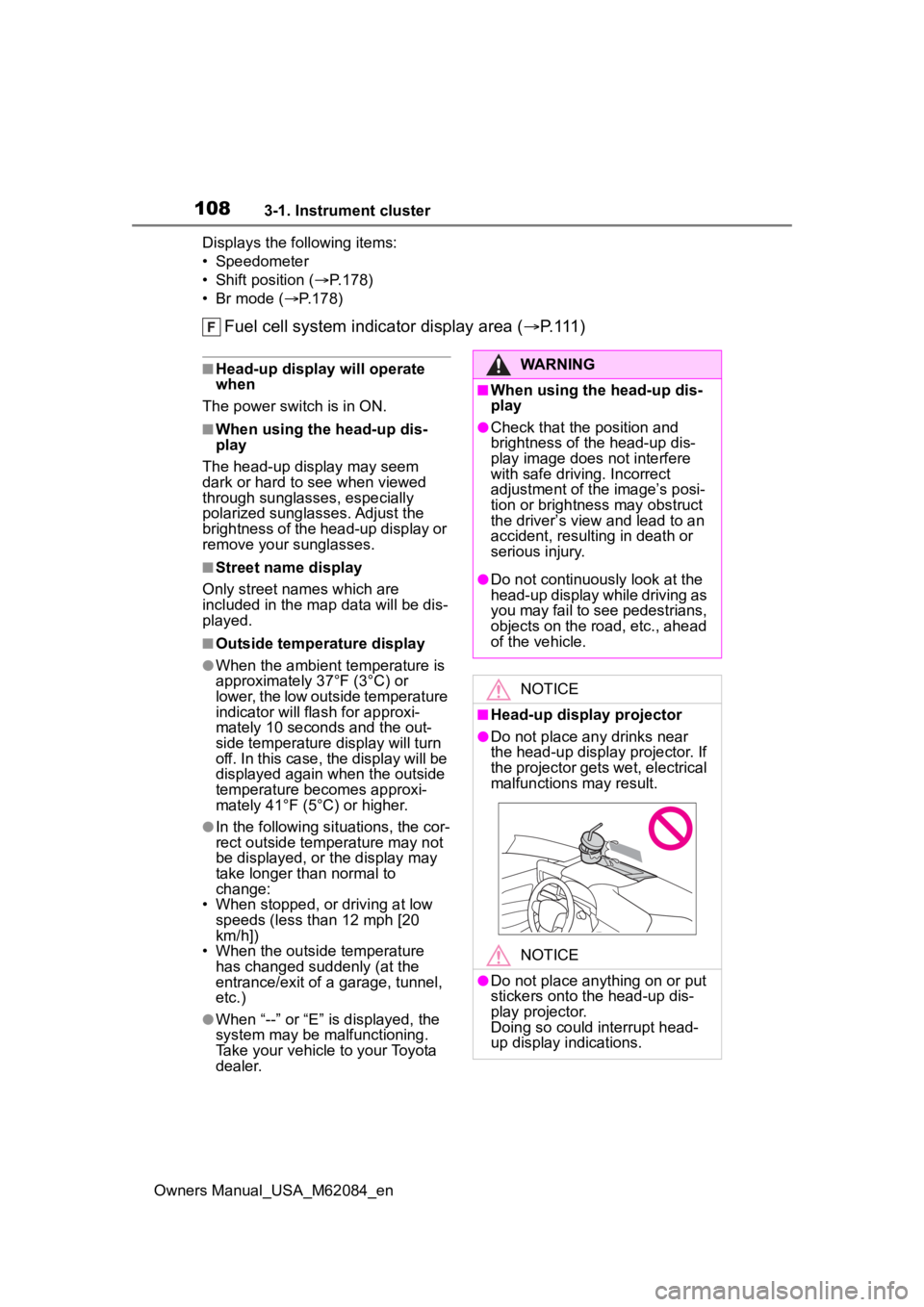
■Head-up display projector
●Do not place any drinks near
the head-up display projector. If
the projector gets wet, electrical
malfunctions may result.
NOTICE
●Do not place any thing on or put
stickers onto the head-up dis-
play projector.
Doing so could interrupt head-
up display indications.
Page 123 of 556
1234-2. Opening, closing and locking the doors and trunk
Owners Manual_USA_M62084_en
4
Before driving
Replace the key battery with a new
one if it is depleted. ( P.423)
■If the 12-volt battery is dis-
charged
The doors cannot be locked and
unlocked using the smart key sys-
tem or wireless remote control. Lock
or unlock the doors using the
mechanical key. ( P.469)
■Rear seat reminder function
●In order to remind you not to for-
get luggage, etc., in the rear seat,
when the power switch is turned to
OFF after any of the following con-
ditions are met, a buzzer will
sound and a message will be dis-
played on the multi-information
display for approximately 6 sec-
onds.
• The fuel cell system is started within 10 minutes after opening
and closing a rear door.
• A rear door has been opened and closed after the fuel cell system
was started.
However, if a rear door is opened
and then closed within approxi-
mately 2 seconds , the rear seat
reminder function may not operate.
●The rear seat reminder function
determines that luggage, etc., has
been placed in a rear seat based
on opening and closing of a rear
door. Therefore, depending on the
situation, the rear seat reminder
function may not operate and you
may still forget luggage, etc., in
the rear seat, or it may operate
unnecessarily.
●The rear seat reminder function
can be enabled/disabled.
( P.498)
■Customization
Some functions can be customized.
( P.498)
WARNING
■To prevent an accident
Observe the following precautions
while driving the vehicle.
Failure to do so may result in a
door opening and an occupant
falling out of the vehi cle, resulting
in death or serious injury.
●Ensure that all doors are prop-
erly closed and locked.
●Do not pull the inside handle of
the doors while driving.
Be especially careful for the front
doors, as the doors may be
opened even if the inside lock but-
tons are in locked position.
●Set the rear door child-protector
locks when children are seated
in the rear seats.
■When opening or closing a
door
Check the surroundings of the
vehicle such as wh ether the vehi-
cle is on an incline, whether there
is enough space for a door to
open and whether a strong wind
is blowing. When opening or clos-
ing the door, hold the door handle
tightly to prepare for any unpre-
dictable movement.
Page 139 of 556
1394-3. Adjusting the seats
Owners Manual_USA_M62084_en
4
Before driving
If 2 or more keys are in the vehi-
cle, the driving position cannot
be canceled properly.
1 Turn the power switch to ON.
2 Check that the shift position
is in P.
3 While pressing the “SET” but-
ton, press and hold the door
lock switch (either lock or
unlock) until the buzzer
sounds twice.
If the button could not be canceled,
the buzzer sounds continuously for
approximately 3 seconds.
■Recalling the dr iving position
using the memory recall func-
tion
●Different driving positions can be
registered for each electronic key.
Therefore, the driving position that
is recalled may be different
depending on the key being car-
ried.
●If a door other th an the driver’s
door is unlocked with the smart
key system, the dr iving position
cannot be recalled. In this case,
press the driving position button
which has been set.
■Customization
Some functions can be customized.
( P.498)
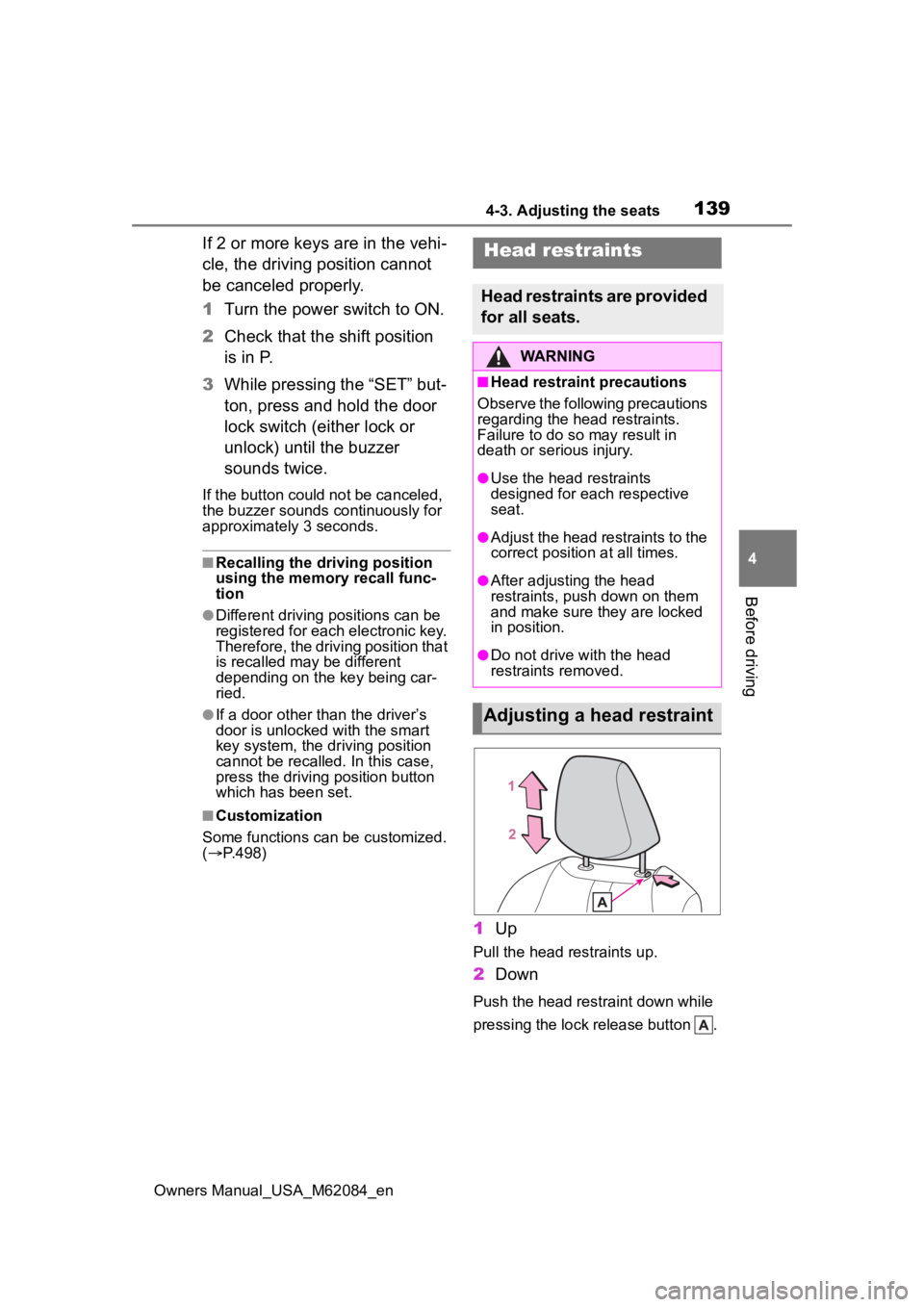
1 Up
Pull the head restraints up.
2Down
Push the head restraint down while
pressing the lock release button .
Head restraints
Head restraints are provided
for all seats.
WARNING
■Head restraint precautions
Observe the following precautions
regarding the head restraints.
Failure to do so may result in
death or serious injury.
●Use the head restraints
designed for each respective
seat.
●Adjust the head restraints to the
correct position at all times.
●After adjusting the head
restraints, push down on them
and make sure they are locked
in position.
●Do not drive with the head
restraints removed.
Adjusting a head restraint
Page 143 of 556
1434-4. Adjusting the steering wheel and mirrors
Owners Manual_USA_M62084_en
4
Before driving
*: If equipped
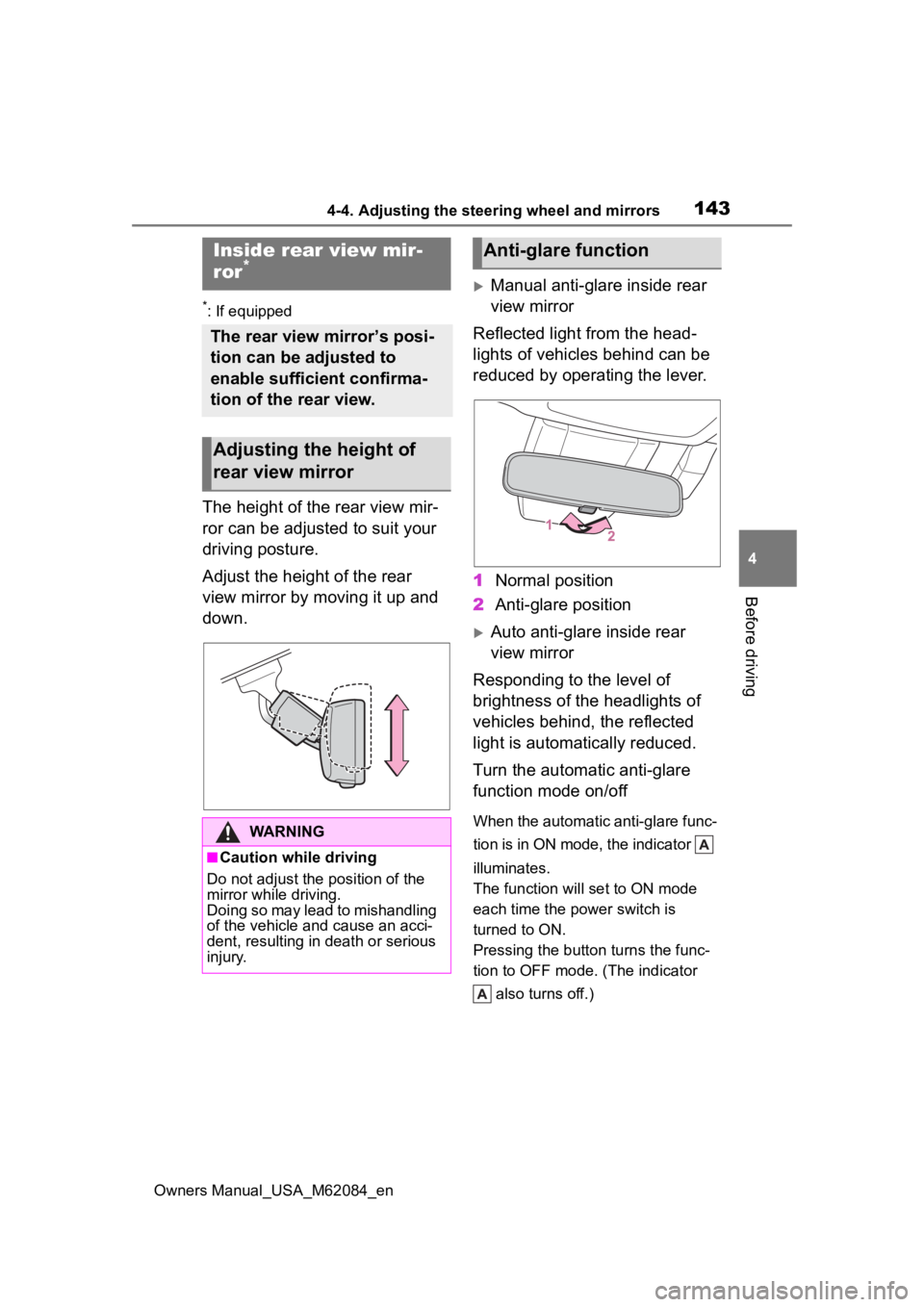
The height of the rear view mir-
ror can be adjusted to suit your
driving posture.
Adjust the height of the rear
view mirror by moving it up and
down.
Manual anti-glare inside rear
view mirror
Reflected light from the head-
lights of vehicles behind can be
reduced by operating the lever.
1 Normal position
2 Anti-glare position
Auto anti-glare inside rear
view mirror
Responding to the level of
brightness of the headlights of
vehicles behind, the reflected
light is automatically reduced.
Turn the automatic anti-glare
function mode on/off
When the automatic anti-glare func-
tion is in ON mode, the indicator
illuminates.
The function will set to ON mode
each time the power switch is
turned to ON.
Pressing the button turns the func-
tion to OFF mode. (The indicator also turns off.)
Inside rear view mir-
ror*
The rear view mirror’s posi-
tion can be adjusted to
enable sufficient confirma-
tion of the rear view.
Adjusting the height of
rear view mirror
WARNING
■Caution while driving
Do not adjust the position of the
mirror while driving.
Doing so may lead to mishandling
of the vehicle and cause an acci-
dent, resulting in death or serious
injury.
Anti-glare function
Page 144 of 556
1444-4. Adjusting the steering wheel and mirrors
Owners Manual_USA_M62084_en
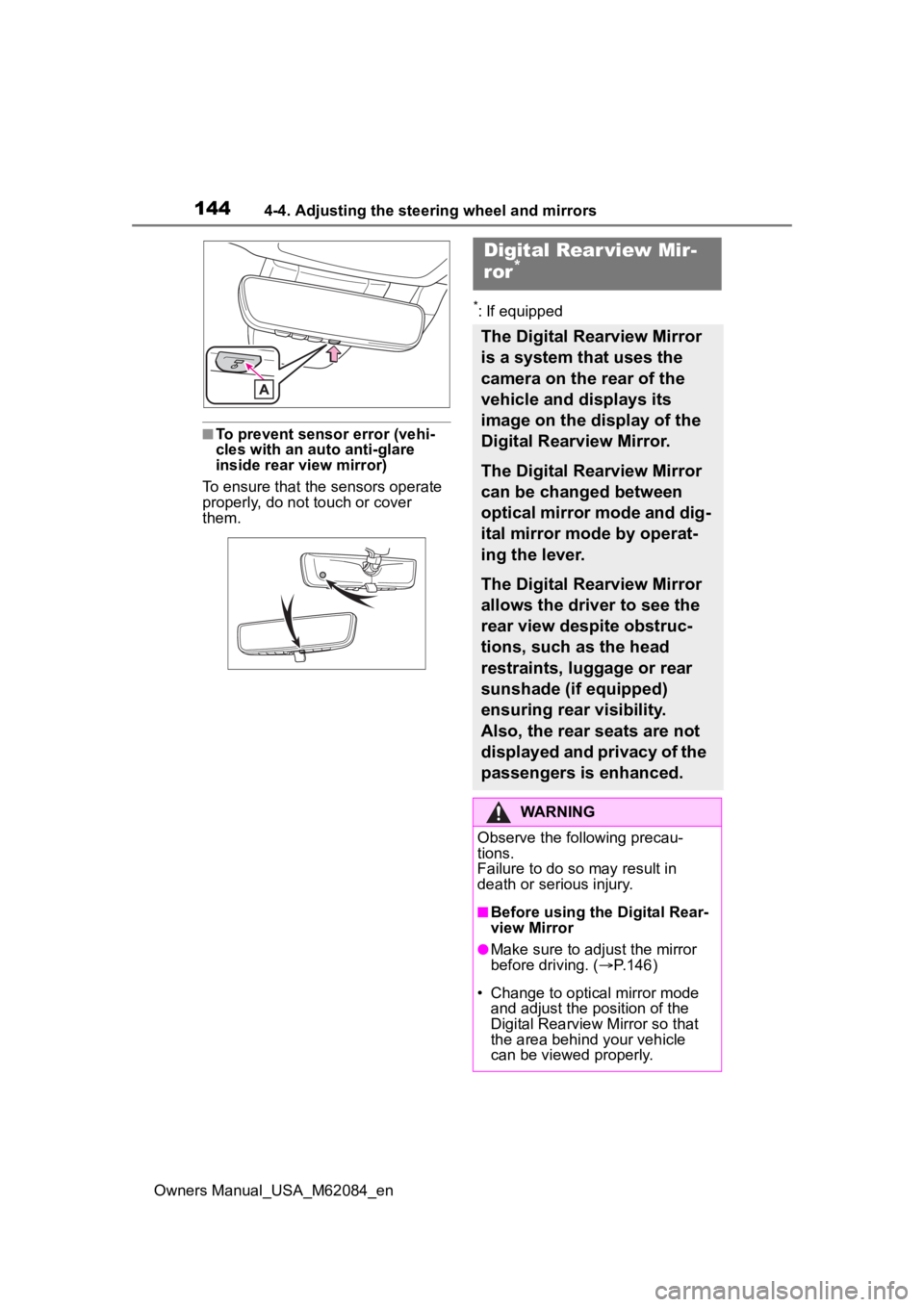
■To prevent sensor error (vehi-
cles with an auto anti-glare
inside rear view mirror)
To ensure that the sensors operate
properly, do not touch or cover
them.
*: If equipped
Digital Rear view Mir-
ror*
The Digital Rearview Mirror
is a system that uses the
camera on the rear of the
vehicle and displays its
image on the display of the
Digital Rearview Mirror.
The Digital Rearview Mirror
can be changed between
optical mirror mode and dig-
ital mirror mode by operat-
ing the lever.
The Digital Rearview Mirror
allows the driver to see the
rear view despite obstruc-
tions, such as the head
restraints, luggage or rear
sunshade (if equipped)
ensuring rear visibility.
Also, the rear seats are not
displayed and privacy of the
passengers is enhanced.
WARNING
Observe the following precau-
tions.
Failure to do so may result in
death or serious injury.
■Before using the Digital Rear-
view Mirror
●Make sure to adjust the mirror
before driving. ( P.146)
• Change to optical mirror mode and adjust the position of the
Digital Rearview Mirror so that
the area behind your vehicle
can be viewed properly.
Page 147 of 556
1474-4. Adjusting the steering wheel and mirrors
Owners Manual_USA_M62084_en
4
Before driving
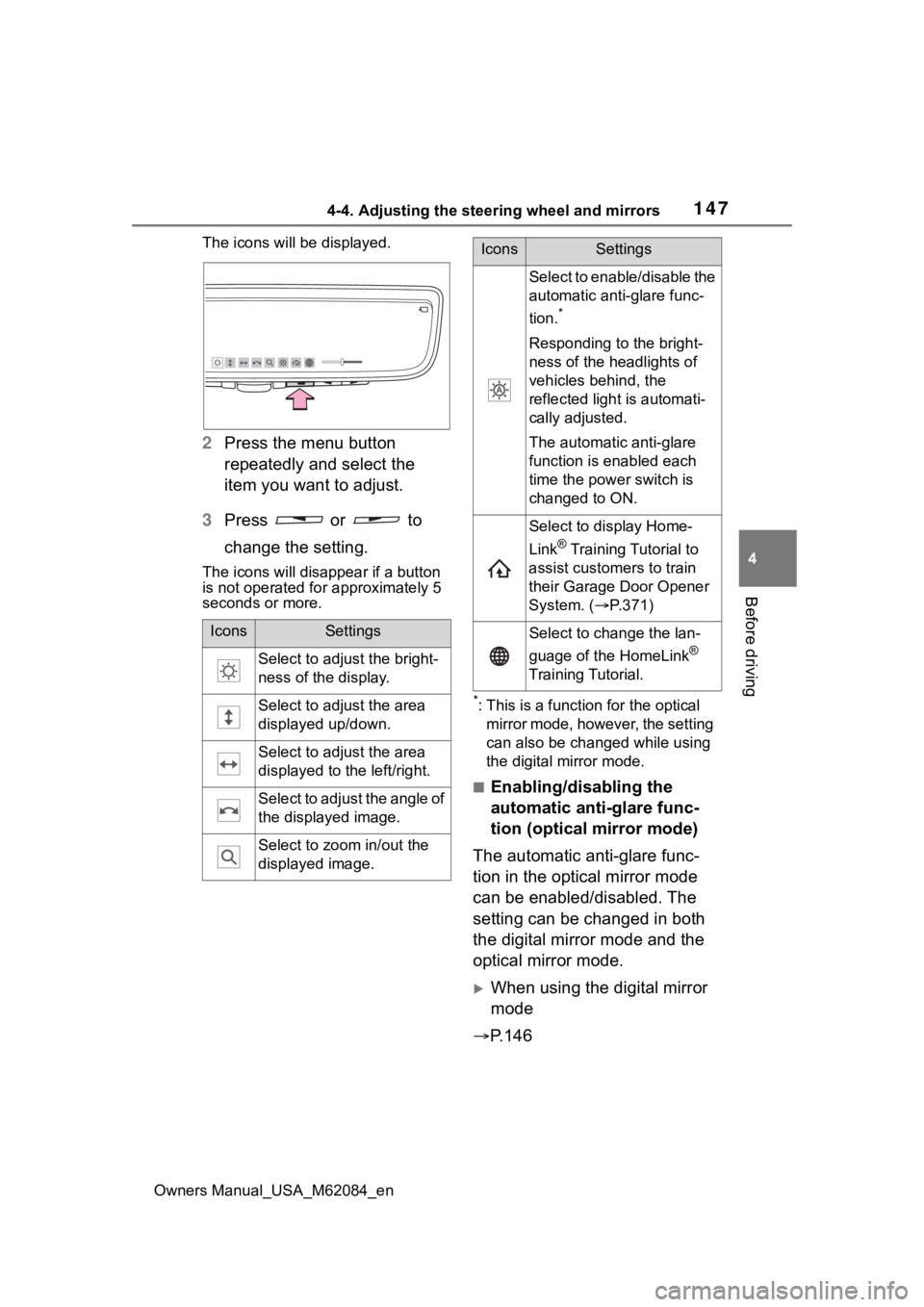
The icons will be displayed.
2 Press the menu button
repeatedly and select the
item you want to adjust.
3 Press or to
change the setting.
The icons will disapp ear if a button
is not operated fo r approximately 5
seconds or more.
*: This is a functi on for the optical
mirror mode, however, the setting
can also be changed while using
the digital mirror mode.
■Enabling/disabling the
automatic anti-glare func-
tion (optical mirror mode)
The automatic anti-glare func-
tion in the optical mirror mode
can be enabled/disabled. The
setting can be changed in both
the digital mirror mode and the
optical mirror mode.
When using the digital mirror
mode
P.146
IconsSettings
Select to adjust the bright-
ness of the display.
Select to adjust the area
displayed up/down.
Select to adjust the area
displayed to the left/right.
Select to adjust the angle of
the displayed image.
Select to zoom in/out the
displayed image.
Select to enable/disable the
automatic anti-glare func-
tion.
*
Responding to the bright-
ness of the headlights of
vehicles behind, the
reflected light is automati-
cally adjusted.
The automatic anti-glare
function is enabled each
time the power switch is
changed to ON.
Select to display Home-
Link
® Training Tutorial to
assist customers to train
their Garage Door Opener
System. ( P.371)
Select to change the lan-
guage of the HomeLink
®
Training Tutorial.
IconsSettings