heating TOYOTA MIRAI 2023 Owners Manual
[x] Cancel search | Manufacturer: TOYOTA, Model Year: 2023, Model line: MIRAI, Model: TOYOTA MIRAI 2023Pages: 572, PDF Size: 17.71 MB
Page 15 of 572
15Pictorial index
Owners Manual_USA_M62064_en
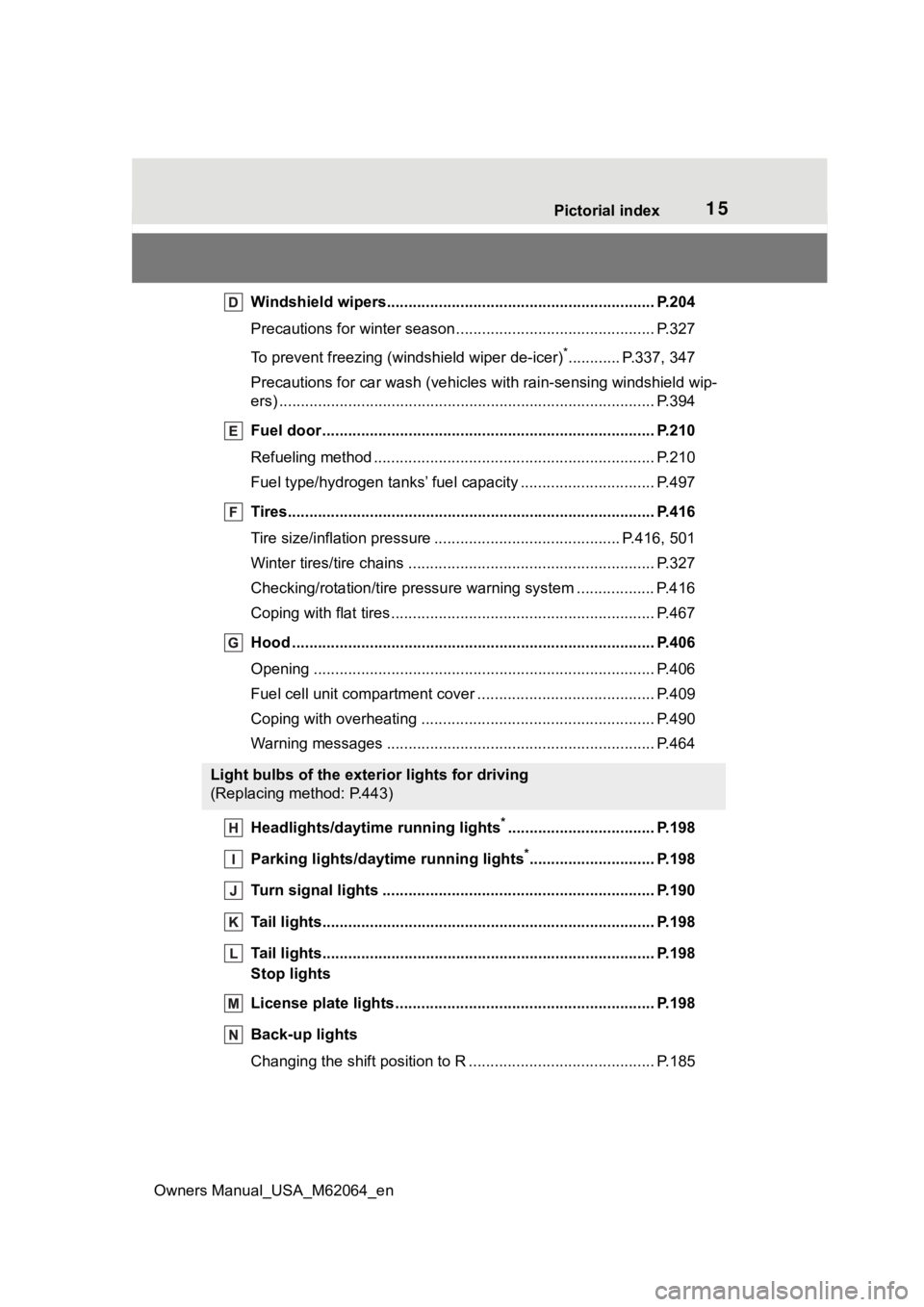
Windshield wipers.............................................. ................ P.204
Precautions for winter seas on.............................................. P.327
To prevent freezing (windshield wiper de-icer)
*............ P.337, 347
Precautions for car wash (vehicles with rain-sensing windshield wip-
ers) ....................................................................................... P.394
Fuel door ...................................................... ....................... P.210
Refueling method ............................................... .................. P.210
Fuel type/hydrogen t anks’ fuel capacity ........................ ....... P.497
Tires.......................................................... ........................... P.416
Tire size/inflation pressure ................................... ........ P.416, 501
Winter tires/tire chains ....................................... .................. P.327
Checking/rotation/tire pressur e warning system ..................P.416
Coping with flat tires......................................... .................... P.467
Hood ........................................................... ......................... P.406
Opening ............................................................................... P.406
Fuel cell unit compartment cover ............................... .......... P.409
Coping with overheating ...................................................... P.490
Warning messages ............................................... ............... P.464
Headlights/daytime running lights
*.................................. P.198
Parking lights/dayt ime running lights
*............................. P.198
Turn signal lights ............................................. .................. P.190
Tail lights.................................................... ......................... P.198
Tail lights.................................................... ......................... P.198
Stop lights
License plate lights........................................... ................. P.198
Back-up lights
Changing the shift position to R ............................... ............ P.185
Light bulbs of the exterior lights for driving
(Replacing method: P.443)
Page 91 of 572
912-1. Fuel cell electric vehicle
Owners Manual_USA_M62064_en
2
Fuel cell systemMaintaining the Fuel cell System
Indicator to Eco area on the
multi-information display can
extend your driving range.
( P.103, 108)
Drive your vehicle smoothly.
Avoid abrupt acceleration and
deceleration.
Mild acceleration and decelera-
tion can help curb wasteful fuel
consumption.
If the brakes are operated gently
and in a timely manner, a
greater amount of electrical
energy can be regenerated
when slowing down.
Repeated acceleration and
deceleration, as well as long
waits at traffic lights, will lead to decreased fuel economy. Check
traffic reports before leaving and
avoid delays as much as possi-
ble. When driving in a con-
gested traffic situations, gently
release the brake pedal to allow
the vehicle to move forward
slightly while avoiding overuse
of the accelerator pedal. Doing
so can help control excessive
fuel consumption.
Similar to an electric vehicle, a
fuel cell electric vehicle uses the
most fuel in high output driving
such as driving on a steep uphill
or at high speeds. Moderate the
vehicle speed and maintain a
steady speed.
When using Eco drive mode, the
torque corresponding to the
accelerator pedal depression
amount can be generated more
smoothly than it is in normal
conditions. In addition, the oper-
ation of the air conditioning sys-
tem (heating/cooling) will be
minimized, improving the fuel
economy. (
P.320)
Use the air conditioning only
when necessary. Doing so
Fuel cell electric vehi-
cle driving tips
To maximize fuel economy
and range, pay attention to
the following:
Use of Fuel cell System
Indicator
Accelerator pedal/brake
pedal operation
When braking
Delays
Driving with high power
output
Using Eco drive mode
Air conditioning
Page 92 of 572

922-1. Fuel cell electric vehicle
Owners Manual_USA_M62064_en
can help reduce excessive
fuel consumption.
In summer: When the ambient
temperature is high, use the
recirculated air mode. Doing
so will help to reduce the bur-
den on the air conditioning
system and reduce fuel con-
sumption as well.
In winter: Avoid excess heat-
ing. Use the seat heater (if
equipped) or steering heater
(if equipped) to minimize the
need for cabin heating
(P.351).
Using eco air conditioning
mode, this helps curb fuel
consumption even with the air
conditioning system turned
on. ( P.334, 341)
Make sure to check the tire infla-
tion pressure frequently.
Improper tire inflation pressure
can cause poor fuel economy.
Also, as snow tires can cause
large amounts of friction, their
use on dry roads can lead to
poor fuel economy. Use tires
that are appropriate for the sea-
son.
Carrying heavy luggage will lead
to reduced fuel economy. Install-
ing a large roof rack will also reduce fuel economy.
Checking tire inflation
pressure
Luggage
Page 96 of 572
963-1. Instrument cluster
Owners Manual_USA_M62064_en
*1: These lights turn on when the power switch is turned to ON to
indicate that a system check is
being performed. They will turn
off after the fuel cell system is
on, or after a few seconds. There
may be a malfunction in a sys-
tem if the light does not come on,
or turn off. Have the vehicle
inspected by your Toyota dealer.
*2: This light illuminates on the multi-informatio n display with a
message.
*3: Intuitive parking assist OFF indi- cator turns on when the power
switch is turned to ON while the
Intuitive parking assist function is
on. It will turn off after a few sec-
onds.
*4: Refer to “Toyota Teammate Advanced Drive OWNER’S
MANUAL” at Toyota.com.
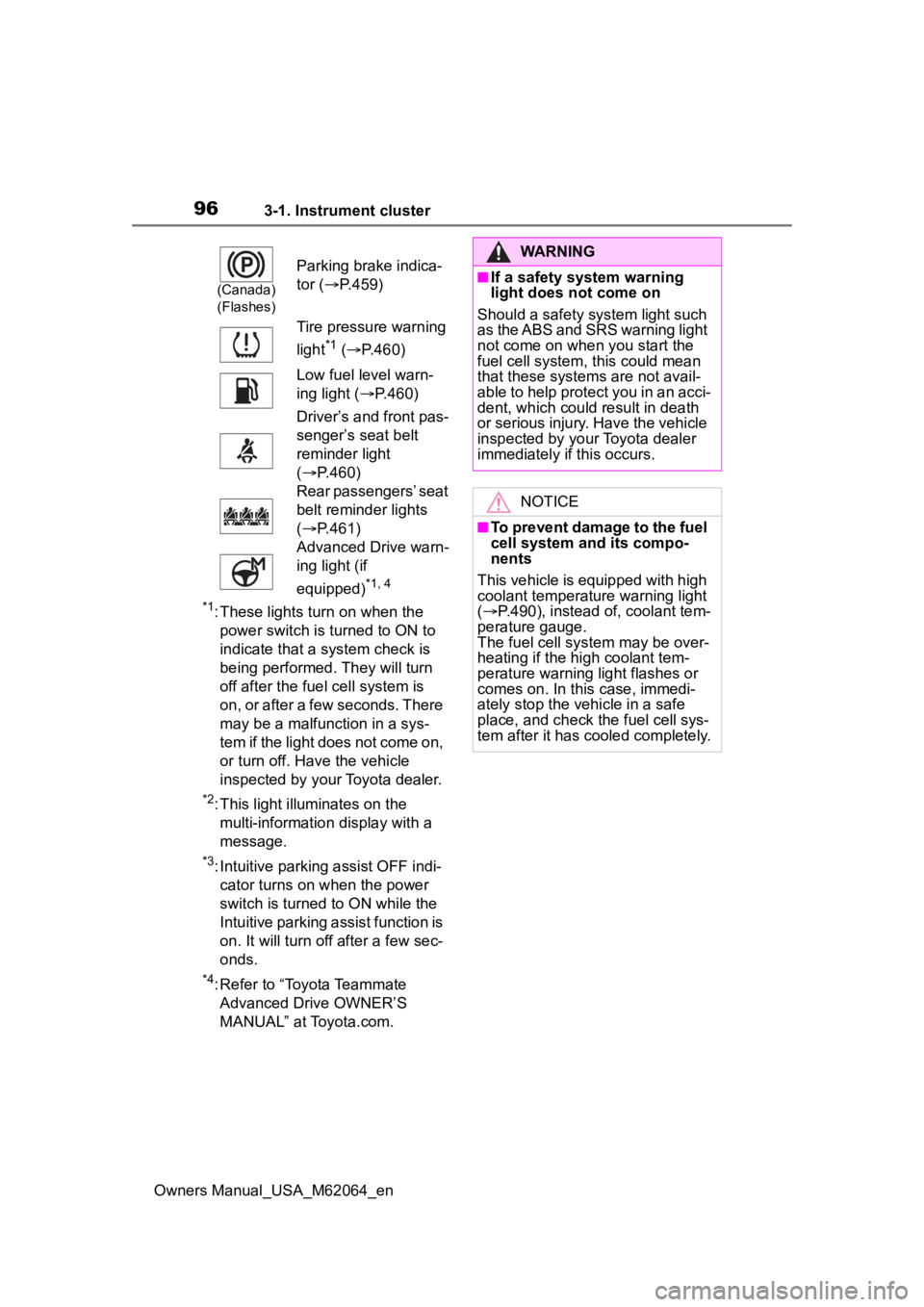
(Canada)
(Flashes)
Parking brake indica-
tor ( P.459)
Tire pressure warning
light
*1 ( P.460)
Low fuel level warn-
ing light ( P.460)
Driver’s and front pas-
senger’s seat belt
reminder light
( P.460)
Rear passengers’ seat
belt reminder lights
( P.461)
Advanced Drive warn-
ing light (if
equipped)
*1, 4
WARNING
■If a safety system warning
light does not come on
Should a safety system light such
as the ABS and SRS warning light
not come on when you start the
fuel cell system, this could mean
that these system s are not avail-
able to help protect you in an acci-
dent, which could result in death
or serious injury. Have the vehicle
inspected by you r Toyota dealer
immediately if this occurs.
NOTICE
■To prevent damage to the fuel
cell system and its compo-
nents
This vehicle is equipped with high
coolant temperature warning light
( P.490), instead of, coolant tem-
perature gauge.
The fuel cell sys tem may be over-
heating if the high coolant tem-
perature warning light flashes or
comes on. In this case, immedi-
ately stop the vehicle in a safe
place, and check the fuel cell sys-
tem after it has cooled completely.
Page 192 of 572
1925-2. Driving procedures
Owners Manual_USA_M62064_en
When the shift position is
shifted to P, the parking brake
will be set, and the parking
brake indicator light will turn
on.
Operate the shift lever and P
position switch with the vehicle
stopped and the brake pedal
depressed.
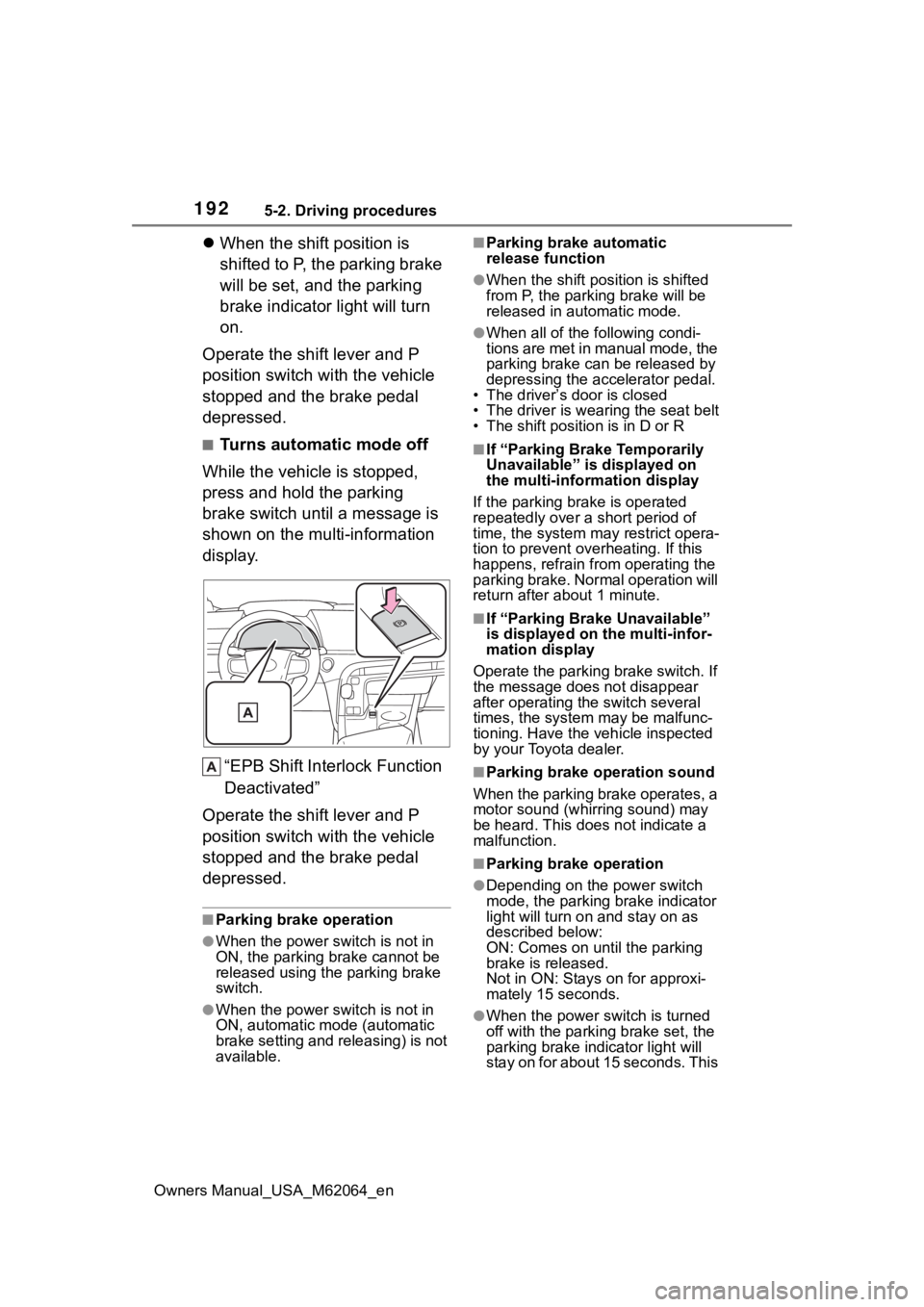
■Turns automatic mode off
While the vehicle is stopped,
press and hold the parking
brake switch until a message is
shown on the multi-information
display.
“EPB Shift Inte rlock Function
Deactivated”
Operate the shift lever and P
position switch with the vehicle
stopped and the brake pedal
depressed.
■Parking brake operation
●When the power s witch is not in
ON, the parking brake cannot be
released using the parking brake
switch.
●When the power s witch is not in
ON, automatic mode (automatic
brake setting and releasing) is not
available.
■Parking brake automatic
release function
●When the shift position is shifted
from P, the parking brake will be
released in automatic mode.
●When all of the f ollowing condi-
tions are met in manual mode, the
parking brake can be released by
depressing the accelerator pedal.
• The driver’s door is closed
• The driver is wearing the seat belt
• The shift position is in D or R
■If “Parking Brake Temporarily
Unavailable” is displayed on
the multi-info rmation display
If the parking brake is operated
repeatedly over a short period of
time, the system may restrict opera-
tion to prevent ove rheating. If this
happens, refrain from operating the
parking brake. Normal operation will
return after about 1 minute.
■If “Parking Brake Unavailable”
is displayed on the multi-infor-
mation display
Operate the parking brake switch. If
the message does not disappear
after operating the switch several
times, the system may be malfunc-
tioning. Have the vehicle inspected
by your Toyota dealer.
■Parking brake operation sound
When the parking brake operates, a
motor sound (whirr ing sound) may
be heard. This does not indicate a
malfunction.
■Parking brake operation
●Depending on the power switch
mode, the parking brake indicator
light will turn on and stay on as
described below:
ON: Comes on until the parking
brake is released.
Not in ON: Stays on for approxi-
mately 15 seconds.
●When the power switch is turned
off with the parking brake set, the
parking brake i ndicator light will
stay on for about 15 seconds. This
Page 193 of 572
1935-2. Driving procedures
Owners Manual_USA_M62064_en
5
Driving
does not indicate a malfunction.
■When the parking brake switch
malfunctions
Automatic mode (automatic brake
setting and releas ing) will be turned
on automatically.
■Parking the vehicle
P. 1 6 9
■Parking brake engaged warning
buzzer
A buzzer will sound if the vehicle is
driven with the parking brake
engaged. “Parking Brake ON” is dis-
played on the multi-information dis-
play. (with the vehicle reached a
speed of 3 mph [5 km/h])
■If the parking brake indicator
flashes
P. 4 5 9
■Usage in winter time
P. 3 2 7
WARNING
■When parking the vehicle
Do not leave a child in the vehicle
alone. The parking brake may be
released unintentionally and there
is the danger of the vehicle mov-
ing that may lead to an accident
resulting in death or serious injury.
NOTICE
■When parking the vehicle
Before you leave the vehicle, set
the parking brake, shift the shift
position to P and make sure that
the vehicle does not move.
■When the system malfunc-
tions
Stop the vehicle in a safe place
and check the warning messages.
■When the parking brake can-
not be released due to a mal-
function
Driving the vehicle with the park-
ing brake set will lead to brake
components overheating, which
may affect braking performance
and increase brake wear.
Have the vehicle inspected by
your Toyota dealer immediately if
this occurs.
Page 320 of 572
3205-5. Using the driving support systems
Owners Manual_USA_M62064_en
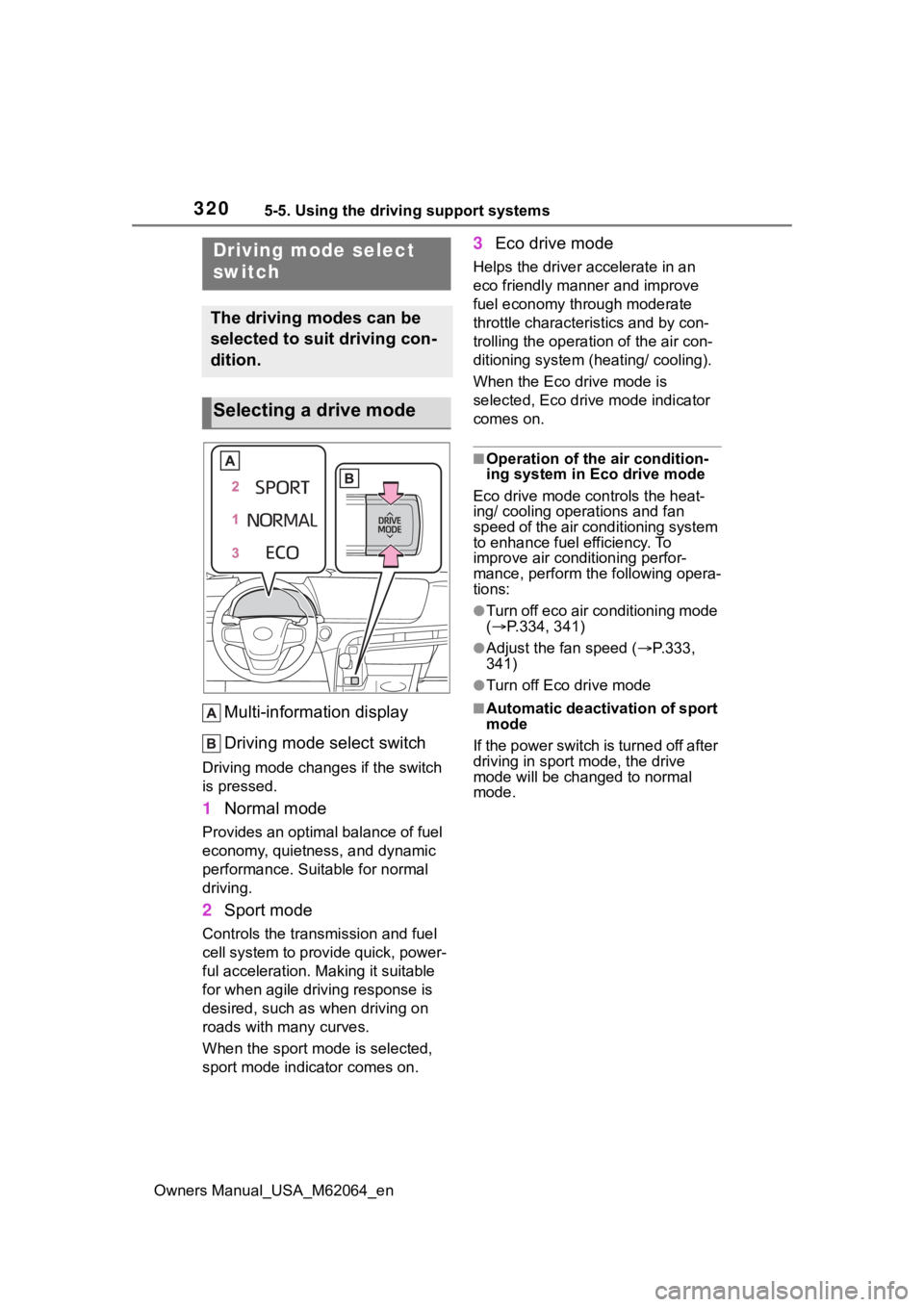
Multi-information display
Driving mode select switch
Driving mode changes if the switch
is pressed.
1 Normal mode
Provides an optimal balance of fuel
economy, quietness, and dynamic
performance. Suitable for normal
driving.
2Sport mode
Controls the transmission and fuel
cell system to provide quick, power-
ful acceleration. Making it suitable
for when agile dri ving response is
desired, such as when driving on
roads with many curves.
When the sport mod e is selected,
sport mode indicator comes on.
3 Eco drive mode
Helps the driver accelerate in an
eco friendly mann er and improve
fuel economy through moderate
throttle characteristics and by con-
trolling the operation of the air con-
ditioning system (heating/ cooling).
When the Eco drive mode is
selected, Eco drive mode indicator
comes on.
■Operation of the air condition-
ing system in Eco drive mode
Eco drive mode con trols the heat-
ing/ cooling operations and fan
speed of the air conditioning system
to enhance fuel efficiency. To
improve air conditioning perfor-
mance, perform the following opera-
tions:
●Turn off eco air conditioning mode
( P.334, 341)
●Adjust the fan speed ( P.333,
341)
●Turn off Eco drive mode
■Automatic deactivation of sport
mode
If the power switch is turned off after
driving in sport mode, the drive
mode will be change d to normal
mode.
Driving mode select
switch
The driving modes can be
selected to suit driving con-
dition.
Selecting a drive mode
Page 325 of 572
3255-5. Using the driving support systems
Owners Manual_USA_M62064_en
5
Driving
■Operating conditions of Active
Cornering Assist
The system operates when the fol-
lowing occurs.
●TRAC/VSC can operate
●The driver is at tempting to accel-
erate while turning
●The system detects that the vehi-
cle is drifting to the outer side
●The brake pedal is released
■Reduced effectiveness of the
EPS system
The effectiveness of the EPS sys-
tem is reduced to prevent the sys-
tem from overheating when there is
frequent steering input over an
extended period of time. The steer-
ing wheel may feel heavy as a
result. Should this occur, refrain
from excessive steering input or
stop the vehicle and turn the fuel
cell system off. The EPS system
should return to normal within 10
minutes.
■Secondary Collision Brake
operating conditions
The system operates when the SRS
airbag sensor detects a collision
while the vehicle is in motion. How-
ever, the system does not operate in
any of the following situations.
●When driving at a low speed
●Components are damaged
■Secondary Collision Brake
automatic cancelation
The system is automatically can-
celed in any of th e following situa-
tions.
●The vehicle speed has decreased
to a certain speed
●A certain amount o f time elapses
during operation
●The accelerator pedal is
depressed a large amount
WARNING
■The ABS does not operate
effectively when
●The limits of tire gripping perfor-
mance have been exceeded
(such as excessively worn tires
on a snow covered road).
●The vehicle hydroplanes while
driving at high speed on wet or
slick roads.
■Stopping distance when the
ABS is operating may exceed
that of normal conditions
The ABS is not designed to
shorten the vehicle’s stopping dis-
tance. Always maintain a safe dis-
tance from the veh icle in front of
you, especially in the following sit-
uations:
●When driving on dirt, gravel or
snow-covered roads
●When driving with tire chains
●When driving over bumps in the
road
●When driving over roads with
potholes or uneven surfaces
■TRAC/VSC may not operate
effectively when
Directional control and power may
not be achievable while driving on
slippery road surfaces, even if the
TRAC/VSC system is operating.
Drive the vehicle carefully in con-
ditions where stability and power
may be lost.
■Active Cornering Assist does
not operate effectively when
●Do not overly rely on Active
Cornering Assist. Active Corner-
ing Assist may not operate
effectively when accelerating
down slopes or driving on slip-
pery road surfaces.
Page 332 of 572
3326-1. Using the air conditioning system and defogger
Owners Manual_USA_M62064_en
6-1.Using the air conditioning system and defogger
*: If equipped
Touch “All auto” on the air condi-
tioning control screen.(P.346)
The indicator on the “All auto” con-
trol screen illuminates, and the
automatic air conditioning system,
seat heaters and v entilators, and
heated steering wheel operate in
automatic mode.
If any of the system is operated
manually, the indicator turns off.
However, all other functions con-
tinue to operate in automatic mode.
■Automatic air conditioning
system ( P.340)
The temperature can be
adjusted independently for each
seat.
■Seat heaters (if equipped)
and seat ventilators (if
equipped) ( P.351)
Heating or ventilation is auto-
matically selected according to
the set temperature of the air
conditioning system, the out-
side temperature, etc.
■Heated steering wheel (if
equipped) ( P.351)
Heated steering wheel operates
automatically according to the
set temperature of the air condi-
tioning system, the outside tem-
perature, etc.
■Passenger detection functions
When a passenger is detected in
the front passenger seat, the seat
heater and ventila tor will operate
automatically.
■Seat heater (if equipped)/venti-
lator operation (if equipped)
When automatic mode is selected
using the seat heater/ventilator
switch, passenger d etection is not
performed.
■Rear seat heater operation
(vehicles with 3-ZONE climate
control)
The rear seat heaters are not con-
trolled by the ALL AUTO control.
ALL AUTO control*
The seat heaters (if
equipped), seat ventilators
(if equipped) and heated
steering wheel (if equipped)
are each automatically con-
trolled according to the set
temperature of the air condi-
tioning system, the outside
and cabin temperature, etc.
ALL AUTO control allows a
comfortable condition to be
maintained without adjust-
ing each system.
Turning on ALL AUTO
control
Operation of each system
Page 335 of 572
3356-1. Using the air conditioning system and defogger
Owners Manual_USA_M62064_en
6
Interior features
When the windshield defogger
switch is on, the indicator illumi-
nates on the windshield defogger
switch.
■Defogging the rear window
and outside rear view mir-
rors
Defoggers are used to defog the
rear window and to remove rain-
drops, dew and frost from the
outside rear view mirrors.
Press the rear window and out-
side rear view mirror defoggers
switch.
The defoggers will automatically
turn off after 15 minutes.
When the rear window and outside
rear view mirror defoggers switch is
on, the indicator illuminates on the
rear window and ou tside rear view
mirror defoggers switch.
■When the outside temperature
exceeds 75°F (24°C) and the air
conditioning system is on
●In order to reduce the air condi-
tioning power consumption, the air
conditioning system may switch to
recirculated air mode automati-
cally.
This may also reduce fuel con-
sumption.
●Recirculated air mode is selected
as a default mode when the power
switch is turned to ON.
●It is possible to switch to outside
air mode at any time by pressing
the outside/recirculated air mode
switch.
■Fogging up of the windows
●The windows will easily fog up
when the humidity in the vehicle is
high. Turning the cooling and
dehumidification function on will dehumidify the air from the outlets
and defog the windshield effec-
tively.
●If you turn the cooling and dehu-
midification function off, the win-
dows may fog up more easily.
●The windows may fog up if the
recirculated air mode is used.
■When driving on dusty roads
Close all windows. If dust thrown up
by the vehicle is still drawn into the
vehicle after closing the windows, it
is recommended that the air intake
mode be set to outside air mode and
the fan speed to a ny setting except
off.
■Outside/recirculated air mode
●Setting to the recirculated air
mode temporarily is recom-
mended in preventing dirty air
from entering the vehicle interior
and helping to c ool the vehicle
when the outside air temperature
is high.
●Outside/recirculated air mode may
automatically switch depending on
the temperature setting or the
inside temperature.
■When the outside temperature
falls to nearly 32°F (0°C)
The dehumidification function may
not operate even when “A/C” switch
is pressed.
■Operation of the air condition-
ing system in Eco drive mode
●In Eco drive mode, the air condi-
tioning system is controlled as fol-
lows to prioritize fuel efficiency:
• Fuel cell system and compressor
operation controlled to restrict
heating/cooling capacity
• Fan speed restri cted when auto-
matic mode is selected
●To improve air conditioning perfor-
mance, perform the following
operations:
• Adjust the fan speed
• Turn off Eco drive mode ( P.320)
• Turn off Eco air conditioning mode