interior lights TOYOTA MIRAI 2023 Owners Manual
[x] Cancel search | Manufacturer: TOYOTA, Model Year: 2023, Model line: MIRAI, Model: TOYOTA MIRAI 2023Pages: 572, PDF Size: 17.71 MB
Page 4 of 572
4TABLE OF CONTENTS
Owners Manual_USA_M62064_en
Parking Support Brake func-tion (pedestrians rear of the
vehicle) ........................ 291
Toyota Teammate Advanced Park ............................. 293
Driving mode select switch .................................... 320
Snow mode ................... 321
Driving assist systems .. 322
5-6. Driving tips Winter driving tips ......... 327
6-1. Using the air conditioning
system and defogger
ALL AUTO control ......... 332
Automatic air conditioning system (Type A) .......... 333
Automatic air conditioning system (Type B) .......... 340
Rear automatic air condition- ing system ................... 349
Heated steering wheel/seat heaters/seat ventilators 351
6-2. Using the interior lights Interior lights list ............ 355
6-3. Using the storage features List of storage features . 358
Trunk features ............... 361
6-4. Using the other interior fea- tures
Electronic sunshade...... 363
Other interior features ... 364
Garage door opener...... 3827-1. Maintenance and care
Cleaning and protecting the vehicle exterior ............ 392
Cleaning and protecting the vehicle interior ............. 396
7-2. Maintenance Maintenance requirements.................................... 400
General maintenance .... 401
7-3. Do-it-yourself maintenance Do-it-yourself service precau-tions ............................. 404
Hood .............................. 406
Positioning a floor jack .. 406
Fuel cell unit compartment .................................... 408
12-volt battery................ 413
Tires .............................. 416
Replacing the tire .......... 424
Tire inflation pressure .... 428
Wheels .......................... 430
Air conditioning filter ...... 432
Cleaning the traction battery air intake vents ............ 433
Electronic key battery .... 436
Checking and replacing fuses .................................... 438
Headlight aim ................ 442
Light bulbs ..................... 443
6Interior features
7Maintenance and care
Page 23 of 572
23Pictorial index
Owners Manual_USA_M62064_en
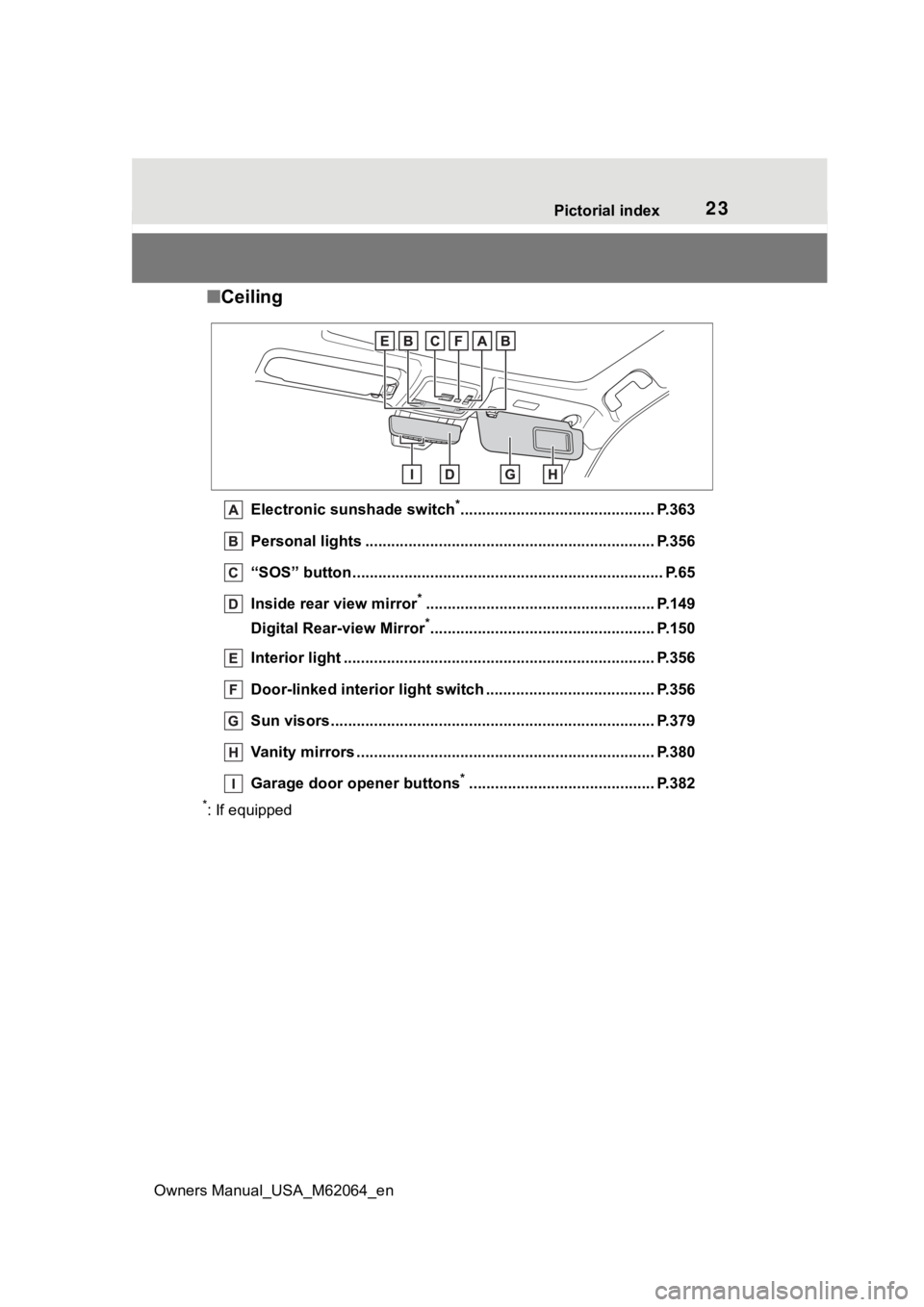
■ Ceiling
Electronic sunshade switch*............................................. P.363
Personal lights ................................................ ................... P.356
“SOS” button ................................................... ..................... P.65
Inside rear view mirror
*..................................................... P.149
Digital Rear-view Mirror
*.................................................... P.150
Interior light ........................................................................ P.356
Door-linked interior light switch .............................. ......... P.356
Sun visors........................................................................... P.379
Vanity mirrors ................................................. .................... P.380
Garage door opener buttons
*........................................... P.382
*: If equipped
Page 36 of 572
361-1. For safe use
Owners Manual_USA_M62064_en
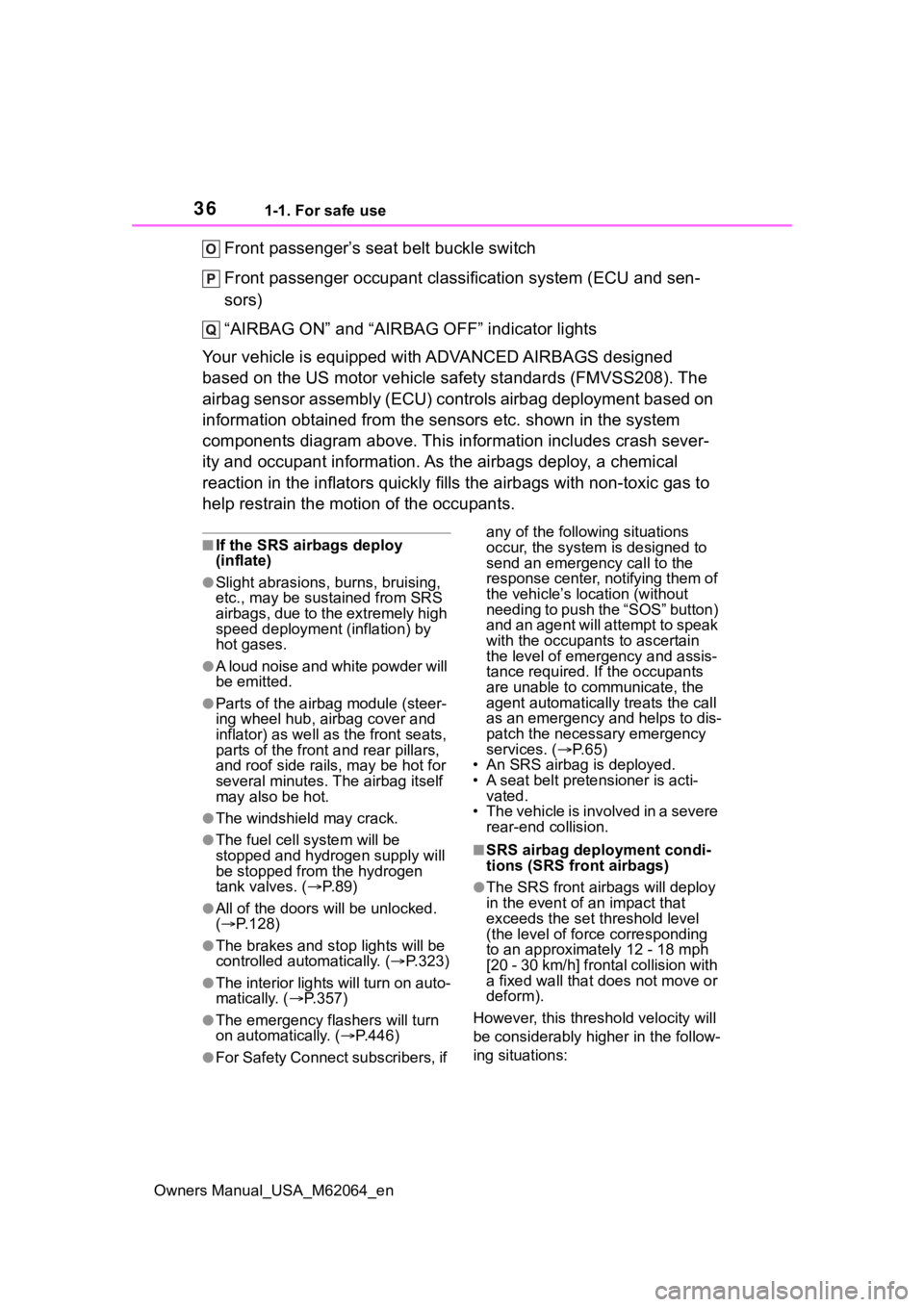
Front passenger’s seat belt buckle switch
Front passenger occupant classification system (ECU and sen-
sors)
“AIRBAG ON” and “AIRBAG OFF” indicator lights
Your vehicle is equipped with ADVANCED AIRBAGS designed
based on the US motor vehicle safety standards (FMVSS208). The
airbag sensor assembly (ECU) cont rols airbag deployment based on
information obtained from the sensors etc. shown in the system
components diagram above. This in formation includes crash sever-
ity and occupant information. As the airbags deploy, a chemical
reaction in the inflators quickly fills the airbags with non-toxic gas to
help restrain the motion of the occupants.
■If the SRS airbags deploy
(inflate)
●Slight abrasions, burns, bruising,
etc., may be sustained from SRS
airbags, due to the extremely high
speed deployment (inflation) by
hot gases.
●A loud noise and white powder will
be emitted.
●Parts of the airbag module (steer-
ing wheel hub, airbag cover and
inflator) as well as the front seats,
parts of the front and rear pillars,
and roof side rails, may be hot for
several minutes. T he airbag itself
may also be hot.
●The windshield may crack.
●The fuel cell system will be
stopped and hydr ogen supply will
be stopped fro m the hydrogen
tank valves. ( P. 8 9 )
●All of the doors will be unlocked.
( P.128)
●The brakes and st op lights will be
controlled automatically. ( P.323)
●The interior lights will turn on auto-
matically. ( P.357)
●The emergency flashers will turn
on automatically. ( P.446)
●For Safety Connect subscribers, if any of the following situations
occur, the system is designed to
send an emergency call to the
response center, notifying them of
the vehicle’s location (without
needing to push the “SOS” button)
and an agent will attempt to speak
with the occupants to ascertain
the level of emergency and assis-
tance required. If the occupants
are unable to communicate, the
agent automatically treats the call
as an emergency and helps to dis-
patch the necessary emergency
services. (
P. 6 5 )
• An SRS airbag is deployed.
• A seat belt pretensioner is acti- vated.
• The vehicle is involved in a severe rear-end collision.
■SRS airbag deployment condi-
tions (SRS front airbags)
●The SRS front airbags will deploy
in the event of an impact that
exceeds the set threshold level
(the level of forc e corresponding
to an approximately 12 - 18 mph
[20 - 30 km/h] frontal collision with
a fixed wall that does not move or
deform).
However, this threshold velocity will
be considerably higher in the follow-
ing situations:
Page 331 of 572
331
Owners Manual_USA_M62064_en
6
6
Interior features
Interior features
6-1. Using the air conditioning system and defogger
ALL AUTO control ....... 332
Automatic air conditioning system (Type A) ........ 333
Automatic air conditioning system (Type B) ........ 340
Rear automatic air condi- tioning system ........... 349
Heated steering wheel/seat heaters/seat ventilators.................................. 351
6-2. Using the interior lights Interior lights list .......... 355
6-3. Using the storage features
List of storage features 358
Trunk features ............. 361
6-4. Using the other interior features
Electronic sunshade.... 363
Other interior features . 364
Garage door opener.... 382
Page 355 of 572
3556-2. Using the interior lights
Owners Manual_USA_M62064_en
6
Interior features
6-2.Using the interior lights
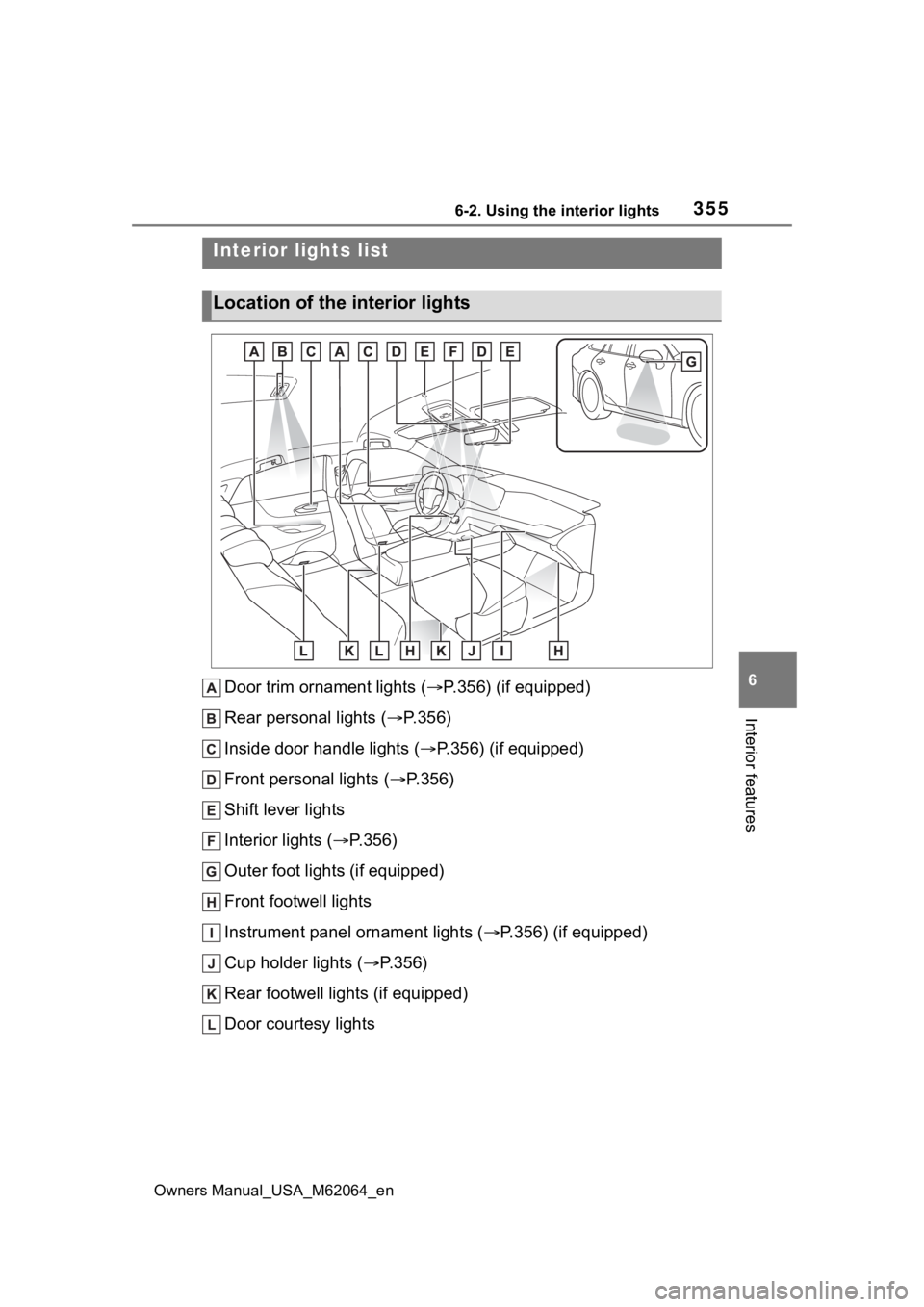
Door trim ornament lights ( P.356) (if equipped)
Rear personal lights ( P.356)
Inside door handle lights ( P.356) (if equipped)
Front personal lights ( P.356)
Shift lever lights
Interior lights ( P.356)
Outer foot lights (if equipped)
Front footwell lights
Instrument panel ornament lights ( P.356) (if equipped)
Cup holder lights ( P.356)
Rear footwell lights (if equipped)
Door courtesy lights
Interior lights list
Location of the i nterior lights
Page 356 of 572
3566-2. Using the interior lights
Owners Manual_USA_M62064_en
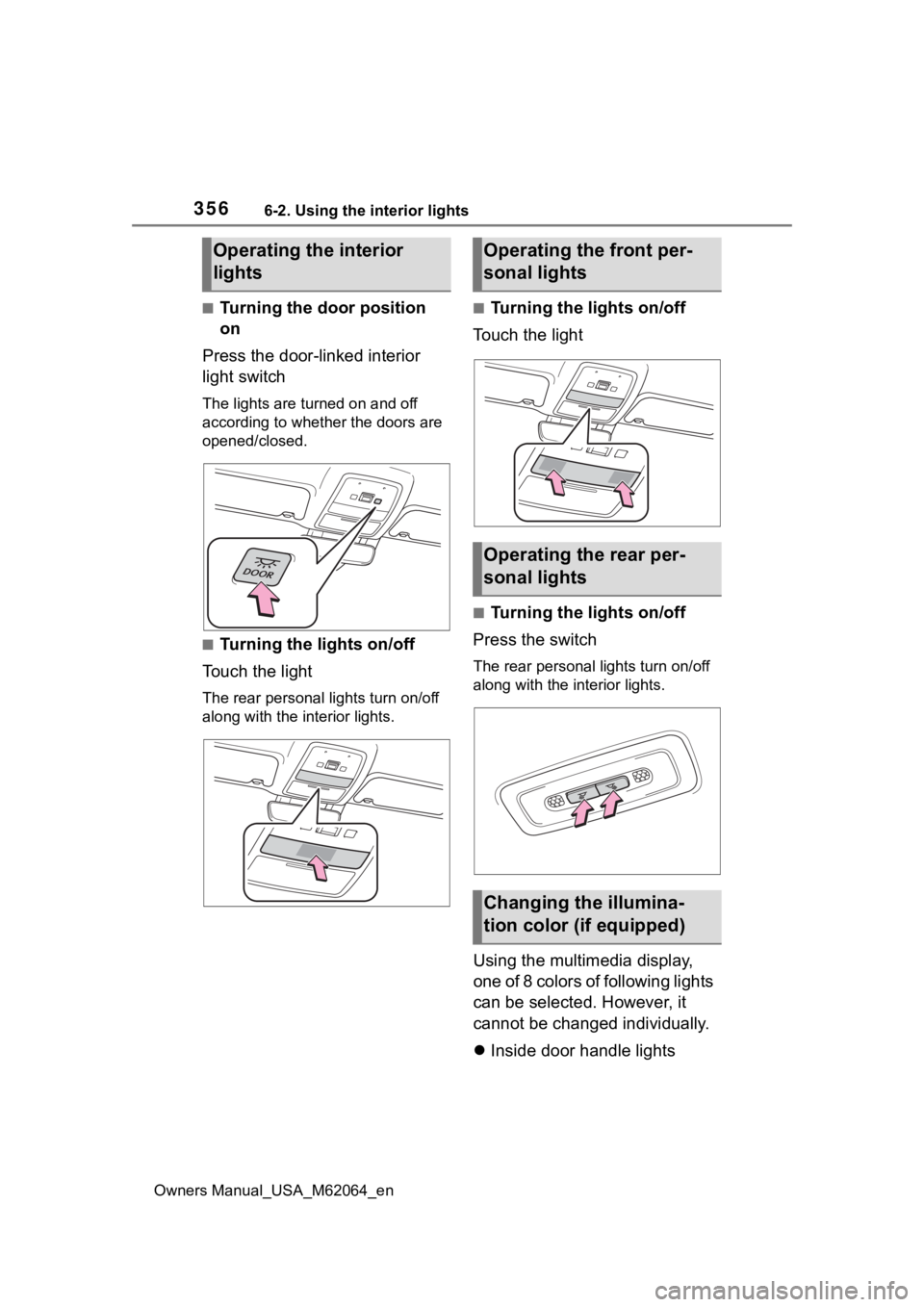
■Turning the door position
on
Press the door-linked interior
light switch
The lights are turned on and off
according to whether the doors are
opened/closed.
■Turning the lights on/off
Touch the light
The rear personal lights turn on/off
along with the in terior lights.
■Turning the lights on/off
Touch the light
■Turning the lights on/off
Press the switch
The rear personal lights turn on/off
along with the interior lights.
Using the multimedia display,
one of 8 colors of following lights
can be selected. However, it
cannot be changed individually.
Inside door handle lights
Operating the interior
lightsOperating the front per-
sonal lights
Operating the rear per-
sonal lights
Changing the illumina-
tion color (if equipped)
Page 357 of 572
3576-2. Using the interior lights
Owners Manual_USA_M62064_en
6
Interior features
Door trim ornament lights
Cup holder lights
Instrument panel ornament
lights
1 Select .
2 Select “Illumination”.
3 Select the desired color.
■Illuminated entry system
The lights automatically turn on/off
according to the power switch
mode, the presence of the elec-
tronic key, whether the doors are
locked/unlocked, and whether the
doors are open/closed.
■To prevent the 12-volt battery
from being discharged
If the interior lights remain on when
the power switch is turned off, the
lights will go off automatically after
20 minutes.
■When the interior lights or front
personal lights do not respond
as normal
●When water, dirt, etc., have
adhered to the lens surface
●When operated with a wet hand
●When wearing gloves, etc.
■The interior lights may turn on
automatically when
If any of the SRS airbags deploy
(inflate) or in the event of a strong
rear impact, the interior lights will
turn on automatically.
The interior lights will turn off auto-
matically after approximately 20
minutes.
The interior lights can be turned off
manually. However, in order to help
prevent further collisions, it is rec-
ommended that they be left on until
safety can be ensured.
(The interior lights may not turn on
automatically depending on the force of the impact and conditions of
the collision.)
■Customization
Some functions can be customized.
( P.512)
NOTICE
■To prevent 12-volt battery dis-
charge
Do not leave the lights on longer
than necessary when the fuel cell
system is off.
■Removing light lenses
Never remove the lens for the
interior lights and front personal
lights. Otherwise, the lights will be
damaged. If a lens needs to be
removed, contact your Toyota
dealer.
Page 359 of 572
3596-3. Using the storage features
Owners Manual_USA_M62064_en
6
Interior features
1 Unlock with the mechanical
key
2 Lock with the mechanical key
■Glove box light
The glove box light turns on when
the tail lights are on.
■Trunk opener main switch
The trunk opener main switch is
located in the glove box. ( P.135)
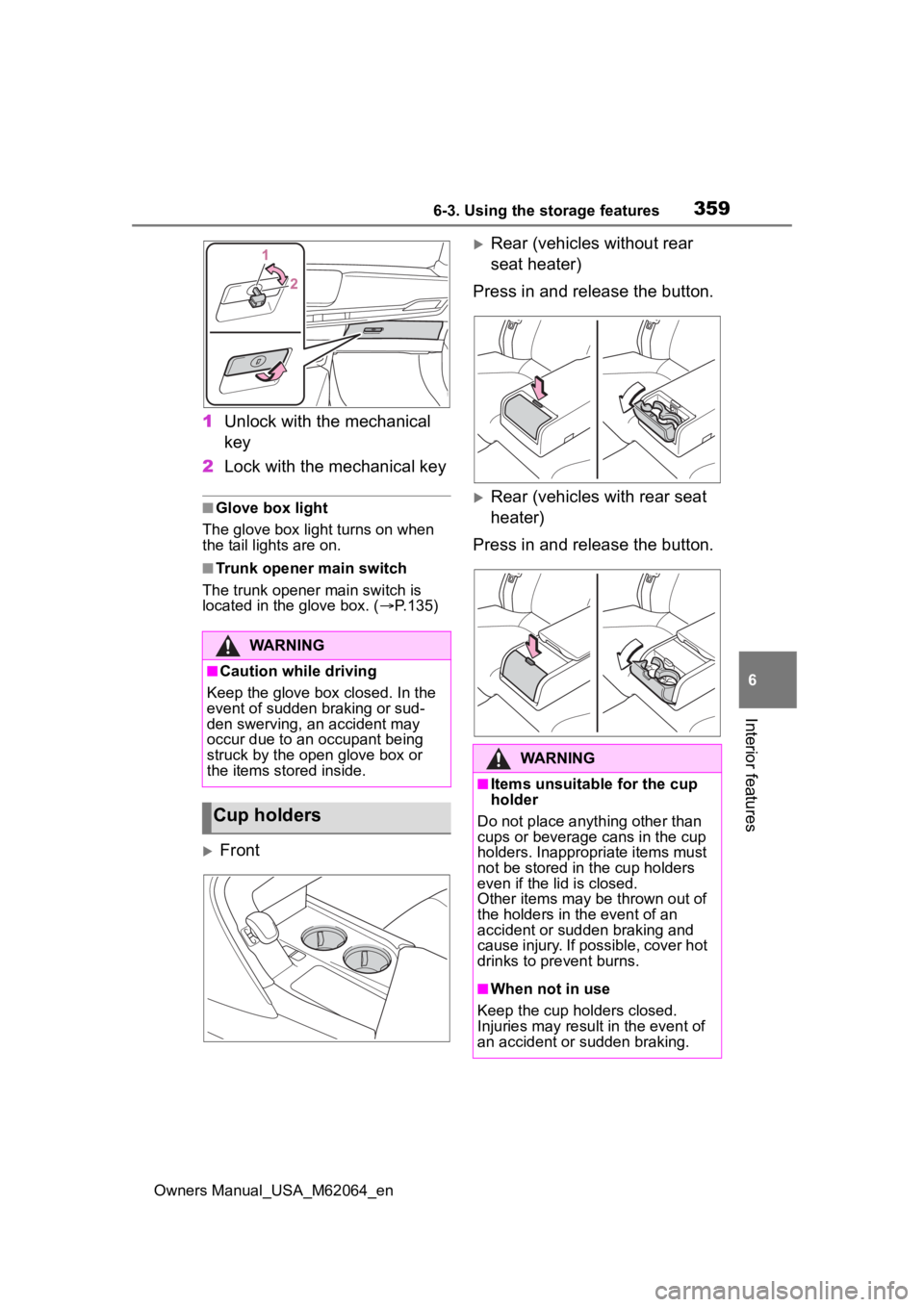
Front
Rear (vehicles without rear
seat heater)
Press in and release the button.
Rear (vehicles with rear seat
heater)
Press in and release the button.
WARNING
■Caution while driving
Keep the glove box closed. In the
event of sudden braking or sud-
den swerving, an accident may
occur due to an occupant being
struck by the open glove box or
the items stored inside.
Cup holders
WARNING
■Items unsuitable for the cup
holder
Do not place anyth ing other than
cups or beverage cans in the cup
holders. Inappropriate items must
not be stored in the cup holders
even if the lid is closed.
Other items may be thrown out of
the holders in the event of an
accident or sudden braking and
cause injury. If possible, cover hot
drinks to pre vent burns.
■When not in use
Keep the cup holders closed.
Injuries may resul t in the event of
an accident or sudden braking.
Page 373 of 572
3736-4. Using the other interior features
Owners Manual_USA_M62064_en
6
Interior features
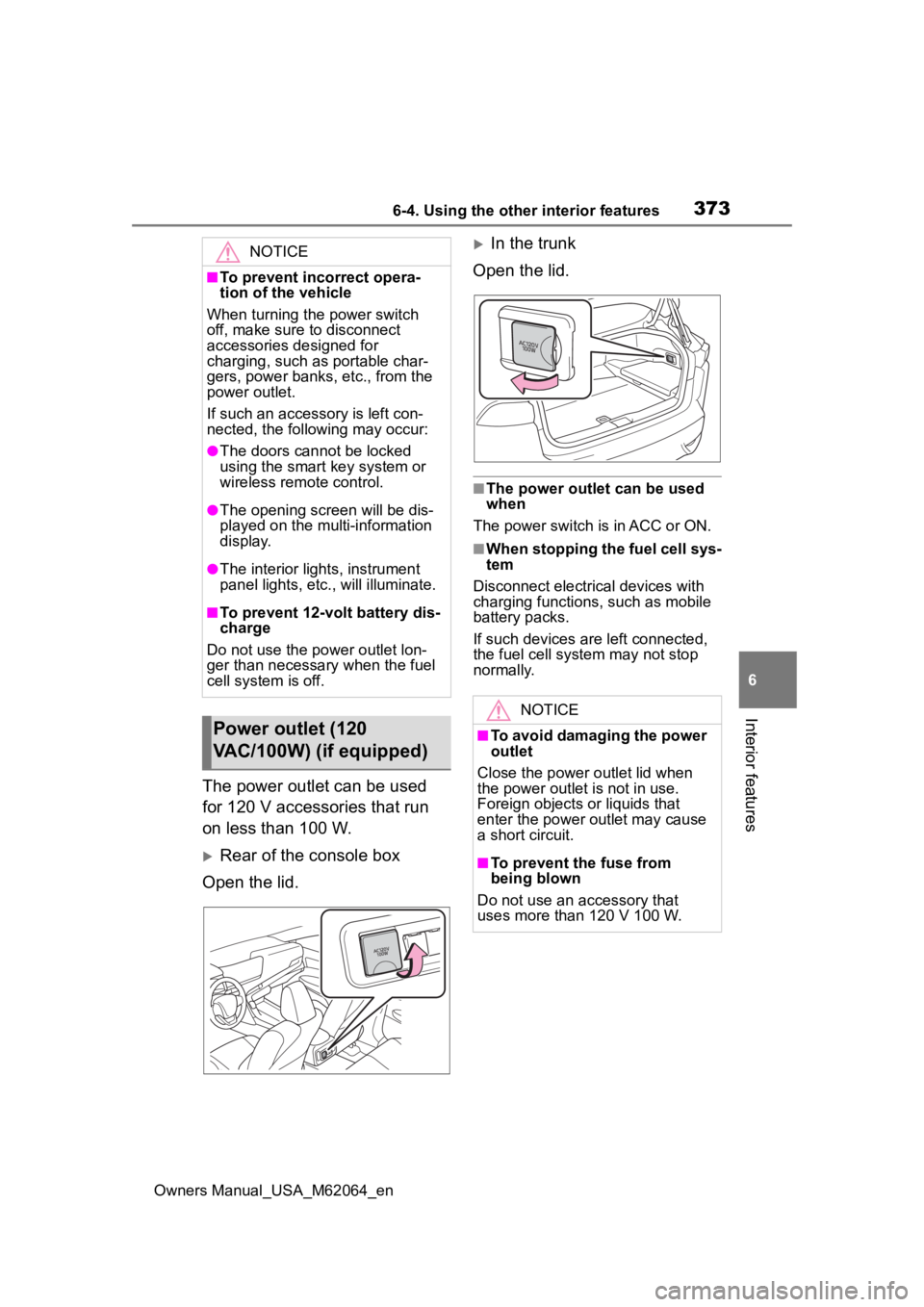
The power outlet can be used
for 120 V accessories that run
on less than 100 W.
Rear of the console box
Open the lid.
In the trunk
Open the lid.
■The power outlet can be used
when
The power switch is in ACC or ON.
■When stopping the fuel cell sys-
tem
Disconnect electrical devices with
charging functions, such as mobile
battery packs.
If such devices are left connected,
the fuel cell system may not stop
normally.
NOTICE
■To prevent incorrect opera-
tion of the vehicle
When turning the power switch
off, make sure to disconnect
accessories designed for
charging, such as portable char-
gers, power banks , etc., from the
power outlet.
If such an accessory is left con-
nected, the following may occur:
●The doors cannot be locked
using the smart key system or
wireless remote control.
●The opening scr een will be dis-
played on the multi-information
display.
●The interior lights, instrument
panel lights, etc., will illuminate.
■To prevent 12-volt battery dis-
charge
Do not use the power outlet lon-
ger than necessary when the fuel
cell system is off.
Power outlet (120
VAC/100W) (if equipped)
NOTICE
■To avoid damaging the power
outlet
Close the power outlet lid when
the power outlet is not in use.
Foreign objects or liquids that
enter the power outlet may cause
a short circuit.
■To prevent the fuse from
being blown
Do not use an accessory that
uses more than 120 V 100 W.
Page 374 of 572
3746-4. Using the other interior features
Owners Manual_USA_M62064_en
This system allows the use of
electrical devices with a total
power consumption of 1500W at
120 VAC in the vehicle. Supply-
ing power to electrical devices
outside the vehicle is not recom-
mended, as it may violate the
laws and regulations of the
country or region where it is
used. When supplying power to
electrical devices outside the
vehicle, check the laws and reg-
ulations with the relevant local
government of each country or region in advance. Also, be
careful not to drag electrical
devices and cords when moving
the vehicle.
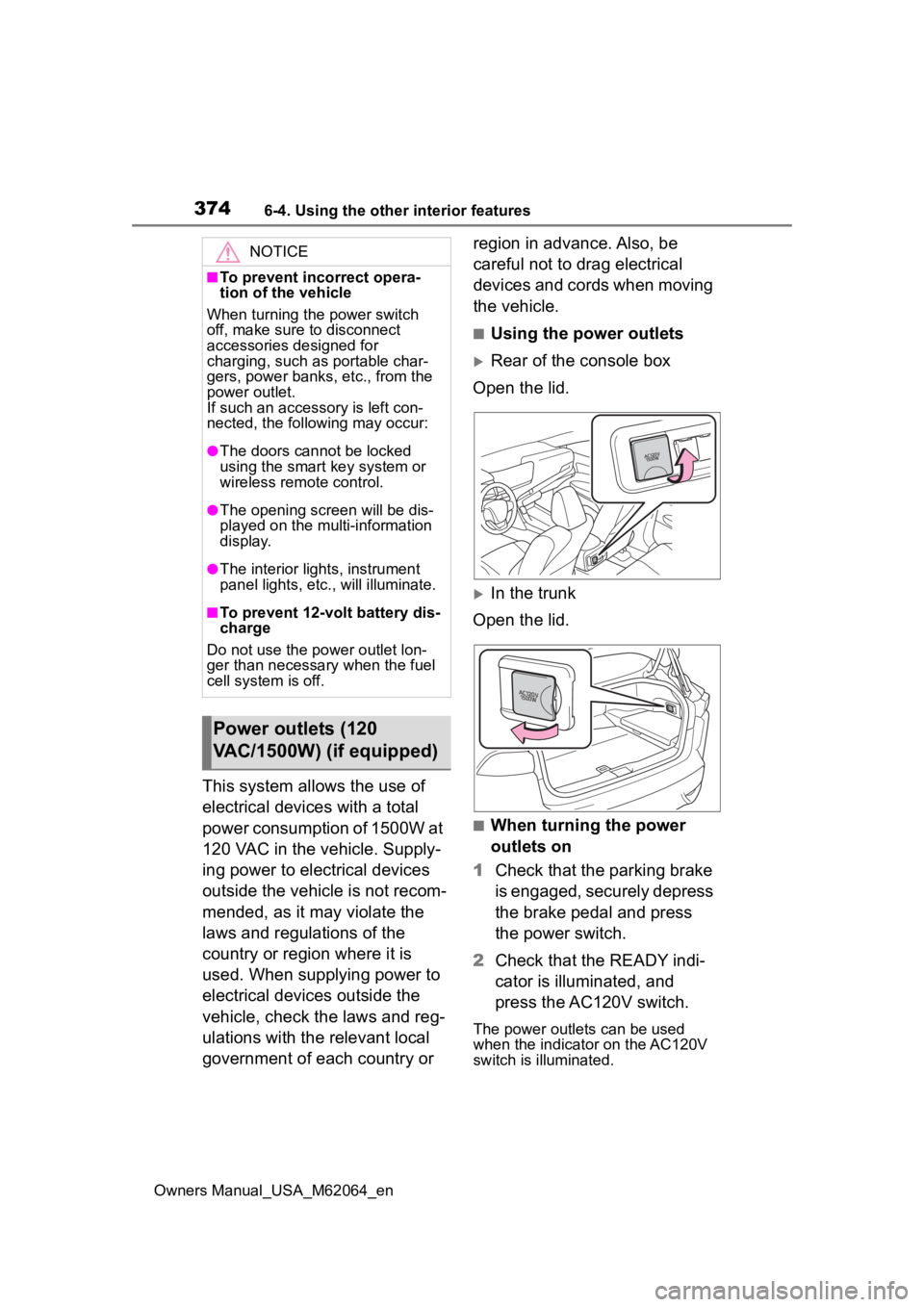
■Using the power outlets
Rear of the console box
Open the lid.
In the trunk
Open the lid.
■When turning the power
outlets on
1 Check that the parking brake
is engaged, securely depress
the brake pedal and press
the power switch.
2 Check that the READY indi-
cator is illuminated, and
press the AC120V switch.
The power outlets can be used
when the indicator on the AC120V
switch is illuminated.
NOTICE
■To prevent incorrect opera-
tion of the vehicle
When turning the power switch
off, make sure to disconnect
accessories designed for
charging, such as portable char-
gers, power banks , etc., from the
power outlet.
If such an accessory is left con-
nected, the following may occur:
●The doors cannot be locked
using the smart key system or
wireless remote control.
●The opening scr een will be dis-
played on the multi-information
display.
●The interior lights, instrument
panel lights, etc., will illuminate.
■To prevent 12-volt battery dis-
charge
Do not use the power outlet lon-
ger than necessary when the fuel
cell system is off.
Power outlets (120
VAC/1500W) (if equipped)