Eco TOYOTA PRIUS 2008 2.G Manual PDF
[x] Cancel search | Manufacturer: TOYOTA, Model Year: 2008, Model line: PRIUS, Model: TOYOTA PRIUS 2008 2.GPages: 512, PDF Size: 7.23 MB
Page 269 of 512
269
3-3. Using the audio system
3
Interior features
PRIUS_U_(L/O_0802)
Using the steering switches
Turning on the powerPress when the audio system is turned OFF.
The audio system can be turned OFF by holding the switch down for 1
second or more.
Changing the audio sourcePress when the audio system is turned ON. The audio source
changes as follows each time the bu tton is pressed. If a CD is not
inserted, that mode will be skipped.
FM (1, 2) CD player AM SAT (1, 2, 3)
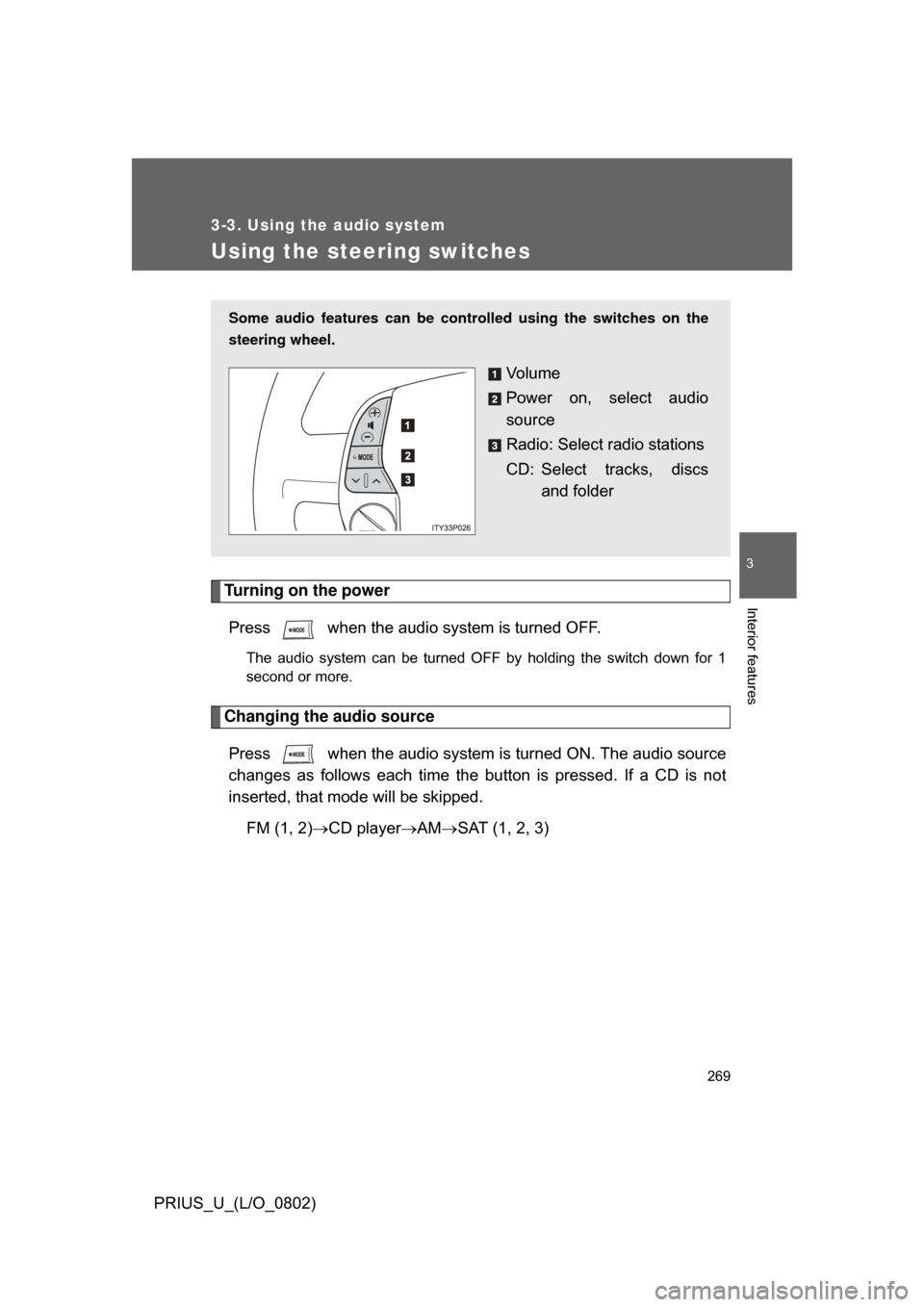
Some audio features can be cont rolled using the switches on the
steering wheel.
Vo l u m e
Power on, select audio
source
Radio: Select radio stations
CD: Select tracks, discs and folder
Page 276 of 512
276 3-4. Using the hands-free system
PRIUS_U_(L/O_0802)
FCC WARNING:
Changes or modifications not expressly approved by the party responsible
for compliance could void the user’s authority to operate the equipment.
CAUTION:
Radio Frequency Radiation Exposure
This equipment complies with FCC radiation exposure limits set forth, for
uncontrolled equipment and meets the FCC radio frequency (RF) Exposure
Guidelines in Supplement C to OET65. This equipment has very low levels
of RF energy that it deemed to comply without maximum permissive expo-
sure evaluation (MPE). But it is desirable that it should be installed and oper-
ated with at least 7.9 in (20 cm) and more between the radiator and person’s
body (excluding extremities: hands, wrists, feet and legs).
Co-location:
This transmitter must not be co-located or operated in conjunction with any
other antenna or transmitter.
CAUTION
■Caution while driving
Do not use a cellular phone or connect the Bluetooth
® phone.
NOTICE
■When leaving the vehicle
Do not leave your mobile phone in the vehicle. The inside of the vehicle may
become hot, causing damage to the phone.
Page 279 of 512
279
3-4. Using the hands-free system
3
Interior features
PRIUS_U_(L/O_0802)
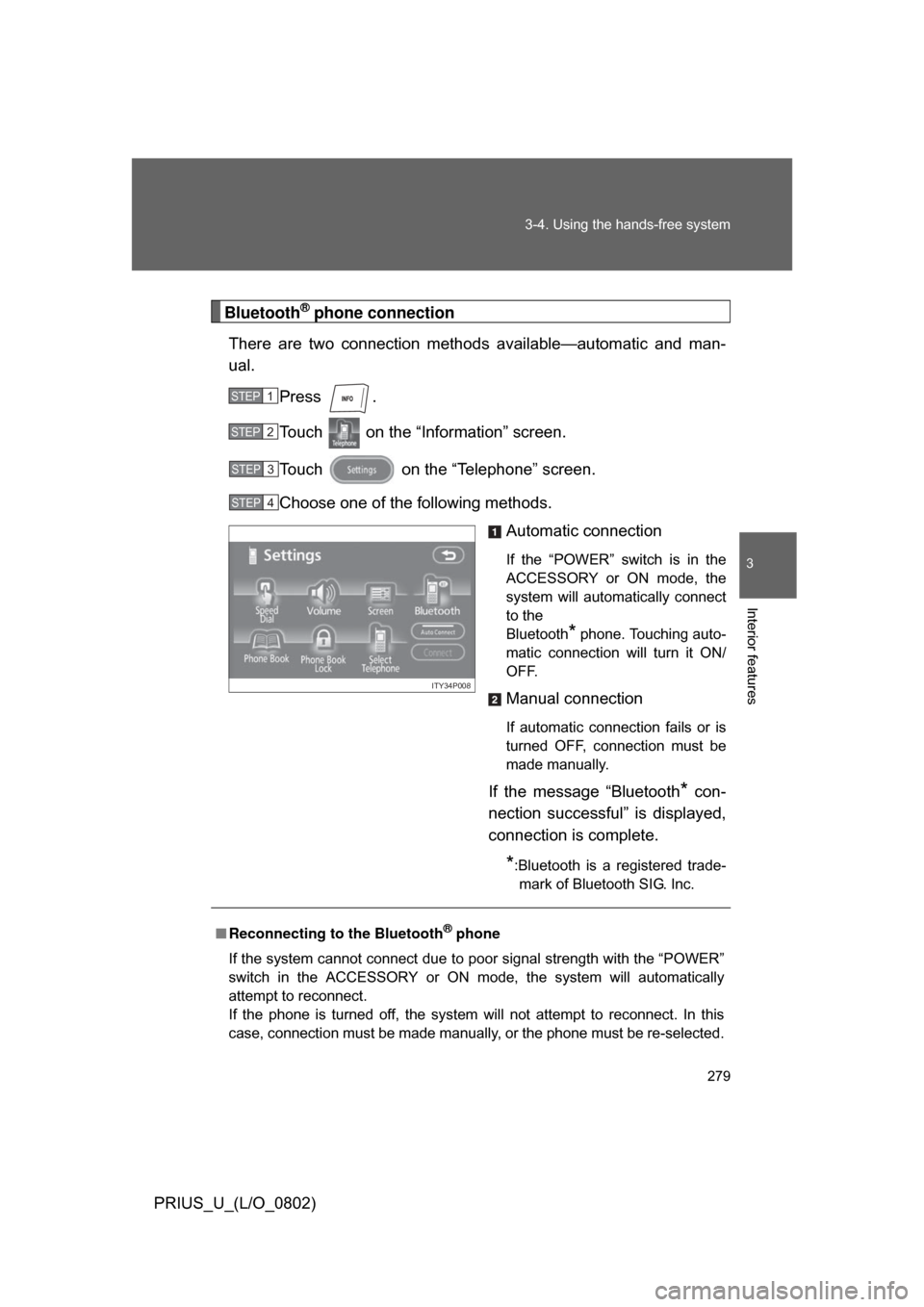
Bluetooth® phone connection
There are two connection method s available—automatic and man-
ual.
Press .
Touch on the “Information” screen.
Touch on the “Telephone” screen.
Choose one of the following methods. Automatic connection
If the “POWER” switch is in the
ACCESSORY or ON mode, the
system will automatically connect
to the
Bluetooth
* phone. Touching auto-
matic connection will turn it ON/
OFF.
Manual connection
If automatic connection fails or is
turned OFF, connection must be
made manually.
If the message “Bluetooth* con-
nection successful” is displayed,
connection is complete.
*:Bluetooth is a registered trade- mark of Bluetooth SIG. Inc.
STEP1
STEP2
STEP3
STEP4
ITY34P008
■ Reconnecting to the Bluetooth® phone
If the system cannot connect due to poor signal strength with the “POWER”
switch in the ACCESSORY or ON mode, the system will automatically
attempt to reconnect.
If the phone is turned off, the system will not attempt to reconnect. In this
case, connection must be made manually, or the phone must be re-selected.
Page 284 of 512
284 3-4. Using the hands-free system
PRIUS_U_(L/O_0802)■
Calling using voice recognition
Using voice recognition, you ca n call by name from the “Phone
Book” screen, call by number fr om the “Telephone” screen, and
send tones from the “Call” screen.( P. 288)
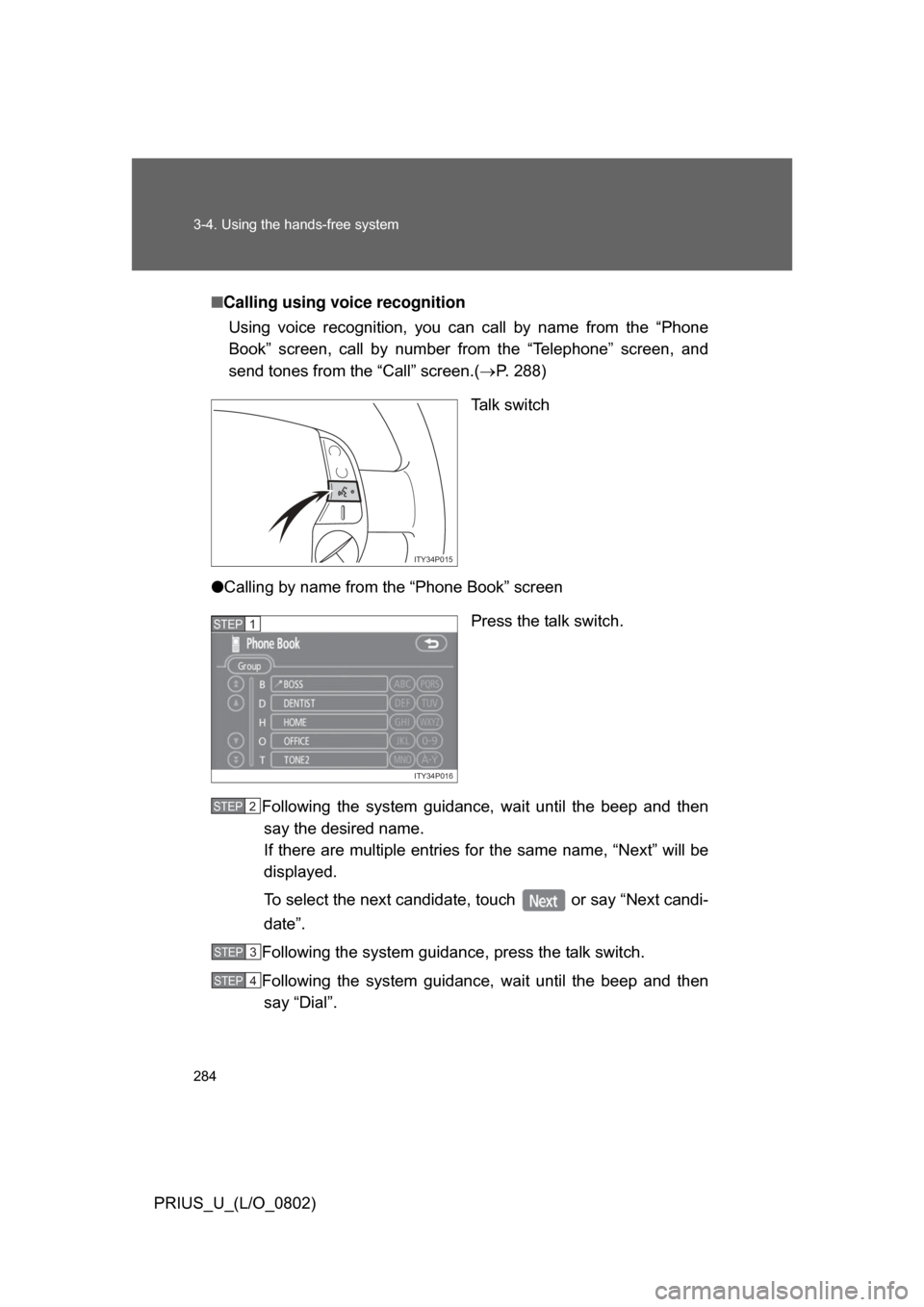
Talk switch
● Calling by name from the “Phone Book” screen
Press the talk switch.
Following the system guidance, wait until the beep and then
say the desired name.
If there are multiple entries fo r the same name, “Next” will be
displayed.
To select the next candidate , touch or say “Next candi-
date”.
Following the system guidance , press the talk switch.
Following the system guidance, wait until the beep and then
say “Dial”.
ITY34P015
ITY34P016
STEP1
STEP2
STEP3
STEP4
Page 286 of 512
286 3-4. Using the hands-free system
PRIUS_U_(L/O_0802)
■Made/Received call history list
● If you make a call to or receive a call from a number registered in the
phone book, the name is displayed in the call history.
● If you make multiple calls to the same number, only the last call made is
displayed in the made calls history.
● is displayed to the left of phone number for unanswered calls.
● Calls where the number is unavailable, such as public telephones, are
not stored in the call history.
■ When driving
● The functions “Dialing”, “Dialing from the phone book”, and “Dialing from
history” are unavailable.
● If you press the on the steering wheel, the “Speed Dial” screen is
displayed. At this time phone numbers will not be displayed. Choose
from the names displayed to make a call.
■ International calls
You may not be able to make international calls, depending on the mobile
phone in use.
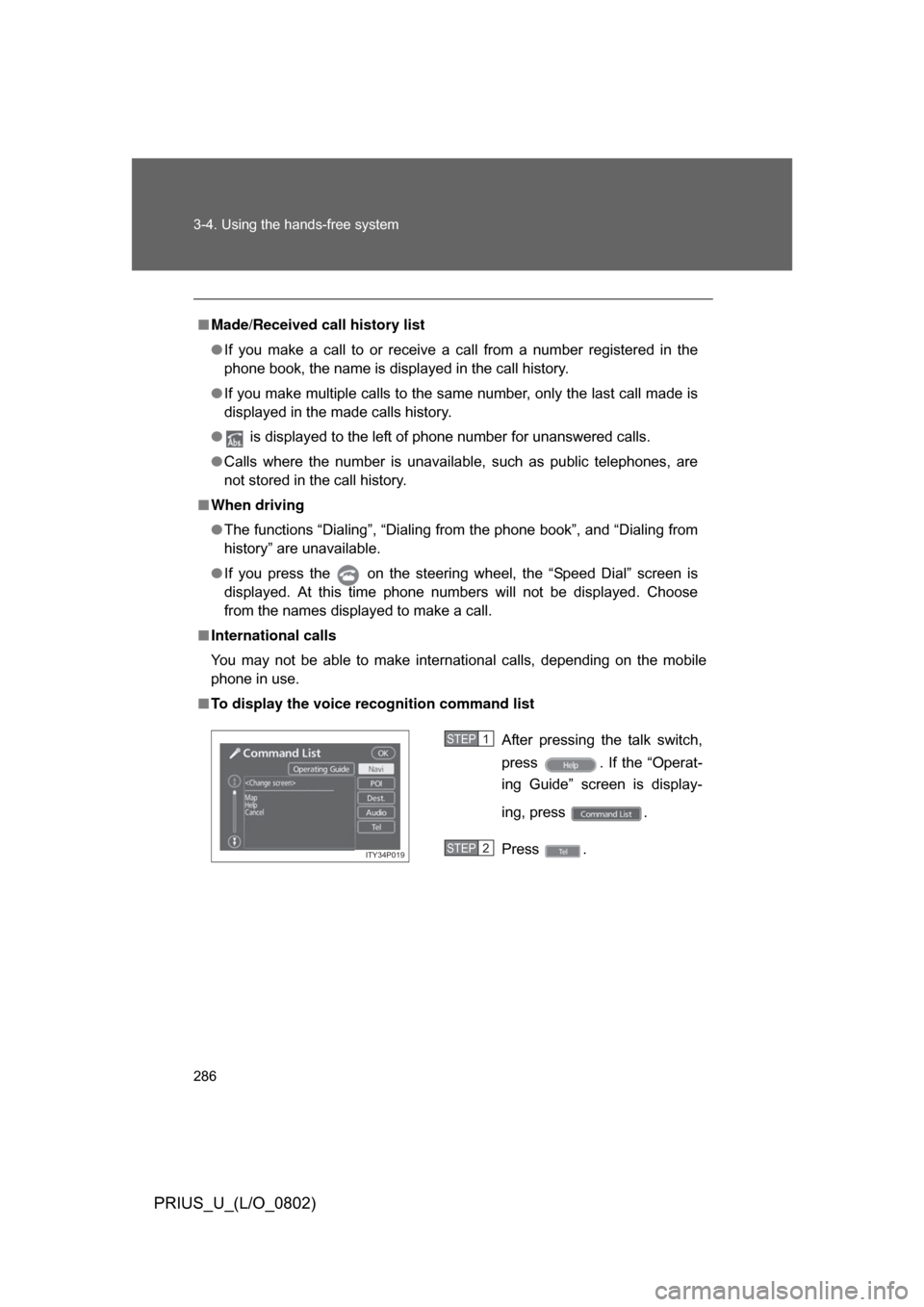
■ To display the voice recognition command list
After pressing the talk switch,
press . If the “Operat-
ing Guide” screen is display-
ing, press .
Press .
ITY34P019
STEP1
STEP2
Page 287 of 512
287
3-4. Using the hands-free system
3
Interior features
PRIUS_U_(L/O_0802)
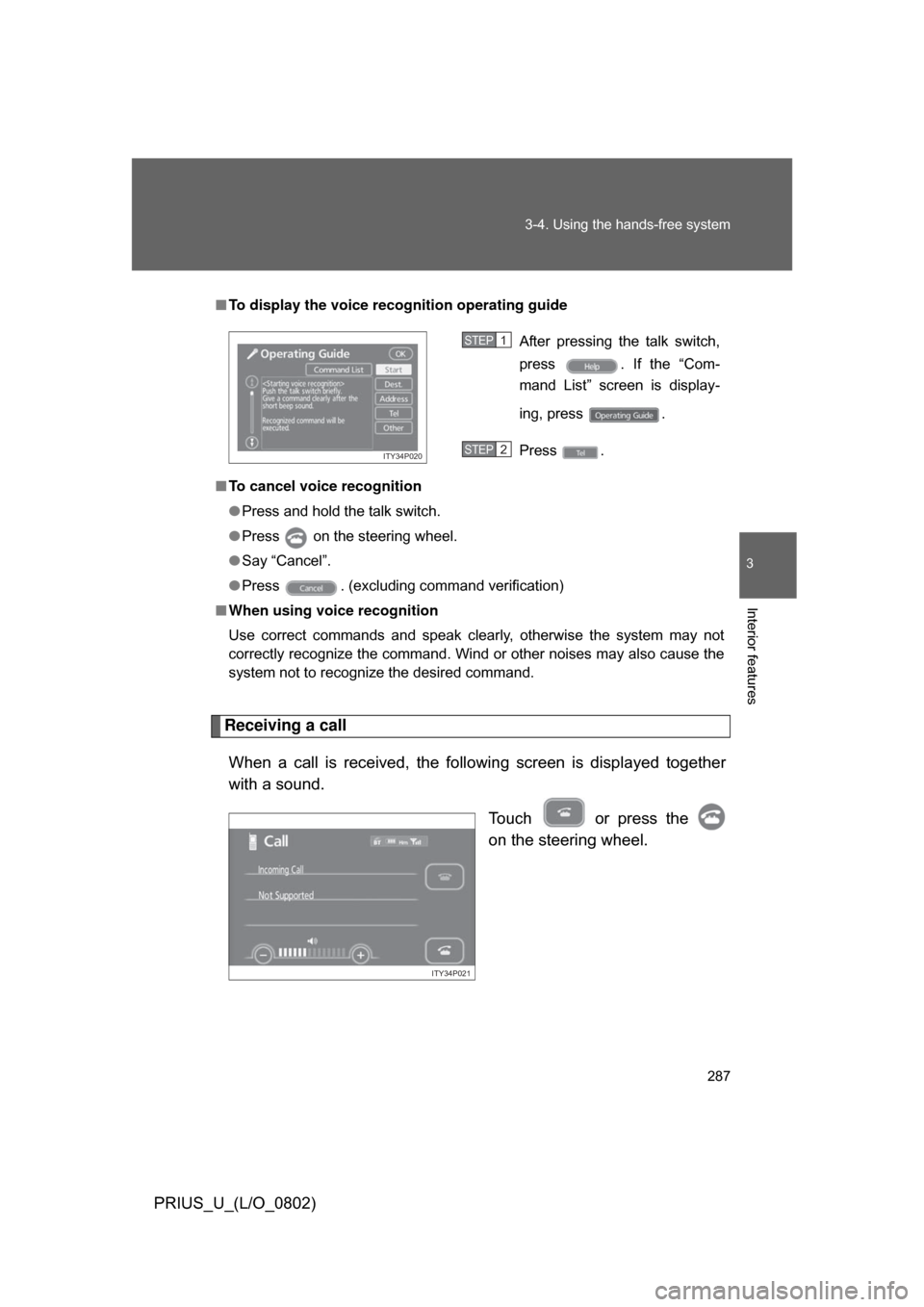
Receiving a call
When a call is received, the following screen is displayed together
with a sound. Touch or press the
on the steering wheel.
■To display the voice recognition operating guide
■ To cancel voice recognition
● Press and hold the talk switch.
● Press on the steering wheel.
● Say “Cancel”.
● Press . (excluding command verification)
■ When using voice recognition
Use correct commands and speak clearly, otherwise the system may not
correctly recognize the command. Wind or other noises may also cause the
system not to recognize the desired command.
After pressing the talk switch,
press . If the “Com-
mand List” screen is display-
ing, press .
Press .
ITY34P020
STEP1
STEP2
ITY34P021
Page 299 of 512
299
3-4. Using the hands-free system
3
Interior features
PRIUS_U_(L/O_0802)
■
“Incoming Call Display” settings
Press .
Touch on the “Information” screen.
Touch on the “Telephone” screen.
Touch on the “Settings” screen.
Select the desired switch. : The hands-free screen is displayed when a call isreceived, and you can opera te the system from that
screen.
: A message is displayed at the top of the screen, and you can only operate the system with the steering
switches.
■ “Auto Answer” settings
Press .
Touch on the “Information” screen.
Touch on the “Telephone” screen.
Touch on the “Settings” screen.
Touch in the “Auto Answer” section of the “Screen Set-tings” screen.
Set the wait time using and . (1 - 60 seconds)
STEP1
STEP2
STEP3
STEP4
STEP5
STEP1
STEP2
STEP3
STEP4
STEP5
STEP6
Page 304 of 512
304 3-4. Using the hands-free system
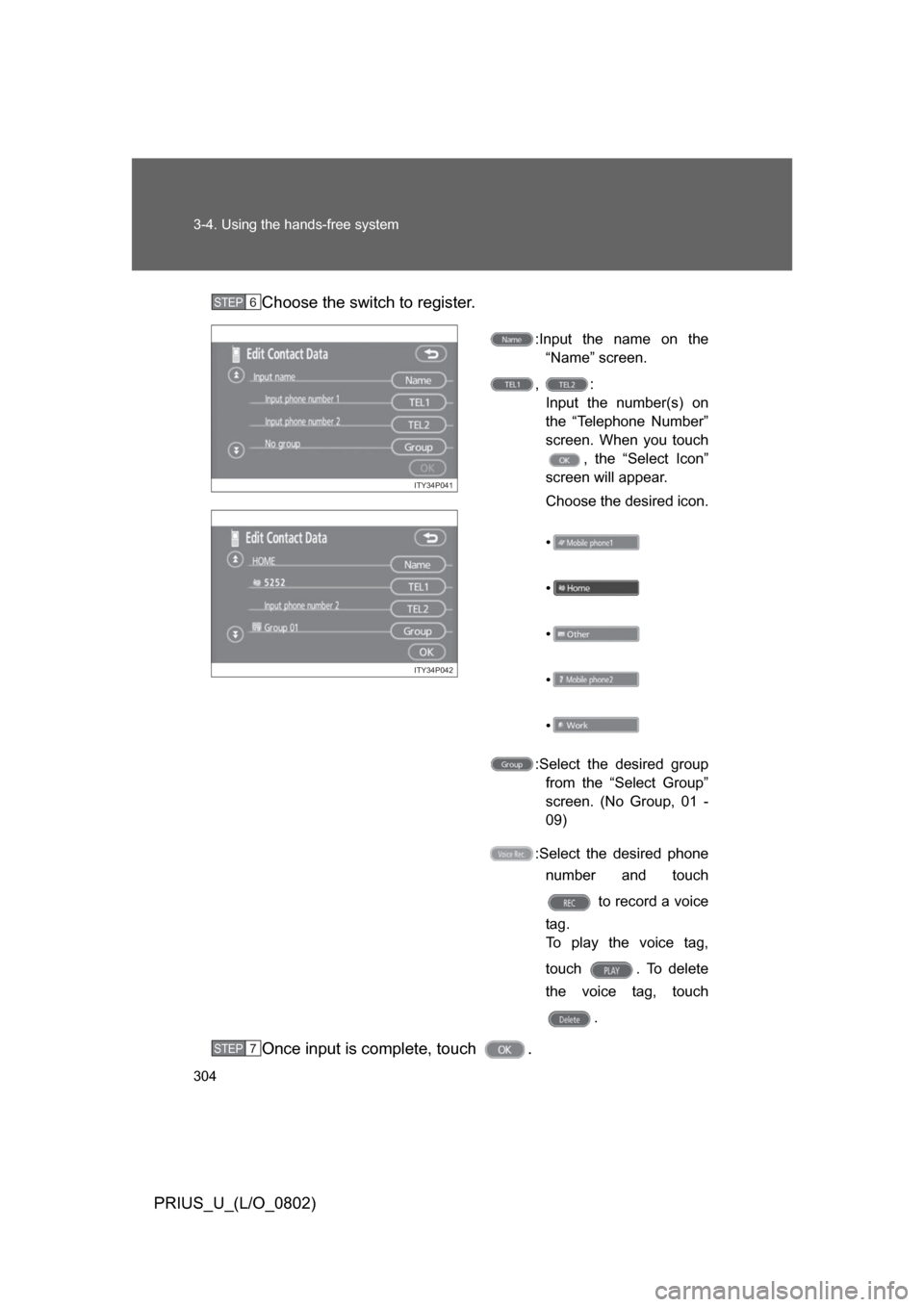
PRIUS_U_(L/O_0802)Choose the switch to register.
:Input the name on the
“Name” screen.
, : Input the number(s) on
the “Telephone Number”
screen. When you touch , the “Select Icon”
screen will appear.
Choose the desired icon.
•
•
•
•
•
:Select the desired group from the “Select Group”
screen. (No Group, 01 -
09)
:Select the desired phone number and touch
to record a voice
tag.
To play the voice tag,
touch . To delete
the voice tag, touch
.
Once input is complete, touch .
STEP6
ITY34P041
ITY34P042
STEP7
Page 324 of 512
324 3-6. Using the storage features
PRIUS_U_(L/O_0802)
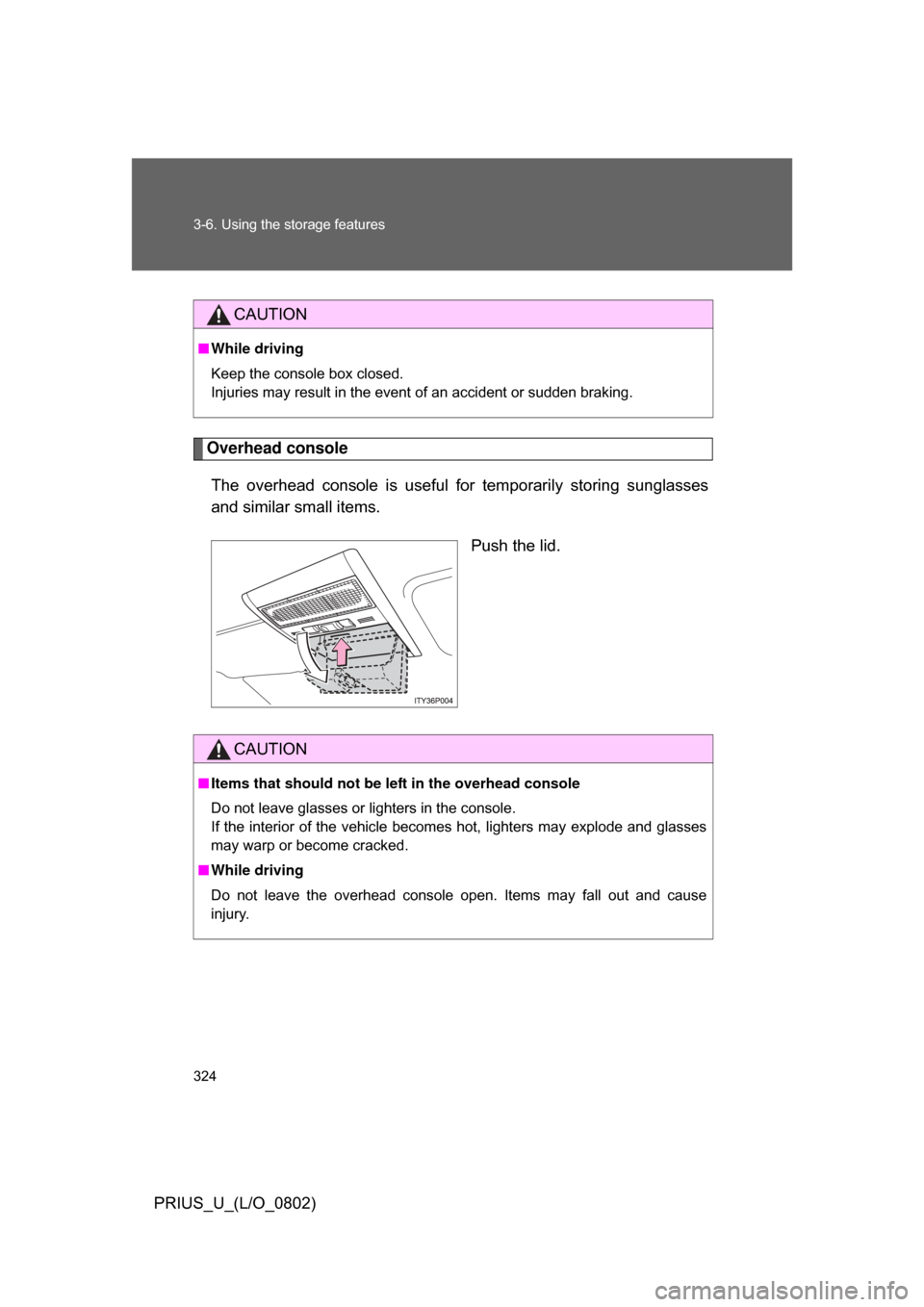
Overhead consoleThe overhead console is useful for temporarily storing sunglasses
and similar small items.
Push the lid.
CAUTION
■While driving
Keep the console box closed.
Injuries may result in the event of an accident or sudden braking.
CAUTION
■Items that should not be le ft in the overhead console
Do not leave glasses or lighters in the console.
If the interior of the vehicle becomes hot, lighters may explode and glasses
may warp or become cracked.
■ While driving
Do not leave the overhead console open. Items may fall out and cause
injury.
Page 340 of 512
340 3-7. Other interior features
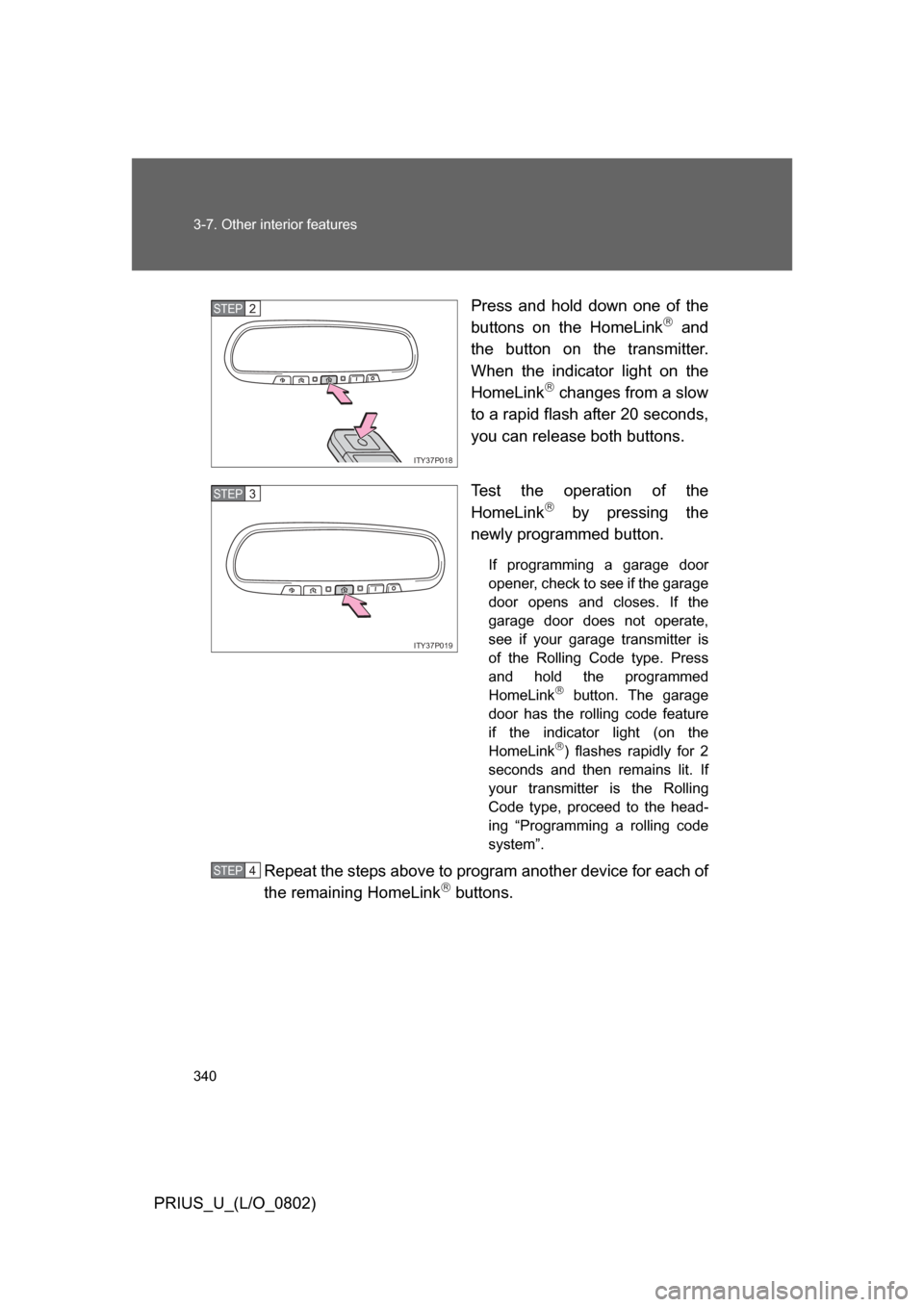
PRIUS_U_(L/O_0802)Press and hold down one of the
buttons on the HomeLink
and
the button on the transmitter.
When the indicator light on the
HomeLink
changes from a slow
to a rapid flash after 20 seconds,
you can release both buttons.
Test the operation of the
HomeLink
by pressing the
newly programmed button.
If programming a garage door
opener, check to see if the garage
door opens and closes. If the
garage door does not operate,
see if your garage transmitter is
of the Rolling Code type. Press
and hold the programmed
HomeLink
button. The garage
door has the rolling code feature
if the indicator light (on the
HomeLink
) flashes rapidly for 2
seconds and then remains lit. If
your transmitter is the Rolling
Code type, proceed to the head-
ing “Programming a rolling code
system”.
Repeat the steps above to program another device for each of
the remaining HomeLink buttons.
ITY37P018
STEP2
ITY37P019
STEP3
STEP4