Eco TOYOTA PRIUS 2008 2.G Service Manual
[x] Cancel search | Manufacturer: TOYOTA, Model Year: 2008, Model line: PRIUS, Model: TOYOTA PRIUS 2008 2.GPages: 512, PDF Size: 7.23 MB
Page 181 of 512
181
2-5. Driving information
2
When driving
PRIUS_U_(L/O_0802)
Trailer towing
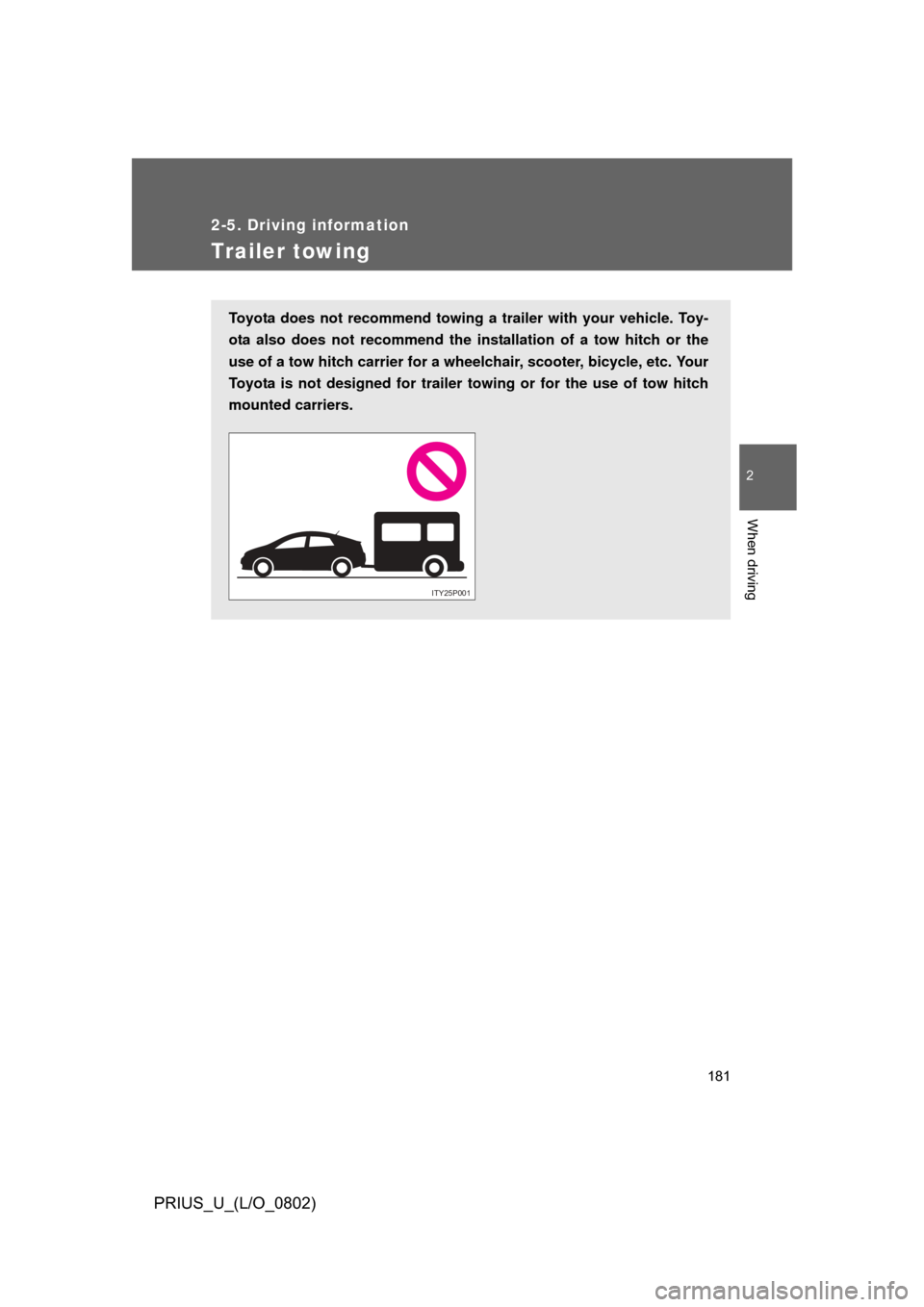
Toyota does not recommend towing a trailer with your vehicle. Toy-
ota also does not recommend the installation of a tow hitch or the
use of a tow hitch carri er for a wheelchair, scooter, bicycle, etc. Your
Toyota is not designed for trailer towing or for the use of tow hitch
mounted carriers.
ITY25P001
Page 188 of 512

188 3-1. Using the touch screen
PRIUS_U_(L/O_0802)
The initial screenVehicles with navigation system and vehicles without navigation
system (Type A)
If the “POWER” switch is set to
ACCESSORY or ON mode, the
initializing screen will be dis-
played for a few seconds as the
system starts up.
Vehicles without navigation system (Type B)
Page 190 of 512
190 3-1. Using the touch screen
PRIUS_U_(L/O_0802)
■To avoid damaging the touch screen
● Touch the screen lightly with your finger. If there is no response, remove
your finger from the screen and try again.
● Remove any dirt on the screen by wiping with a soft cloth. Do not use
detergent.
■ When using the touch screen
● If the screen is cold, the display may be dark, or the system may seem to
be operating slightly slower than normal.
● The screen may seem dark and hard to see when viewed through sun-
glasses. Change your angle of viewing, adjust the display on he “Display”
screen or remove your sunglasses.
■ When the outside temperature drops below 37 °F (3 °C).
Also except the screen where outside temperature is displayed, outside tem-
perature and
* are displayed in the upper portion of the screen for a
few seconds.
*: may not be displayed depending on the display type.
Page 192 of 512
192 3-1. Using the touch screen
PRIUS_U_(L/O_0802)To u c h .
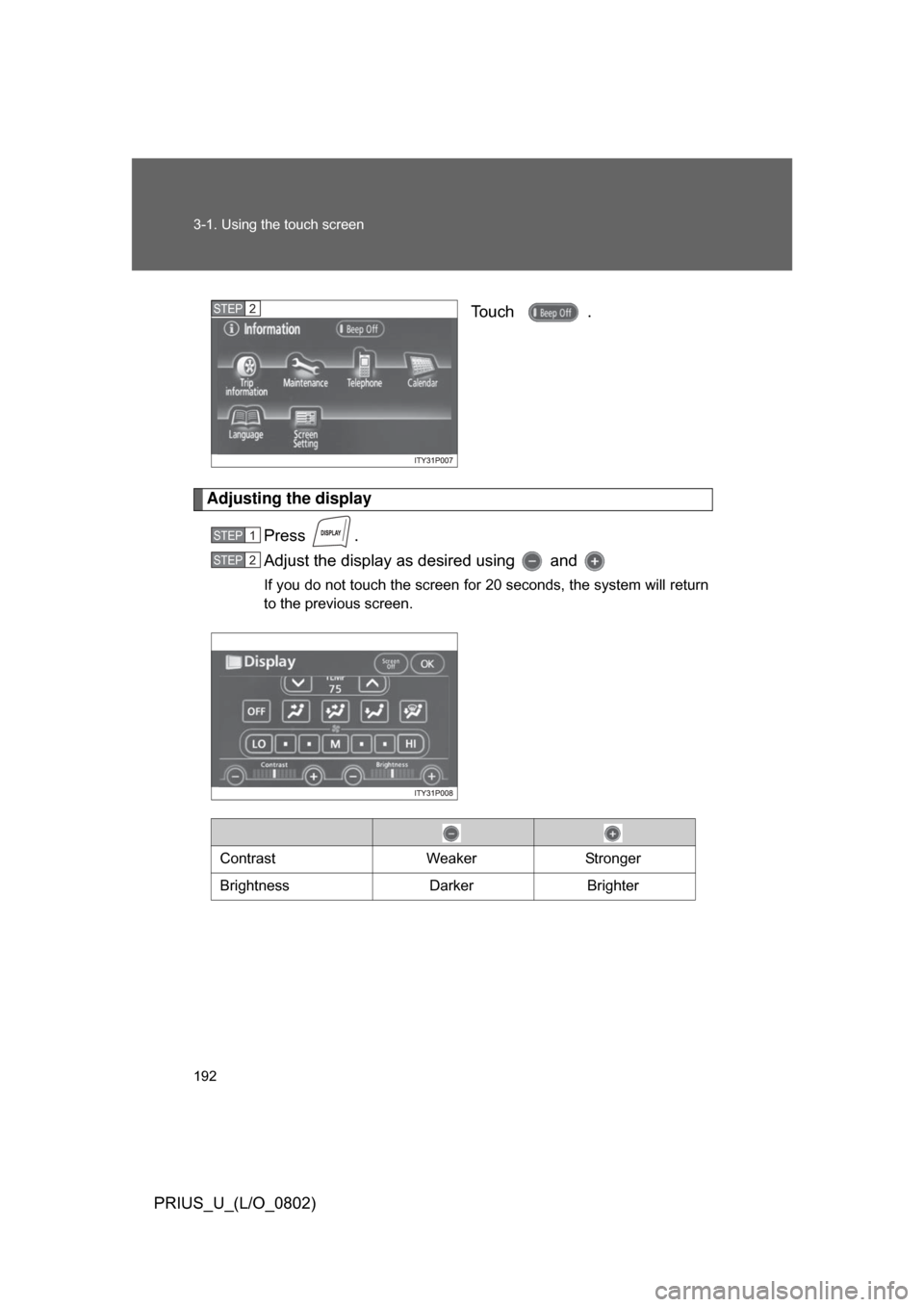
Adjusting the display
Press .
Adjust the display as desired using and
If you do not touch the screen for 20 seconds, the system will return
to the previous screen.
STEP2
STEP1
STEP2
Contrast WeakerStronger
Brightness DarkerBrighter
Page 194 of 512
194 3-1. Using the touch screen
PRIUS_U_(L/O_0802)
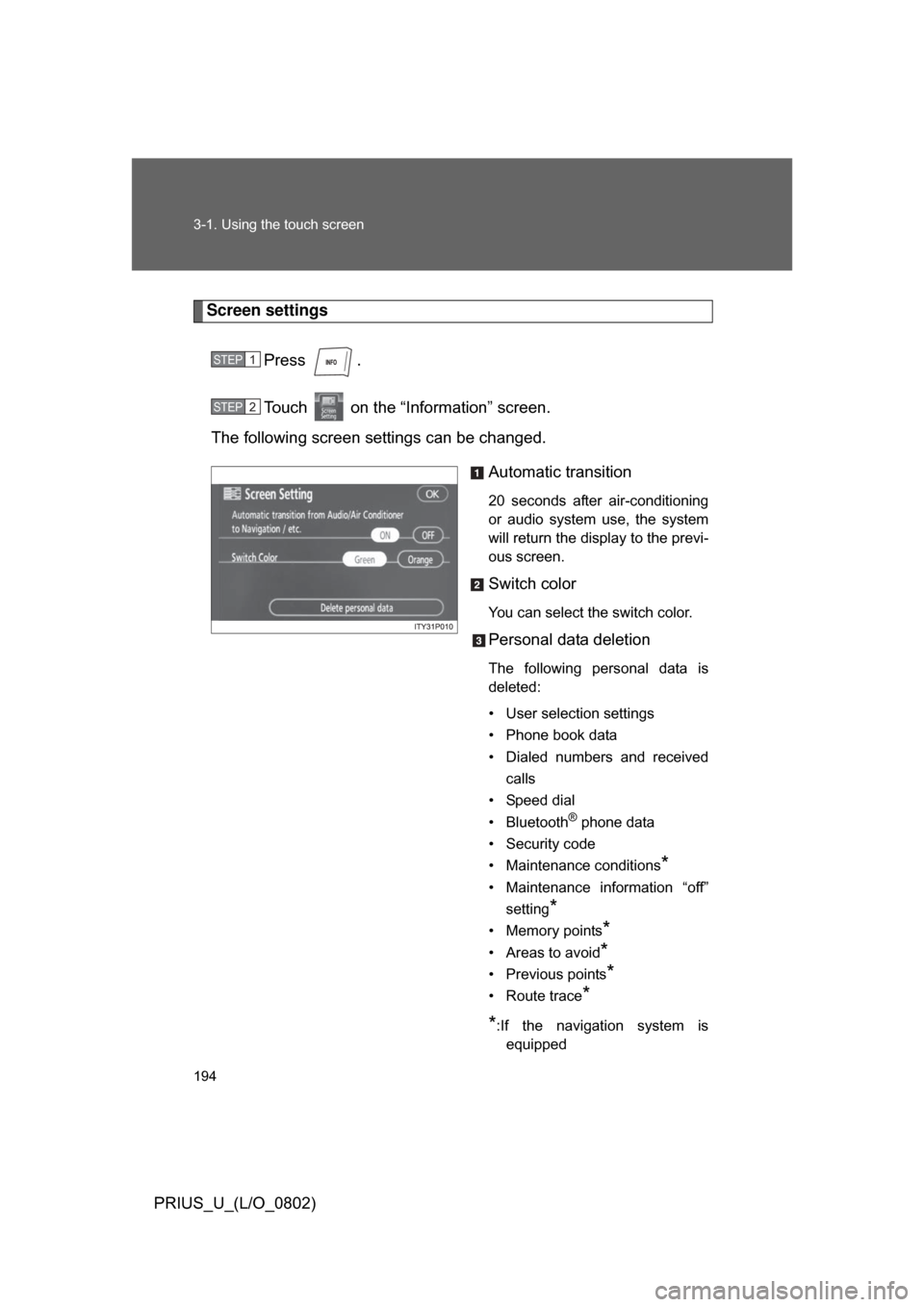
Screen settingsPress .
Touch on the “Information” screen.
The following screen settings can be changed.
Automatic transition
20 seconds after air-conditioning
or audio system use, the system
will return the display to the previ-
ous screen.
Switch color
You can select the switch color.
Personal data deletion
The following personal data is
deleted:
• User selection settings
• Phone book data
• Dialed numbers and receivedcalls
• Speed dial
• Bluetooth
® phone data
• Security code
• Maintenance conditions
*
• Maintenance information “off” setting
*
• Memory points*
• Areas to avoid*
• Previous points*
• Route trace*
*
:If the navigation system is equipped
STEP1
STEP2
Page 197 of 512
197
3-1. Using the touch screen
3
Interior features
PRIUS_U_(L/O_0802)
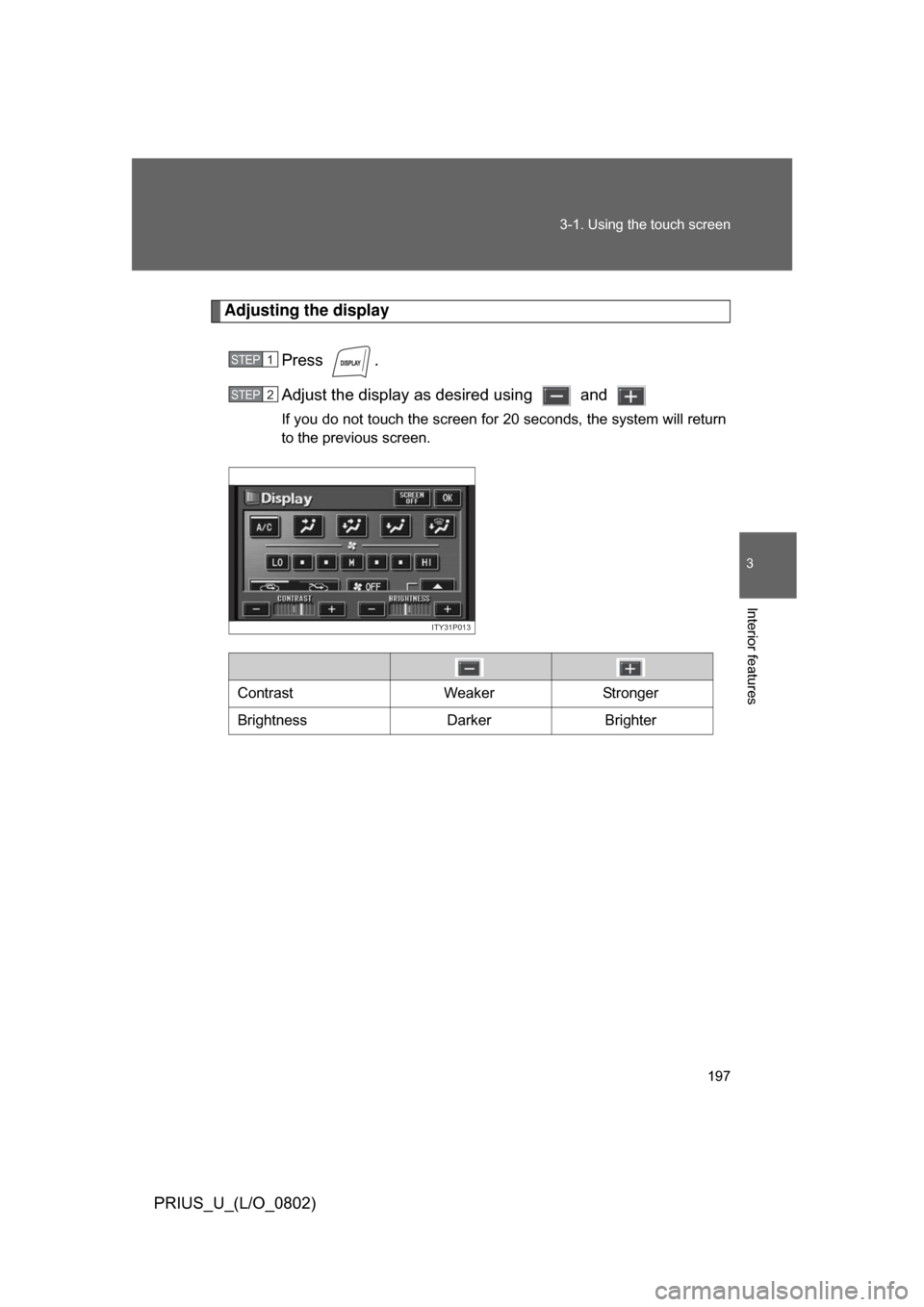
Adjusting the display
Press .
Adjust the display as desired using and
If you do not touch the screen for 20 seconds, the system will return
to the previous screen.
STEP1
STEP2
ITY31P013
Contrast WeakerStronger
Brightness DarkerBrighter
Page 199 of 512
199
3-1. Using the touch screen
3
Interior features
PRIUS_U_(L/O_0802)
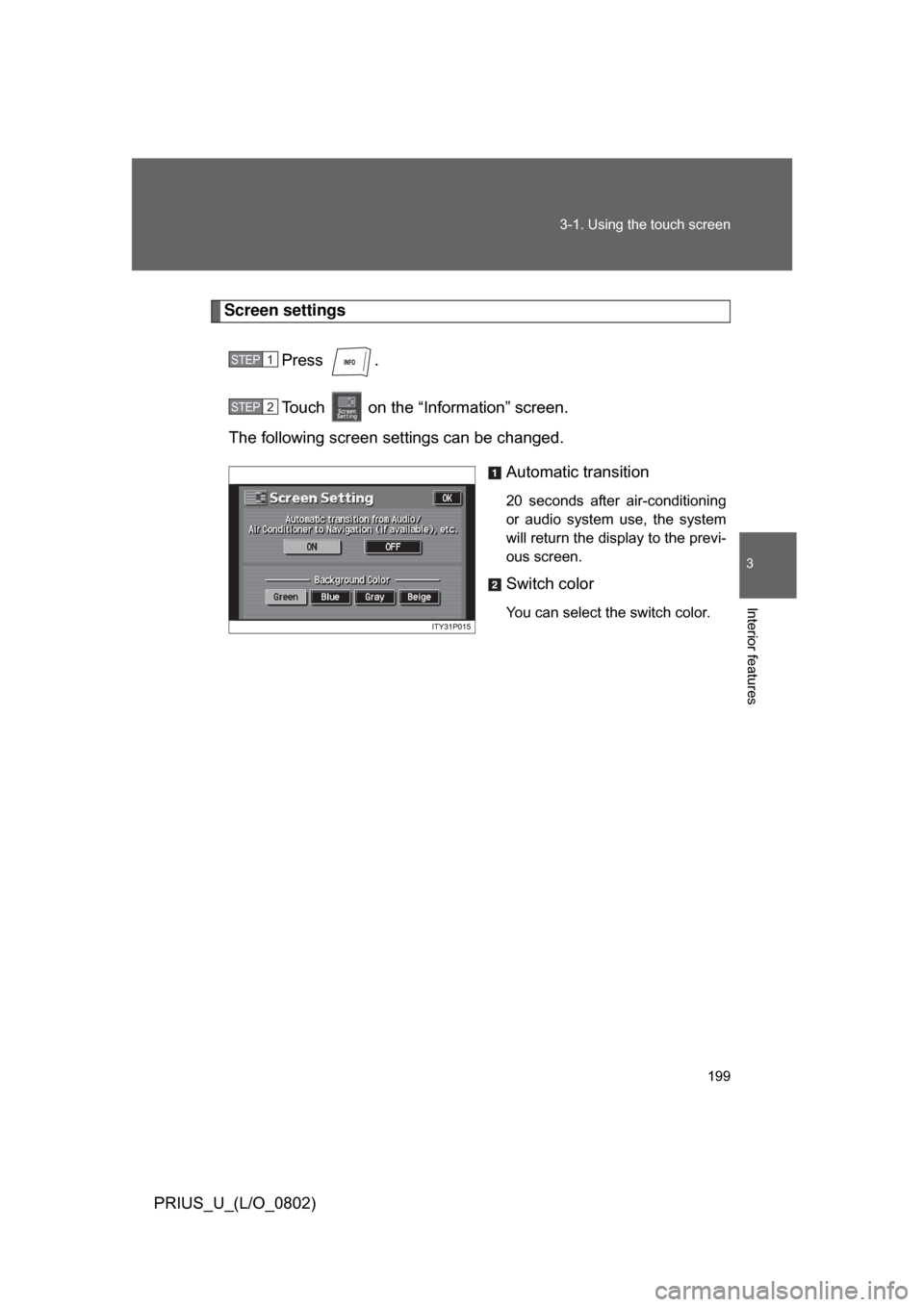
Screen settings
Press .
Touch on the “Information” screen.
The following screen settings can be changed.
Automatic transition
20 seconds after air-conditioning
or audio system use, the system
will return the display to the previ-
ous screen.
Switch color
You can select the switch color.
STEP1
STEP2
Page 206 of 512
206 3-2. Using the air conditioning system and defogger
PRIUS_U_(L/O_0802)
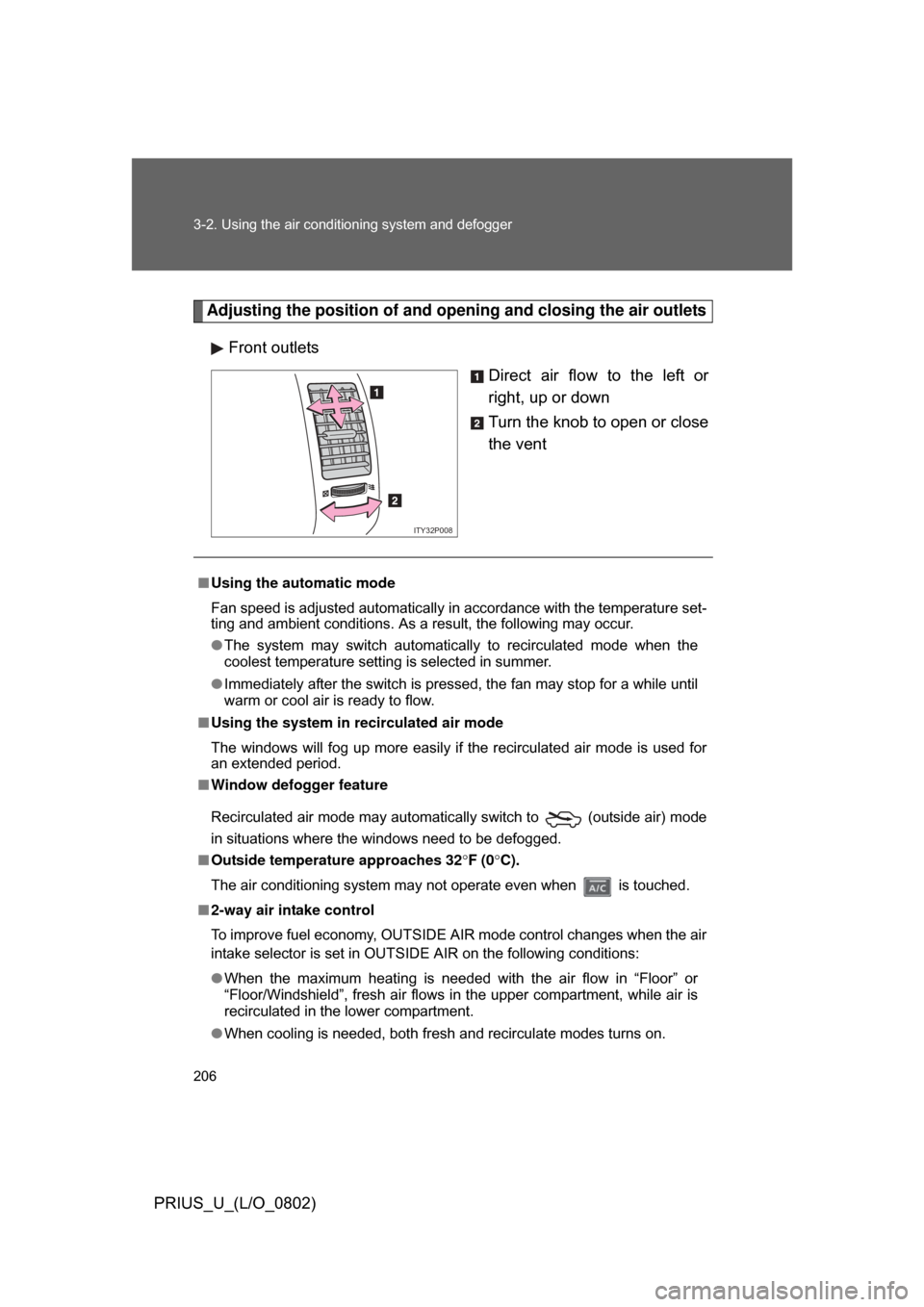
Adjusting the position of and opening and closing the air outlets
Front outlets Direct air flow to the left or
right, up or down
Turn the knob to open or close
the vent
ITY32P008
■Using the automatic mode
Fan speed is adjusted automatically in accordance with the temperature set-
ting and ambient conditions. As a result, the following may occur.
● The system may switch automatically to recirculated mode when the
coolest temperature setting is selected in summer.
● Immediately after the switch is pressed, the fan may stop for a while until
warm or cool air is ready to flow.
■ Using the system in recirculated air mode
The windows will fog up more easily if the recirculated air mode is used for
an extended period.
■ Window defogger feature
Recirculated air mode may automatically switch to
(outside air) mode
in situations where the windows need to be defogged.
■ Outside temperature approaches 32 F (0 C).
The air conditioning system may not operate even when is touched.
■ 2-way air intake control
To improve fuel economy, OUTSIDE AIR mode control changes when the air
intake selector is set in OUTSIDE AIR on the following conditions:
● When the maximum heating is needed with the air flow in “Floor” or
“Floor/Windshield”, fresh air flows in the upper compartment, while air is
recirculated in the lower compartment.
● When cooling is needed, both fresh and recirculate modes turns on.
Page 213 of 512
213
3-2. Using the air conditioning system
and defogger
3
Interior features
PRIUS_U_(L/O_0802)
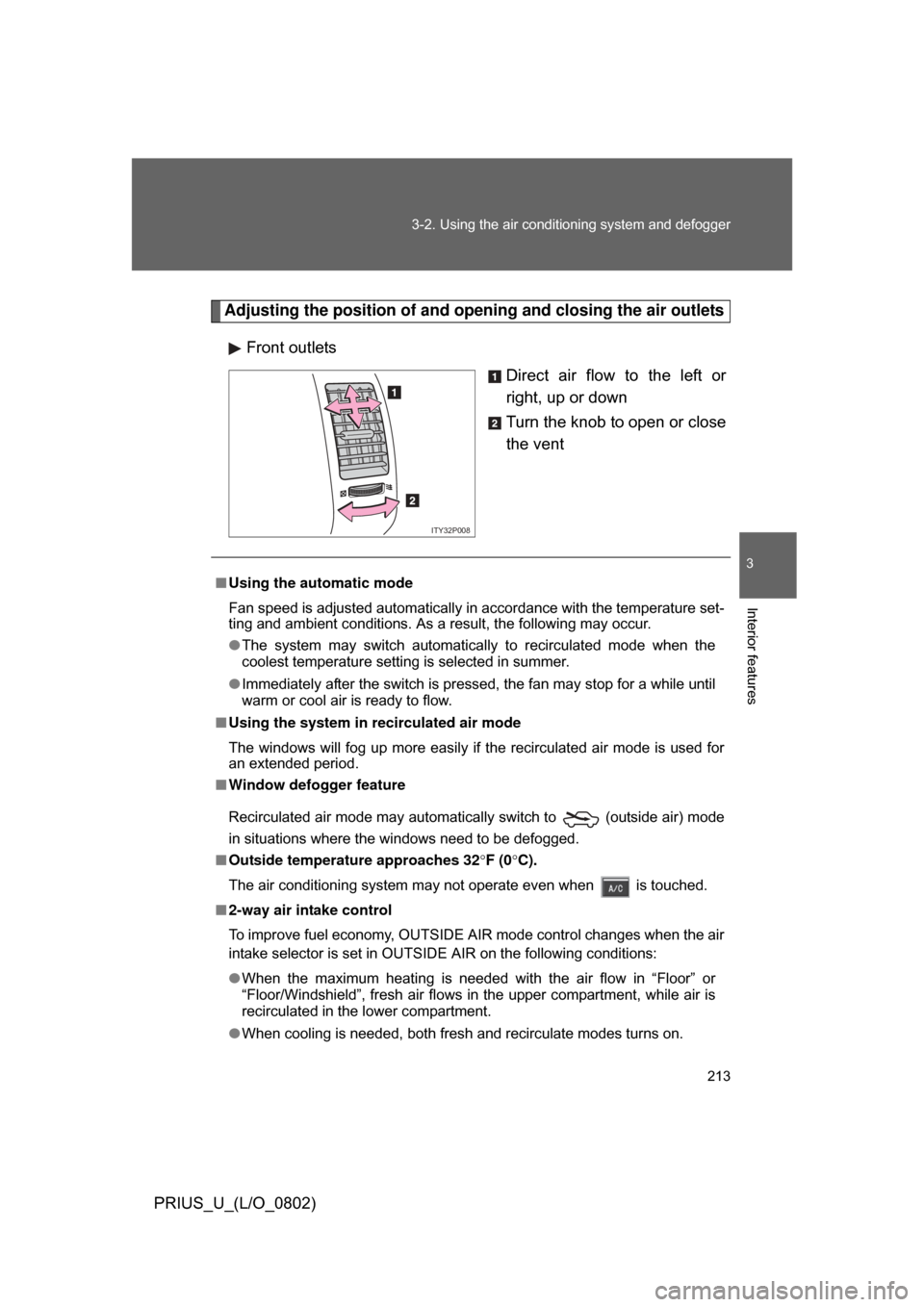
Adjusting the position of and opening and closing the air outlets
Front outlets Direct air flow to the left or
right, up or down
Turn the knob to open or close
the vent
ITY32P008
■Using the automatic mode
Fan speed is adjusted automatically in accordance with the temperature set-
ting and ambient conditions. As a result, the following may occur.
● The system may switch automatically to recirculated mode when the
coolest temperature setting is selected in summer.
● Immediately after the switch is pressed, the fan may stop for a while until
warm or cool air is ready to flow.
■ Using the system in recirculated air mode
The windows will fog up more easily if the recirculated air mode is used for
an extended period.
■ Window defogger feature
Recirculated air mode may automatically switch to
(outside air) mode
in situations where the windows need to be defogged.
■ Outside temperatur e approaches 32F (0 C).
The air conditioning system may not operate even when is touched.
■ 2-way air intake control
To improve fuel economy, OUTSIDE AIR mode control changes when the air
intake selector is set in OUTSIDE AIR on the following conditions:
● When the maximum heating is needed with the air flow in “Floor” or
“Floor/Windshield”, fresh air flows in the upper compartment, while air is
recirculated in the lower compartment.
● When cooling is needed, both fresh and recirculate modes turns on.
Page 218 of 512
218 3-2. Using the air conditioning system and defogger
PRIUS_U_(L/O_0802)
■Operating conditions
The “POWER” switch must be in the ON mode.
CAUTION
■When the outside rear view mirror defoggers are on (vehicles with mir-
ror defoggers)
Do not touch the rear view mirror surfaces, as they can become very hot and
burn you.
NOTICE
■ To prevent 12 volt battery discharge
Turn the defoggers off when the engine is not running.