load TOYOTA PRIUS 2010 3.G User Guide
[x] Cancel search | Manufacturer: TOYOTA, Model Year: 2010, Model line: PRIUS, Model: TOYOTA PRIUS 2010 3.GPages: 616, PDF Size: 10.45 MB
Page 255 of 616
255
2
When driving
PRIUS_U (OM47668U) U.S.A.
2-5. Driving information
Cargo and luggage
Take notice of the following information about storage precau-
tions, cargo capacity and load.
●Stow cargo and luggage in the luggage compartment when-
ever possible. Be sure all items are secured in place.
● Be careful to keep the vehicle le vel. Placing the weight as far
forward as possible helps maintain vehicle balance.
● For better fuel economy, do no t carry unnecessary weight.
Page 256 of 616

256 2-5. Driving information
PRIUS_U (OM47668U) U.S.A.
Capacity and distributionCargo capacity depends on the total weight of the occupants.
(Cargo capacity) = (Total load capa city) — (Total weight of occupants)
Steps for Determining Correct Load Limit—
(1) Locate the statement “The comb ined weight of occupants and
cargo should never exceed XXX kg or XXX lbs.” on your vehi-
cle’s placard.
(2) Determine the combined weight of the driver and passengers that will be riding in your vehicle.
(3) Subtract the combined weight of the driver and passengers from
XXX kg or XXX lbs.
(4) The resulting figure equals the available amount of cargo and luggage load capacity.
For example, if the “XXX” amount equals 1400 lbs. and there will
be five 150 lb passengers in your vehicle, the amount of avail-
able cargo and luggage load capacity is 650 lbs. (1400 - 750 (5
150) = 650 lbs.)
(5) Determine the combined weight of luggage and cargo being loaded on the vehicle.
That weight may not safely exceed the available cargo and lug-
gage load capacity calculated in Step 4.
(6) If your vehicle will be towing a tr ailer, load from your trailer will
be transferred to your vehicle. C onsult this manual to determine
how this reduces the available cargo and luggage load capacity
of your vehicle. ( P. 260)
Toyota does not recommend towing a trailer with your vehicle.
Your vehicle is not designed for trailer towing.
Page 257 of 616
257
2-5. Driving information
2
When driving
PRIUS_U (OM47668U) U.S.A.
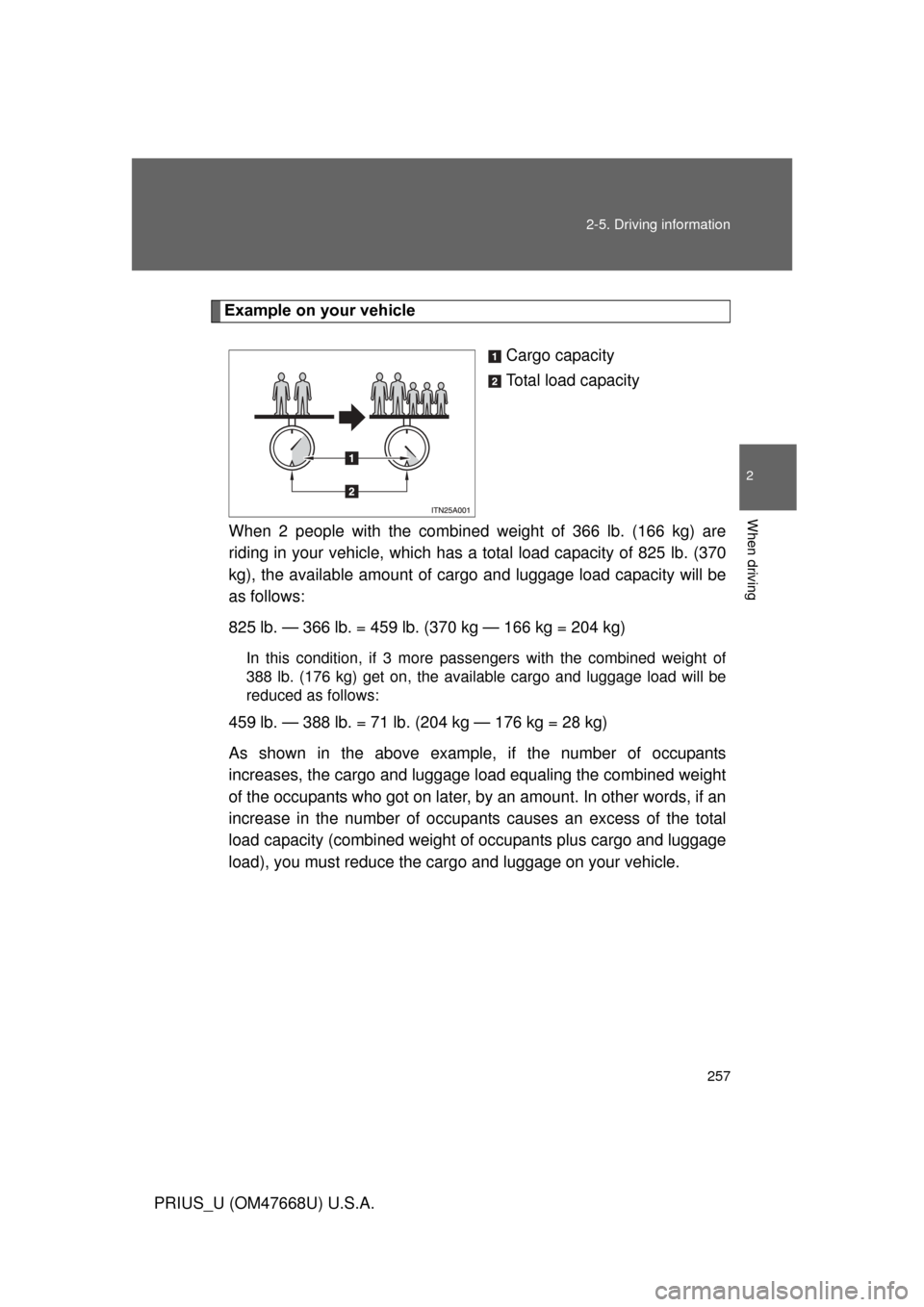
Example on your vehicle
Cargo capacity
Total load capacity
When 2 people with the combined weight of 366 lb. (166 kg) are
riding in your vehicle, which has a total load capacity of 825 lb. (370
kg), the available amount of cargo and luggage load capacity will be
as follows:
825 lb. — 366 lb. = 459 lb. (370 kg — 166 kg = 204 kg)
In this condition, if 3 more pass engers with the combined weight of
388 lb. (176 kg) get on , the available cargo and luggage load will be
reduced as follows:
459 lb. — 388 lb. = 71 lb. (204 kg — 176 kg = 28 kg)
As shown in the above example, if the number of occupants
increases, the cargo and luggage l oad equaling the combined weight
of the occupants who got on later, by an amount. In other words, if an
increase in the number of occupants causes an excess of the total
load capacity (combined weight of occupants plus cargo and luggage
load), you must reduce the carg o and luggage on your vehicle.
Page 258 of 616
258 2-5. Driving information
PRIUS_U (OM47668U) U.S.A.
CAUTION
■Things that must not be carried in the luggage compartment
The following things may cause a fire if loaded in the luggage compart-
ment.
●Receptacles containing gasoline
●Aerosol cans
■Storage precautions
Observe the following precautions.
Failing to do so may result in death or serious injury.
●Do not place cargo or luggage in or on the following locations as the
item may get under the brake or accelerator pedal and prevent the
pedals from being depressed properly , block the driver’s vision, or hit
the driver or passengers, causing an accident.
• Driver’s feet
• Front passenger or rear seats (when stacking items)
• Luggage cover (if equipped)
• Instrument panel
• Dashboard
• Auxiliary box or tray that has no lid
●Secure all items in the occupant compartment, as they may shift and
injure someone during sudden braking, sudden swerving or an acci-
dent.
●Never allow anyone to ride in the luggage compartment. It is not
designed for passengers. They should ride in their seats with their seat
belts properly fastened. Otherwise, th ey are much more likely to suffer
death or serious injury, in the event of sudden braking, sudden swerv-
ing or an accident.
Page 259 of 616
259
2-5. Driving information
2
When driving
PRIUS_U (OM47668U) U.S.A.
CAUTION
■Weight of the load
●Do not exceed the maximum axle weight rating or the total vehicle
weight rating.
●Even if the total load of occupant’s
weight and the cargo load is less
than the total load capacity, do no t apply the load unevenly. Improper
loading may cause deterioration of st eering or braking control which
may cause death or serious injury.
Page 260 of 616
260
2-5. Driving information
PRIUS_U (OM47668U) U.S.A.
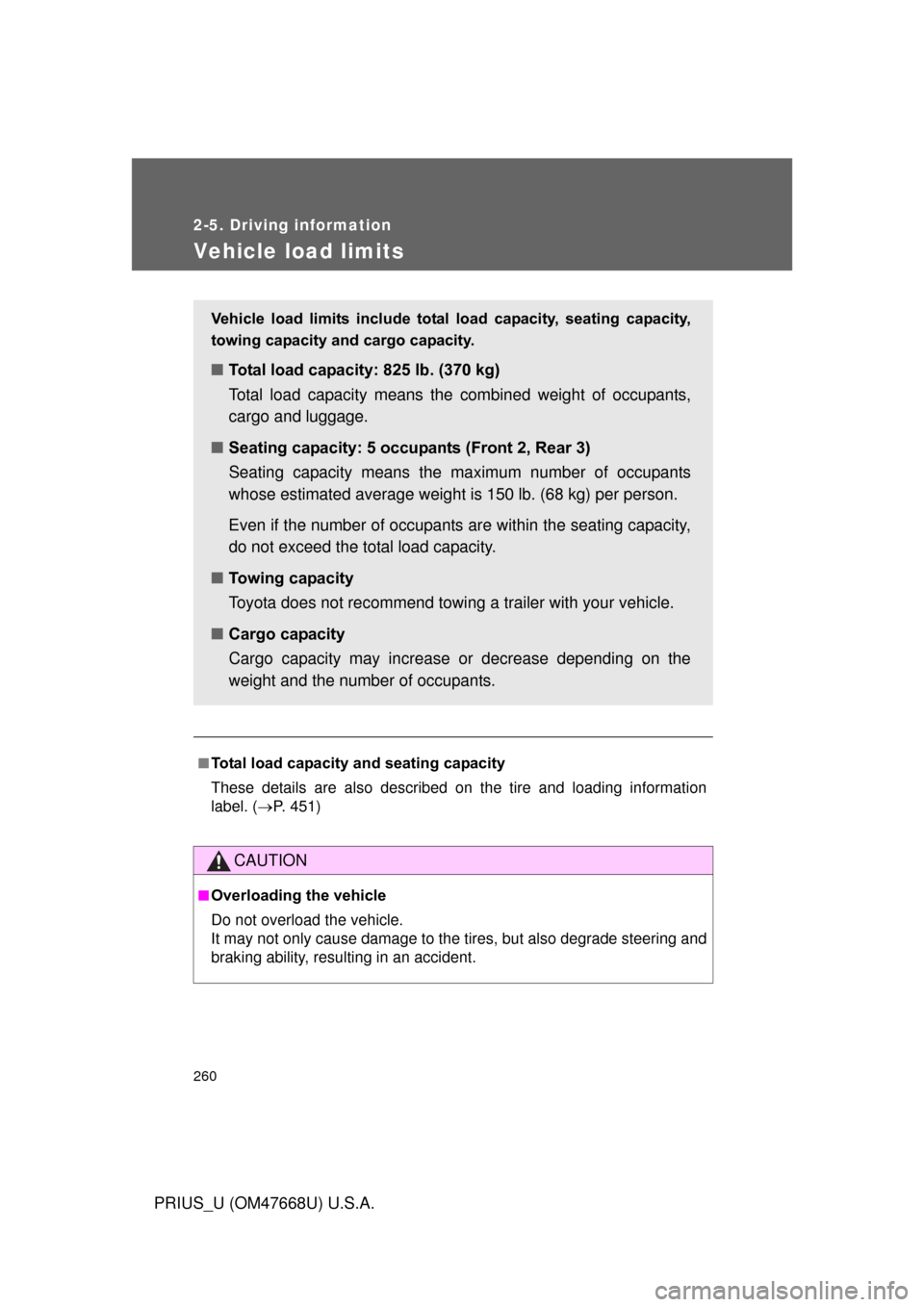
Vehicle load limits
■Total load capacity and seating capacity
These details are also described on the tire and loading information
label. (P. 451)
CAUTION
■Overloading the vehicle
Do not overload the vehicle.
It may not only cause damage to the ti res, but also degrade steering and
braking ability, resulting in an accident.
Vehicle load limits include total load capacity, seating capacity,
towing capacity and cargo capacity.
■ Total load capacity: 825 lb. (370 kg)
Total load capacity means the combined weight of occupants,
cargo and luggage.
■ Seating capacity: 5 occupants (Front 2, Rear 3)
Seating capacity means the ma ximum number of occupants
whose estimated average weight is 150 lb. (68 kg) per person.
Even if the number of occupants are within the seating capacity,
do not exceed the total load capacity.
■ Towing capacity
Toyota does not recommend towing a trailer with your vehicle.
■ Cargo capacity
Cargo capacity may increase or decrease depending on the
weight and the number of occupants.
Page 300 of 616
300 3-2. Using the audio system
PRIUS_U (OM47668U) U.S.A.
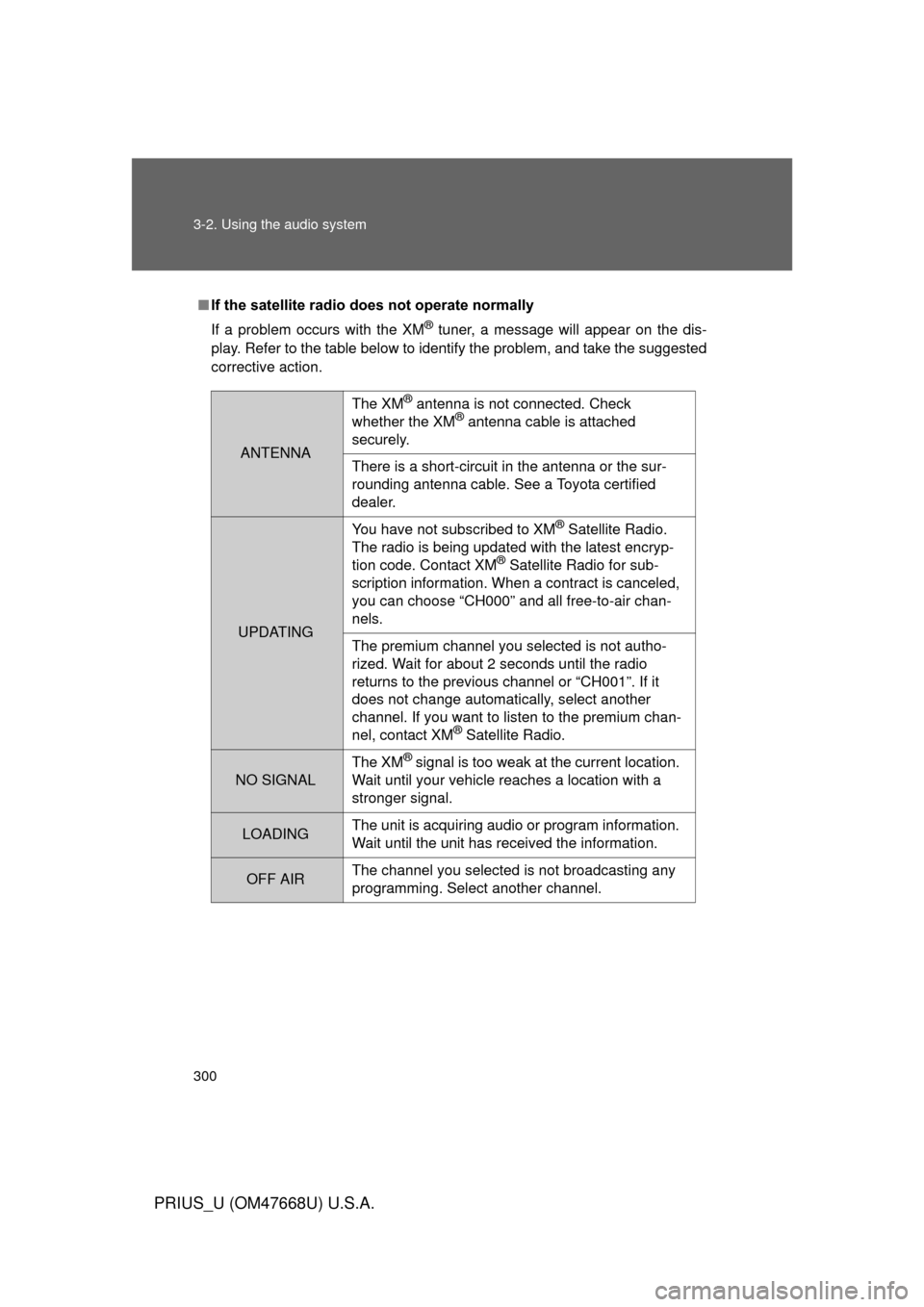
■If the satellite radio does not operate normally
If a problem occurs with the XM
® tuner, a message will appear on the dis-
play. Refer to the table below to identify the problem, and take the suggested
corrective action.
ANTENNA
The XM® antenna is not connected. Check
whether the XM® antenna cable is attached
securely.
There is a short-circuit in the antenna or the sur-
rounding antenna cable. See a Toyota certified
dealer.
UPDATING You have not subscribed to XM
® Satellite Radio.
The radio is being updated with the latest encryp-
tion code. Contact XM
® Satellite Radio for sub-
scription information. When a contract is canceled,
you can choose “CH000” and all free-to-air chan-
nels.
The premium channel you selected is not autho-
rized. Wait for about 2 seconds until the radio
returns to the previous channel or “CH001”. If it
does not change automatically, select another
channel. If you want to listen to the premium chan-
nel, contact XM
® Satellite Radio.
NO SIGNAL The XM
® signal is too weak at the current location.
Wait until your vehicle reaches a location with a
stronger signal.
LOADING The unit is acquiring audio or program information.
Wait until the unit has received the information.
OFF AIRThe channel you selected is not broadcasting any
programming. Select another channel.
Page 304 of 616
304 3-2. Using the audio system
PRIUS_U (OM47668U) U.S.A.
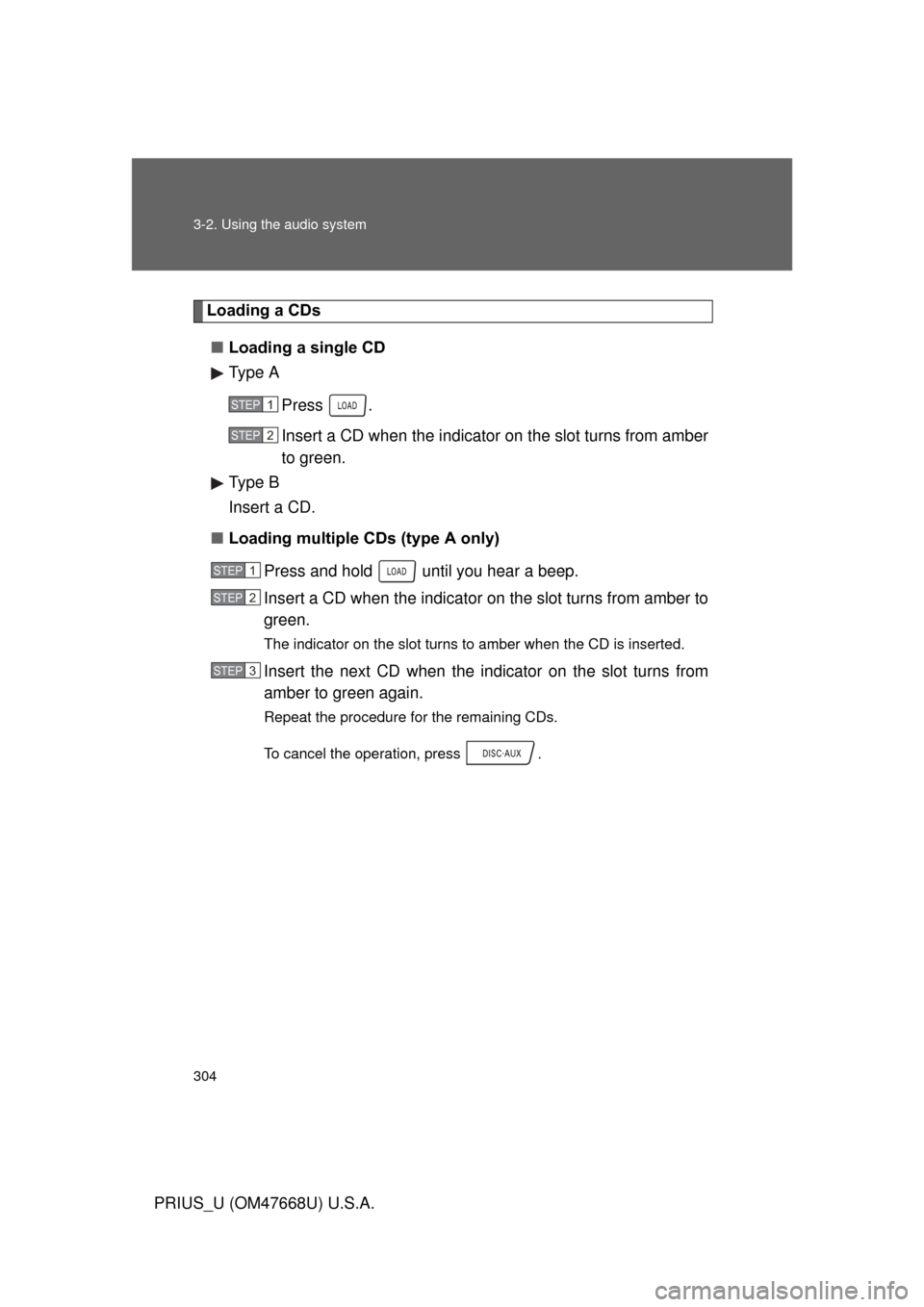
Loading a CDs■ Loading a single CD
Type A
Press .
Insert a CD when the indicator on the slot turns from amber
to green.
Type B
Insert a CD.
■ Loading multiple CDs (type A only)
Press and hold until you hear a beep.
Insert a CD when the indicator on the slot turns from amber to
green.
The indicator on the slot turns to amber when the CD is inserted.
Insert the next CD when the indicator on the slot turns from
amber to green again.
Repeat the procedure for the remaining CDs.
To cancel the operation, press .
STEP1
STEP2
STEP1
STEP2
STEP3
Page 305 of 616
305
3-2. Using the audio system
3
Interior features
PRIUS_U (OM47668U) U.S.A.
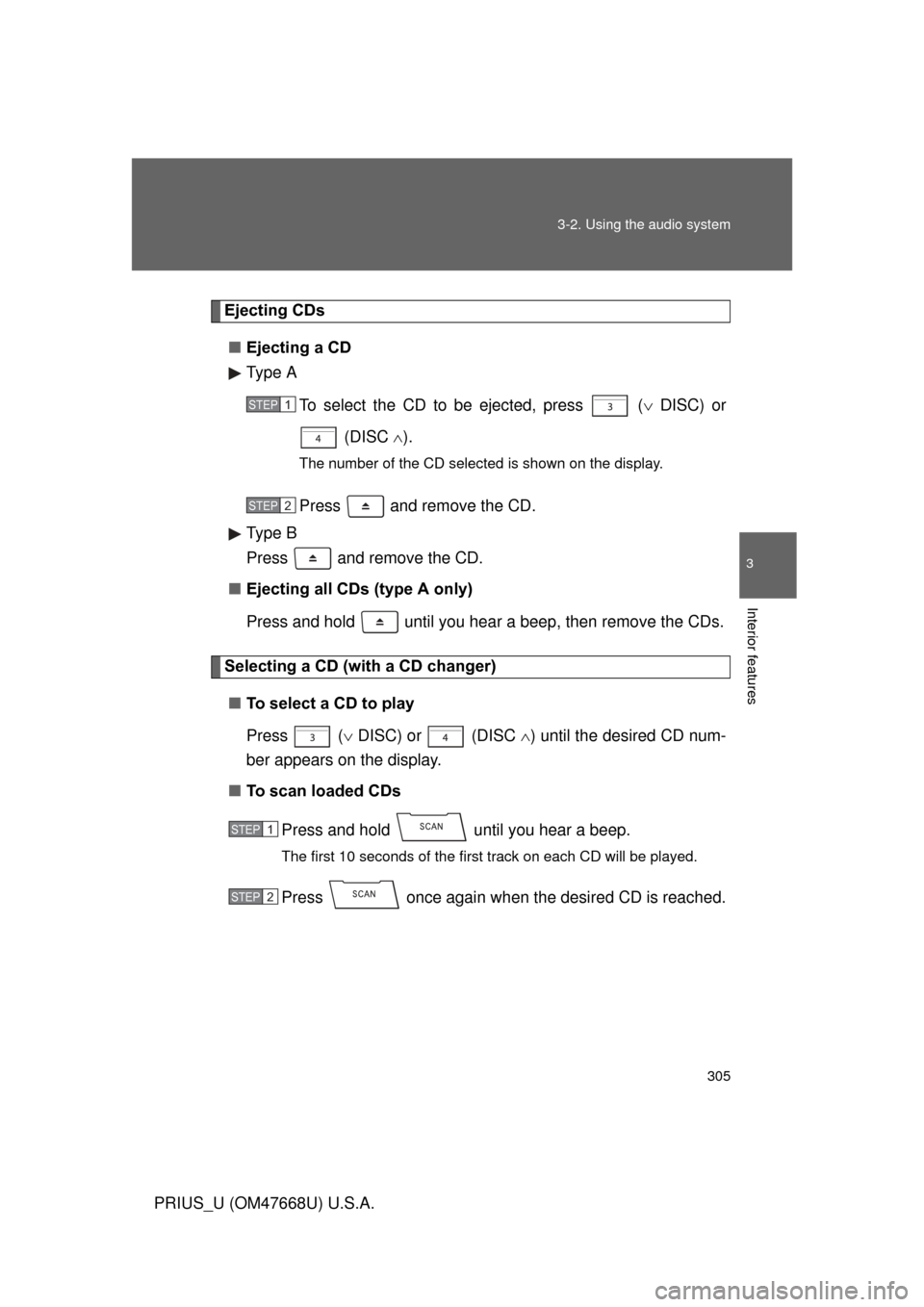
Ejecting CDs
■ Ejecting a CD
Type A
To select the CD to be ejected, press ( DISC) or
(DISC ).
The number of the CD selected is shown on the display.
Press and remove the CD.
Type B
Press and remove the CD.
■ Ejecting all CDs (type A only)
Press and hold until you hear a beep, then remove the CDs.
Selecting a CD (with a CD changer)
■ To select a CD to play
Press ( DISC) or (DISC ) until the desired CD num-
ber appears on the display.
■ To scan loaded CDs
Press and hold until you hear a beep.
The first 10 seconds of the first track on each CD will be played.
Press once again when the desired CD is reached.
STEP1
STEP2
STEP1
STEP2
Page 306 of 616
306 3-2. Using the audio system
PRIUS_U (OM47668U) U.S.A.
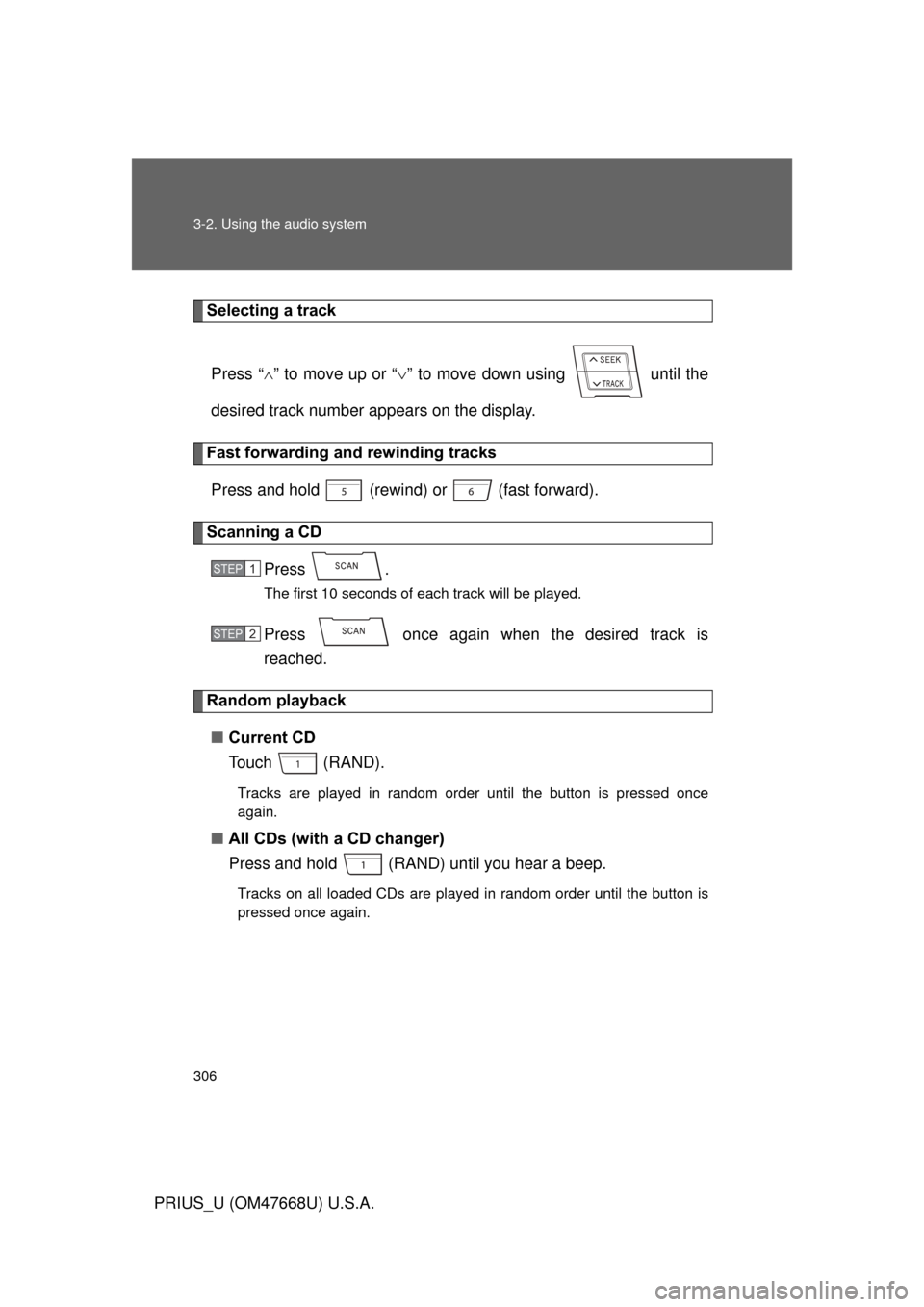
Selecting a trackPress “ ” to move up or “ ” to move down using until the
desired track number appears on the display.
Fast forwarding and rewinding tracks
Press and hold (rewind) or (fast forward).
Scanning a CD Press .
The first 10 seconds of each track will be played.
Press once again when the desired track is
reached.
Random playback■ Current CD
To u c h ( R A N D ) .
Tracks are played in random order until the button is pressed once
again.
■All CDs (with a CD changer)
Press and hold (RAND) until you hear a beep.
Tracks on all loaded CDs are played in random order until the button is
pressed once again.
STEP1
STEP2