steering TOYOTA PRIUS 2012 3.G Service Manual
[x] Cancel search | Manufacturer: TOYOTA, Model Year: 2012, Model line: PRIUS, Model: TOYOTA PRIUS 2012 3.GPages: 636, PDF Size: 11.02 MB
Page 213 of 636
213
2-1. Driving procedures
2
When driving
Hor n
■After adjusting the steering wheel
Make sure that the steering wheel is securely locked.
The horn may not sound if the steering wheel is not securely locked.
(P. 117)
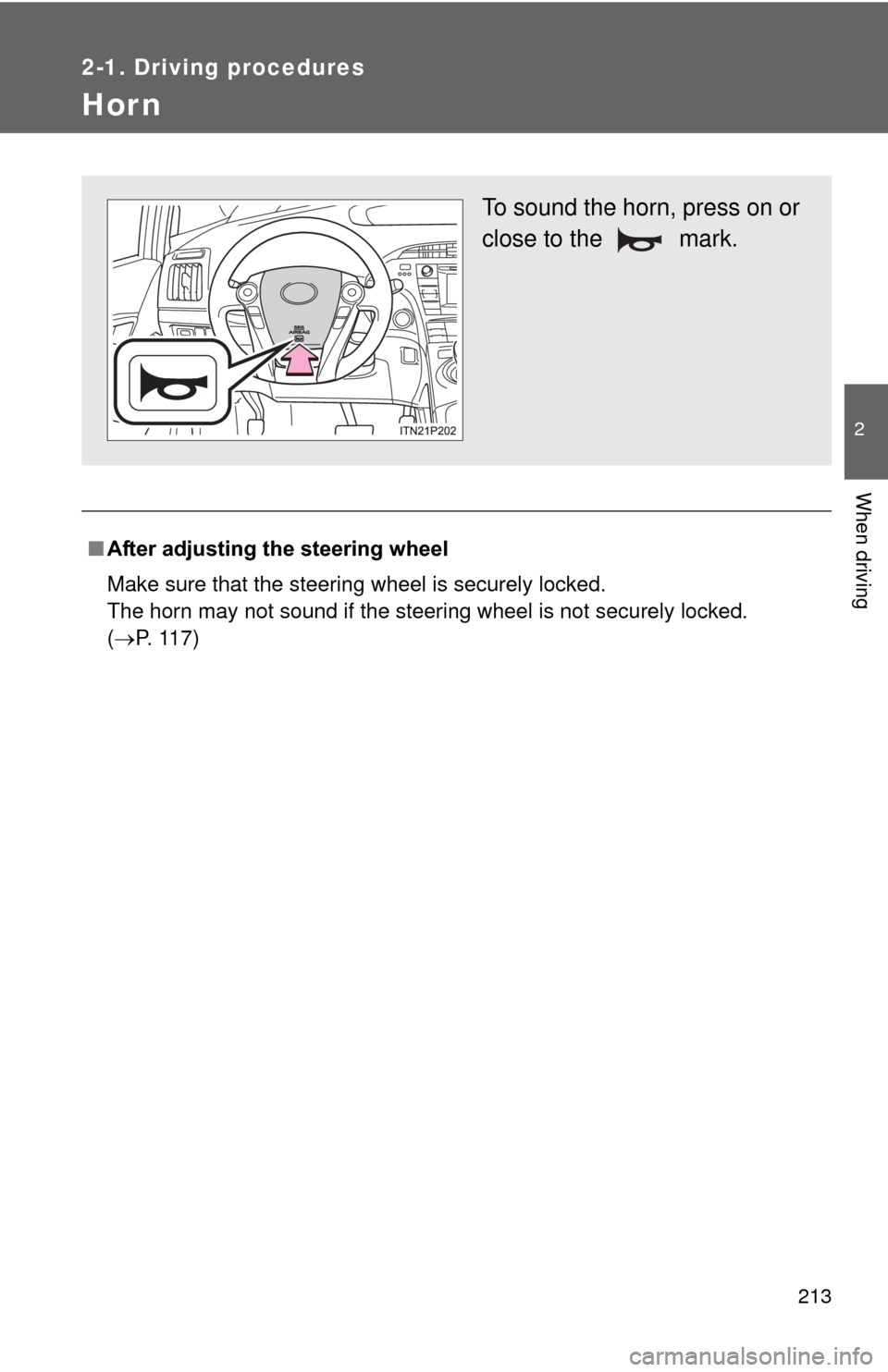
To sound the horn, press on or
close to the mark.
Page 215 of 636
215
2-2. Instrument cluster
2
When driving
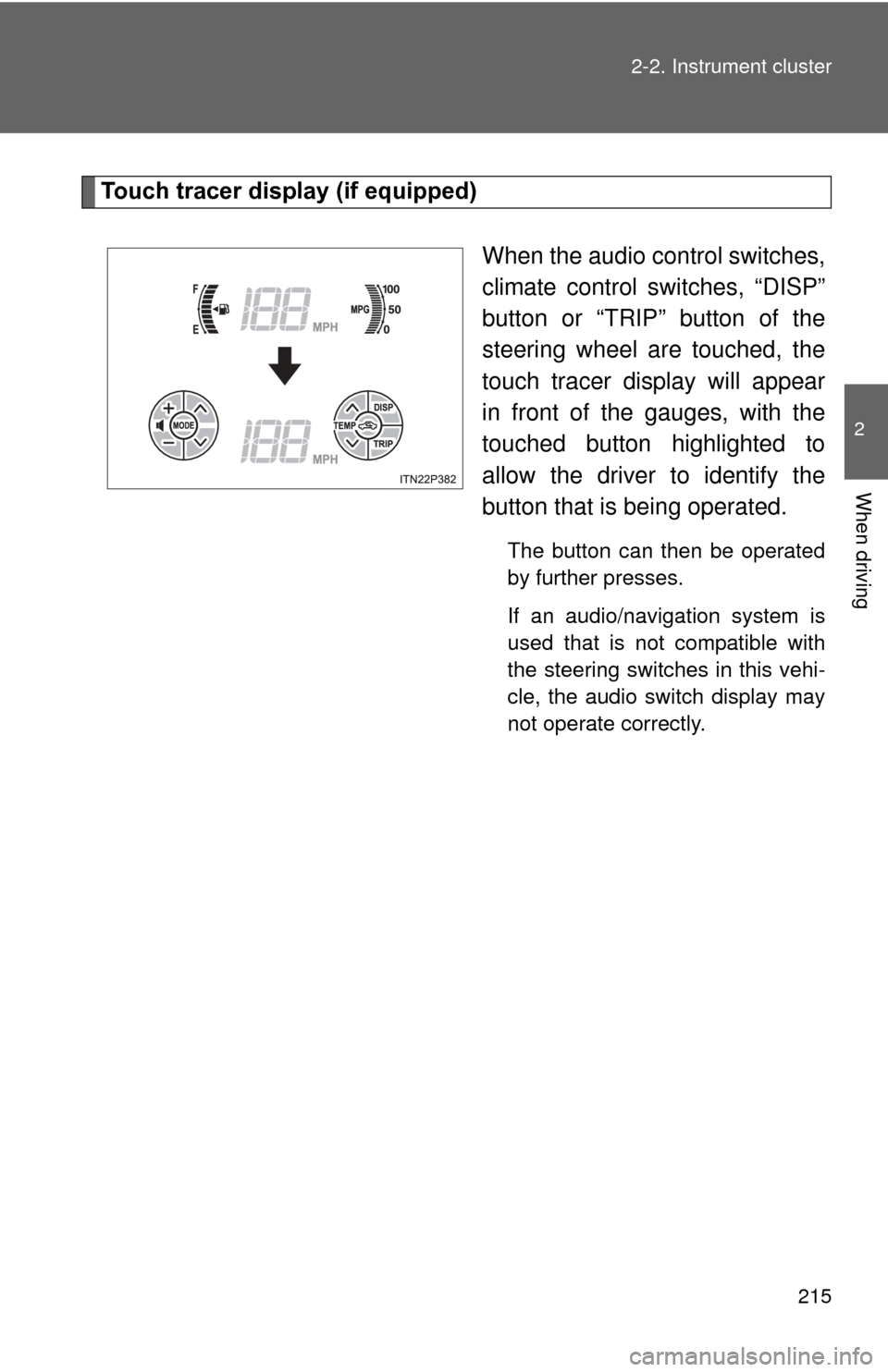
Touch tracer display (if equipped)
When the audio control switches,
climate control switches, “DISP”
button or “TRIP” button of the
steering wheel are touched, the
touch tracer display will appear
in front of the gauges, with the
touched button highlighted to
allow the driver to identify the
button that is being operated.
The button can then be operated
by further presses.
If an audio/navigation system is
used that is not compatible with
the steering switches in this vehi-
cle, the audio switch display may
not operate correctly.
Page 224 of 636
224 2-2. Instrument cluster
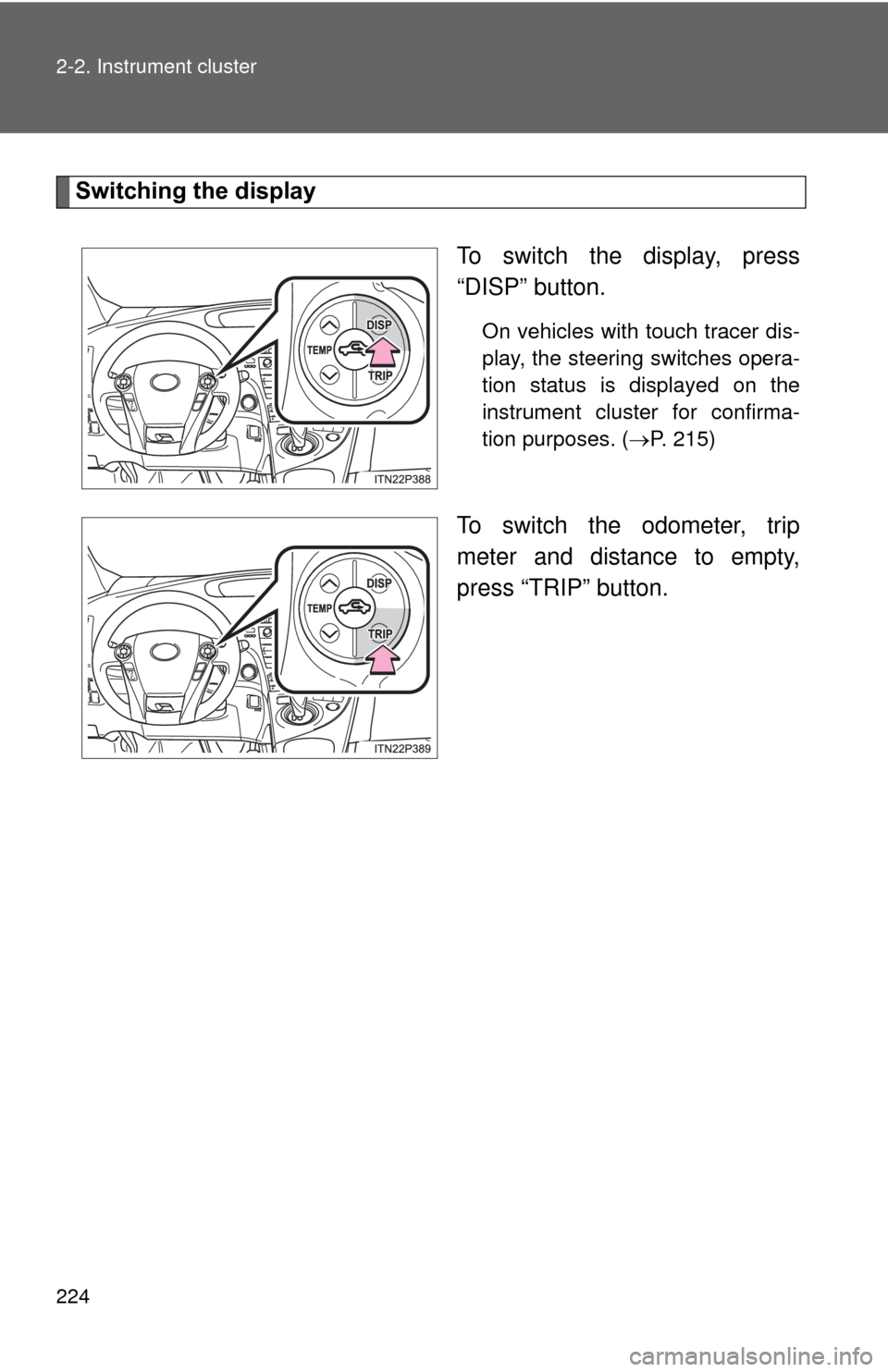
Switching the displayTo switch the display, press
“DISP” button.
On vehicles with touch tracer dis-
play, the steering switches opera-
tion status is displayed on the
instrument cluster for confirma-
tion purposes. (P. 215)
To switch the odometer, trip
meter and distance to empty,
press “TRIP” button.
Page 236 of 636
236 2-2. Instrument cluster
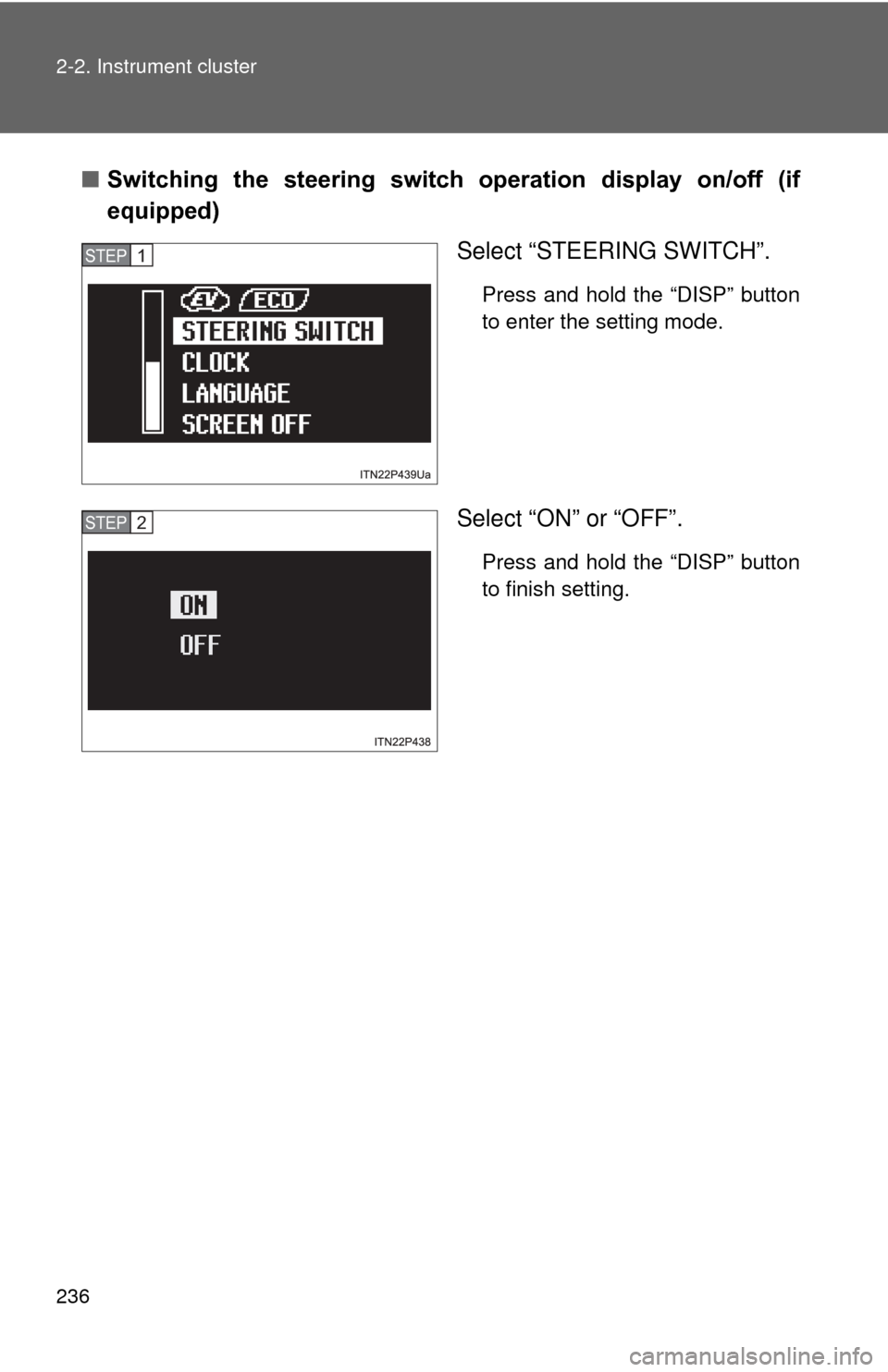
■Switching the steering switch operation display on/off (if
equipped)
Select “STEERING SWITCH”.
Press and hold the “DISP” button
to enter the setting mode.
Select “ON” or “OFF”.
Press and hold the “DISP” button
to finish setting.
STEP 1
STEP 2
Page 241 of 636
241
2-2. Instrument cluster
2
When driving
■
Driving in Eco drive mode
The multi-information display will automatically switch the display to Hybrid
System Indicator, regardless of which display is currently being shown.
(P. 225)
■ Touch tracer display
●The touch tracer display can be set to not display even if the steering
switches are touched.
● Only the circular, rubber-covered switches have a built-in touch sensor.
Touching any of the other switches will not display the touch tracer dis-
play.
■ Display settings can be changed when
The vehicle speed is less than approximately 5 mph (8 km/h).
■ Engine speed
On hybrid vehicles, engine speed is precisely controlled in order to help
improve fuel efficiency and reduce exhaust emissions etc. There are times
when the engine speed that is displayed may differ even when vehicle oper-
ation and driving conditions are the same.
■ When the 12-volt battery is disconnected
The following data will be reset.
●Average fuel consumption
● Distance to empty
● Average vehicle speed
● Clock
● Display settings
● Trip meter
Page 242 of 636
242 2-2. Instrument cluster
■Vacuum fluorescent display
Small spots or light spots may appear on the display. This phenomenon is
characteristic of vacuum fluorescent displays, and there is no problem to
continue using the display.
NOTICE
■Steering switches
To prevent damage to the steering switches, observe the following precau-
tions.
●Do not touch the steering switches with wet hands
● Do not push hard or sharp objects into the steering switches
● Do not subject the steering switches to strong impacts
● Do not allow organic solvents containing thinner, benzene or gasoline, or
acidic/alkaline soap to adhere to the surfaces of the steering switches
Page 284 of 636
284 2-4. Using other driving systems
CAUTION
■When the sensor may not be correctly detecting the vehicle ahead
Apply the brakes as necessary when any of the following types of vehicles
are in front of you.
As the sensor may not be able to correctly detect these types of vehicles,
the approach warning ( P. 277) will not be activated, and a fatal or serious
accident may result.
● Vehicles that cut in suddenly
● Vehicles traveling at low speeds
● Vehicles that are not moving
● Vehicles with small rear ends (trailers with no load on board etc.)
● Motorcycles traveling in the same lane
■ Conditions under which the vehicle -to-vehicle distance control may
not function correctly
Apply the brakes as necessary in the following conditions as the radar sen-
sor may not be able to correctly detect vehicles ahead, and a fatal or serious
accident may result:
● When water or snow thrown up by the surrounding vehicles hinders the
functioning of the sensor
● When your vehicle is pointing upwards (caused by a heavy load in the lug-
gage compartment etc.)
● When the road curves or when the lanes are narrow
● When steering wheel operation or your position in the lane is unstable
● When the vehicle ahead of you decelerates suddenly
Page 286 of 636
286
2-4. Using other driving systems
LKA (Lane-Keeping Assist)
: If equipped
While driving on a freeway or motor highway that has lane markings,
this system recognizes the lanes using a camera as a sensor to
assist the driver with staying in the lane. The LKA system has two
functions.
■ Lane departure warning function
If the system judges that the vehicle may deviate from its lane, it
alerts the driver using rapid be eping, indications on the multi-
information display, and a sensory warning
* given via the steer-
ing wheel.
*: A slight steering torque is applied for a short period of time in
the direction of the center of the lane.
■ Lane keeping assist function
This function will be active when the vehicle-to-vehicle distance
control mode of the cruise control ( P. 270) is set with vehicle
speed above approx. 50 mph (approx. 75 km/h) and while the
lane departure warning function is active. When the lane keep-
ing assist function is active , a slight steering torque will be
applied, to help the driver mainta in the vehicle inside the lane.
Page 289 of 636
289
2-4. Using other
driving systems
2
When driving
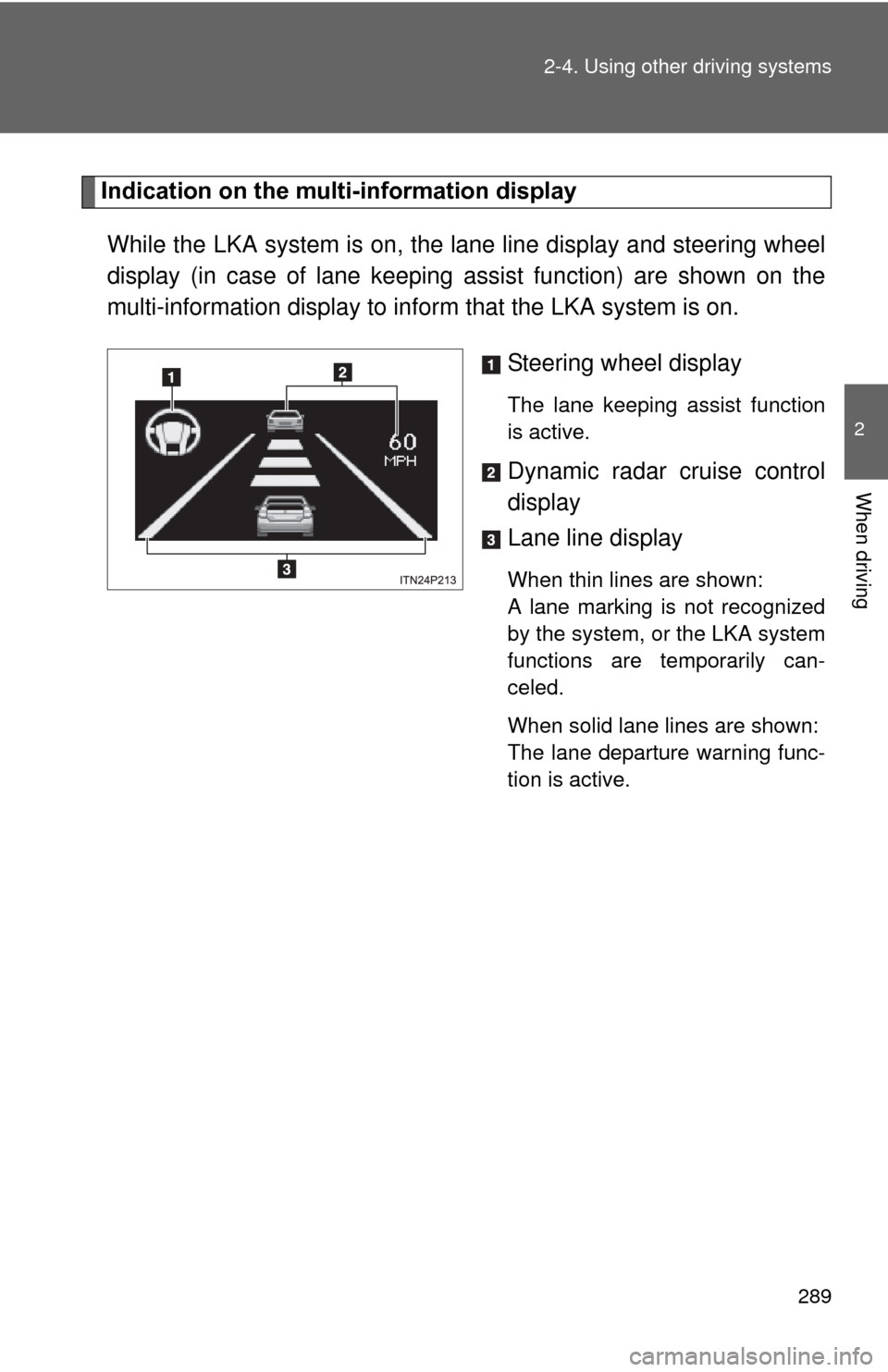
Indication on the multi-information display
While the LKA system is on, the lane line display and steering wheel
display (in case of lane keeping assist function) are shown on the
multi-information display to info rm that the LKA system is on.
Steering wheel display
The lane keeping assist function
is active.
Dynamic radar cruise control
display
Lane line display
When thin lines are shown:
A lane marking is not recognized
by the system, or the LKA system
functions are temporarily can-
celed.
When solid lane lines are shown:
The lane departure warning func-
tion is active.
Page 290 of 636
290 2-4. Using other driving systems
■Temporary cancelation of the LKA system functions
If any of the following occurs, the LKA system functions will be temporarily
canceled. The functions will resume after the necessary operating conditions
have returned.
● The turn signal lever is operated.
● The steering wheel is turned as far as necessary to cause the vehicle to
change lanes.
● The brake pedal is depressed.
However, the lane keeping assist function will not resume even after the
brake pedal is released because depressing the brake pedal also can-
cels the dynamic radar cruise control. (Only lane departure warning func-
tion will resume.)
● The vehicle speed deviates from the operating range of the LKA system
functions.
● When the lane lines cannot be recognized while driving.
● The wiper operates continuously.
■ When the lane departure wa rning function is activated
The lane departure warning function will be temporarily canceled and will not
resume until a few seconds elapse after it is activated.