MOUNT TOYOTA PRIUS 2016 4.G User Guide
[x] Cancel search | Manufacturer: TOYOTA, Model Year: 2016, Model line: PRIUS, Model: TOYOTA PRIUS 2016 4.GPages: 800, PDF Size: 16.69 MB
Page 113 of 800
PRIUS_OM_OM47A29U_(U)
1132. Instrument cluster
2
Instrument cluster
■Outside temperature display
●In the following situations, the correct outside temperature may not be dis-
played, or the display may take longer than normal to change.
• When stopped, or driving at low speeds (less than 12 mph [20 km/h])
• When the outside temperature has changed suddenly (at the entrance/
exit of a garage, tunnel, etc.)
● When “-” or “E” is displayed, the system may be malfunctioning.
Take your vehicle to your Toyota dealer.
■ Distance to empty
●This distance is computed based on your average fuel consumption. As a
result, the actual distance that can be driven may differ from that displayed.
● When only a small amount of fuel is added to the tank, the display may not
be updated.
When refueling, turn the power switch off. If the vehicle is refueled without
turning the power switch off, the display may not be updated.
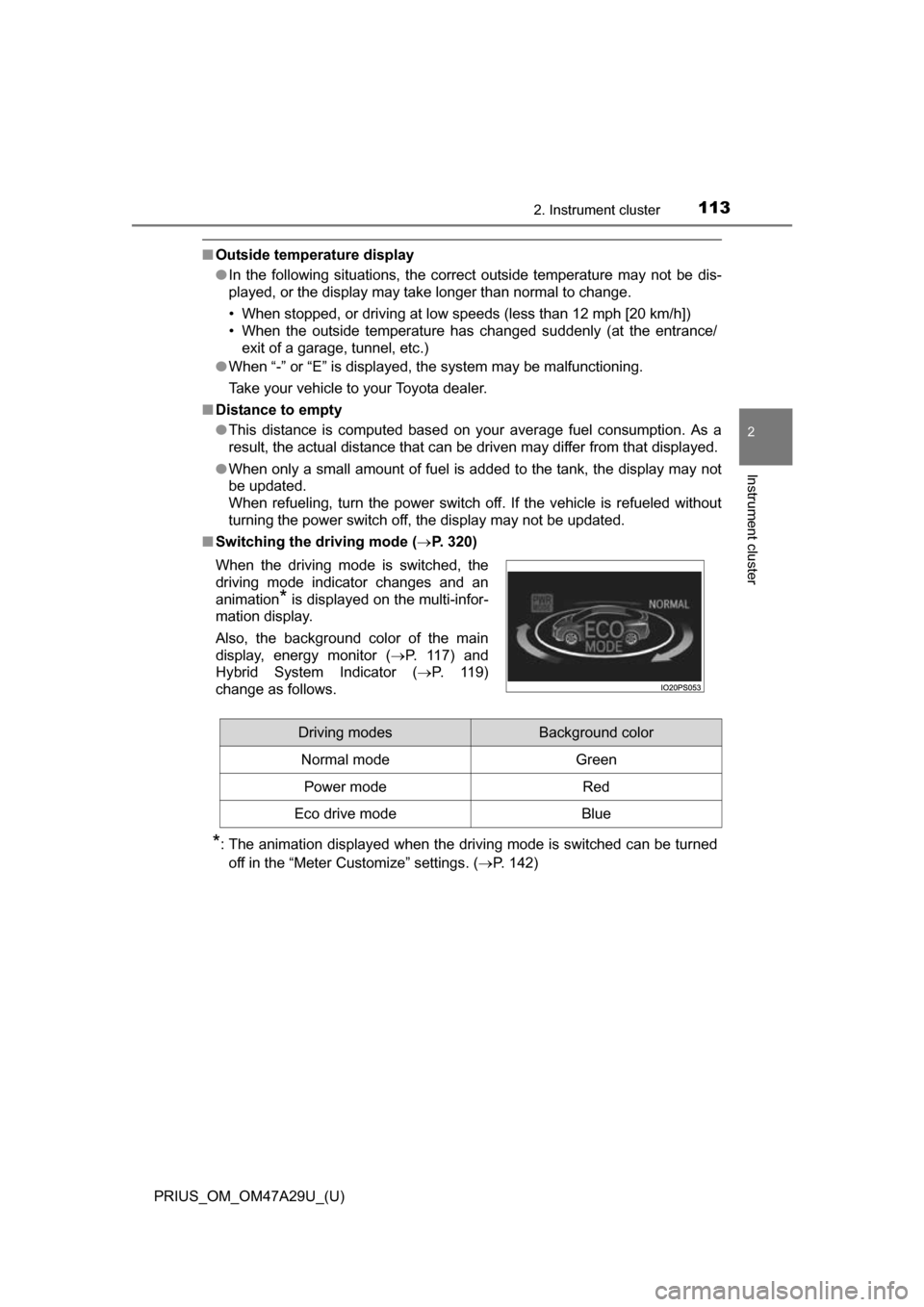
■ Switching the driving mode ( P. 320)
*: The animation displayed when the driving mode is switched can be turned
off in the “Meter Customize” settings. ( P. 142)
When the driving mode is switched, the
driving mode indicator changes and an
animation
* is displayed on the multi-infor-
mation display.
Also, the background color of the main
display, energy monitor ( P. 1 1 7 ) a n d
Hybrid System Indicator ( P. 119)
change as follows.
Driving modesBackground color
Normal mode Green
Power modeRed
Eco drive modeBlue
Page 118 of 800
118
PRIUS_OM_OM47A29U_(U)
2. Instrument cluster
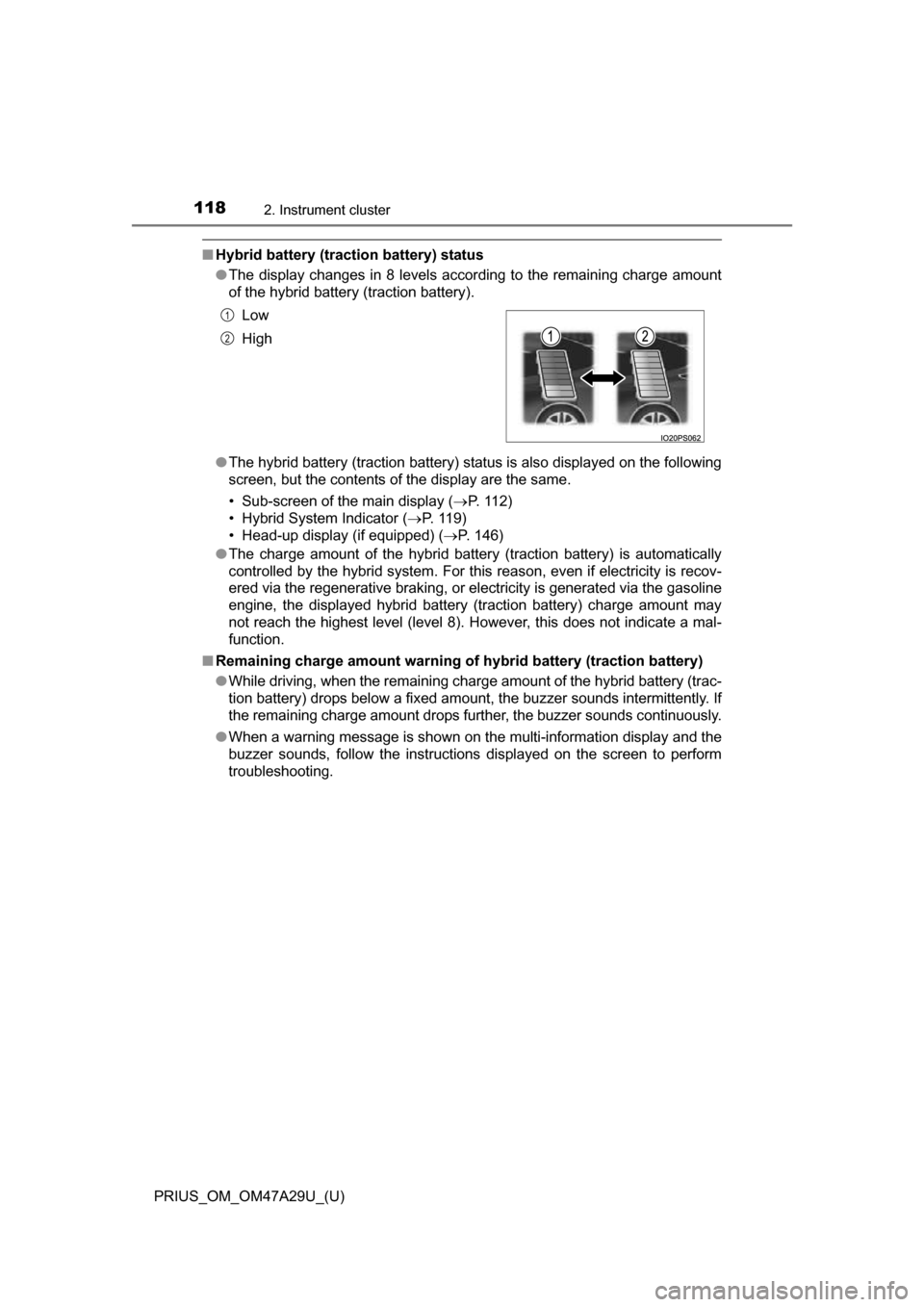
■Hybrid battery (traction battery) status
●The display changes in 8 levels according to the remaining charge amount
of the hybrid battery (traction battery).
● The hybrid battery (traction battery) status is also displayed on the following
screen, but the contents of the display are the same.
• Sub-screen of the main display ( P. 112)
• Hybrid System Indicator (P. 119)
• Head-up display (if equipped) ( P. 146)
● The charge amount of the hybrid battery (traction battery) is automatically
controlled by the hybrid system. For this reason, even if electricity is recov-
ered via the regenerative braking, or electricity is generated via the gasoline
engine, the displayed hybrid battery (traction battery) charge amount may
not reach the highest level (level 8). However, this does not indicate a mal-
function.
■ Remaining charge amount warning of hybrid battery (traction battery)
●While driving, when the remaining charge amount of the hybrid battery (trac-
tion battery) drops below a fixed amount, the buzzer sounds intermittently. If
the remaining charge amount drops further, the buzzer sounds continuously.
● When a warning message is shown on the multi-information display and the
buzzer sounds, follow the instructions displayed on the screen to perform
troubleshooting. Low
High
1
2
Page 128 of 800
128
PRIUS_OM_OM47A29U_(U)
2. Instrument cluster
◆“Eco Savings”
“Gasoline Price”
*1 and “COMP. Consumption” information is regis-
tered in the “Meter Customize” settings ( P. 142), making it possi-
ble to display 2 types of information related to gasoline fuel
consumption.
“SAVINGS”
If information about th e vehicle used to comp are fuel consumption
(“COMP. Consumption”) is entered, when the fuel consumption of
this vehicle according to the mileage of the trip meter
*2 is greater
than that of the comparis on vehicle, an estimation
*3 of the amount
of the fuel cost savings is displayed.
“FUEL COST”
If information about th e vehicle used to comp are fuel consumption
(“COMP. Consumption”) is not entered, an estimation
*3 of the
amount of fuel cost savings is displayed according to the mileage of
the trip meter
*2.
*1: “Gasoline Price” is information necessary to display the “SAVINGS” and “FUEL COST” records.
*2: The display can be switched from the mileage history to the history bymonth. ( P. 130)
*3: The displayed amount is only an estimate, and may differ from the
actual amount.
Page 179 of 800
PRIUS_OM_OM47A29U_(U)
1793-2. Opening, closing and locking the doors
3
Operation of each component
■Note for the entry function
●Even when the electronic key is within the effective range (detection areas),
the system may not operate properly in the following cases:
• The electronic key is too close to the window or outside door handle, near
the ground, or in a high place when the doors are locked or unlocked.
• The electronic key is on the instrument panel, floor, or in the door pockets
or glove box when the hybrid system is started or power switch modes
are changed.
● Do not leave the electronic key on top of the instrument panel or near the
door pockets when exiting the vehicle. Depending on the radio wave recep-
tion conditions, it may be detected by the antenna outside the cabin and the
door will become lockable from the outside, possibly trapping the electronic
key inside the vehicle.
● As long as the electronic key is within the effective range, the doors may be
unlocked or locked by anyone.
● Even if the electronic key is not inside the vehicle, it may be possible to start
the hybrid system if the electronic key is near the window.
● The doors may unlock if a large amount of water splashes on the door han-
dle, such as in the rain or in a car wash when the electronic key is within the
effective range. (The door will automatically be locked after approximately
60 seconds if the doors are not opened and closed.)
● If the wireless remote control is used to lock the doors when the electronic
key is near the vehicle, there is a possibility that the door may not be
unlocked by the entry function. (Use the wireless remote control to unlock
the doors.)
● Touching the door lock sensor while wearing gloves may delay or prevent
lock operation. Remove the gloves and touch the lock sensor again.
● When the lock operation is performed using the lock sensor, recognition sig-
nals will be shown up to two consecutive times. After this, no recognition
signals will be given.
● If the door handle becomes wet while the electronic key is within the effec-
tive range, the door may lock and unlock repeatedly. In this case, follow the
following correction procedures to wash the vehicle.
• Place the electronic key in a location 6 ft. (2 m) or more away from the
vehicle. (Take care to ensure that the key is not stolen.)
• Set electronic key to battery-saving mode to disable the smart key sys-
tem. ( P. 178)
● If the electronic key is inside the vehicle and a door handle becomes wet
during a car wash, a message may be shown on the multi-information dis-
play and a buzzer will sound outside the vehicle. To turn off the alarm, lock
all the doors.
Page 219 of 800
219
PRIUS_OM_OM47A29U_(U)
4-1. Before driving
4
Driving
Cargo and luggage
Cargo capacity depends on the total weight of the occupants.
(Cargo capacity) = (Total load capaci ty) — (Total weight of occupants)
Steps for Determining Correct Load Limit
(1) Locate the statement “The combined weight of occupants and cargo should never exceed XXX kg or XXX lbs.” on your vehicle’s
placard.
(2) Determine the combined weight of the driver and passengers that will be riding in your vehicle.
(3) Subtract the combined weight of the driver and passengers from
XXX kg or XXX lbs.
(4) The resulting figure equals the available amount of cargo and lug- gage load capacity.
For example, if the “ XXX” amount equals 1400 lbs. and there will be
five 150 lb passengers in your v ehicle, the amount of available
cargo and luggage load capacity is 650 lbs. (1400 750 (5150) =
650 lbs.)
(5) Determine the combined weight of luggage and cargo being loaded on the vehicle. That weight ma y not safely exceed the available
cargo and luggage load capacity calculated in Step 4.
(6) If your vehicle will be towing a tr ailer, load from your trailer will be
transferred to your vehicle. Consult this manual to determine how
this reduces the available cargo and luggage load capacity of your
vehicle. ( P. 222)
Toyota does not recommend towing a trailer with your vehicle. Your
vehicle is not designed for trailer towing.
Take notice of the following information about storage precau-
tions, cargo capacity and load.
Capacity and distribution
Page 220 of 800
220
PRIUS_OM_OM47A29U_(U)
4-1. Before driving
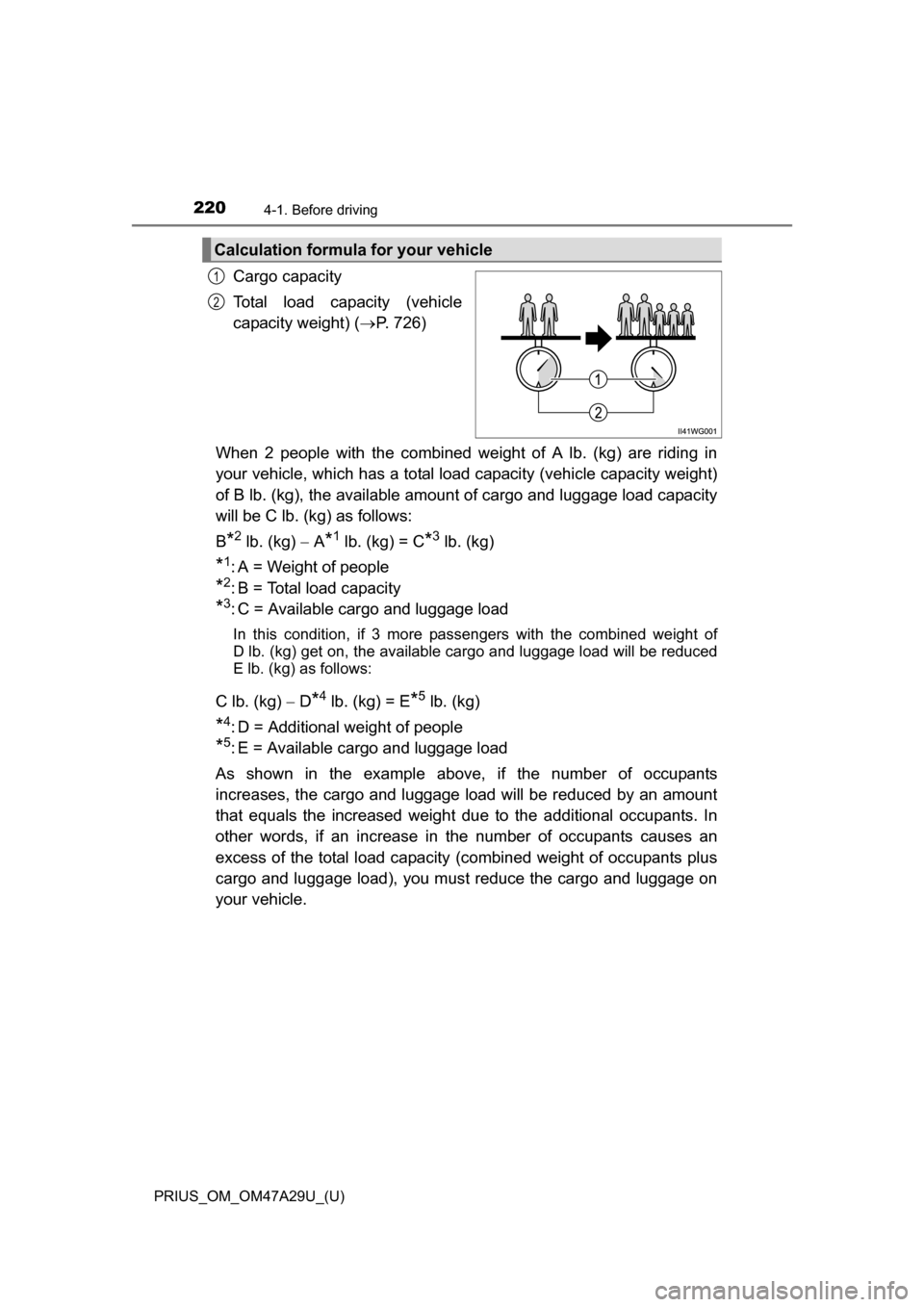
Cargo capacity
Total load capacity (vehicle
capacity weight) (P. 726)
When 2 people with the combined weight of A lb. (kg) are riding in
your vehicle, which has a total load capacity (vehicle capacity weight)
of B lb. (kg), the available amount of cargo and luggage load capacity
will be C lb. (kg) as follows:
B
*2 lb. (kg) A*1 lb. (kg) = C*3 lb. (kg)
*1: A = Weight of people
*2: B = Total load capacity
*3: C = Available cargo and luggage load
In this condition, if 3 more pa ssengers with the combined weight of
D lb. (kg) get on, the available ca rgo and luggage load will be reduced
E lb. (kg) as follows:
C lb. (kg) D*4 lb. (kg) = E*5 lb. (kg)
*4: D = Additional weight of people
*5: E = Available cargo and luggage load
As shown in the example above, if the number of occupants
increases, the cargo and luggage load will be reduced by an amount
that equals the increased weight du e to the additional occupants. In
other words, if an increase in the number of occupants causes an
excess of the total load capacity (combined weight of occupants plus
cargo and luggage load), you must reduce the cargo and luggage on
your vehicle.
Calculation formula for your vehicle
1
2
Page 223 of 800
223
PRIUS_OM_OM47A29U_(U)
4-1. Before driving
4
Driving
Trailer towing
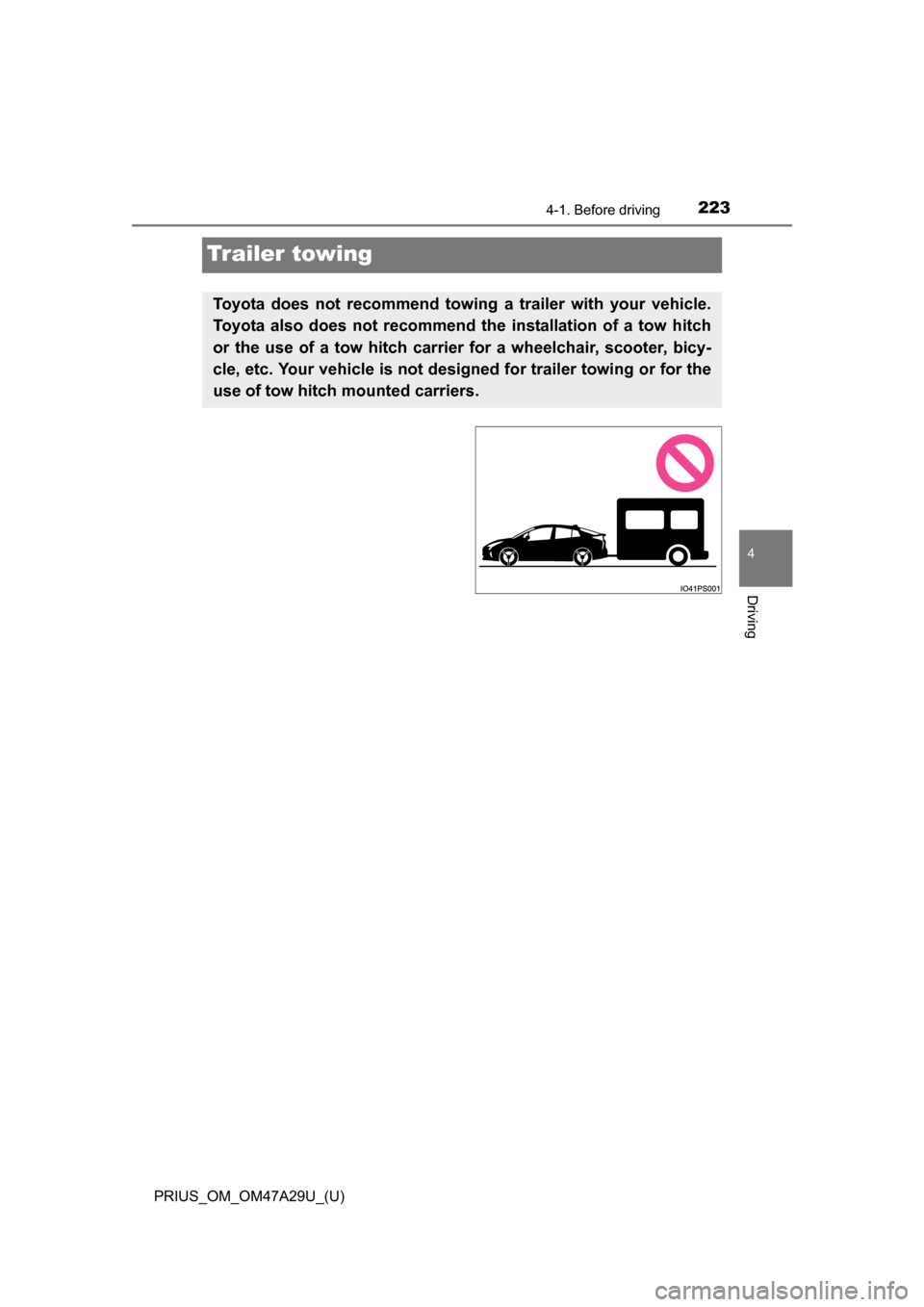
Toyota does not recommend towing a trailer with your vehicle.
Toyota also does not recommend th e installation of a tow hitch
or the use of a tow hitch carrier for a wheelchair, scooter, bicy-
cle, etc. Your vehicle is not designed for trailer towing or for the
use of tow hitch mounted carriers.
Page 249 of 800
PRIUS_OM_OM47A29U_(U)
2494-3. Operating the lights and wipers
4
Driving
■High beam automatic turning on or off conditions
●When all of the following conditions are fulfilled, the high beam will be auto-
matically turned on (after approximately 1 second):
• Vehicle speed is above approximately 21 mph (34 km/h).
• The area ahead of the vehicle is dark.
• There are no vehicles ahead with headlights or tail lights turned on.
• There are few streetlights on the road ahead.
● If any of the following conditions are fulfilled, the high beam will be automat-
ically turned off:
• Vehicle speed drops below approximately 17 mph (27 km/h).
• The area ahead of the vehicle is not dark.
• Vehicles ahead have headlights or tail lights turned on.
• There are many streetlights on the road ahead.
■ Camera sensor detection information
●The high beam may not be automatically turned off in the following situa-
tions:
• When oncoming vehicles suddenly appear from a curve
• When the vehicle is cut in front of by another vehicle
• When vehicles ahead are hidden from sight due to repeated curves, road
dividers or roadside trees
• When vehicles ahead appear from the faraway lane on wide road
• When vehicles ahead vehicles have no lights
● The high beam may be turned off if a vehicle ahead that is using fog lights
without using the headlights is detected.
● House lights, street lights, traffic signals, and illuminated billboards or signs
may cause the high beam to switch to the low beams, or the low beams to
remain on.
● The following factors may affect the amount of time taken to turn the high
beam on or off:
• The brightness of headlights, fog lights, and tail lights of vehicles ahead
• The movement and direction of vehicles ahead
• When a vehicle ahead only has operational lights on one side
• When a vehicle ahead is a two-wheeled vehicle
• The condition of the road (gradient, curve, condition of the road surface
etc.)
• The number of passengers and amount of luggage
● The high beam may be turned on or off when the driver does not expect it.
● Bicycles or similar objects may not be detected.
Page 258 of 800
258
PRIUS_OM_OM47A29U_(U)
4-3. Operating the lights and wipers
■The windshield wipers and washer can be operated when
The power switch is in ON mode.
■ Dripping prevention wiper sweep (vehicles with rain-sensing windshield
wipers)
After washing and wiping operation several times, the wipers operate one
more time after a short delay to prevent dripping. However, this function will
not operate while driving.
■ Effects of vehicle speed on wiper operation (vehicles with rain-sensing
windshield wipers)
Vehicle speed affects the Intermittent wiper interval.
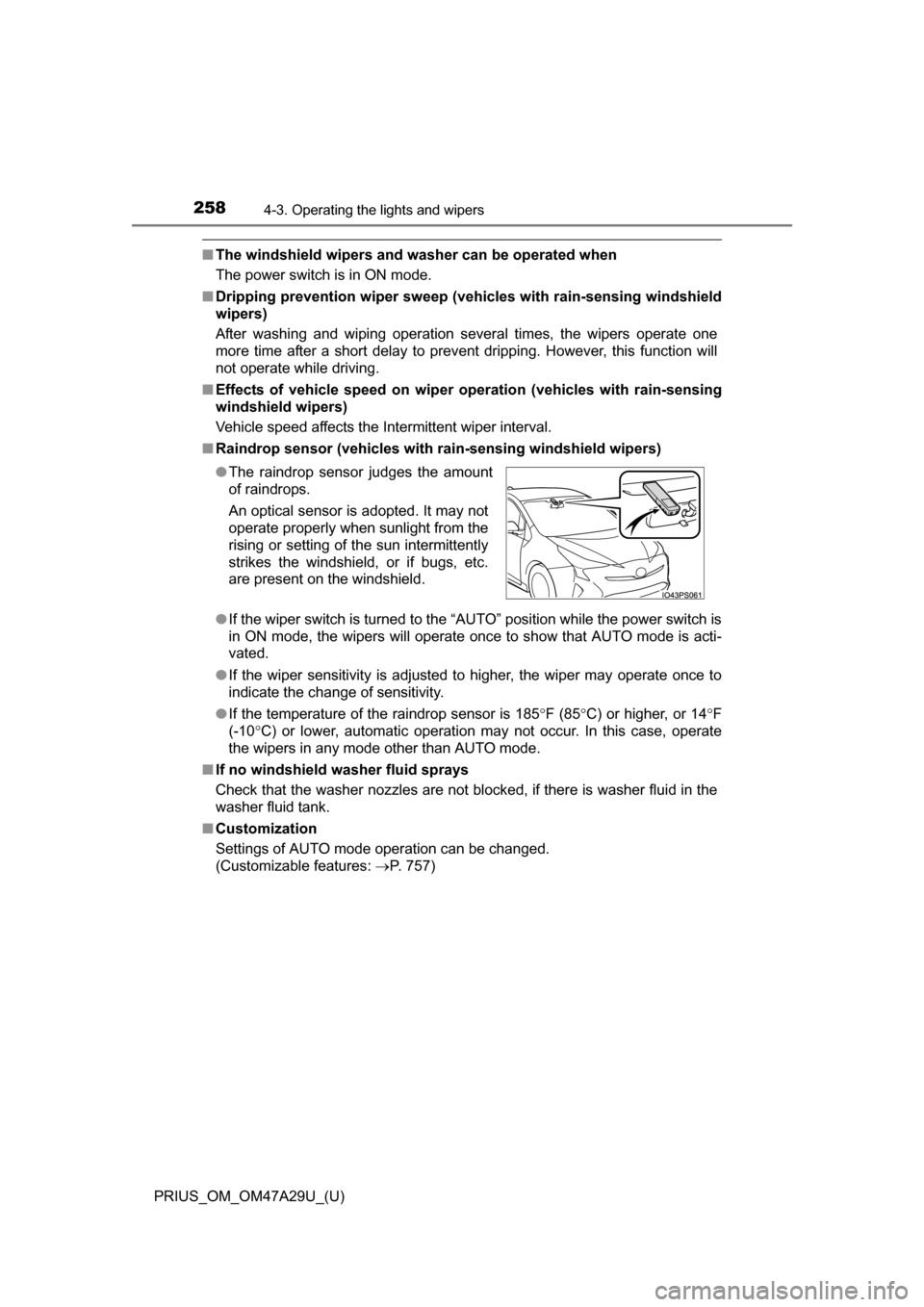
■ Raindrop sensor (vehicles with ra in-sensing windshield wipers)
● If the wiper switch is turned to the “AUTO” position while the power switch is
in ON mode, the wipers will operate once to show that AUTO mode is acti-
vated.
● If the wiper sensitivity is adjusted to higher, the wiper may operate once to
indicate the change of sensitivity.
● If the temperature of the raindrop sensor is 185 F (85 C) or higher, or 14 F
(-10 C) or lower, automatic operation may not occur. In this case, operate
the wipers in any mode other than AUTO mode.
■ If no windshield washer fluid sprays
Check that the washer nozzles are not blocked, if there is washer fluid in the
washer fluid tank.
■ Customization
Settings of AUTO mode operation can be changed.
(Customizable features: P. 757)
●
The raindrop sensor judges the amount
of raindrops.
An optical sensor is adopted. It may not
operate properly when sunlight from the
rising or setting of the sun intermittently
strikes the windshield, or if bugs, etc.
are present on the windshield.
Page 272 of 800
272
PRIUS_OM_OM47A29U_(U)
4-5. Using the driving support systems
WARNING
●Do not dirty or damage the camera sensor.
When cleaning the inside of the windshield, do not allow glass cleaner to
contact the lens. Also, do not touch the lens.
If the lens is dirty or damaged, contact your Toyota dealer.
● Do not subject the camera sensor to a strong impact.
● Do not change the installation position or direction of the camera sensor or
remove it.
● Do not disassemble the camera sensor.
● Do not install an electronic device or device that emits strong electric
waves near the camera sensor.
● Do not modify any components of the vehicle around the camera sensor
(inside rear view mirror, etc.) or ceiling.
● Do not attach any accessories that may obstruct the camera sensor to the
hood, front grille or front bumper. Contact your Toyota dealer for details.
● If a surfboard or other long object is to be mounted on the roof, make sure
that it will not obstruct the camera sensor.
● Do not modify the headlights or other lights.