air condition TOYOTA PRIUS 2016 4.G Owner's Manual
[x] Cancel search | Manufacturer: TOYOTA, Model Year: 2016, Model line: PRIUS, Model: TOYOTA PRIUS 2016 4.GPages: 800, PDF Size: 16.69 MB
Page 340 of 800
340
PRIUS_OM_OM47A29U_(U)
4-5. Using the driving support systems
■Operation conditions
The power switch is turned on.
●Front corner sensors:
• Shift position is not in P
• Vehicle speed is approximately 6 mph (10 km/h) or less
● Front side sensors/rear side sensors:
• Shift position is not in P
• Vehicle speed is approximately 6 mph (10 km/h) or less
• Steering wheel is turned approximately 90 or more
● Front center sensors:
• Shift position is not in P or R
• Vehicle speed is approximately 6 mph (10 km/h) or less
● Rear corner sensors/rear center sensors:
Shift position is in R
■ Clearance sonar pop-up display
P. 364
■ Sensor detection information
●The sensor’s detection areas are limited to the areas around the vehicle’s
bumper.
● Depending on the shape of the obstacle and other factors, the detection dis-
tance may shorten, or detection may be impossible.
● Obstacles may not be detected if they are too close to the sensor.
● There will be a short delay between obstacle detection and display. Even
when traveling at a low speed, if you come too close to an obstacle before
the display and buzzer activate, the display and buzzer may not activate at
all.
● Thin posts or objects lower than the sensor may not be detected when
approached, even if they have been detected once.
● It might be difficult to hear beeps due to the volume of audio system or air
flow noise of the air conditioning system.
Page 343 of 800
PRIUS_OM_OM47A29U_(U)
3434-5. Using the driving support systems
4
Driving
WARNING
■Sensors
Certain vehicle conditions and the surrounding environment may affect the
ability of the sensor to correctly detect obstacles. Particular instances where
this may occur are listed below.
●There is dirt, snow or ice on the sensor. (Wiping the sensors will resolve
this problem.)
● The sensor is frozen. (Thawing the area will resolve this problem.)
In especially cold weather, if a sensor is frozen, the screen may show an
abnormal display, or obstacles may not be detected.
● The sensor is covered in any way.
● In harsh sunlight or intense cold weather
● On an extremely bumpy road, on an incline, on gravel, or on grass
● The vicinity of the vehicle is noisy due to vehicle horns, motorcycle
engines, air brakes of large vehicles , or other loud noises producing ultra-
sonic waves.
● The sensor is splashed with water or drenched with heavy rain.
● The sensor is drenched with water on a flooded road.
● The vehicle is leaning considerably to one side.
● The vehicle is equipped with a fender pole or wireless antenna.
● The vehicle is approaching a tall or curved curb.
● The detection range is reduced due to an object such as a sign.
● The area directly under the bumpers is not detected.
● If obstacles draw too close to the sensor.
● The bumper or sensor receives a strong impact.
● A non-genuine Toyota suspension (lowered suspension etc.) is installed.
● There is another vehicle equipped with parking assist sensors in the vicin-
ity.
● Towing eyelets are installed.
● A backlit license plate is installed.
In addition to the examples above, depending on the shape and condition of
obstacles, detection may not be possible, or the detection range may be
shortened.
Page 411 of 800
411
PRIUS_OM_OM47A29U_(U)
4-6. Driving tips
4
Driving
Hybrid vehicle driving tips
◆Using Eco drive mode
When using Eco drive mode, the torque corresponding to the accel-
erator pedal depression amount can be generated more smoothly
than it is in normal conditions. In addition, the operation of the air
conditioning system (h eating/cooling) will be minimized, improving
the fuel economy. ( P. 320)
◆Use of Hybrid System Indicator
The Eco-friendly driving is possible by keeping the Hybrid System
Indicator within Eco area. ( P. 1 1 9 )
◆Shift position operation
Shift the shift position to D when sto pped at a traffic light, or driving
in heavy traffic etc. Shift the sh ift position to P when parking. When
using the N, there is no positive effect on fuel consumption. In the
N, the gasoline engine operates but electricity cannot be gener-
ated. Also, when using the air condi tioning system, etc., the hybrid
battery (traction batter y) power is consumed.
◆Accelerator pedal/brake pedal operation
●Drive your vehicle smoothly. Avoid abrupt acceleration and
deceleration. Gradual accelerati on and deceleration will make
more effective use of the electric motor (traction motor) without
having to use gasoline engine power.
● Avoid repeated acceleration. Repeated acceleration consumes
hybrid battery (traction battery) power, resulting in poor fuel con-
sumption. Battery power can be restored by driving with the
accelerator pedal slightly released.
For economical and ecological driv ing, pay attention to the fol-
lowing points:
Page 412 of 800
412
PRIUS_OM_OM47A29U_(U)
4-6. Driving tips
◆When braking
Make sure to operate the brakes gently and in a timely manner. A
greater amount of electrical energy can be regenerated when slow-
ing down.
◆Delays
Repeated acceleration and deceleration, as well as long waits at
traffic lights, will lead to bad fu el economy. Check traffic reports
before leaving and avoid delays as much as possible. When driving
in a traffic jam, gently release the brake pedal to allow the vehicle to
move forward slightly while avoi ding overuse of the accelerator
pedal. Doing so can help control excessive gasoline consumption.
◆Highway driving
Control and maintain the vehicle at a constant speed. Before stop-
ping at a toll booth or similar, allow plenty of time to release the
accelerator and gently apply the br akes. A greater amount of elec-
trical energy can be regenerated when slowing down.
◆Air conditioning
Use the air conditioning only when necessary. Doing so can help
reduce excessive gasoline consumption.
In summer: When the ambient temperature is high, use the recircu-
lated air mode. Doing so will help to reduce the burden on the air
conditioning system and reduce fuel consumption as well.
In winter: Because the gasoline eng ine will not automatically cut out
until it and the interior of the vehi cle are warm, it will consume fuel.
Fuel consumption can be improved by avoiding overuse of the
heater.
Page 414 of 800
414
PRIUS_OM_OM47A29U_(U)
4-6. Driving tips
Winter driving tips
●Use fluids that are appropriate to the prevailing outside tempera-
tures.
• Engine oil
• Engine/power control unit coolant
• Washer fluid
● Have a service technician inspec t the condition of the 12-volt bat-
tery.
● Have the vehicle fitted with four snow tires or purchase a set of tire
chains for the front tires.
Ensure that all tires are the same size and brand, and that chains match
the size of the tires.
Perform the following accordin g to the driving conditions:
● Do not try to forcibly open a window or move a wiper that is frozen.
Pour warm water over the frozen area to melt the ice. Wipe away
the water immediately to prevent it from freezing.
● To ensure proper operation of the climate control system fan,
remove any snow that has accumulated on the air inlet vents in
front of the windshield.
● Check for and remove any excess ice or snow that may have accu-
mulated on the exterior lights, ve hicle’s roof, chassis, around the
tires or on the brakes.
● Remove any snow or mud from the bottom of your shoes before
getting in the vehicle.
Carry out the necessary preparations and inspections before
driving the vehicle in winter. Always drive the vehicle in a man-
ner appropriate to the prevailing weather conditions.
Preparation for winter
Before driving the vehicle
Page 499 of 800
499
PRIUS_OM_OM47A29U_(U)
5-10. Bluetooth®
5
Audio system
Bluetooth®
■When using the Bluetooth® audio system
● In the following conditions, the system may not function.
• If the portable audio player is turned off
• If the portable audio player is not connected
• If the portable audio player’s battery is low
● There may be a delay if a cellular phone connection is made during
Bluetooth
® audio play.
● Depending on the type of portable audio player that is connected to the sys-
tem, operation may differ slightly and certain functions may not be available.
■ When using the hands-free system
●The audio system is muted when making a call.
● If both parties speak at the same time, it may be difficult to hear.
● If the received call volume is overly loud, an echo may be heard.
If the Bluetooth
® phone is too close to the system, quality of the sound may
deteriorate and connection status may deteriorate.
● In the following circumstances, it may be difficult to hear the other party:
• When driving on unpaved roads
• When driving at high speeds
• If a window is open
• If the air conditioning is blowing directly on the microphone
• If there is interference from the network of the cellular phone
■ Conditions under which th e system will not operate
● If using a cellular phone that does not support Bluetooth
®
●If the cellular phone is turned off
● If you are outside of cellular phone service coverage
● If the cellular phone is not connected
● If the cellular phone’s battery is low
● When outgoing calls are controlled, due to heavy traffic on telephone lines,
etc.
● When the cellular phone itself cannot be used
● When transferring contact data from the cellular phone
Page 506 of 800
5065-11. Using the voice command system
PRIUS_OM_OM47A29U_(U)
■Microphone
P. 471
■ When using the microphone
●It is unnecessary to speak directly into the microphone when giving a com-
mand.
● When “Voice Prompt Interrupt” set to on, it is not necessary to wait for the
confirmation beep before speaking a command. ( P. 433)
● Voice commands may not be recognized if:
• Spoken too quickly.
• Spoken at a low or high volume.
• The windows are open.
• Passengers are talking while voice commands are spoken.
• The air conditioning speed is set high.
• The air conditioning vents are turned towards the microphone.
● In the following conditions, the system may not recognize the command
properly and using voice commands may not be possible:
• The command is incorrect or unclear. Note that certain words, accents or
speech patterns may be difficult for the system to recognize.
• There is excessive background noise, such as wind noise.
Page 511 of 800
511
PRIUS_OM_OM47A29U_(U)
6Interior features
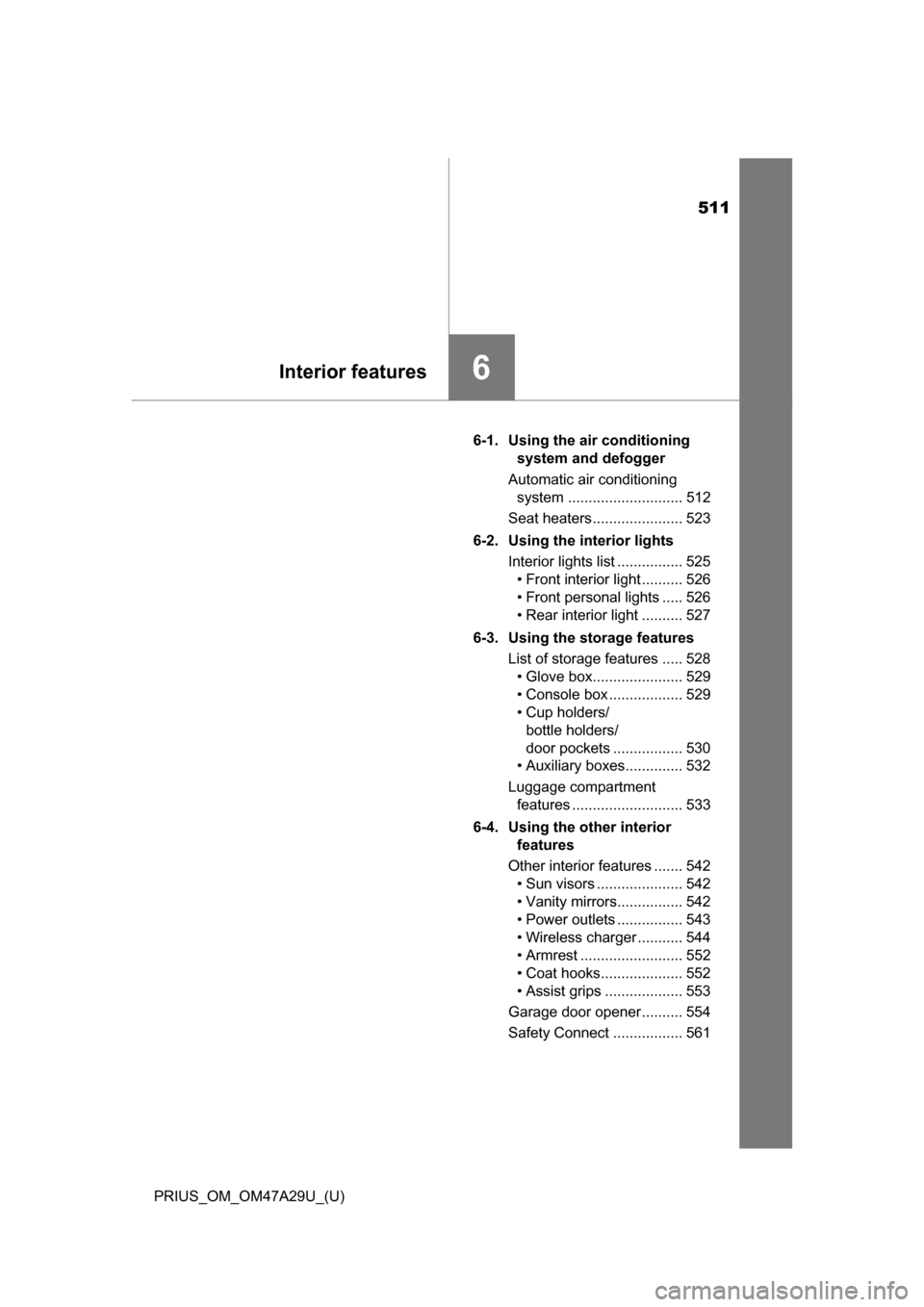
6-1. Using the air conditioning system and defogger
Automatic air conditioning system ............................ 512
Seat heaters...................... 523
6-2. Using the interior lights Interior lights list ................ 525• Front interior light .......... 526
• Front personal lights ..... 526
• Rear interior light .......... 527
6-3. Using the storage features List of storage features ..... 528• Glove box...................... 529
• Console box .................. 529
• Cup holders/ bottle holders/
door pockets ................. 530
• Auxiliary boxes.............. 532
Luggage compartment features ........................... 533
6-4. Using the other interior features
Other interior features ....... 542 • Sun visors ..................... 542
• Vanity mirrors................ 542
• Power outlets ................ 543
• Wireless charger ........... 544
• Armrest ......................... 552
• Coat hooks.................... 552
• Assist grips ................... 553
Garage door opener.......... 554
Safety Connect ................. 561
Page 512 of 800
512
PRIUS_OM_OM47A29U_(U)
6-1. Using the air conditioning system and defogger
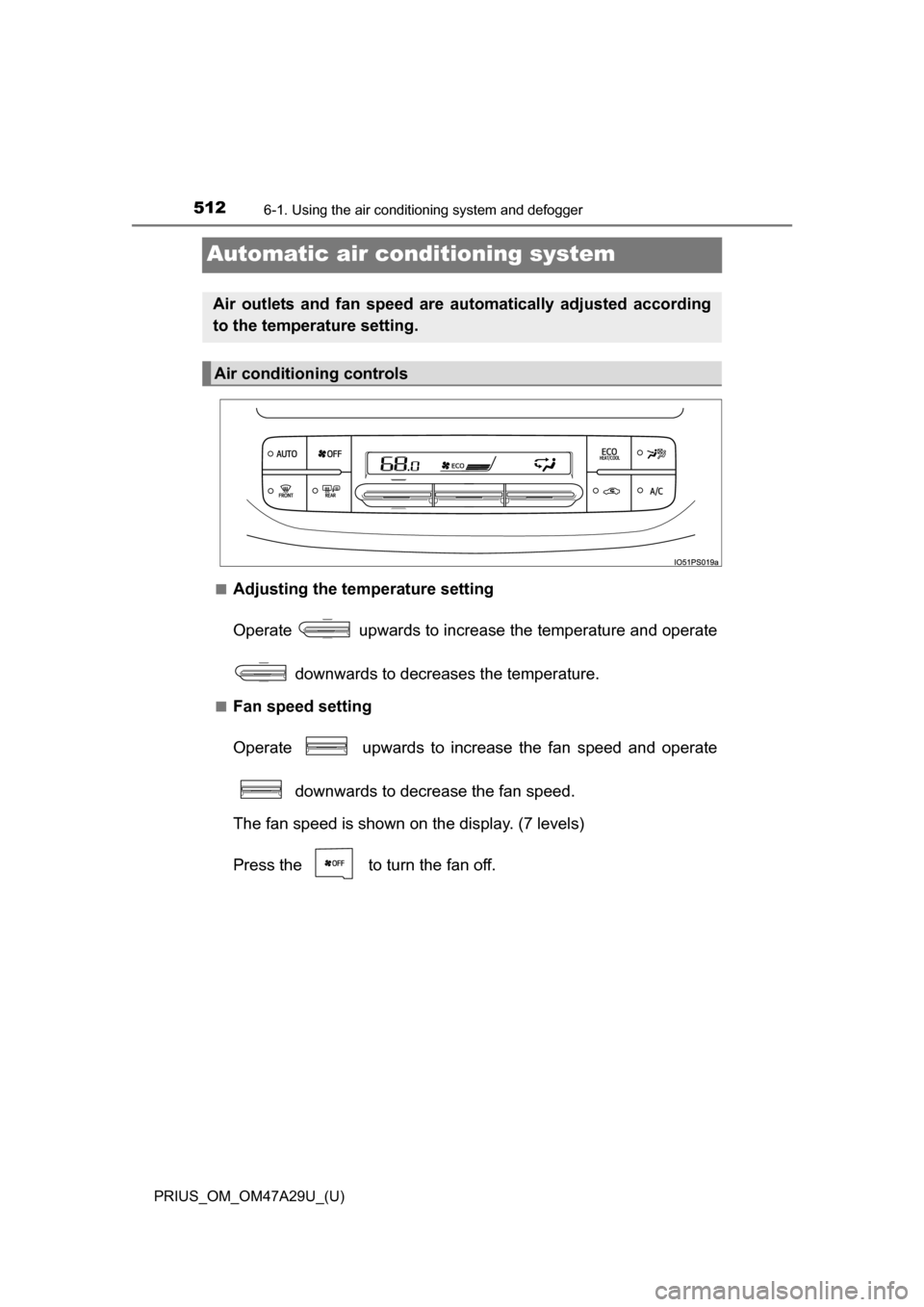
Automatic air conditioning system
■Adjusting the temperature setting
Operate upwards to increase the temperature and operate
downwards to decreases the temperature.
■Fan speed setting
Operate upwards to increase the fan speed and operate downwards to decrease the fan speed.
The fan speed is shown on the display. (7 levels)
Press the to turn the fan off.
Air outlets and fan speed are automatically adjusted according
to the temperature setting.
Air conditioning controls
Page 513 of 800
PRIUS_OM_OM47A29U_(U)
5136-1. Using the air conditioning system and defogger
6
Interior features
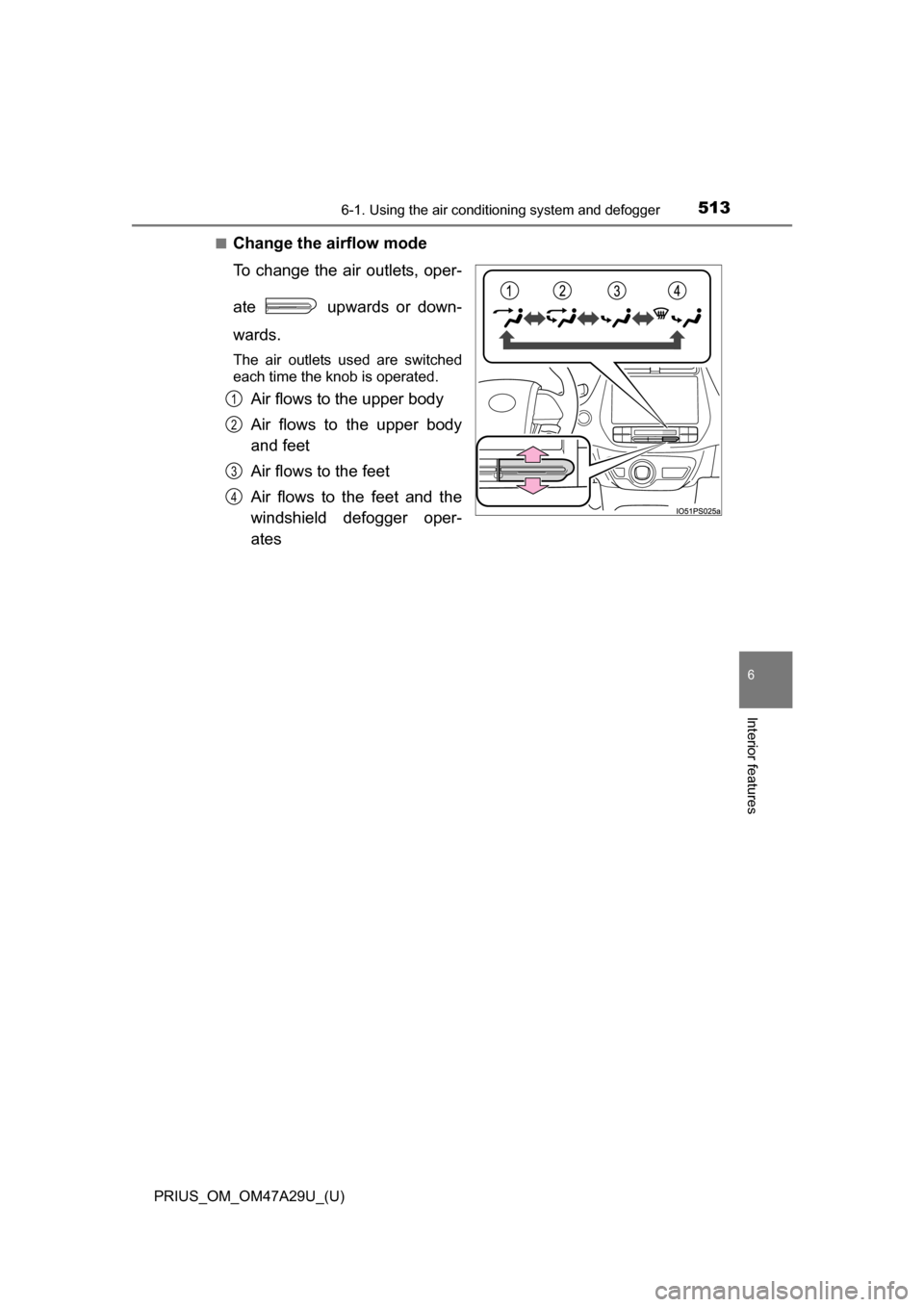
■Change the airflow mode
To change the air outlets, oper-
ate upwards or down-
wards.
The air outlets used are switched
each time the knob is operated.
Air flows to the upper body
Air flows to the upper body
and feet
Air flows to the feet
Air flows to the feet and the
windshield defogger oper-
ates1
2
3
4