display TOYOTA PRIUS 2017 4.G Owners Manual
[x] Cancel search | Manufacturer: TOYOTA, Model Year: 2017, Model line: PRIUS, Model: TOYOTA PRIUS 2017 4.GPages: 796, PDF Size: 20.13 MB
Page 468 of 796
468
PRIUS_OM_OM47B54U_(U)
5-9. Bluetooth® phone
Using a Bluetooth® Phone
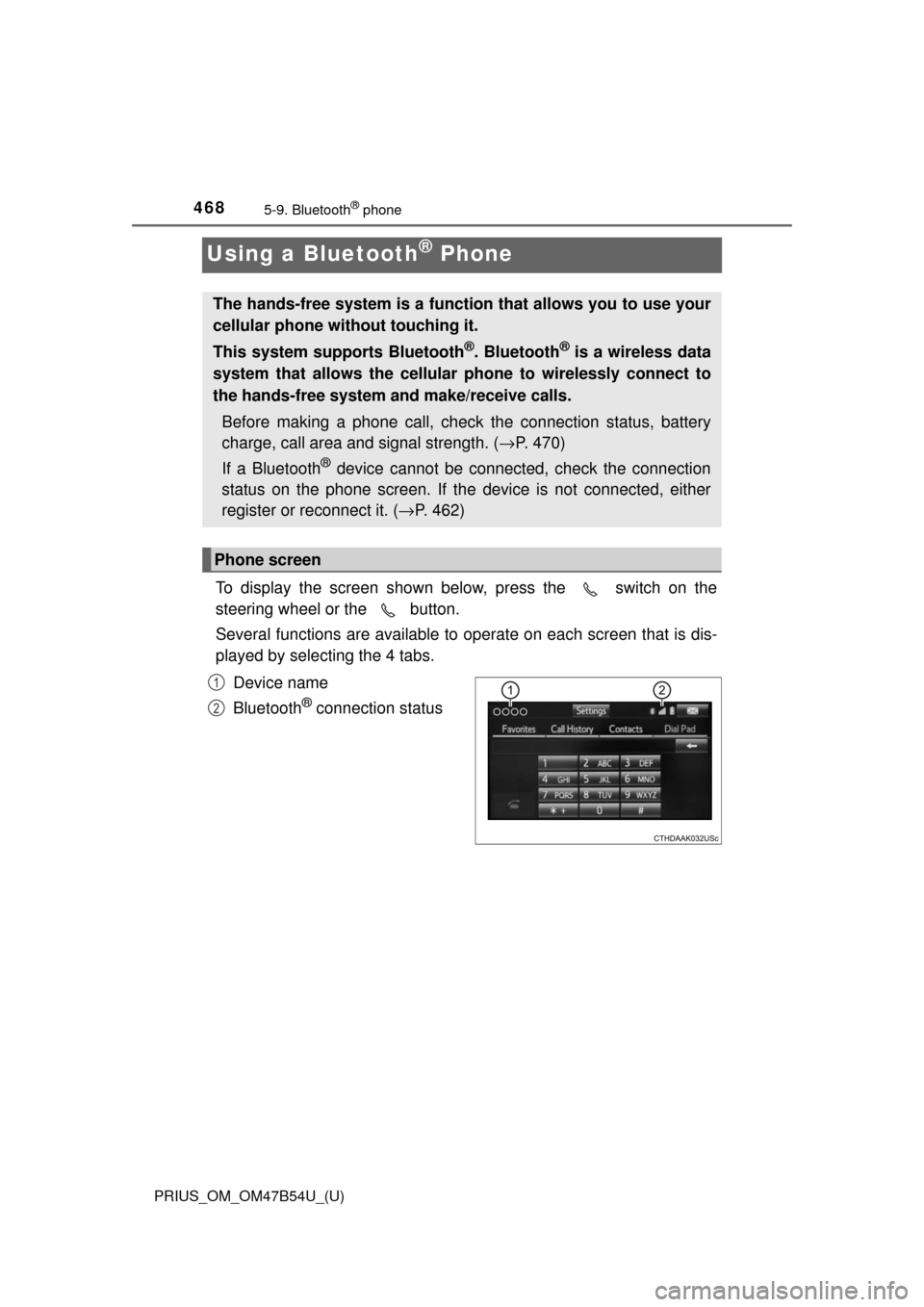
To display the screen shown below, press the switch on the
steering wheel or the button.
Several functions are available to operate on each screen that is dis-
played by selecting the 4 tabs.
Device name
Bluetooth
® connection status
The hands-free system is a function that allows you to use your
cellular phone without touching it.
This system supports Bluetooth
®. Bluetooth® is a wireless data
system that allows the cellular phone to wirelessly connect to
the hands-free system and make/receive calls.
Before making a phone call, check the connection status, battery
charge, call area and signal strength. ( →P. 470)
If a Bluetooth
® device cannot be connected, check the connection
status on the phone screen. If th e device is not connected, either
register or reconnect it. ( →P. 462)
Phone screen
1
2
Page 470 of 796
4705-9. Bluetooth® phone
PRIUS_OM_OM47B54U_(U)
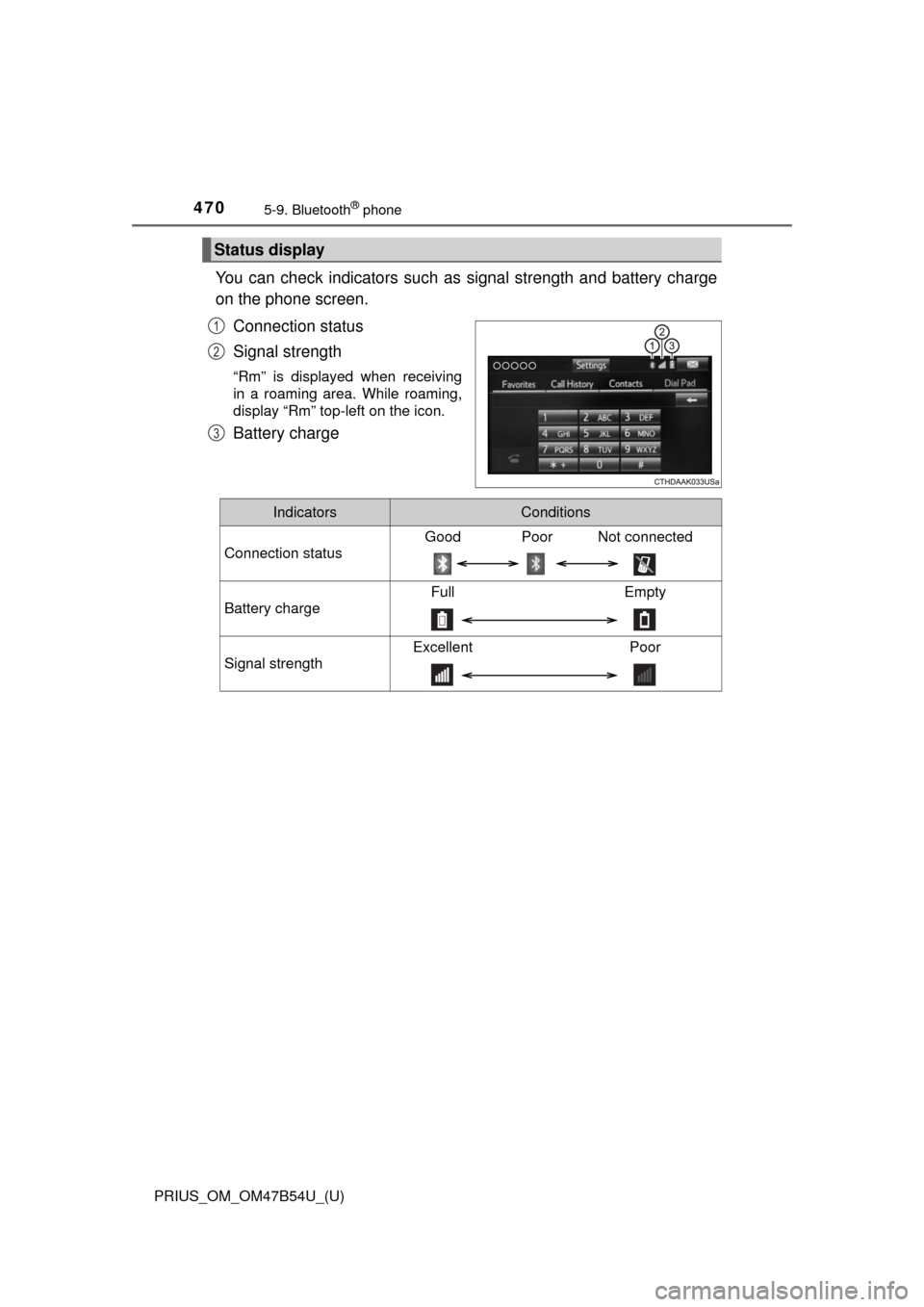
You can check indicators such as signal strength and battery charge
on the phone screen.
Connection status
Signal strength
“Rm” is displayed when receiving
in a roaming area. While roaming,
display “Rm” top-left on the icon.
Battery charge
Status display
1
2
3
IndicatorsConditions
Connection status
Good Poor Not connected
Battery charge
Full Empty
Signal strength
Excellent Poor
Page 471 of 796
471
PRIUS_OM_OM47B54U_(U)
5-9. Bluetooth® phone
5
Audio system
Making a call
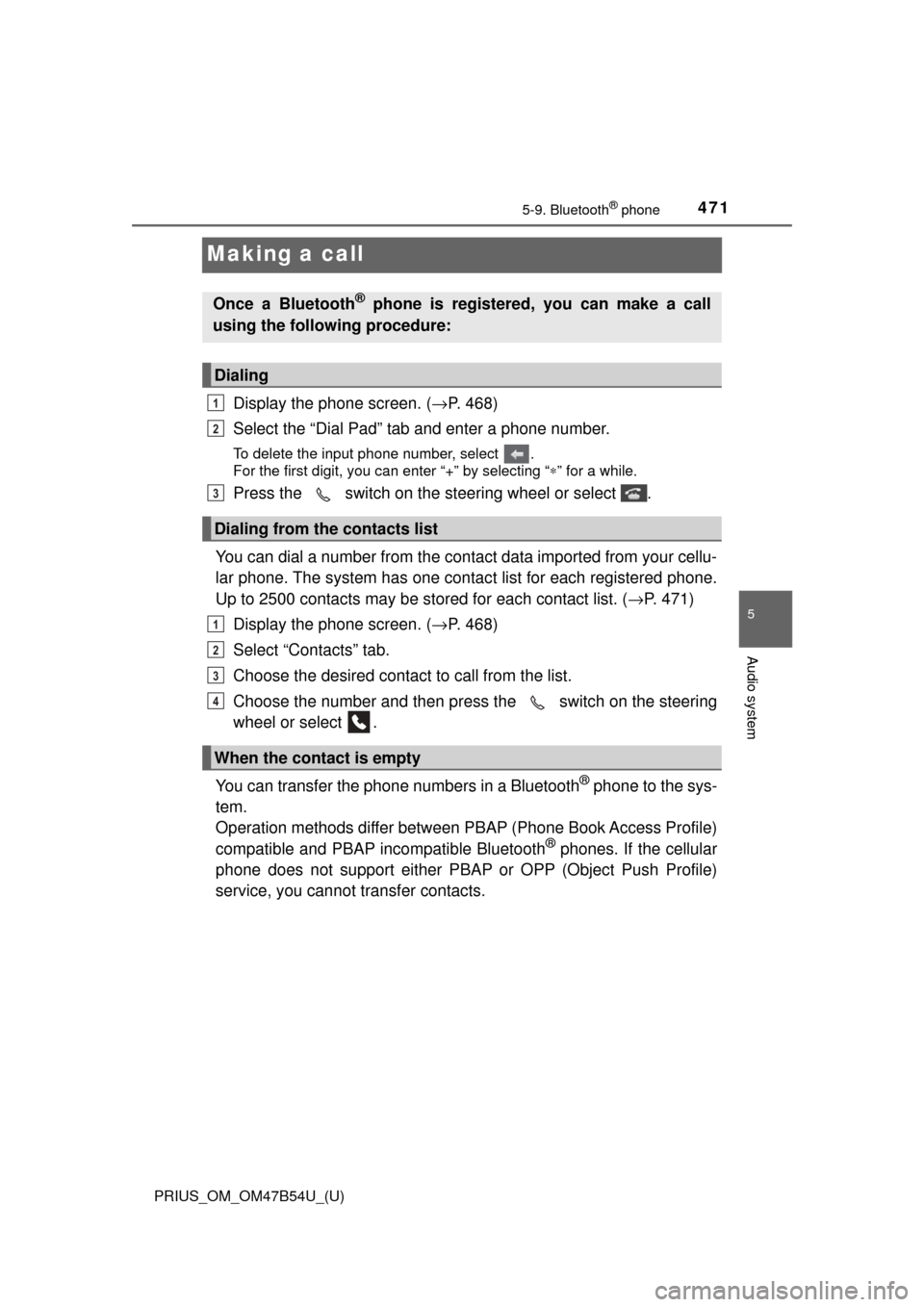
Display the phone screen. (→P. 468)
Select the “Dial Pad” tab and enter a phone number.
To delete the input phone number, select .
For the first digit, you can enter “+” by selecting “ ∗” for a while.
Press the switch on the steering wheel or select .
You can dial a number from the contact data imported from your cellu-
lar phone. The system has one contac t list for each registered phone.
Up to 2500 contacts may be stored for each contact list. ( →P. 471)
Display the phone screen. ( →P. 468)
Select “Contacts” tab.
Choose the desired contact to call from the list.
Choose the number and then press the switch on the steering
wheel or select .
You can transfer the phone numbers in a Bluetooth
® phone to the sys-
tem.
Operation methods differ between P BAP (Phone Book Access Profile)
compatible and PBAP incompatible Bluetooth
® phones. If the cellular
phone does not support either PB AP or OPP (Object Push Profile)
service, you cannot transfer contacts.
Once a Bluetooth® phone is registered, you can make a call
using the following procedure:
Dialing
Dialing from the contacts list
When the contact is empty
1
2
3
1
2
3
4
Page 473 of 796
PRIUS_OM_OM47B54U_(U)
4735-9. Bluetooth® phone
5
Audio system
You can make a call using numbers registered in the contact.Display the phone screen. ( →P. 468)
Select “Favorites” tab.
Select the desired number to make a call.
You can make a call using the call history, which has the 3 functions
below. : calls which you missed
: calls which you received
: calls which you made
Display the phone screen. ( →P. 468)
Select “Call History” tab.
Select or the desired entry from the list.
When is selected
Check that the “Call” screen is displayed.
When the desired cont act is selected
Select the desired number.
Check that the “Call” screen is displayed.
■Call history list
●If you make a call to or receive a call from a number registered in the con-
tact, the name is displayed in the call history.
● If you make multiple calls to the same number, only the last call made is dis-
played in the call history.
■ International calls
You may not be able to make international calls, depending on the mobile
phone in use.
Calling using favorites list
Dialing from call history
1
2
3
1
2
3
4
4
5
Page 474 of 796
474
PRIUS_OM_OM47B54U_(U)
5-9. Bluetooth® phone
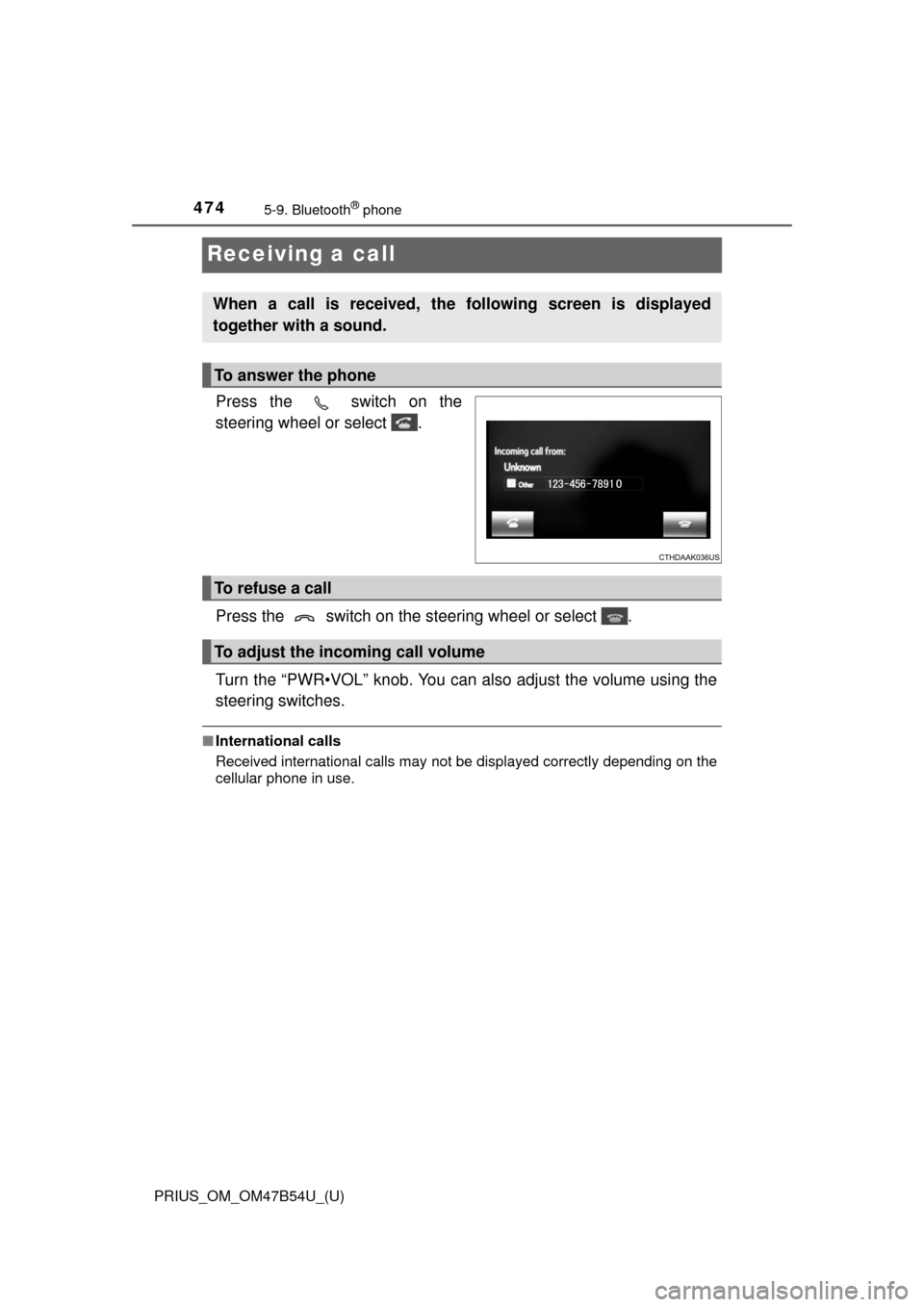
Receiving a call
Press the switch on the
steering wheel or select .
Press the switch on the steering wheel or select .
Turn the “PWR•VOL” knob. You can also adjust the volume using the
steering switches.
■International calls
Received international calls may not be displayed correctly depending on the
cellular phone in use.
When a call is received, the following screen is displayed
together with a sound.
To answer the phone
To refuse a call
To adjust the incoming call volume
Page 475 of 796
475
PRIUS_OM_OM47B54U_(U)
5-9. Bluetooth® phone
5
Audio system
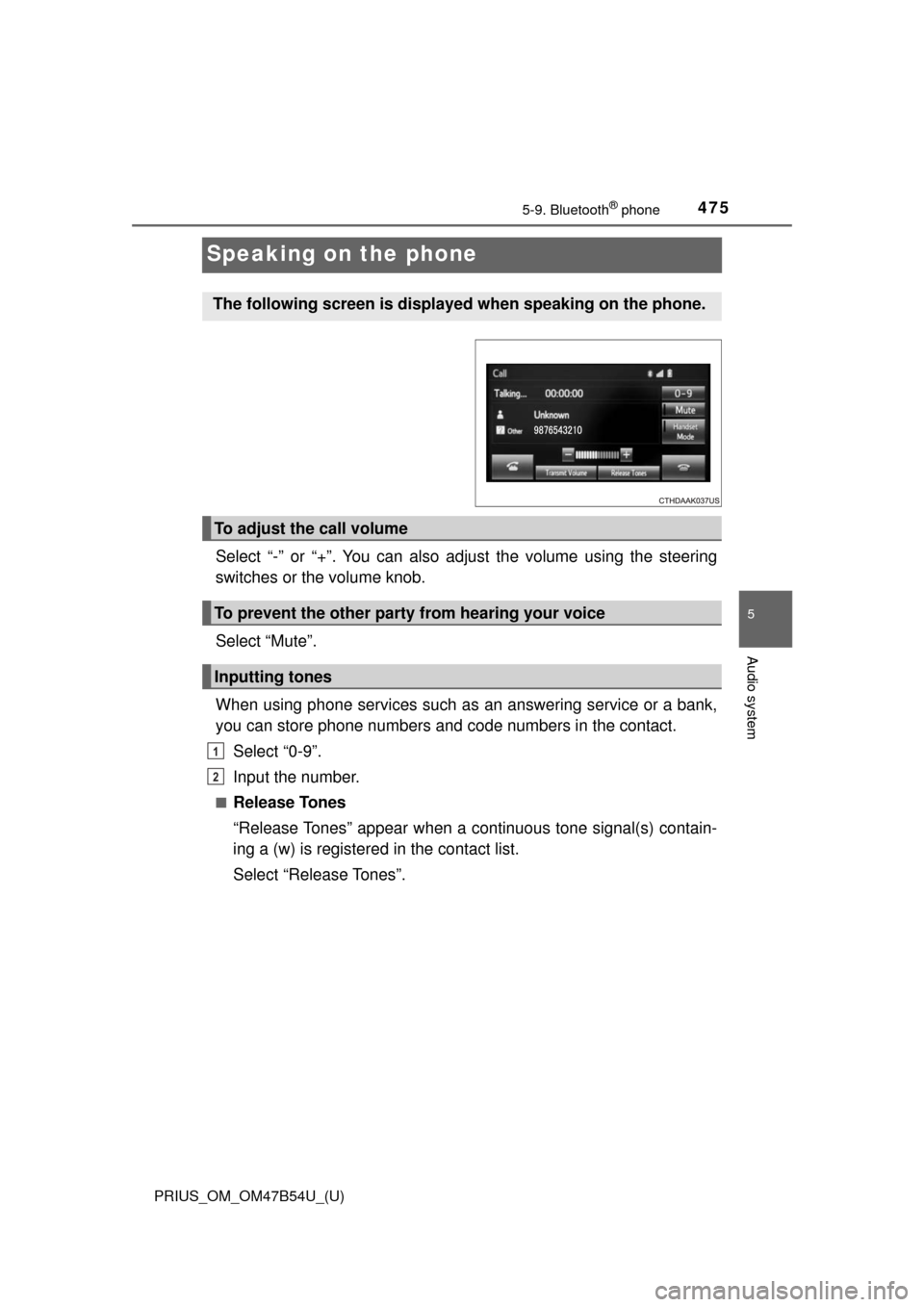
Speaking on the phone
Select “-” or “+”. You can also adjust the volume using the steering
switches or the volume knob.
Select “Mute”.
When using phone services such as an answering service or a bank,
you can store phone numbers and code numbers in the contact.
Select “0-9”.
Input the number.
■Release Tones
“Release Tones” appear when a c ontinuous tone signal(s) contain-
ing a (w) is registered in the contact list.
Select “Release Tones”.
The following screen is displayed when speaking on the phone.
To adjust the call volume
To prevent the other party from hearing your voice
Inputting tones
1
2
Page 477 of 796
PRIUS_OM_OM47B54U_(U)
4775-9. Bluetooth® phone
5
Audio system
Select “Handset Mode” to on from a hands-free call to a cellular
phone call.
Select “Handset Mode” to off from a cellular phone call to a hands-free
call.Select “Transmit Volume”.
Select the desired level for the transmit volume.
Select “OK”.
Press the switch on the steering wheel or select .
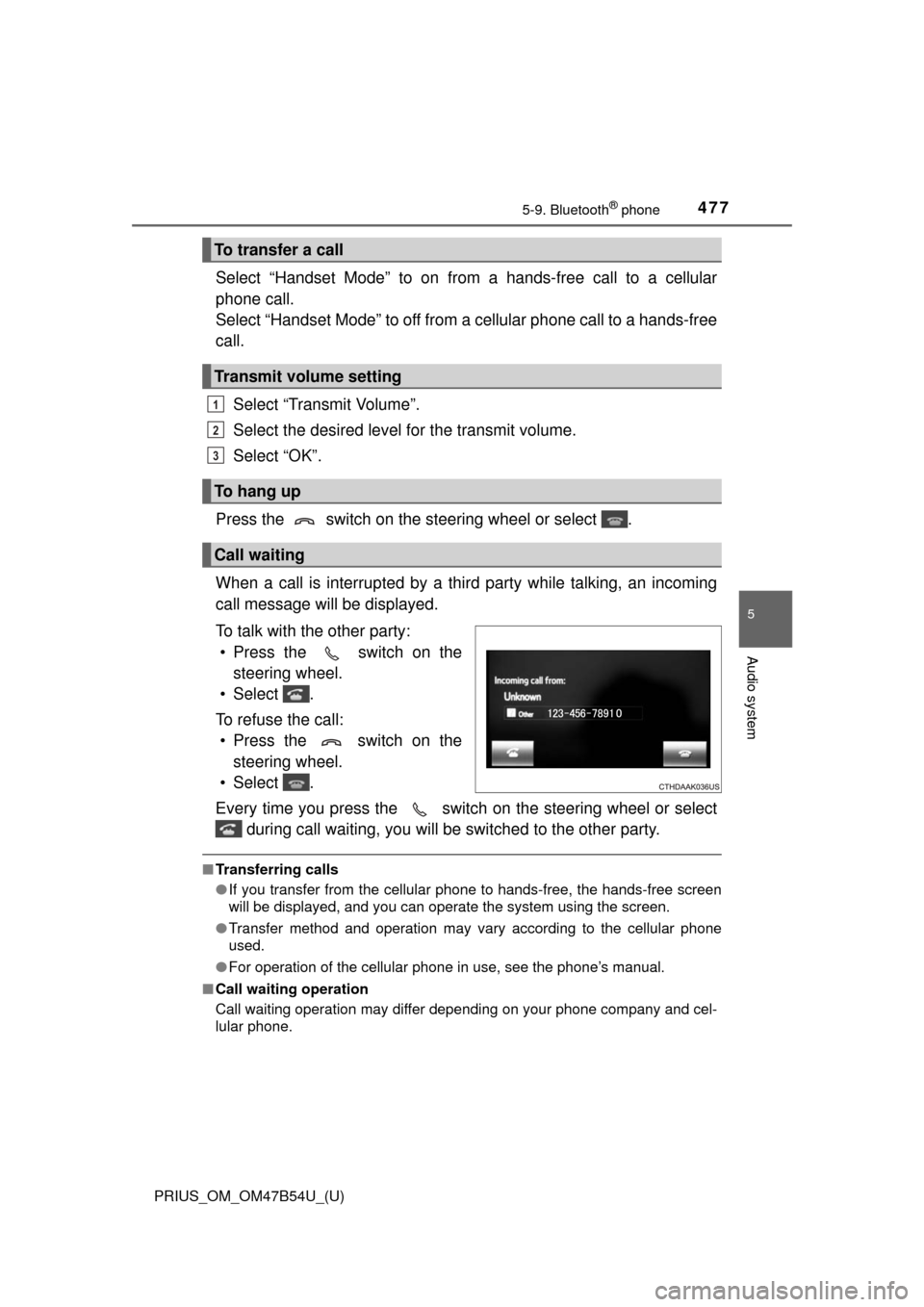
When a call is interrupted by a third party while talking, an incoming
call message will be displayed.
To talk with the other party: • Press the switch on the steering wheel.
• Select .
To refuse the call: • Press the switch on the steering wheel.
• Select .
Every time you press the switch on the steering wheel or select during call waiting, you will be switched to the other party.
■Transferring calls
●If you transfer from the cellular phone to hands-free, the hands-free screen
will be displayed, and you can operate the system using the screen.
● Transfer method and operation may vary according to the cellular phone
used.
● For operation of the cellular phone in use, see the phone’s manual.
■ Call waiting operation
Call waiting operation may differ depending on your phone company and cel-
lular phone.
To transfer a call
Transmit volume setting
To hang up
Call waiting
1
2
3
Page 478 of 796
478
PRIUS_OM_OM47B54U_(U)
5-9. Bluetooth® phone
Bluetooth® phone message function
Press button.
Select .
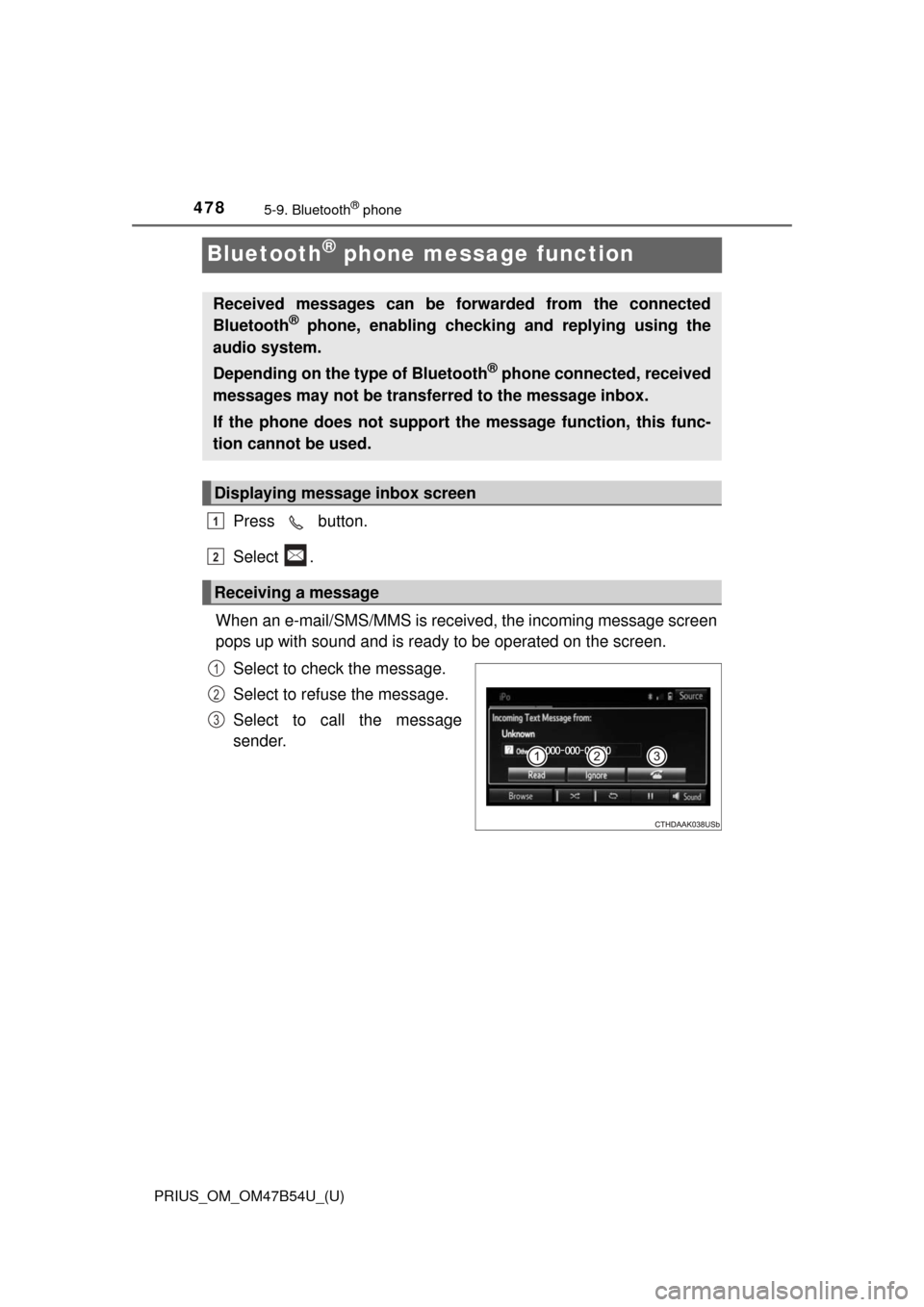
When an e-mail/SMS/MMS is received, the incoming message screen
pops up with sound and is ready to be operated on the screen. Select to check the message.
Select to refuse the message.
Select to call the message
sender.
Received messages can be forwarded from the connected
Bluetooth® phone, enabling checking and replying using the
audio system.
Depending on the type of Bluetooth
® phone connected, received
messages may not be transf erred to the message inbox.
If the phone does not support the message function, this func-
tion cannot be used.
Displaying message inbox screen
Receiving a message
1
2
1
2
3
Page 479 of 796

PRIUS_OM_OM47B54U_(U)
4795-9. Bluetooth® phone
5
Audio system
■Receiving a message
●Depending on the cellular phone used for receiving messages, or its regis-
tration status with the audio system, some information may not be dis-
played.
● The pop up screen is separately available for incoming e-mail and SMS/
MMS messages under the following conditions:
E-mail:
• “Incoming E-mail Display” is set to “Full Screen”. ( →P. 491)
• “E-mail Notification Popup” is set to on. ( →P. 491)
SMS/MMS:
• “Incoming SMS/MMS Display” is set to “Full Screen”. ( →P. 491)
• “SMS/MMS Notification Popup” is set to on. ( →P. 491)
Page 480 of 796
4805-9. Bluetooth® phone
PRIUS_OM_OM47B54U_(U)
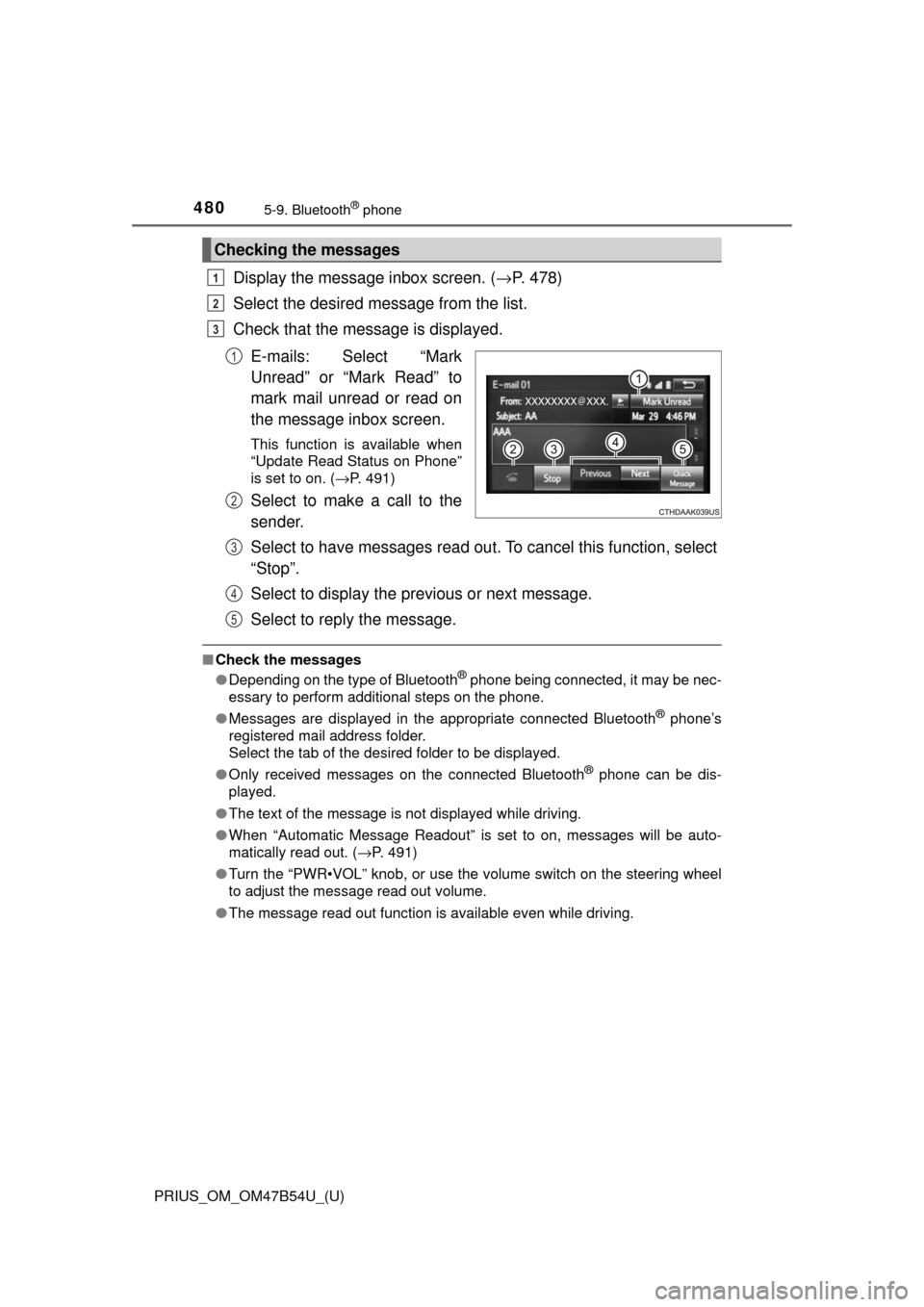
Display the message inbox screen. (→P. 478)
Select the desired message from the list.
Check that the message is displayed.
E-mails: Select “Mark
Unread” or “Mark Read” to
mark mail unread or read on
the message inbox screen.
This function is available when
“Update Read Status on Phone”
is set to on. ( →P. 491)
Select to make a call to the
sender.
Select to have messages read ou t. To cancel this function, select
“Stop”.
Select to display the previous or next message.
Select to reply the message.
■ Check the messages
●Depending on the type of Bluetooth® phone being connected, it may be nec-
essary to perform additional steps on the phone.
● Messages are displayed in the appropriate connected Bluetooth
® phone’s
registered mail address folder.
Select the tab of the desired folder to be displayed.
● Only received messages on the connected Bluetooth
® phone can be dis-
played.
● The text of the message is not displayed while driving.
● When “Automatic Message Readout” is set to on, messages will be auto-
matically read out. ( →P. 491)
● Turn the “PWR•VOL” knob, or use the volume switch on the steering wheel
to adjust the message read out volume.
● The message read out function is available even while driving.
Checking the messages
1
2
3
1
2
3
4
5