battery TOYOTA PRIUS 2022 User Guide
[x] Cancel search | Manufacturer: TOYOTA, Model Year: 2022, Model line: PRIUS, Model: TOYOTA PRIUS 2022Pages: 744, PDF Size: 14.35 MB
Page 94 of 744

941-4. Hybrid system
PRIUS_OM_OM47F01U_(U)
WARNING
■Hybrid battery (traction battery)
● 2WD models: Your vehicle contai ns a sealed lithium-ion battery.
● Never resell, hand over or modify the hybrid battery. To preven t accidents,
hybrid batteries that have been removed from a disposed vehicle are col-
lected through Toyota dealer. Do not dispose of the battery you rself.
Unless the battery is properly collected, the following may occur, resulting
in death or serious injury:
• The hybrid battery may be illegally disposed of or dumped, and it is haz-
ardous to the environment or someone may touch a high voltage p art,
resulting in an electric shock.
• The hybrid battery is intended to be used exclusively with you r hybrid
vehicle. If the hybrid battery is used outside of your vehicle or modified
in any way, accidents such as electric shock, heat generation, smoke
generation, an explosion and electrolyte leakage may occur.
When reselling or handing over your vehicle, the possibility of an accident
is extremely high because the person receiving the vehicle may not be
aware of these dangers.
● If your vehicle is disposed of without the hybrid battery havin g been
removed, there is a danger of serious electric shock if high vo ltage parts,
cables and their connectors are touched. In the event that your vehicle
must be disposed of, the hybrid battery must be disposed of by your
Toyota dealer or a qualified service shop. If the hybrid battery is not dis-
posed of properly, it may cause electric shock that can result in death or
serious injury.
Page 95 of 744
951-4. Hybrid system
PRIUS_OM_OM47F01U_(U)
1
For safety and security
NOTICE
■Hybrid battery (traction battery) air intake vent
● Make sure not to block the air intake vent with anything, such as a seat
cover, plastic cover, or luggage. If the vent is blocked, the charging/dis-
charging of the hybrid battery (traction battery) may become limited.
● When dust etc. has accumulated in the air intake vent, clean it with a vac-
uum cleaner to prevent the vent from clogging.
● Do not get water or foreign materials in the air intake vent as this may
cause a short circuit and damage the hybrid battery (traction battery).
● Do not carry large amounts of water such as water cooler bottle s in the
vehicle. If water spills onto the hybrid battery (traction batt ery), the battery
may be damaged. Have the vehicle inspected by your Toyota deale r.
● There is a filter installed to the air intake vent. When the fi lter remains
noticeably dirty even after cleaning the air intake vent, filte r cleaning or
replacement is recommended. For information regarding filter cl eaning or
replacement, refer to P. 546.
● If “Maintenance Required for Traction Battery Cooling Parts See Owner’s
Manual” is shown on the multi-information display, the air intake vent and
filter may be clogged. Refer to P. 546 for information on how to clean the
air intake vent.
Page 105 of 744
PRIUS_OM_OM47F01U_(U)
1052. Instrument cluster
2
Instrument cluster
■When disconnecting and reconnecting 12-volt battery terminals
The settings of the clock will be reset.
■ Calendar settings
●Until the calendar settings are set, the check screen is displa yed every time
the power switch is turned to ON mode.
● After the calendar information is set, it can be changed in the “Meter Cus-
tomize” settings. ( P. 153)
■ When the menu screen on the navi gation system is operated (vehicles
with 11.6-inch display)
■ Liquid crystal display
Small spots or light spots may appear on the display. This phen omenon is
characteristic of liquid crystal displays, and there is no prob lem continuing to
use the display.
■ Pop-up display
Some functions, such as the driving mode select switch and air conditioning
system, are operation-linked and display pop-up screens on the multi-infor-
mation display. If the pop-up screens of these functions are not desired, they
can be turned off in the “Meter Customize” settings. ( P. 153)
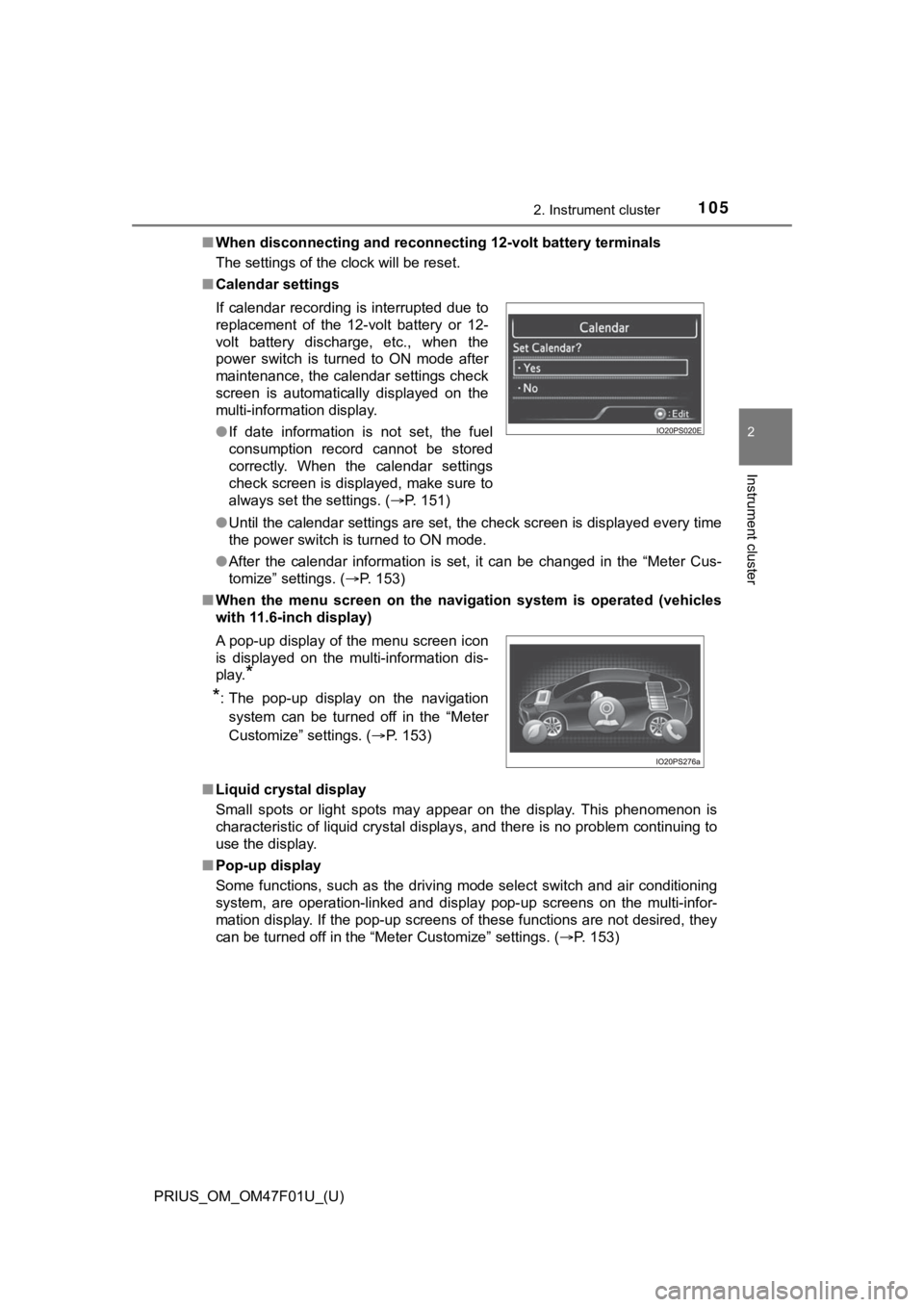
If calendar recording is interrupted due to
replacement of the 12-volt battery or 12-
volt battery discharge, etc., when the
power switch is turned to ON mode after
maintenance, the calendar settings check
screen is automatically displayed on the
multi-information display.
●
If date information is not set, the fuel
consumption record cannot be stored
correctly. When the calendar settings
check screen is displayed, make sure to
always set the settings. ( P. 151)
A pop-up display of the menu screen icon
is displayed on the multi-information dis-
play.
*
*
: The pop-up display on the navigation
system can be turned off in the “Meter
Customize” settings. ( P. 153)
Page 122 of 744
122
PRIUS_OM_OM47F01U_(U)
2. Instrument cluster
Vehicles without RSA (Road Sign Assist)
When split screen is selected for the main display, display con tents on
the sub-screen c an be selected.
Vehicles with RSA (Road Sign Assist)
When RSA is off, display contents on the sub-screen can be sele cted.
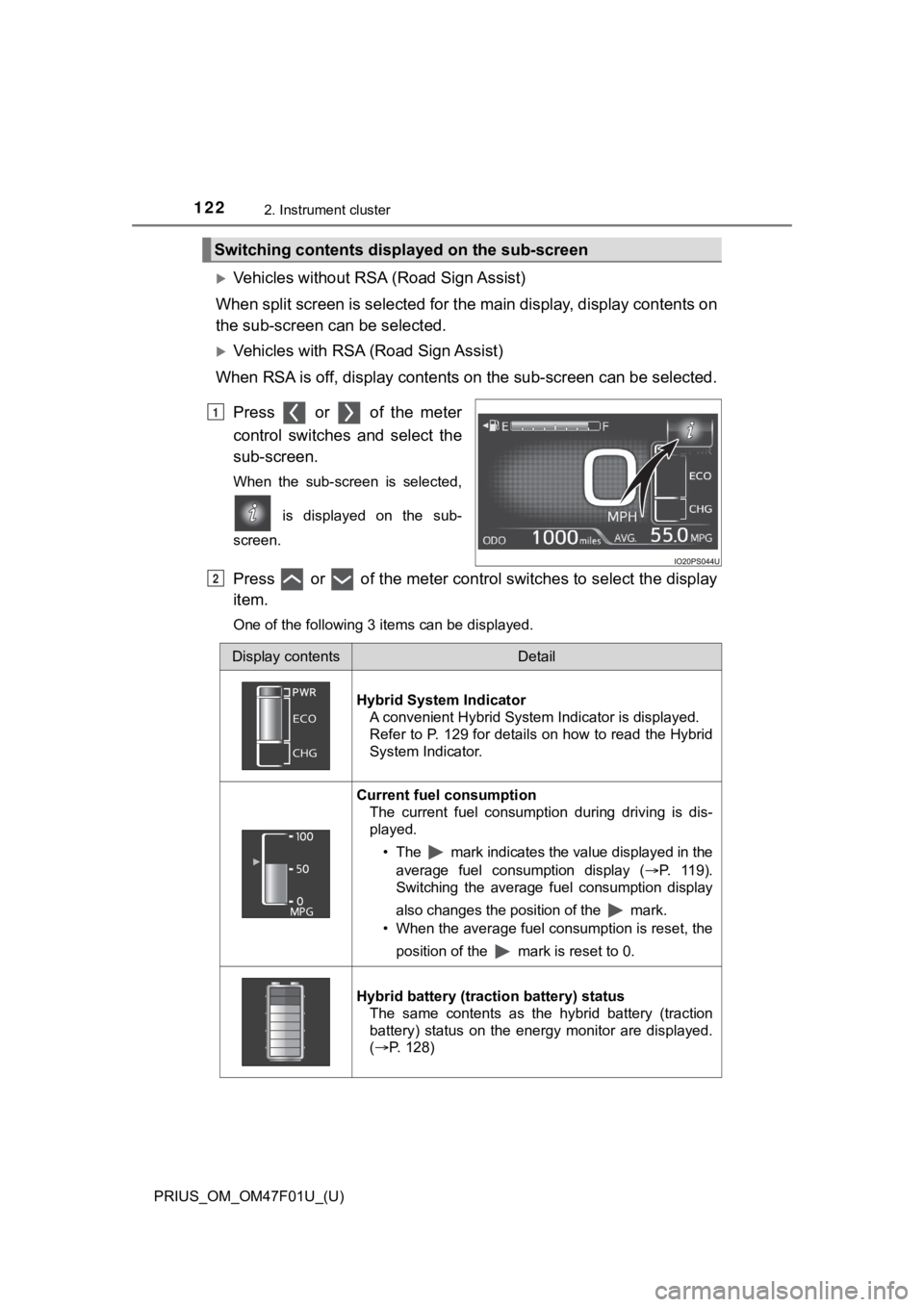
Press or of the meter
control switches and select the
sub-screen.
When the sub-screen is selected,
is displayed on the sub-
screen.
Press or of the meter control switches to select the display
item.
One of the following 3 items can be displayed.
Switching contents displayed on the sub-screen
1
2
Display contentsDetail
Hybrid System Indicator A convenient Hybrid System Indicator is displayed.
Refer to P. 129 for details on how to read the Hybrid
System Indicator.
Current fuel consumption
The current fuel consumption during driving is dis-
played.
• The mark indicates the value displayed in theaverage fuel consumption display ( P. 119).
Switching the average fuel consumption display
also changes the position of the mark.
• When the average fuel consumption is reset, the
position of the mark is reset to 0.
Hybrid battery (traction battery) status The same contents as the hybrid battery (traction
battery) status on the energy monitor are displayed.
(P. 128)
Page 127 of 744
PRIUS_OM_OM47F01U_(U)
1272. Instrument cluster
2
Instrument cluster
◆Energy monitor
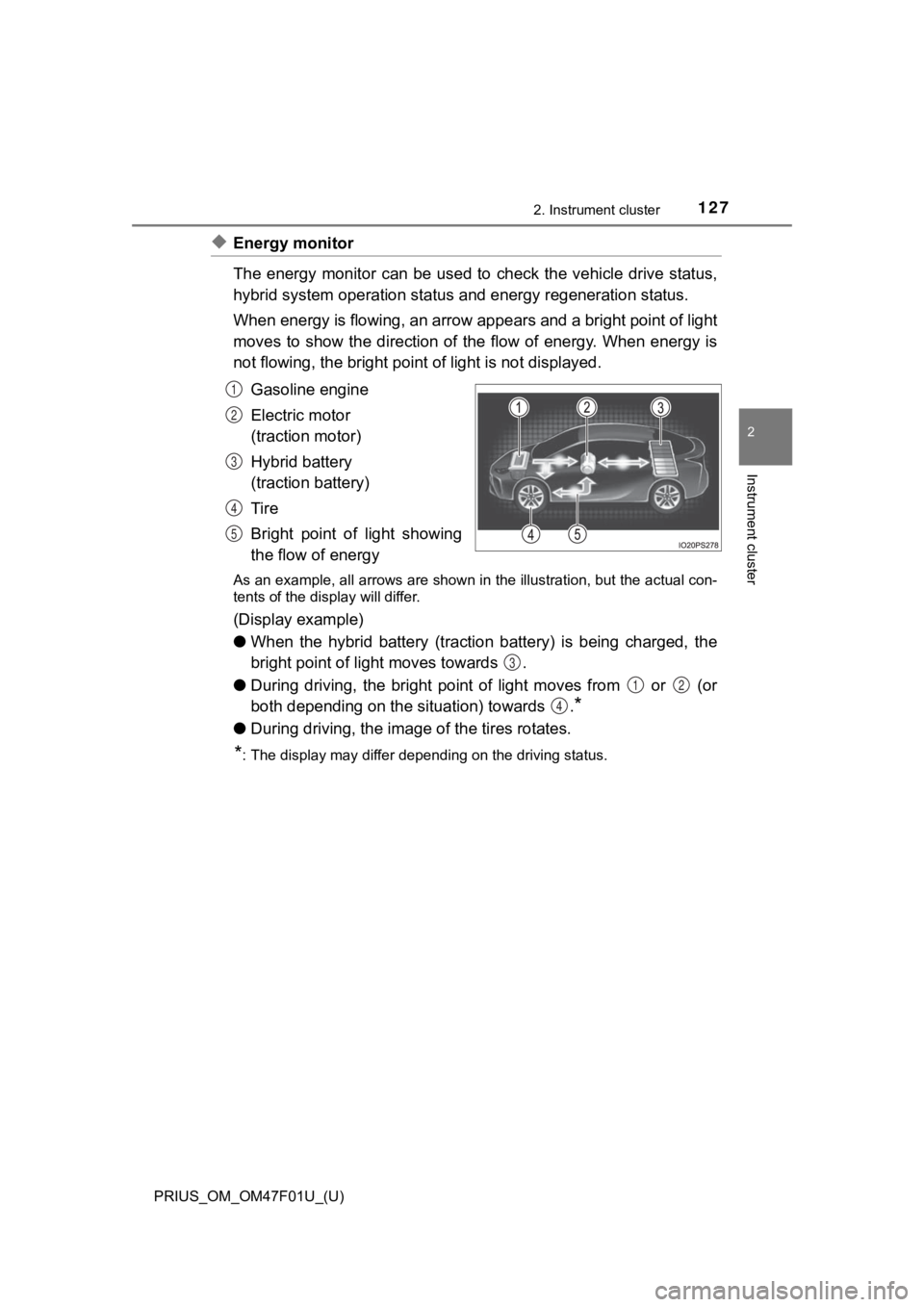
The energy monitor can be used to check the vehicle drive status,
hybrid system operation status and energy regeneration status.
When energy is flowing, an arrow appears and a bright point of light
moves to show the direction of the flow of energy. When energy is
not flowing, the bright point of light is not displayed.
Gasoline engine
Electric motor
(traction motor)
Hybrid battery
(traction battery)
Tire
Bright point of light showing
the flow of energy
As an example, all arrows are shown in the illustration, but the actual con-
tents of the display will differ.
(Display example)
●When the hybrid battery (traction battery) is being charged, th e
bright point of li ght moves towards .
● During driving, the bright point of light moves from or (or
both depending on the s ituation) towards .
*
●During driving, the image of the tires rotates.
*: The display may differ depending on the driving status.
1
2
3
4
5
3
12
4
Page 128 of 744
128
PRIUS_OM_OM47F01U_(U)
2. Instrument cluster
■Hybrid battery (traction battery) status
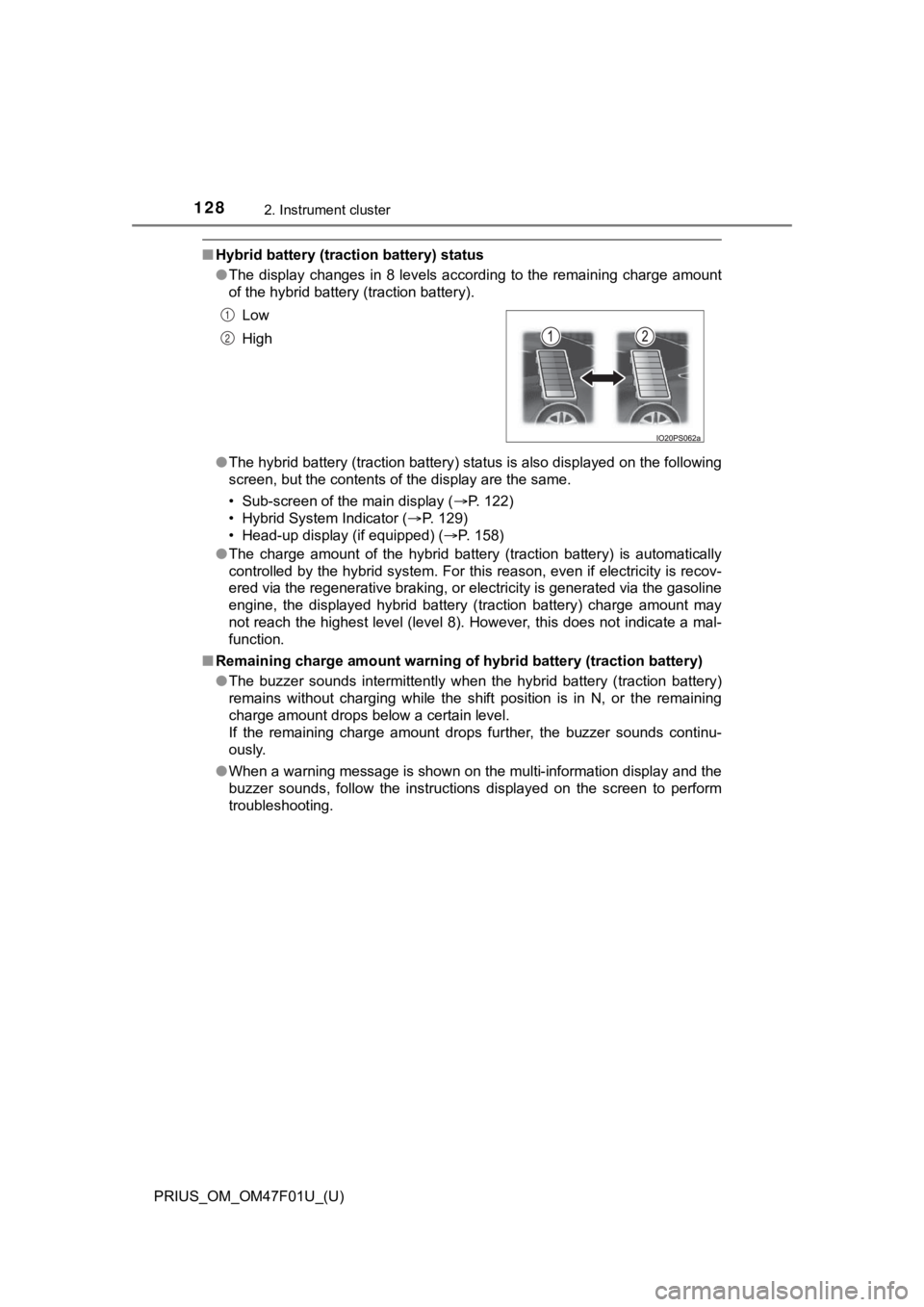
●The display changes in 8 levels according to the remaining char ge amount
of the hybrid battery (traction battery).
● The hybrid battery (traction battery) status is also displayed on the following
screen, but the contents of the display are the same.
• Sub-screen of the main display ( P. 122)
• Hybrid System Indicator ( P. 129)
• Head-up display (if equipped) ( P. 158)
● The charge amount of the hybrid battery (traction battery) is automatically
controlled by the hybrid system. For this reason, even if electricity is recov-
ered via the regenerative braking, or electricity is generated via the gasoline
engine, the displayed hybrid battery (traction battery) charge amount may
not reach the highest level (level 8). However, this does not i ndicate a mal-
function.
■ Remaining charge amount warning of hybrid battery (traction battery)
●The buzzer sounds intermittently when the hybrid battery (traction battery)
remains without charging while the shift position is in N, or t he remaining
charge amount drops below a certain level.
If the remaining charge amount drops further, the buzzer sounds continu-
ously.
● When a warning message is shown on the multi-information display and the
buzzer sounds, follow the instructions displayed on the screen to perform
troubleshooting. Low
High
1
2
Page 130 of 744
130
PRIUS_OM_OM47F01U_(U)
2. Instrument cluster
EV indicator*2, 3
The EV indicator comes on when the vehicle is driven using only the
electric motor (traction motor) or the gasoline engine is stopped.
Hybrid battery (traction battery) status
P. 128
Eco score
P. 131
● By keeping the indicator within Eco area, more Eco-friendly dri v-
ing can be achieved.
● Charge area indicates regeneration
*4 status. Regenerated
energy will be used to charge the hybrid battery (traction battery).
*1: Not displayed on the sub-screen.
*2: Not displayed on the sub-screen or head-up display.
*3: The EV indicator function can be turned off in the “Meter Cust omize”
settings. ( P. 153)
*4: When used in this manual, “regeneration” refers to the conversion of
energy created by the movement of the vehicle into electrical e nergy.
■
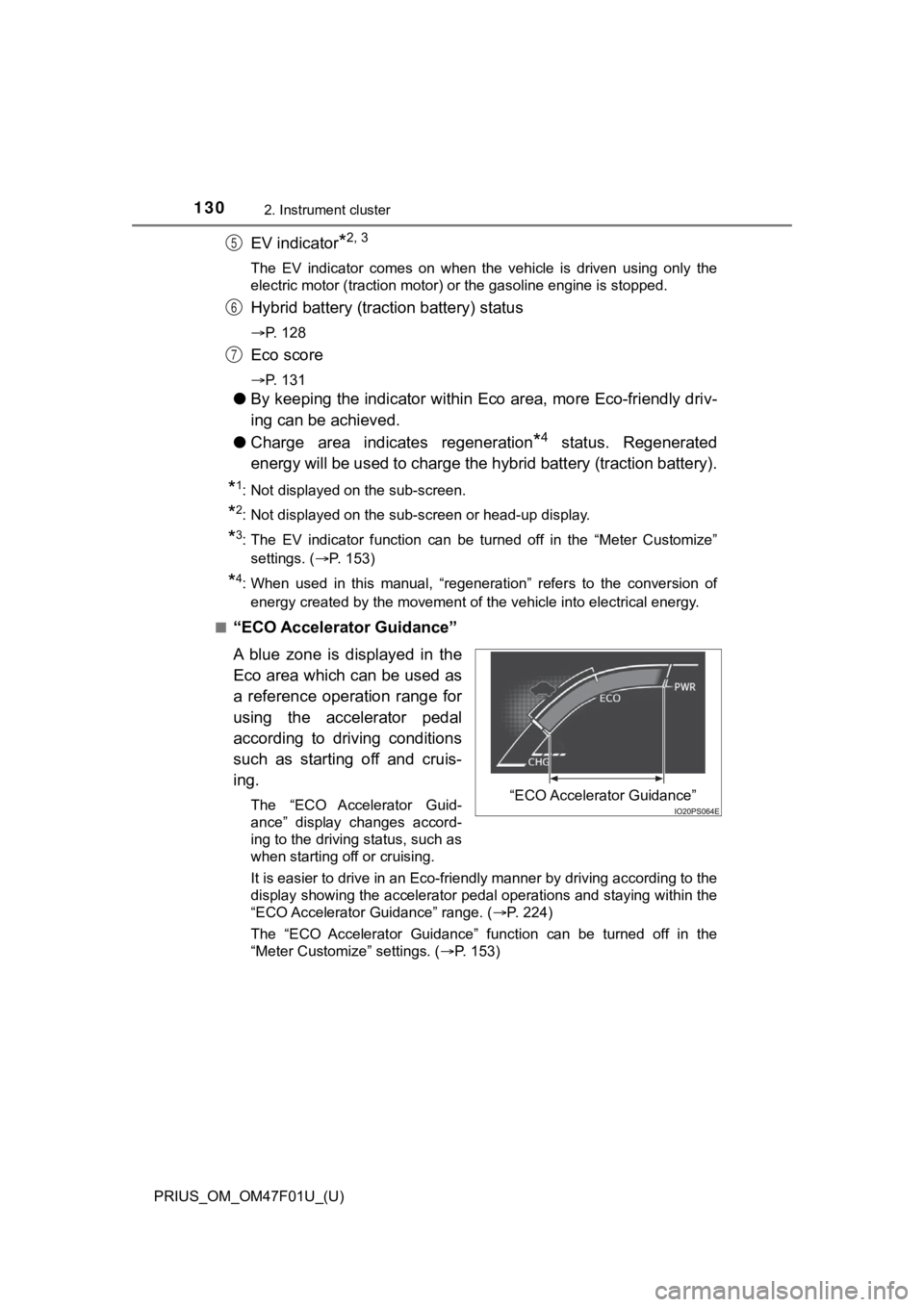
“ECO Accelerator Guidance”
A blue zone is displayed in the
Eco area which can be used as
a reference operation range for
using the accelerator pedal
according to driving conditions
such as starting off and cruis-
ing.
The “ECO Accelerator Guid-
ance” display changes accord-
ing to the driving status, such as
when starting off or cruising.
It is easier to drive in an Eco-friendly manner by driving according to the
display showing the accelerator pedal operations and staying wi thin the
“ECO Accelerator Guidance” range. ( P. 224)
The “ECO Accelerator Guidance” function can be turned off in the
“Meter Customize” settings. ( P. 153)
5
6
7
“ECO Accelerator Guidance”
Page 157 of 744
PRIUS_OM_OM47F01U_(U)
1572. Instrument cluster
2
Instrument cluster
WARNING
■Cautions while setting up the display
As the hybrid system needs to be operating during setting up the display,
ensure that the vehicle is parked in a place with adequate vent ilation. In a
closed area such as a garage, exhaust gases including harmful c arbon
monoxide (CO) may collect and enter the vehicle. This may lead to death or
a serious health hazard.
NOTICE
■ While setting up the display
To prevent 12-volt battery discharge, ensure that the hybrid sy stem is oper-
ating while setting up the display features.
Page 163 of 744

PRIUS_OM_OM47F01U_(U)
1632. Instrument cluster
2
Instrument cluster
■Enabling/disabling of the head-up display
When the head-up display is turned off with the “HUD” switch, it is not dis-
played until the “HUD” switch is used to turn the head-up displ ay on again.
(Operation of the head-up display is not linked with the power switch.)
■ Display brightness
●The brightness of the head-up display is automatically adjusted according to
the operation status of the headlights (on/off) and the brightn ess of the sur-
roundings.
● When the brightness of the head-up display is adjusted to a cer tain level or
higher, the display automatically dims when the vehicle is stopped. Once the
vehicle starts off and the vehicle speed reaches approximately 3.1 mph
(5 km/h) or more, the display automatically returns to its previous bright-
ness.
■ Vehicle speed display
In extremely cold environments, the display of the speedometer and the vehi-
cle speed of the head-up display may slightly differ.
■ Head-up display
The head-up display may seem dark and hard to see when viewed t hrough
sunglasses, especially polarized sunglasses.
■ When the 12-volt battery is disconnected
The customize settings of the head-up display will be reset.
■ Route guidance display (vehicles with navigation system)
The route guidance is not displayed on both the head-up display and multi-
information display simultaneously. When the route guidance is displayed on
the head-up display, the multi-information display does not dis play the route
guidance even if the navigation system-linked display ( P. 145) is selected
on the multi-information display.
Page 166 of 744
166
PRIUS_OM_OM47F01U_(U)
2. Instrument cluster
■Reading the display
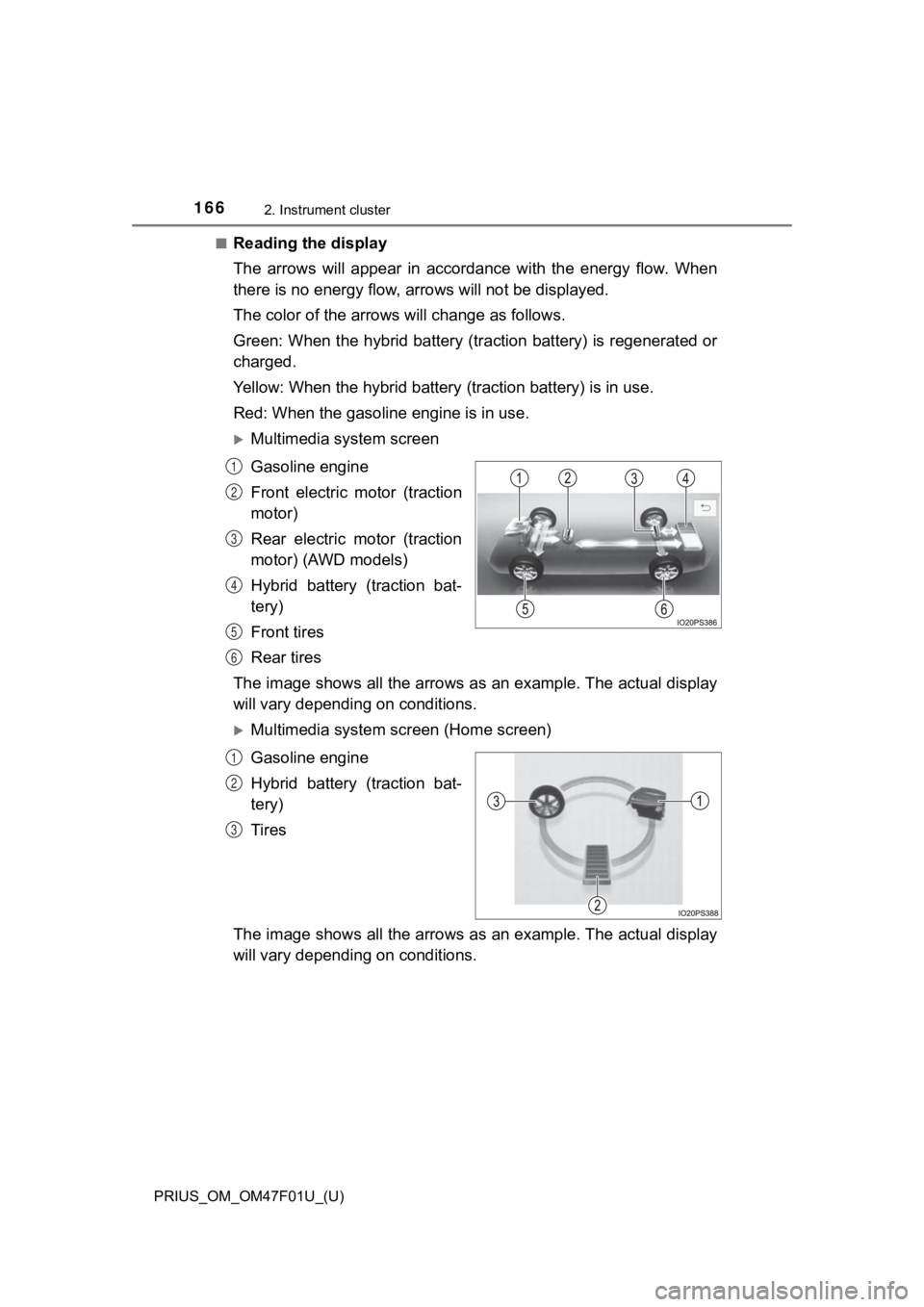
The arrows will appear in accordance with the energy flow. When
there is no energy flow, arrows will not be displayed.
The color of the arrows will change as follows.
Green: When the hybrid battery (tr action battery) is regenerated or
charged.
Yellow: When the hybrid battery (traction battery) is in use.
Red: When the gasolin e engine is in use.
Multimedia system screen
Gasoline engine
Front electric motor (traction
motor)
Rear electric motor (traction
motor) (AWD models)
Hybrid battery (traction bat-
tery)
Front tires
Rear tires
The image shows all the arrows as an example. The actual displa y
will vary dependin g on conditions.
Multimedia system sc reen (Home screen)
Gasoline engine
Hybrid battery (traction bat-
tery)
Tires
The image shows all the arrows as an example. The actual displa y
will vary dependin g on conditions.
1
2
3
4
5
6
1
2
3