battery TOYOTA PRIUS 2022 Workshop Manual
[x] Cancel search | Manufacturer: TOYOTA, Model Year: 2022, Model line: PRIUS, Model: TOYOTA PRIUS 2022Pages: 744, PDF Size: 14.35 MB
Page 468 of 744
468
PRIUS_OM_OM47F01U_(U)
5-4. Using the other interior features
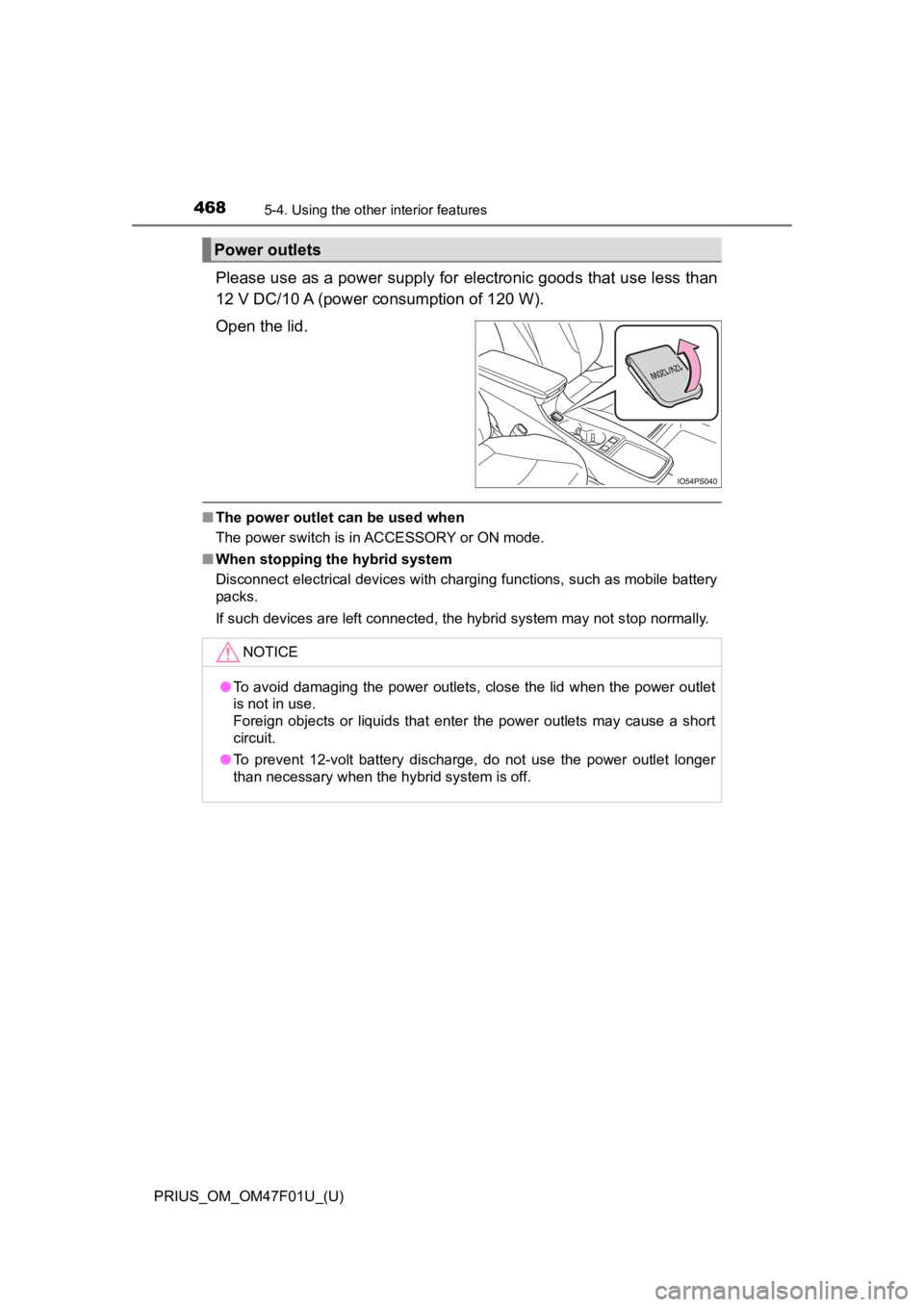
Please use as a power supply for electronic goods that use less than
12 V DC/10 A (power consumption of 120 W).
Open the lid.
■ The power outlet can be used when
The power switch is in ACCESSORY or ON mode.
■ When stopping the hybrid system
Disconnect electrical devices with charging functions, such as mobile battery
packs.
If such devices are left connected, the hybrid system may not s top normally.
Power outlets
NOTICE
●To avoid damaging the power outlets, close the lid when the power outlet
is not in use.
Foreign objects or liquids that enter the power outlets may cause a short
circuit.
● To prevent 12-volt battery discharge, do not use the power outl et longer
than necessary when the hybrid system is off.
Page 470 of 744
470
PRIUS_OM_OM47F01U_(U)
5-4. Using the other interior features
NOTICE
■To prevent damage to the USB charging ports
● Do not insert foreign objects into the ports.
● Do not spill water or other liquids into the ports.
● When the USB charging ports are not in use, close the lids. If a foreign
object or liquid enters a port may cause a short circuit.
● Do not apply excessive force to or impact the USB charging ports.
● Do not disassemble or modify the USB charging ports.
■ To prevent damage to external devices
● Do not leave external devices in the vehicle. The temperature i nside the
vehicle may become high, resulting in damage to an external device.
● Do not push down on or apply unnecessary force to an external device or
the cable of an external device while it is connected.
■ To prevent 12-volt battery discharge
Do not use the USB charging ports for a long period of time with the hybrid
system stopped.
Page 479 of 744
PRIUS_OM_OM47F01U_(U)
4795-4. Using the other interior features
5
Interior features
NOTICE
■Conditions in which the function may not operate correctly
In the following conditions, it may not operate correctly
● The portable device is fully charged
● There is foreign matter between the charge area and portable device
● The temperature of the portable device gets higher from charging
● The charging surface of the portable device is facing up
● The placement of the portable device is out of alignment with t he charge
area
● Near a TV tower, electric power plant, gas station, radio station, large dis-
play, airport or other facility that generates strong radio wav es or electrical
noise
● When the electronic key is in contact with, or is covered by the following
metallic objects
• Cards to which aluminum foil is attached
• Cigarette boxes that have aluminum foil inside
• Metallic wallets or bags
• Coins
• Hand warmers made of metal
• Media such as CDs and DVDs
● When other wireless keys (that emit radio waves) are being used nearby
In addition, excluding the above-mentioned, when the charger does not per-
form normally or the operation display lamp is flashing continu ously, it is
considered that the wireless charger is malfunctioning. Contact your Toyota
dealer.
■ To prevent failure or damage to data
● Do not bring magnetic cards, such as credit cards, or magnetic recording
media, etc., close to the charger while charging, otherwise, da ta may dis-
appear under the influence of magnetism. Also, do not bring pre cision
instruments such as wrist watches, etc., close to the charger, as such
objects may break.
● Do not leave portable devices in the cabin. The temperature ins ide the
cabin may become high, when under the sun, and cause damage to the
device.
■ To prevent 12-volt battery discharge
When the hybrid system is stopped, do not use the wireless char ger for a
long time.
Page 482 of 744
482
PRIUS_OM_OM47F01U_(U)
5-4. Using the other interior features
Garage door opener
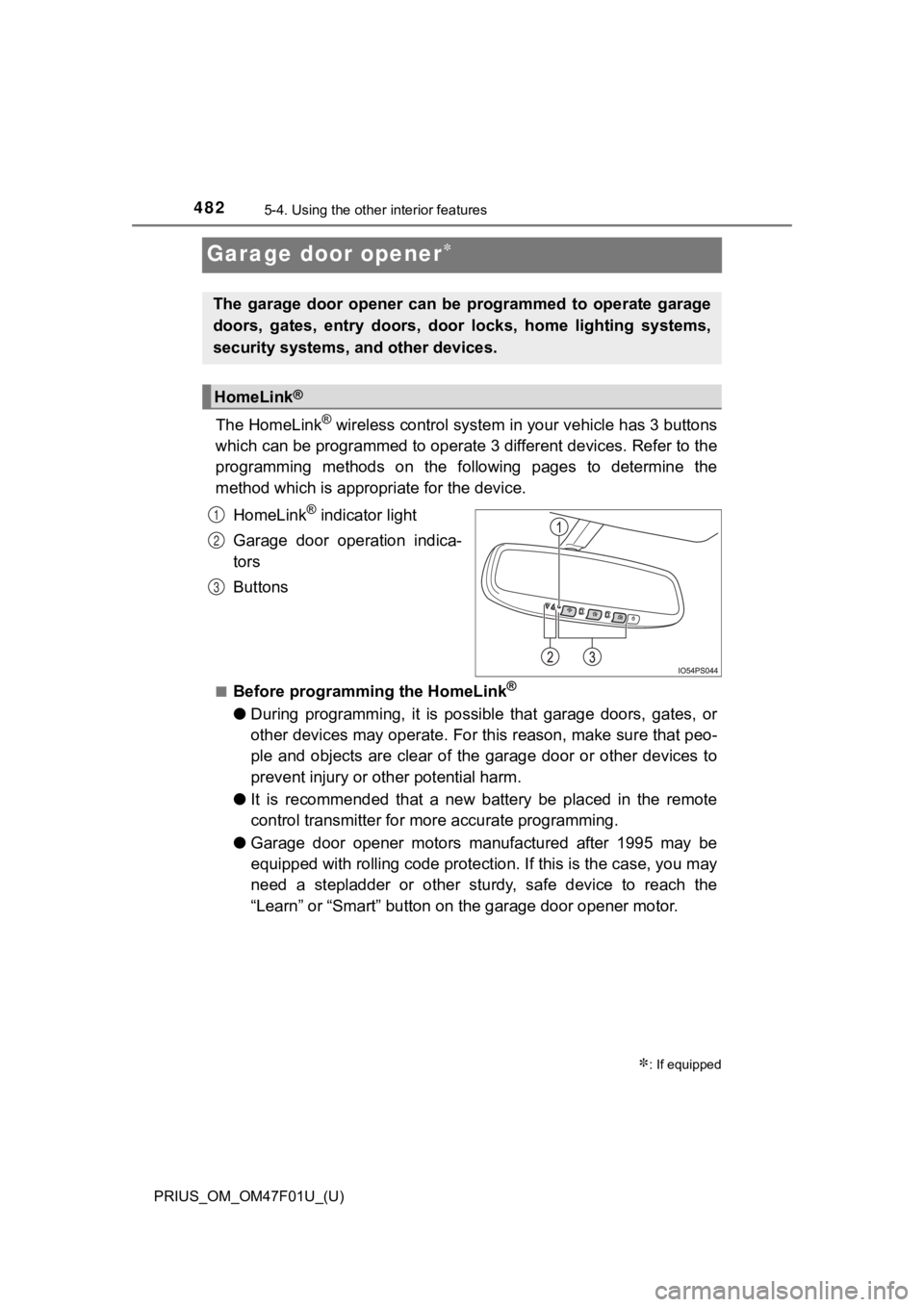
The HomeLink® wireless control system in your vehicle has 3 buttons
which can be programmed to operate 3 different devices. Refer to the
programming methods on the following pages to determine the
method which is approp riate for the device.
HomeLink
® indicator light
Garage door operation indica-
tors
Buttons
■Before programming the HomeLink®
● During programming, it is possible that garage doors, gates, or
other devices may operate. For this reason, make sure that peo-
ple and objects are clear of the garage door or other devices t o
prevent injury or other potential harm.
● It is recommended that a new battery be placed in the remote
control transmitter for mo re accurate programming.
● Garage door opener motors manufactured after 1995 may be
equipped with rolling code pro tection. If this is the case, you may
need a stepladder or other sturdy, safe device to reach the
“Learn” or “Smart” button on the garage door opener motor.
: If equipped
The garage door opener can be programmed to operate garage
doors, gates, entry doors, door locks, home lighting systems,
security systems, and other devices.
HomeLink®
1
2
3
Page 487 of 744
PRIUS_OM_OM47F01U_(U)
4875-4. Using the other interior features
5
Interior features
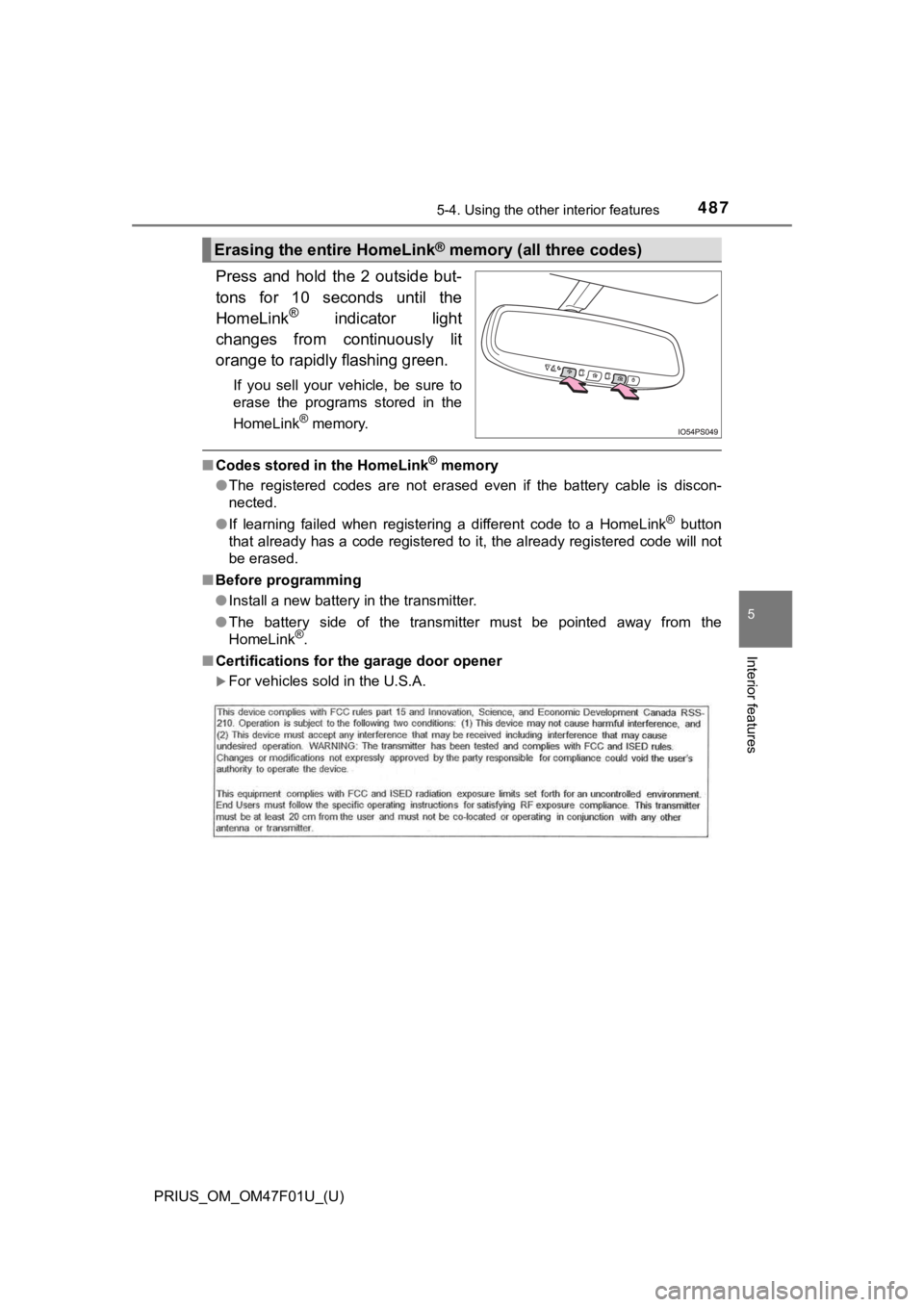
Press and hold the 2 outside but-
tons for 10 seconds until the
HomeLink
® indicator light
changes from continuously lit
orange to rapidly flashing green.
If you sell your vehicle, be sure to
erase the programs stored in the
HomeLink
® memory.
■ Codes stored in the HomeLink® memory
● The registered codes are not erased even if the battery cable i s discon-
nected.
● If learning failed when registering a different code to a HomeL ink
® button
that already has a code registered to it, the already registere d code will not
be erased.
■ Before programming
●Install a new battery in the transmitter.
● The battery side of the transmitter must be pointed away from the
HomeLink
®.
■ Certifications for the garage door opener
For vehicles sold in the U.S.A.
Erasing the entire HomeLink® memory (all three codes)
Page 491 of 744
491
PRIUS_OM_OM47F01U_(U)
6Maintenance and care
6-1. Maintenance and careCleaning and protecting the vehicle exterior .......... 492
Cleaning and protecting the vehicle interior ........... 498
6-2. Maintenance Maintenance requirements ................... 501
General maintenance........ 504
Emission inspection and maintenance (I/M)
programs......................... 507
6-3. Do-it-yourself maintenance
Do-it-yourself service precautions ..................... 508
Hood ................................. 511
Positioning a floor jack ...... 513
Engine compartment ......... 514
Tires .................................. 528
Tire inflation pressure ....... 537
Wheels .............................. 540
Air conditioning filter.......... 543
Cleaning the hybrid battery (traction battery) air intake
vent and filter .................. 546
Wiper insert replacement .................... 551
Electronic key battery........ 555
Checking and replacing fuses ............................... 558
Headlight aim .................... 561
Light bulbs......................... 563
Page 493 of 744
PRIUS_OM_OM47F01U_(U)
4936-1. Maintenance and care
6
Maintenance and care
■Note for a smart key system
If the door handle becomes wet while the electronic key is within the effective
range, the door may lock and unlock repeatedly. In that case, f ollow the fol-
lowing correction procedures to wash the vehicle:
● Place the key in a position 6 ft. (2 m) or more separate from t he vehicle
while the vehicle is being washed. (Take care to ensure that th e key is not
stolen.)
● Set the electronic key to battery-saving mode to disable the sm art key sys-
tem. ( P. 194)
■ Wheels and wheel ornaments
●Remove any dirt immediately by using a neutral detergent.
● Wash detergent off with water immediately after use.
● To protect the paint from damage, make sure to observe the following pre-
cautions.
• Do not use acidic, alkaline or abrasive detergent
• Do not use hard brushes
• Do not use detergent on the wheels when they are hot, such as after driv-
ing or parking in hot weather
■ Brake pads and calipers
Rust may form if the vehicle is parked with wet brake pads or d isc rotors,
causing them to stick. Before parking the vehicle after it is w ashed, drive
slowly and apply the brakes several times to dry the parts.
■ Bumpers
Do not scrub with abrasive cleaners.
■ Front side windows water-repellent coating (if equipped)
The following precautions can extend the effectiveness of the water-repellent
coating.
●Remove any dirt, etc. from the front side windows regularly.
● Do not allow dirt and dust to accumulate on the windows for a long period.
Clean the windows with a soft, damp cloth as soon as possible.
● Do not use wax or glass cleaners that contain abrasives when cleaning the
windows.
● Do not use any metallic objects to remove condensation build up.
■ Plated portions
If dirt cannot be removed, clean the parts as follows:
●Use a soft cloth dampened with an approximately 5% solution of neutral
detergent and water to clean the dirt off.
● Wipe the surface with a dry, soft cloth to remove any remaining moisture.
● To remove oily deposits, use alcohol wet wipes or a similar pro duct.
Page 499 of 744
PRIUS_OM_OM47F01U_(U)
4996-1. Maintenance and care
6
Maintenance and care
■Caring for leather areas
Toyota recommends cleaning the interior of the vehicle at least twice a year to
maintain the quality of the vehicle’s interior.
■ Shampooing the carpets
There are several commercial foaming-type cleaners available. U se a sponge
or brush to apply the foam. Rub in overlapping circles. Do not use water.
Wipe dirty surfaces and let them dry. Excellent results are obt ained by keep-
ing the carpet as dry as possible.
■ Seat belts
Clean with mild soap and lukewarm water using a cloth or sponge . Also
check the belts periodically for excessive wear, fraying or cut s.
WARNING
■Water in the vehicle
● Do not splash or spill liquid in the vehicle, such as on the floor, in the
hybrid battery (traction battery) air intake vent, and in the l uggage com-
partment.
Doing so may cause the hybrid battery (traction battery), elect rical compo-
nents, etc. to malfunction or catch fire.
● Do not get any of the SRS components or wiring in the vehicle interior wet.
(P. 37)
An electrical malfunction may cause the airbags to deploy or not function
properly, resulting in death or serious injury.
● Vehicles with wireless charger:
Do not let the wireless charger ( P. 471) get wet. Failure to do so may
cause the charger to become hot and cause burns or could cause electric
shock resulting in death or serious injury.
■ Cleaning the interior (especially instrument panel)
Do not use polish wax or polish cleaner. The instrument panel m ay reflect
off the windshield, obstructing the driver’s view and leading to an accident,
resulting in death or serious injury.
Page 503 of 744
PRIUS_OM_OM47F01U_(U)
5036-2. Maintenance
6
Maintenance and care
WARNING
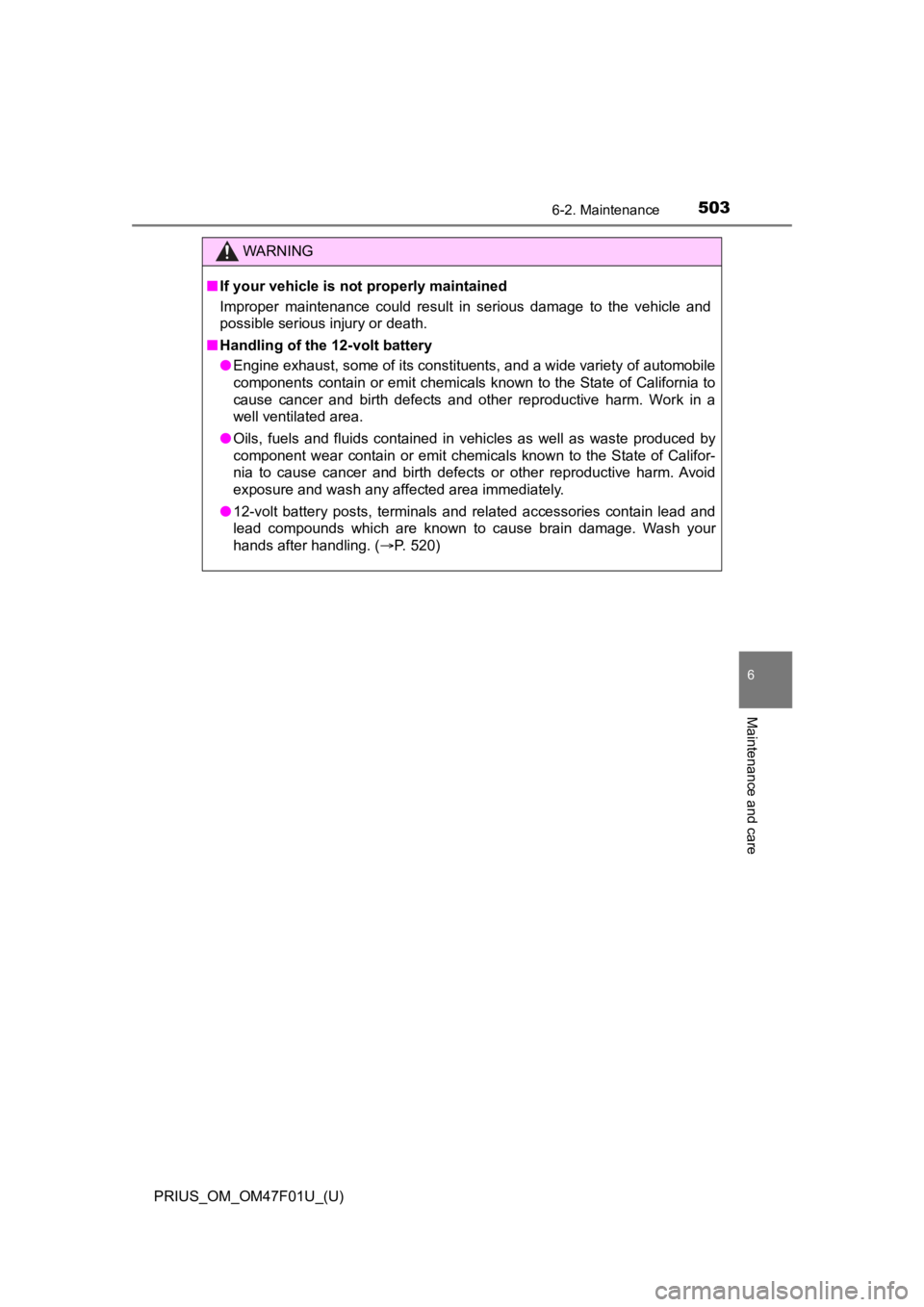
■If your vehicle is no t properly maintained
Improper maintenance could result in serious damage to the vehi cle and
possible serious injury or death.
■ Handling of the 12-volt battery
● Engine exhaust, some of its constituents, and a wide variety of automobile
components contain or emit chemicals known to the State of Cali fornia to
cause cancer and birth defects and other reproductive harm. Work in a
well ventilated area.
● Oils, fuels and fluids contained in vehicles as well as waste produced by
component wear contain or emit chemicals known to the State of Califor-
nia to cause cancer and birth defects or other reproductive har m. Avoid
exposure and wash any affected area immediately.
● 12-volt battery posts, terminals and related accessories contain lead and
lead compounds which are known to cause brain damage. Wash your
hands after handling. ( P. 520)
Page 504 of 744
504
PRIUS_OM_OM47F01U_(U)
6-2. Maintenance
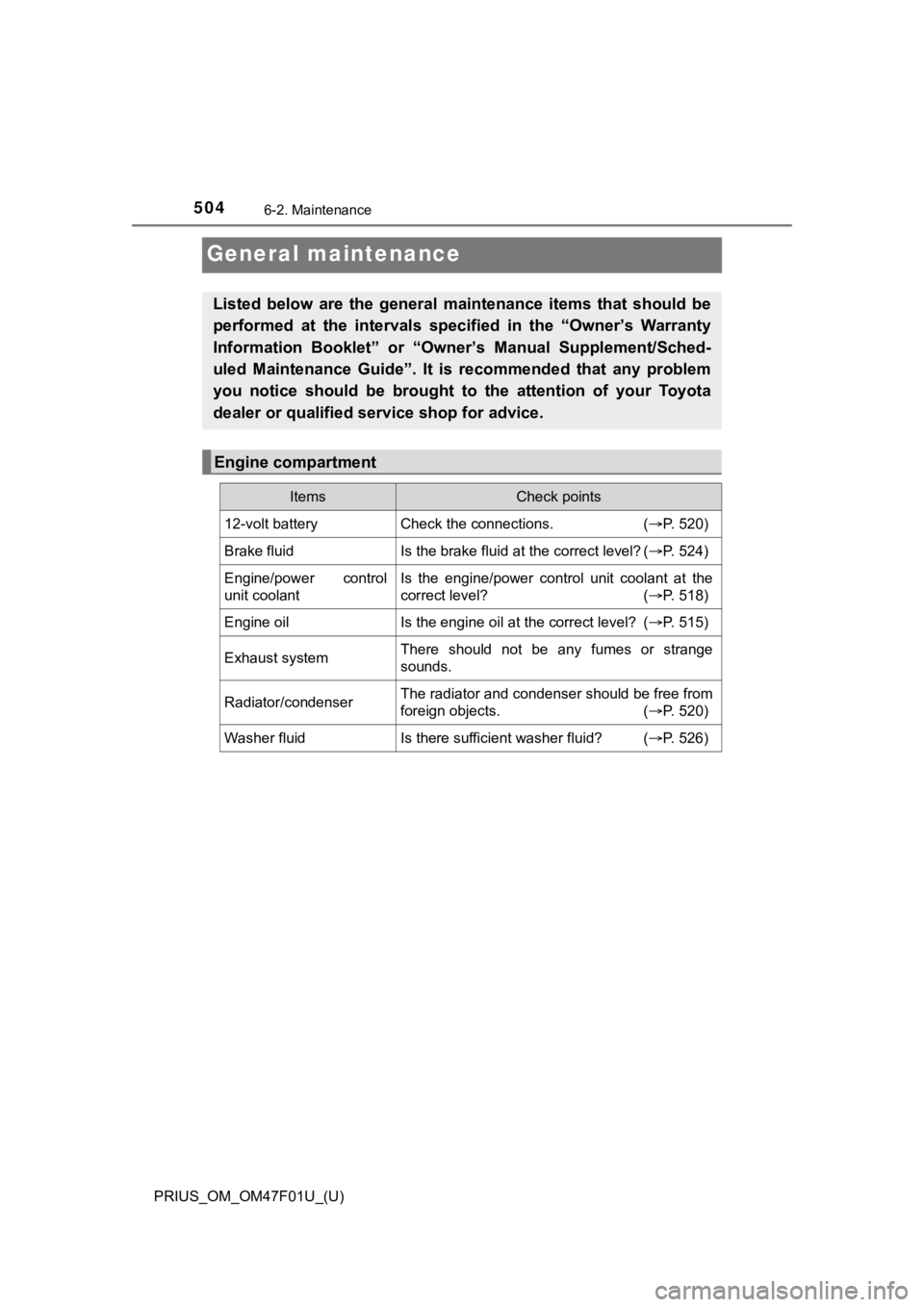
General maintenance
Listed below are the general maintenance items that should be
performed at the intervals specified in the “Owner’s Warranty
Information Booklet” or “Own er’s Manual Supplement/Sched-
uled Maintenance Guide”. It is recommended that any problem
you notice should be brought to the attention of your Toyota
dealer or qualified s ervice shop for advice.
Engine compartment
ItemsCheck points
12-volt batteryCheck the connections. (P. 520)
Brake fluidIs the brake fluid at the correct level? ( P. 524)
Engine/power control
unit coolantIs the engine/power control unit coolant at the
correct level? (P. 518)
Engine oilIs the engine oil at the correct level? (P. 515)
Exhaust systemThere should not be any fumes or strange
sounds.
Radiator/condenserThe radiator and condenser should be free from
foreign objects. (P. 520)
Washer fluidIs there sufficient washer fluid? (P. 526)