turn signal TOYOTA PRIUS 2022 Owners Manual
[x] Cancel search | Manufacturer: TOYOTA, Model Year: 2022, Model line: PRIUS, Model: TOYOTA PRIUS 2022Pages: 744, PDF Size: 14.35 MB
Page 3 of 744
3
1
9 8
7
6 4 3
2
PRIUS_OM_OM47F01U_(U)
5
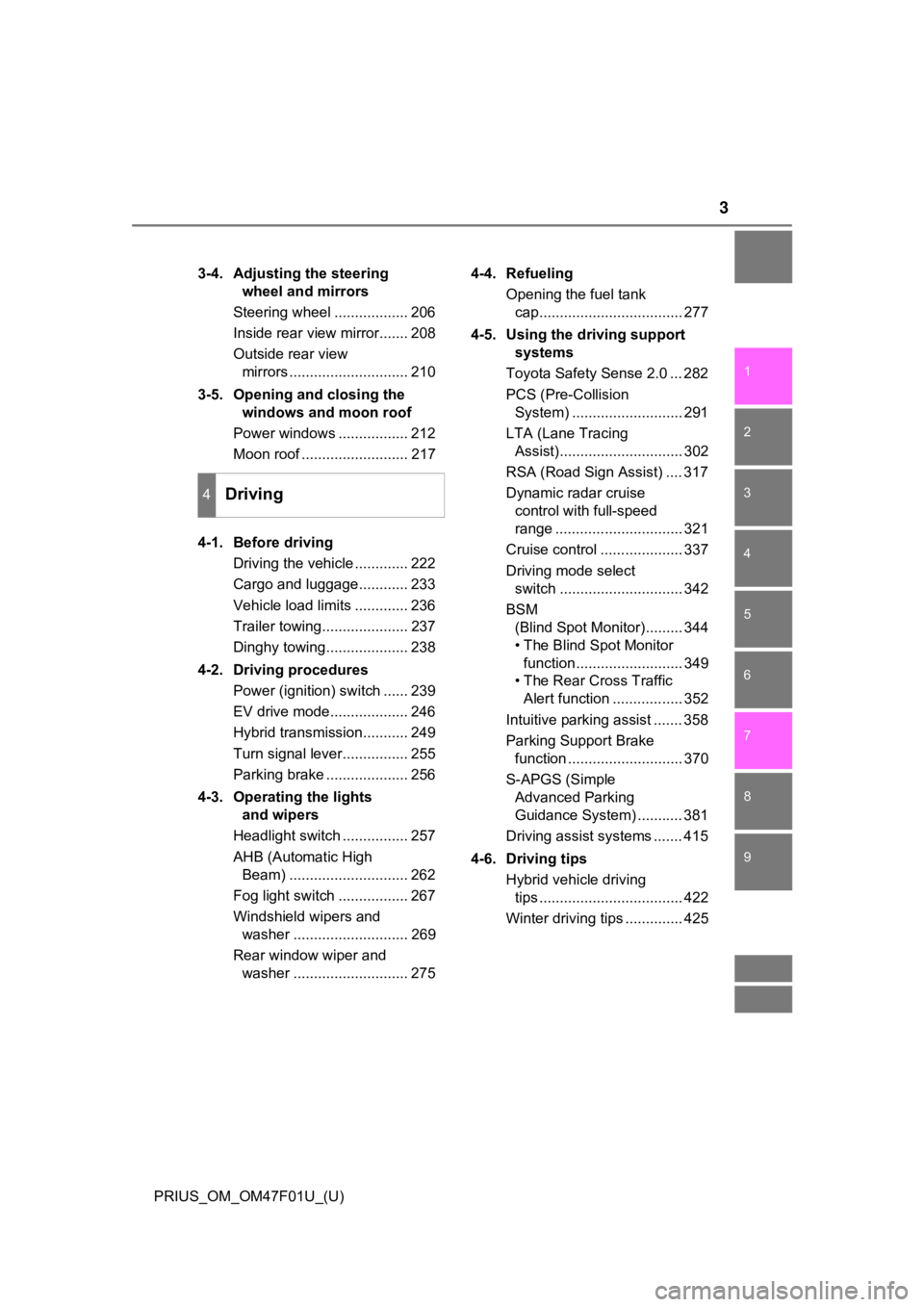
3-4. Adjusting the steering wheel and mirrors
Steering wheel .................. 206
Inside rear view mirror....... 208
Outside rear view mirrors ............................. 210
3-5. Opening and closing the windows and moon roof
Power windows ................. 212
Moon roof .......................... 217
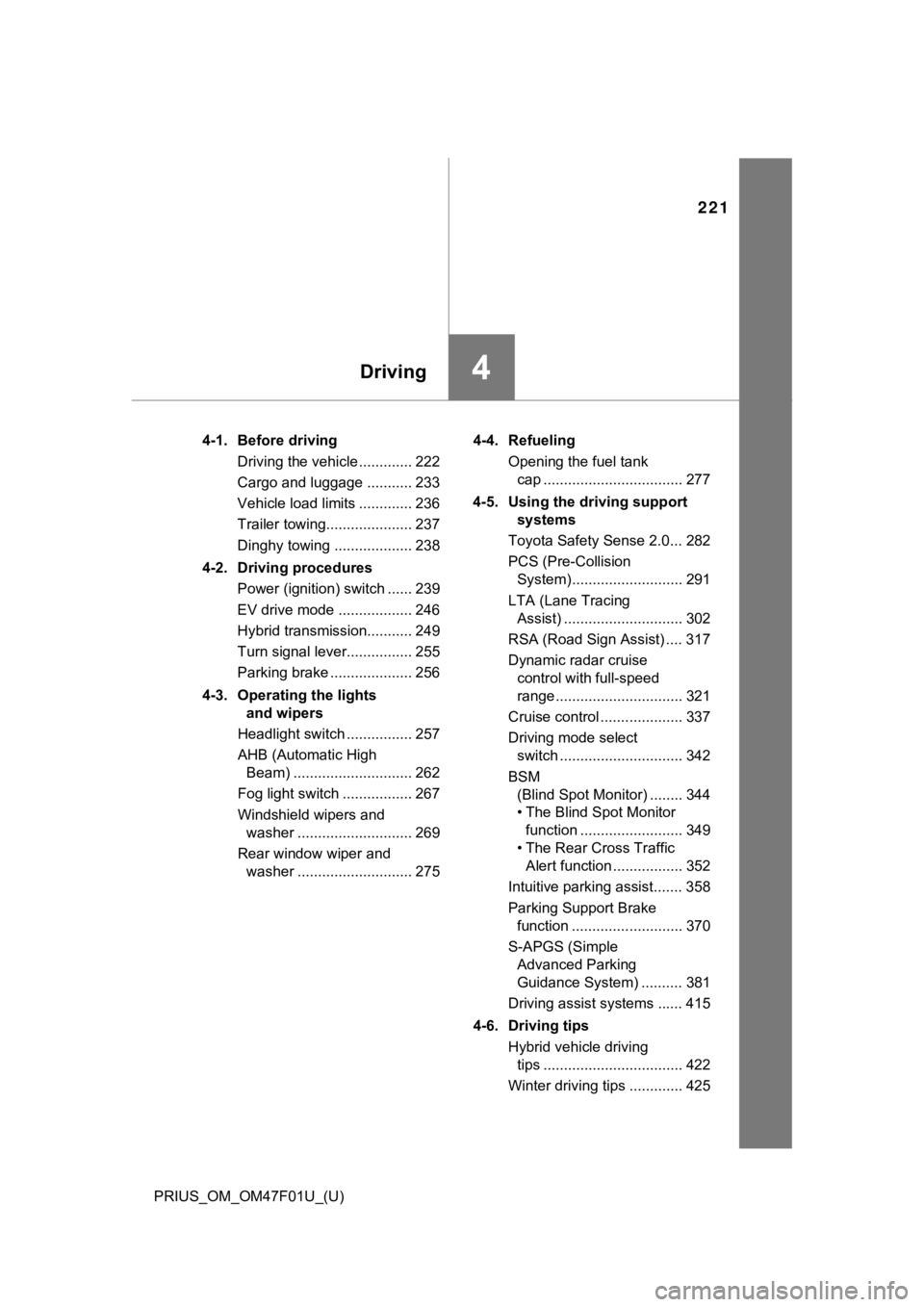
4-1. Before driving Driving the vehicle ............. 222
Cargo and luggage............ 233
Vehicle load limits ............. 236
Trailer towing..................... 237
Dinghy towing.................... 238
4-2. Driving procedures Power (ignition) switch ...... 239
EV drive mode................... 246
Hybrid transmission........... 249
Turn signal lever................ 255
Parking brake .................... 256
4-3. Operating the lights and wipers
Headlight switch ................ 257
AHB (Automatic High Beam) ............................. 262
Fog light switch ................. 267
Windshield wipers and washer ............................ 269
Rear window wiper and washer ............................ 275 4-4. Refueling
Opening the fuel tank cap................................... 277
4-5. Using the driving support systems
Toyota Safety Sense 2.0 ... 282
PCS (Pre-Collision System) ........................... 291
LTA (Lane Tracing Assist).............................. 302
RSA (Road Sign Assist) .... 317
Dynamic radar cruise control with full-speed
range ............................... 321
Cruise control .................... 337
Driving mode select switch .............................. 342
BSM (Blind Spot Monitor)......... 344
• The Blind Spot Monitor
function.......................... 349
• The Rear Cross Traffic
Alert function ................. 352
Intuitive parking assist ....... 358
Parking Support Brake function ............................ 370
S-APGS (Simple Advanced Parking
Guidance System) ........... 381
Driving assist systems ....... 415
4-6. Driving tips Hybrid vehicle driving tips ................................... 422
Winter driving tips .............. 425
4Driving
Page 17 of 744
17Pictorial index
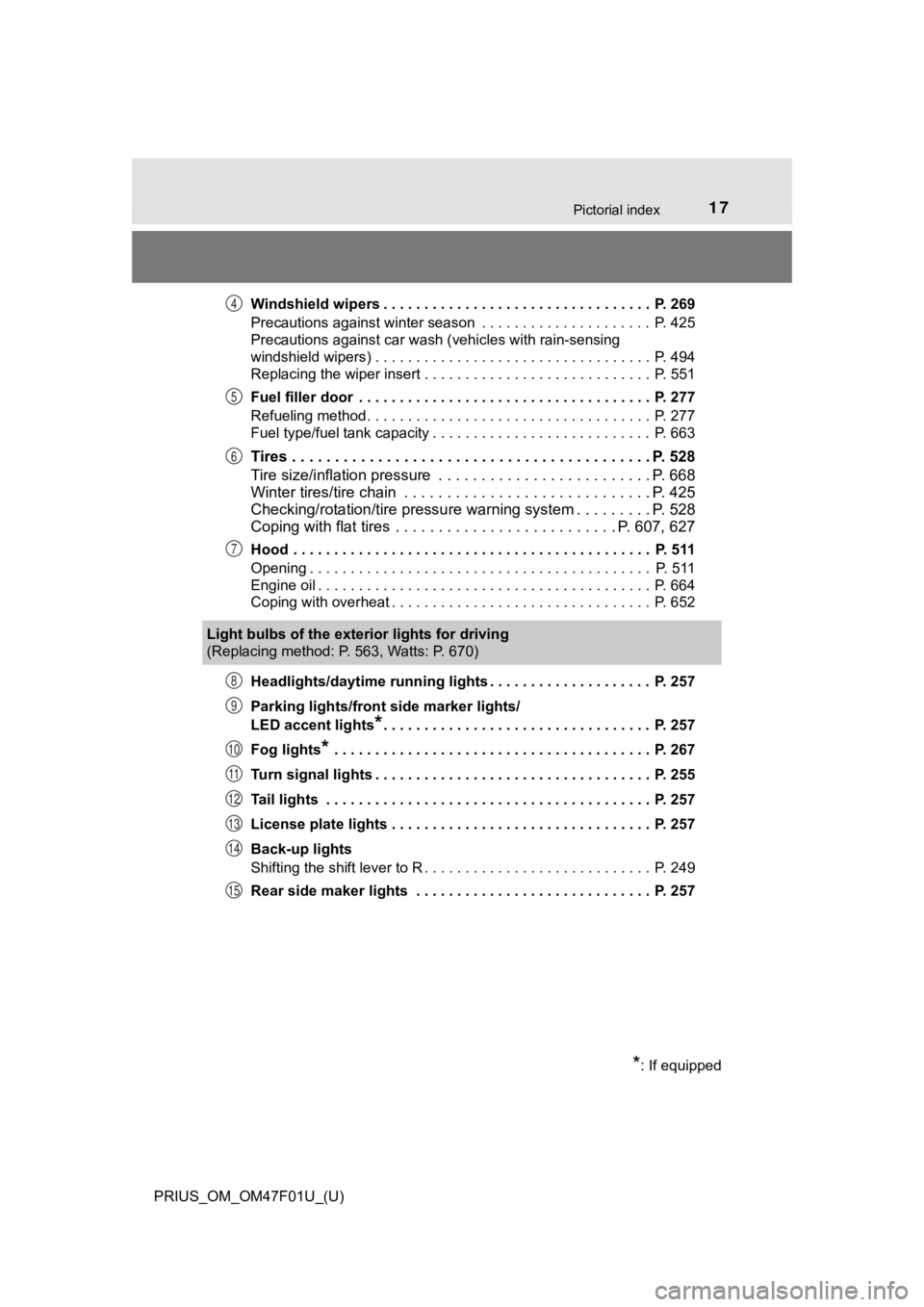
PRIUS_OM_OM47F01U_(U)Windshield wipers . . . . . . . . . . . . . . . . . . . . . . . . . . . . . . . . . P. 269
Precautions against winter season . . . . . . . . . . . . . . . . . . . . . P. 425
Precautions against car wash (vehicles with rain-sensing
windshield wipers) . . . . . . . . . . . . . . . . . . . . . . .
. . . . . . . . . . . P. 494
Replacing the wiper insert . . . . . . . . . . . . . . . . . . . . . . . . . . . . P. 551
Fuel filler door . . . . . . . . . . . . . . . . . . . . . . . . . . . . . . . . . . . . P. 277
Refueling method . . . . . . . . . . . . . . . . . . . . . . . . . . . . . . . . . . . P. 277
Fuel type/fuel tank capacity . . . . . . . . . . . . . . . . . . . . . . . . . . . P. 663
Tires . . . . . . . . . . . . . . . . . . . . . . . . . . . . . . . . . . . . . . . . . . P. 528
Tire size/inflation pressure . . . . . . . . . . . . . . . . . . . . . . . . . P. 668
Winter tires/tire chain . . . . . . . . . . . . . . . . . . . . . . . . . . . . . P. 425
Checking/rotation/tire pressur e warning system . . . . . . . . .P. 528
Coping with flat tires . . . . . . . . . . . . . . . . . . . . . . . . . . P. 607, 627
Hood . . . . . . . . . . . . . . . . . . . . . . . . . . . . . . . . . . . . . . . . . . . . P. 511
Opening . . . . . . . . . . . . . . . . . . . . . . . . . . . . . . . . . . . . . . . . . . P. 511
Engine oil . . . . . . . . . . . . . . . . . . . . . . . . . . . . . . . . . . . . . . . . . P. 664
Coping with overheat . . . . . . . . . . . . . . . . . . . . . . . . . . . . . . . . P. 652
Headlights/daytime running lights . . . . . . . . . . . . . . . . . . . . P. 257
Parking lights/front side marker lights/
LED accent lights
*. . . . . . . . . . . . . . . . . . . . . . . . . . . . . . . . . P. 257
Fog lights
* . . . . . . . . . . . . . . . . . . . . . . . . . . . . . . . . . . . . . . . P. 267
Turn signal lights . . . . . . . . . . . . . . . . . . . . . . . . . . . . . . . . . . P. 255
Tail lights . . . . . . . . . . . . . . . . . . . . . . . . . . . . . . . . . . . . . . . . P. 257
License plate lights . . . . . . . . . . . . . . . . . . . . . . . . . . . . . . . . P. 257
Back-up lights
Shifting the shift lever to R . . . . . . . . . . . . . . . . . . . . . . . . . . . . P. 249
Rear side maker lights . . . . . . . . . . . . . . . . . . . . . . . . . . . . . P. 257
4
5
6
7
Light bulbs of the exterior lights for driving
(Replacing method: P. 563, Watts: P. 670)
*: If equipped
8
9
10
11
12
13
14
15
Page 19 of 744
19Pictorial index
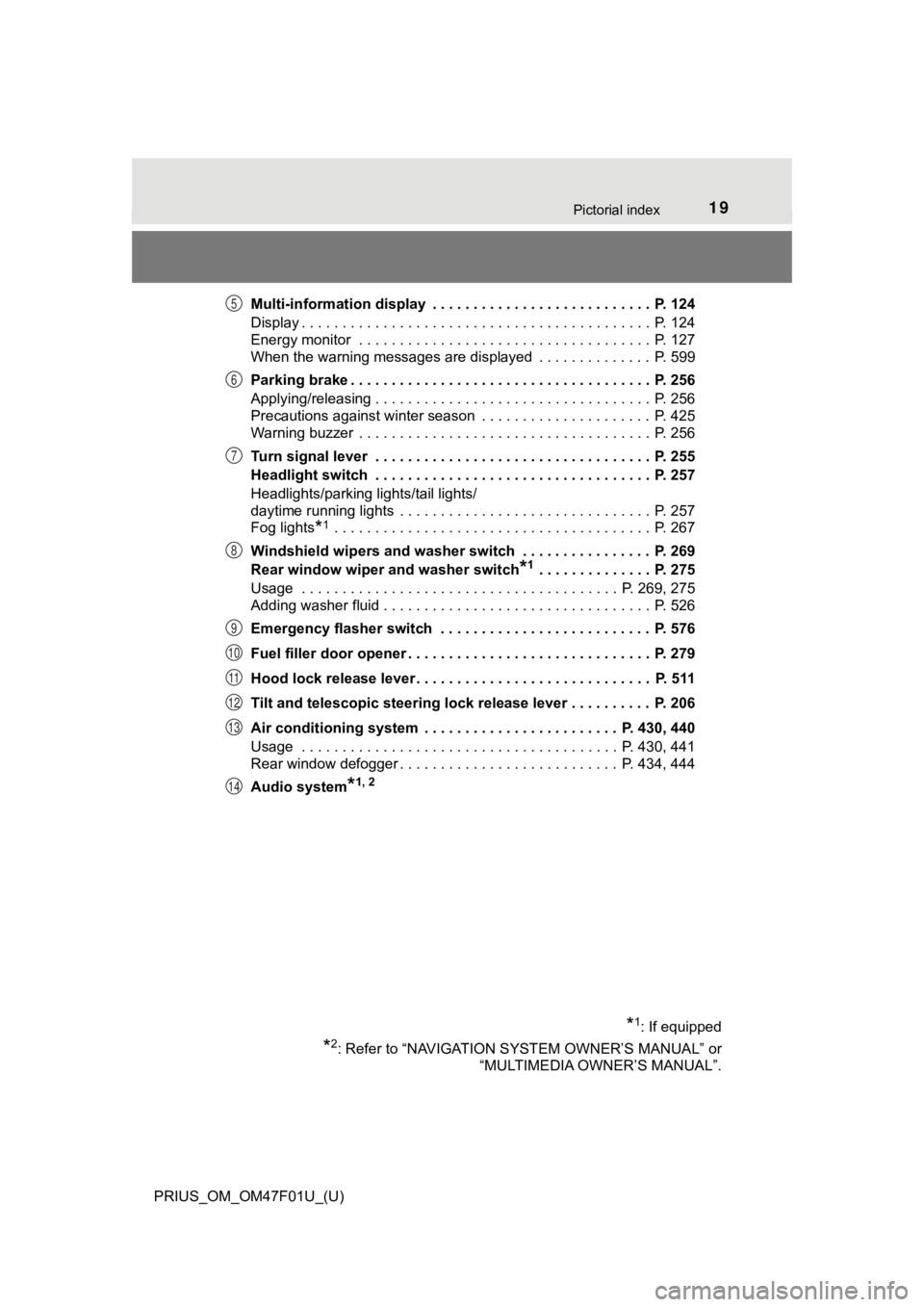
PRIUS_OM_OM47F01U_(U)Multi-information display . . . . . . . . . . . . . . . . . . . . . . . . . . . P. 124
Display . . . . . . . . . . . . . . . . . . . . . . . . . . . . . . . . . . . . . . . . . . . P. 124
Energy monitor . . . . . . . . . . . . . . . . . . . . . . . . . . . . . . . . . . . . P. 127
When the warning messages are displayed . . . . . . . . . . . . . . P. 599
Parking brake . . . . . . . . . . . . . . . . . . . . . . . . . . . . . . . . . . . . . P. 256
Applying/releasing . . . . . . . . . . . . . . . . . . . . . . . . . . . . . . . . . . P. 256
Precautions against winter season . . . . . . . . . . . . . . . . . . . . . P. 425
Warning buzzer . . . . . . . . . . . . . . . . . . . . . . . .
. . . . . . . . . . . . P. 256
Turn signal lever . . . . . . . . . . . . . . . . . . . . . . . . . . . . . . . . . . P. 255
Headlight switch . . . . . . . . . . . . . . . . . . . . . . . . . . . . . . . . . . P. 257
Headlights/parking lights/tail lights/
daytime running lights . . . . . . . . . . . . . . . . . . . . . . . . . . . . . . . P. 257
Fog lights
*1 . . . . . . . . . . . . . . . . . . . . . . . . . . . . . . . . . . . . . . . P. 267
Windshield wipers and washer switch . . . . . . . . . . . . . . . . P. 269
Rear window wiper and washer switch
*1 . . . . . . . . . . . . . . P. 275
Usage . . . . . . . . . . . . . . . . . . . . . . . . . . . . . . . . . . . . . . . P. 269, 275
Adding washer fluid . . . . . . . . . . . . . . . . . . . . . . . . . . . . . . . . . P. 526
Emergency flasher switch . . . . . . . . . . . . . . . . . . . . . . . . . . P. 576
Fuel filler door opener . . . . . . . . . . . . . . . . . . . . . . . . . . . . . . P. 279
Hood lock release lever. . . . . . . . . . . . . . . . . . . . . . . . . . . . . P. 511
Tilt and telescopic steering lock release lever . . . . . . . . . . P. 206
Air conditioning system . . . . . . . . . . . . . . . . . . . . . . . . P. 430, 440
Usage . . . . . . . . . . . . . . . . . . . . . . . . . . . . . . . . . . . . . . . P. 430, 441
Rear window defogger . . . . . . . . . . . . . . . . . . . . . . . . . . . P. 434, 444
Audio system
*1, 2
*1: If equipped
*2: Refer to “NAVIGATION SYSTEM OWNER’S MANUAL” or “MULTIMEDIA OWNER’S MANUAL”.
5
6
7
8
9
10
11
12
13
14
Page 78 of 744

781-3. Emergency assistance
PRIUS_OM_OM47F01U_(U)
■Safety Connect Services Information
●Phone calls using the vehicle’s Bluetooth® technology will not be possible
when Safety Connect is active and in use.
● Safety Connect is available beginning Fall 2009 on select Toyot a models (in
the contiguous United States only). Contact with the Safety Con nect
response center is dependent upon the telematics device being i n operative
condition, cellular connection availability, and GPS satellite signal reception,
which can limit the ability to reach the response center or rec eive emer-
gency service support. Enrollment and Telematics Subscription S ervice
Agreement required. A variety of subscription terms is availabl e; charges
vary by subscription term selected and location.
● Automatic Collision Notification, Emergency Assistance and Stolen Vehicle
Location are available in the United States, including Hawaii a nd Alaska,
Puerto Rico and Canada, and Enhanced Roadside Assistance are av ailable
in the United States, Puerto Rico and Canada.
● Automatic Collision Notification, Emergency Assistance, Stolen Vehicle and
Enhanced Road Assistance are not available in the U.S. Virgin I slands.
For vehicles first sold in the U.S. Virgin Islands, no Safety C onnect services
will function in or outside the U.S. Virgin Islands.
● Safety Connect services are not subject to section 255 of the T elecommuni-
cations Act and the device is not TTY compatible.
■ Languages
The Safety Connect response center will offer support in multip le languages.
The Safety Connect system will offer voice prompts in English, Spanish, and
French. Please indicate your language of choice when enrolling.
■ When contacting the response center
You may be unable to contact the response center if the network is busy.
When the power switch is turned to ON mode, the red indicator l ight
comes on for 2 seconds then turns off. Afterward, the green ind icator
light comes on, indicating t hat the service is active.
The following indicator light patterns indicate specific system usage
conditions:
● Green indicator light on = Active service
● Green indicator light flashing = Safety Connect call in process
● Red indicator light (except at vehicle start-up) = System malfunction
(contact your Toyota dealer)
● No indicator light (off) = Saf ety Connect service not active
Safety Connect LED light Indicators
Page 110 of 744
110
PRIUS_OM_OM47F01U_(U)
2. Instrument cluster
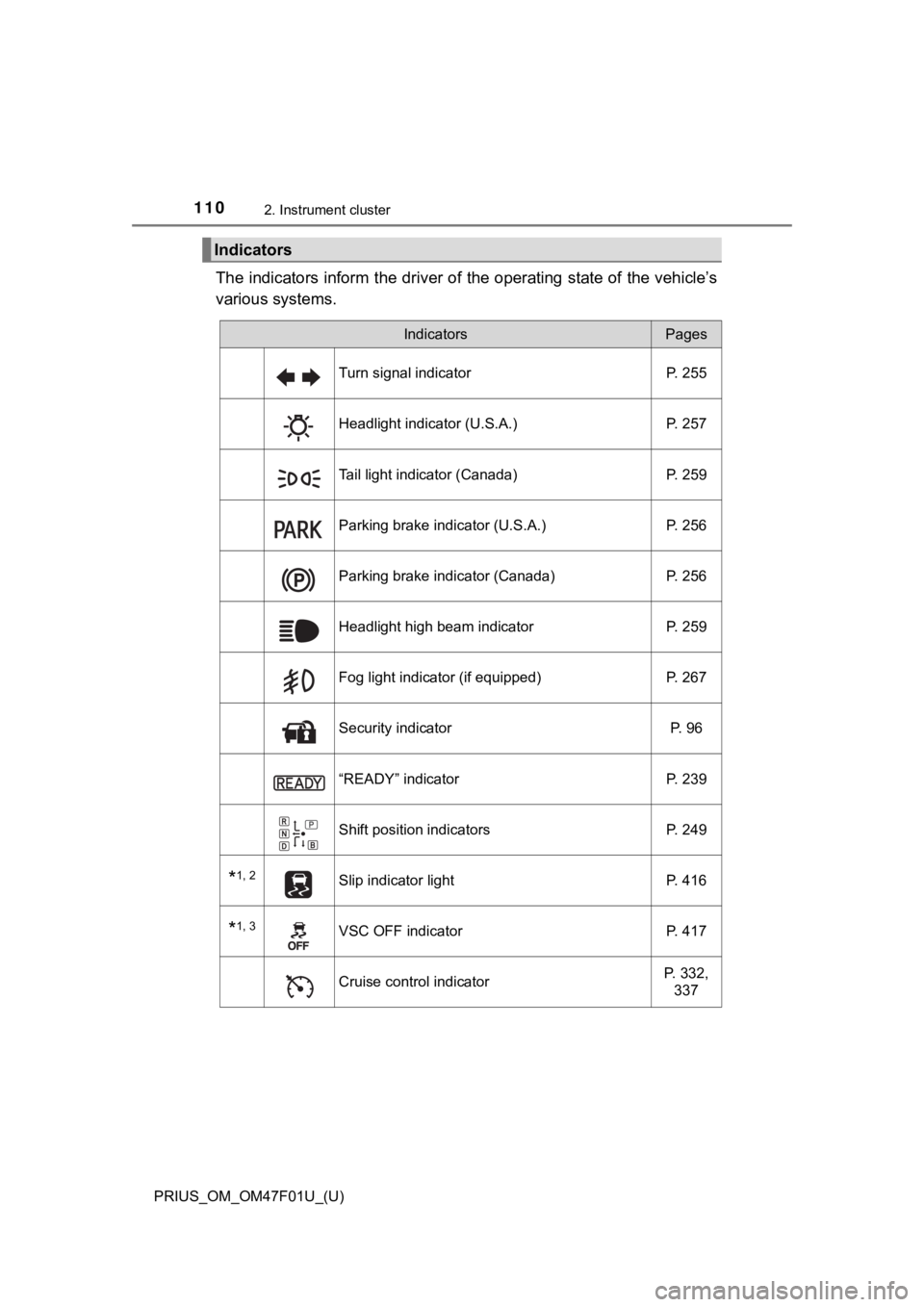
The indicators inform the driver of the operating state of the vehicle’s
various systems.
Indicators
IndicatorsPages
Turn signal indicator P. 255
Headlight indicator (U.S.A.) P. 257
Tail light indicator (Canada) P. 259
Parking brake indicator (U.S.A.) P. 256
Parking brake indicator (Canada)P. 256
Headlight high beam indicator P. 259
Fog light indicator (if equipped) P. 267
Security indicator P. 96
“READY” indicatorP. 239
Shift position indicatorsP. 249
*1, 2Slip indicator light P. 416
*1, 3VSC OFF indicatorP. 417
Cruise control indicatorP. 332,
337
Page 195 of 744

PRIUS_OM_OM47F01U_(U)
1953-2. Opening, closing and locking the doors
3
Operation of each component
■Note for the entry function
●Even when the electronic key is within the effective range (det ection areas),
the system may not operate properly in the following cases:
• The electronic key is too close to the window or outside door handle, near
the ground, or in a high place when the doors are locked or unl ocked.
• The electronic key is on the instrument panel, floor, or in th e door pockets
or glove box when the hybrid system is started or power switch modes
are changed.
● Do not leave the electronic key on top of the instrument panel or near the
door pockets when exiting the vehicle. Depending on the radio w ave recep-
tion conditions, it may be detected by the antenna outside the cabin and the
door will become lockable from the outside, possibly trapping the electronic
key inside the vehicle.
● As long as the electronic key is within the effective range, th e doors may be
unlocked or locked by anyone.
● Even if the electronic key is not inside the vehicle, it may be possible to start
the hybrid system if the electronic key is near the window.
● The doors may unlock if a large amount of water splashes on the door han-
dle, such as in the rain or in a car wash when the electronic k ey is within the
effective range. (The door will automatically be locked after a pproximately
60 seconds if the doors are not opened and closed.)
● If the wireless remote control is used to lock the doors when t he electronic
key is near the vehicle, there is a possibility that the door m ay not be
unlocked by the entry function. (Use the wireless remote contro l to unlock
the doors.)
● Touching the door lock sensor while wearing gloves may delay or prevent
lock operation. Remove the gloves and touch the lock sensor aga in.
● When the lock operation is performed using the lock sensor, rec ognition sig-
nals will be shown up to two consecutive times. After this, no recognition
signals will be given.
● If the door handle becomes wet while the electronic key is with in the effec-
tive range, the door may lock and unlock repeatedly. In this ca se, follow the
following correction procedures to wash the vehicle.
• Place the electronic key in a location 6 ft. (2 m) or more awa y from the
vehicle. (Take care to ensure that the key is not stolen.)
• Set electronic key to battery-saving mode to disable the smart key sys-
tem. ( P. 194)
● If the electronic key is inside the vehicle and a door handle b ecomes wet
during a car wash, a message may be shown on the multi-informat ion dis-
play and a buzzer will sound outside the vehicle. To turn off t he alarm, lock
all the doors.
Page 221 of 744
221
PRIUS_OM_OM47F01U_(U)
4Driving
4-1. Before drivingDriving the vehicle ............. 222
Cargo and luggage ........... 233
Vehicle load limits ............. 236
Trailer towing..................... 237
Dinghy towing ................... 238
4-2. Driving procedures Power (ignition) switch ...... 239
EV drive mode .................. 246
Hybrid transmission........... 249
Turn signal lever................ 255
Parking brake .................... 256
4-3. Operating the lights and wipers
Headlight switch ................ 257
AHB (Automatic High Beam) ............................. 262
Fog light switch ................. 267
Windshield wipers and washer ............................ 269
Rear window wiper and washer ............................ 275 4-4. Refueling
Opening the fuel tank cap .................................. 277
4-5. Using the driving support systems
Toyota Safety Sense 2.0... 282
PCS (Pre-Collision System)........................... 291
LTA (Lane Tracing Assist) ............................. 302
RSA (Road Sign Assist) .... 317
Dynamic radar cruise control with full-speed
range............................... 321
Cruise control .................... 337
Driving mode select switch .............................. 342
BSM (Blind Spot Monitor) ........ 344
• The Blind Spot Monitor function ......................... 349
• The Rear Cross Traffic Alert function ................. 352
Intuitive parking assist....... 358
Parking Support Brake function ........................... 370
S-APGS (Simple Advanced Parking
Guidance System) .......... 381
Driving assist systems ...... 415
4-6. Driving tips Hybrid vehicle driving tips .................................. 422
Winter driving tips ............. 425
Page 255 of 744
255
PRIUS_OM_OM47F01U_(U)
4-2. Driving procedures
4
Driving
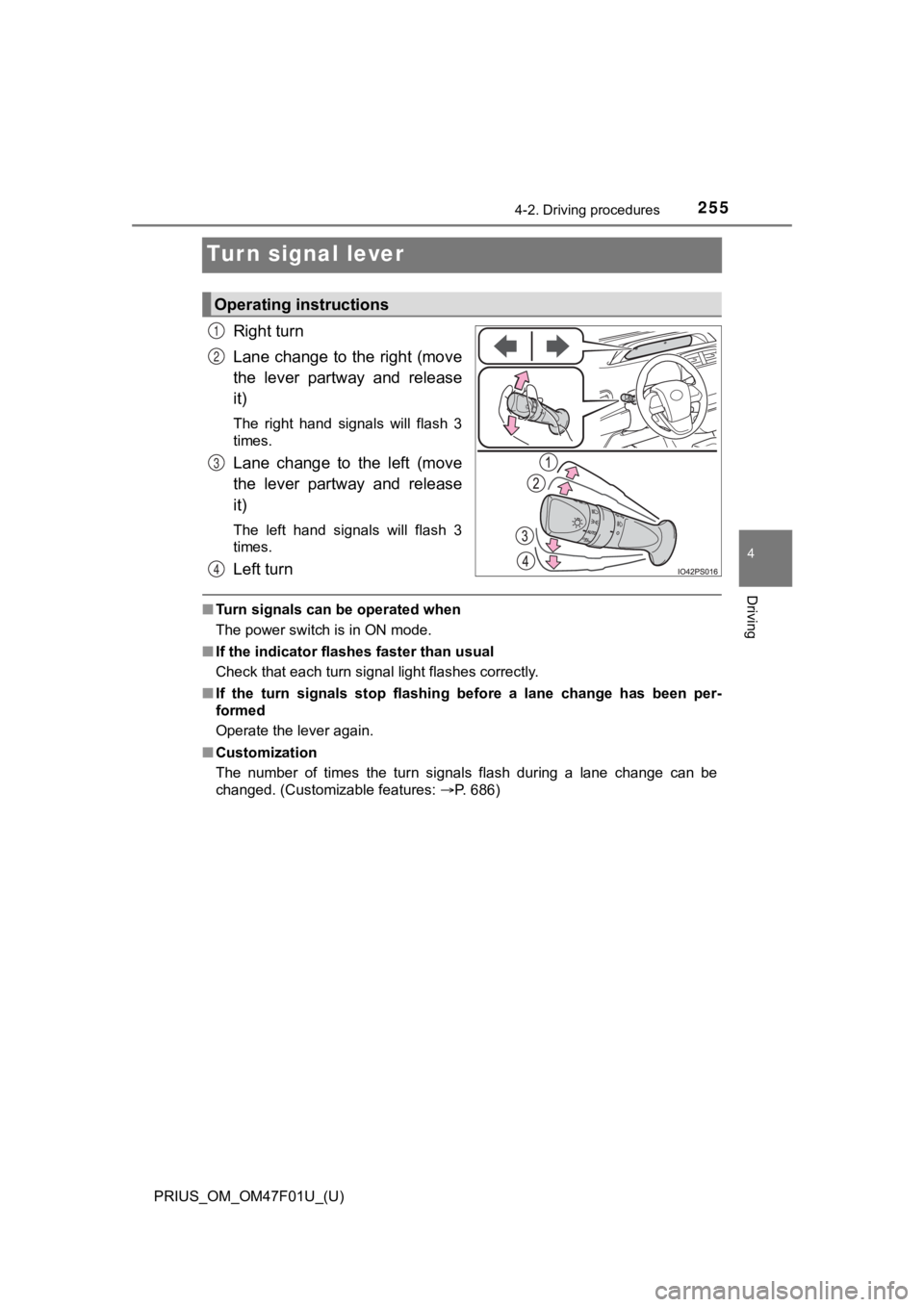
Turn signal lever
Right turn
Lane change to the right (move
the lever partway and release
it)
The right hand signals will flash 3
times.
Lane change to the left (move
the lever partway and release
it)
The left hand signals will flash 3
times.
Left turn
■Turn signals can be operated when
The power switch is in ON mode.
■ If the indicator flashes faster than usual
Check that each turn signal light flashes correctly.
■ If the turn signals stop flashing before a lane change has been per-
formed
Operate the lever again.
■ Customization
The number of times the turn signals flash during a lane change can be
changed. (Customizable features: P. 686)
Operating instructions
1
2
3
4
Page 264 of 744

264
PRIUS_OM_OM47F01U_(U)
4-3. Operating the lights and wipers
■High beam automatic turning on or off conditions
●When all of the following conditions are fulfilled, the high be am will be auto-
matically turned on (after approximately 1 second):
• The vehicle speed is approximately 21 mph (34 km/h) or more.
• The area ahead of the vehicle is dark.
• There are no vehicles ahead with headlights or tail lights turned on.
• There are few streetlights on the road ahead.
● If any of the following conditions are fulfilled, the high beam will be automat-
ically turned off:
• The vehicle speed is below approximately 17 mph (27 km/h).
• The area ahead of the vehicle is not dark.
• Vehicles ahead have headlights or tail lights turned on.
• There are many streetlights on the road ahead.
■ Front camera detection information
●The high beam may not be automatically turned off in the following situa-
tions:
• When oncoming vehicles suddenly appear from a curve
• When the vehicle is cut in front of by another vehicle
• When vehicles ahead are hidden from sight due to repeated curv es, road
dividers or roadside trees
• When vehicles ahead appear from the faraway lane on wide road
• When vehicles ahead vehicles have no lights
● The high beam may be turned off if a vehicle ahead that is usin g fog lights
without using the headlights is detected.
● House lights, street lights, traffic signals, and illuminated billboards or signs
may cause the high beam to switch to the low beams, or the low beams to
remain on.
● The following factors may affect the amount of time taken to tu rn the high
beam on or off:
• The brightness of headlights, fog lights, and tail lights of v ehicles ahead
• The movement and direction of vehicles ahead
• When a vehicle ahead only has operational lights on one side
• When a vehicle ahead is a two-wheeled vehicle
• The condition of the road (gradient, curve, condition of the r oad surface
etc.)
• The number of passengers and amount of luggage
● The high beam may be turned on or off when the driver does not expect it.
● Bicycles or similar objects may not be detected.
Page 312 of 744
312
PRIUS_OM_OM47F01U_(U)
4-5. Using the driving support systems
Follow-up cruising display
Displayed when the multi-information display is switched to the driving
assist system information screen.
Indicates that steering assist of the lane centering function i s operating by
monitoring the position of a preceding vehicle.
When the follow-up cruising display is displayed, if the preced ing vehicle
moves, your vehicle may move in the same way. Always pay carefu l atten-
tion to your surroundings and operate the steering wheel as nec essary to
correct the path of the vehicle and ensure safety.
■ Operation conditions of each function
●Lane departure alert function
This function operates when all of the following conditions are met.
• LTA is turned on.
• Vehicle speed is approximately 32 mph (50 km/h) or more.
*1
• System recognizes white (yellow) lane lines or a course*2. (When a white
[yellow] line or course
*2 is recognized on only one side, the system will
operate only for the recognized side.)
• Width of traffic lane is approximately 9.8 ft. (3 m) or more.
• Turn signal lever is not operated.
• Vehicle is not being driven around a sharp curve.
• No system malfunctions are detected. ( P. 316)
*1: The function operates even if the vehicle speed is less than a pproxi-
mately 32 mph (50 km/h) when the lane centering function is ope rating.
*2: Boundary between asphalt and the side of the road, such as gra ss, soil,
or a curb
● Steering assist function
This function operates when all of the following conditions are met in addi-
tion to the operation conditions for the lane departure alert function.
• Setting for (“LTA Steering Assist Mode”) in of the multi-
information display is set to “On”. ( P. 124)
• Vehicle is not accelerated or decelerated by a fixed amount or more.
• Steering wheel is not operated with a steering force level suitable for changing lanes.
• ABS, VSC, TRAC and PCS are not operating.
• TRAC or VSC is not turned off.
• Hands off steering wheel warning is not displayed. ( P. 315)
4