ESP TOYOTA PRIUS 2023 User Guide
[x] Cancel search | Manufacturer: TOYOTA, Model Year: 2023, Model line: PRIUS, Model: TOYOTA PRIUS 2023Pages: 770, PDF Size: 122.55 MB
Page 129 of 770
127
2
2. Instrument cluster
Instrument cluster
PRIUS_OM_OM47F32E_(EE)
Multi-information display
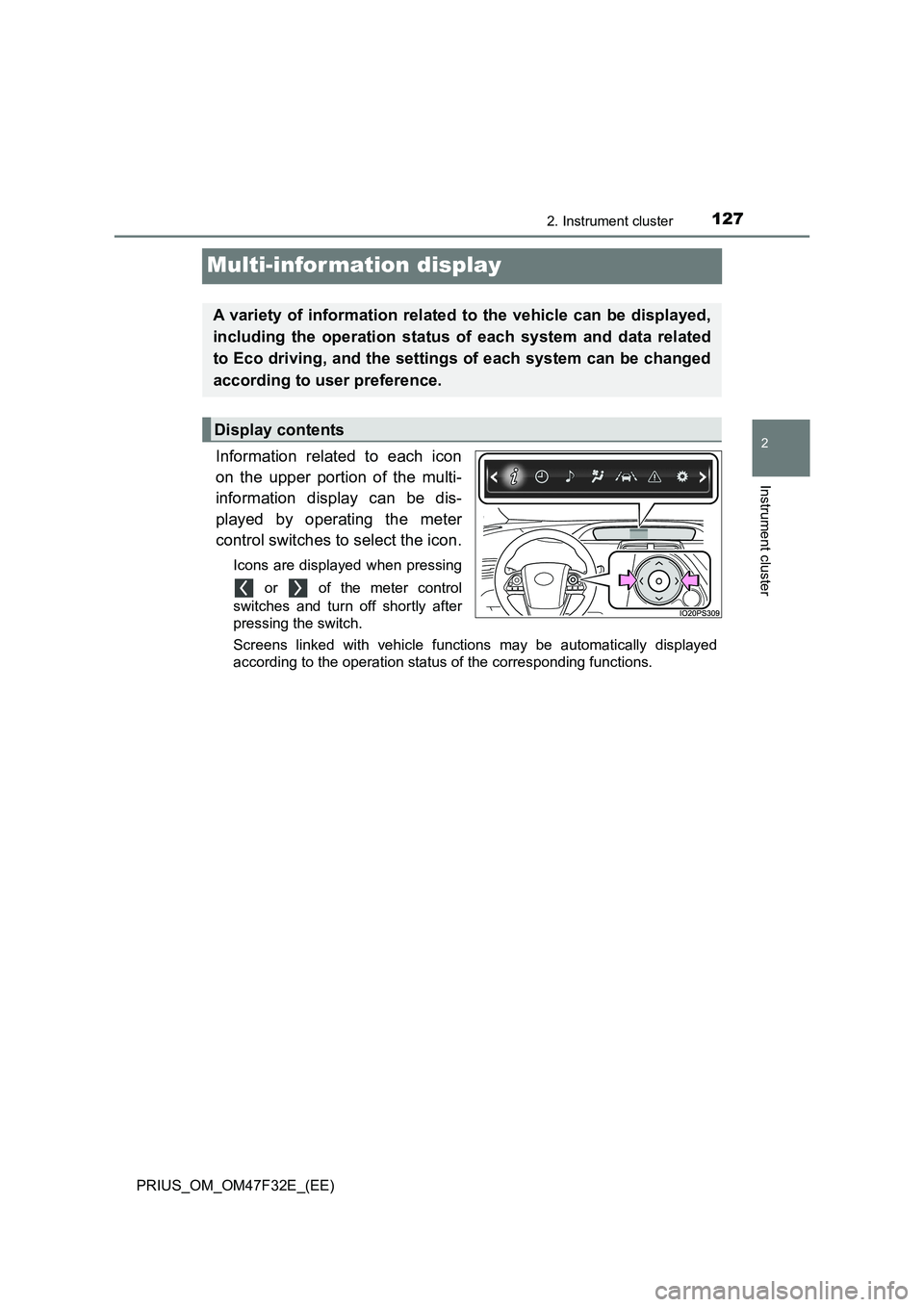
Information related to each icon
on the upper portion of the multi-
information display can be dis-
played by operating the meter
control switches to select the icon.
Icons are displayed when pressing
or of the meter control
switches and turn off shortly after
pressing the switch.
Screens linked with vehicle functions may be automatically displayed
according to the operation status of the corresponding functions.
A variety of information related to the vehicle can be displayed,
including the operation status of each system and data related
to Eco driving, and the settings of each system can be changed
according to user preference.
Display contents
Page 154 of 770
1522. Instrument cluster
PRIUS_OM_OM47F32E_(EE)
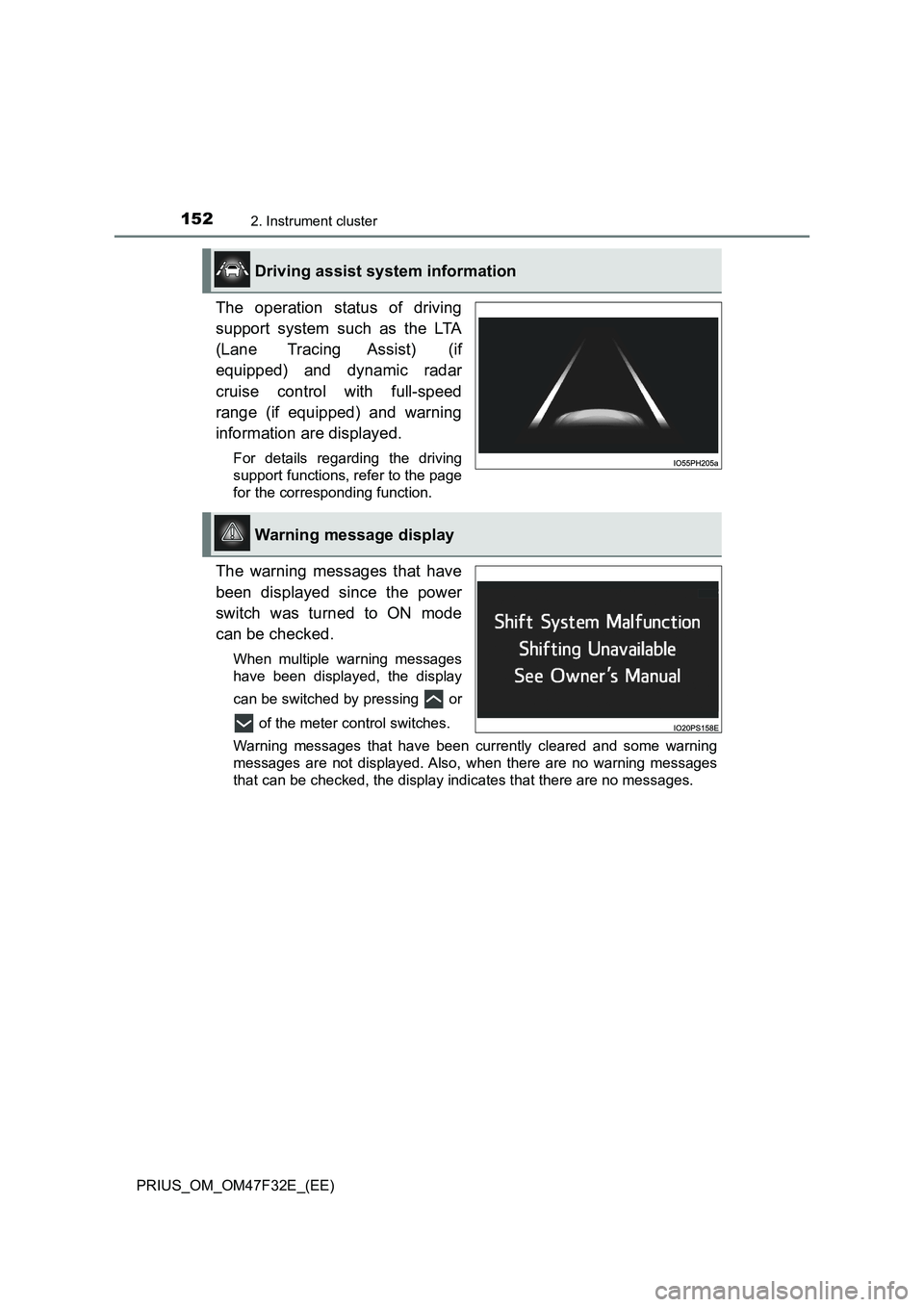
The operation status of driving
support system such as the LTA
(Lane Tracing Assist) (if
equipped) and dynamic radar
cruise control with full-speed
range (if equipped) and warning
information are displayed.
For details regarding the driving
support functions, refer to the page
for the corresponding function.
The warning messages that have
been displayed since the power
switch was turned to ON mode
can be checked.
When multiple warning messages
have been displayed, the display
can be switched by pressing or
of the meter control switches.
Warning messages that have been currently cleared and some warning
messages are not displayed. Also, when there are no warning messages
that can be checked, the display indicates that there are no messages.
Driving assist system information
Warning message display
Page 159 of 770
1572. Instrument cluster
2
Instrument cluster
PRIUS_OM_OM47F32E_(EE)
*1: If equipped
*2: When the screen is turned off, pressing displays the setting screen
again.
*3: Left-hand drive vehicles only
*4: The possible displayed languages differ according to the target region.
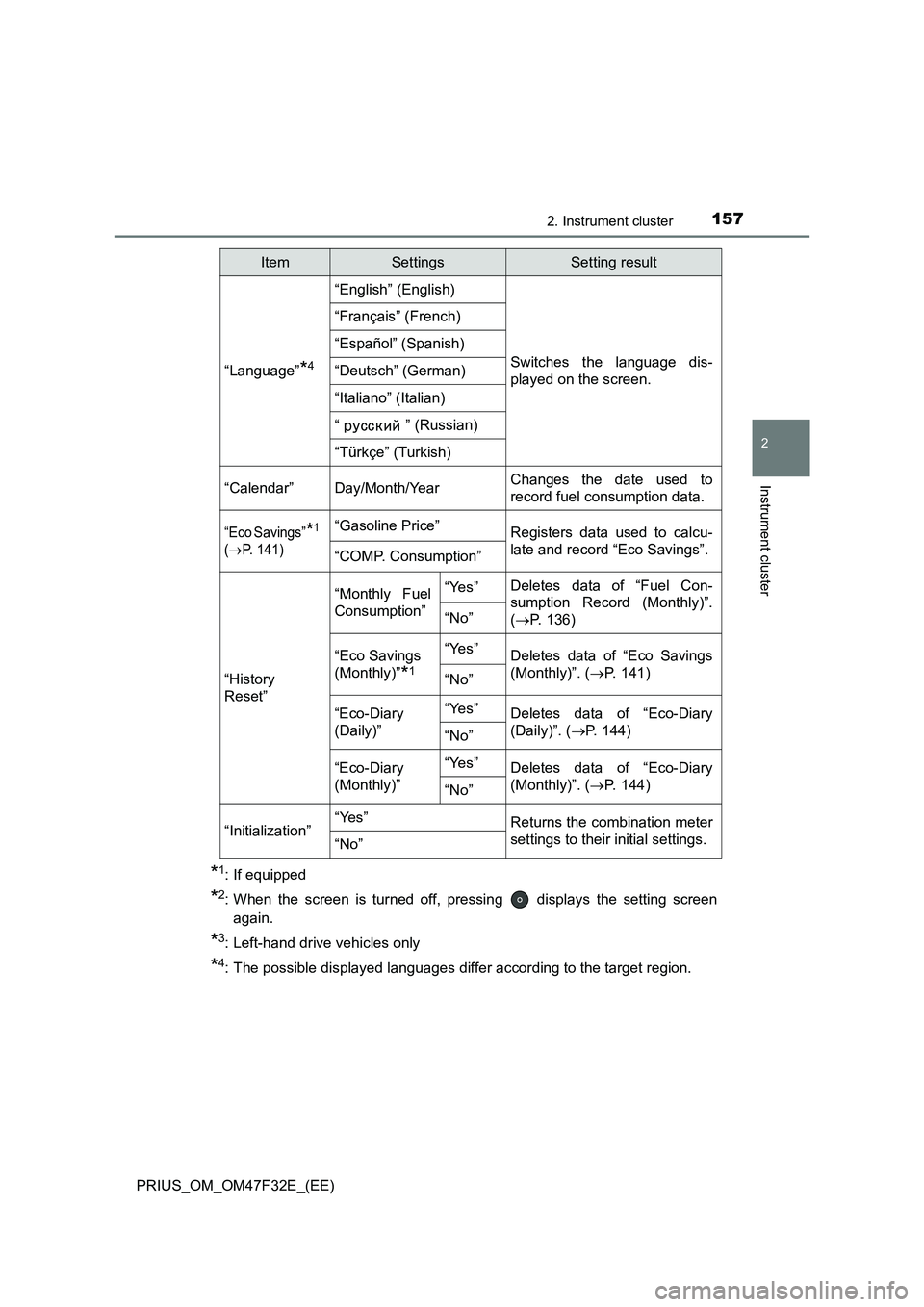
“Language”*4
“English” (English)
Switches the language dis-
played on the screen.
“Français” (French)
“Español” (Spanish)
“Deutsch” (German)
“Italiano” (Italian)
“ ” (Russian)
“Türkçe” (Turkish)
“Calendar”
Day/Month/YearChanges the date used to
record fuel consumption data.
“Eco Savings”*1
(
P. 141)
“Gasoline Price”Registers data used to calcu-
late and record “Eco Savings”.
“COMP. Consumption”
“History
Reset”
“Monthly Fuel
Consumption”“Yes”Deletes data of “Fuel Con-
sumption Record (Monthly)”.
(P. 136)
“No”
“Eco Savings
(Monthly)”
*1
“Yes”Deletes data of “Eco Savings
(Monthly)”. (P. 1 4 1 )
“No”
“Eco-Diary
(Daily)”“Yes”Deletes data of “Eco-Diary
(Daily)”. (P. 144)
“No”
“Eco-Diary
(Monthly)”“Yes”Deletes data of “Eco-Diary
(Monthly)”. (P. 1 4 4 )
“No”
“Initialization”“Yes”Returns the combination meter
settings to their initial settings.
“No”
ItemSettingsSetting result
Page 165 of 770
1632. Instrument cluster
2
Instrument cluster
PRIUS_OM_OM47F32E_(EE)■
Insert displays of the driving support systems
Insert displays are linked with the operation of the following sys-
tems and used to show some of the information shown on the multi-
information display on the head-up display.
*: If equipped
■
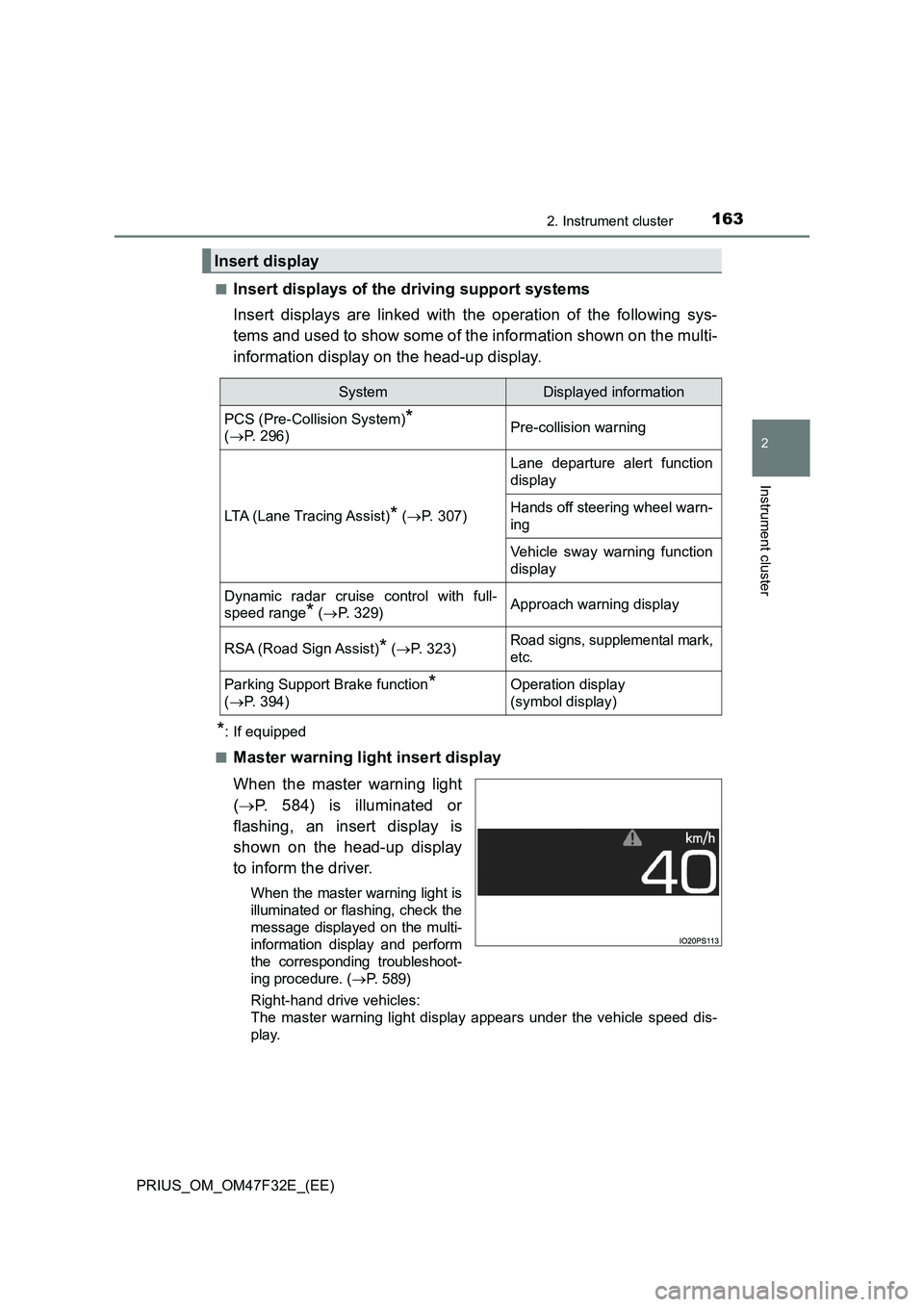
Master warning light insert display
When the master warning light
(P. 584) is illuminated or
flashing, an insert display is
shown on the head-up display
to inform the driver.
When the master warning light is
illuminated or flashing, check the
message displayed on the multi-
information display and perform
the corresponding troubleshoot-
ing procedure. (P. 5 8 9 )
Right-hand drive vehicles:
The master warning light display appears under the vehicle speed dis-
play.
Insert display
SystemDisplayed information
PCS (Pre-Collision System)*
(P. 296)Pre-collision warning
LTA (Lane Tracing Assist)* (P. 307)
Lane departure alert function
display
Hands off steering wheel warn-
ing
Vehicle sway warning function
display
Dynamic radar cruise control with full-
speed range
* (P. 329)Approach warning display
RSA (Road Sign Assist)* (P. 323)Road signs, supplemental mark,
etc.
Parking Support Brake function*
(P. 394)Operation display
(symbol display)
Page 166 of 770
1642. Instrument cluster
PRIUS_OM_OM47F32E_(EE)
■Enabling/disabling of the head-up display
When the head-up display is turned off with the “HUD” switch, it is not dis-
played until the “HUD” switch is used to turn the head-up display on again.
(Operation of the head-up display is not linked with the power switch.)
■ Display brightness
● The brightness of the head-up display is automatically adjusted according to
the operation status of the headlights (on/off) and the brightness of the sur-
roundings.
● When the brightness of the head-up display is adjusted to a certain level or
higher, the display automatically dims when the vehicle is stopped. Once the
vehicle starts off and the vehicle speed reaches approximately 5 km/h
(3.1 mph) or more, the display automatically returns to its previous bright-
ness.
■ Vehicle speed display
In extremely cold environments, the display of the speedometer and the vehi-
cle speed of the head-up display may slightly differ.
■ Head-up display
The head-up display may seem dark and hard to see when viewed through
sunglasses, especially polarized sunglasses.
■ When the 12-volt battery is disconnected
The customize settings of the head-up display will be reset.
WARNING
■ Before using the head-up display
● Check that the position and brightness of the head-up display image does
not interfere with safe driving. Incorrect adjustment of the image’s position
or brightness may obstruct the driver’s view and lead to an accident,
resulting in death or serious injury.
● Do not continuously look at the head-up display while driving as you may
fail to see pedestrians, objects on the road, etc. ahead of the vehicle.
Page 183 of 770
1813-2. Opening, closing and locking the doors
3
Operation of each component
PRIUS_OM_OM47F32E_(EE)
■ Customization
Settings (e.g. operation signal) can be changed.
(Customizable features: P. 670)
WARNING
■To prevent an accident
Observe the following precautions while driving the vehicle.
Failure to do so may result in a door opening and an occupant could be
thrown out of the vehicle, resulting in death or serious injury.
● Ensure that all doors are properly closed.
● Do not pull the inside handle of the doors while driving.
Be especially careful for the driver ’s door and front passenger’s door (for
some models only), as the door may be opened even if the inside lock but-
tons are in locked position.
● Set the rear door child-protector locks when children are seated in the rear
seats.
■ When opening or closing a door
Check the surroundings of the vehicle such as whether the vehicle is on an
incline, whether there is enough space for a door to open and whether a
strong wind is blowing. When opening or closing the door, hold the door
handle tightly to prepare for any unpredictable movement.
■ When using the wireless remote control and operating the power win-
dows or moon roof (if equipped)
Operate the power window or moon roof after checking to make sure that
there is no possibility of any passenger having any of their body parts
caught in the side window or moon roof. Also, do not allow children to oper-
ate the wireless remote control. It is possible for children and other passen-
gers to get caught in the power window or moon roof.
Page 204 of 770
2023-3. Adjusting the seats
PRIUS_OM_OM47F32E_(EE)
WARNING
■Head restraint precautions
Observe the following precautions regarding the head restraints. Failure to
do so may result in death or serious injury.
● Use the head restraints designed for each respective seat.
● Adjust the head restraints to the correct position at all times.
● After adjusting the head restraints, push down on them and make sure
they are locked in position.
● Do not drive with the head restraints removed.
Page 208 of 770
2063-4. Adjusting the steering wheel and mirrors
PRIUS_OM_OM47F32E_(EE)
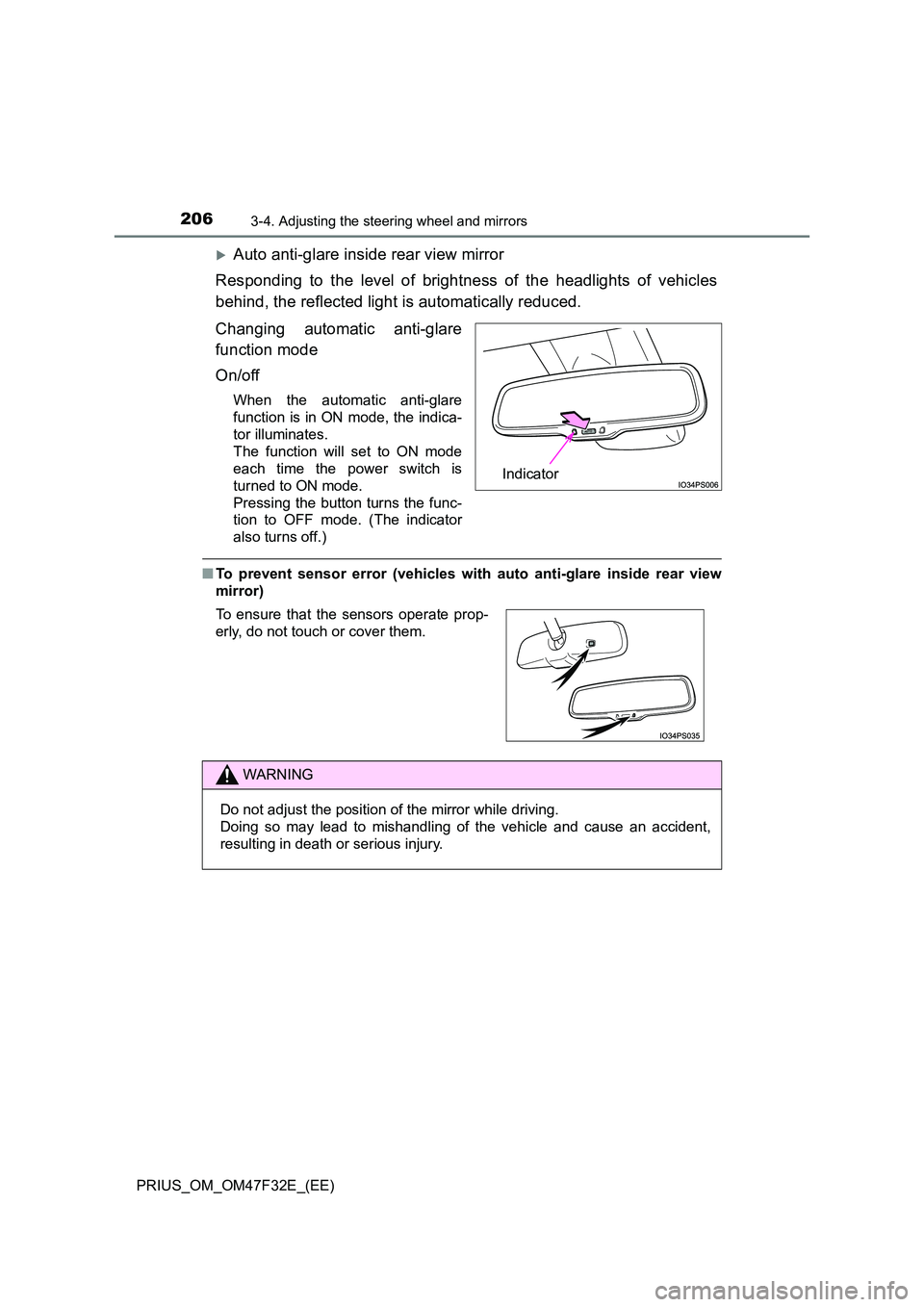
Auto anti-glare inside rear view mirror
Responding to the level of brightness of the headlights of vehicles
behind, the reflected light is automatically reduced.
Changing automatic anti-glare
function mode
On/off
When the automatic anti-glare
function is in ON mode, the indica-
tor illuminates.
The function will set to ON mode
each time the power switch is
turned to ON mode.
Pressing the button turns the func-
tion to OFF mode. (The indicator
also turns off.)
■ To prevent sensor error (vehicles with auto anti-glare inside rear view
mirror)
Indicator
To ensure that the sensors operate prop-
erly, do not touch or cover them.
WARNING
Do not adjust the position of the mirror while driving.
Doing so may lead to mishandling of the vehicle and cause an accident,
resulting in death or serious injury.
Page 215 of 770
2133-5. Opening and closing the windows and moon roof
3
Operation of each component
PRIUS_OM_OM47F32E_(EE)
WARNING
Observe the following precautions.
Failing to do so may result in death or serious injury.
■ Closing the windows
● The driver is responsible for all the power window operations, including the
operation for the passengers. In order to prevent accidental operation,
especially by a child, do not let a child operate the power windows. It is
possible for children and other passengers to have body parts caught in
the power window. Also, when riding with a child, it is recommended to use
the window lock switch. ( P. 210)
● When using the wireless remote control or mechanical key and operating
the power windows, operate the power window after checking to make
sure that there is no possibility of any passenger having any of their body
parts caught in the side window. Also do not let a child operate side win-
dow by the wireless remote control or mechanical key. It is possible for
children and other passengers to get caught in the power window.
● When exiting the vehicle, turn the power switch off, carry the key and exit
the vehicle along with the child. T here may be accidental operation, due to
mischief, etc., that may possibly lead to an accident.
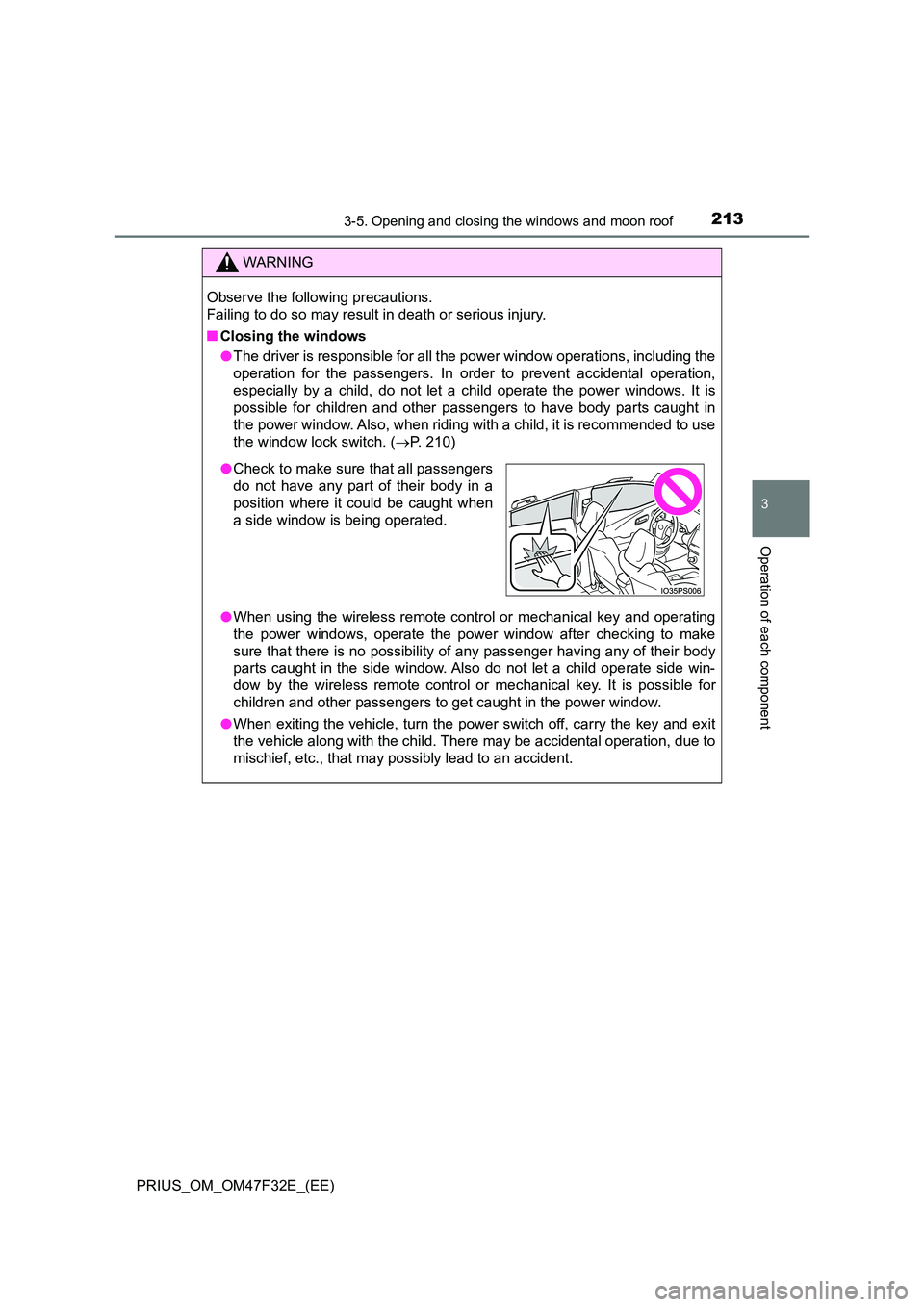
● Check to make sure that all passengers
do not have any part of their body in a
position where it could be caught when
a side window is being operated.
Page 220 of 770
2183-5. Opening and closing the windows and moon roof
PRIUS_OM_OM47F32E_(EE)
WARNING
Observe the following precautions.
Failing to do so may cause death or serious injury.
■ Opening the moon roof
● Do not allow any passengers to put their hands or head outside the vehicle
while it is moving.
● Do not sit on top of the moon roof.
■ Closing the moon roof
● The driver is responsible for moon roof opening and closing operations. In
order to prevent accidental operation, especially by a child, do not let a
child operate the moon roof. It is possible for children and other passen-
gers to have body parts caught in the moon roof.
● When exiting the vehicle, turn the power switch off, carry the key and exit
the vehicle along with the child. T here may be accidental operation, due to
mischief, etc., that may possibly lead to an accident.
■ Jam protection function
● Never use any part of your body to intentionally activate the jam protection
function.
● The jam protection function may not work if something gets caught just
before the moon roof fully closes.
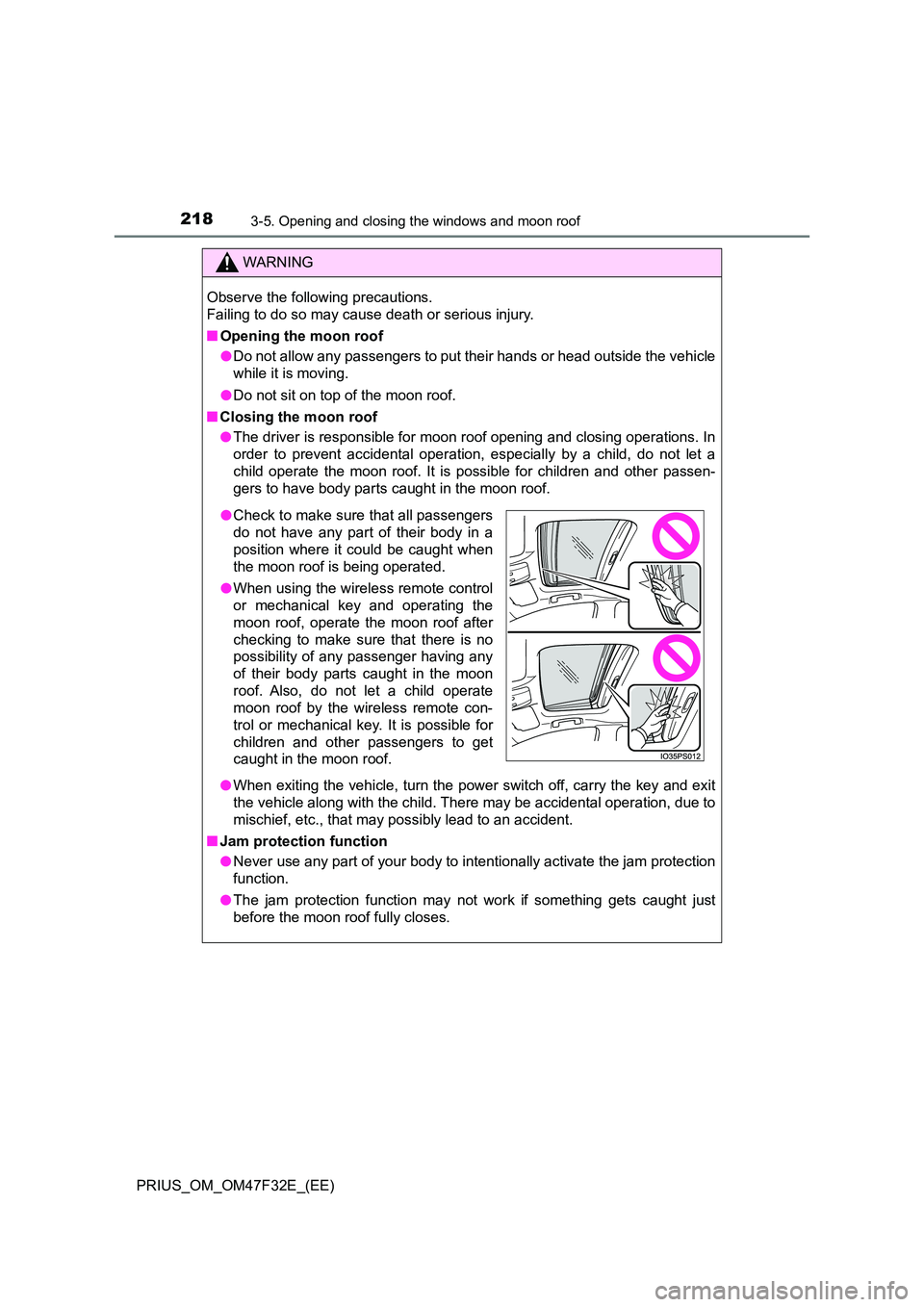
● Check to make sure that all passengers
do not have any part of their body in a
position where it could be caught when
the moon roof is being operated.
● When using the wireless remote control
or mechanical key and operating the
moon roof, operate the moon roof after
checking to make sure that there is no
possibility of any passenger having any
of their body parts caught in the moon
roof. Also, do not let a child operate
moon roof by the wireless remote con-
trol or mechanical key. It is possible for
children and other passengers to get
caught in the moon roof.