tow TOYOTA PRIUS 2023 Owner's Guide
[x] Cancel search | Manufacturer: TOYOTA, Model Year: 2023, Model line: PRIUS, Model: TOYOTA PRIUS 2023Pages: 770, PDF Size: 122.55 MB
Page 265 of 770
2634-3. Operating the lights and wipers
4
Driving
PRIUS_OM_OM47F32E_(EE)
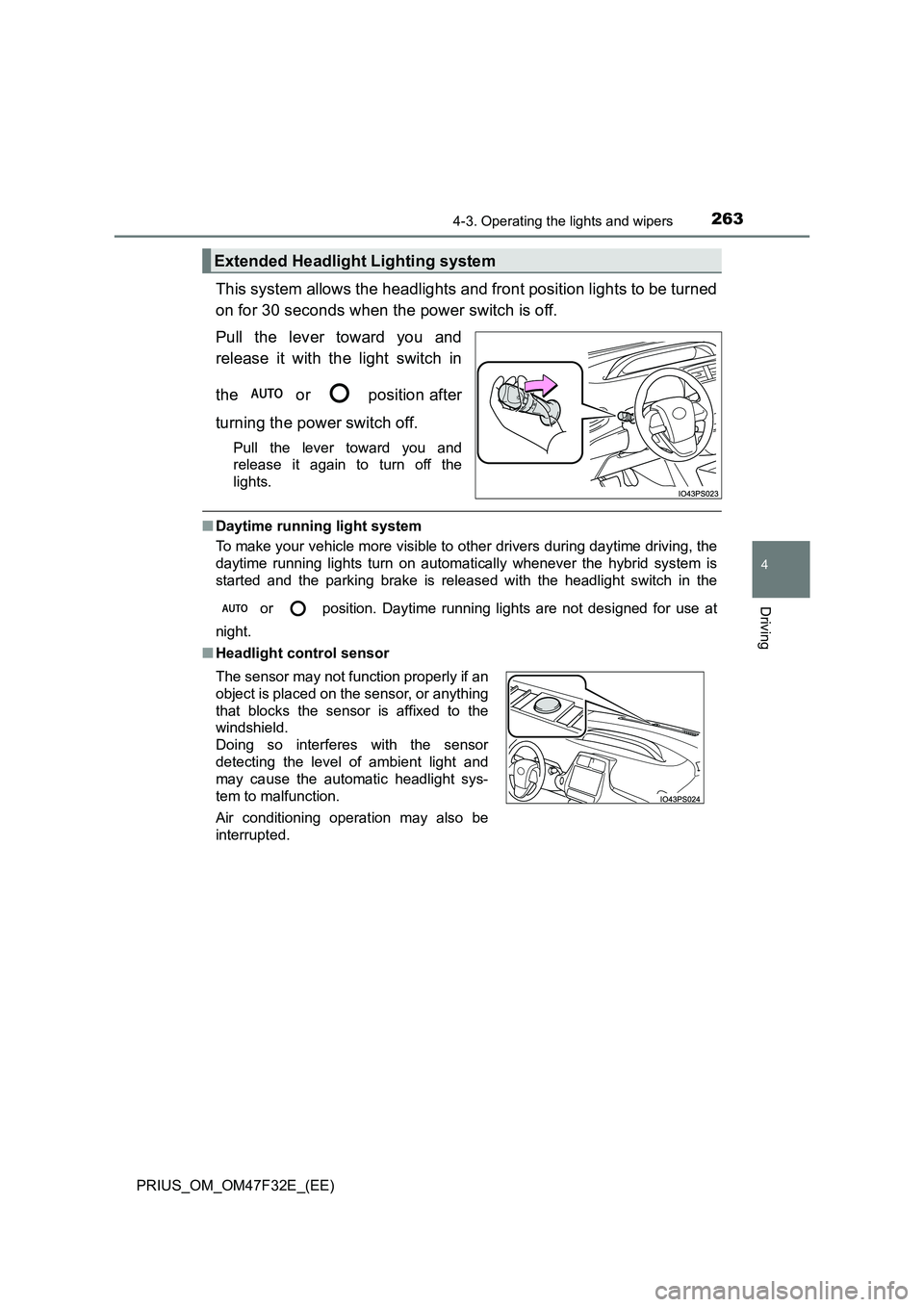
This system allows the headlights and front position lights to be turned
on for 30 seconds when the power switch is off.
Pull the lever toward you and
release it with the light switch in
the or position after
turning the power switch off.
Pull the lever toward you and
release it again to turn off the
lights.
■ Daytime running light system
To make your vehicle more visible to other drivers during daytime driving, the
daytime running lights turn on automatically whenever the hybrid system is
started and the parking brake is released with the headlight switch in the
or position. Daytime running lights are not designed for use at
night.
■ Headlight control sensor
Extended Headlight Lighting system
The sensor may not function properly if an
object is placed on the sensor, or anything
that blocks the sensor is affixed to the
windshield.
Doing so interferes with the sensor
detecting the level of ambient light and
may cause the automatic headlight sys-
tem to malfunction.
Air conditioning operation may also be
interrupted.
Page 271 of 770
2694-3. Operating the lights and wipers
4
Driving
PRIUS_OM_OM47F32E_(EE)●In the situations shown below, the system may not be able to accurately
detect surrounding brightness levels. This may cause the low beams to
remain on or the high beams to cause problems for pedestrians, vehicles
ahead or other parties. In these cases, manually switch between the high
and low beams.
• In bad weather (rain, snow, fog, sandstorms etc.)
• The windshield is obscured by fog, mist, ice, dirt etc.
• The windshield is cracked or damaged.
• The front camera is deformed or dirty.
• The front camera temperature is extremely high.
• Surrounding brightness levels are equal to those of headlights, tail lights
or fog lights.
• Vehicles ahead have headlights that are either switched off, dirty, are
changing color, or are not aimed properly.
• When driving through an area of intermittently changing brightness and
darkness.
• When frequently and repeatedly driving ascending/descending roads, or
roads with rough, bumpy or uneven surfaces (such as stone-paved
roads, gravel tracks etc.).
• When frequently and repeatedly taking curves or driving on a winding
road.
• There is a highly reflective object ahead of the vehicle, such as a sign or
a mirror.
• The back of a vehicle ahead is highly reflective, such as a container on a
truck.
• The vehicle’s headlights are damaged or dirty.
• The vehicle is listing or tilting, due to a flat tire, a trailer being towed etc.
• The high beam and low beam are repeatedly being switched between in
an abnormal manner.
• The driver believes that the high beam may be causing problems or dis-
tress to other drivers or pedestrians nearby.
■If “Headlight System Malfunction Visit Your Dealer” is displayed on the
multi-information display
The system may be malfunctioning. Have the vehicle inspected by any autho-
rized Toyota retailer or Toyota authorized repairer, or any reliable repairer.
Page 301 of 770
2994-5. Using the driving support systems
4
Driving
PRIUS_OM_OM47F32E_(EE)
WARNING
■When to disable the pre-collision system
In the following situations, disable the system, as it may not operate prop-
erly, possibly leading to an accident resulting in death or serious injury:
● When the vehicle is being towed
● When your vehicle is towing another vehicle
● When transporting the vehicle via truck, boat, train or similar means of
transportation
● When the vehicle is raised on a lift with the hybrid system on and the tires
are allowed to rotate freely
● When inspecting the vehicle using a drum tester such as a chassis
dynamometer or speedometer tester , or when using an on vehicle wheel
balancer
● When a strong impact is applied to the front bumper or front grille, due to
an accident or other reasons
● If the vehicle cannot be driven in a stable manner, such as when the vehi-
cle has been in an accident or is malfunctioning
● When the vehicle is driven in a sporty manner or off-road
● When the tires are not properly inflated
● When the tires are very worn
● When tires of a size other than specified are installed
● When tire chains are installed
● When a compact spare tire or an emergency tire puncture repair kit is used
● If equipment (snow plow, etc.) that may obstruct the radar sensor or front
camera is temporarily installed to the vehicle
Page 306 of 770
3044-5. Using the driving support systems
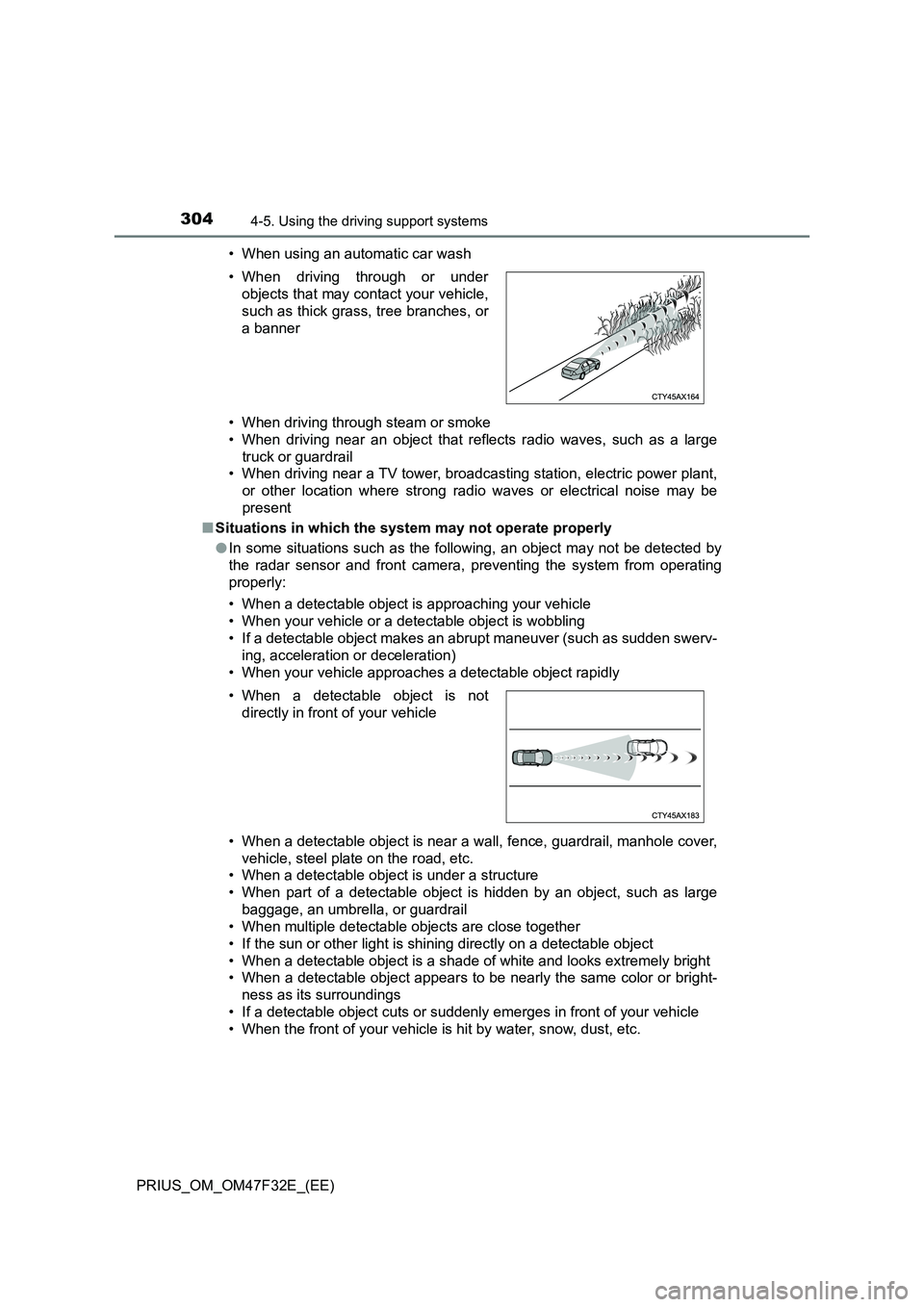
PRIUS_OM_OM47F32E_(EE)• When using an automatic car wash
• When driving through steam or smoke
• When driving near an object that reflects radio waves, such as a large
truck or guardrail
• When driving near a TV tower, broadcasting station, electric power plant,
or other location where strong radio waves or electrical noise may be
present
■Situations in which the system may not operate properly
●In some situations such as the following, an object may not be detected by
the radar sensor and front camera, preventing the system from operating
properly:
• When a detectable object is approaching your vehicle
• When your vehicle or a detectable object is wobbling
• If a detectable object makes an abrupt maneuver (such as sudden swerv-
ing, acceleration or deceleration)
• When your vehicle approaches a detectable object rapidly
• When a detectable object is near a wall, fence, guardrail, manhole cover,
vehicle, steel plate on the road, etc.
• When a detectable object is under a structure
• When part of a detectable object is hidden by an object, such as large
baggage, an umbrella, or guardrail
• When multiple detectable objects are close together
• If the sun or other light is shining directly on a detectable object
• When a detectable object is a shade of white and looks extremely bright
• When a detectable object appears to be nearly the same color or bright-
ness as its surroundings
• If a detectable object cuts or suddenly emerges in front of your vehicle
• When the front of your vehicle is hit by water, snow, dust, etc. • When driving through or under
objects that may contact your vehicle,
such as thick grass, tree branches, or
a banner
• When a detectable object is not
directly in front of your vehicle
Page 310 of 770
3084-5. Using the driving support systems
PRIUS_OM_OM47F32E_(EE)
WARNING
■Before using LTA system
● Do not rely solely upon the LTA system. The LTA system does not auto-
matically drive the vehicle or reduce the amount of attention that must be
paid to the area in front of the vehicle. The driver must always assume full
responsibility for driving safely by paying careful attention to the surround-
ing conditions and operating the steering wheel to correct the path of the
vehicle. Also, the driver must take adequate breaks when fatigued, such
as from driving for a long period of time.
● Failure to perform appropriate driving operations and pay careful attention
may lead to an accident, resulting in death or serious injury.
● When not using the LTA system, use the LTA switch to turn the system off.
■ Situations unsuitable for LTA system
In the following situations, use the LTA switch to turn the system off. Failure
to do so may lead to an accident, resulting in death or serious injury.
● Vehicle is driven on a road surface which is slippery due to rainy weather,
fallen snow, freezing, etc.
● Vehicle is driven on a snow-covered road.
● White (yellow) lines are difficult to see due to rain, snow, fog, dust, etc.
● Vehicle is driven in a temporary lane or restricted lane due to construction
work.
● Vehicle is driven in a construction zone.
● A spare tire, tire chains, etc. are equipped.
● When the tires have been excessively worn, or when the tire inflation pres-
sure is low.
● During emergency towing.
■ Preventing LTA system malfunctions and operations performed by
mistake
● Do not modify the headlights or place stickers, etc. on the surface of the
lights.
● Do not modify the suspension etc. If the suspension etc. needs to be
replaced, contact any authorized Toyota retailer or Toyota authorized
repairer, or any reliable repairer.
● Do not install or place anything on the hood or grille. Also, do not install a
grille guard (bull bars, kangaroo bar, etc.).
● If your windshield needs repairs, contact any authorized Toyota retailer or
Toyota authorized repairer, or any reliable repairer.
Page 334 of 770
3324-5. Using the driving support systems
PRIUS_OM_OM47F32E_(EE)
WARNING
■Situations unsuitable for dynamic radar cruise control with full-speed
range
Do not use dynamic radar cruise control with full-speed range in any of the
following situations.
Doing so may result in inappropriate speed control and could cause an acci-
dent resulting in death or serious injury.
● Roads where there are pedestrians, cyclists, etc.
● In heavy traffic
● On roads with sharp bends
● On winding roads
● On slippery roads, such as those covered with rain, ice or snow
● On steep downhills, or where there are sudden changes between sharp up
and down gradients
Vehicle speed may exceed the set speed when driving down a steep hill.
● At entrances to freeways and highways
● When weather conditions are bad enough that they may prevent the sen-
sors from detecting correctly (fog, snow, sandstorm, heavy rain, etc.)
● When there is rain, snow, etc. on the front surface of the radar or front
camera
● In traffic conditions that require frequent repeated acceleration and decel-
eration
● When your vehicle is towing a trailer* or during emergency towing
*: Vehicles that can tow a trailer: P. 233
● When an approach warning buzzer is heard often
Page 340 of 770
3384-5. Using the driving support systems
PRIUS_OM_OM47F32E_(EE)
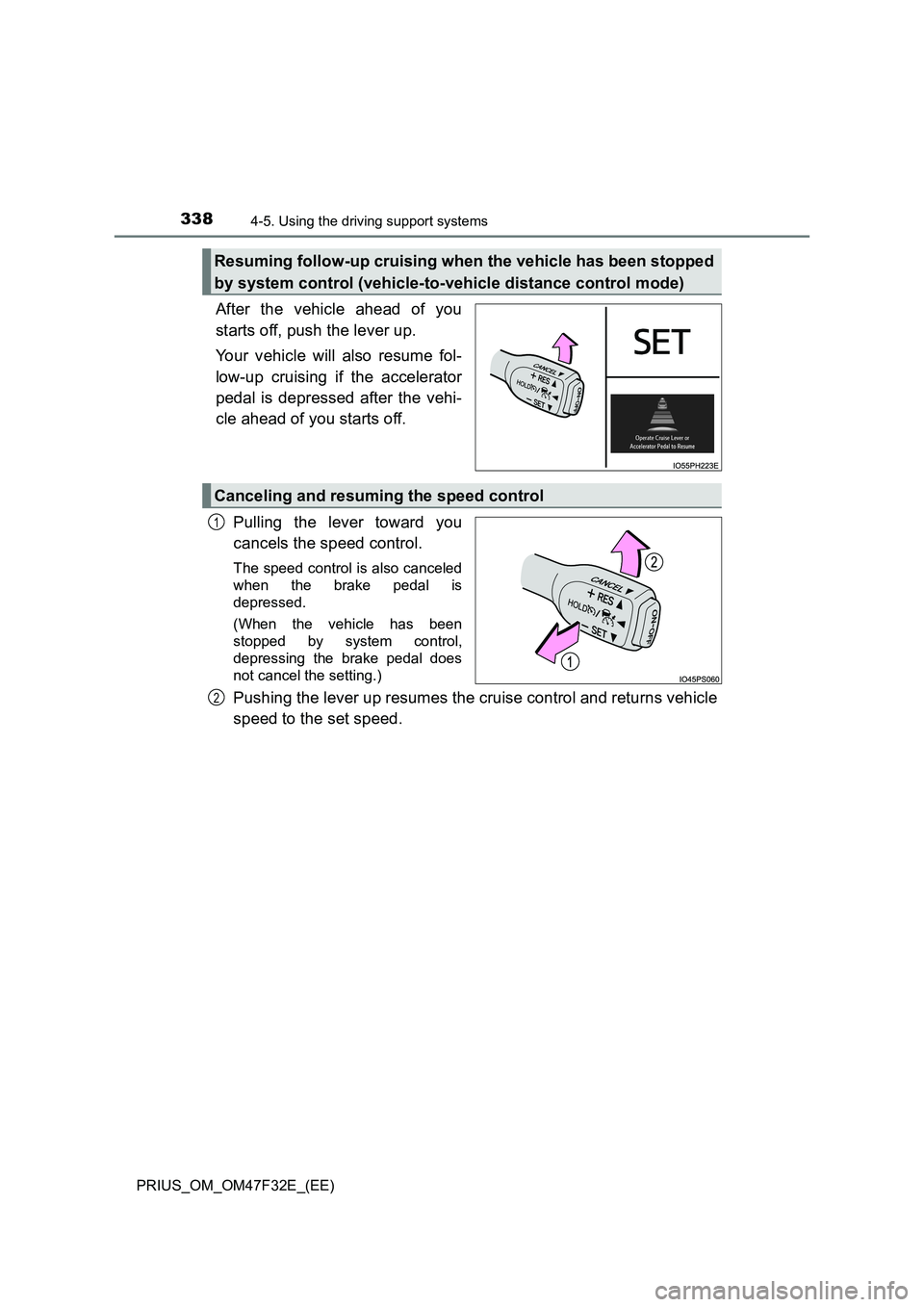
After the vehicle ahead of you
starts off, push the lever up.
Your vehicle will also resume fol-
low-up cruising if the accelerator
pedal is depressed after the vehi-
cle ahead of you starts off.
Pulling the lever toward you
cancels the speed control.
The speed control is also canceled
when the brake pedal is
depressed.
(When the vehicle has been
stopped by system control,
depressing the brake pedal does
not cancel the setting.)
Pushing the lever up resumes the cruise control and returns vehicle
speed to the set speed.
Resuming follow-up cruising when the vehicle has been stopped
by system control (vehicle-to-vehicle distance control mode)
Canceling and resuming the speed control
1
2
Page 350 of 770
3484-5. Using the driving support systems
PRIUS_OM_OM47F32E_(EE)
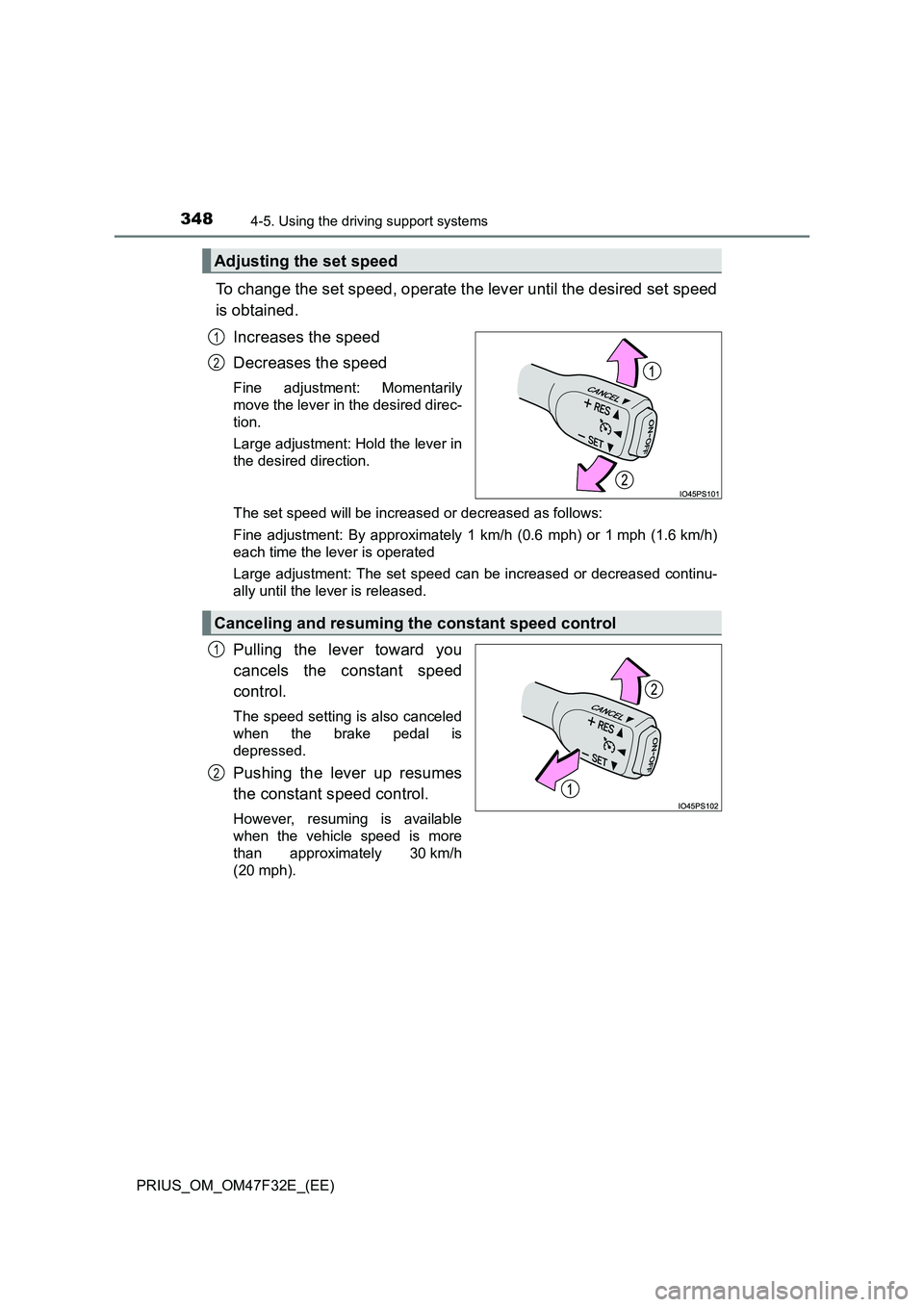
To change the set speed, operate the lever until the desired set speed
is obtained.
Increases the speed
Decreases the speed
Fine adjustment: Momentarily
move the lever in the desired direc-
tion.
Large adjustment: Hold the lever in
the desired direction.
The set speed will be increased or decreased as follows:
Fine adjustment: By approximately 1 km/h (0.6 mph) or 1 mph (1.6 km/h)
each time the lever is operated
Large adjustment: The set speed can be increased or decreased continu-
ally until the lever is released.
Pulling the lever toward you
cancels the constant speed
control.
The speed setting is also canceled
when the brake pedal is
depressed.
Pushing the lever up resumes
the constant speed control.
However, resuming is available
when the vehicle speed is more
than approximately 30 km/h
(20 mph).
Adjusting the set speed
1
2
Canceling and resuming the constant speed control
1
2
Page 352 of 770
3504-5. Using the driving support systems
PRIUS_OM_OM47F32E_(EE)
WARNING
■To avoid operating the cruise control by mistake
Switch the cruise control off using the “ON-OFF” button when not in use.
■ Situations unsuitable for cruise control
Do not use cruise control in any of the following situations.
Doing so may result in loss of control and could cause an accident resulting
in death or serious injury.
● Roads where there are pedestrians, cyclists, etc.
● In heavy traffic
● On roads with sharp bends
● On winding roads
● On slippery roads, such as those covered with rain, ice or snow
● On steep downhills
Vehicle speed may exceed the set speed when driving down a steep hill.
● When your vehicle is towing a trailer* or during emergency towing
*: Vehicles that can tow a trailer: P. 233
Page 356 of 770
3544-5. Using the driving support systems
PRIUS_OM_OM47F32E_(EE)
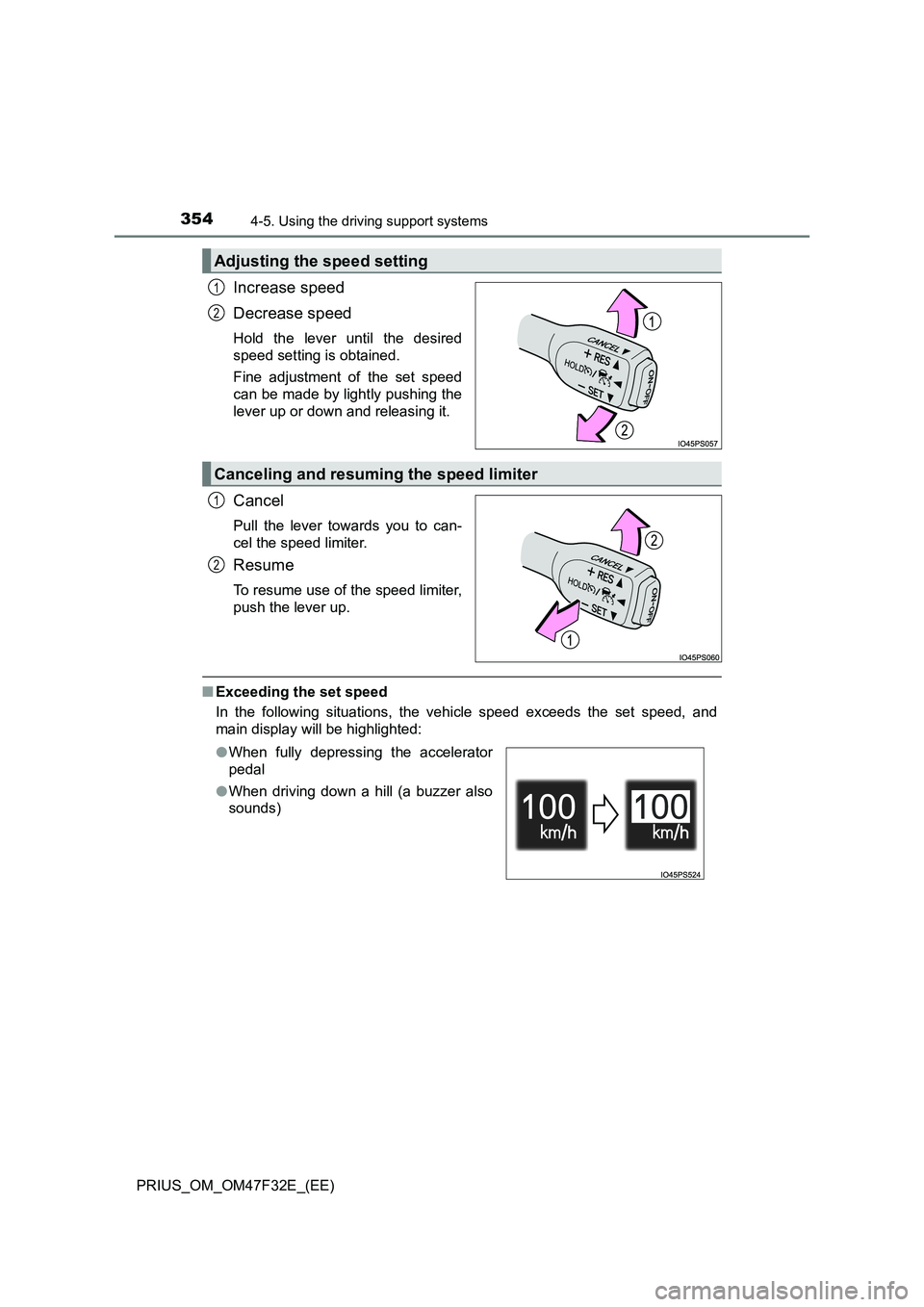
Increase speed
Decrease speed
Hold the lever until the desired
speed setting is obtained.
Fine adjustment of the set speed
can be made by lightly pushing the
lever up or down and releasing it.
Cancel
Pull the lever towards you to can-
cel the speed limiter.
Resume
To resume use of the speed limiter,
push the lever up.
■Exceeding the set speed
In the following situations, the vehicle speed exceeds the set speed, and
main display will be highlighted:
Adjusting the speed setting
1
2
Canceling and resuming the speed limiter
1
2
●When fully depressing the accelerator
pedal
●When driving down a hill (a buzzer also
sounds)