ad blue TOYOTA PRIUS C 2014 NHP10 / 1.G User Guide
[x] Cancel search | Manufacturer: TOYOTA, Model Year: 2014, Model line: PRIUS C, Model: TOYOTA PRIUS C 2014 NHP10 / 1.GPages: 563, PDF Size: 8.89 MB
Page 298 of 563
295
3-3. Using the Bluetooth® audio system
3
Interior features
Using the Bluetooth® audio/phone
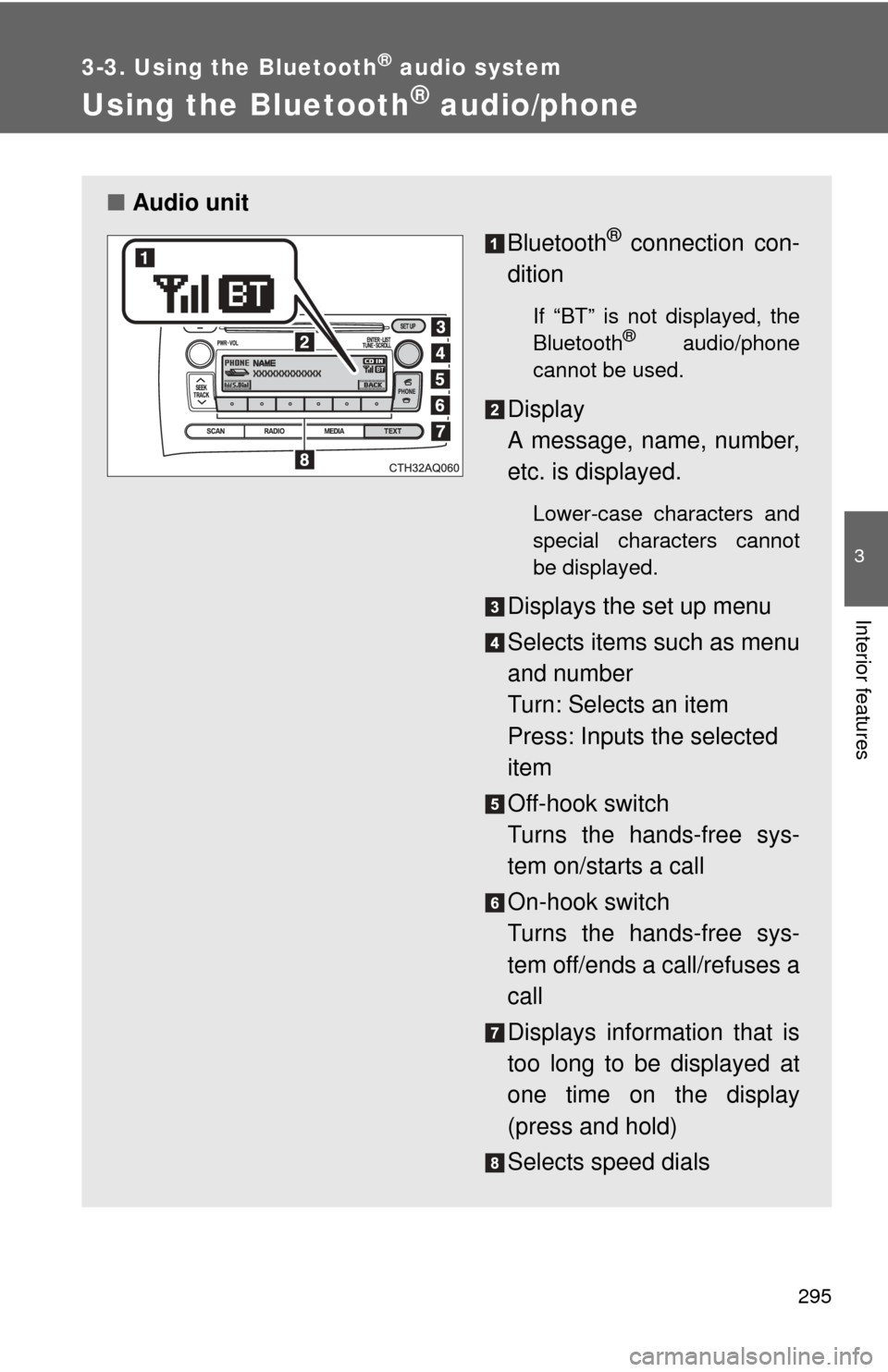
■Audio unit
Bluetooth
® connection con-
dition
If “BT” is not displayed, the
Bluetooth® audio/phone
cannot be used.
Display
A message, name, number,
etc. is displayed.
Lower-case characters and
special characters cannot
be displayed.
Displays the set up menu
Selects items such as menu
and number
Turn: Selects an item
Press: Inputs the selected
item
Off-hook switch
Turns the hands-free sys-
tem on/starts a call
On-hook switch
Turns the hands-free sys-
tem off/ends a call/refuses a
call
Displays information that is
too long to be displayed at
one time on the display
(press and hold)
Selects speed dials
Page 299 of 563
296 3-3. Using the Bluetooth
® audio system
■Audio switches
P. 288
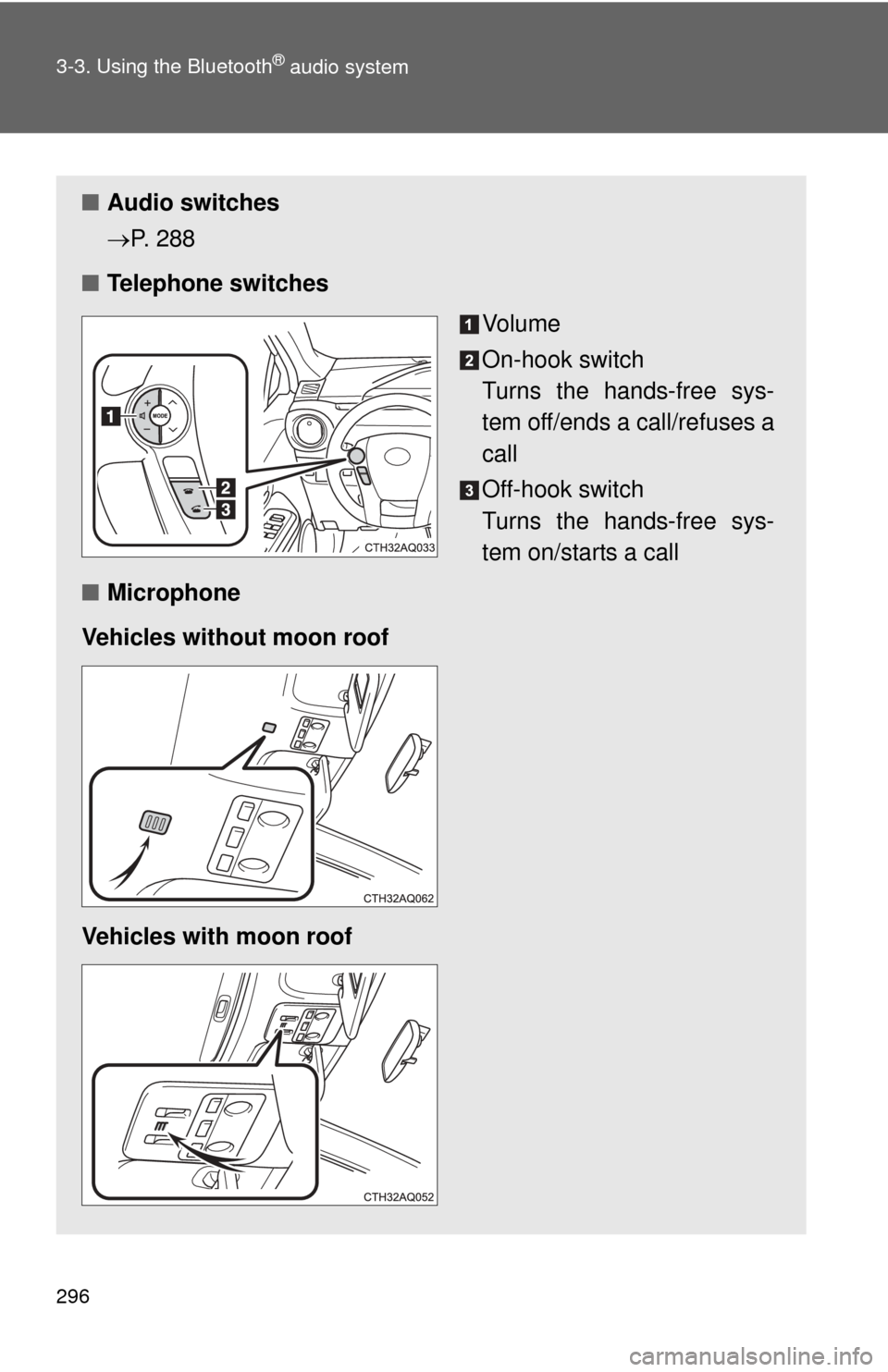
■ Telephone switches
Vo l u m e
On-hook switch
Turns the hands-free sys-
tem off/ends a call/refuses a
call
Off-hook switch
Turns the hands-free sys-
tem on/starts a call
■ Microphone
Vehicles without moon roof
Vehicles with moon roof
Page 300 of 563
297
3-3. Using the Bluetooth
® audio system
3
Interior features
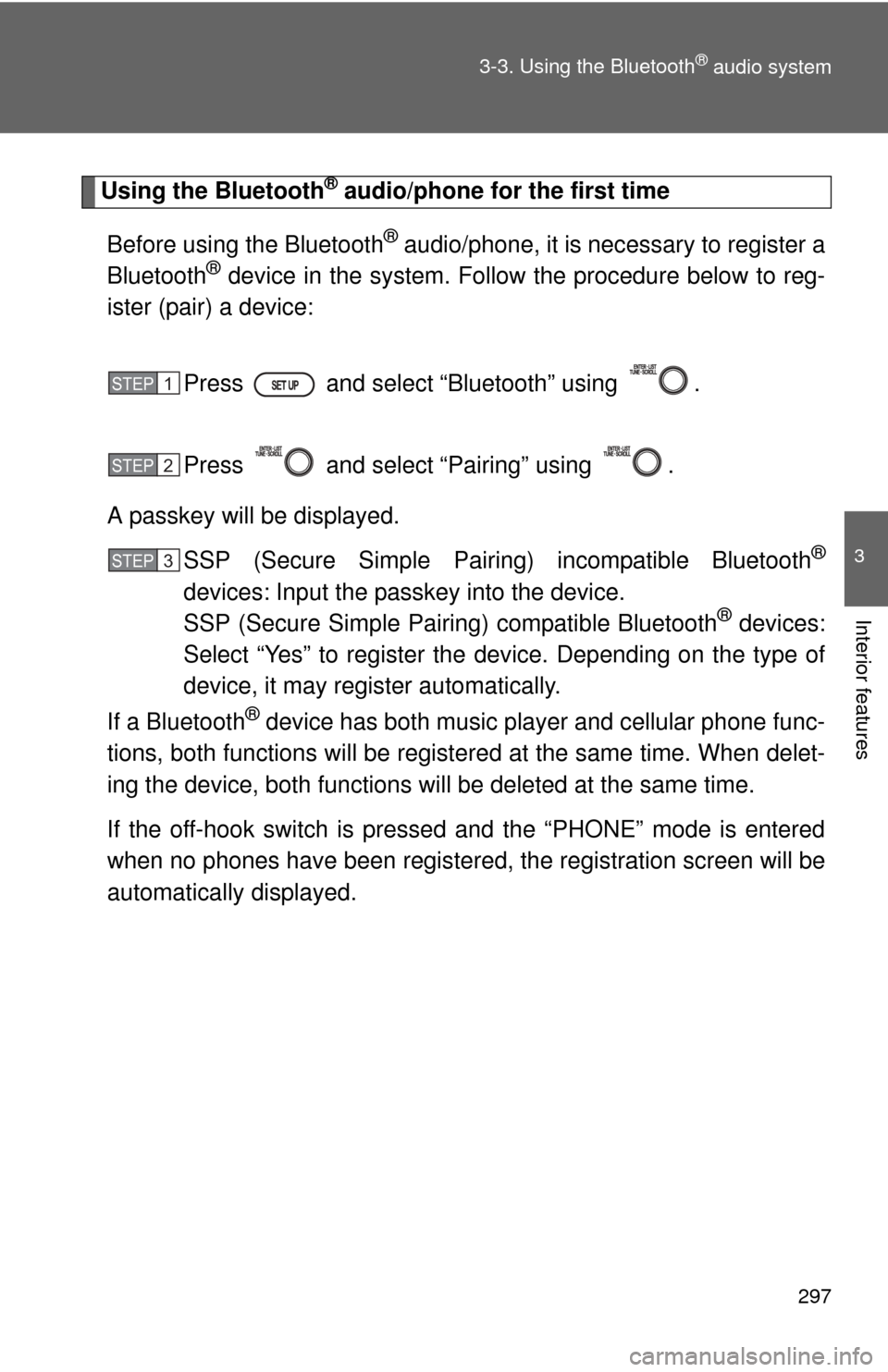
Using the Bluetooth® audio/phone for the first time
Before using the Bluetooth
® audio/phone, it is necessary to register a
Bluetooth® device in the system. Follow the procedure below to reg-
ister (pair) a device:
Press and select “Bluetooth” using .
Press and select “Pairing” using .
A passkey will be displayed. SSP (Secure Simple Pairin g) incompatible Bluetooth
®
devices: Input the passkey into the device.
SSP (Secure Simple Pairing) compatible Bluetooth® devices:
Select “Yes” to register the device. Depending on the type of
device, it may register automatically.
If a Bluetooth
® device has both music player and cellular phone func-
tions, both functions will be regist ered at the same time. When delet-
ing the device, both f unctions will be deleted at the same time.
If the off-hook switch is pressed and the “PHONE” mode is entered
when no phones have been registered, the re gistration screen will be
automatically displayed.
STEP1
STEP2
STEP3
Page 301 of 563
298 3-3. Using the Bluetooth
® audio system
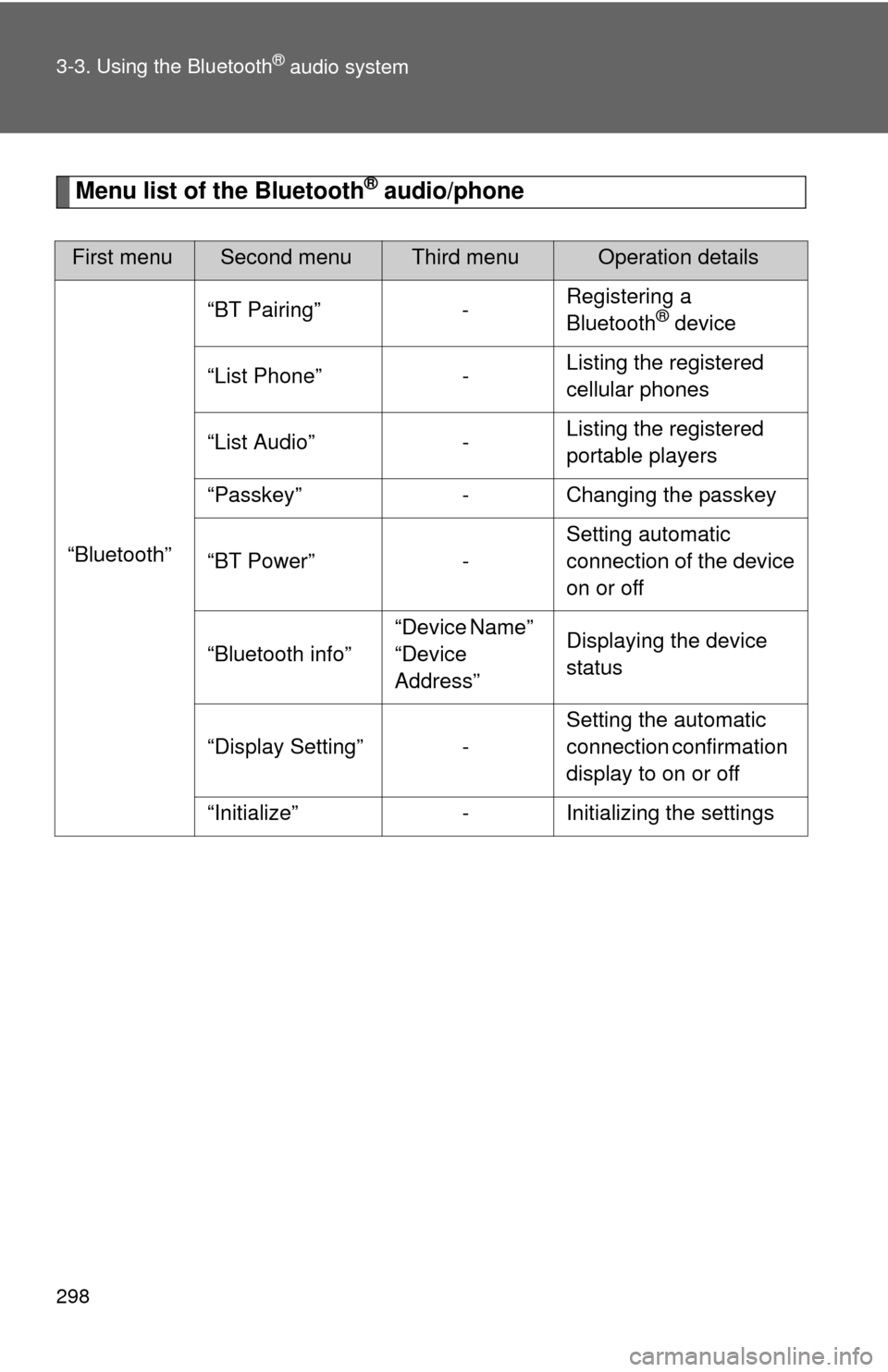
Menu list of the Bluetooth® audio/phone
First menuSecond menuThird menuOperation details
“Bluetooth” “BT Pairing” -
Registering a
Bluetooth
® device
“List Phone” - Listing the registered
cellular phones
“List Audio” - Listing the registered
portable players
“Passkey” - Changing the passkey
“BT Power” - Setting automatic
connection of the device
on or off
“Bluetooth info” “Device Name”
“Device
Address”Displaying the device
status
“Display Setting” - Setting the automatic
connection confirmation
display to on or off
“Initialize” - Initializing the settings
Page 302 of 563
299
3-3. Using the Bluetooth
® audio system
3
Interior features
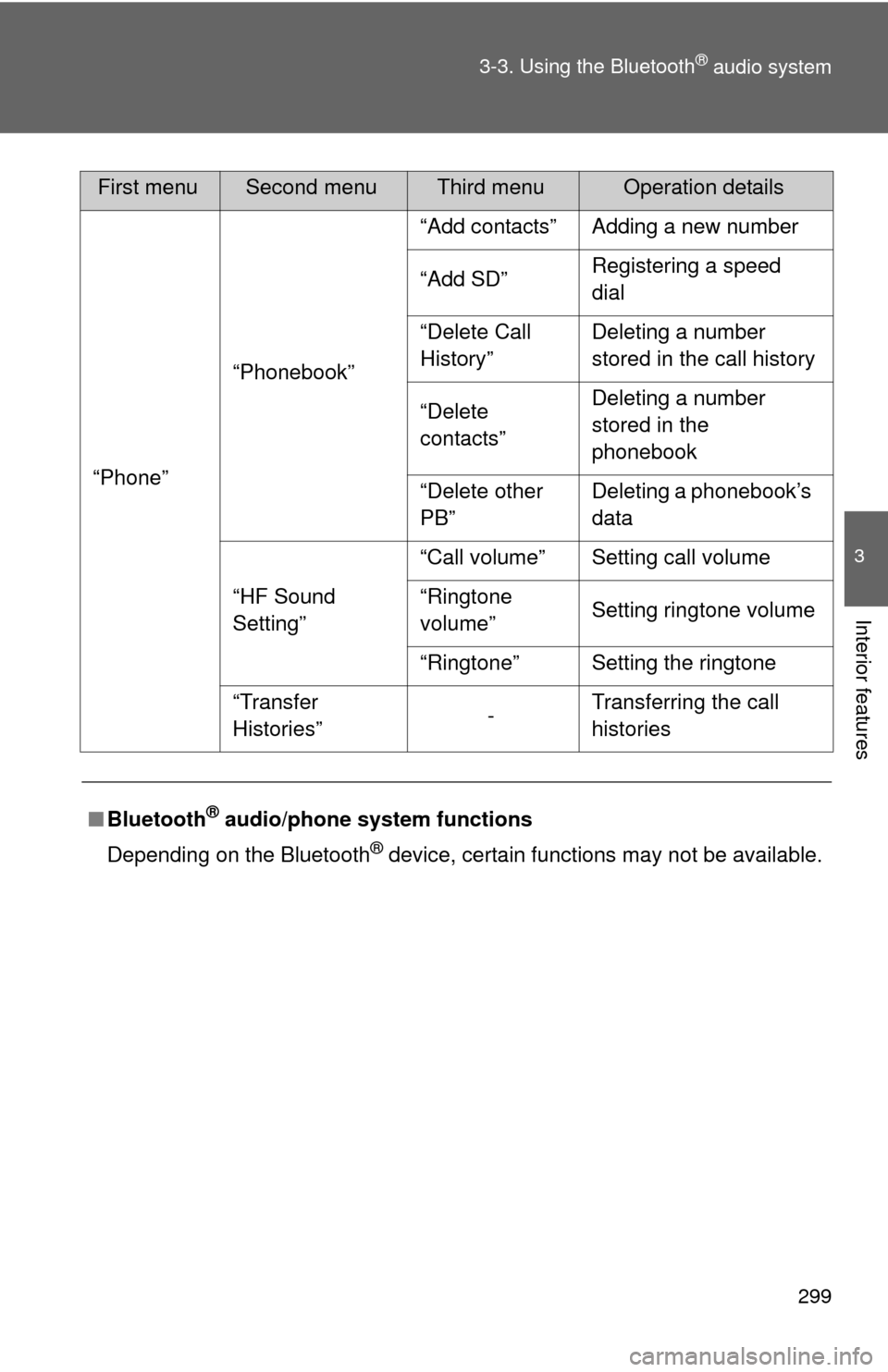
“Phone”
“Phonebook” “Add contacts” Adding a new number
“Add SD”
Registering a speed
dial
“Delete Call
History” Deleting a number
stored in the call history
“Delete
contacts” Deleting a number
stored in the
phonebook
“Delete other
PB” Deleting a phonebook’s
data
“HF Sound
Setting” “Call volume” Setting call volume
“Ringtone
volume”
Setting ringtone volume
“Ringtone” Setting the ringtone
“Transfer
Histories” -Transferring the call
histories
■ Bluetooth
® audio/phone system functions
Depending on the Bluetooth
® device, certain functions may not be available.
First menuSecond menuThird menuOperation details
Page 303 of 563
300
3-3. Using the Bluetooth® audio system
Operating a Bluetooth® enabled por table player
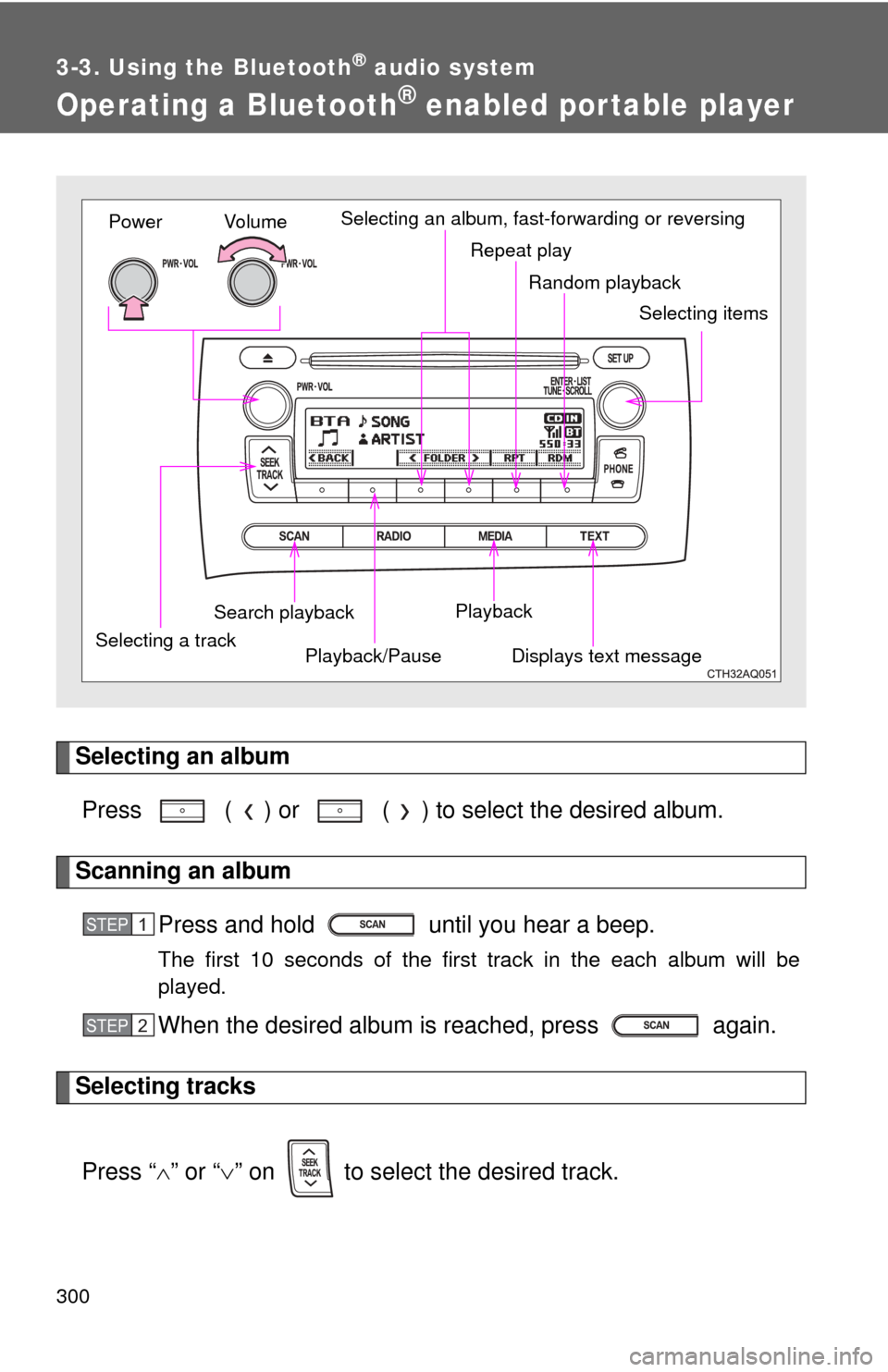
Selecting an albumPress ( ) or ( ) to select the desired album.
Scanning an album Press and hold until you hear a beep.
The first 10 seconds of the first track in the each album will be
played.
When the desired album is reached, press again.
Selecting tracks
Press “ ” or “ ” on to select the desired track.
Random playback
Repeat play
Playback
Playback/PauseDisplays text message
Vo lu m e
Power
Selecting a track Selecting itemsSelecting an album, fast-forwarding or reversing
Search playback
STEP1
STEP2
Page 304 of 563
301
3-3. Using the Bluetooth
® audio system
3
Interior features
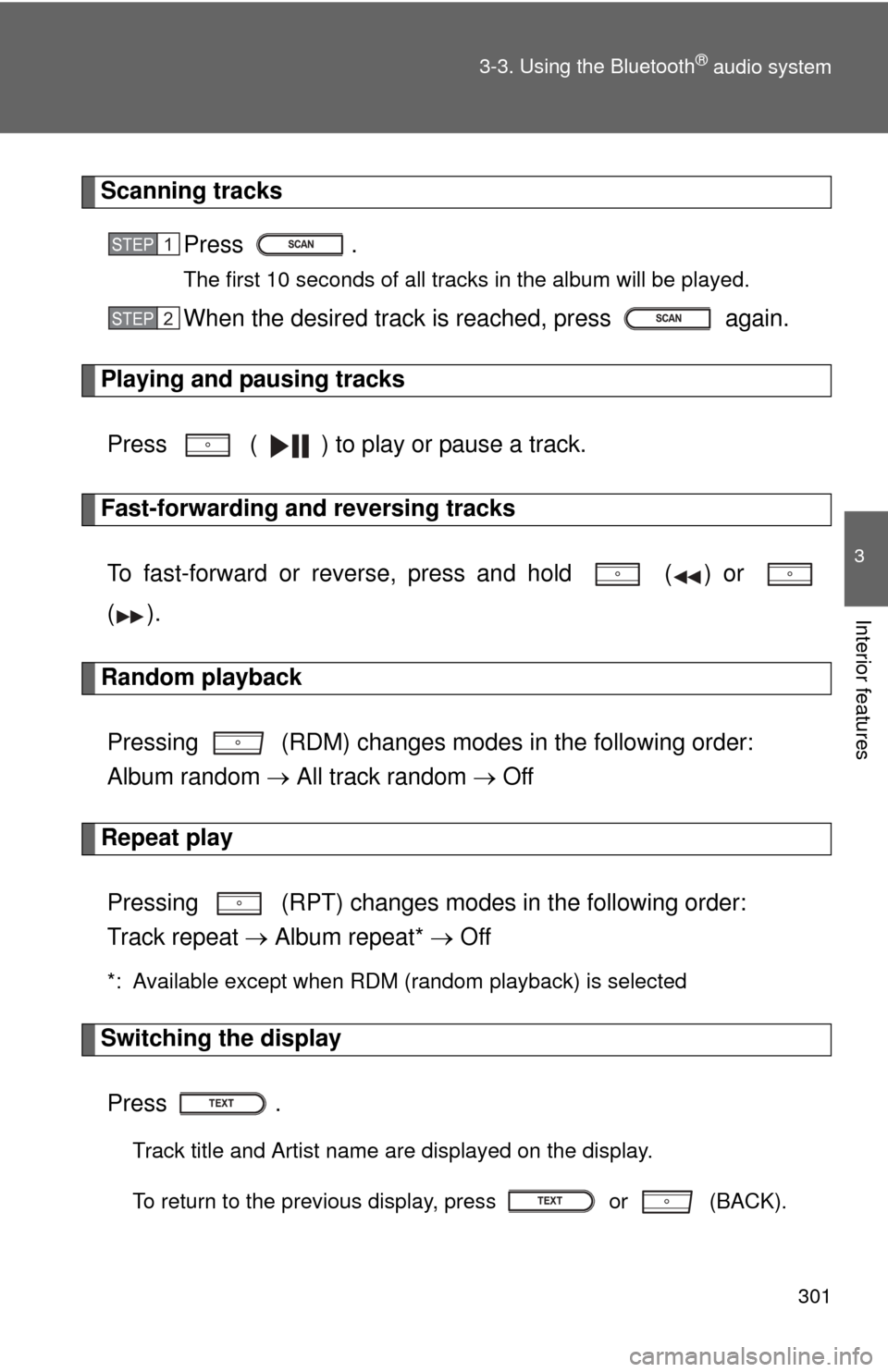
Scanning tracks
Press .
The first 10 seconds of all tracks in the album will be played.
When the desired track is reached, press again.
Playing and pausing tracks
Press ( ) to play or pause a track.
Fast-forwarding and reversing tracksTo fast-forward or reverse, press and hold ( ) or
().
Random playback
Pressing (RDM) changes modes in the following order:
Album random All track random Off
Repeat play
Pressing (RPT) changes modes in the following order:
Track repeat Album repeat* Off
*: Available except when RDM (random playback) is selected
Switching the display
Press .
Track title and Artist name are displayed on the display.
To return to the previous display, press or (BACK).
STEP1
STEP2
Page 305 of 563

302 3-3. Using the Bluetooth
® audio system
■Bluetooth® audio system functions
Depending on the portable player that is connected to the system, certain
functions may not be available.
Page 306 of 563
303
3-3. Using the Bluetooth® audio system
3
Interior features
Making a phone call
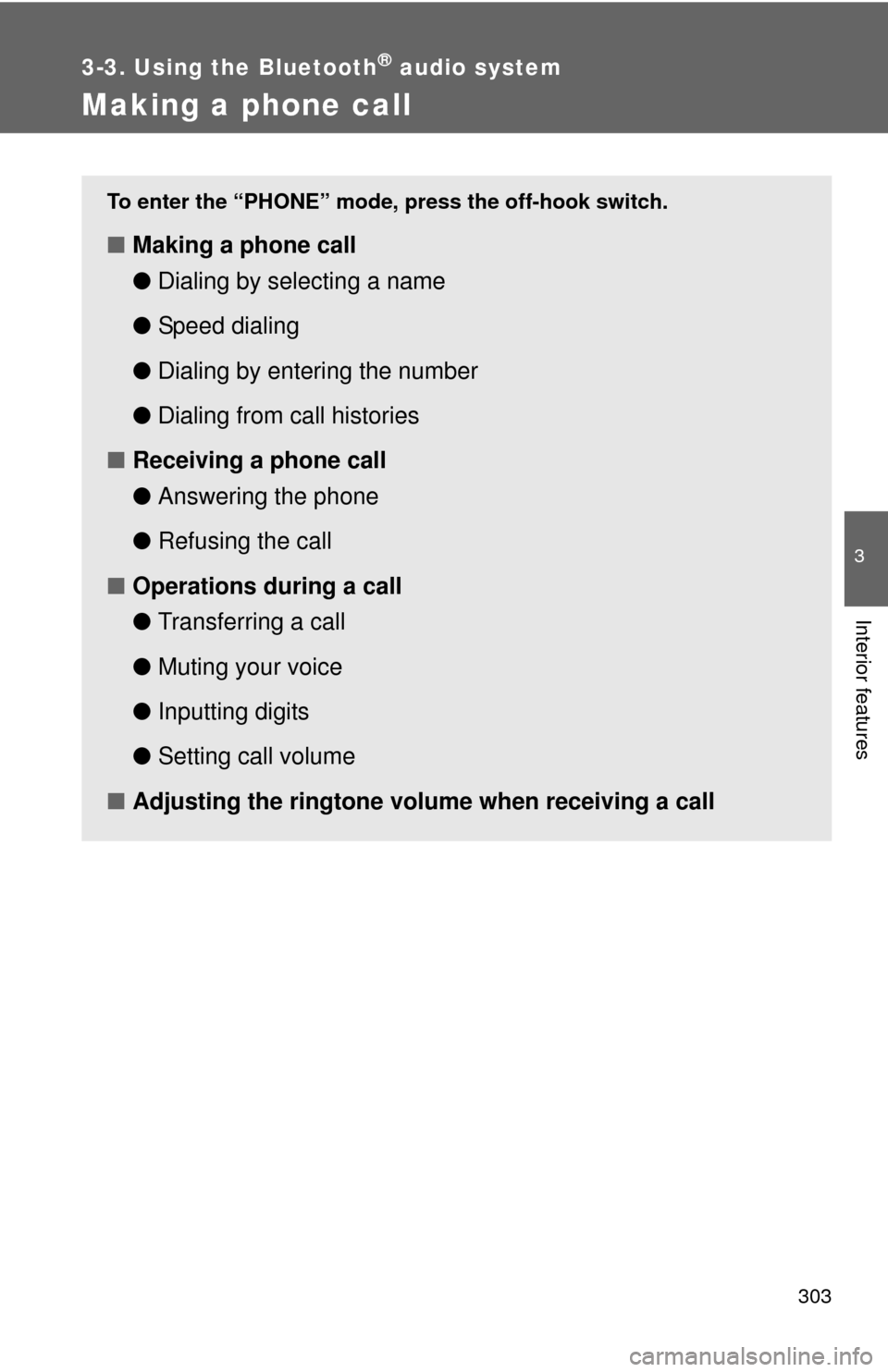
To enter the “PHONE” mode, press the off-hook switch.
■Making a phone call
●Dialing by selecting a name
● Speed dialing
● Dialing by entering the number
● Dialing from call histories
■ Receiving a phone call
●Answering the phone
● Refusing the call
■ Operations during a call
●Transferring a call
● Muting your voice
● Inputting digits
● Setting call volume
■ Adjusting the ringtone volume when receiving a call
Page 307 of 563
304 3-3. Using the Bluetooth
® audio system
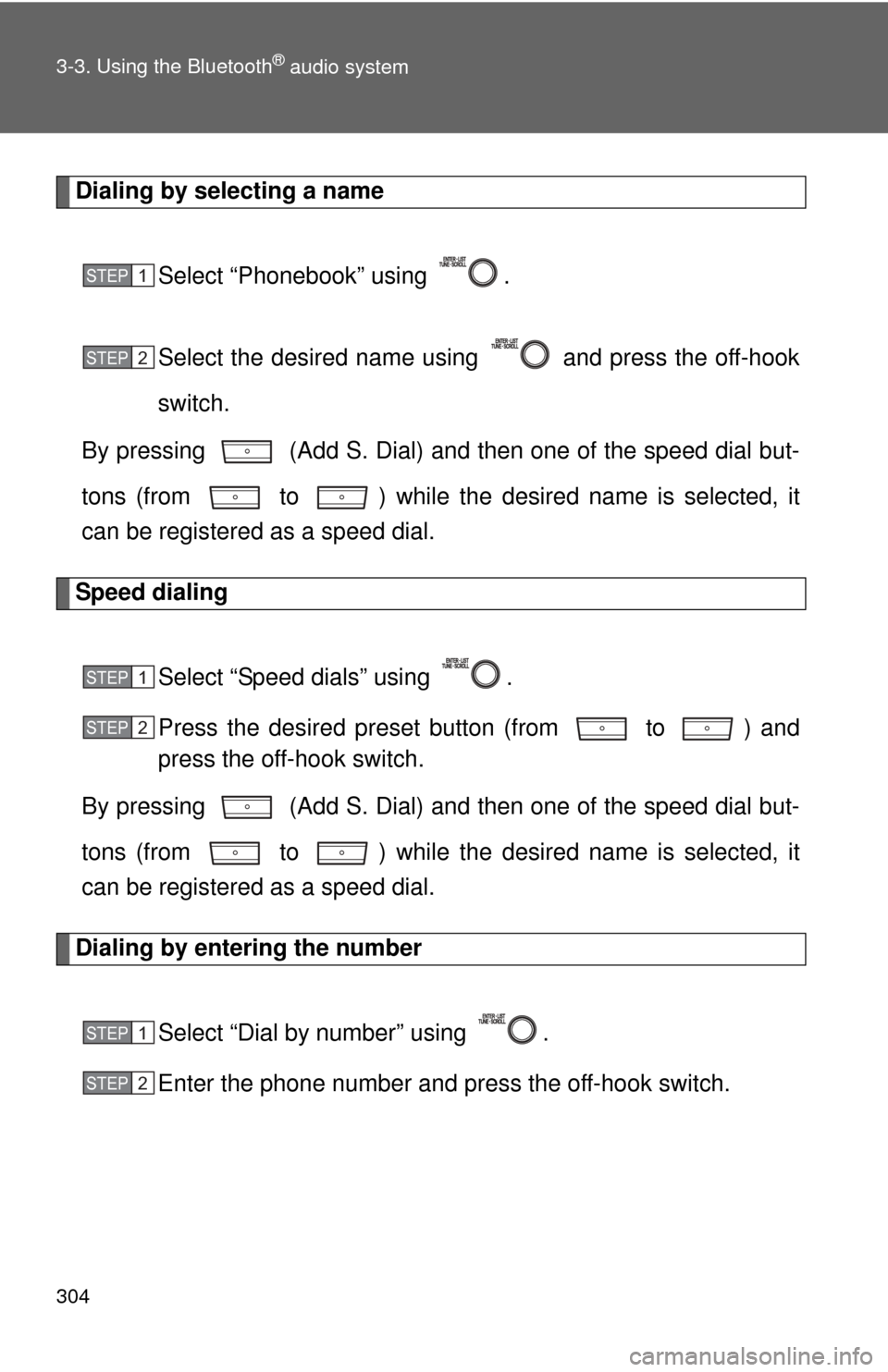
Dialing by selecting a nameSelect “Phonebook” using .
Select the desired name using and press the off-hook
switch.
By pressing (Add S. Dial) and then one of the speed dial but-
tons (from to ) while the desired name is selected, it
can be registered as a speed dial.
Speed dialing
Select “Speed dials” using .
Press the desired preset button (from to ) and
press the off-hook switch.
By pressing (Add S. Dial) and then one of the speed dial but-
tons (from to ) while the desired name is selected, it
can be registered as a speed dial.
Dialing by entering the number
Select “Dial by number” using .
Enter the phone number and press the off-hook switch.
STEP1
STEP2
STEP1
STEP2
STEP1
STEP2