lights TOYOTA PRIUS C 2020 Service Manual
[x] Cancel search | Manufacturer: TOYOTA, Model Year: 2020, Model line: PRIUS C, Model: TOYOTA PRIUS C 2020Pages: 600, PDF Size: 12.02 MB
Page 250 of 600

2504-5. Toyota Safety Sense C
PRIUS c_U■
Temporarily lowering sensor sensitivity
The sensitivity of the sensor can be temporarily lowered.
Vehicles without a smart key system: Turn the power switch off while the
following conditions are met.
Vehicles with a smart key system: Turn the power switch off whi le the fol-
lowing conditions are met
• The headlight switch is in .
• The headlight switch lever is in high beam position.
• Automatic High Beam switch is on.
Vehicles without a smart key system: Turn the power switch to t he “ON”
position.
Vehicles with a smart key system: Turn the power switch to ON m ode.
Within 60 seconds after , repeat pulling the headlight switch l ever to the
original position then pushing it to the high beam position qui ckly 10 times,
then leave the lever in high beam position.
If the sensitivity is changed, the Automatic High Beam indicato r is turn on
and off 3 times.
Automatic High Beam (headlights) may turn on even the vehicle i s stopped.
1
2
32
4
Page 262 of 600
2624-6. Using the driving support systems
PRIUS c_U■
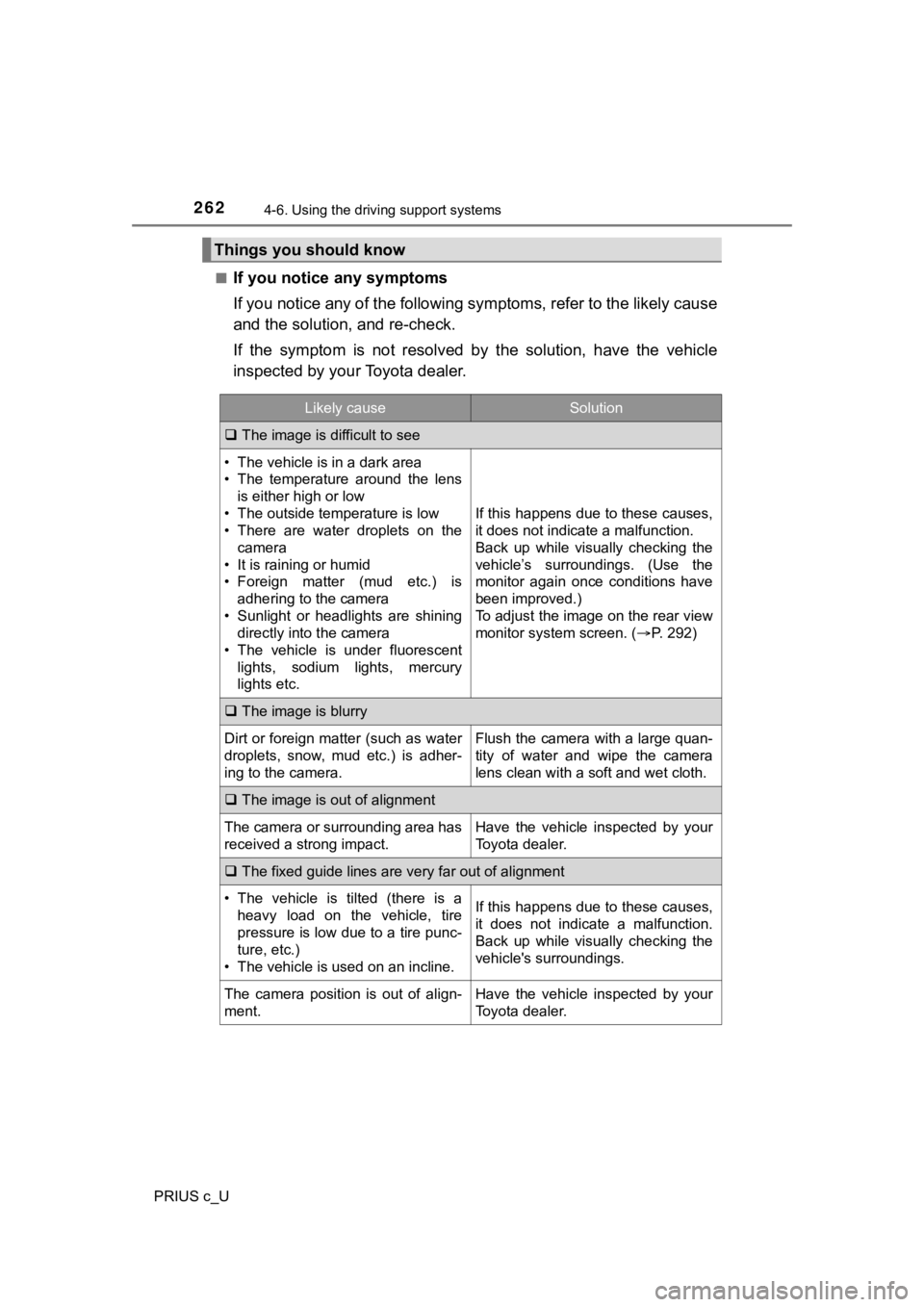
If you notice any symptoms
If you notice any of the followi
ng symptoms, refer to the likel y cause
and the solution, and re-check.
If the symptom is not resolved by the solution, have the vehicl e
inspected by your Toyota dealer.
Things you should know
Likely causeSolution
The image is difficult to see
• The vehicle is in a dark area
• The temperature around the lens
is either high or low
• The outside temperature is low
• There are water droplets on the camera
• It is raining or humid
• Foreign matter (mud etc.) is adhering to the camera
• Sunlight or headlights are shining directly into the camera
• The vehicle is under fluorescent
lights, sodium lights, mercury
lights etc.
If this happens due to these causes,
it does not indicate a malfunction.
Back up while visually checking the
vehicle’s surroundings. (Use the
monitor again once conditions have
been improved.)
To adjust the image on the rear view
monitor system screen. ( P. 292)
The image is blurry
Dirt or foreign matter (such as water
droplets, snow, mud etc.) is adher-
ing to the camera.Flush the camera with a large quan-
tity of water and wipe the camera
lens clean with a soft and wet cloth.
The image is out of alignment
The camera or surrounding area has
received a strong impact.Have the vehicle inspected by your
Toyota dealer.
The fixed guide lines are very far out of alignment
• The vehicle is tilted (there is a
heavy load on the vehicle, tire
pressure is low due to a tire punc-
ture, etc.)
• The vehicle is used on an incline.If this happens due to these causes,
it does not indicate a malfunction.
Back up while visually checking the
vehicle's surroundings.
The camera position is out of align-
ment.Have the vehicle inspected by your
Toyota dealer.
Page 272 of 600

2724-7. Driving tips
PRIUS c_U
◆Delays
Repeated acceleration and deceleration, as well as long waits at
traffic lights, will lead to bad fuel economy. Check traffic re ports
before leaving and avoid delays as much as possible. When drivi ng
in a traffic jam, gently release the brake pedal to allow the v ehicle to
move forward slightly while avoiding overuse of the accelerator
pedal. Doing so can help control excessive gasoline consumption.
◆Highway driving
Control and maintain the vehicle at a constant speed. Before st op-
ping at a toll booth or similar, allow plenty of time to releas e the
accelerator and gently apply the brakes. A greater amount of el ec-
trical energy can be regenerated when slowing down.
◆Air conditioning
Use the air conditioning only when necessary. Doing so can help
reduce excessive gasoline consumption.
In summer: When the ambient tempe rature is high, use the recircu-
lated air mode. Doing so will help to reduce the burden on the air
conditioning system and reduce fuel consumption as well.
In winter: Because the gasolin e engine will not automatically cut out
until it and the interior of the vehicle are warm, it will cons ume fuel.
Also, fuel consumption can be improved by avoiding overuse of t he
heater.
◆Checking tire inflation pressure
Make sure to check the tire inflation pressure frequently. Impr oper
tire inflation pressure can cause poor fuel economy.
Also, as snow tires can cause large amounts of friction, their use on
dry roads can lead to poor fuel economy. Use tires that are app ro-
priate for the season.
◆Luggage
Carrying heavy luggage will lead to poor fuel economy. Avoid carry-
ing unnecessary luggage. Installing a large roof rack will also cause
poor fuel economy.
Page 274 of 600
2744-7. Driving tips
PRIUS c_U
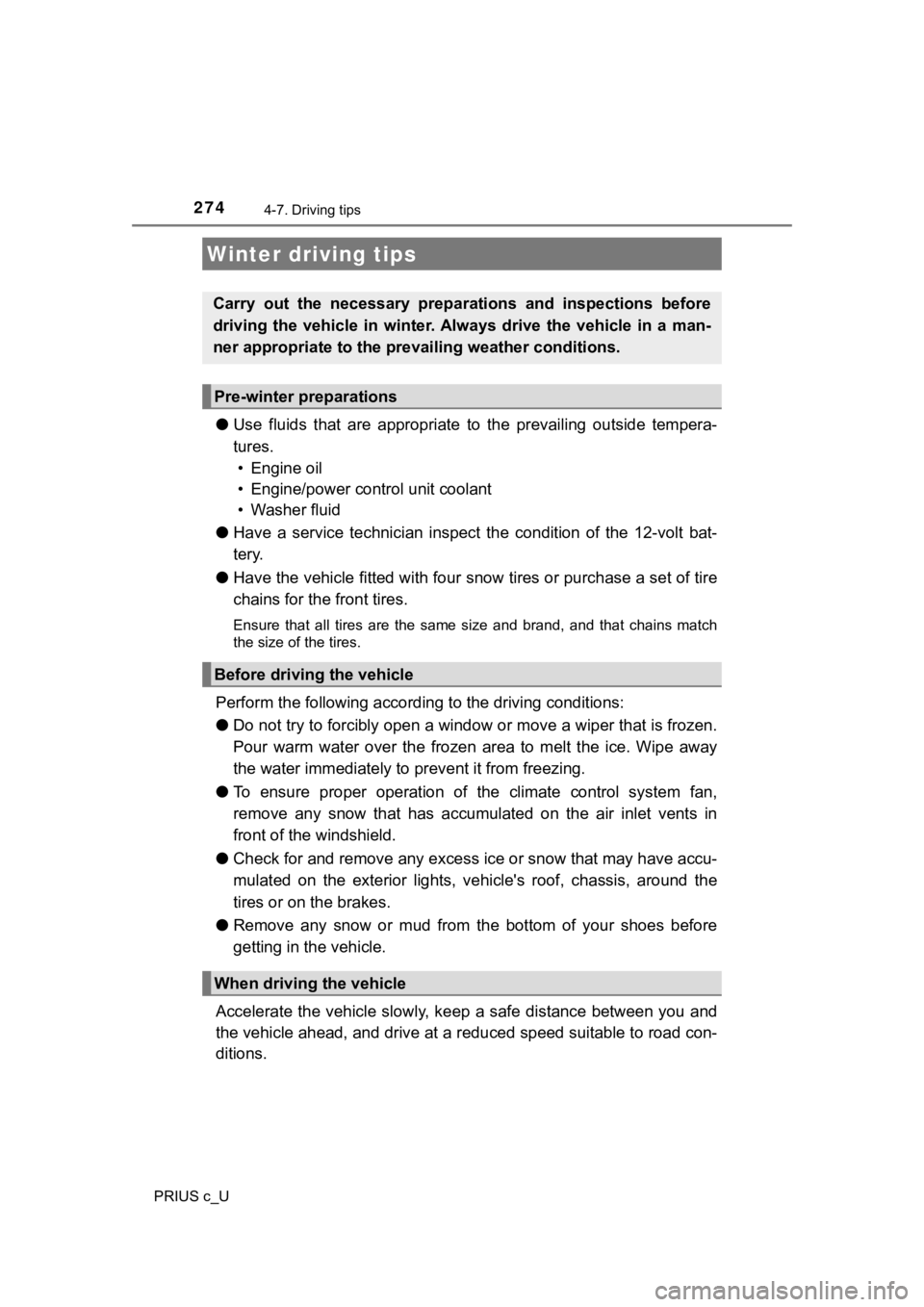
●Use fluids that are appropriate t o the prevailing outside tempera-
tures. • Engine oil
• Engine/power control unit coolant
• Washer fluid
● Have a service technician inspect the condition of the 12-volt bat-
tery.
● Have the vehicle fitted with four snow tires or purchase a set of tire
chains for the front tires.
Ensure that all tires are the same size and brand, and that cha ins match
the size of the tires.
Perform the following according to the driving conditions:
● Do not try to forcibly open a window or move a wiper that is fr ozen.
Pour warm water over the frozen area to melt the ice. Wipe away
the water immediately to p revent it from freezing.
● To ensure proper operation of the climate control system fan,
remove any snow that has accumulated on the air inlet vents in
front of the windshield.
● Check for and remove any excess ic e or snow that may have accu-
mulated on the exterior lights, vehicle's roof, chassis, around the
tires or on the brakes.
● Remove any snow or mud from the bottom of your shoes before
getting in the vehicle.
Accelerate the vehicle slowly, keep a safe distance between you and
the vehicle ahead, and drive at a reduced speed suitable to roa d con-
ditions.
Winter driving tips
Carry out the necessary preparations and inspections before
driving the vehicle in winter. Always drive the vehicle in a ma n-
ner appropriate to the prevailing weather conditions.
Pre-winter preparations
Before driving the vehicle
When driving the vehicle
Page 292 of 600
2925-3. Setup (Multimedia system)
PRIUS c_U
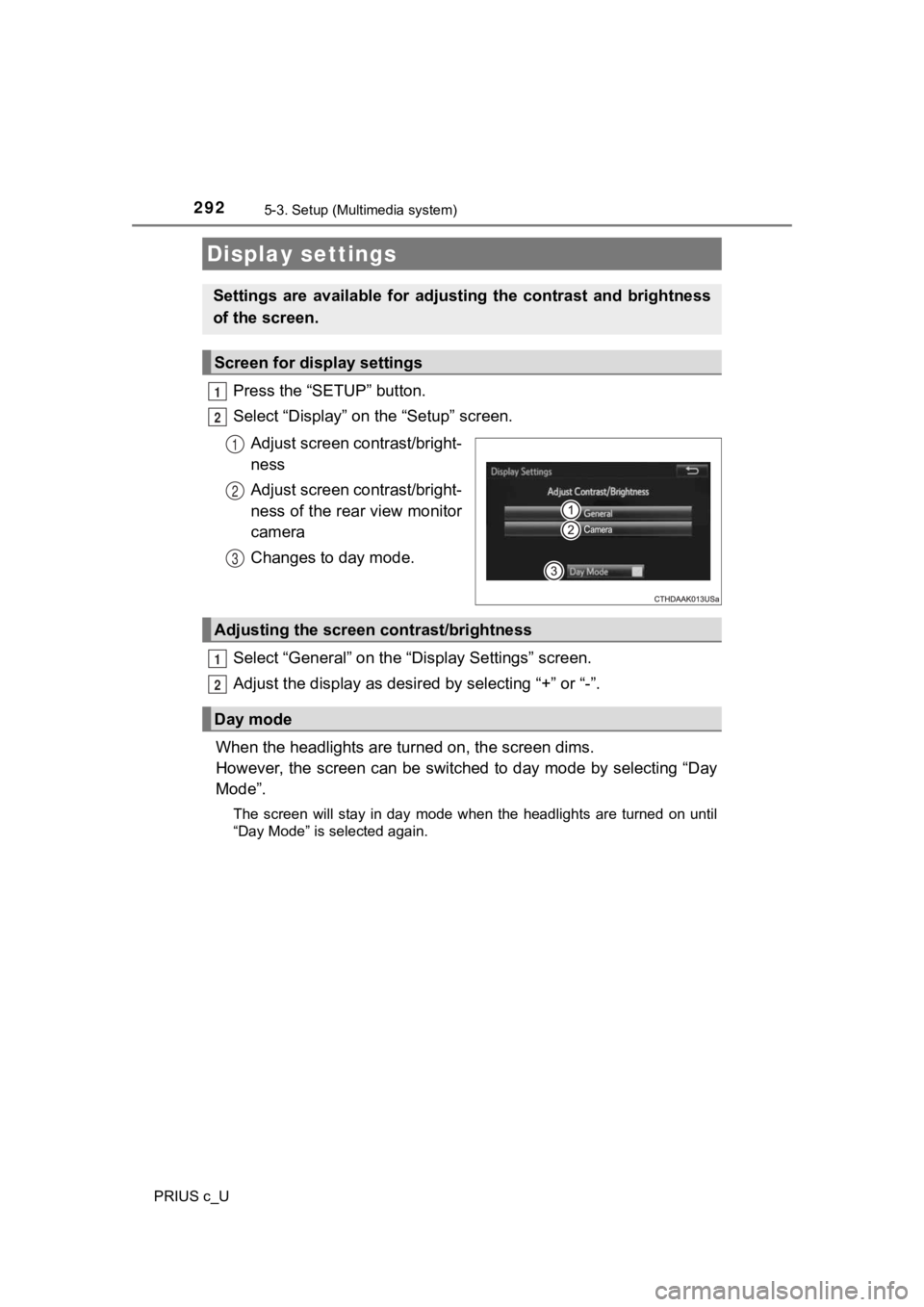
Press the “SETUP” button.
Select “Display” on the “Setup” screen.Adjust screen contrast/bright-
ness
Adjust screen contrast/bright-
ness of the rear view monitor
camera
Changes to day mode.
Select “General” on the “D isplay Settings” screen.
Adjust the display as desir ed by selecting “+” or “-”.
When the headlights are tur ned on, the screen dims.
However, the screen can be switched to day mode by selecting “D ay
Mode”.
The screen will stay in day mode when the headlights are turned on until
“Day Mode” is selected again.
Display settings
Settings are available for adjus ting the contrast and brightness
of the screen.
Screen for display settings
1
2
1
2
3
Adjusting the screen contrast/brightness
Day mode
1
2
Page 375 of 600

375
6Interior features
PRIUS c_U6-1. Using the air
conditioning system
and defogger
Automatic air conditioning system ........ 376
Seat heaters...................... 384
6-2. Using the interior lights Interior lights list ................ 385
• Interior lights ................. 386
• Personal lights .............. 386
6-3. Using the storage features
List of storage features ..... 388
• Glove box...................... 389
• Console box .................. 389
• Auxiliary boxes.............. 390
• Cup holders .................. 391
• Bottle holders ................ 392
6-4. Other interior features Other interior features ....... 393
• Sun visors ..................... 393
• Vanity mirrors................ 393
• Power outlet .................. 394
• Coat hooks.................... 395
• Assist grips ................... 396
• Luggage cover .............. 397
Page 385 of 600
385
6
Interior features
PRIUS c_U
6-2. Using the interior lights
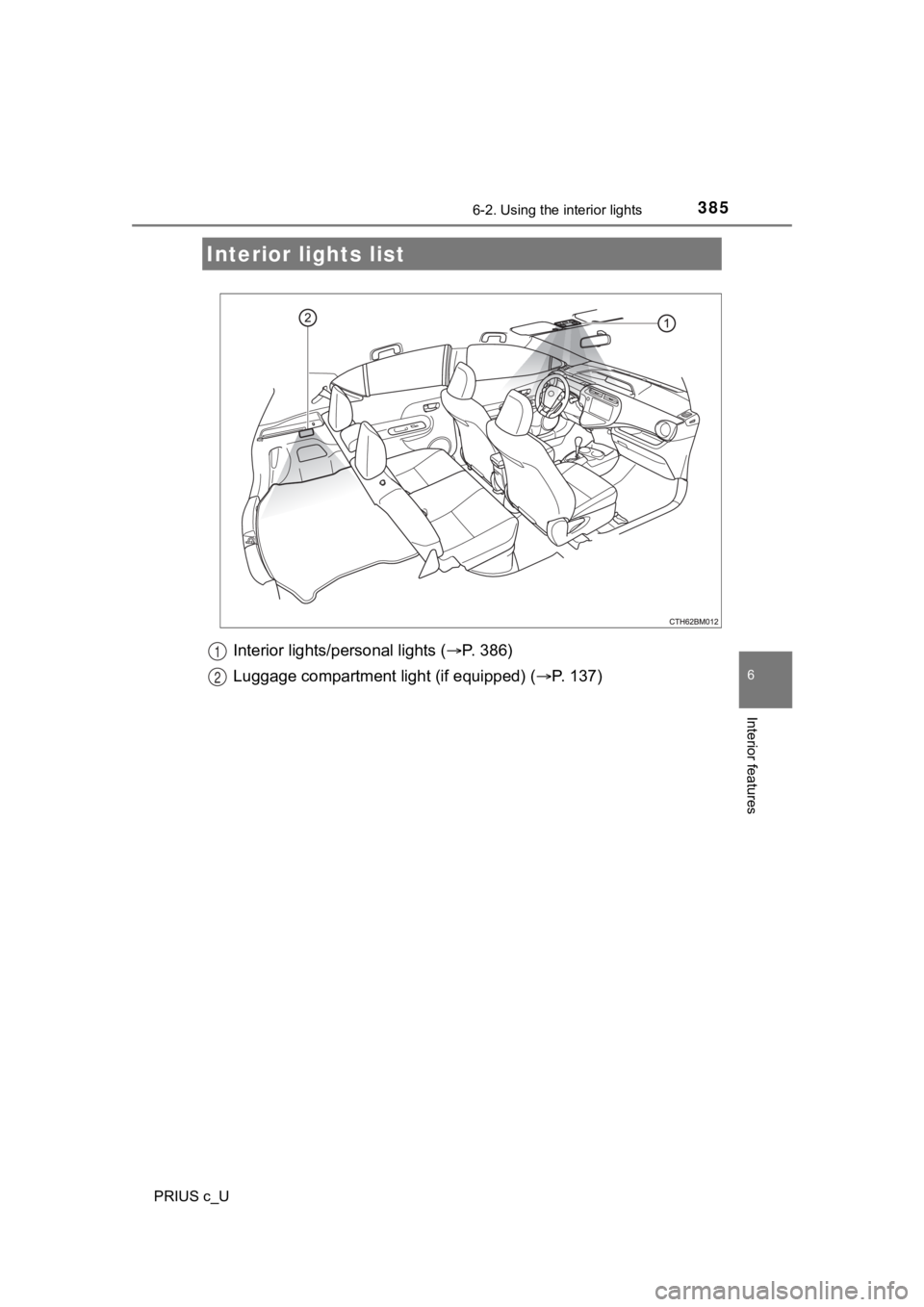
Interior lights/personal lights (P. 386)
Luggage compartment light (if equipped) ( P. 137)
Interior lights list
1
2
Page 386 of 600
3866-2. Using the interior lights
PRIUS c_U
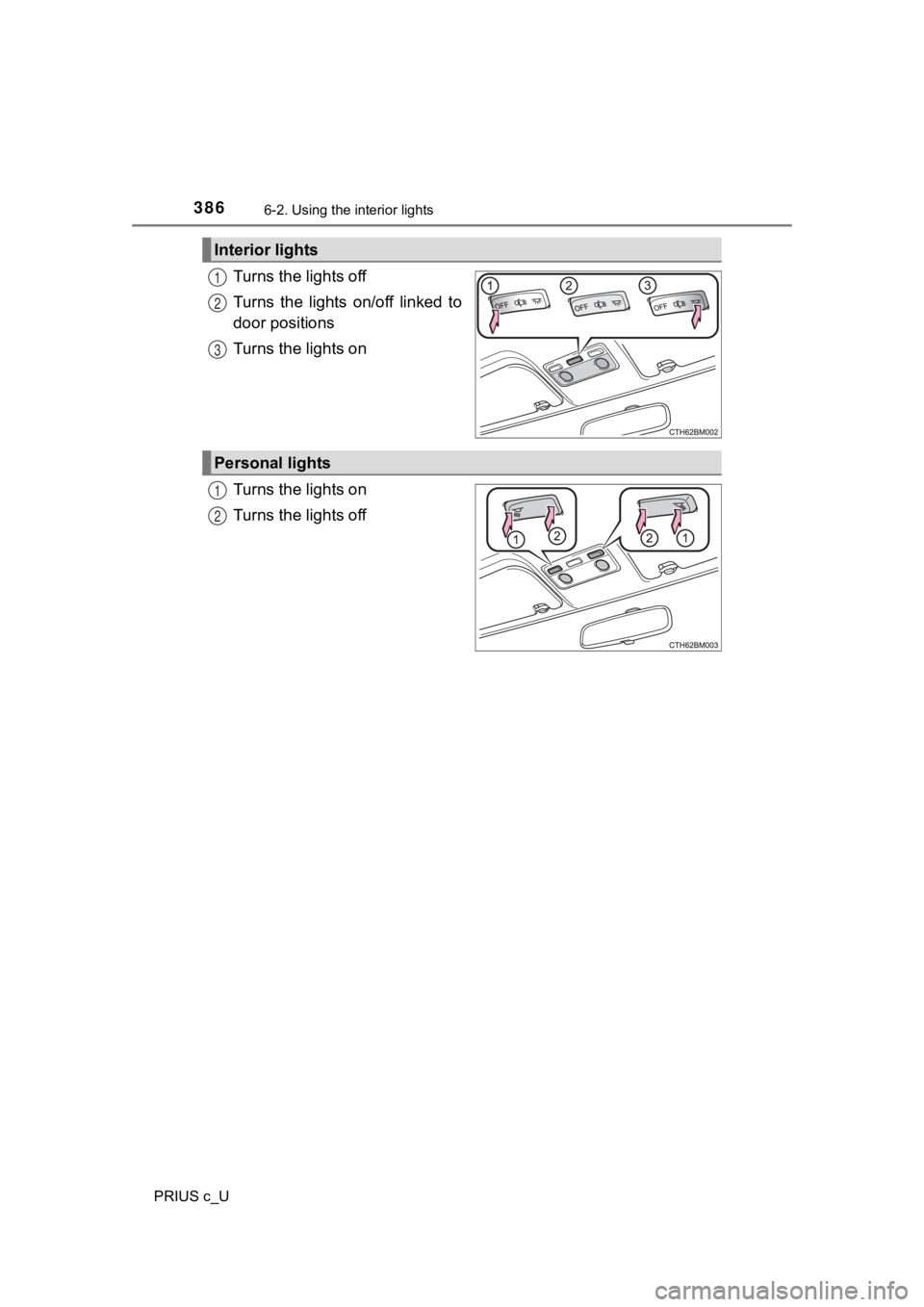
Turns the lights off
Turns the lights on/off linked to
door positions
Turns the lights on
Turns the lights on
Turns the lights off
Interior lights
1
2
3
Personal lights
1
2
Page 387 of 600

3876-2. Using the interior lights
6
Interior features
PRIUS c_U
■Illuminated entry system
Vehicles without a smart key system
When the interior lights switch is in the door position, the interior lights auto-
matically turn on/off according to the power switch position, whether the
doors are locked/unlocked, and whether the doors are open/close d.
Vehicles with a smart key system
When the interior lights switch is in the door position, the interior lights auto-
matically turn on/off according to power switch mode, the presence of the
electronic key, whether the doors are locked/unlocked, and whet her the doors
are open/closed.
■ To prevent 12-volt battery discharge
Vehicles without a smart key system
If the interior lights, personal lights or luggage compartment light remain on
when the power switch is “LOCK” position, the lights will go of f automatically
after 20 minutes.
Vehicles with a smart key system
If the interior lights, personal lights or luggage compartment light remain on
when the power switch is off, the lights will go off automatica lly after 20 min-
utes.
■ Customization that can be configured at Toyota dealer
Settings (e.g. the time elapsed before lights turn off) can be changed.
(Customizable features: P. 560)
NOTICE
■To prevent 12-volt b attery discharge
Do not leave the lights on longer than necessary when the hybri d system is
off.
Page 402 of 600
4027-1. Maintenance and care
PRIUS c_U
NOTICE
●If the paint is chipped or scratched, have it repaired immediat ely.
● To prevent the wheels from corroding, remove any dirt and store in a place
with low humidity when storing the wheels.
■ Cleaning the exterior lights
● Wash carefully. Do not use organic substances or scrub with a h ard brush.
This may damage the surfaces of the lights.
● Do not apply wax to the surfaces of the lights.
Wax may cause damage to the lenses.
■ When using a high pressure car wash
● When washing the vehicle, do not spray the camera or its surrou nding
area directly with a high pressure washer. Shock applied from high pres-
sure water may cause the device to not operate normally.
● Do not bring the nozzle tip close to boots (rubber or resin man ufactured
cover), connectors or the following parts. The parts may be dam aged if
they come into contact with high-pressure water.
● Keep the cleaning nozzle at least 11.9 in. (30 cm) away from th e vehicle
body. Otherwise resin section, such as moldings and bumpers, ma y be
deformed and damaged. Also, do not continuously hold the nozzle in the
same place.
● Do not spray the lower part of the windshield continuously. If water enters
the air conditioning system intake located near the lower part of the wind-
shield, the air conditioning system may not operate correctly.
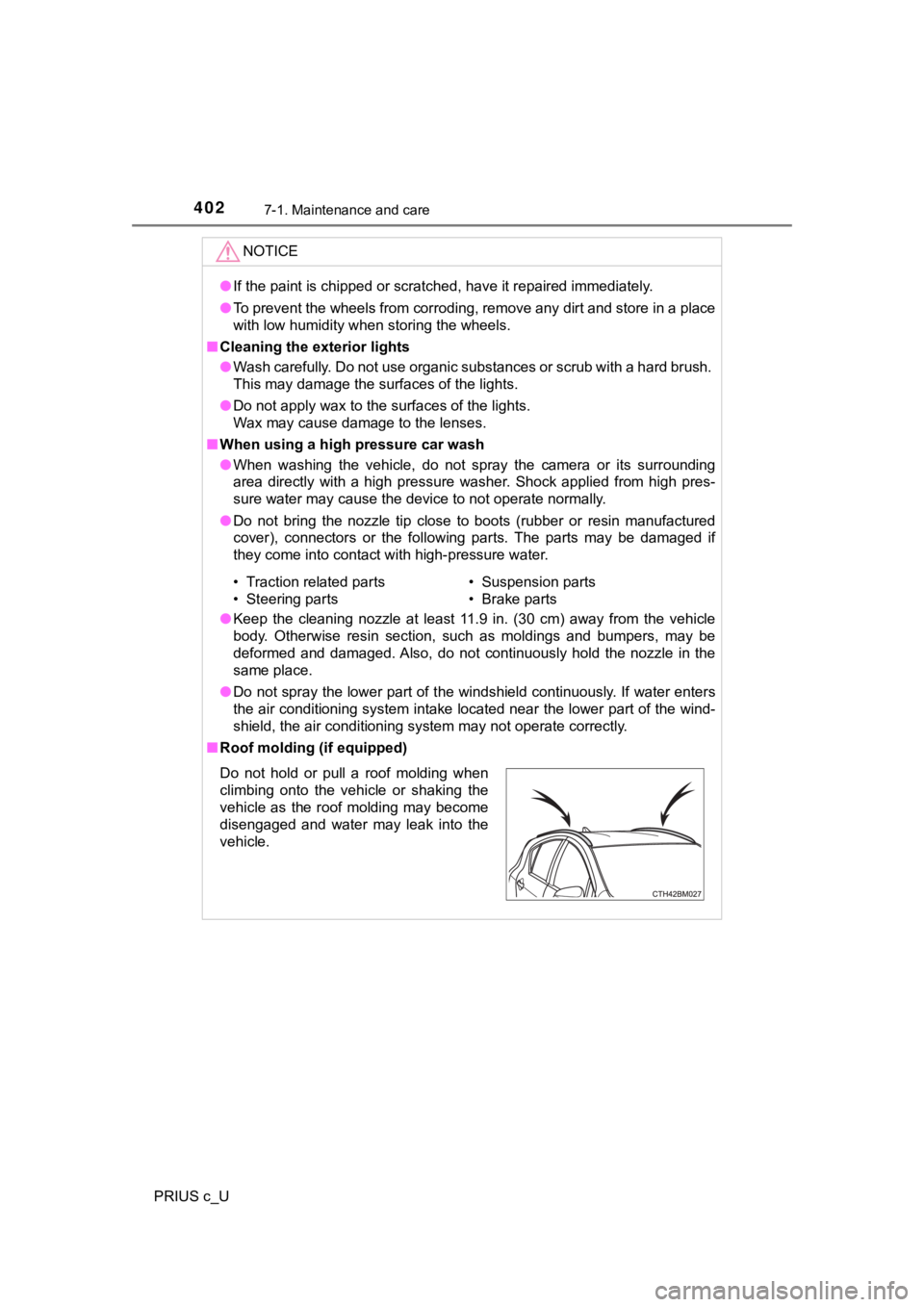
■ Roof molding (if equipped)
• Traction related parts
• Steering parts • Suspension parts
• Brake parts
Do not hold or pull a roof molding when
climbing onto the vehicle or shaking the
vehicle as the roof molding may become
disengaged and water may leak into the
vehicle.