audio TOYOTA PRIUS PLUG-IN 2012 Owners Manual
[x] Cancel search | Manufacturer: TOYOTA, Model Year: 2012, Model line: PRIUS PLUG-IN, Model: TOYOTA PRIUS PLUG-IN 2012Pages: 704, PDF Size: 19.59 MB
Page 24 of 704
25
3. Basic operation
PLUG-IN QG_U (OM47747U)
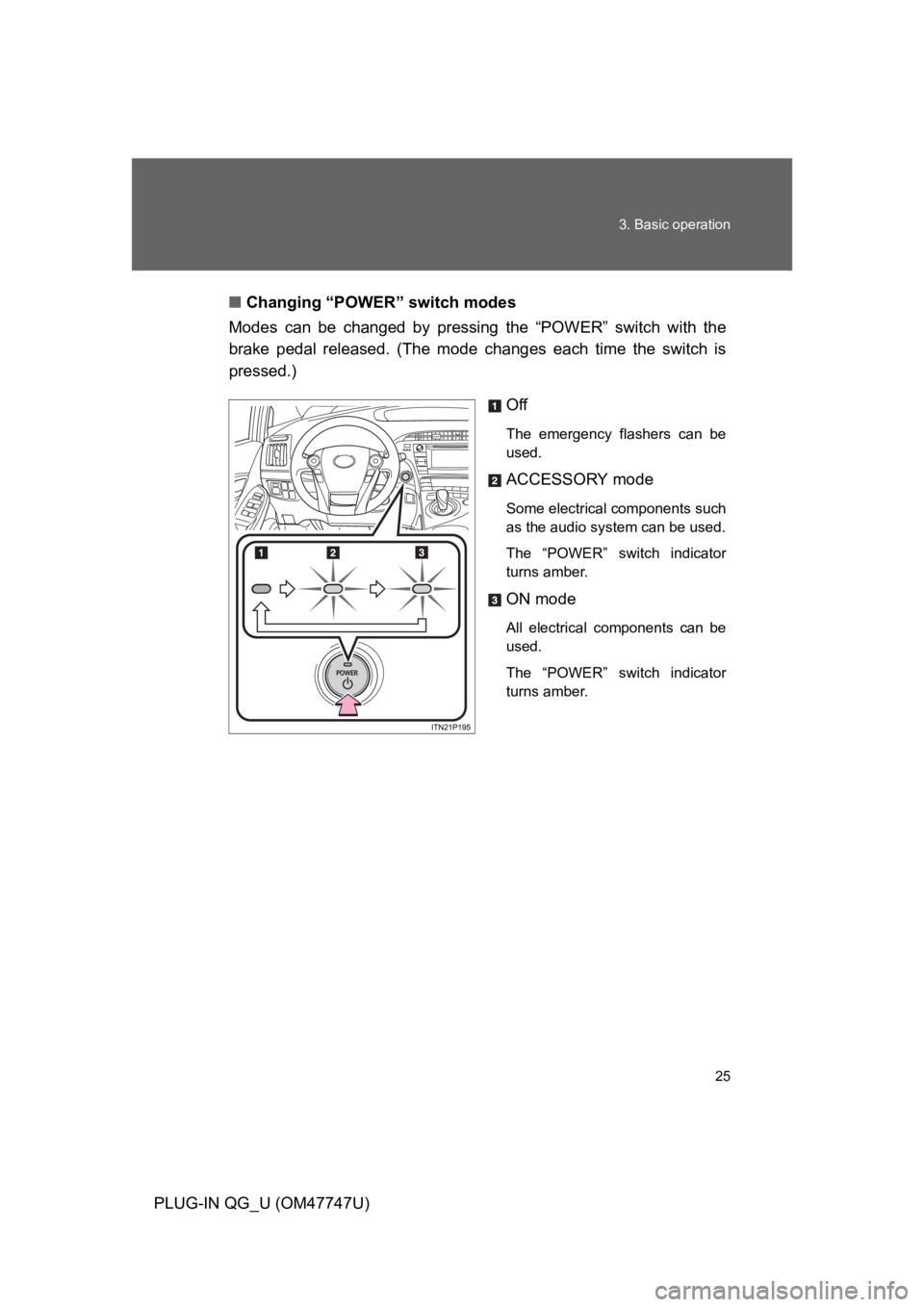
■Changing “POWER” switch modes
Modes can be changed by pressing the “POWER” switch with the
brake pedal released. (The mode changes each time the switch is
pressed.)
Off
The emergency flashers can be
used.
ACCESSORY mode
Some electrical components such
as the audio system can be used.
The “POWER” switch indicator
turns amber.
ON mode
All electrical components can be
used.
The “POWER” switch indicator
turns amber.
Page 36 of 704
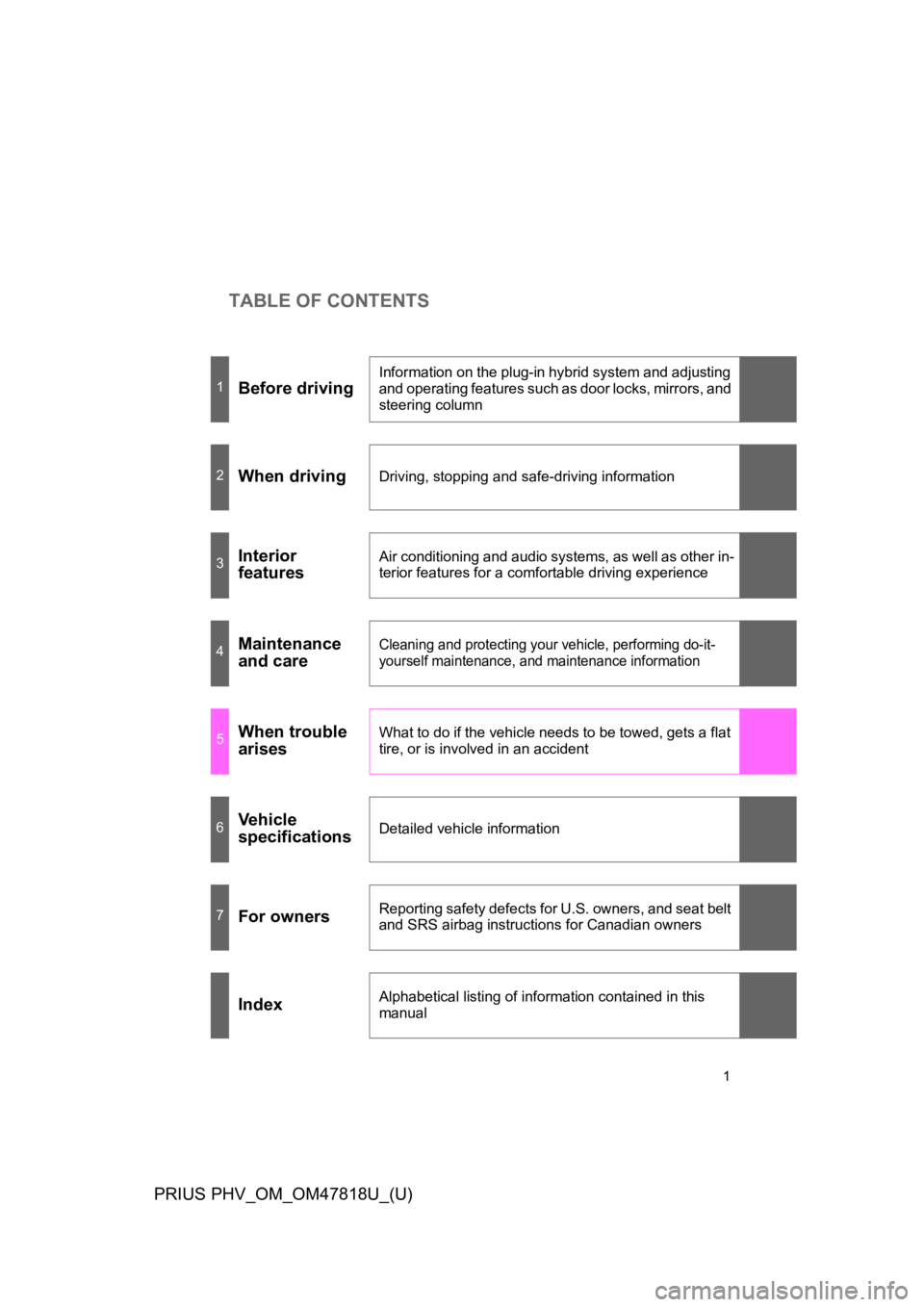
TABLE OF CONTENTS
1
PRIUS PHV_OM_OM47818U_(U)
1Before driving
Information on the plug-in hybrid system and adjusting
and operating features such as door locks, mirrors, and
steering column
2When drivingDriving, stopping and safe-driving information
3Interior
features
Air conditioning and audio systems, as well as other in-
terior features for a comfortable driving experience
4Maintenance
and care
Cleaning and protecting your vehicle, performing do-it-
yourself maintenance, and maintenance information
5When trouble
arises
What to do if the vehicle needs to be towed, gets a flat
tire, or is involved in an accident
6Ve h i c l e
specificationsDetailed vehicle information
7For ownersReporting safety defects for U.S. owners, and seat belt
and SRS airbag instructions for Canadian owners
IndexAlphabetical listing of information contained in this
manual
Page 38 of 704
9
PRIUS PHV_OM_OM47818U_(U)
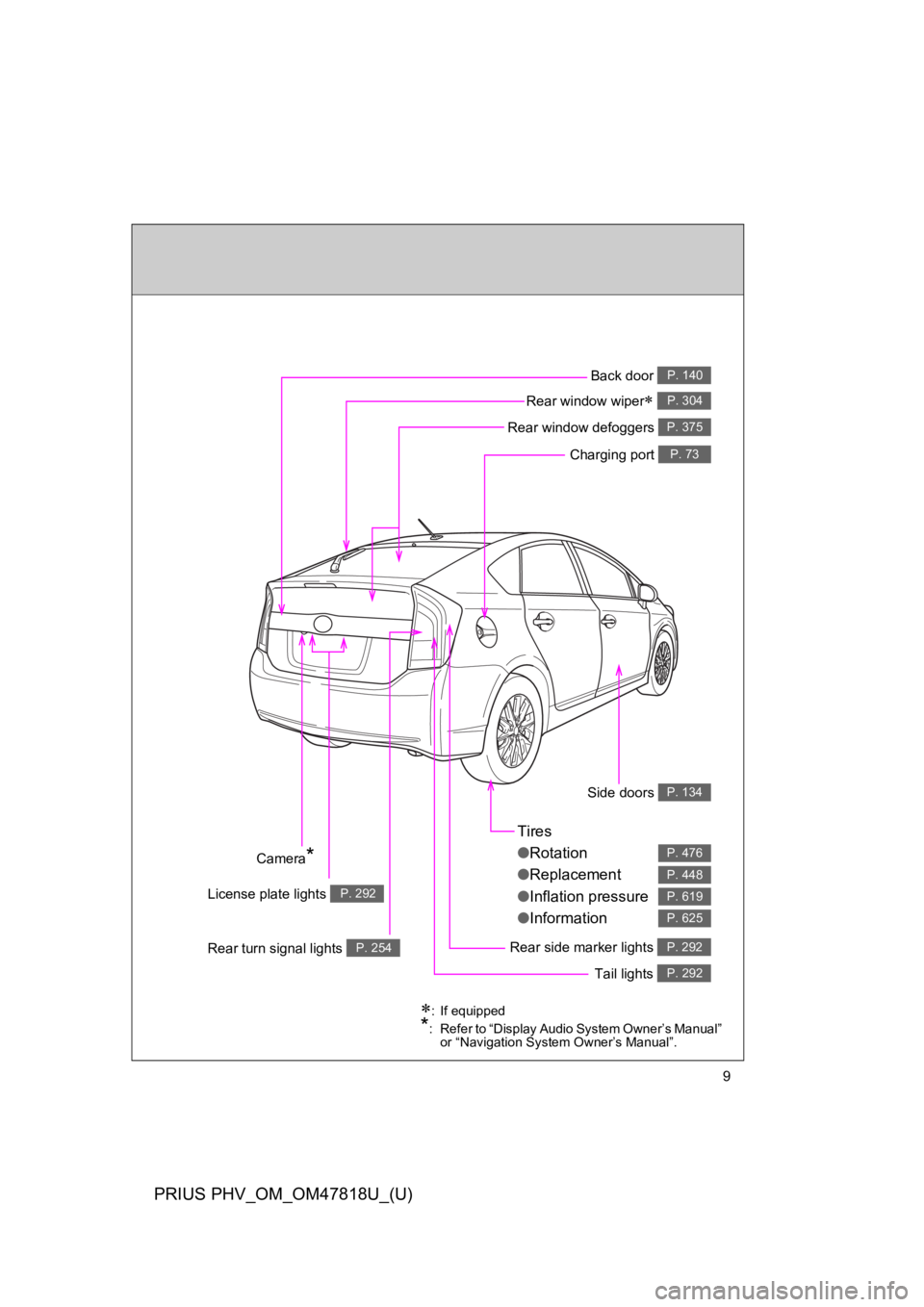
Tires
●Rotation
●Replacement
●Inflation pressure
●Information
P. 476
P. 448
P. 619
P. 625
Rear side marker lights P. 292
Side doors P. 134
Tail lights P. 292
∗:If equipped
*:Refer to “Display Audio System Owner’s Manual” or “Navigation System Owner’s Manual”.
Rear turn signal lights P. 254
License plate lights P. 292
Camera*
Back door P. 140
Rear window wiper∗ P. 304
Rear window defoggers P. 375
Charging port P. 73
Page 40 of 704
11
PRIUS PHV_OM_OM47818U_(U)
A
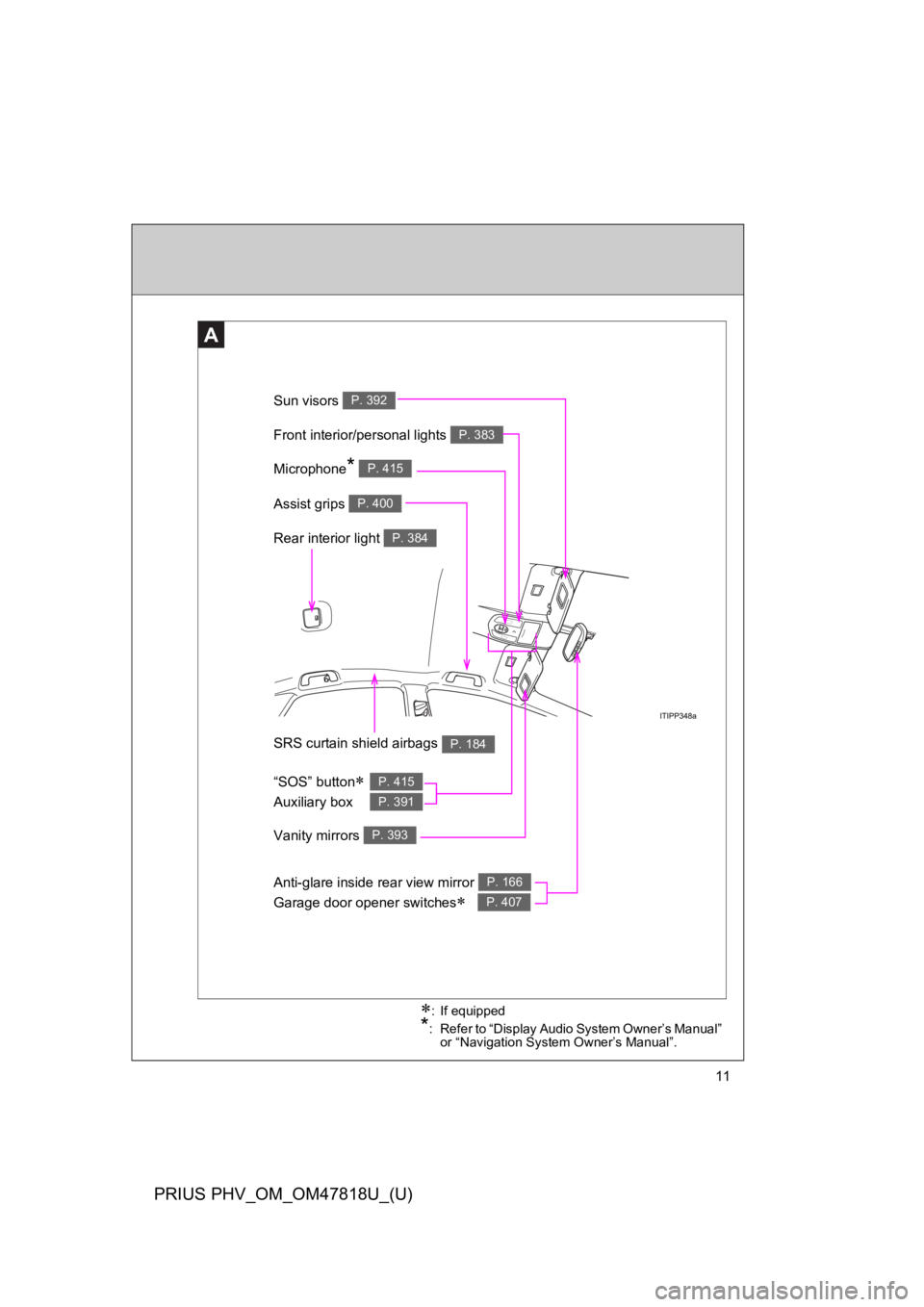
Anti-glare inside rear view mirror
Garage door opener switches∗
P. 166
P. 407
Sun visors P. 392
SRS curtain shield airbags P. 184
Rear interior light P. 384
Vanity mirrors P. 393
Front interior/personal lights P. 383
∗:If equipped
*:Refer to “Display Audio System Owner’s Manual” or “Navigation System Owner’s Manual”.
Microphone* P. 415
“SOS” button∗
Auxiliary box
P. 415
P. 391
Assist grips P. 400
Page 42 of 704

13
PRIUS PHV_OM_OM47818U_(U)
C
Console box P. 387
*:Refer to “Display Audio System Owner’s Manual” or “Navigation System Owner’s Manual”.
Cup holders P. 388
AUX port/USB port* P. 381
Power outlet P. 395
Page 44 of 704
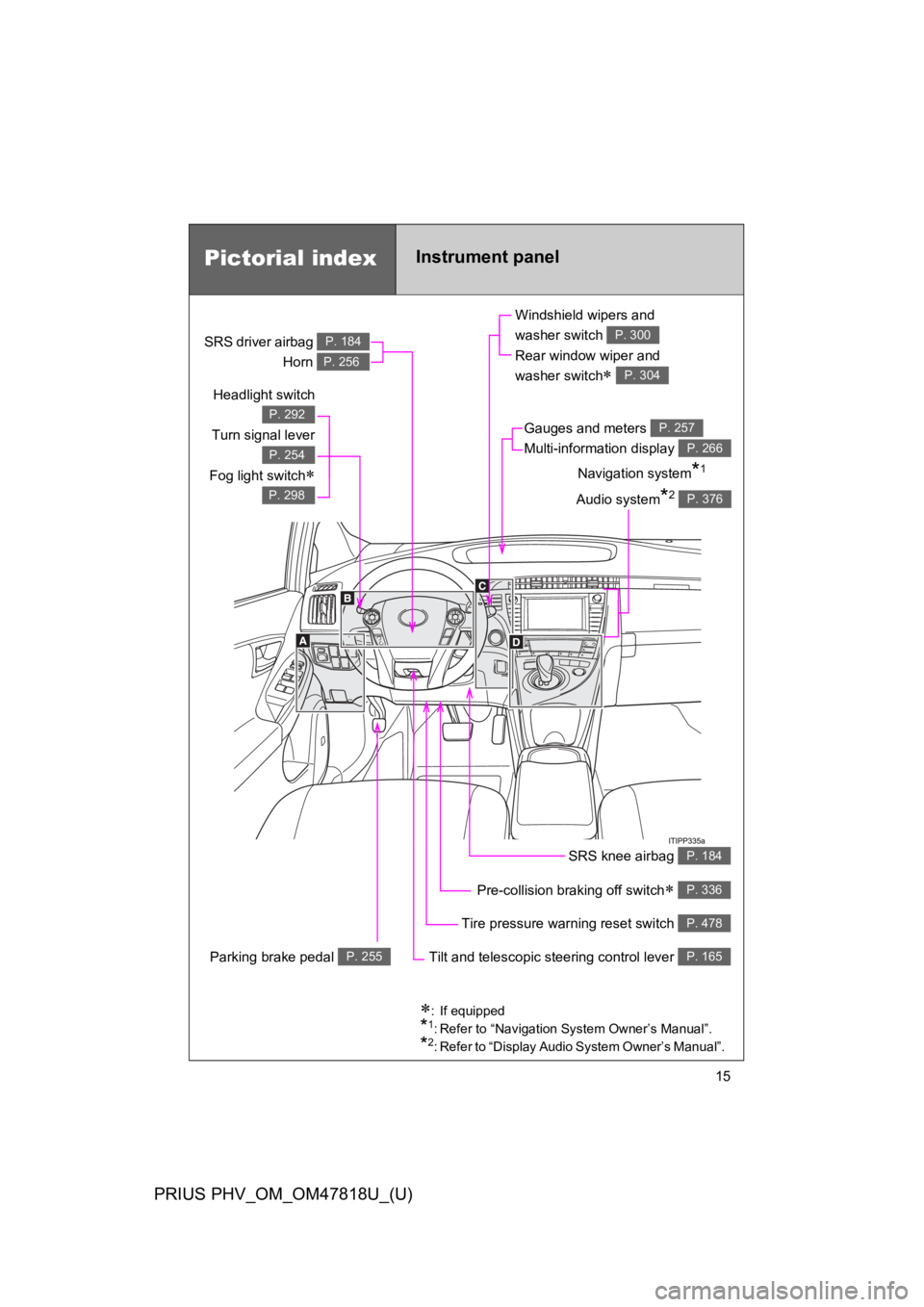
15
PRIUS PHV_OM_OM47818U_(U)
Pictorial indexInstrument panel
Headlight switch
Turn signal lever
Fog light switch∗
P. 292
P. 254
P. 298
Pre-collision braking off switch∗ P. 336
Parking brake pedal P. 255
Tire pressure warning reset switch P. 478
Windshield wipers and
washer switch
Rear window wiper and
washer switch∗
P. 300
P. 304
Gauges and meters
Multi-information display
P. 257
P. 266
Audio system*2 P. 376
Navigation system*1
SRS driver airbag
Horn
P. 184
P. 256
SRS knee airbag P. 184
Tilt and telescopic steering control lever P. 165
∗:If equipped
*1:Refer to “Navigation System Owner’s Manual”.
*2:Refer to “Display Audio System Owner’s Manual”.
Page 46 of 704

17
PRIUS PHV_OM_OM47818U_(U)
B
Telephone switches*1, 2
“DISP” button P. 267Audio remote
control switches*1, 2
Cruise control switch∗
Dynamic radar cruise control
switch∗
P. 308
P. 312
Vehicle-to-vehicle distance button∗ P. 312
Talk switch*1, 2
“TRIP” button P. 267, 273
Climate remote control switches P. 369
∗:If equipped
*1:Refer to “Navigation System Owner’s Manual”.
*2:Refer to “Display Audio System Owner’s Manual”.
Page 79 of 704

52
1-1. Plug-in hybrid system
PRIUS PHV_OM_OM47818U_(U)
Energy monitor/consumption screen
Energy monitor
Displays the flow of energy as it changes in accordance with driving
conditions.
Display Audio system
Press “CAR”.
If the “Consumption” screen is
displayed, touch “Energy”.
Yo u c a n v i e w t h e s ta t u s o f y o u r h ybrid system on the Display Audio
system screen, the navigation system screen or the multi-informa-
tion display.
Display Audio system
screen or navigation system
screen
Multi-information display
Page 88 of 704

61
1-1. Plug-in hybrid system
1
Before driving
PRIUS PHV_OM_OM47818U_(U)
Consumption screen
Display Audio system
Press “CAR”.
If the “Energy Monitor” screen is displayed, touch “Consumption”.
Fuel consumption in the past
30 minutes
Cruising range (→P. 6 6 )
Regenerated energy in the
past 30 minutes
One symbol indicates 30 Wh. Up
to 4 symbols are shown.
The image is an example only, and may vary slightly from actual conditions.
Navigation system
Press “INFO APPS” or “INFO”.
To u c h “ F u e l C o n s u m p t i o n ” o n the “Information” screen.
If the “Energy Monitor” screen is displayed, touch “Fuel Consump-
tion”.
Fuel consumption in the past
30 minutes
Regenerated energy in the
past 30 minutes
One symbol indicates 30 Wh. Up
to 4 symbols are shown.
Cruising range (→P. 6 6 )
The image is an example only, and may vary slightly from actual conditions.
STEP 1
STEP 2
Page 92 of 704

65
1-1. Plug-in hybrid system
1
Before driving
PRIUS PHV_OM_OM47818U_(U)
■Remaining hybrid battery (traction battery) charge display
The remaining charge display of the hybrid battery (traction battery) icon on
the multi-information display switches in accordance with the remaining
charge. (→P. 6 0 )
■Resetting the consumption data
Display Audio system
Selecting “Clear” on the “Consumption” screen will reset the fuel consump-
tion and the regenerated energy for the past 30 minutes.
Selecting “Yes” on the following screen will confirm resetting of all the data.
Navigation system
Selecting “Clear” on the “Consumption” screen will reset the fuel consump-
tion and the regenerated energy for the past 30 minutes.
Selecting “Yes” on the following screen will confirm resetting of all the data.
Multi-information display
If the “POWER” switch is turned OFF, average fuel consumption and regen-
erated energy data will be reset.
■EV driving range display
When in EV mode or when necessary charge is remaining for EV mode, the
EV driving range can also be confirmed using the Hybrid System Indicator.
(→P. 2 6 8 )
■Resetting the monthly fuel consumption
Press and hold the “TRIP” button while the monthly fuel consumption is dis-
played.
A confirmation message will be displayed.
Press and hold the “TRIP” button to reset the data.
Press the “DISP” button to cancel the reset operation. The screen will return
to the previous display if no buttons are pressed for approximately 10 sec-
onds.