display TOYOTA PRIUS PRIME 2017 2.G Owners Manual
[x] Cancel search | Manufacturer: TOYOTA, Model Year: 2017, Model line: PRIUS PRIME, Model: TOYOTA PRIUS PRIME 2017 2.GPages: 784, PDF Size: 14.98 MB
Page 235 of 784
PRIUS PRIME_OM_OM47A88U_(U)
2353. Instrument cluster
3
Instrument cluster
*1: When the screen is turned off, pressing displays the setting screenagain.
*2: If equipped
*3: U.S.A. only
*4: Except for Canada
*5: For Canada
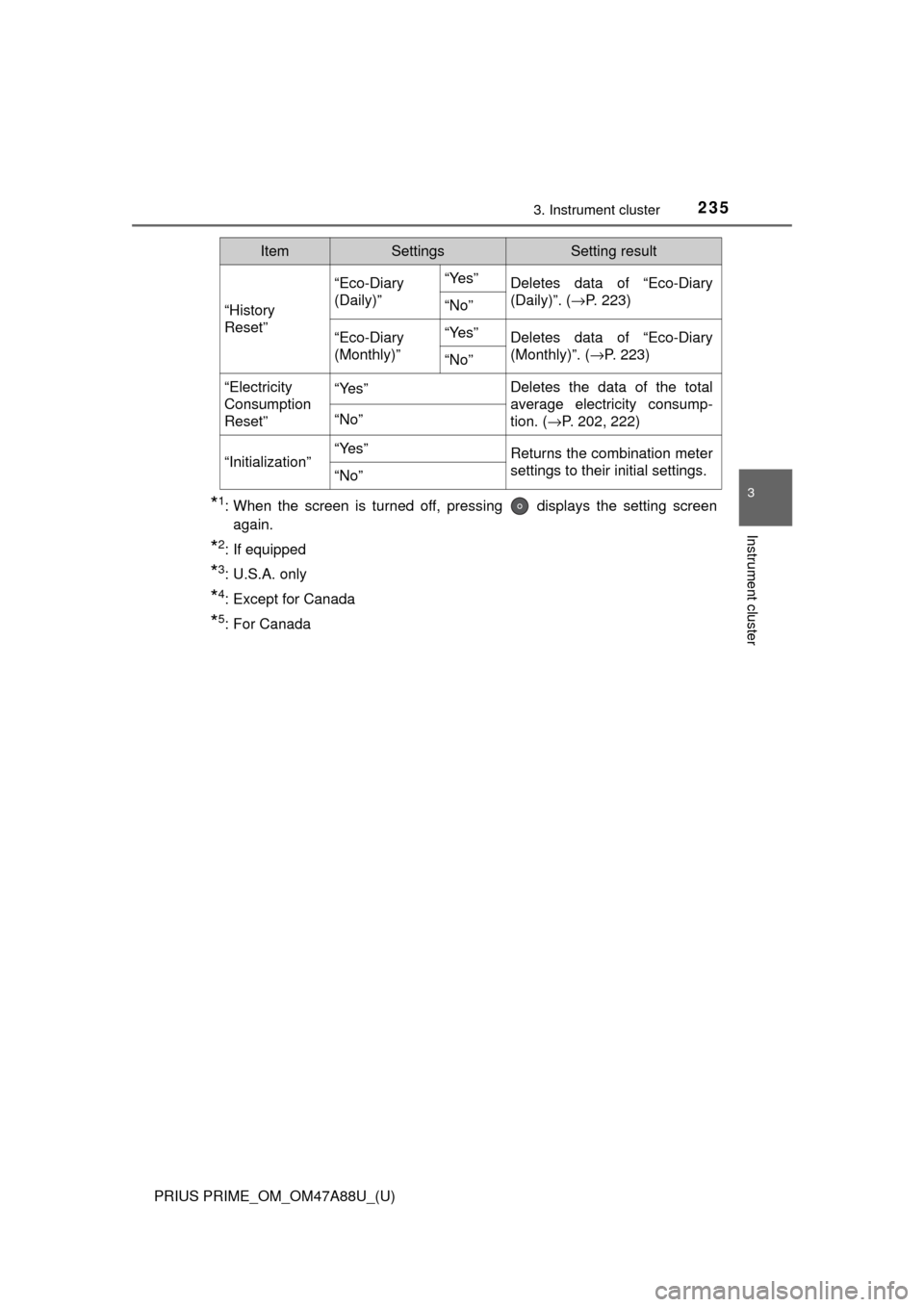
“History
Reset”
“Eco-Diary
(Daily)”“Yes”Deletes data of “Eco-Diary
(Daily)”. ( →P. 223)
“No”
“Eco-Diary
(Monthly)”“Yes”Deletes data of “Eco-Diary
(Monthly)”. ( →P. 223)
“No”
“Electricity
Consumption
Reset”“Yes”Deletes the data of the total
average electricity consump-
tion. (→P. 202, 222)
“No”
“Initialization”“Yes”Returns the combination meter
settings to their initial settings.
“No”
ItemSettingsSetting result
Page 236 of 784
236
PRIUS PRIME_OM_OM47A88U_(U)
3. Instrument cluster
■Setting items
●“Meter Customize” and “Vehicle Settings” setting items are not selectable
during driving and cannot be operated.
Also, the settings screen is temporarily canceled in the following situations.
• A warning message is displayed.
• The vehicle starts off.
● Settings for functions not equipped to the vehicle are not displayed.
● When a function is turned off, the related settings for that function are not
selectable.
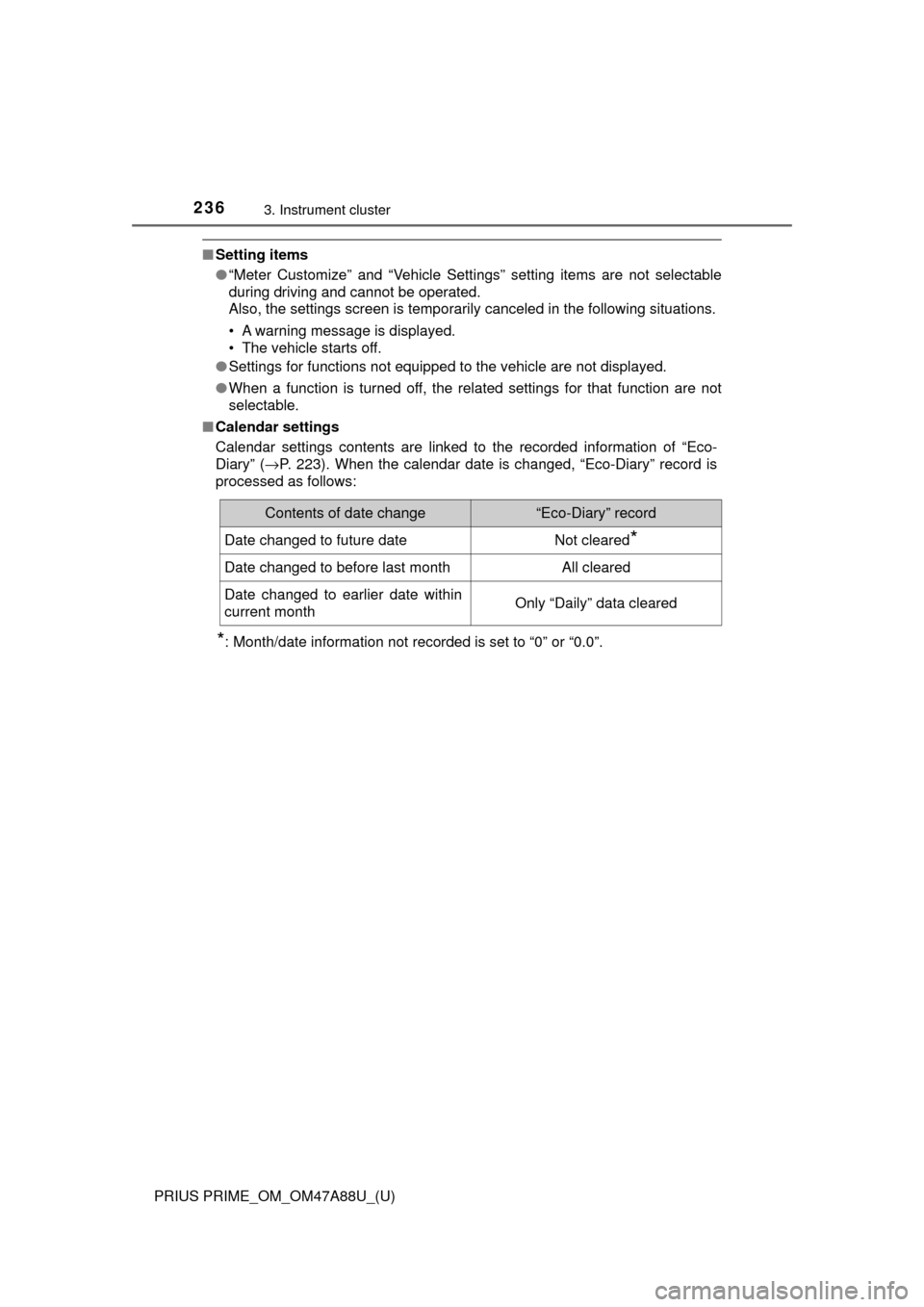
■ Calendar settings
Calendar settings contents are linked to the recorded information of “\
Eco-
Diary” ( →P. 223). When the calendar date is changed, “Eco-Diary” record is
processed as follows:
*: Month/date information not recorded is set to “0” or “0.0”.
Contents of date change“Eco-Diary” record
Date changed to future dateNot cleared*
Date changed to before last monthAll cleared
Date changed to earlier date within
current monthOnly “Daily” data cleared
Page 237 of 784
PRIUS PRIME_OM_OM47A88U_(U)
2373. Instrument cluster
3
Instrument cluster
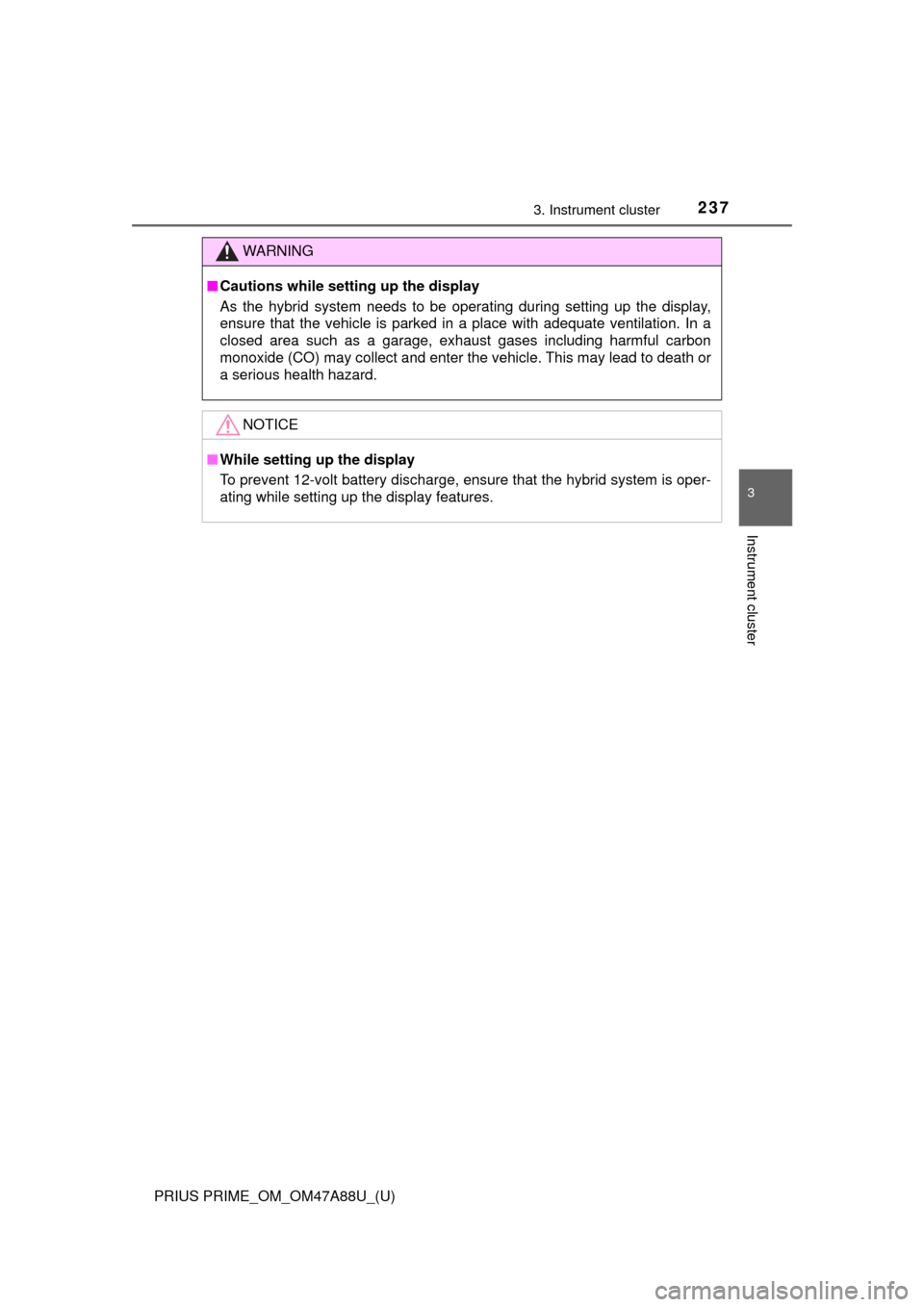
WARNING
■Cautions while setting up the display
As the hybrid system needs to be operating during setting up the display,
ensure that the vehicle is parked in a place with adequate ventilation. In a
closed area such as a garage, exhaust gases including harmful carbon
monoxide (CO) may collect and enter the vehicle. This may lead to death or
a serious health hazard.
NOTICE
■While setting up the display
To prevent 12-volt battery discharge, ensure that the hybrid system is oper-
ating while setting up the display features.
Page 238 of 784
238
PRIUS PRIME_OM_OM47A88U_(U)
3. Instrument cluster
Head-up display∗
The units used on the display may differ depending on the target region.
∗: If equipped
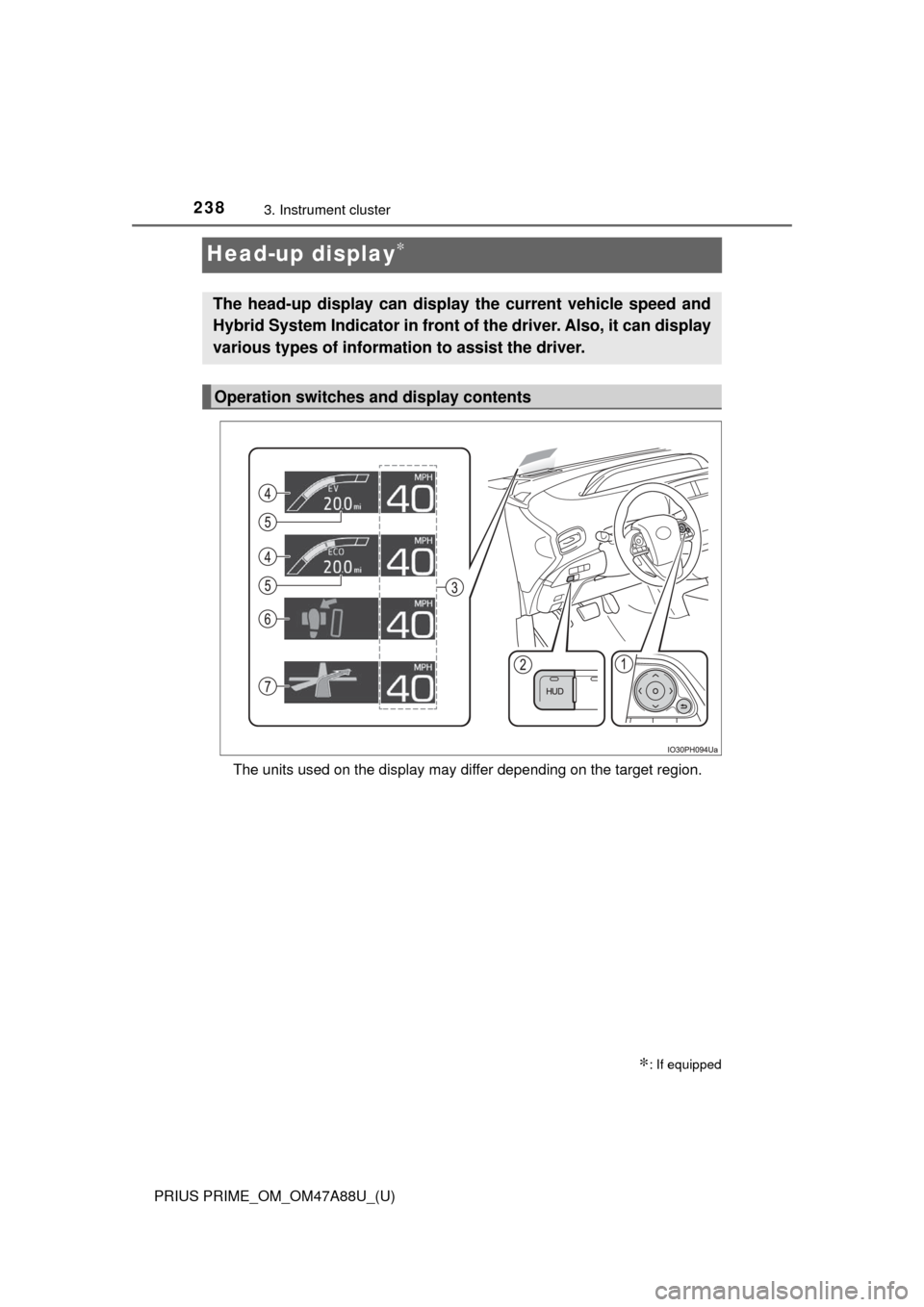
The head-up display can display the current vehicle speed and
Hybrid System Indicator in front of the driver. Also, it can display
various types of information to assist the driver.
Operation switches and display contents
Page 239 of 784

PRIUS PRIME_OM_OM47A88U_(U)
2393. Instrument cluster
3
Instrument cluster
Meter control switches
These switches are used when adjusting the display position and bright-
ness of the head-up display. (→P. 241)
“HUD” (Head-up display) switch (→P. 2 4 0)
Vehicle speed display
Hybrid System Indicator ( →P. 210)
The display contents of the Hybrid System Indicator are different in EV
mode and HV mode.
EV driving range
Indicates the estimated distance that can be driven using the current
remaining hybrid battery (traction battery). ( →P. 100)
When the air conditioning system is operating, the driving range with the
air conditioning system on is displayed.
The EV driving range may shorten even when not driving due to power
consumption by the system.
Insert display ( →P. 2 4 2)
This display inserts information from each driving support system accord-
ing to driving conditions.
Route guidance display ( →P. 243)
This display is automatically shown when the navigation system is per-
forming route guidance.
1
2
3
4
5
6
7
Page 240 of 784
240
PRIUS PRIME_OM_OM47A88U_(U)
3. Instrument cluster
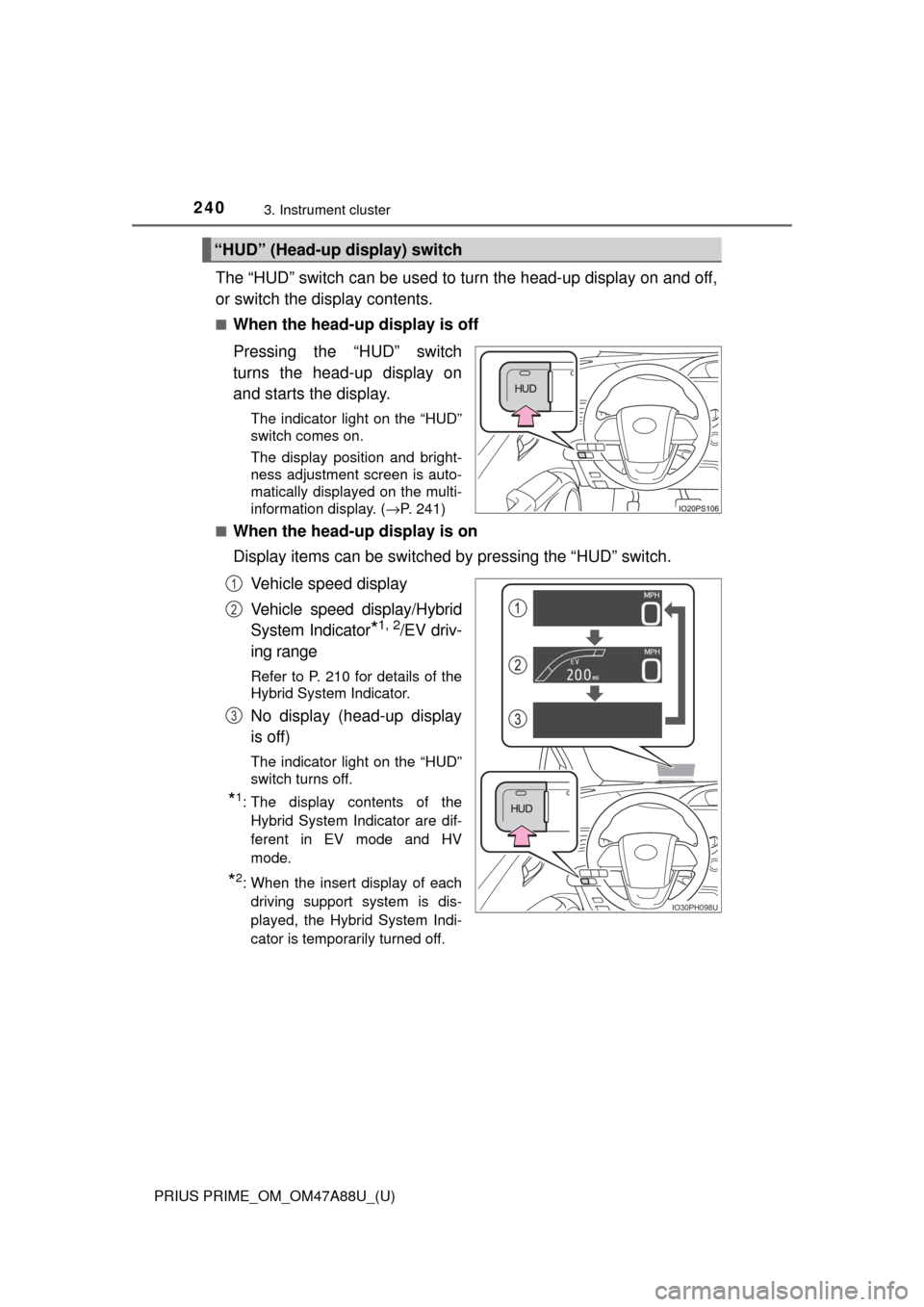
The “HUD” switch can be used to turn the head-up display on and off,
or switch the display contents.
■When the head-up display is off
Pressing the “HUD” switch
turns the head-up display on
and starts the display.
The indicator light on the “HUD”
switch comes on.
The display position and bright-
ness adjustment screen is auto-
matically displayed on the multi-
information display. (→P. 241)
■
When the head-up display is on
Display items can be switched by pressing the “HUD” switch.
Vehicle speed display
Vehicle speed display/Hybrid
System Indicator
*1, 2/EV driv-
ing range
Refer to P. 210 for details of the
Hybrid System Indicator.
No display (head-up display
is off)
The indicator light on the “HUD”
switch turns off.
*1: The display contents of the Hybrid System Indicator are dif-
ferent in EV mode and HV
mode.
*2: When the insert display of eachdriving support system is dis-
played, the Hybrid System Indi-
cator is temporarily turned off.
“HUD” (Head-up display) switch
IO30PH098U
1
2
3
Page 241 of 784
PRIUS PRIME_OM_OM47A88U_(U)
2413. Instrument cluster
3
Instrument cluster
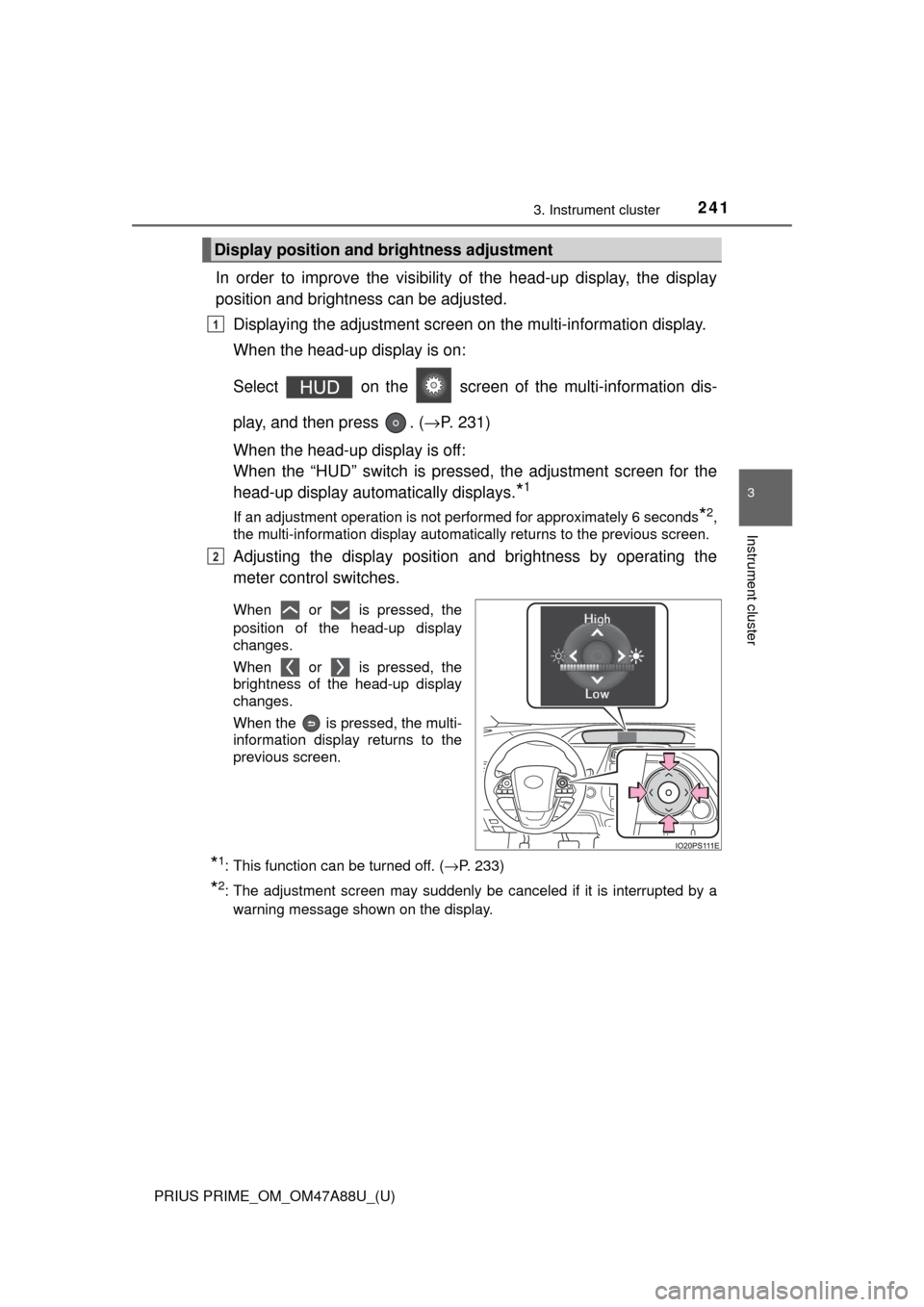
In order to improve the visibility of the head-up display, the display
position and brightness can be adjusted.
Displaying the adjustment screen on the multi-information display.
When the head-up display is on:
Select on the screen of the multi-information dis-
play, and then press . ( →P. 231)
When the head-up display is off:
When the “HUD” switch is pressed, the adjustment screen for the
head-up display automatically displays.
*1
If an adjustment operation is not performed for approximately 6 seconds*2,
the multi-information display automatically returns to the previous screen.
Adjusting the display position and brightness by operating the
meter control switches.
When or is pressed, the
position of the head-up display
changes.
When or is pressed, the
brightness of the head-up display
changes.
When the is pressed, the multi-
information display returns to the
previous screen.
*1: This function can be turned off. ( →P. 233)
*2: The adjustment screen may suddenly be canceled if it is interrupted by a
warning message shown on the display.
Display position and brightness adjustment
1
2
Page 242 of 784
242
PRIUS PRIME_OM_OM47A88U_(U)
3. Instrument cluster
■Insert displays of the driving support systems
Insert displays are linked with the operation of the following sys-
tems and used to show some of the information shown on the multi-
information display on the head-up display.
*: If equipped
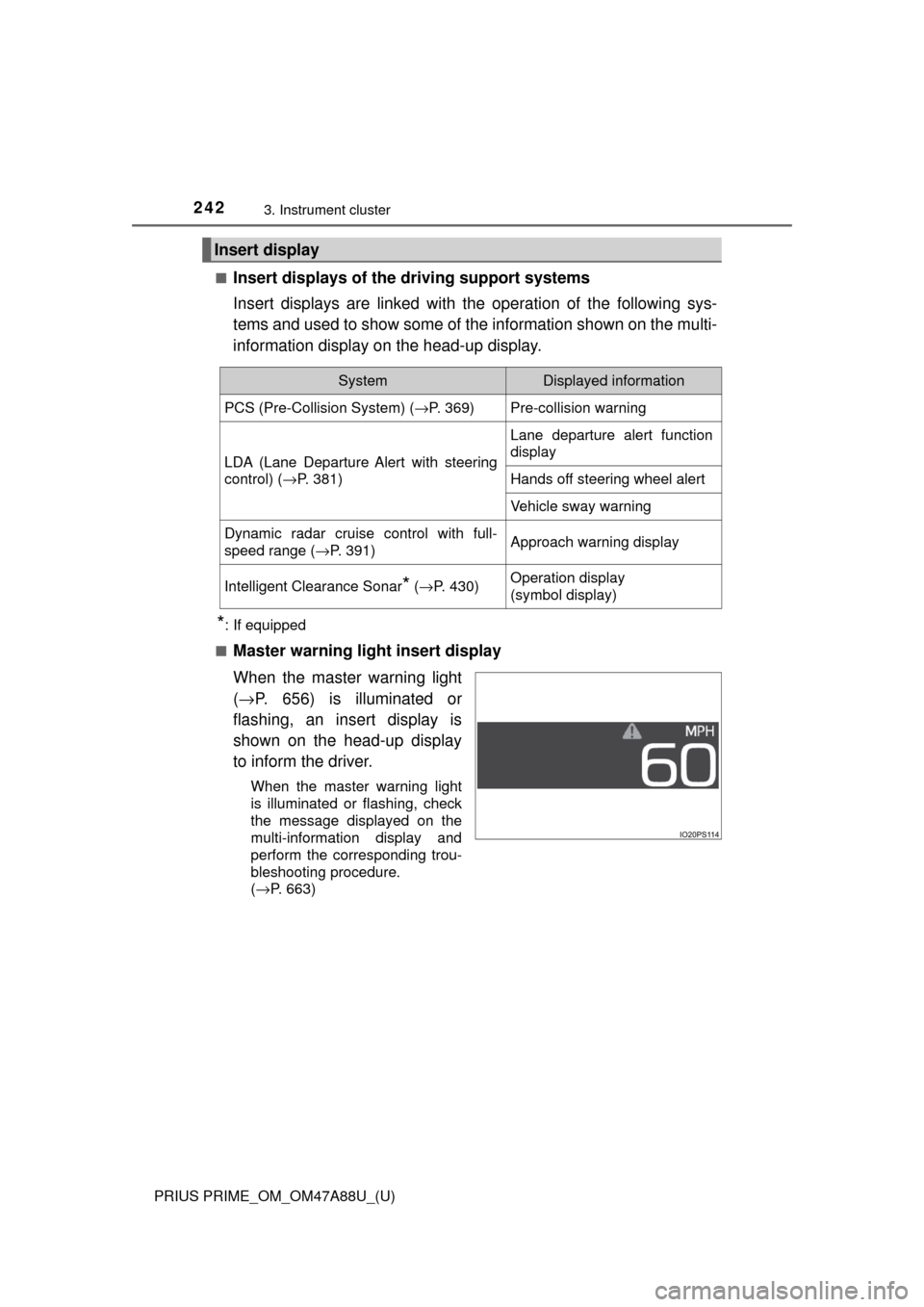
■
Master warning light insert display
When the master warning light
( → P. 656) is illuminated or
flashing, an insert display is
shown on the head-up display
to inform the driver.
When the master warning light
is illuminated or flashing, check
the message displayed on the
multi-information display and
perform the corresponding trou-
bleshooting procedure.
( →P. 663)
Insert display
SystemDisplayed information
PCS (Pre-Collision System) ( →P. 369)Pre-collision warning
LDA (Lane Departure Alert with steering
control) (→P. 381)
Lane departure alert function
display
Hands off steering wheel alert
Vehicle sway warning
Dynamic radar cruise control with full-
speed range ( →P. 391)Approach warning display
Intelligent Clearance Sonar* (→ P. 430)Operation display
(symbol display)
Page 243 of 784
PRIUS PRIME_OM_OM47A88U_(U)
2433. Instrument cluster
3
Instrument cluster
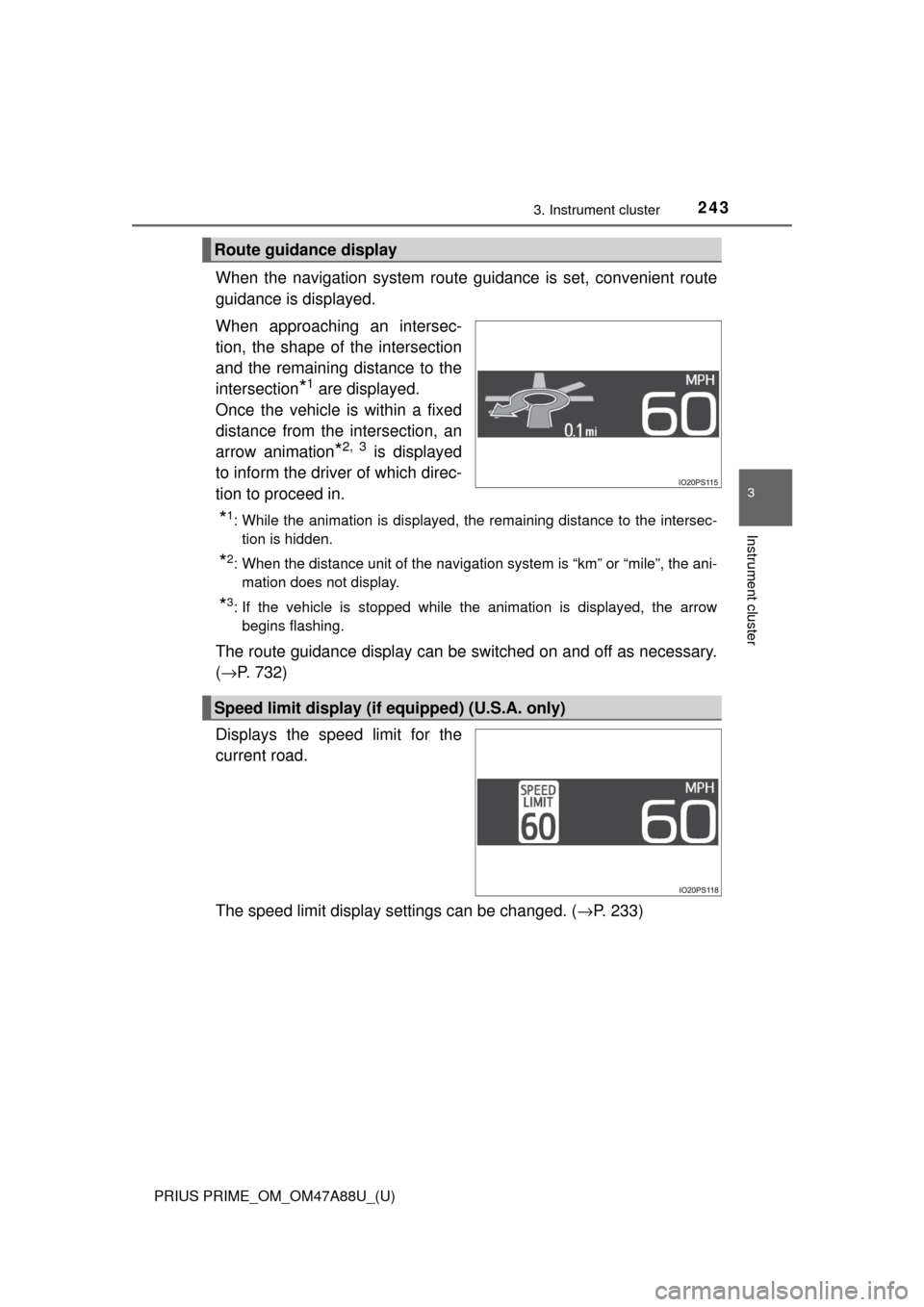
When the navigation system route guidance is set, convenient route
guidance is displayed.
When approaching an intersec-
tion, the shape of the intersection
and the remaining distance to the
intersection
*1 are displayed.
Once the vehicle is within a fixed
distance from the intersection, an
arrow animation
*2, 3 is displayed
to inform the driver of which direc-
tion to proceed in.
*1: While the animation is displayed, the remaining distance to the intersec- tion is hidden.
*2: When the distance unit of the navigation system is “km” or “mile”, the ani-mation does not display.
*3: If the vehicle is stopped while the animation is displayed, the arrowbegins flashing.
The route guidance display can be switched on and off as necessary.
(→ P. 732)
Displays the speed limit for the
current road.
The speed limit display settings can be changed. ( →P. 233)
Route guidance display
Speed limit display (if equipped) (U.S.A. only)
Page 244 of 784

244
PRIUS PRIME_OM_OM47A88U_(U)
3. Instrument cluster
■Enabling/disabling of the head-up display
When the head-up display is turned off with the “HUD” switch, it is not dis-
played until the “HUD” switch is used to turn the head-up display on again.
(Operation of the head-up display is not linked with the power switch.)
■ Display brightness
●The brightness of the head-up display is automatically adjusted according to
the operation status of the headlights (on/off) and the brightness of the sur-
roundings.
● When the brightness of the head-up display is adjusted to a certain level or
higher, the display automatically dims when the vehicle is stopped. Once the
vehicle starts off and the vehicle speed reaches approximately 3.1 mph
(5 km/h) or more, the display automatically returns to its previous bright-
ness.
■ Vehicle speed display
In extremely cold environments, the display of the speedometer and the vehi-
cle speed of the head-up display may slightly differ.
■ Head-up display
The head-up display may seem dark and hard to see when viewed through
sunglasses, especially polarized sunglasses.
■ When the 12-volt battery is disconnected
The customize settings of the head-up display will be reset.
■ Route guidance display
The route guidance is not displayed on both the head-up display and multi-
information display simultaneously. When the route guidance is displayed on
the head-up display, the multi-information display does not display the route
guidance even if the navigation system-linked display ( →P. 225) is selected
on the multi-information display.