charging TOYOTA PRIUS PRIME 2017 2.G Service Manual
[x] Cancel search | Manufacturer: TOYOTA, Model Year: 2017, Model line: PRIUS PRIME, Model: TOYOTA PRIUS PRIME 2017 2.GPages: 784, PDF Size: 14.98 MB
Page 123 of 784
PRIUS PRIME_OM_OM47A88U_(U)
1232-2. Charging
2
Plug-in hybrid system
■The charging environment
For safe charging, the following charging equipment and settings are recom-
mended.
●Weatherproof outlet
When charging outdoors, connect the plug to a weatherproof outlet, and
ensure that the plug remains waterproof while the plug is connected.
● Dedicated circuit
• To reduce the risk of fire, connect only to an at least 15A branch circuit
with an over-current protection in accordance with the National Electric
Code, ANSI/NFPA 70.
• To reduce the risk of electric shock when working with the plug, connect to a outlet with a Ground-Fault Circuit- Interrupter (GFCI) or that has an
Earth Leakage Circuit Breaker installed.
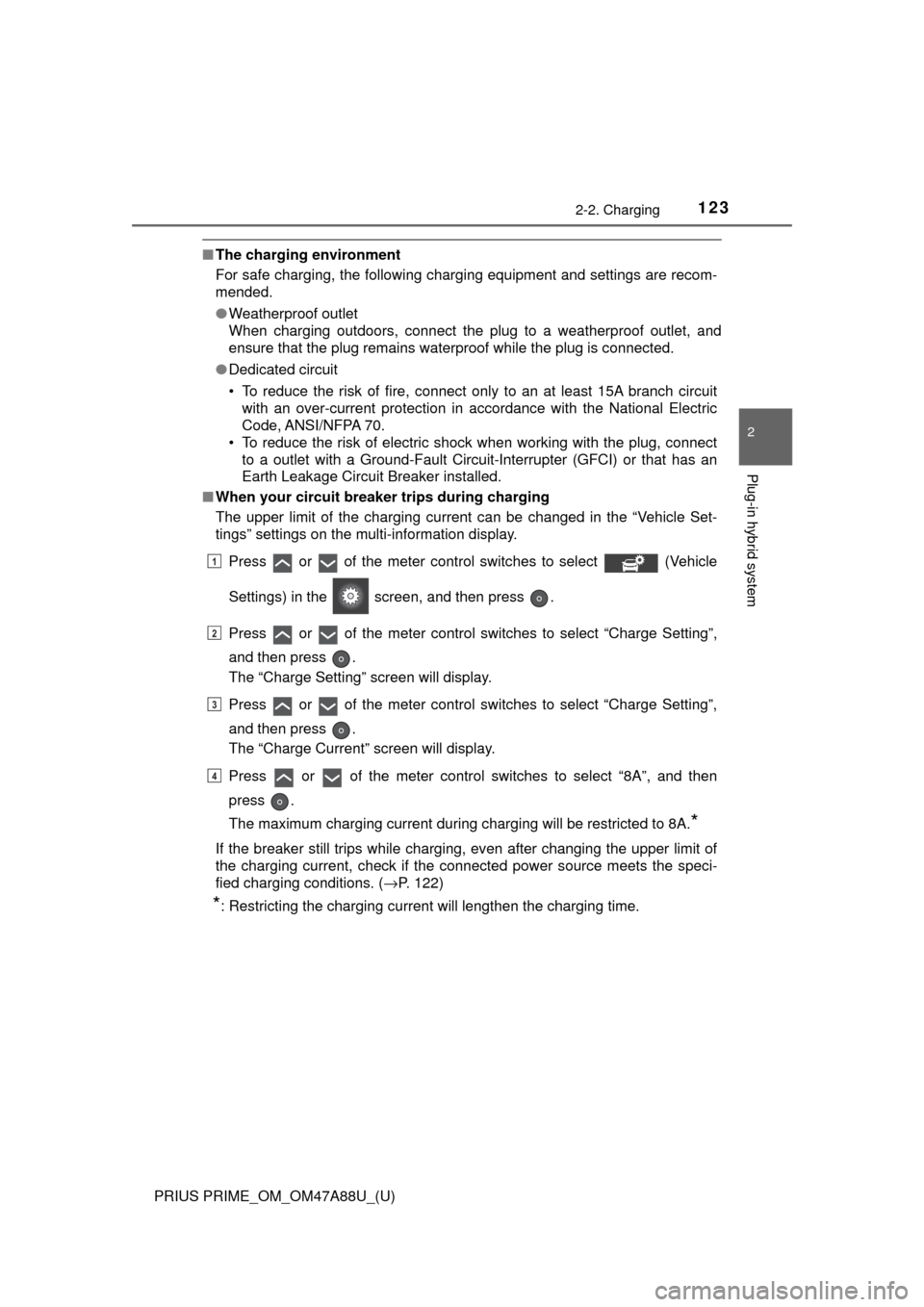
■ When your circuit breaker trips during charging
The upper limit of the charging current can be changed in the “Vehicle Set-
tings” settings on the multi-information display.
Press or of the meter control switches to select (Vehicle
Settings) in the screen, and then press .
Press or of the meter control switches to select “Charge Setting”,
and then press .
The “Charge Setting” screen will display.
Press or of the meter control switches to select “Charge Setting”,
and then press .
The “Charge Current” screen will display.
Press or of the meter control switches to select “8A”, and then
press .
The maximum charging current during charging will be restricted to 8A.
*
If the breaker still trips while charging, even after changing the upper limit of
the charging current, check if the connected power source meets the speci-
fied charging conditions. ( →P. 122)
*: Restricting the charging current will lengthen the charging time.
1
2
3
4
Page 124 of 784
124
PRIUS PRIME_OM_OM47A88U_(U)
2-2. Charging
WARNING
■Power sources precautions
Observe the following precautions.
If you do not follow them, fire, electrical shock or damage may occur, possi-
bly resulting in death or serious injury.
● Connect to an AC 120 V outlet (NEMA 5-15R) with a Ground-Fault Circuit-
Interrupter (GFCI) and supplied by a circuit breaker per your local code.
Use of a 15A individual circuit is strongly recommended.
● Use of a block heater for charging is prohibited.
● Make sure to connect the charging connector and charging inlet directly.
Do not connect a converting adaptor or extension cord between the
charging connector and charging inlet.
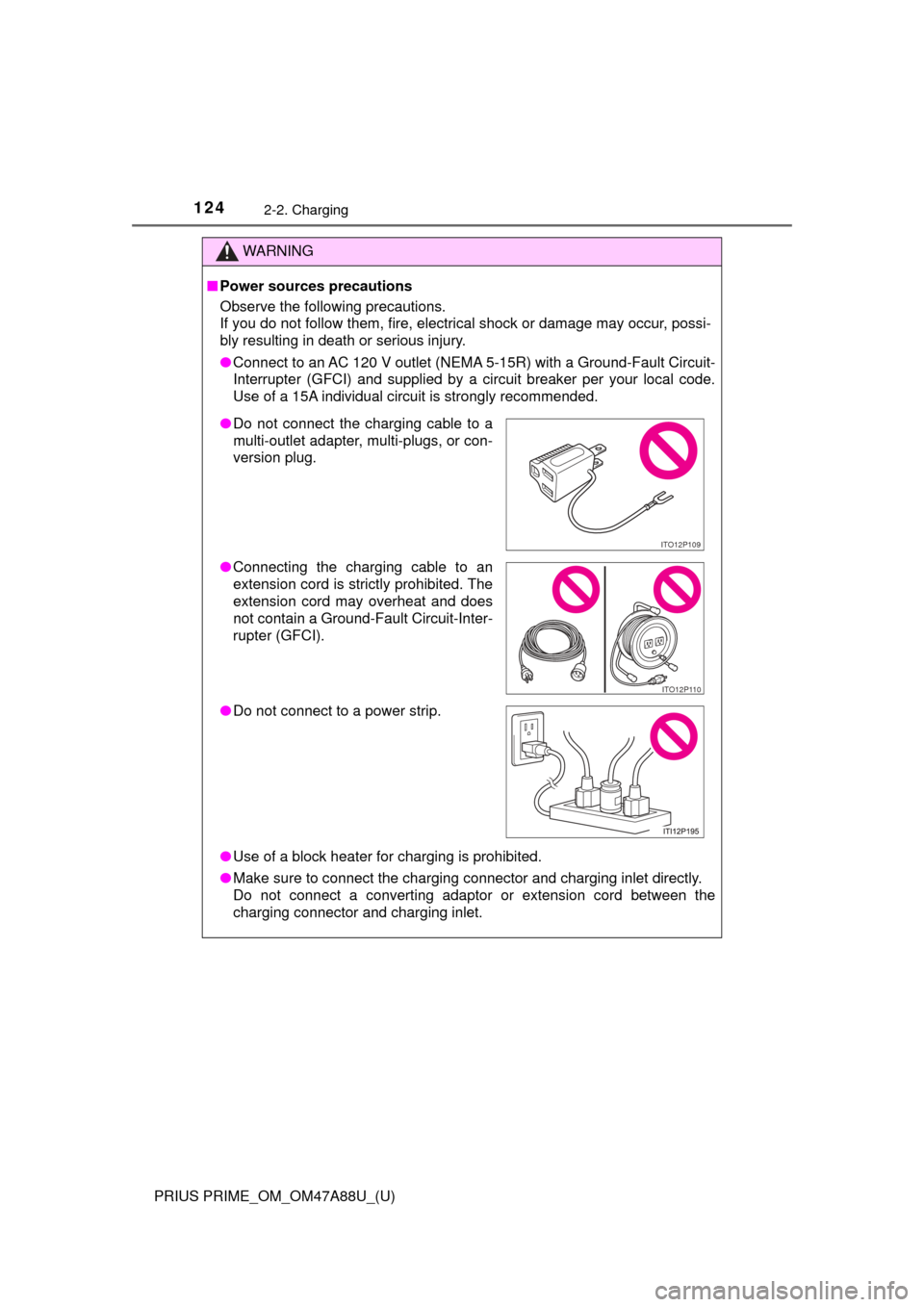
●Do not connect the charging cable to a
multi-outlet adapter, multi-plugs, or con-
version plug.
● Connecting the charging cable to an
extension cord is strictly prohibited. The
extension cord may overheat and does
not contain a Ground-Fault Circuit-Inter-
rupter (GFCI).
● Do not connect to a power strip.
ITO12P109
ITO12P110
Page 125 of 784
125
PRIUS PRIME_OM_OM47A88U_(U)
2-2. Charging
2
Plug-in hybrid system
Charging methods
◆Charging from an external power source (→P. 136)
This is a charging method used when charging from an AC outlet
(120 V) with the charging cable equ ipped to the vehicle or charging
at a public charging station.
The charging start time (or departure time) and day can be set to carry
out charging using the timer at the desired date and time. (→P. 147)
◆Using the hybrid battery (tra ction battery) charge mode
(→ P. 81)
The plug-in hybrid system can be switched to hybrid battery (trac-
tion battery) charge mode to charge the hybrid battery (traction bat-
tery) using electricity generat ed by gasoline engine operation.
The maximum charge amount in the hybrid battery (traction battery)
charge mode is approximately 80% of the fully charged capacity for the
charging from an external power source.
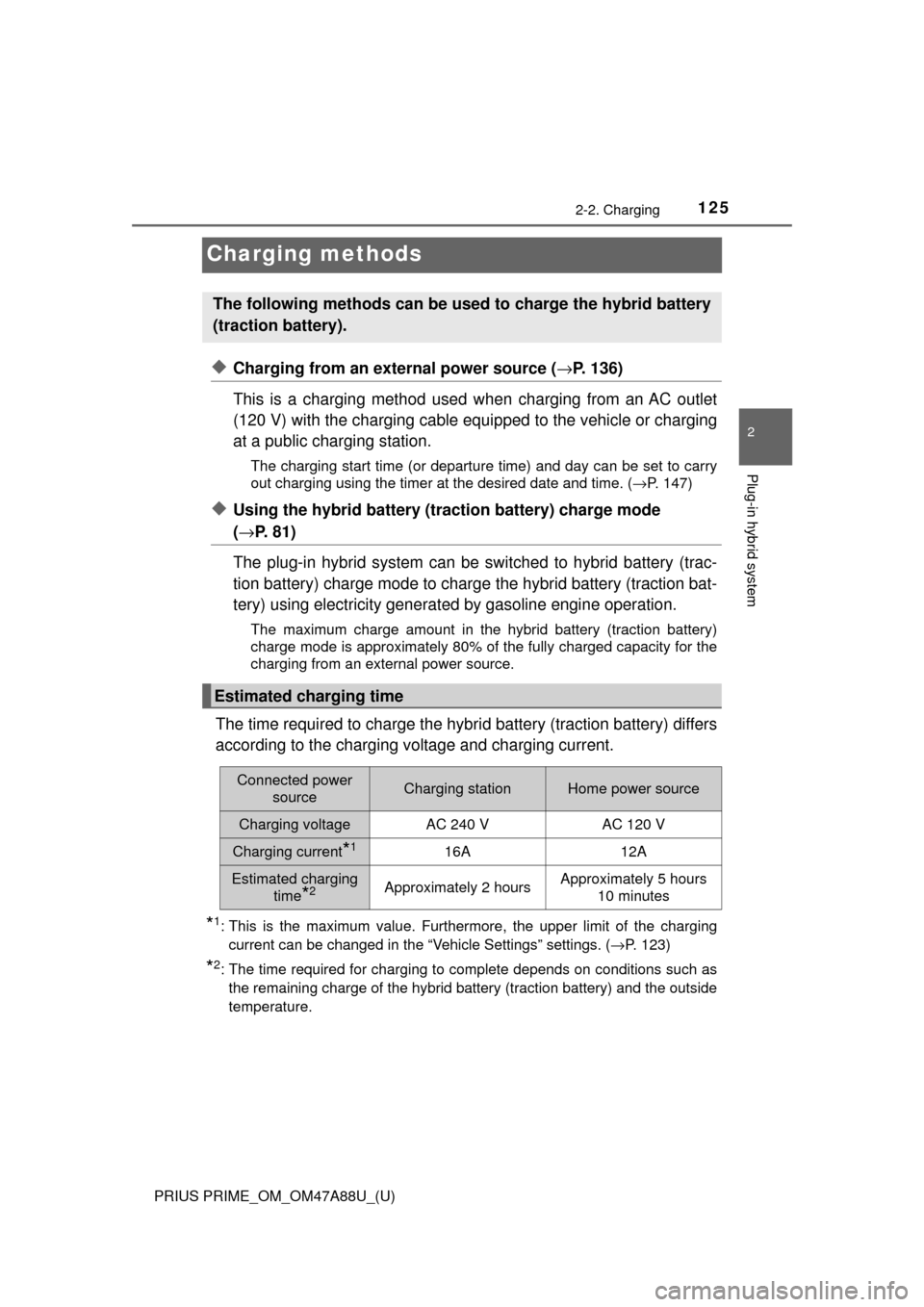
The time required to charge the hybr id battery (traction battery) differs
according to the charging voltage and charging current.
*1: This is the maximum value. Furthermore, the upper limit of the charging current can be changed in the “Vehicle Settings” settings. ( →P. 123)
*2: The time required for charging to complete depends on conditions such as
the remaining charge of the hybrid battery (traction battery) and the outside
temperature.
The following methods can be used to charge the hybrid battery
(traction battery).
Estimated charging time
Connected power sourceCharging stationHome power source
Charging voltageAC 240 VAC 120 V
Charging current*116A12A
Estimated charging
time
*2Approximately 2 hoursApproximately 5 hours 10 minutes
Page 126 of 784

126
PRIUS PRIME_OM_OM47A88U_(U)
2-2. Charging
■Charging time may increase
In the following situations, charging time may become longer than normal:
●In very hot or very cold temperatures.
● The vehicle is consuming a lot of el ectricity, for example, when the head
light switch is on etc.
● There is a power outage during charging.
● There is an interruption in the electrical supply.
● There is a drop in the voltage of external power source.
● The charge in the 12-volt battery is low, for example due to the vehicle being
left unused for a long period of time.
● The maximum charging current is set to 8A through the “Vehicle Settings”
settings. ( →P. 123)
● When the “Traction Battery Heater” operates.
● When the “Traction Battery Cooler” is operated before charging. ( →P. 127)
■ Using a DC Charger
DC Chargers cannot be used with this vehicle.
This vehicle is equipped with seve ral functions that are linked with
charging.
■“Traction Battery Heater”
When the outside temperature is low and the charging cable is con-
nected to the vehicle, this functi on automatically warms the hybrid
battery (traction battery) until it reaches or exceeds a certain tem-
perature.
● When the charging cable is removed from the vehicle or remains
connected to the vehicle for approximately 3 days, the system
automatically stops.
● When the charging timer is used ( →P. 147), this function will
operate according to the timer settings.
Charging-linked functions
Page 127 of 784
PRIUS PRIME_OM_OM47A88U_(U)
1272-2. Charging
2
Plug-in hybrid system
■Hybrid battery (traction battery) warming control (Alaska and
Canada only)
This control operates after the charging cable remains connected to
the vehicle for 3 days and “Traction Battery Heater” automatically
stops. It automatically insulates th e hybrid battery (traction battery)
in extremely low temperatures.
● This control stops 31 days after the charging cable is connected,
even if it is still co nnected to the vehicle.
● When this control operates, timer charging settings are ignored
and charging starts immediately.
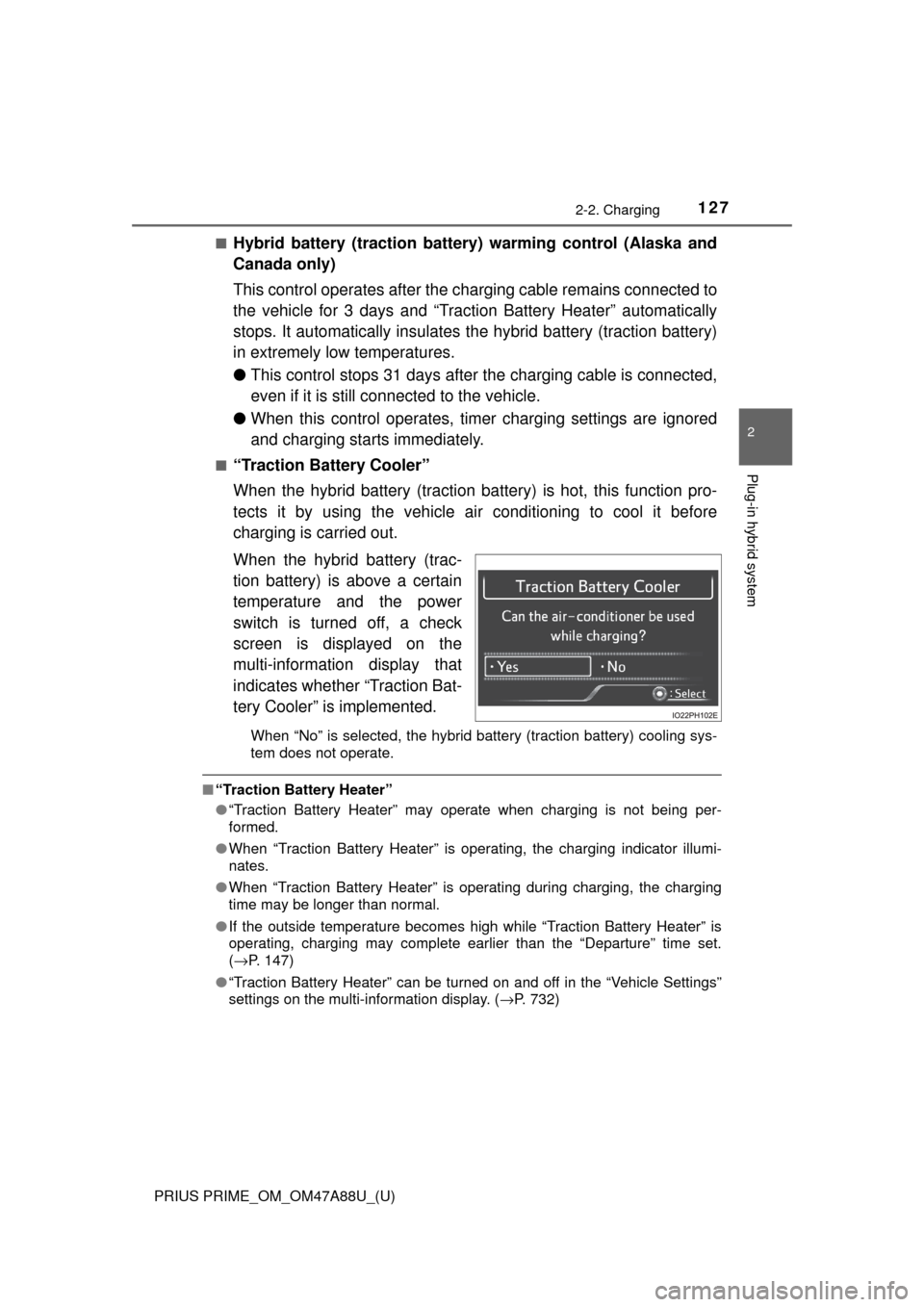
■“Traction Battery Cooler”
When the hybrid battery (traction ba ttery) is hot, this function pro-
tects it by using the vehicle ai r conditioning to cool it before
charging is carried out.
When the hybrid battery (trac-
tion battery) is above a certain
temperature and the power
switch is turned off, a check
screen is displayed on the
multi-information display that
indicates whether “Traction Bat-
tery Cooler” is implemented.
When “No” is selected, the hybrid battery (traction battery) cooling sys-
tem does not operate.
■ “Traction Battery Heater”
●“Traction Battery Heater” may operate when charging is not being per-
formed.
● When “Traction Battery Heater” is operating, the charging indicator illumi-
nates.
● When “Traction Battery Heater” is operating during charging, the charging
time may be longer than normal.
● If the outside temperature becomes high while “Traction Battery Heater” is
operating, charging may complete earlier than the “Departure” time set.
(→P. 147)
● “Traction Battery Heater” can be turned on and off in the “Vehicle Settings”
settings on the multi-information display. ( →P. 732)
Page 128 of 784

128
PRIUS PRIME_OM_OM47A88U_(U)
2-2. Charging
■“Traction Battery Cooler”
●When the hybrid battery (traction battery) is above a certain temperature
and the power switch is turned off, a check screen is displayed on the multi-
information display that indicates whether “Traction Battery Cooler” is imple-
mented. Approximately 5 minutes after selecting “Yes” on this screen, sys-
tem operation becomes possible.
● When charging starts, “Traction Battery Cooler” only operates if the hybrid
battery (traction battery) temperature is hot.
● The charging indicator is illuminated while “Traction Battery Cooler” is on
standby or operating.
● “Traction Battery Cooler” is implem ented for a maximum of approximately
30 minutes. However, when the “Departure” time is set ( →P. 147) and there
is not sufficient time between the current time and the time that charging will
complete, “Traction Battery Cooler” operation time may become shorter.
● When there is a small amount of remaining charge in the hybrid battery
(traction battery), even if the hybrid battery (traction battery) is hot, “Traction
Battery Cooler” may not be implemented.
● When the following operations are performed while “Traction Battery Cooler”
is operating, the hybrid battery (traction battery) cooling operation stops.
• A door is opened
• The hood is opened
• The power switch is turned to any mode other than off
• The shift position is changed to any position other than P
• The Remote Air Conditioning System is operated ( →P. 509)
• “Charge Now” is implemented ( →P. 156, 165)
• The amount of remaining charge in the hybrid battery (traction battery) is
below a certain amount
● When the power switch is turned off, a check screen is displayed on the
multi-information display that indicates whether “Traction Battery Cooler” is
implemented. This check screen can be turned on and off in the “Meter Cus-
tomize” settings on the multi-information display ( →P. 234). However, when
the check screen is set to “Off”, “Traction Battery Cooler” is no longer oper-
ates.
● “Traction Battery Cooler” uses the power of the hybrid battery (traction bat-
tery) and external power source.
• While “Traction Battery Cooler” is operating, the amount of the remaining
charge of the hybrid battery (traction battery) increases and decreases in
a certain range, and does not increase as in normal charging.
• The operation of “Traction Battery Cooler” is recognized as charging by a
charging equipment. The charging equipment that calculates the fee
according to charging time causes a charging fee.
Page 129 of 784
129
PRIUS PRIME_OM_OM47A88U_(U)
2-2. Charging
2
Plug-in hybrid system
Charging tips
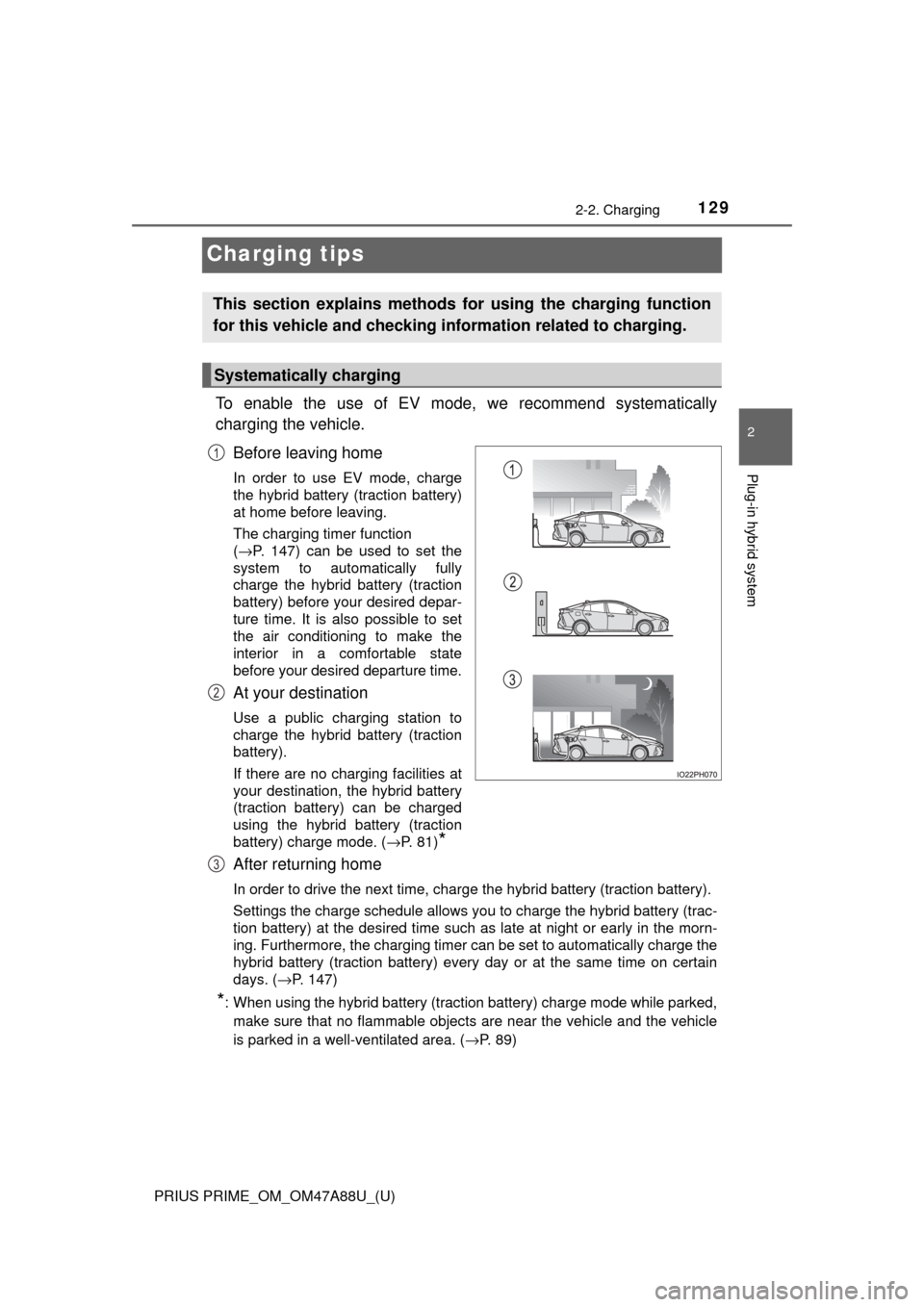
To enable the use of EV mode, we recommend systematically
charging the vehicle.Before leaving home
In order to use EV mode, charge
the hybrid battery (traction battery)
at home before leaving.
The charging timer function
(→P. 147) can be used to set the
system to automatically fully
charge the hybrid battery (traction
battery) before your desired depar-
ture time. It is also possible to set
the air conditioning to make the
interior in a comfortable state
before your desired departure time.
At your destination
Use a public charging station to
charge the hybrid battery (traction
battery).
If there are no charging facilities at
your destination, the hybrid battery
(traction battery) can be charged
using the hybrid battery (traction
battery) charge mode. (→P. 81)
*
After returning home
In order to drive the next time, charge the hybrid battery (traction battery).
Settings the charge schedule allows you to charge the hybrid battery (t\
rac-
tion battery) at the desired time such as late at night or early in the morn-
ing. Furthermore, the charging timer can be set to automatically charge the
hybrid battery (traction battery) every day or at the same time on certain
days. ( →P. 147)
*: When using the hybrid battery (traction battery) charge mode while parked,
make sure that no flammable objects are near the vehicle and the vehicle
is parked in a well-ventilated area. ( →P. 89)
This section explains methods for using the charging function
for this vehicle and checking in formation related to charging.
Systematically charging
1
2
3
Page 130 of 784
130
PRIUS PRIME_OM_OM47A88U_(U)
2-2. Charging
■Searching charging stations (vehicles with 11.6-inch display)
After applying to Entune, it is possible to use the smartphone application to
search the nearby charging stations.
For details about Entune, refer to http://www.toyota.com/entune/.
Information related to charging can be displayed and checked on the
vehicle’s multi-information display or 11.6-inch display (if equipped).
Refer to P. 252 for details on the screen display for the 11.6-inch display (if
equipped).
■
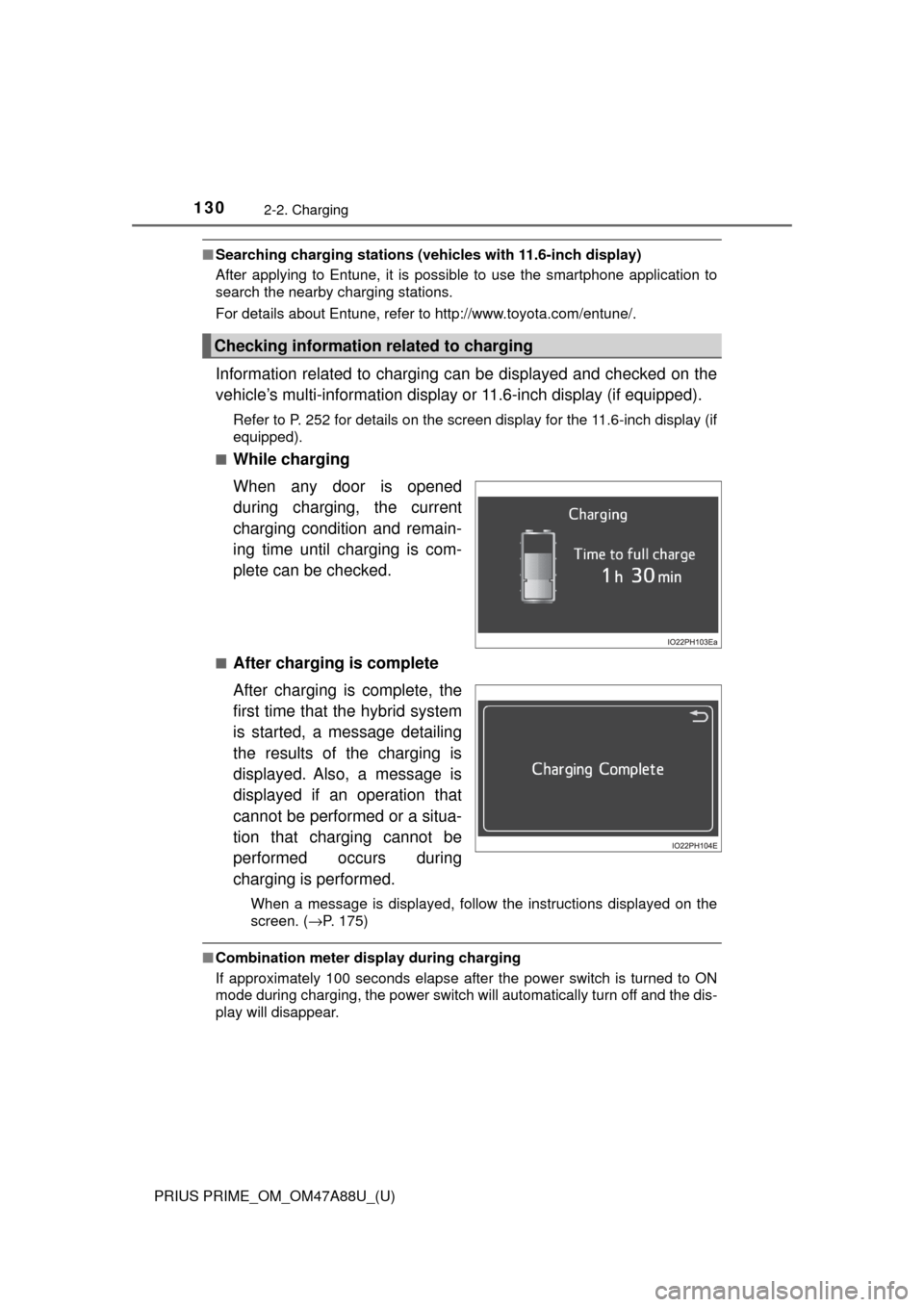
While charging
When any door is opened
during charging, the current
charging condition and remain-
ing time until charging is com-
plete can be checked.
■After charging is complete
After charging is complete, the
first time that the hybrid system
is started, a message detailing
the results of the charging is
displayed. Also, a message is
displayed if an operation that
cannot be performed or a situa-
tion that charging cannot be
performed occurs during
charging is performed.
When a message is displayed, follow the instructions displayed on the
screen. ( →P. 175)
■Combination meter display during charging
If approximately 100 seconds elapse after the power switch is turned to ON
mode during charging, the power switch will automatically turn off and the dis-
play will disappear.
Checking information related to charging
Page 131 of 784
131
PRIUS PRIME_OM_OM47A88U_(U)
2-2. Charging
2
Plug-in hybrid system
Things to know before charging
This vehicle has been designed to allow charging from an external
power source using a charging cabl e for exclusive use with standard
household AC outlets.
However, the vehicle differs greatly from standard household electri-
cal goods in the following ways, and incorrect usage could cause fire
or electric shock, possibly lead ing to death or serious injury.
● The charging operation is designed to operate at 12A continuously
for the charge duration (up to 5 hours 10 minutes). ( →P. 125)
● Charging can be conducted outdoors.
To charge properly, follow the procedure after reading the explanation
below. Charging is intended to be carried out by licensed drivers only
who properly understand the charging procedure.
● Charging should not be carried out by children.
● When charging with a charging equipment, follow the procedures
for using each equipment.
● When charging using a pub lic charging facility, check the setting of
the charging timer function. • When the charge schedule is registered, temporarily turn off the function or turn “Charge Now” on. ( →P. 154, 156, 164, 165)
• When the charge schedul e is set to ON, charging will not start
even if the charging cable is connected. Also, charging fee may
occur due to connection of the charging cable.
Make sure to read the followi ng precautions before connecting
the charging cable to the vehicl e and charging the hybrid battery
(traction battery).
Charging precautions
Page 132 of 784

132
PRIUS PRIME_OM_OM47A88U_(U)
2-2. Charging
Before charging, always check the following items.
●The parking brake is applied.( →P. 337)
● The headlights are switched off or set to AUTO, and lights such as
the emergency flashers and interior lights etc. are switched off.
If these light switches are turned ON, then these features will consume
electricity, and charging time will increase.
●The power switch is off. ( →P. 324)
Before charging, make sure that ea ch part of the charging cable is in
good condition. ( →P. 11 2 )
■Safety functions
●The hybrid system will not start while the charging cable is attached to the
vehicle, even if the power switch is operated.
● If the charging cable is connected while the “READY” indicator is illumi-
nated, the hybrid system will stop automatically and driving will not be possi-
ble.
● When the charging cable is connected to the vehicle, the shift position can-
not be changed from P to another position.
■ During charging
The followings occur, however, it does not indicate a malfunction.
●The charging starting time may differ depending on the state of the vehicle.
● During charging, the sound of the fan may be heard from the charging
equipment cooling air intake vents. ( →P. 135)
● During and after charging, the rear seat and its surrounding area in which
the charging equipment is installed may get warm.
Confirm the following before charging
Inspecting the charging cable