light TOYOTA PRIUS PRIME 2017 2.G Workshop Manual
[x] Cancel search | Manufacturer: TOYOTA, Model Year: 2017, Model line: PRIUS PRIME, Model: TOYOTA PRIUS PRIME 2017 2.GPages: 784, PDF Size: 14.98 MB
Page 186 of 784
186
PRIUS PRIME_OM_OM47A88U_(U)
3. Instrument cluster
■The meters and display illuminate when
The power switch is in ON mode.
■ Adjusting the instrument cluster brightness (→P. 182)
● The brightness levels that can be selected differ depending on whether the
tail lights are on and surrounding brightness levels, as shown in the table
below.
*: 22 levels of the brightness are displayed on the setting screen. However,
the brightness setting will be the brightest when other than 1st level (the
darkest) is selected. If other than 1st or 22nd level is selected, when the
tail lights are turned on in a dark place, the instrument cluster brightness
setting will be the selected level.
● If the taillights are illuminated in a dark environment, the instrument cluster
light dims. However, when the brightness of the instrument cluster is set to
minimum or maximum (1st or 22nd level of the instrument cluster bright-
ness), even if the taillights are illuminated, the instrument cluster light will
not dim.
■ When disconnecting and reconnect ing 12-volt battery terminals
The settings of the clock will be reset.
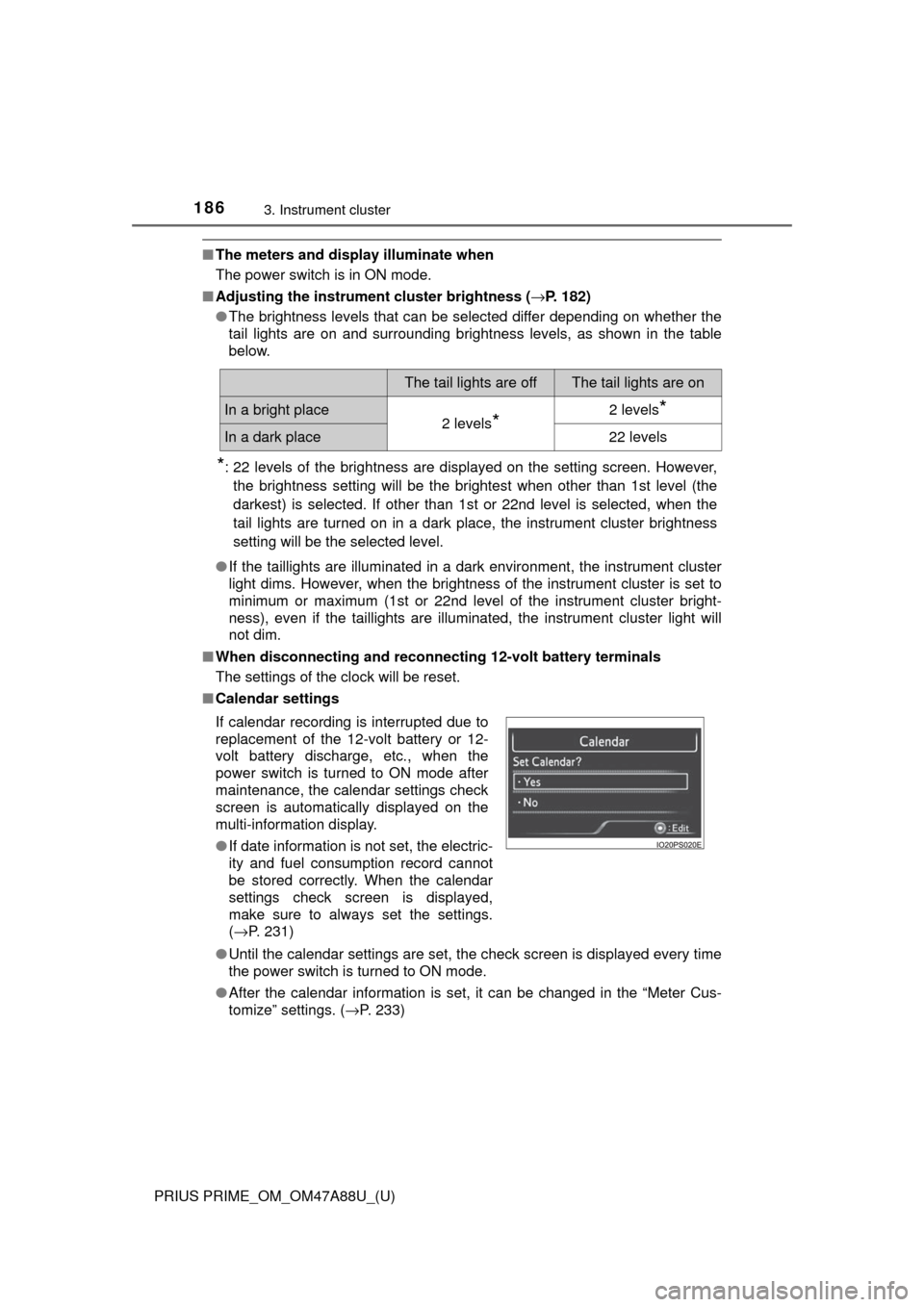
■ Calendar settings
●Until the calendar settings are set, the check screen is displayed every time
the power switch is turned to ON mode.
● After the calendar information is set, it can be changed in the “Meter Cus-
tomize” settings. ( →P. 233)
The tail lights are offThe tail lights are on
In a bright place2 levels*2 levels*
In a dark place22 levels
If calendar recording is interrupted due to
replacement of the 12-volt battery or 12-
volt battery discharge, etc., when the
power switch is turned to ON mode after
maintenance, the calendar settings check
screen is automatically displayed on the
multi-information display.
● If date information is not set, the electric-
ity and fuel consumption record cannot
be stored correctly. When the calendar
settings check screen is displayed,
make sure to always set the settings.
(→P. 231)
Page 187 of 784
PRIUS PRIME_OM_OM47A88U_(U)
1873. Instrument cluster
3
Instrument cluster
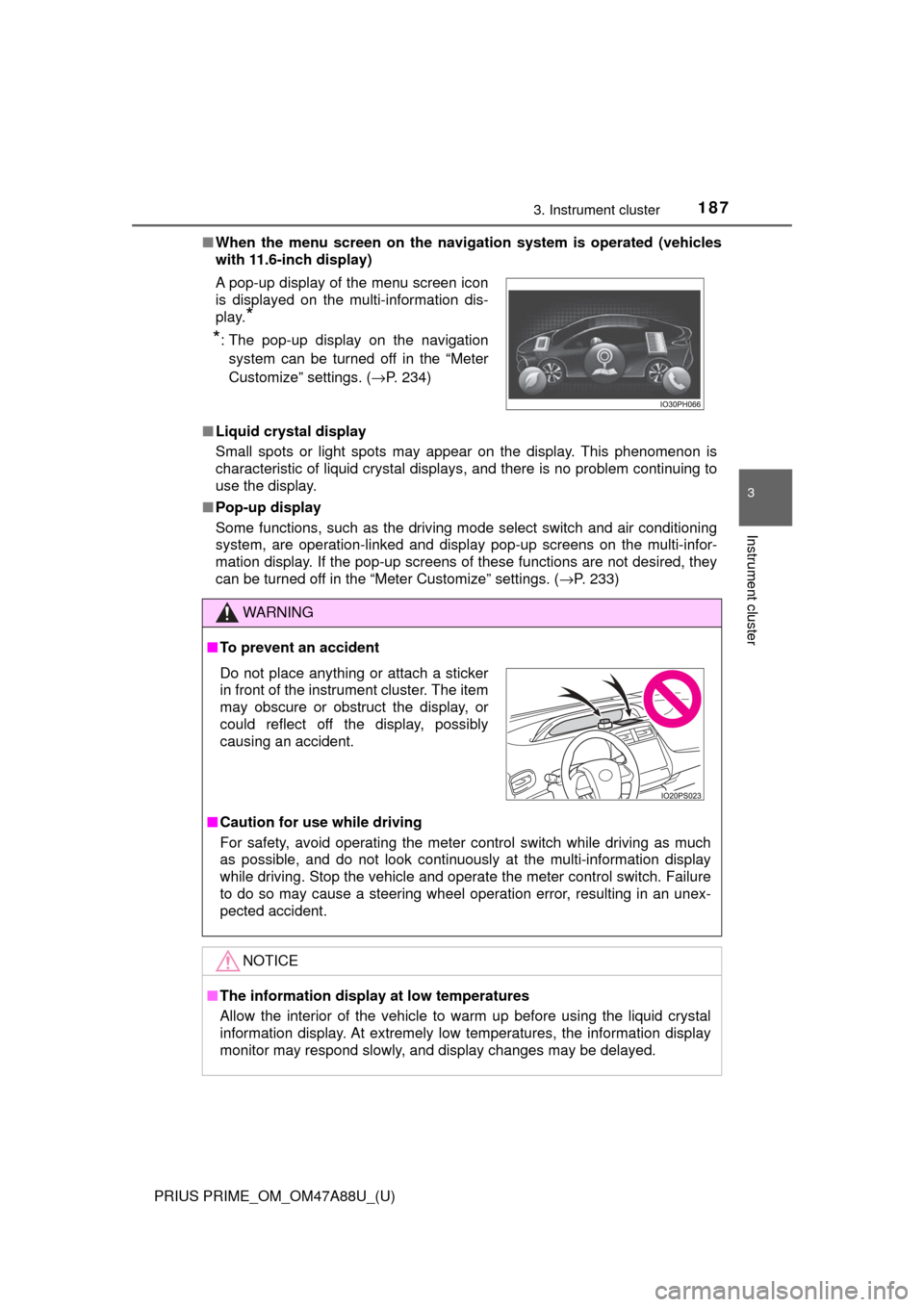
■When the menu screen on the naviga tion system is operated (vehicles
with 11.6-inch display)
■ Liquid crystal display
Small spots or light spots may appear on the display. This phenomenon is
characteristic of liquid crystal displays, and there is no problem continuing to
use the display.
■ Pop-up display
Some functions, such as the driving mode select switch and air conditioning
system, are operation-linked and display pop-up screens on the multi-infor-
mation display. If the pop-up screens of these functions are not desired, they
can be turned off in the “Meter Customize” settings. ( →P. 233)
A pop-up display of the menu screen icon
is displayed on the multi-information dis-
play.
*
*
: The pop-up display on the navigation
system can be turned off in the “Meter
Customize” settings. ( →P. 234)
WARNING
■To prevent an accident
■ Caution for use while driving
For safety, avoid operating the meter control switch while driving as much
as possible, and do not look continuously at the multi-information display
while driving. Stop the vehicle and operate the meter control switch. Failure
to do so may cause a steering wheel operation error, resulting in an unex-
pected accident.
NOTICE
■The information display at low temperatures
Allow the interior of the vehicle to warm up before using the liquid crystal
information display. At extremely low temperatures, the information display
monitor may respond slowly, and display changes may be delayed.
Do not place anything or attach a sticker
in front of the instrument cluster. The item
may obscure or obstruct the display, or
could reflect off the display, possibly
causing an accident.
Page 188 of 784
188
PRIUS PRIME_OM_OM47A88U_(U)
3. Instrument cluster
Warning lights and indicators
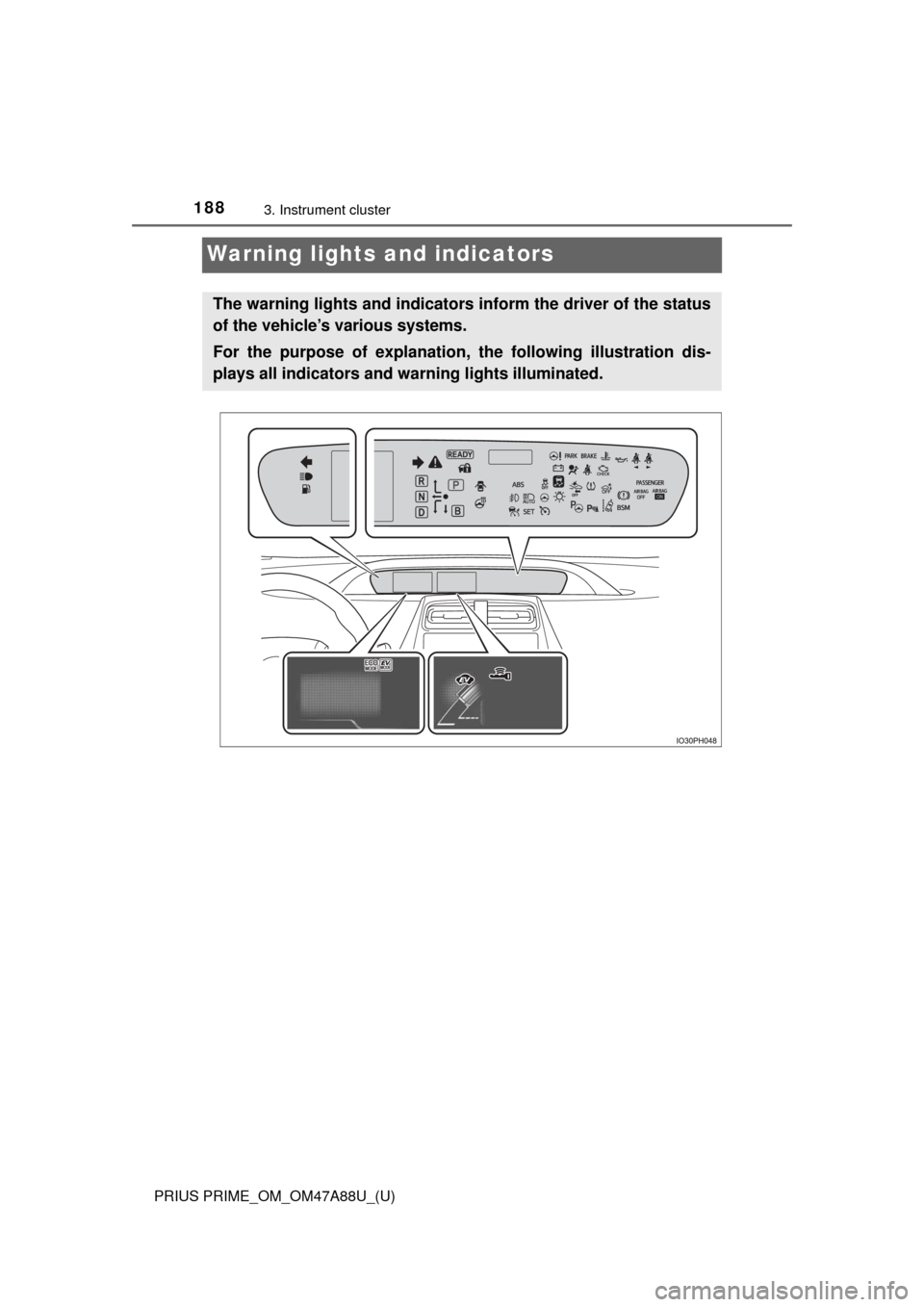
The warning lights and indicators inform the driver of the status
of the vehicle’s various systems.
For the purpose of explanation, the following illustration dis-
plays all indicators and wa rning lights illuminated.
Page 189 of 784
PRIUS PRIME_OM_OM47A88U_(U)
1893. Instrument cluster
3
Instrument cluster
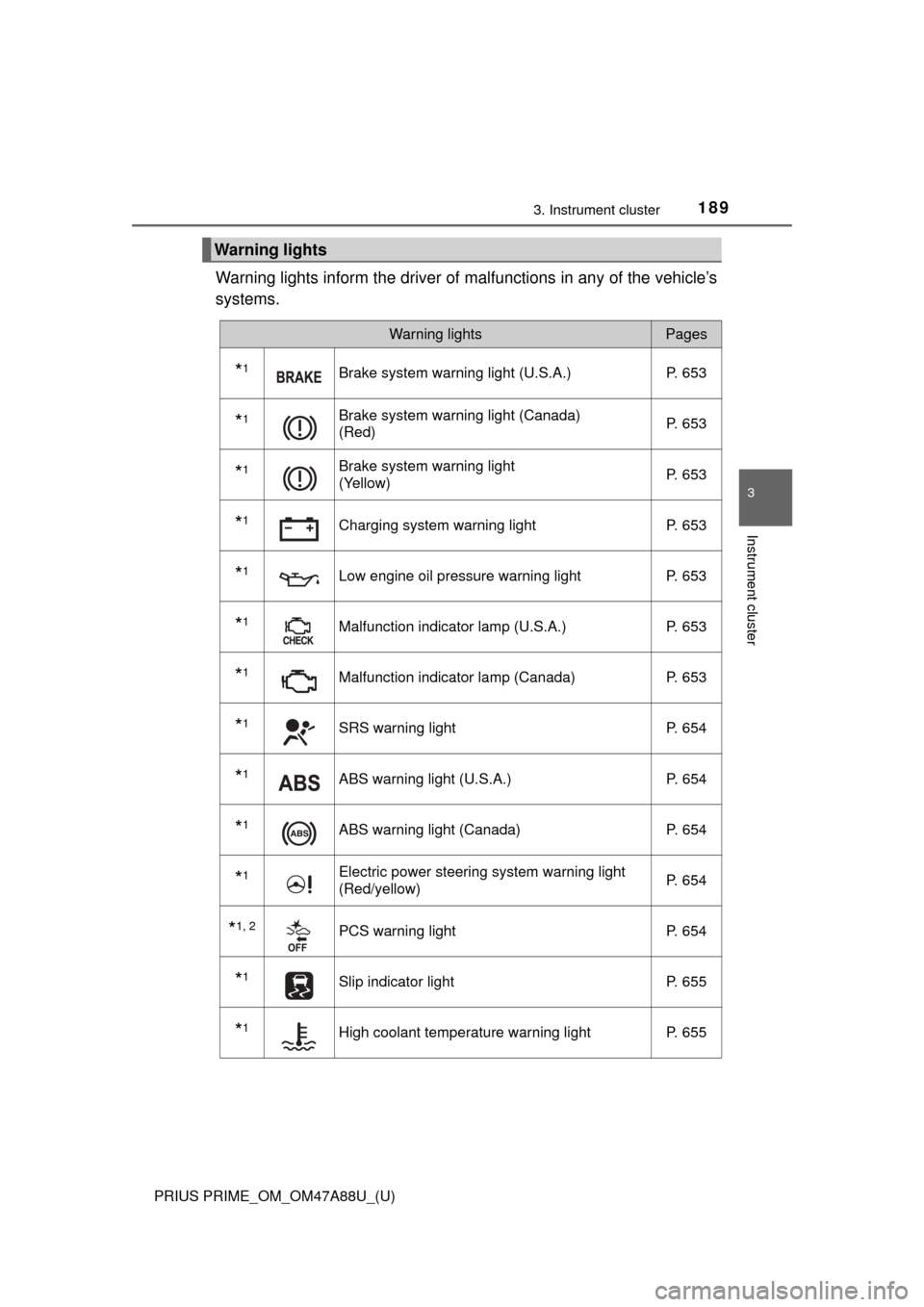
Warning lights inform the driver of malfunctions in any of the vehicle’s
systems.
Warning lights
Warning lightsPages
*1Brake system warning light (U.S.A.) P. 653
*1Brake system warning light (Canada)
(Red)P. 653
*1Brake system warning light
(Yellow)P. 653
*1Charging system warning light
P. 653
*1Low engine oil pressure warning lightP. 653
*1Malfunction indicator lamp (U.S.A.) P. 653
*1Malfunction indicator lamp (Canada) P. 653
*1SRS warning lightP. 654
*1ABS warning light (U.S.A.) P. 654
*1ABS warning light (Canada)P. 654
*1Electric power steering system warning light
(Red/yellow)P. 654
*1, 2PCS warning light
P. 654
*1Slip indicator light P. 655
*1High coolant temperature warning lightP. 655
Page 190 of 784
190
PRIUS PRIME_OM_OM47A88U_(U)
3. Instrument cluster
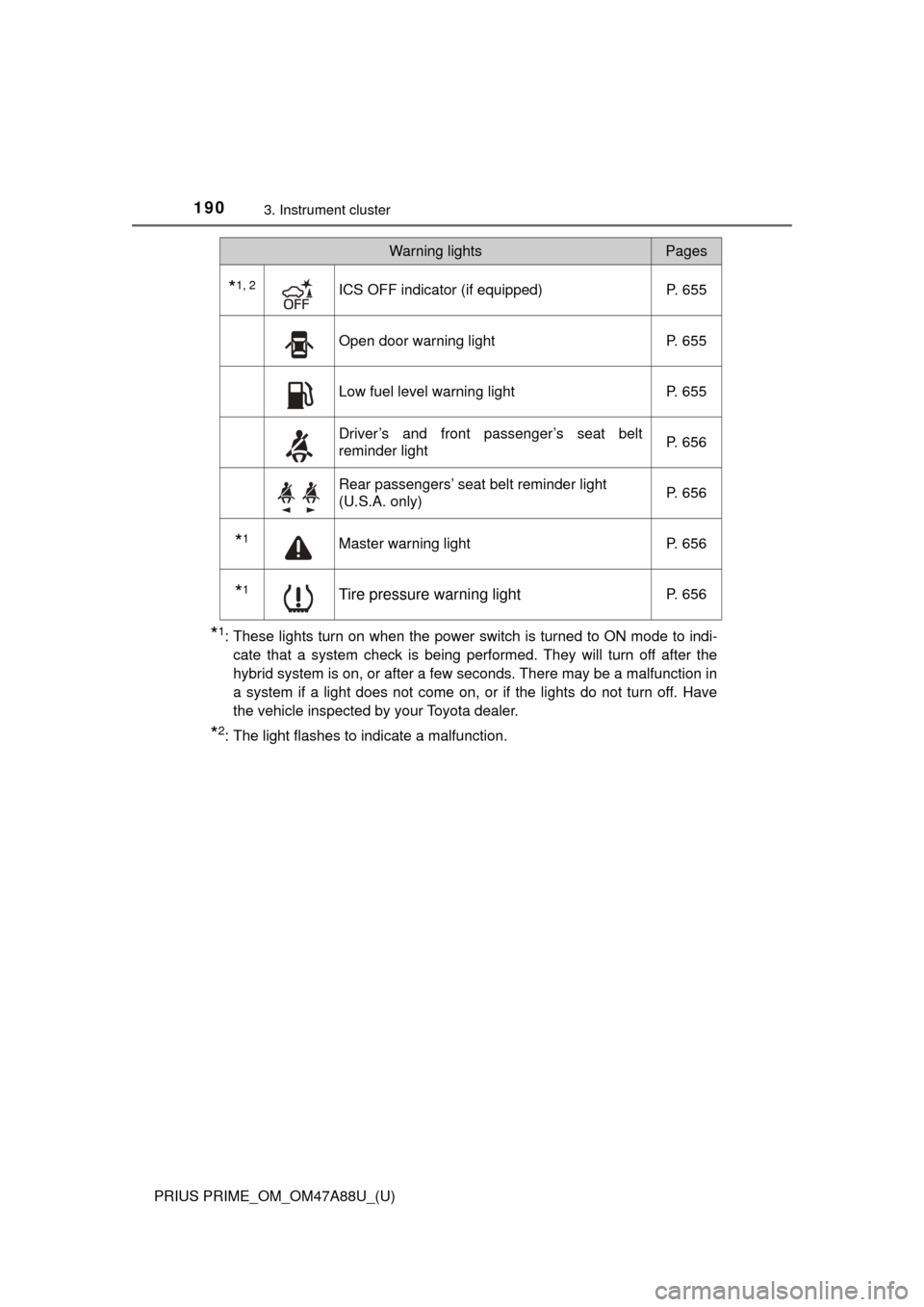
*1: These lights turn on when the power switch is turned to ON mode to indi-cate that a system check is being performed. They will turn off after the
hybrid system is on, or after a few seconds. There may be a malfunction in
a system if a light does not come on, or if the lights do not turn off. Have
the vehicle inspected by your Toyota dealer.
*2: The light flashes to indicate a malfunction.
*1, 2ICS OFF indicator (if equipped) P. 655
Open door warning lightP. 655
Low fuel level warning lightP. 655
Driver’s and front passenger’s seat belt
reminder lightP. 656
Rear passengers’ seat belt reminder light
(U.S.A. only)
P. 656
*1Master warning light
P. 656
*1Tire pressure warning lightP. 656
Warning lightsPages
Page 191 of 784
PRIUS PRIME_OM_OM47A88U_(U)
1913. Instrument cluster
3
Instrument cluster
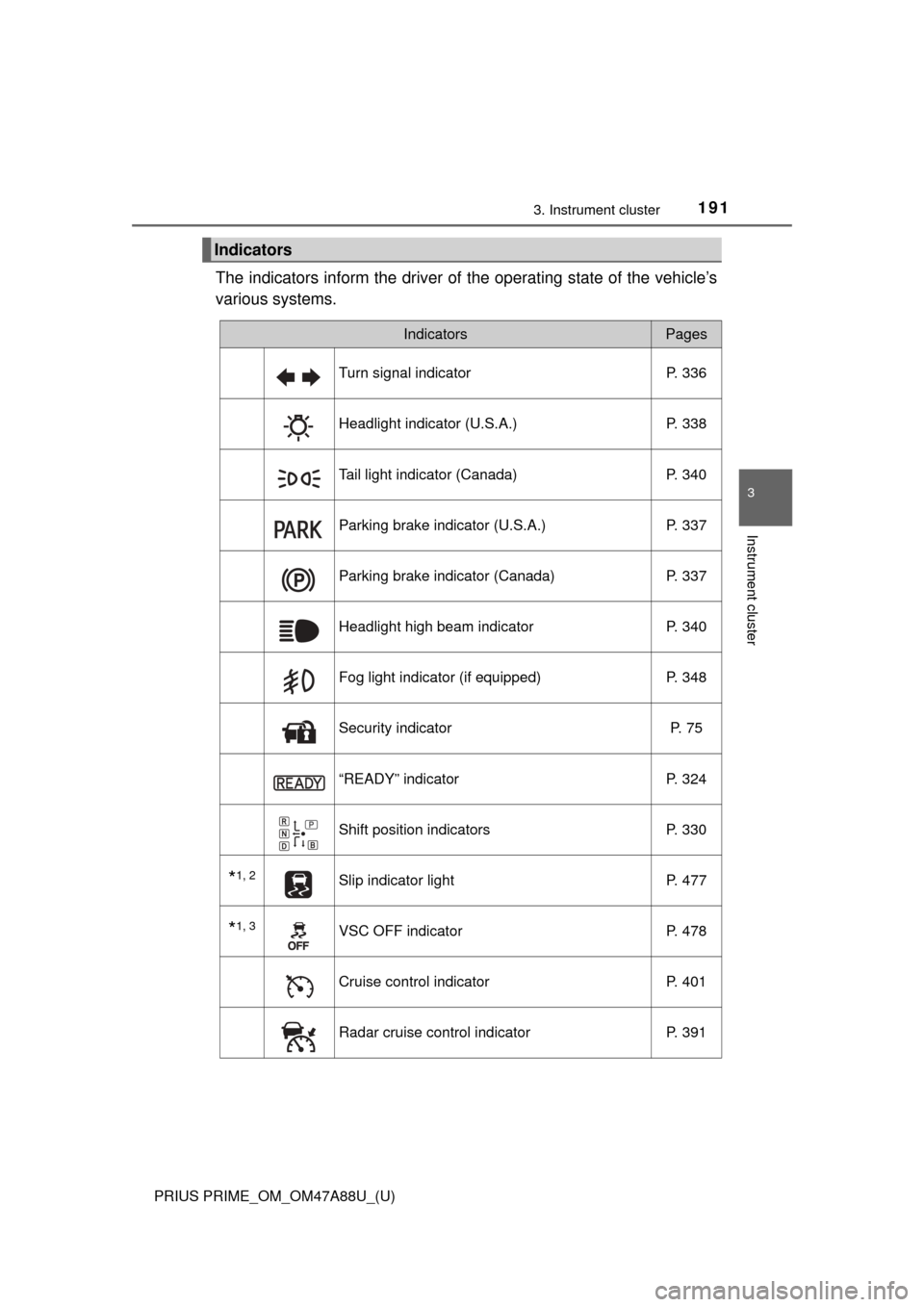
The indicators inform the driver of the operating state of the vehicle’s
various systems.
Indicators
IndicatorsPages
Turn signal indicator P. 336
Headlight indicator (U.S.A.) P. 338
Tail light indicator (Canada) P. 340
Parking brake indicator (U.S.A.) P. 337
Parking brake indicator (Canada)P. 337
Headlight high beam indicatorP. 340
Fog light indicator (if equipped) P. 348
Security indicator P. 75
“READY” indicatorP. 324
Shift position indicators P. 330
*1, 2Slip indicator light P. 477
*1, 3VSC OFF indicatorP. 478
Cruise control indicatorP. 401
Radar cruise control indicatorP. 391
Page 192 of 784
192
PRIUS PRIME_OM_OM47A88U_(U)
3. Instrument cluster
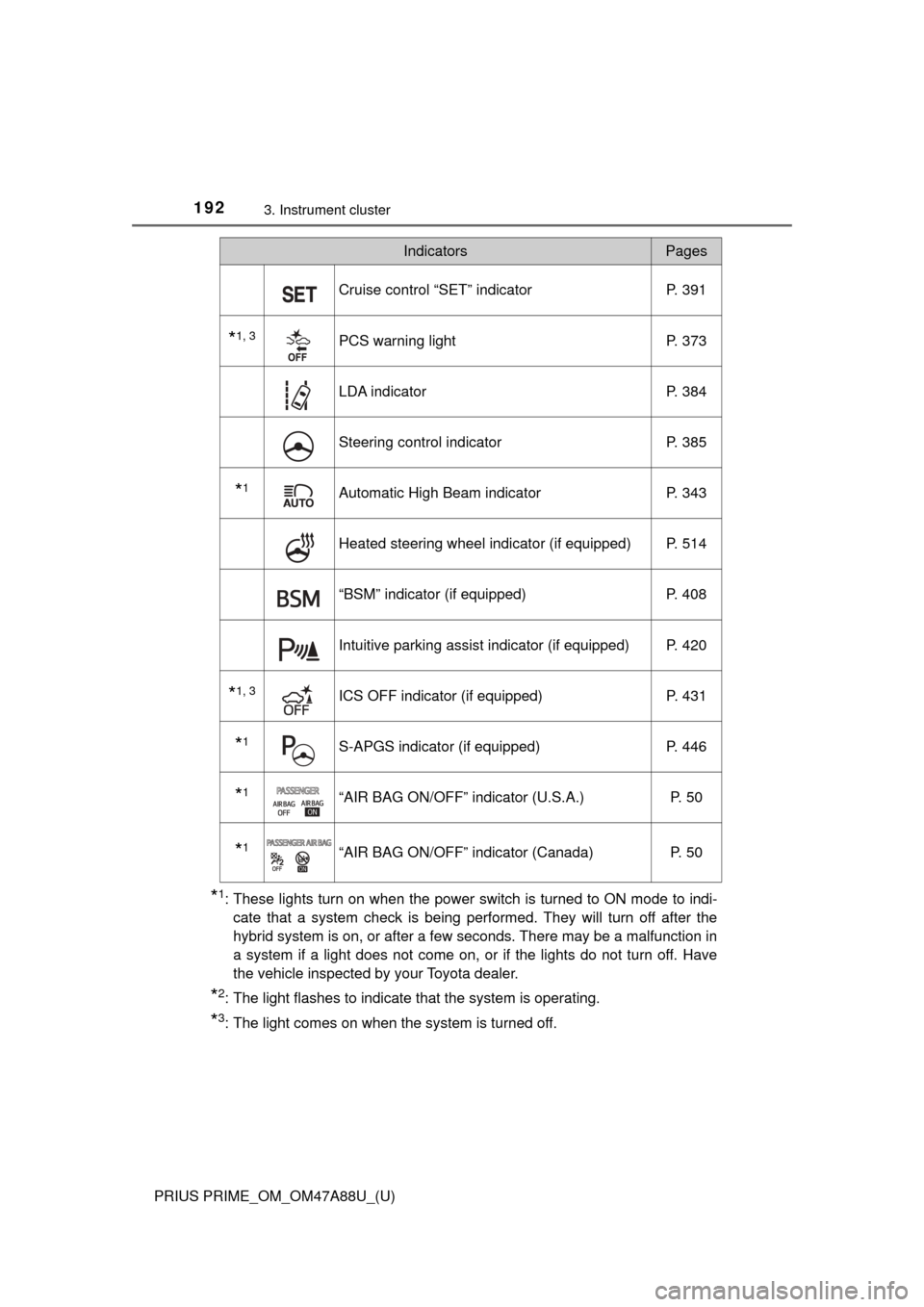
*1: These lights turn on when the power switch is turned to ON mode to indi-cate that a system check is being performed. They will turn off after the
hybrid system is on, or after a few seconds. There may be a malfunction in
a system if a light does not come on, or if the lights do not turn off. Have
the vehicle inspected by your Toyota dealer.
*2: The light flashes to indicate that the system is operating.
*3: The light comes on when the system is turned off.
Cruise control “SET” indicator P. 391
*1, 3PCS warning lightP. 373
LDA indicator P. 384
Steering control indicatorP. 385
*1Automatic High Beam indicatorP. 343
Heated steering wheel indicator (if equipped) P. 514
“BSM” indicator (if equipped)P. 408
Intuitive parking assist indicator (if equipped) P. 420
*1, 3ICS OFF indicator (if equipped) P. 431
*1S-APGS indicator (if equipped)P. 446
*1“AIR BAG ON/OFF” indicator (U.S.A.) P. 50
*1“AIR BAG ON/OFF” indicator (Canada)P. 50
IndicatorsPages
Page 195 of 784
PRIUS PRIME_OM_OM47A88U_(U)
1953. Instrument cluster
3
Instrument cluster
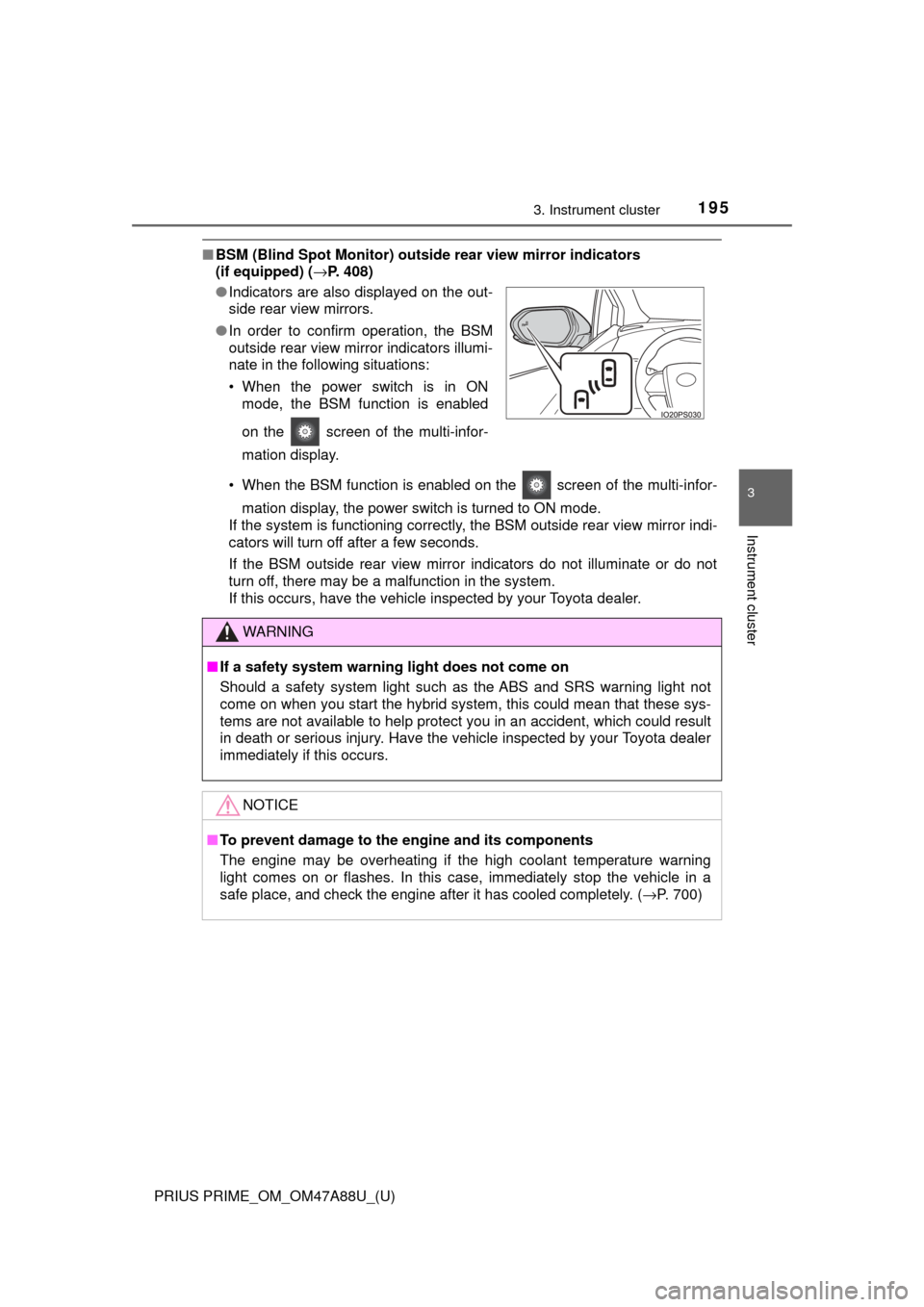
■BSM (Blind Spot Monitor) outsid e rear view mirror indicators
(if equipped) ( →P. 408)
• When the BSM function is enabled on the screen of the multi-infor- mation display, the power switch is turned to ON mode.
If the system is functioning correctly, the BSM outside rear view mirror indi-
cators will turn off after a few seconds.
If the BSM outside rear view mirror indicators do not illuminate or do not
turn off, there may be a malfunction in the system.
If this occurs, have the vehicle inspected by your Toyota dealer.
●
Indicators are also displayed on the out-
side rear view mirrors.
● In order to confirm operation, the BSM
outside rear view mirror indicators illumi-
nate in the following situations:
• When the power switch is in ON
mode, the BSM function is enabled
on the screen of the multi-infor-
mation display.
WARNING
■If a safety system warning light does not come on
Should a safety system light such as the ABS and SRS warning light not
come on when you start the hybrid system, this could mean that these sys-
tems are not available to help protect you in an accident, which could r\
esult
in death or serious injury. Have the vehicle inspected by your Toyota dealer
immediately if this occurs.
NOTICE
■To prevent damage to the engine and its components
The engine may be overheating if the high coolant temperature warning
light comes on or flashes. In this case, immediately stop the vehicle in a
safe place, and check the engine after it has cooled completely. ( →P. 700)
Page 207 of 784
PRIUS PRIME_OM_OM47A88U_(U)
2073. Instrument cluster
3
Instrument cluster
Press or of the meter control switches and select the icon
of the desired item.
The selected icon is highlighted and the display switches to the information
screen.
When split screen display is selected for the main display, the sub-screen
of the main display can also be selected. ( →P. 201)
Press or of the meter control switches to switch the con-
tents of the display.
Press on screens where it
is necessary to select or con-
firm an item.
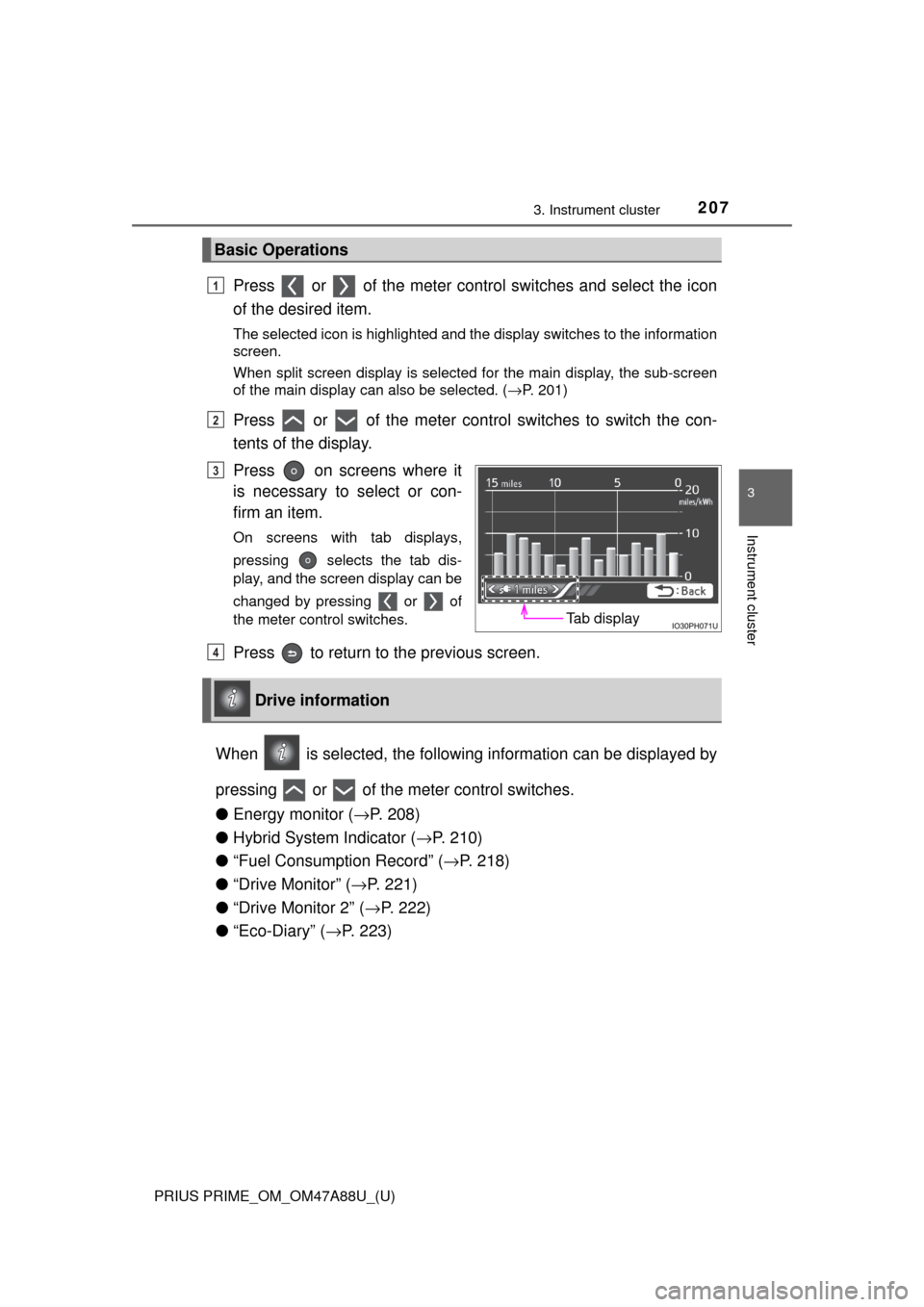
On screens with tab displays,
pressing selects the tab dis-
play, and the screen display can be
changed by pressing or of
the meter control switches.
Press to return to the previous screen.
When is selected, the followi ng information can be displayed by
pressing or of the meter control switches.
● Energy monitor ( →P. 208)
● Hybrid System Indicator ( →P. 210)
● “Fuel Consumption Record” ( →P. 218)
● “Drive Monitor” ( →P. 221)
● “Drive Monitor 2” ( →P. 222)
● “Eco-Diary” ( →P. 223)
Basic Operations
1
2
Tab display
3
Drive information
4
Page 208 of 784
208
PRIUS PRIME_OM_OM47A88U_(U)
3. Instrument cluster
◆Energy monitor
The energy monitor can be used to check the vehicle drive status,
hybrid system operation status and energy regeneration status.
While charging from the external pow er source, the flow of electrical
energy while charging is displayed.
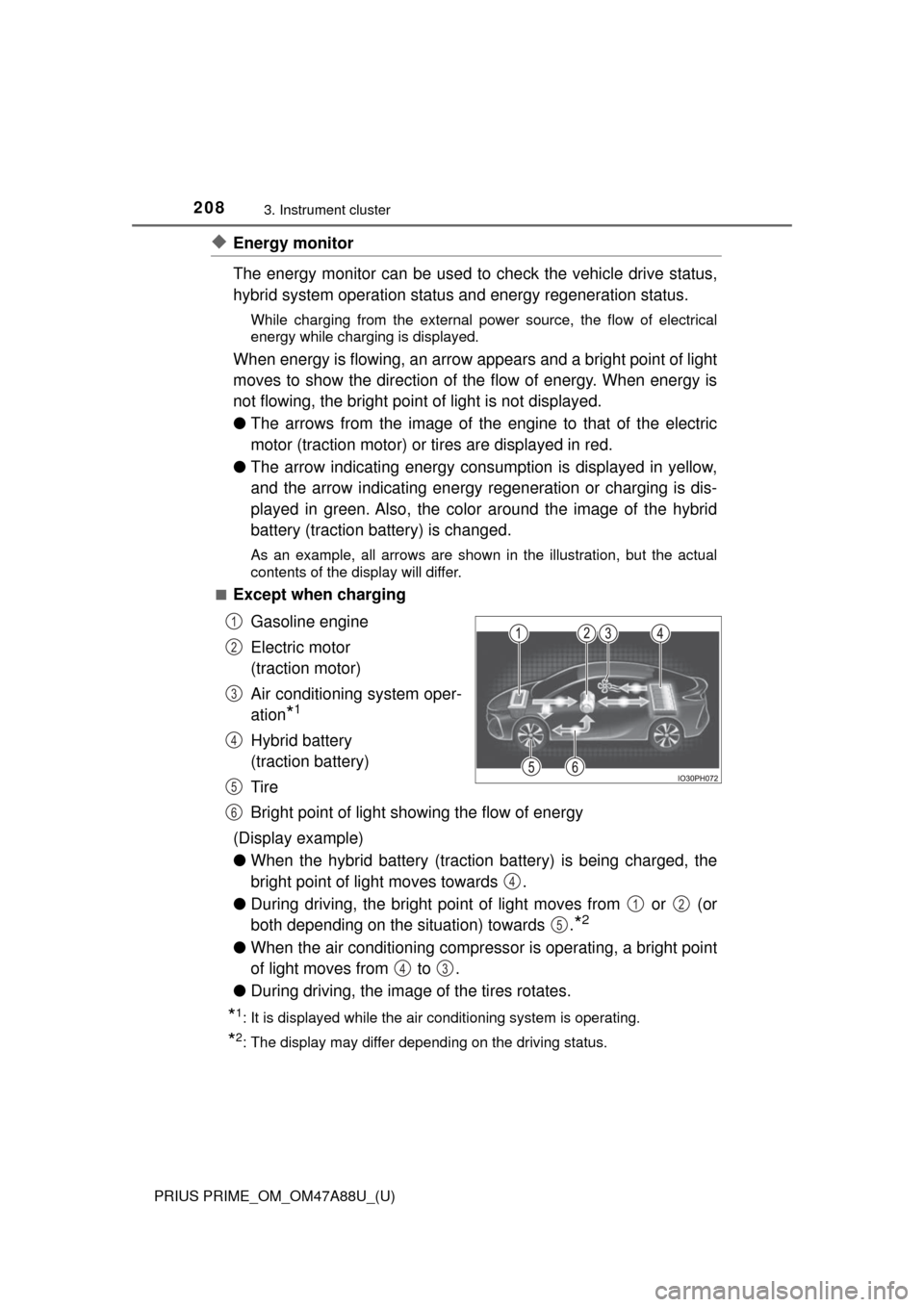
When energy is flowing, an arrow appears and a bright point of light
moves to show the direction of the flow of energy. When energy is
not flowing, the bright point of light is not displayed.
● The arrows from the image of the engine to that of the electric
motor (traction motor) or tires are displayed in red.
● The arrow indicating energy consumption is displayed in yellow,
and the arrow indicating energy regeneration or charging is dis-
played in green. Also, the colo r around the image of the hybrid
battery (traction battery) is changed.
As an example, all arrows are shown in the illustration, but the actual
contents of the display will differ.
■
Except when charging
Gasoline engine
Electric motor
(traction motor)
Air conditioning system oper-
ation
*1
Hybrid battery
(traction battery)
Tire
Bright point of light showing the flow of energy
(Display example)
● When the hybrid battery (traction battery) is being charged, the
bright point of light moves towards .
● During driving, the bright point of light moves from or (or
both depending on the situation) towards .
*2
●When the air conditioning compressor is operating, a bright point
of light moves from to .
● During driving, the image of the tires rotates.
*1: It is displayed while the air conditioning system is operating.
*2: The display may differ depending on the driving status.
1
2
3
4
5
6
4
12
5
43