Brake lights TOYOTA PRIUS PRIME 2017 2.G Owners Manual
[x] Cancel search | Manufacturer: TOYOTA, Model Year: 2017, Model line: PRIUS PRIME, Model: TOYOTA PRIUS PRIME 2017 2.GPages: 784, PDF Size: 14.98 MB
Page 3 of 784

3
1
9 8
7
6 4 3
2
PRIUS PRIME_OM_OM47A88U_(U)
10
5
4-1. Key informationKeys .................................. 262
4-2. Opening, closing and locking the doors
Side doors ......................... 267
Back door .......................... 273
Smart key system.............. 278
4-3. Adjusting the seats Front seats ........................ 287
Rear seats ......................... 289
Head restraints .................. 291
4-4. Adjusting the steering wheel and mirrors
Steering wheel .................. 294
Inside rear view mirror....... 296
Outside rear view mirrors ............................. 298
4-5. Opening and closing the windows
Power windows ................. 300 5-1. Before driving
Driving the vehicle ............. 306
Cargo and luggage ............ 318
Vehicle load limits .............. 321
Trailer towing ..................... 322
Dinghy towing .................... 323
5-2. Driving procedures Power (ignition) switch....... 324
Hybrid transmission ........... 330
Turn signal lever ................ 336
Parking brake .................... 337
5-3. Operating the lights and wipers
Headlight switch ................ 338
Automatic High Beam ........ 343
Fog light switch .................. 348
Windshield wipers and washer ............................. 350
5-4. Refueling Opening the fuel tank cap................................... 356
4Operation of each
component5Driving
Page 19 of 784
19Pictorial index
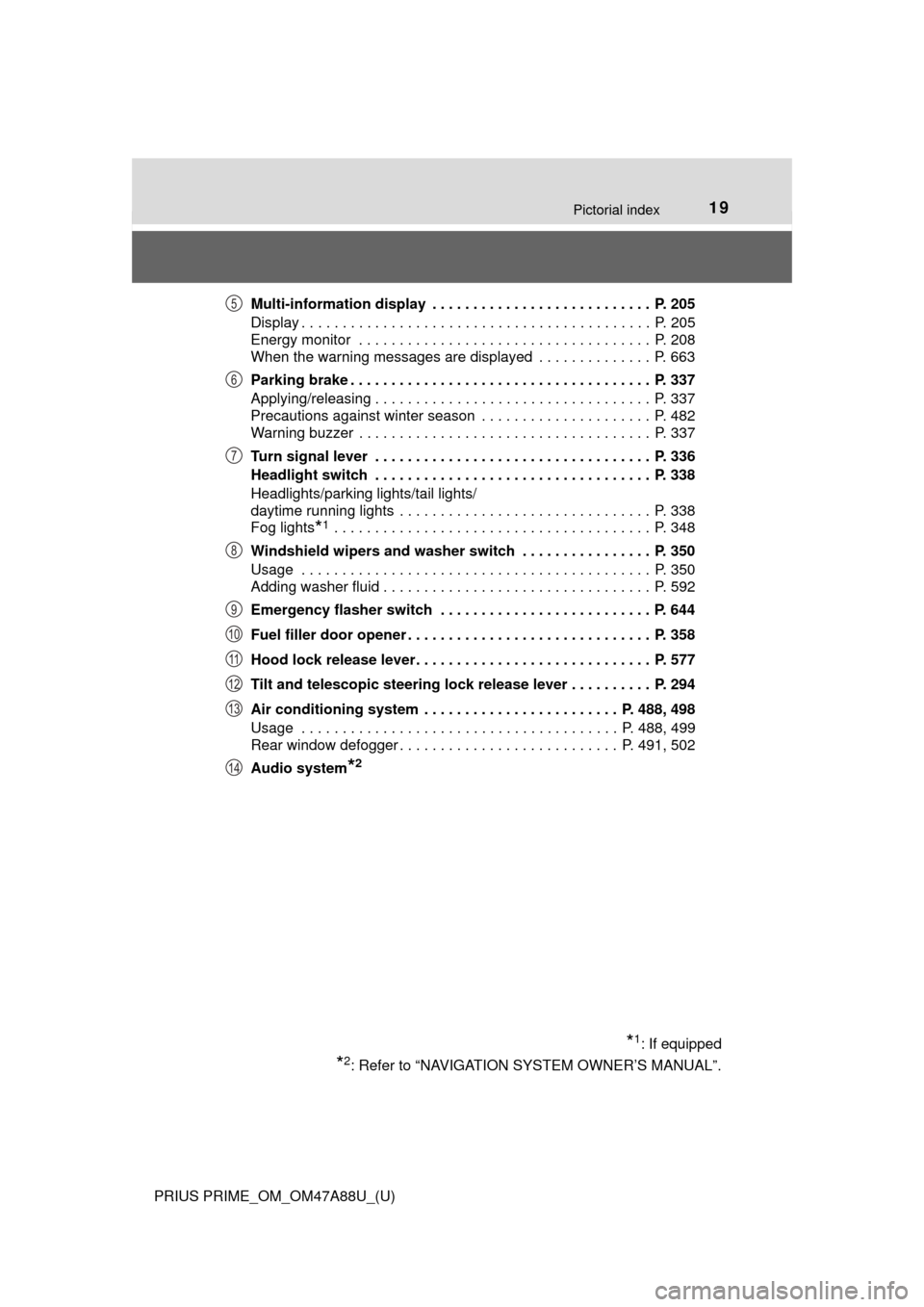
PRIUS PRIME_OM_OM47A88U_(U)Multi-information display . . . . . . . . . . . . . . . . . . . . . . . . . . . P. 205
Display . . . . . . . . . . . . . . . . . . . . . . . . . . . . . . . . . . . . . . . . . . . P. 205
Energy monitor . . . . . . . . . . . . . . . . . . . . . . . . . . . . . . . . . . . . P. 208
When the warning messages are displayed . . . . . . . . . . . . . . P. 663
Parking brake . . . . . . . . . . . . . . . . . . . . . . . . . . . . . . . . . . . . . P. 337
Applying/releasing . . . . . . . . . . . . . . . . . . . . . . . . . . . . . . . . . . P. 337
Precautions against winter season . . . . . . . . . . . . . . . . . . . . . P. 482
Warning buzzer . . . . . . . . . . . . . . . . . . . . . . . . . . . . . . . . . . . . P. 337
Turn signal lever . . . . . . . . . . . . . . . . . . . . . . . . . . . . . . . . . . P. 336
Headlight switch . . . . . . . . . . . . . . . . . . . . . . . . . . . . . . . . . . P. 338
Headlights/parking lights/tail lights/
daytime running lights . . . . . . . . . . . . . . . . . . . . . . . . . . . . . . . P. 338
Fog lights
*1 . . . . . . . . . . . . . . . . . . . . . . . . . . . . . . . . . . . . . . . P. 348
Windshield wipers and washer switch . . . . . . . . . . . . . . . . P. 350
Usage . . . . . . . . . . . . . . . . . . . . . . . . . . . . . . . . . . . . . . . . . . . P. 350
Adding washer fluid . . . . . . . . . . . . . . . . . . . . . . . . . . . . . . . . . P. 592
Emergency flasher switch . . . . . . . . . . . . . . . . . . . . . . . . . . P. 644
Fuel filler door opener . . . . . . . . . . . . . . . . . . . . . . . . . . . . . . P. 358
Hood lock release lever. . . . . . . . . . . . . . . . . . . . . . . . . . . . . P. 577
Tilt and telescopic steering lock release lever . . . . . . . . . . P. 294
Air conditioning system . . . . . . . . . . . . . . . . . . . . . . . . P. 488, 498
Usage . . . . . . . . . . . . . . . . . . . . . . . . . . . . . . . . . . . . . . . P. 488, 499
Rear window defogger . . . . . . . . . . . . . . . . . . . . . . . . . . . P. 491, 502
Audio system
*2
*1: If equipped
*2: Refer to “NAVIGATION SYSTEM OWNER’S MANUAL”.
5
6
7
8
9
10
11
12
13
14
Page 98 of 784

98
PRIUS PRIME_OM_OM47A88U_(U)
2-1. Plug-in hybrid system
◆Accelerator pedal/brake pedal operation
●Drive your vehicle smoothly. Avoid abrupt acceleration and
deceleration. Gradual accelerati on and deceleration will make
more effective use of the electric motor (traction motor) without
having to use gasoline engine power.
● Avoid repeated acceleration. Repeated acceleration consumes
hybrid battery (traction battery) power, resulting in poor fuel con-
sumption. Battery power can be restored by driving with the
accelerator pedal slightly released.
◆When braking
Make sure to operate the brakes gently and a timely manner. A
greater amount of electrical energy can be regenerated when slow-
ing down.
◆Delays
Repeated acceleration and deceleration, as well as long waits at
traffic lights, will lead to high fuel and electricity consumption.
Check traffic reports before leav ing and avoid delays as much as
possible. When driving in a traffi c jam, gently release the brake
pedal to allow the vehicle to move forward slightly while avoiding
overuse of the accelerator pedal. Doing so can help control exces-
sive electricity and fuel consumption.
◆Highway driving
● Control and maintain the vehicl e at a constant speed. Before
stopping at a toll booth or similar, allow plenty of time to release
the accelerator and gently apply the brakes. A greater amount of
electrical energy can be regenerated when slowing down.
● Electricity consumption will increa se significantly when driving at
high speeds in EV mode. If there will be a long distance to the
next external charging point after leaving a freeway, it is recom-
mended to drive in HV mode while on the freeway and change to
EV mode after leaving the freeway.
Page 132 of 784
132
PRIUS PRIME_OM_OM47A88U_(U)
2-2. Charging
Before charging, always check the following items.
●The parking brake is applied.( →P. 337)
● The headlights are switched off or set to AUTO, and lights such as
the emergency flashers and interior lights etc. are switched off.
If these light switches are turned ON, then these features will consume
electricity, and charging time will increase.
●The power switch is off. ( →P. 324)
Before charging, make sure that ea ch part of the charging cable is in
good condition. ( →P. 11 2 )
■Safety functions
●The hybrid system will not start while the charging cable is attached to the
vehicle, even if the power switch is operated.
● If the charging cable is connected while the “READY” indicator is illumi-
nated, the hybrid system will stop automatically and driving will not be possi-
ble.
● When the charging cable is connected to the vehicle, the shift position can-
not be changed from P to another position.
■ During charging
The followings occur, however, it does not indicate a malfunction.
●The charging starting time may differ depending on the state of the vehicle.
● During charging, the sound of the fan may be heard from the charging
equipment cooling air intake vents. ( →P. 135)
● During and after charging, the rear seat and its surrounding area in which
the charging equipment is installed may get warm.
Confirm the following before charging
Inspecting the charging cable
Page 189 of 784
PRIUS PRIME_OM_OM47A88U_(U)
1893. Instrument cluster
3
Instrument cluster
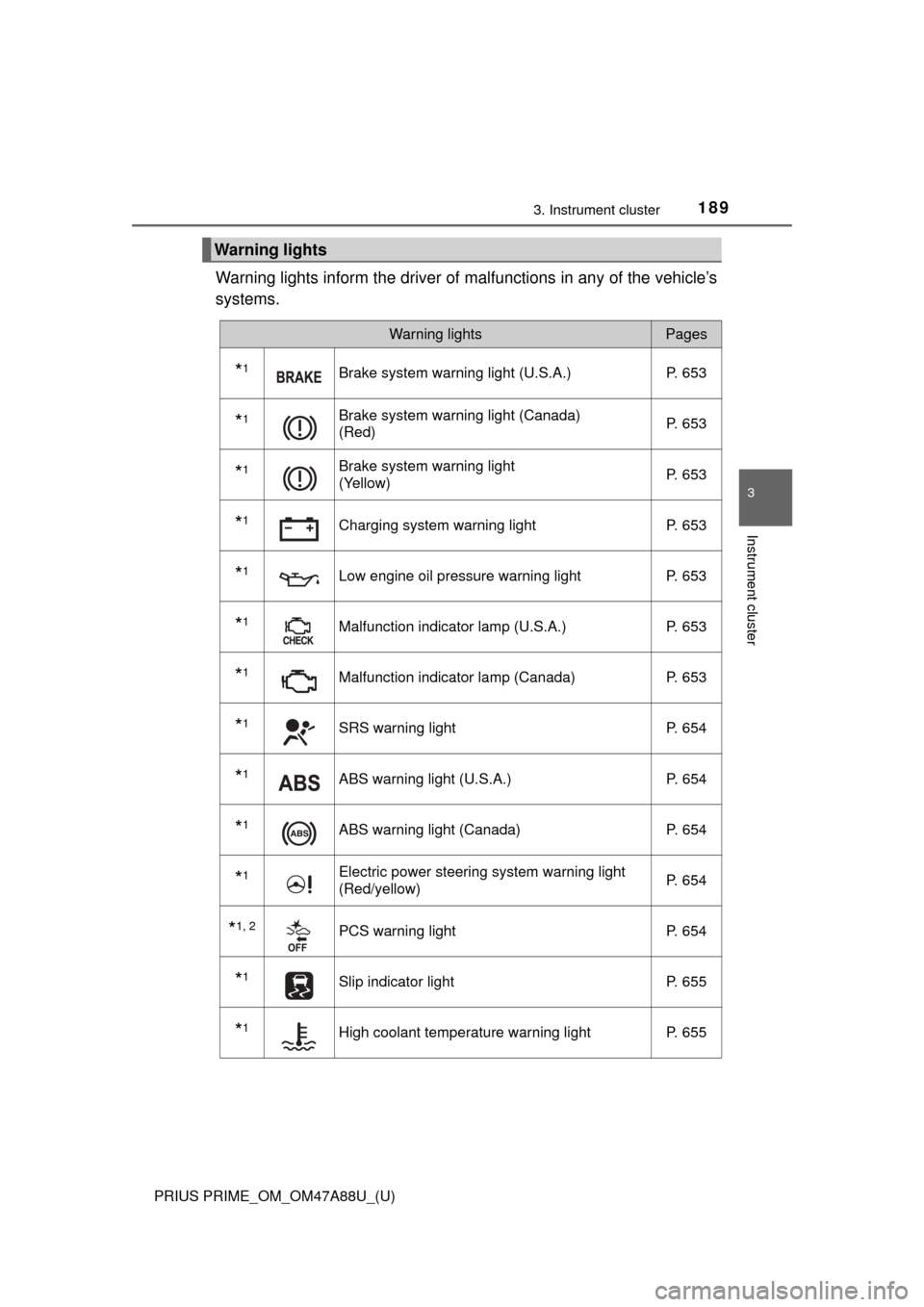
Warning lights inform the driver of malfunctions in any of the vehicle’s
systems.
Warning lights
Warning lightsPages
*1Brake system warning light (U.S.A.) P. 653
*1Brake system warning light (Canada)
(Red)P. 653
*1Brake system warning light
(Yellow)P. 653
*1Charging system warning light
P. 653
*1Low engine oil pressure warning lightP. 653
*1Malfunction indicator lamp (U.S.A.) P. 653
*1Malfunction indicator lamp (Canada) P. 653
*1SRS warning lightP. 654
*1ABS warning light (U.S.A.) P. 654
*1ABS warning light (Canada)P. 654
*1Electric power steering system warning light
(Red/yellow)P. 654
*1, 2PCS warning light
P. 654
*1Slip indicator light P. 655
*1High coolant temperature warning lightP. 655
Page 305 of 784
305
PRIUS PRIME_OM_OM47A88U_(U)
5Driving
5-1. Before drivingDriving the vehicle ............. 306
Cargo and luggage ........... 318
Vehicle load limits ............. 321
Trailer towing..................... 322
Dinghy towing ................... 323
5-2. Driving procedures Power (ignition) switch ...... 324
Hybrid transmission........... 330
Turn signal lever................ 336
Parking brake .................... 337
5-3. Operating the lights and wipers
Headlight switch ................ 338
Automatic High Beam ....... 343
Fog light switch ................. 348
Windshield wipers and washer ............................ 350 5-4. Refueling
Opening the fuel tank cap .................................. 356
5-5. Using the driving support systems
Toyota Safety Sense P ..... 361
PCS (Pre-Collision System)........................... 369
LDA (Lane Departure Alert with steering
control) ............................ 381
Dynamic radar cruise control with full-speed
range............................... 391
Driving mode select switch .............................. 406
BSM (Blind Spot Monitor) ........ 408
• The Blind Spot Monitor
function ......................... 412
• The Rear Cross Traffic
Alert function ................. 415
Intuitive parking assist....... 420
Intelligent Clearance Sonar .............................. 430
S-APGS (Simple Advanced Parking
Guidance System) .......... 442
Driving assist systems ...... 476
5-6. Driving tips Winter driving tips ............. 482
Page 341 of 784
PRIUS PRIME_OM_OM47A88U_(U)
3415-3. Operating the lights and wipers
5
Driving
■Daytime running light system
●To make your vehicle more visible to other drivers during daytime driving,
the daytime running lights turn on automatically whenever the hybrid system
is started and the parking brake is released with the headlight switch in the
/ / position. (Illuminate dimmer than the headlights.) Day-
time running lights are not designed for use at night.
For the U.S.A.: Daytime running lights can be turned off by operating the
headlight switch.
● Compared to turning on the headlights, the daytime running light system
offers greater durability and consumes less electricity, so it can help improve
fuel economy.
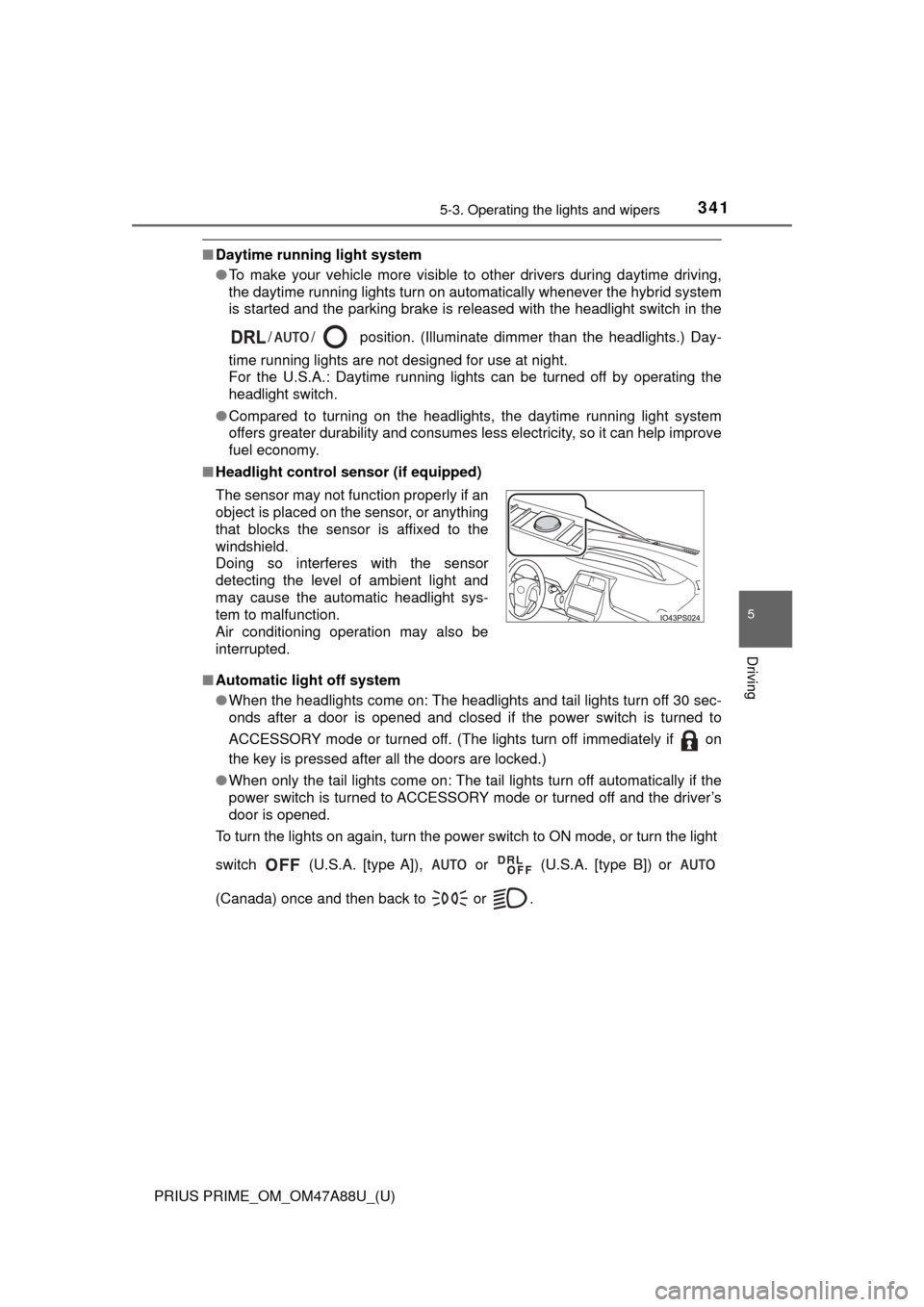
■ Headlight control sensor (if equipped)
■ Automatic light off system
●When the headlights come on: The headlights and tail lights turn off 30 sec-
onds after a door is opened and closed if the power switch is turned to
ACCESSORY mode or turned off. (The lights turn off immediately if on
the key is pressed after all the doors are locked.)
● When only the tail lights come on: The tail lights turn off automatically if the
power switch is turned to ACCESSORY mode or turned off and the driver’s
door is opened.
To turn the lights on again, turn the power switch to ON mode, or turn th\
e light
switch (U.S.A. [type A]), or (U.S.A. [type B]) or
(Canada) once and then back to or . The sensor may not function properly if an
object is placed on the sensor, or anything
that blocks the sensor is affixed to the
windshield.
Doing so interferes with the sensor
detecting the level of ambient light and
may cause the automatic headlight sys-
tem to malfunction.
Air conditioning operation may also be
interrupted.
Page 395 of 784

PRIUS PRIME_OM_OM47A88U_(U)
3955-5. Using the driving support systems
5
Driving
Example of constant speed cruising
When there are no vehicles ahead
The vehicle travels at the speed set by the driver. The desired vehicle-to-
vehicle distance can also be set by operating the vehicle-to-vehicle dis-
tance button.
Example of deceleration cruising and follow-up cruising
When a preceding vehicle driving slower than the set speed
appears
When a vehicle is detected running ahead of you, the system automatically
decelerates your vehicle. When a greater reduction in vehicle speed is
necessary, the system applies the brakes (the stop lights will come on at
this time). The system will respond to changes in the speed of the vehicle
ahead in order to maintain the vehicle-to-vehicle distance set by the driver.
Approach warning warns you when the system cannot decelerate suffi-
ciently to prevent your vehicle from closing in on the vehicle ahead.
When the vehicle ahead of you stops, your vehicle will also stop (vehicle is
stopped by system control). After the vehicle ahead starts off, pushing the
cruise control lever up or depressing the accelerator pedal will resume fol-
low-up cruising.
Example of acceleration
When there are no longer any preceding vehicles driving slower
than the set speed
The system accelerates until the set speed is reached. The system then
returns to constant speed cruising.
1
2
3
Page 437 of 784
PRIUS PRIME_OM_OM47A88U_(U)
4375-5. Using the driving support systems
5
Driving
■Situations when the system may opera te even though there is no possi-
bility of a collision
In the following situations, the system may operate even though there is no
possibility of a collision.
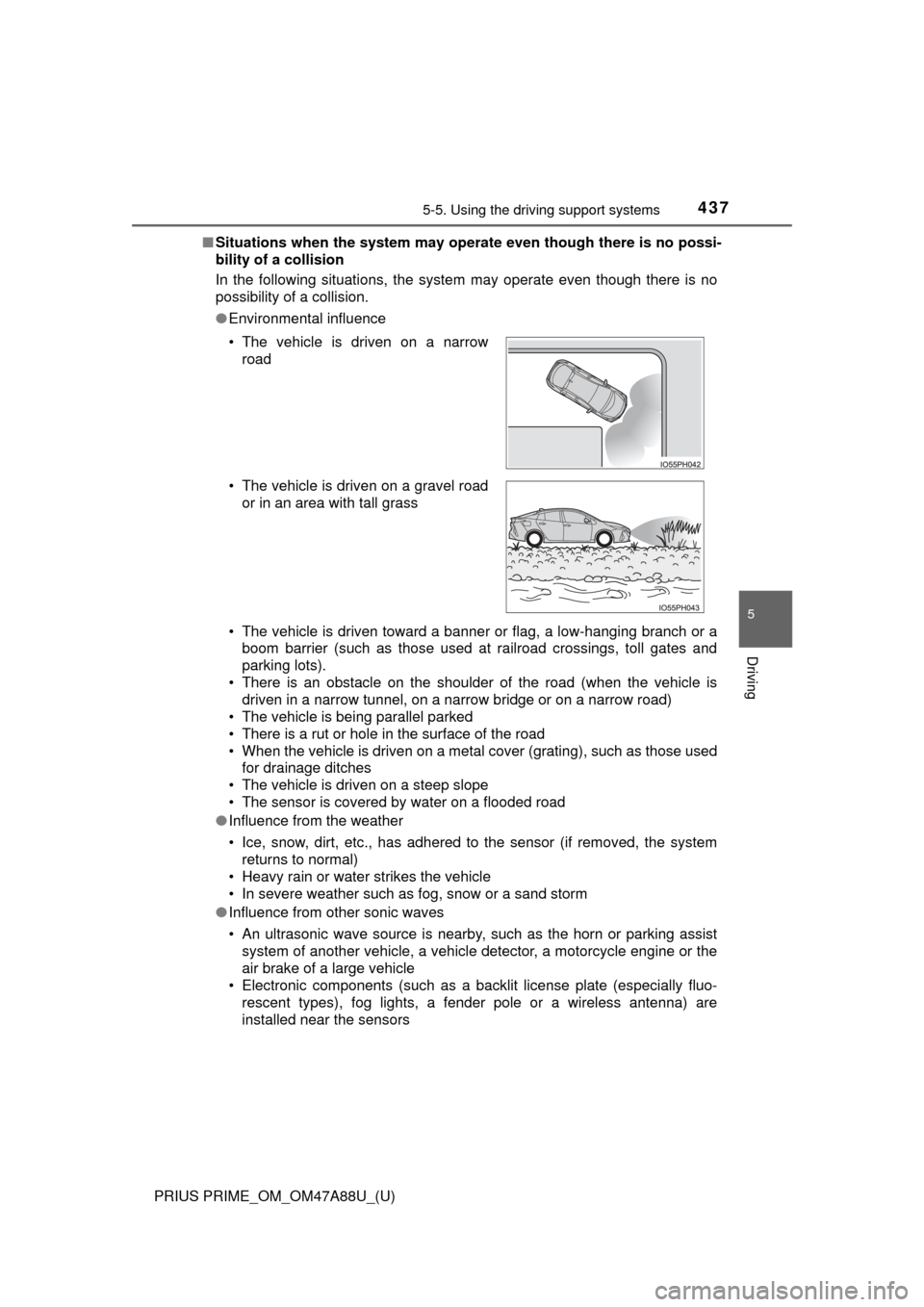
● Environmental influence
• The vehicle is driven toward a banner or flag, a low-hanging branch or a
boom barrier (such as those used at railroad crossings, toll gates and
parking lots).
• There is an obstacle on the shoulder of the road (when the vehicle is driven in a narrow tunnel, on a narrow bridge or on a narrow road)
• The vehicle is being parallel parked
• There is a rut or hole in the surface of the road
• When the vehicle is driven on a metal cover (grating), such as those used for drainage ditches
• The vehicle is driven on a steep slope
• The sensor is covered by water on a flooded road
● Influence from the weather
• Ice, snow, dirt, etc., has adhered to the sensor (if removed, the system
returns to normal)
• Heavy rain or water strikes the vehicle
• In severe weather such as fog, snow or a sand storm
● Influence from other sonic waves
• An ultrasonic wave source is nearby, such as the horn or parking assist
system of another vehicle, a vehicle detector, a motorcycle engine or the
air brake of a large vehicle
• Electronic components (such as a backlit license plate (especially fluo-
rescent types), fog lights, a fender pole or a wireless antenna) are
installed near the sensors
• The vehicle is driven on a narrow
road
• The vehicle is driven on a gravel road or in an area with tall grass
Page 439 of 784

PRIUS PRIME_OM_OM47A88U_(U)
4395-5. Using the driving support systems
5
Driving
●Influence from other sonic waves
• An ultrasonic wave source is nearby, such as the horn or parking assist
system of another vehicle, a vehicle detector, a motorcycle engine or the
air brake of a large vehicle
• Electronic components (such as a backlit license plate (especially fluo- rescent types), fog lights, a fender pole or a wireless antenna) are
installed near the sensors
● Changes in the vehicle
• The vehicle is tilted a large amount
• The height of the vehicle has drastically changed due to the carried load
(the nose tilts up or down)
• The direction of the sensor has deviated due to a collision or other impact
■ Intelligent Clearance Sonar function while the Simple Advanced Parking
Guidance System is operating
→P. 444
■ When removing and installi ng the 12-volt battery
The system needs to be initialized.
The system can be initialized by driving the vehicle straight ahead for 5 sec-
onds or more at a speed of approximately 22 mph (35 km/h) or higher.
■ When “ICS Unavailable” is displayed on the multi-information display
and the ICS OFF indicator flashes
● Ice, snow, dirt, etc., may have adhered to the sensor. If this occurs, remove
the ice, snow, dirt, etc., from the sensor to return the system to normal.
Also, a warning message may be displayed at low temperatures due to ice
forming on the sensor, and the sensor may not detect obstacles. Once the
ice melts, the system will return to normal.
● If this message is shown even after removing dirt from the sensor, or shown
when the sensor was not dirty to begin with, have the vehicle inspected at
your Toyota dealer.
● System initialization may not have been performed after removal and instal-
lation of the 12-volt battery. Perform system initialization.
■ When “ICS Malfunction Visit Your Deal er” is displayed on the multi-infor-
mation display, the ICS OFF indi cator flashes and the buzzer sounds
The system may not be operating properly. Have the vehicle inspected at
your Toyota dealer.