ESP TOYOTA PRIUS PRIME 2019 (in English) User Guide
[x] Cancel search | Manufacturer: TOYOTA, Model Year: 2019, Model line: PRIUS PRIME, Model: TOYOTA PRIUS PRIME 2019Pages: 792, PDF Size: 17.18 MB
Page 76 of 792

761-3. Emergency assistance
PRIUS PRIME_OM_OM47D13U_(U)
Subscribers have the following Safety Connect services available:
● Automatic Collision Notification
*
Helps drivers receive necessary response from emergency service
providers. ( P. 7 8 )
*: U.S. Patent No. 7,508,298 B2
● Stolen Vehicle Location
Helps drivers in the event of vehicle theft. ( P. 78)
● Emergency Assistance Button (SOS)
Connects drivers to response-center support. ( P. 7 8 )
● Enhanced Roadsi de Assistance
Provides drivers various on-road assistance. (P. 7 9 )
After you have signed the Telema tics Subscription Service Agreement
and are enrolled, you can begin receiving services.
A variety of subscription terms is available for purchase. Cont act your
Toyota dealer, call the following appropriate Safety Connect re sponse
center or push the “SOS” button in your vehicle for further subscription
details. • The United States
1-855-405-6500
• Canada
1-888-869-6828
• Puerto Rico
1-877-855-8377
Services
Subscription
Page 77 of 792
771-3. Emergency assistance
PRIUS PRIME_OM_OM47D13U_(U)
1
For safety and security
■Safety Connect Services Information
●Phone calls using the vehicles Bluetooth® technology will not be possible
during Safety Connect.
● Safety Connect is available beginning Fall 2009 on select Toyot a models (in
the contiguous United States only). Contact with the Safety Con nect
response center is dependent upon the telematics device being i n operative
condition, cellular connection availability, and GPS satellite signal reception,
which can limit the ability to reach the response center or rec eive emer-
gency service support. Enrollment and Telematics Subscription S ervice
Agreement required. A variety of subscription terms is availabl e; charges
vary by subscription term selected and location.
● Automatic Collision Notification, Emergency Assistance and Stolen Vehicle
Location are available in the United States, including Hawaii a nd Alaska,
Puerto Rico and Canada, and Enhanced Roadside Assistance are av ailable
in the United States, Puerto Rico and Canada.
● Automatic Collision Notification, Emergency Assistance, Stolen Vehicle and
Enhanced Road Assistance are not available in the U.S. Virgin I slands.
For vehicles first sold in the U.S. Virgin Islands, no Safety C onnect services
will function in or outside the U.S. Virgin Islands.
● Safety Connect services are not subject to section 255 of the T elecommuni-
cations Act and the device is not TTY compatible.
■ Languages
The Safety Connect response center will offer support in multip le languages.
The Safety Connect system will offer voice prompts in English, Spanish, and
French. Please indicate your language of choice when enrolling.
■ When contacting the response center
You may be unable to contact the response center if the network is busy.
When the power switch is turned to ON mode, the red indicator l ight
comes on for 2 seconds then turns off. Afterward, the green ind icator
light comes on, indicating t hat the service is active.
The following indicator light patterns indicate specific system usage
conditions:
● Green indicator light on = Active service
● Green indicator light flashing = Safety Connect call in process
● Red indicator light (except at vehicle start-up) = System malfunction
(contact your Toyota dealer)
● No indicator light (off) = Saf ety Connect service not active
Safety Connect LED light Indicators
Page 78 of 792

781-3. Emergency assistance
PRIUS PRIME_OM_OM47D13U_(U)■
Automatic Collision Notification
In case of either airbag deployme
nt or severe rear-end collision, the
system is designed to automatically call the response center. T he
responding agent receives the v ehicle’s location and attempts to
speak with the vehicl e occupants to assess the level of emergency.
If the occupants are unable to communicate, the agent automati-
cally treats the call as an emergency, contacts the nearest eme r-
gency services provider to descr ibe the situation, and requests that
assistance be sent to the location.
■Stolen Vehicle Location
If your vehicle is stolen, Safety Connect can work with local author-
ities to assist them in locati ng and recovering the vehicle.
After filing a police report, call the Safety Connect response center
at 1-855-405-6500 in the United States, 1-877-855-8377 in Puert o
Rico or 1-888-869-6828 in Canada, and follow the prompts for
Safety Connect to initiate this service.
In addition to assisting law enforcement with recovery of a sto len
vehicle, Safety-Connect-equipped vehicle location data may, und er
certain circumstances, be shared with third parties to locate y our
vehicle. Further information is a vailable at Toyota.com in the United
States, Toyotapr.com in Puerto Rico and Toyota.ca in Canada.
■Emergency Assistance Button (“SOS”)
In the event of an emergency on t he road, push the “SOS” button to
reach the Safety Connect respons e center. The answering agent
will determine your vehicle’s loca tion, assess the emergency, and
dispatch the necessary assistanc e required.
If you accidentally press the “SOS” button, tell the response-c enter
agent that you are not experiencing an emergency.
Safety Connect services
Page 79 of 792
791-3. Emergency assistance
PRIUS PRIME_OM_OM47D13U_(U)
1
For safety and security
■Enhanced Roadside Assistance
Enhanced Roadside Assistance adds GPS data to the already
included warranty-based Toyota roadside service.
Subscribers can press the “SOS” button to reach a Safety Connec t
response-center agent, who can he lp with a wide range of needs,
such as: towing, flat tire, fuel delivery, etc. For a description of the
Roadside Assistance services an d their limitations, please see the
Safety Connect Terms and Conditions, which are available at
Toyota.com in the United States, Toyotapr.com in Puerto Rico an d
Toyota.ca in Canada.
Important! Read this informatio n before using Safety Connect.
■Exposure to radio frequency signals
The Safety Connect system installed in your vehicle is a low-po wer
radio transmitter and receiver. I t receives and also sends out radio
frequency (RF) signals.
In August 1996, the Federal Communications Commission (FCC)
adopted RF exposure guidelines with safety levels for mobile wi re-
less phones. Those guidelines are consistent with the safety stan-
dards previously set by the following U.S. and international
standards bodies.
● ANSI (American National Stand ards Institute) C95.1 [1992]
● NCRP (National Council on Radi ation Protection and Measure-
ment) Report 86 [1986]
● ICNIRP (International Commission on Non-Ionizing Radiation
Protection) [1996]
Those standards were based on comprehensive and periodic eval-
uations of the relevant scienti fic literature. Over 120 scientists, engi-
neers, and physicians from unive rsities, and government health
agencies and industries reviewed the available body of research to
develop the ANSI Standard (C95.1).
The design of Safety Connect complies with the FCC guidelines i n
addition to those standards.
Safety information for Safety Connect
Page 103 of 792
103
PRIUS PRIME_OM_OM47D13U_(U)
2-1. Plug-in hybrid system
2
Plug-in hybrid system
Plug-in hybrid vehicle driving tips
◆Using EV mode and HV mode effectively
Primarily using EV mode when driving in cities and using HV mod e
when driving on highways (or freeways) can help conserve fuel a nd
electricity. ( P. 8 8 )
◆Using Eco drive mode
When using Eco drive mode, the torque corresponding to the acce l-
erator pedal depression amount can be generated more smoothly
than it is in normal conditions. In addition, the operation of the air
conditioning system (heating/coo ling) will be minimized, improving
fuel and electricity economy. ( P. 415)
◆Use of Hybrid System Indicator
Eco-friendly driving is possible by keeping the Hybrid System I ndi-
cator within Eco area. ( P. 218)
◆Shift position operation
Shift the shift position to D when stopped at a traffic light, or driving
in heavy traffic etc. Shift the shift position to P when parkin g. When
using the N, there is no positiv e effect on fuel consumption. In the
N, the gasoline engine operates but electricity cannot be gener -
ated. Also, when using the air conditioning system, etc., the h ybrid
battery (traction batt ery) power is consumed.
For economical and ecological dri ving, pay attention to the fol-
lowing points:
Page 169 of 792
PRIUS PRIME_OM_OM47D13U_(U)
1692-2. Charging
2
Plug-in hybrid system
“ON”/“OFF” button
The charge schedule switches between “ON” and “OFF” each time this
button is pressed. (P. 171)
Scroll bar
When the number of registered charge schedules exceeds 3, the d is-
played contents can be changed by operating the button.
Main content displayed on the calendar:
*1: A row with a red line indicates the current time.
*2: While a registered setting is being changed, the icon of the r elated setting
is highlighted (except when the icon overlaps with another icon ).
*3: When “Charge Now” (P. 172) is set to on, the orange icon moves to the
position of the red line and changes to display “Charge Now”.
*4: The content of the charge schedule that corresponds to the “Ne xt Charging
Event” is not displayed in the list.
■
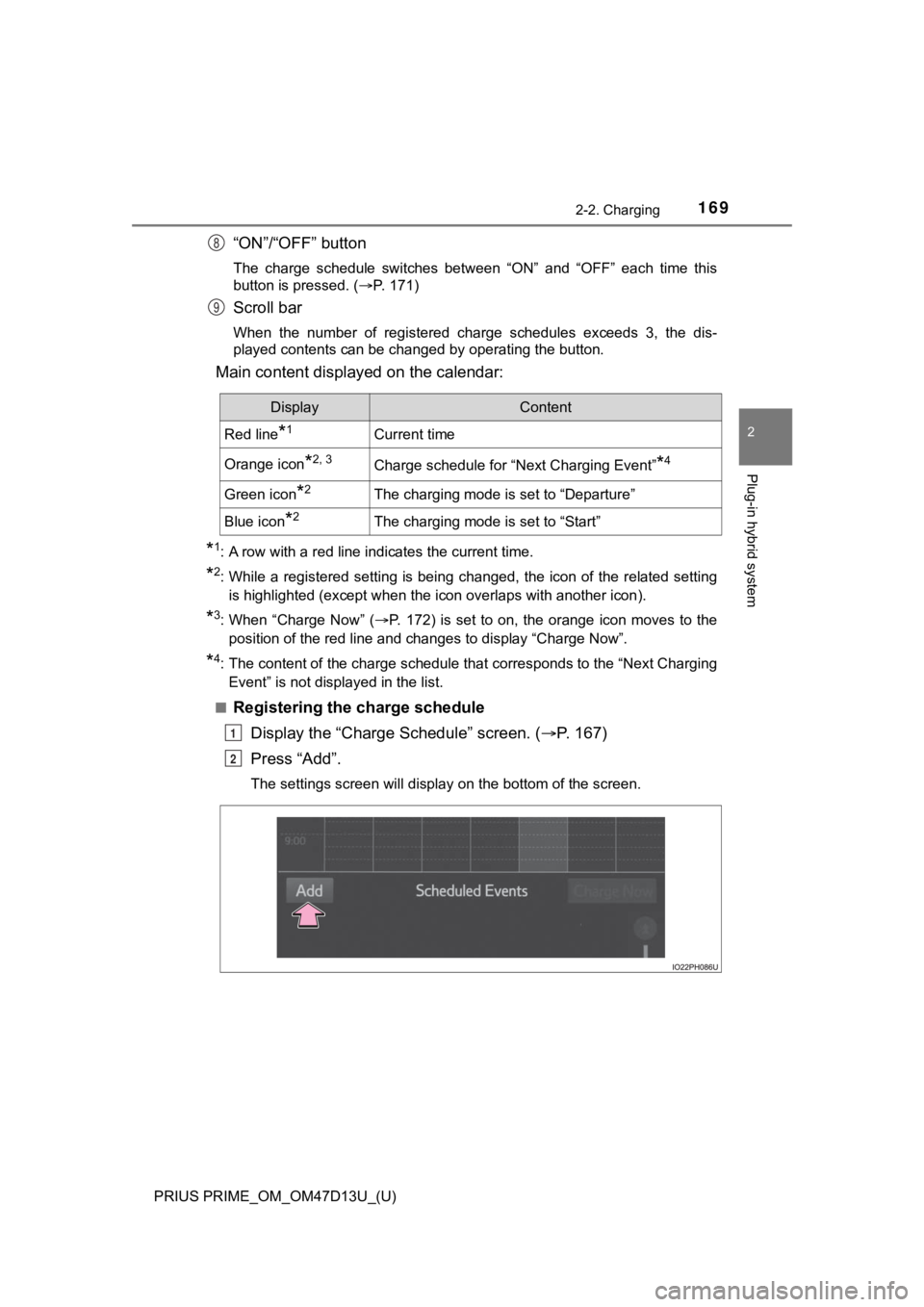
Registering the charge schedule Display the “Charge Schedule” screen. ( P. 1 6 7 )
Press “Add”.
The settings screen will display on the bottom of the screen.
8
9
DisplayContent
Red line*1Current time
Orange icon*2, 3Charge schedule for “Next Charging Event”*4
Green icon*2The charging mode is set to “Departure”
Blue icon*2The charging mode is set to “Start”
1
2
Page 195 of 792
PRIUS PRIME_OM_OM47D13U_(U)
1953. Instrument cluster
3
Instrument cluster
■When the menu screen on the navi gation system is operated (vehicles
with 11.6-inch display)
■ Liquid crystal display
Small spots or light spots may appear on the display. This phen omenon is
characteristic of liquid crystal displays, and there is no prob lem continuing to
use the display.
■ Pop-up display
Some functions, such as the driving mode select switch and air conditioning
system, are operation-linked and display pop-up screens on the multi-infor-
mation display. If the pop-up screens of these functions are not desired, they
can be turned off in the “Meter Customize” settings. ( P. 241)
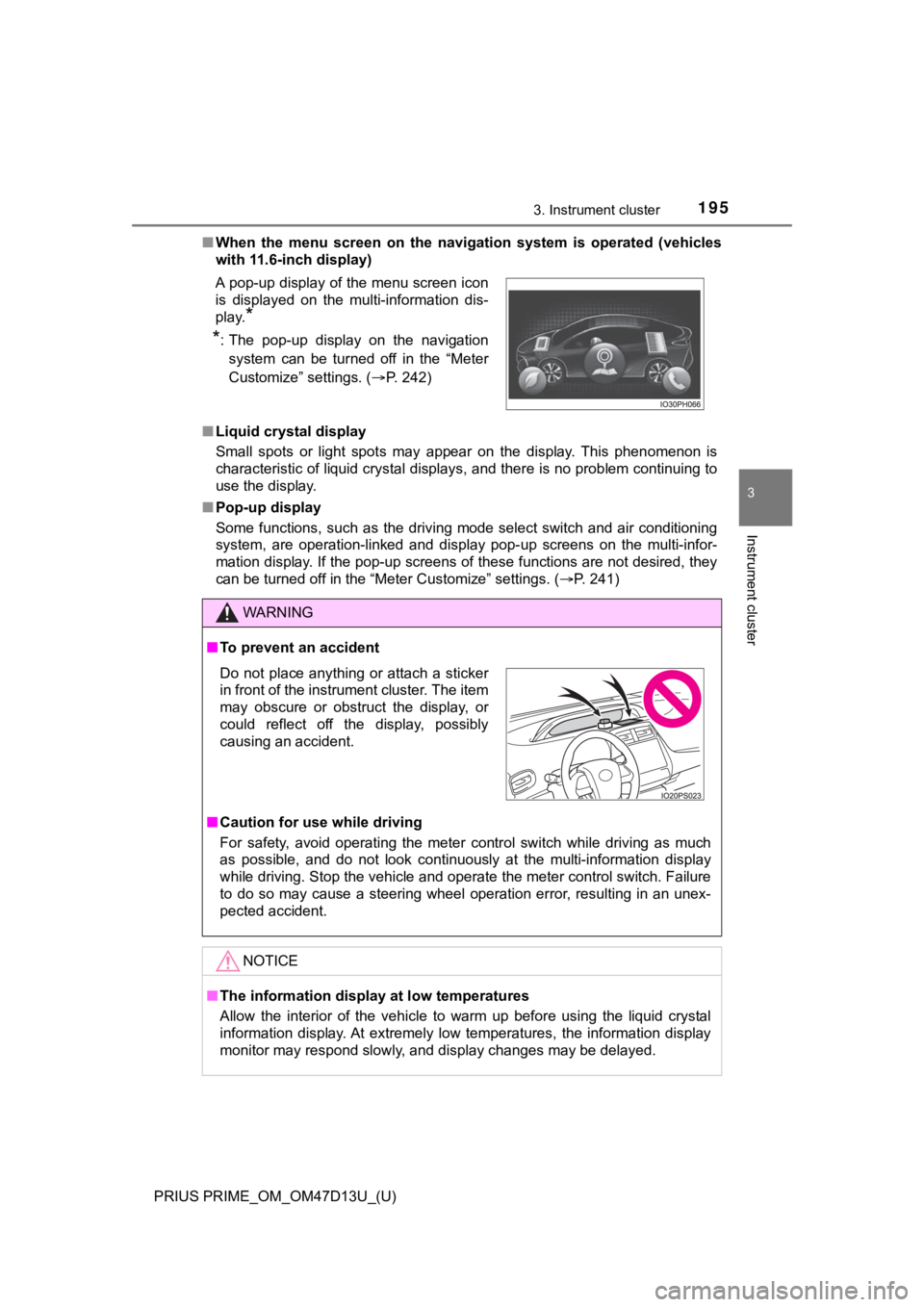
A pop-up display of the menu screen icon
is displayed on the multi-information dis-
play.
*
*
: The pop-up display on the navigation
system can be turned off in the “Meter
Customize” settings. ( P. 242)
WARNING
■To prevent an accident
■ Caution for use while driving
For safety, avoid operating the meter control switch while driv ing as much
as possible, and do not look continuously at the multi-informat ion display
while driving. Stop the vehicle and operate the meter control s witch. Failure
to do so may cause a steering wheel operation error, resulting in an unex-
pected accident.
NOTICE
■ The information display at low temperatures
Allow the interior of the vehicle to warm up before using the liquid crystal
information display. At extremely low temperatures, the information display
monitor may respond slowly, and display changes may be delayed.
Do not place anything or attach a sticker
in front of the instrument cluster. The item
may obscure or obstruct the display, or
could reflect off the display, possibly
causing an accident.
Page 213 of 792
213
PRIUS PRIME_OM_OM47D13U_(U)
3. Instrument cluster
3
Instrument cluster
Multi-infor mation display
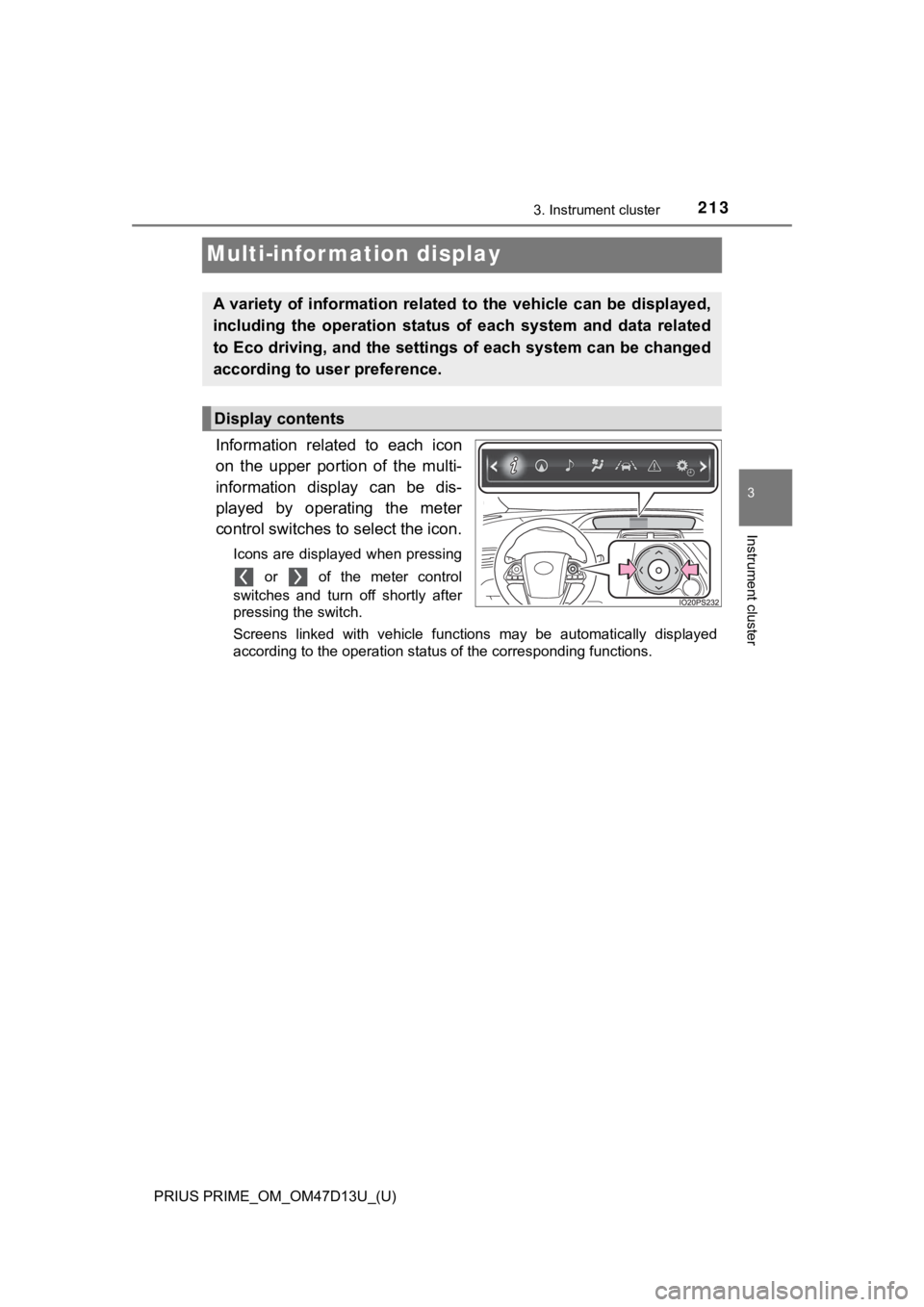
Information related to each icon
on the upper portion of the multi-
information display can be dis-
played by operating the meter
control switches to select the icon.
Icons are displayed when pressing or of the meter control
switches and turn off shortly after
pressing the switch.
Screens linked with vehicle functions may be automatically disp layed
according to the operation status of the corresponding function s.
A variety of information related to the vehicle can be displayed,
including the operation status of each system and data related
to Eco driving, and the settings of each system can be changed
according to user preference.
Display contents
Page 238 of 792
238
PRIUS PRIME_OM_OM47D13U_(U)
3. Instrument cluster
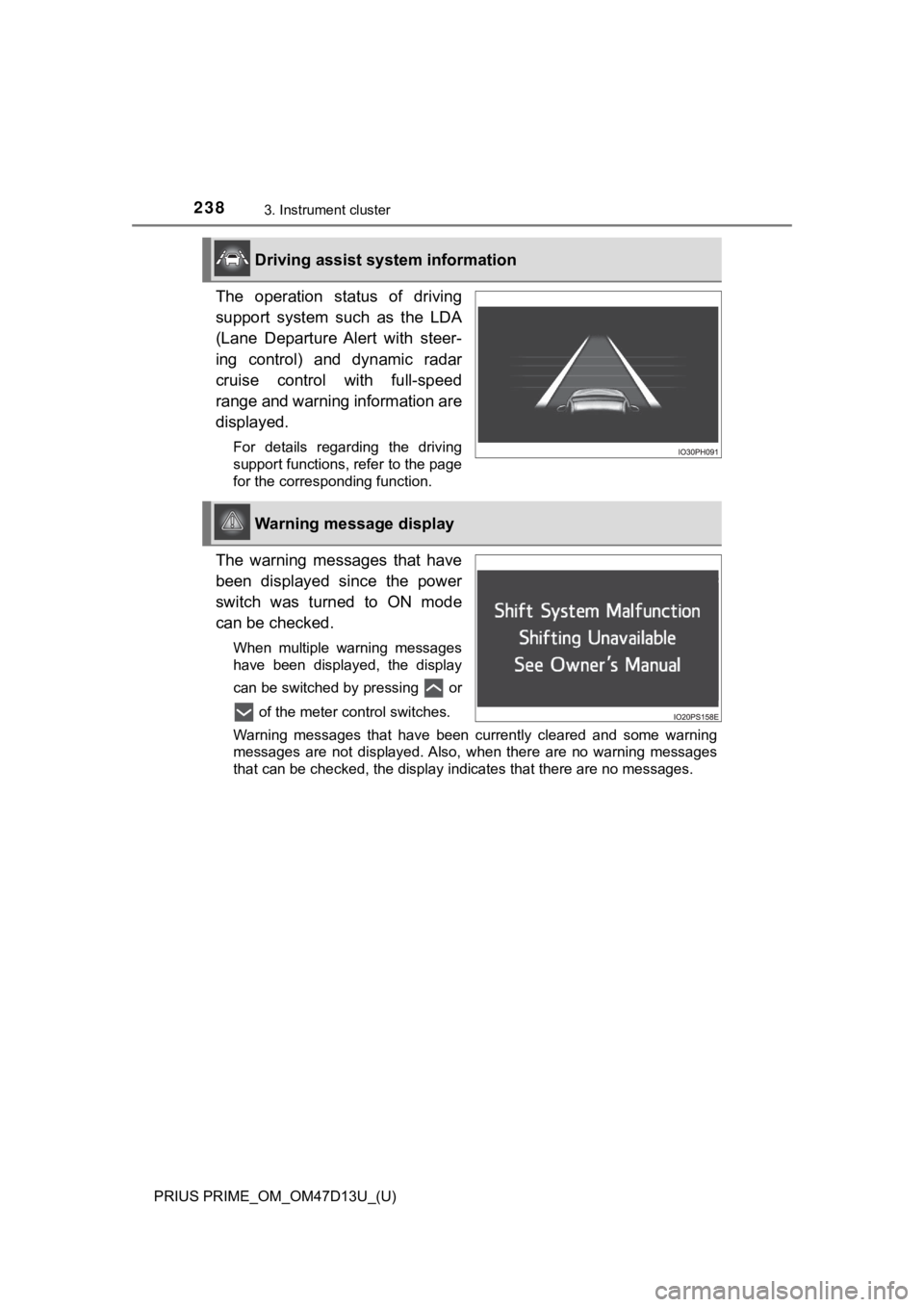
The operation status of driving
support system such as the LDA
(Lane Departure Alert with steer-
ing control) and dynamic radar
cruise control with full-speed
range and warning information are
displayed.
For details regarding the driving
support functions, refer to the page
for the corresponding function.
The warning messages that have
been displayed since the power
switch was turned to ON mode
can be checked.
When multiple warning messages
have been displayed, the display
can be switched by pressing or of the meter control switches.
Warning messages that have been currently cleared and some warn ing
messages are not displayed. Also, when there are no warning mes sages
that can be checked, the display indicates that there are no me ssages.
Driving assist system information
Warning message display
Page 242 of 792
242
PRIUS PRIME_OM_OM47D13U_(U)
3. Instrument cluster
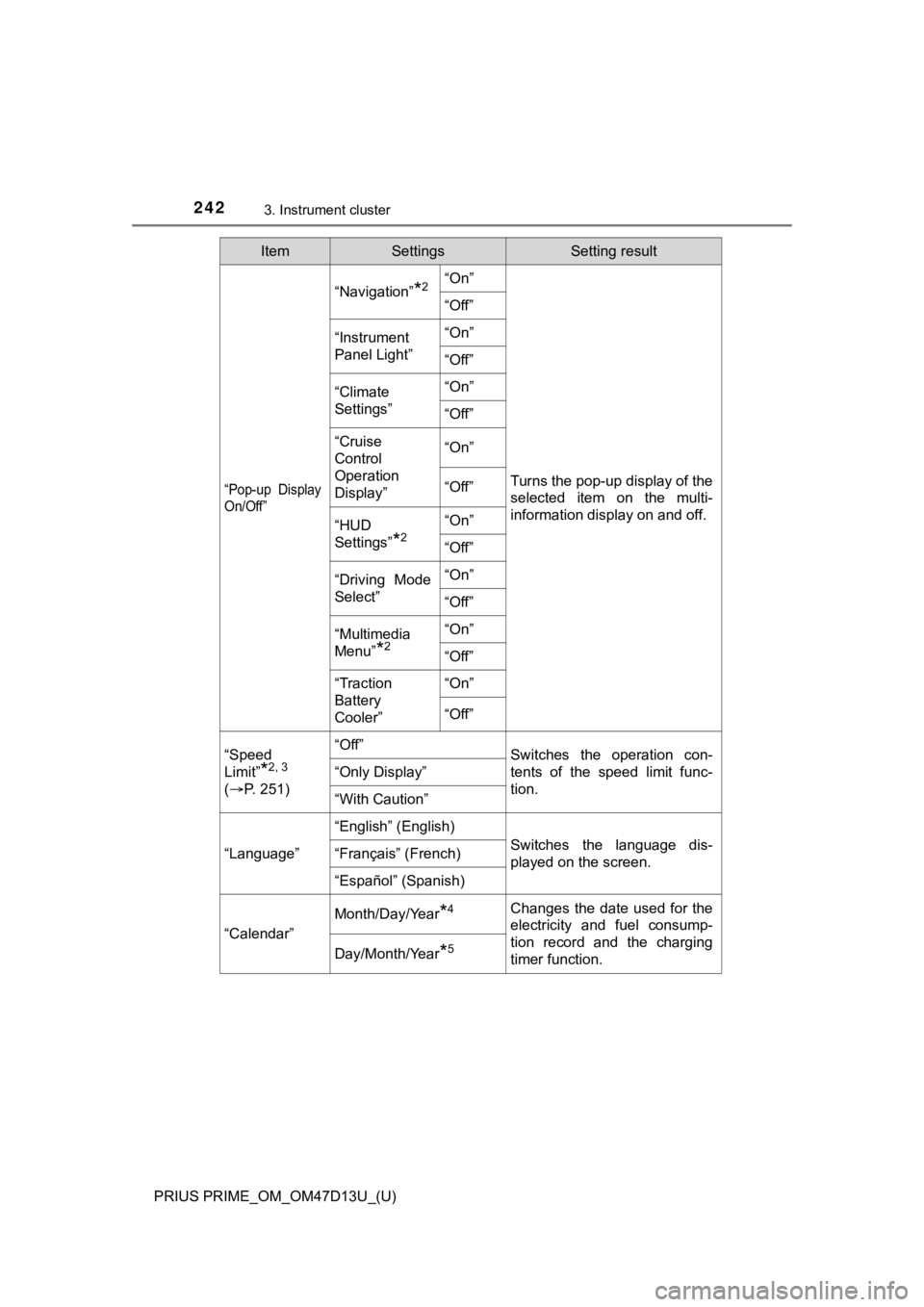
“Pop-up Display
On/Off”
“Navigation”*2“On”
Turns the pop-up display of the
selected item on the multi-
information display on and off.
“Off”
“Instrument
Panel Light”“On”
“Off”
“Climate
Settings”“On”
“Off”
“Cruise
Control
Operation
Display”“On”
“Off”
“HUD
Settings”
*2
“On”
“Off”
“Driving Mode
Select”
“On”
“Off”
“Multimedia
Menu”
*2
“On”
“Off”
“Traction
Battery
Cooler”“On”
“Off”
“Speed
Limit”
*2, 3
(
P. 2 5 1 )
“Off”Switches the operation con-
tents of the speed limit func-
tion.
“Only Display”
“With Caution”
“Language”
“English” (English)
Switches the language dis-
played on the screen.“Français” (French)
“Español” (Spanish)
“Calendar”
Month/Day/Year*4Changes the date used for the
electricity and fuel consump-
tion record and the charging
timer function.
Day/Month/Year*5
ItemSettingsSetting result