instrument cluster TOYOTA PRIUS PRIME 2021 Owners Manual (in English)
[x] Cancel search | Manufacturer: TOYOTA, Model Year: 2021, Model line: PRIUS PRIME, Model: TOYOTA PRIUS PRIME 2021Pages: 808, PDF Size: 74.05 MB
Page 1 of 808
PRIUS PRIME_OM_OM47D71U_(U)
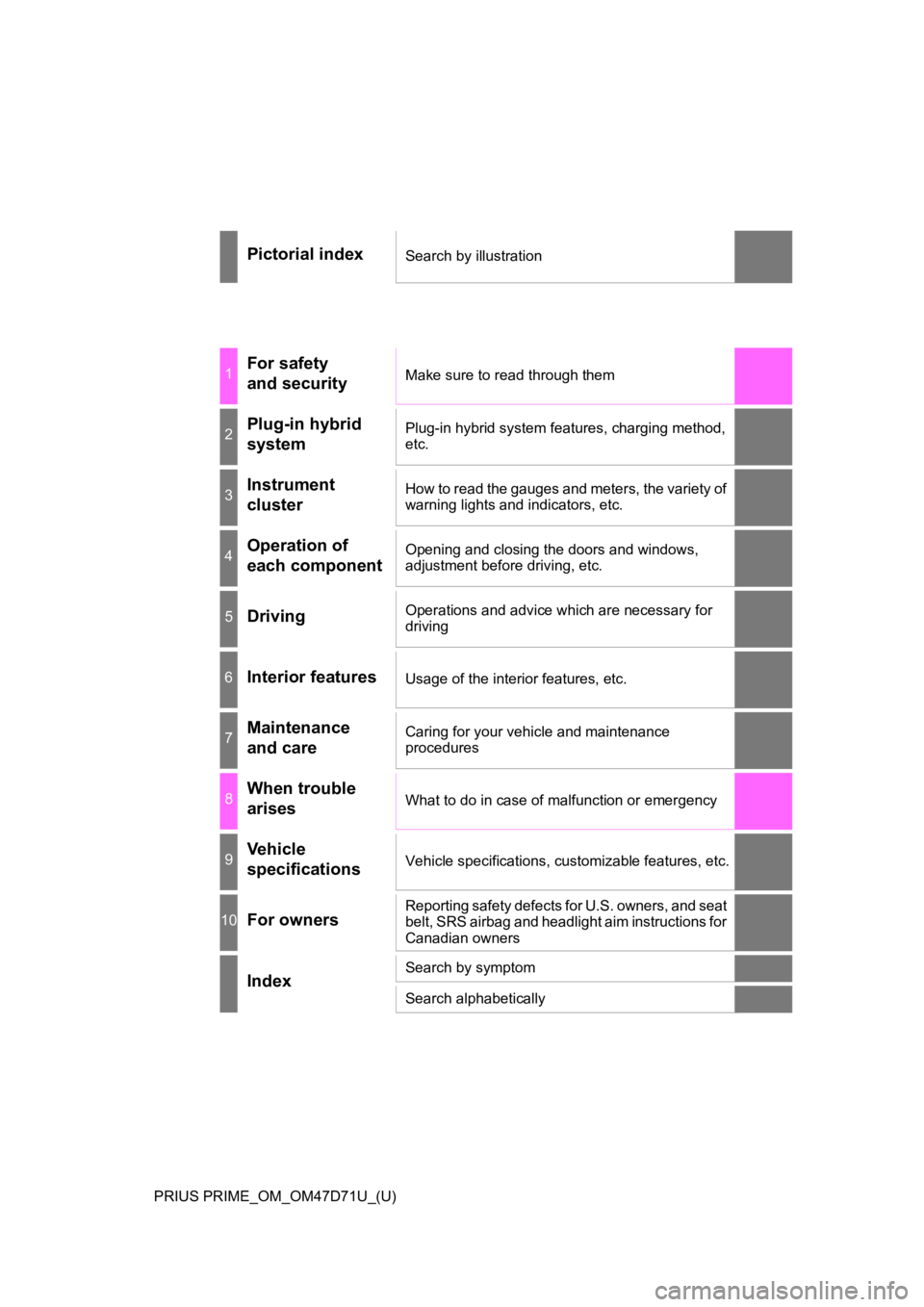
Pictorial indexSearch by illustration
1For safety
and securityMake sure to read through them
2Plug-in hybrid
systemPlug-in hybrid system features, charging method,
etc.
3Instrument
clusterHow to read the gauges and meters, the variety of
warning lights and indicators, etc.
4Operation of
each componentOpening and closing the doors and windows,
adjustment before driving, etc.
5DrivingOperations and advice which are necessary for
driving
6Interior featuresUsage of the interior features, etc.
7Maintenance
and careCaring for your vehicle and maintenance
procedures
8When trouble
arisesWhat to do in case of malfunction or emergency
9Vehicle
specificationsVehicle specifications, customizable features, etc.
10For ownersReporting safety defects for U.S. owners, and seat
belt, SRS airbag and headlight aim instructions for
Canadian owners
IndexSearch by symptom
Search alphabetically
Page 2 of 808
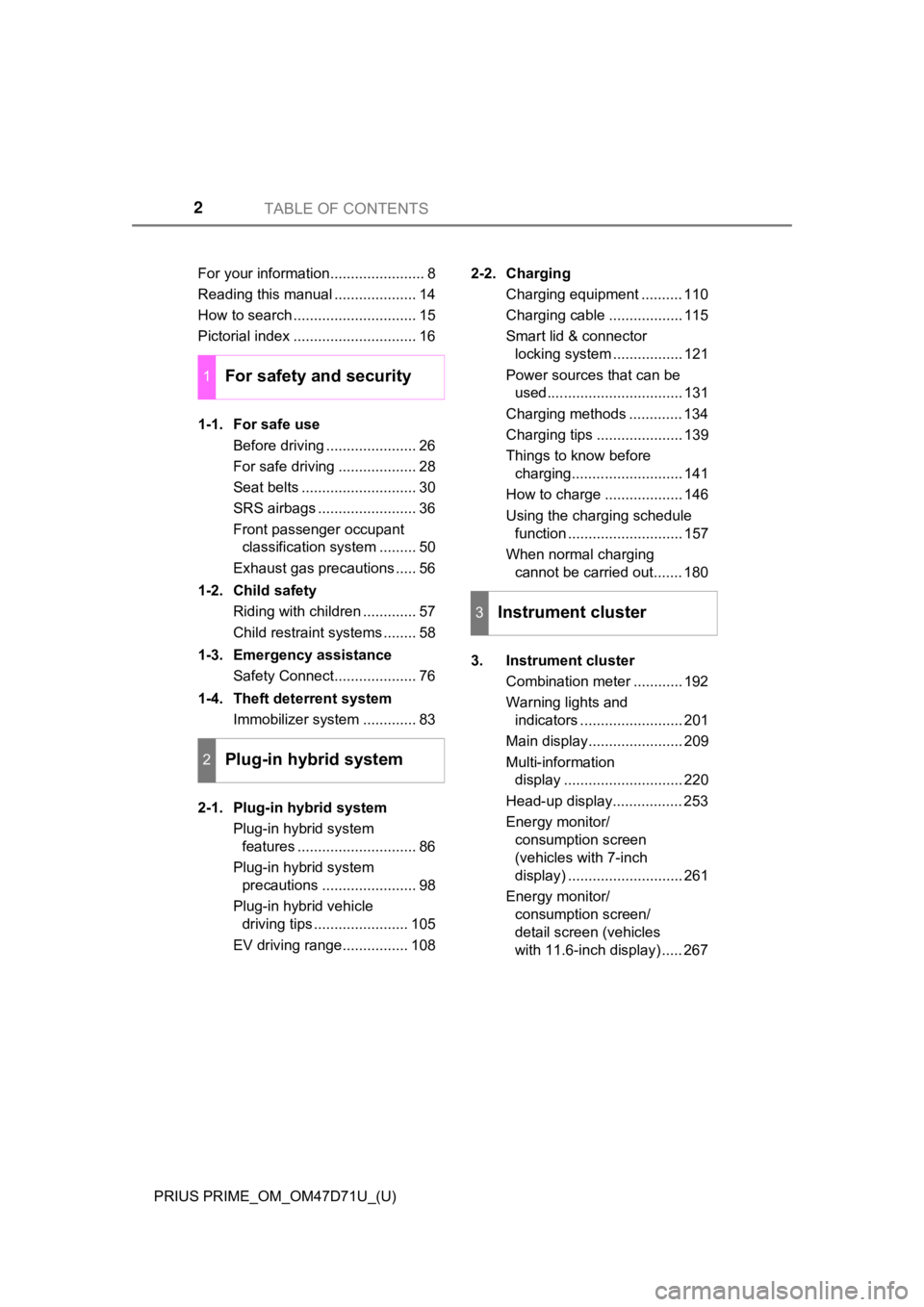
TABLE OF CONTENTS2
PRIUS PRIME_OM_OM47D71U_(U)For your information....................... 8
Reading this manual .................... 14
How to search .............................. 15
Pictorial index .............................. 16
1-1. For safe use
Before driving ...................... 26
For safe driving ................... 28
Seat belts ............................ 30
SRS airbags ........................ 36
Front passenger occupant
classification system ......... 50
Exhaust gas precautions ..... 56
1-2. Child safety
Riding with children ............. 57
Child restraint systems ........ 58
1-3. Emergency assistance
Safety Connect.................... 76
1-4. Theft deterrent system
Immobilizer system ............. 83
2-1. Plug-in hybrid system
Plug-in hybrid system
features ............................. 86
Plug-in hybrid system
precautions ....................... 98
Plug-in hybrid vehicle
driving tips ....................... 105
EV driving range................ 1082-2. Charging
Charging equipment .......... 110
Charging cable .................. 115
Smart lid & connector
locking system ................. 121
Power sources that can be
used................................. 131
Charging methods ............. 134
Charging tips ..................... 139
Things to know before
charging........................... 141
How to charge ................... 146
Using the charging schedule
function ............................ 157
When normal charging
cannot be carried out....... 180
3. Instrument cluster
Combination meter ............ 192
Warning lights and
indicators ......................... 201
Main display....................... 209
Multi-information
display ............................. 220
Head-up display................. 253
Energy monitor/
consumption screen
(vehicles with 7-inch
display) ............................ 261
Energy monitor/
consumption screen/
detail screen (vehicles
with 11.6-inch display) ..... 267
1For safety and security
2Plug-in hybrid system
3Instrument cluster
Page 18 of 808
18Pictorial index
PRIUS PRIME_OM_OM47D71U_(U)
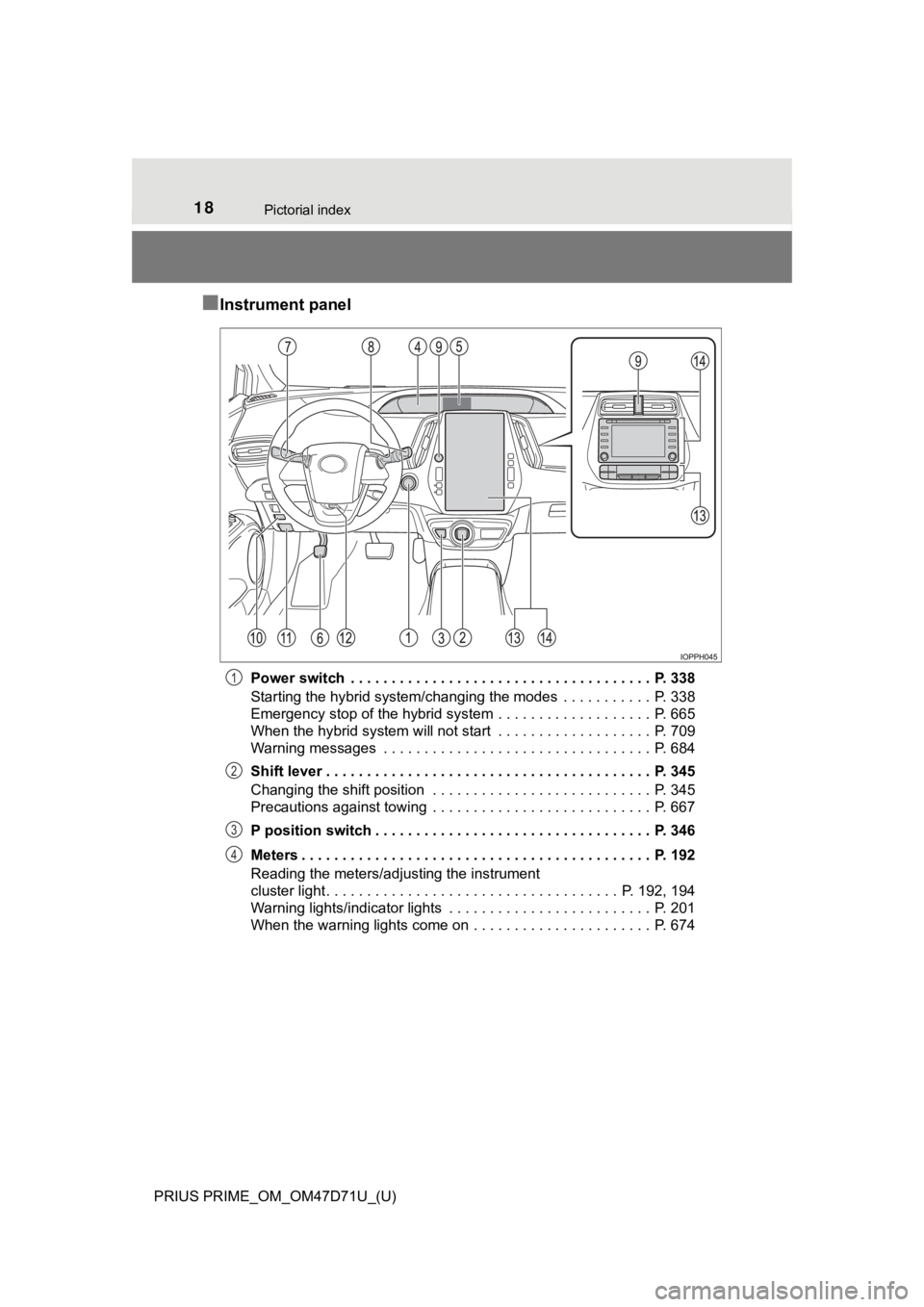
■Instrument panel
Power switch . . . . . . . . . . . . . . . . . . . . . . . . . . . . . . . . . . . . . P. 338
Starting the hybrid system/changing the modes . . . . . . . . . . . P. 338
Emergency stop of the hybrid system . . . . . . . . . . . . . . . . . . . P. 665
When the hybrid system will not start . . . . . . . . . . . . . . . . . . . P. 709
Warning messages . . . . . . . . . . . . . . . . . . . . . . . . . . . . . . . . . P. 684
Shift lever . . . . . . . . . . . . . . . . . . . . . . . . . . . . . . . . . . . . . . . . P. 345
Changing the shift position . . . . . . . . . . . . . . . . . . . . . . . . . . . P. 345
Precautions against towing . . . . . . . . . . . . . . . . . . . . . . . . . . . P. 667
P position switch . . . . . . . . . . . . . . . . . . . . . . . . . . . . . . . . . . P. 346
Meters . . . . . . . . . . . . . . . . . . . . . . . . . . . . . . . . . . . . . . . . . . . P. 192
Reading the meters/adjusting the instrument
cluster light . . . . . . . . . . . . . . . . . . . . . . . . . . . . . . . . . . . . P. 192, 194
Warning lights/indicator lights . . . . . . . . . . . . . . . . . . . . . . . . . P. 201
When the warning lights come on . . . . . . . . . . . . . . . . . . . . . . P. 6741
2
3
4
Page 20 of 808
20Pictorial index
PRIUS PRIME_OM_OM47D71U_(U)
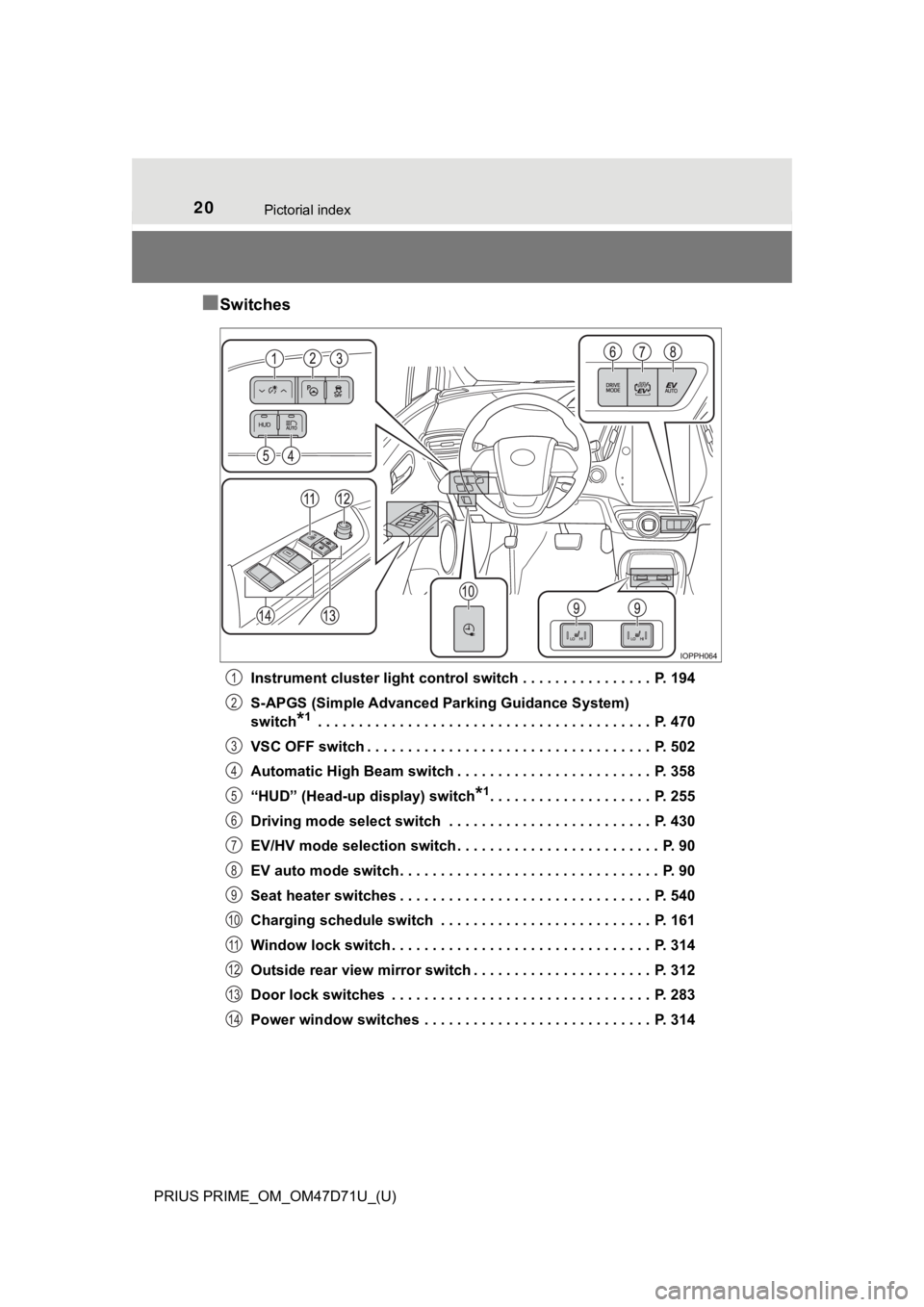
■Switches
Instrument cluster light control switch . . . . . . . . . . . . . . . . P. 194
S-APGS (Simple Advanced Parking Guidance System)
switch
*1 . . . . . . . . . . . . . . . . . . . . . . . . . . . . . . . . . . . . . . . . . P. 470
VSC OFF switch . . . . . . . . . . . . . . . . . . . . . . . . . . . . . . . . . . . P. 502
Automatic High Beam switch . . . . . . . . . . . . . . . . . . . . . . . . P. 358
“HUD” (Head-up display) switch
*1. . . . . . . . . . . . . . . . . . . . P. 255
Driving mode select switch . . . . . . . . . . . . . . . . . . . . . . . . . P. 430
EV/HV mode selection switch . . . . . . . . . . . . . . . . . . . . . . . . . P. 90
EV auto mode switch. . . . . . . . . . . . . . . . . . . . . . . . . . . . . . . . P. 90
Seat heater switches . . . . . . . . . . . . . . . . . . . . . . . . . . . . . . . P. 540
Charging schedule switch . . . . . . . . . . . . . . . . . . . . . . . . . . P. 161
Window lock switch . . . . . . . . . . . . . . . . . . . . . . . . . . . . . . . . P. 314
Outside rear view mirror switch . . . . . . . . . . . . . . . . . . . . . . P. 312
Door lock switches . . . . . . . . . . . . . . . . . . . . . . . . . . . . . . . . P. 283
Power window switches . . . . . . . . . . . . . . . . . . . . . . . . . . . . P. 314
1
2
3
4
5
6
7
8
9
10
11
12
13
14
Page 157 of 808
157
PRIUS PRIME_OM_OM47D71U_(U)
2-2. Charging
2
Plug-in hybrid system
Using the charging schedule function
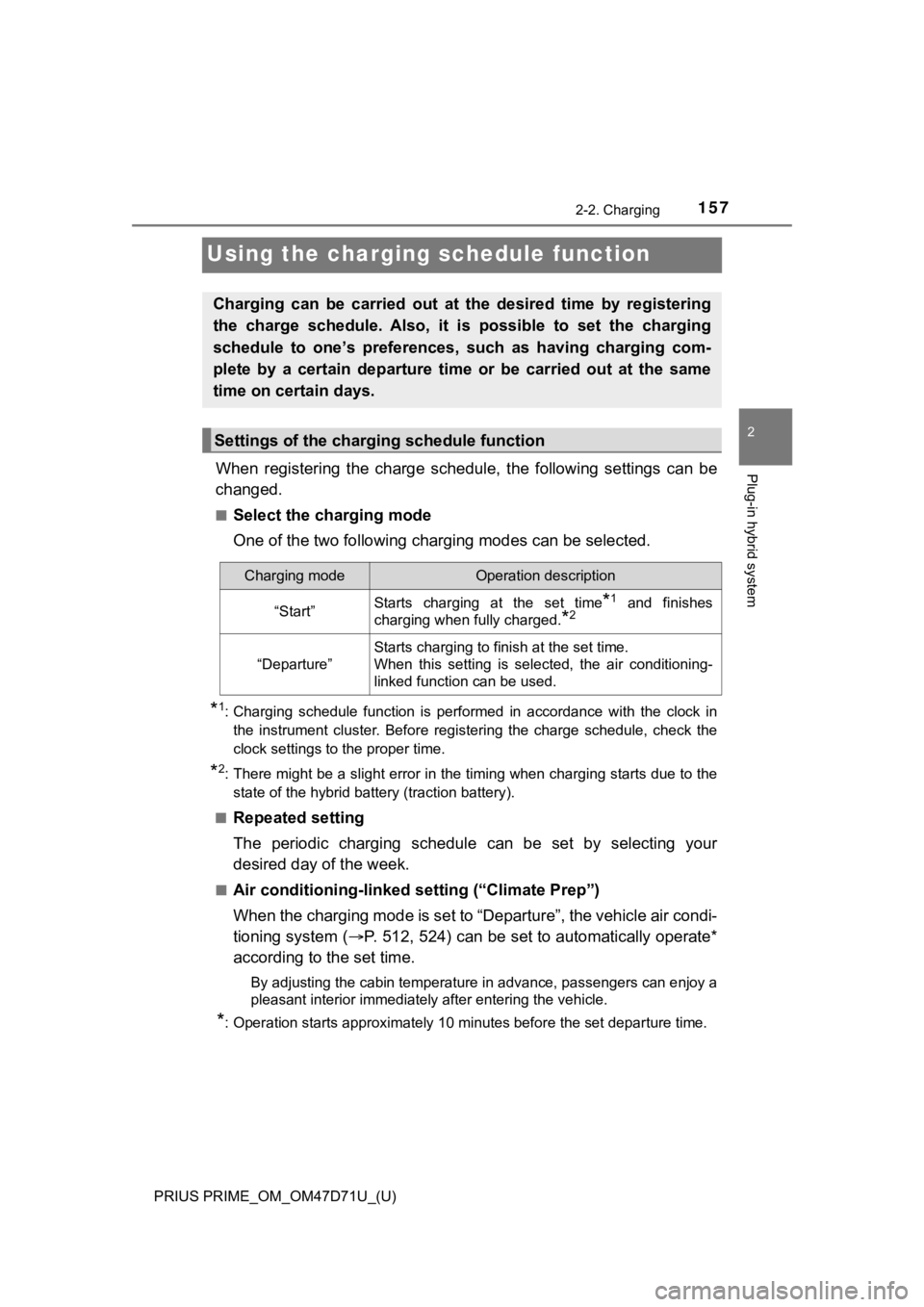
When registering the charge schedule, the following settings can be
changed.
■Select the charging mode
One of the two following charging modes can be selected.
*1: Charging schedule function is performed in accordance with the clock in
the instrument cluster. Before registering the charge schedule, check the
clock settings to the proper time.
*2: There might be a slight error in the timing when charging starts due to the
state of the hybrid battery (traction battery).
■
Repeated setting
The periodic charging schedule can be set by selecting your
desired day of the week.
■Air conditioning-linked setting (“Climate Prep”)
When the charging mode is set to “Departure”, the vehicle air condi-
tioning system (P. 512, 524) can be set to automatically operate*
according to the set time.
By adjusting the cabin temperature in advance, passengers can enjoy a
pleasant interior immediately after entering the vehicle.
*: Operation starts approximately 10 minutes before the set departure time.
Charging can be carried out at the desired time by registering
the charge schedule. Also, it is possible to set the charging
schedule to one’s preferences, such as having charging com-
plete by a certain departure time or be carried out at the same
time on certain days.
Settings of the charging schedule function
Charging modeOperation description
“Start”Starts charging at the set time*1 and finishes
charging when fully charged.
*2
“Departure”
Starts charging to finish at the set time.
When this setting is selected, the air conditioning-
linked function can be used.
Page 191 of 808
191
PRIUS PRIME_OM_OM47D71U_(U)
Instrument cluster3
3. Instrument cluster
Combination meter............ 192
Warning lights and
indicators ........................ 201
Main display ...................... 209
Multi-information
display............................. 220
Head-up display ................ 253
Energy monitor/
consumption screen
(vehicles with 7-inch
display) ........................... 261
Energy monitor/
consumption screen/
detail screen (vehicles
with 11.6-inch display) .... 267
Page 192 of 808
192
PRIUS PRIME_OM_OM47D71U_(U)
3. Instrument cluster
Combination meter
The units used on the display may differ depending on the target region.
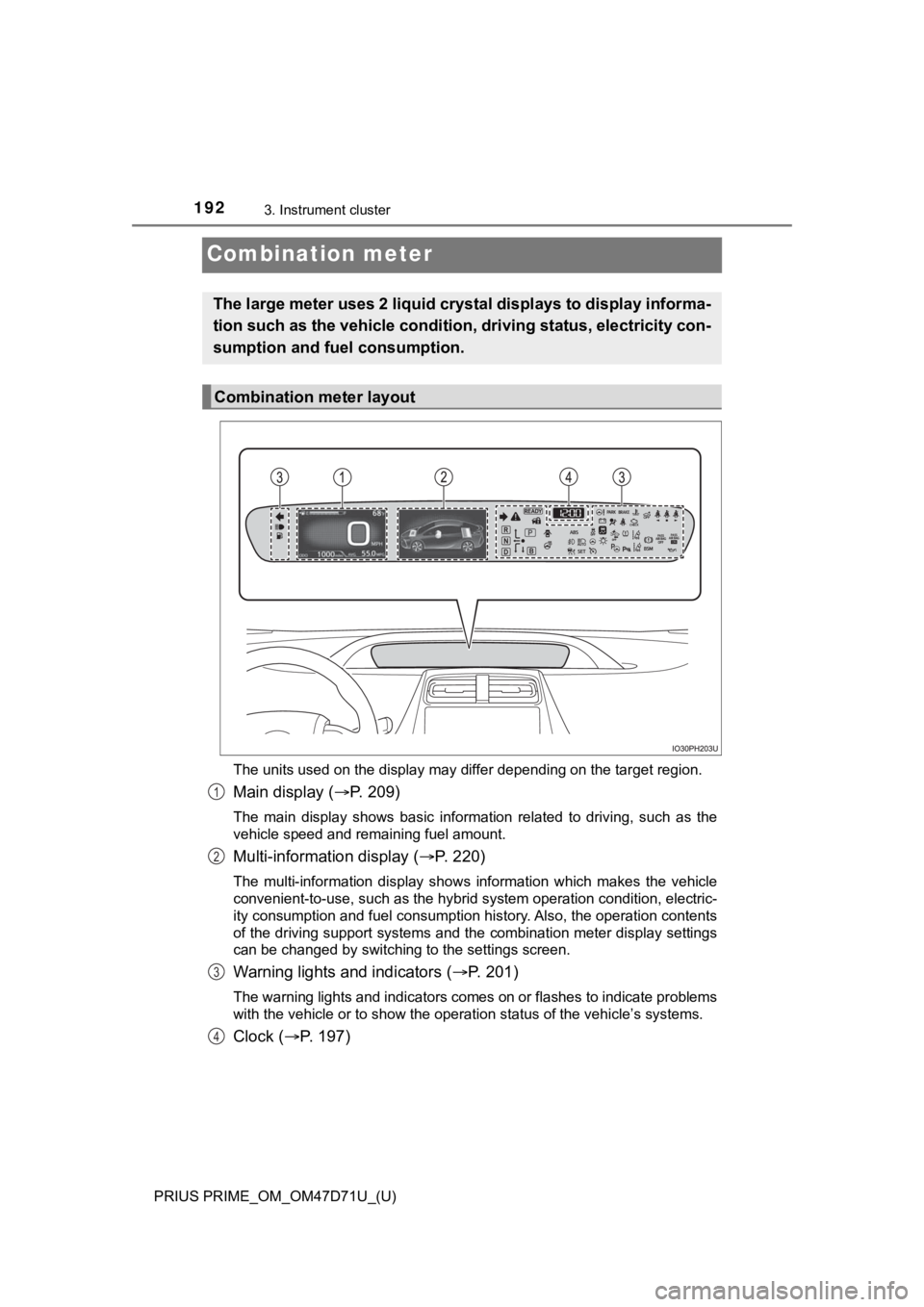
Main display (P. 209)
The main display shows basic information related to driving, such as the
vehicle speed and remaining fuel amount.
Multi-information display (P. 220)
The multi-information display shows information which makes the vehicle
convenient-to-use, such as the hybrid system operation condition, electric-
ity consumption and fuel consumption history. Also, the operation contents
of the driving support systems and the combination meter display settings
<00460044005100030045004800030046004b00440051004a0048004700030045005c00030056005a004c00570046004b004c0051004a00030057005200030057004b004800030056004800570057004c0051004a0056000300560046005500480048005100
11[
Warning lights and indicators (P. 2 0 1 )
The warning lights and indicators comes on or flashes to indicate problems
with the vehicle or to show the operation status of the vehicle’s systems.
Clock (P. 197)
The large meter uses 2 liquid crystal displays to display informa-
tion such as the vehicle condition, driving status, electricity con-
sumption and fuel consumption.
Combination meter layout
1
2
3
4
Page 193 of 808
PRIUS PRIME_OM_OM47D71U_(U)
1933. Instrument cluster
3
Instrument cluster
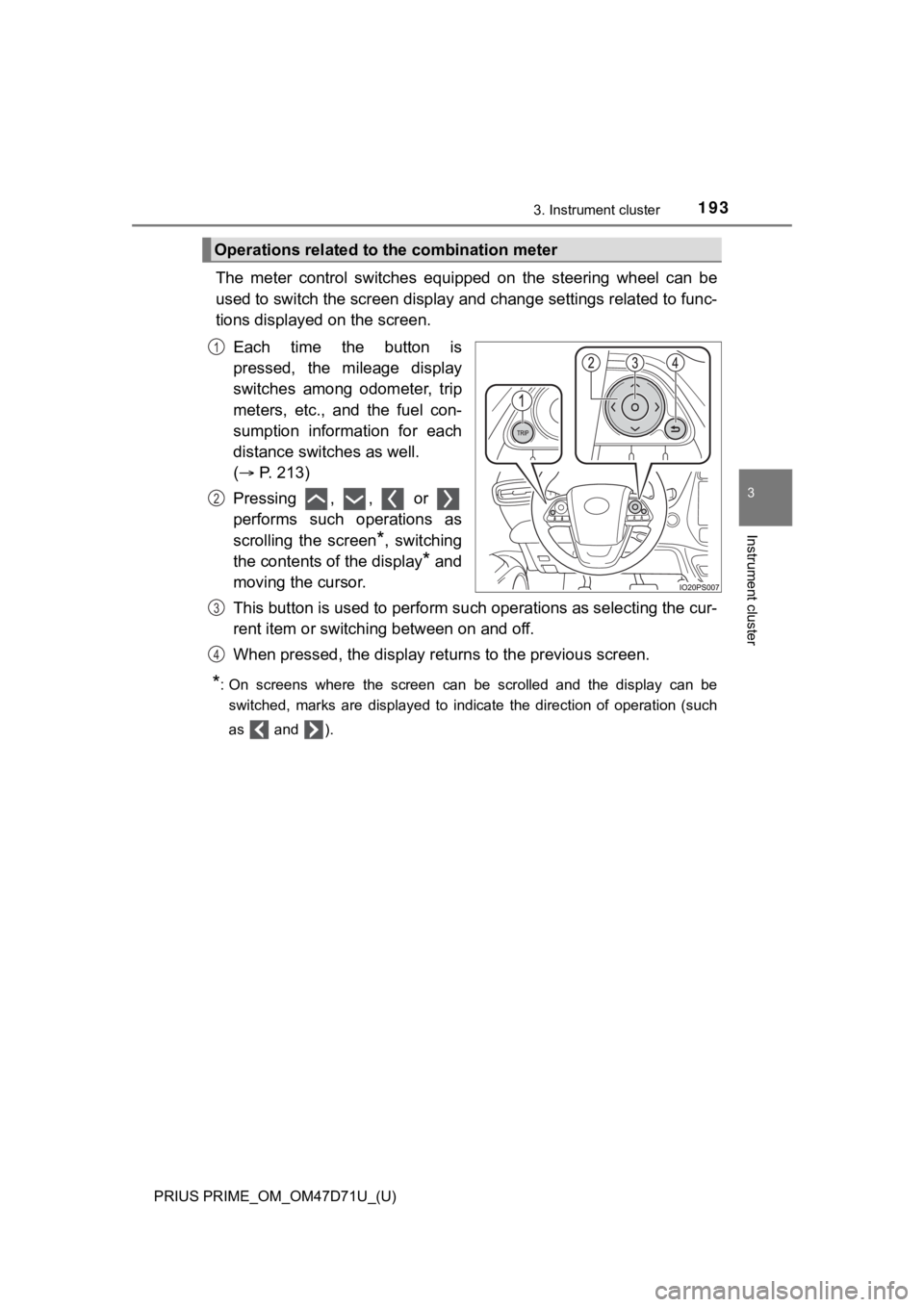
The meter control switches equipped on the steering wheel can be
used to switch the screen display and change settings related to func-
tions displayed on the screen.
Each time the button is
pressed, the mileage display
switches among odometer, trip
meters, etc., and the fuel con-
sumption information for each
distance switches as well.
( P. 213)
Pressing , , or
performs such operations as
scrolling the screen
*, switching
the contents of the display
* and
moving the cursor.
This button is used to perform such operations as selecting the cur-
rent item or switching between on and off.
When pressed, the display returns to the previous screen.
*: On screens where the screen can be scrolled and the display can be
switched, marks are displayed to indicate the direction of operation (such
as and ).
Operations related to the combination meter
1
2
3
4
Page 194 of 808
194
PRIUS PRIME_OM_OM47D71U_(U)
3. Instrument cluster
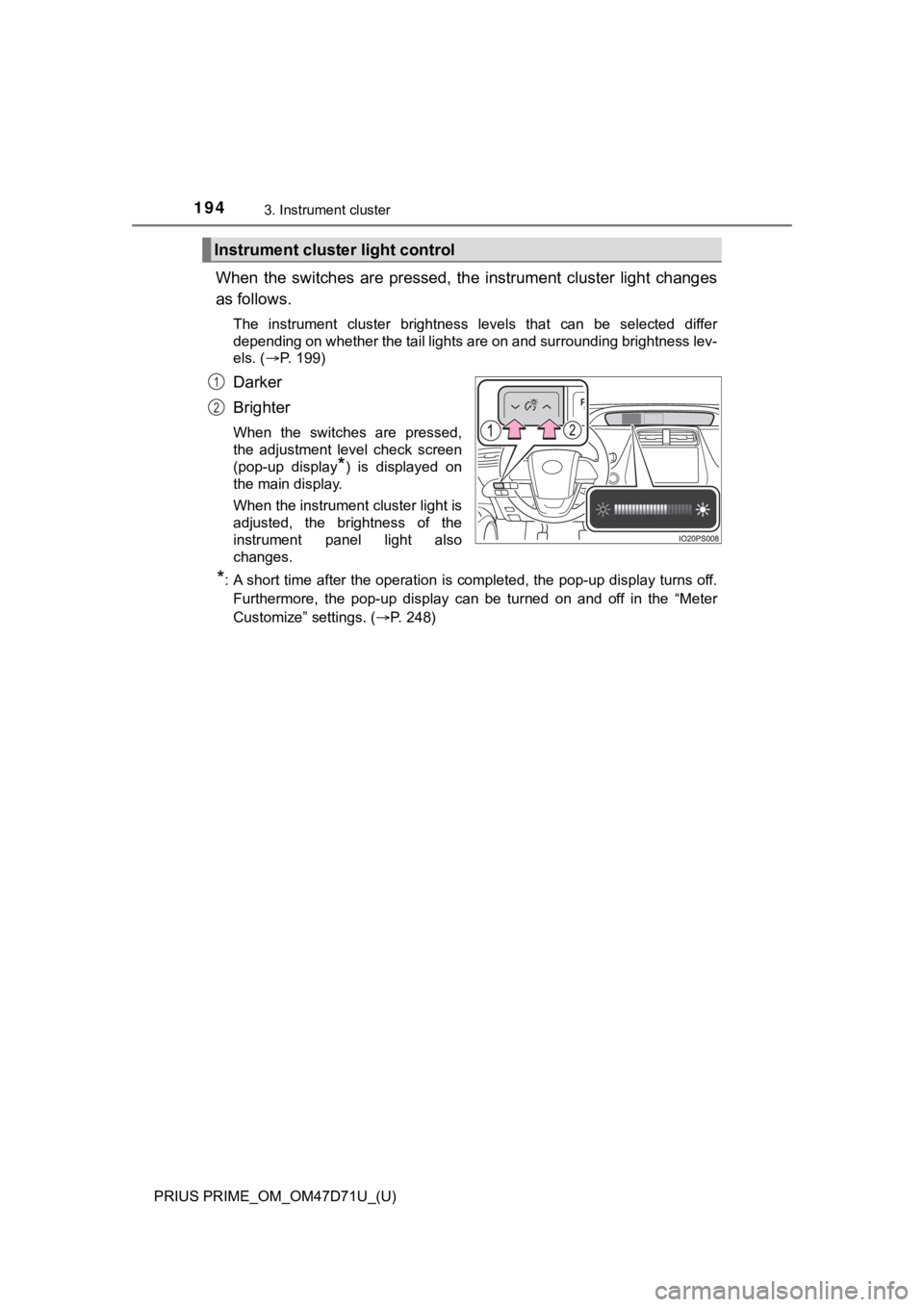
When the switches are pressed, the instrument cluster light changes
as follows.
The instrument cluster brightness levels that can be selected differ
depending on whether the tail lights are on and surrounding brightness lev-
els. (P. 199)
Darker
Brighter
When the switches are pressed,
the adjustment level check screen
(pop-up display
*) is displayed on
the main display.
When the instrument cluster light is
adjusted, the brightness of the
instrument panel light also
changes.
*: A short time after the operation is completed, the pop-up display turns off.
Furthermore, the pop-up display can be turned on and off in the “Meter
Customize” settings. (P. 248)
Instrument cluster light control
1
2
Page 195 of 808
PRIUS PRIME_OM_OM47D71U_(U)
1953. Instrument cluster
3
Instrument cluster
Some information will be displayed automatically according to power
switch operation, vehicle condition, etc.
■When starting the hybrid system
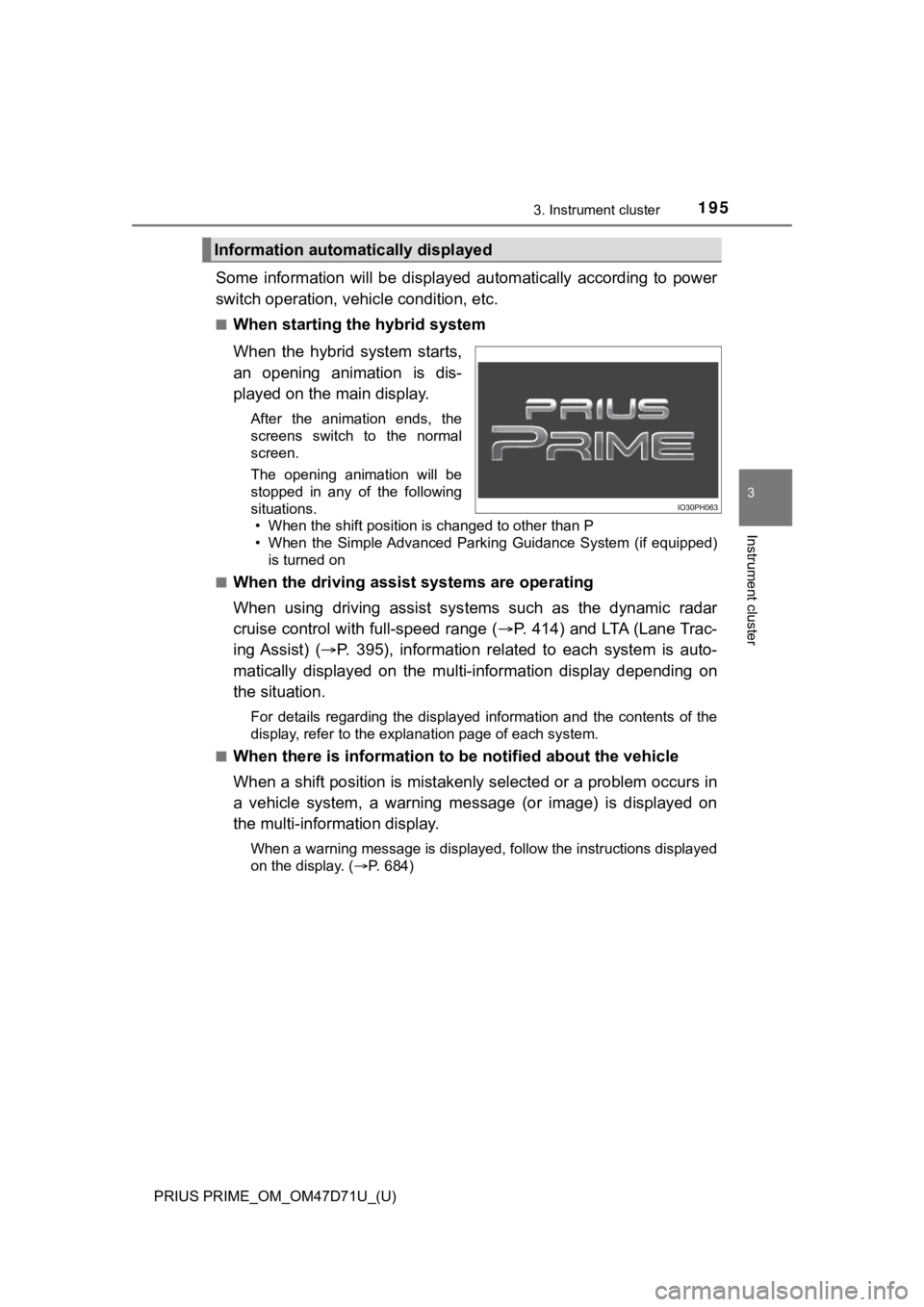
When the hybrid system starts,
an opening animation is dis-
played on the main display.
After the animation ends, the
screens switch to the normal
screen.
The opening animation will be
stopped in any of the following
situations.
• When the shift position is changed to other than P
• When the Simple Advanced Parking Guidance System (if equipped)
is turned on
■
When the driving assist systems are operating
When using driving assist systems such as the dynamic radar
cruise control with full-speed range (P. 414) and LTA (Lane Trac-
ing Assist) (P. 395), information related to each system is auto-
matically displayed on the multi-information display depending on
the situation.
For details regarding the displayed information and the contents of the
display, refer to the explanation page of each system.
■
When there is information to be notified about the vehicle
When a shift position is mistakenly selected or a problem occurs in
a vehicle system, a warning message (or image) is displayed on
the multi-information display.
When a warning message is displayed, follow the instructions displayed
on the display. (P. 684)
Information automatically displayed