lane assist TOYOTA PRIUS PRIME 2021 Owners Manual (in English)
[x] Cancel search | Manufacturer: TOYOTA, Model Year: 2021, Model line: PRIUS PRIME, Model: TOYOTA PRIUS PRIME 2021Pages: 808, PDF Size: 74.05 MB
Page 4 of 808

TABLE OF CONTENTS4
PRIUS PRIME_OM_OM47D71U_(U)5-5. Using the driving support
systems
Toyota Safety Sense 2.0 ... 376
PCS (Pre-Collision
System) ........................... 384
LTA (Lane Tracing
Assist) ............................. 395
RSA (Road Sign
Assist) ............................. 410
Dynamic radar cruise
control with full-speed
range ............................... 414
Driving mode select
switch .............................. 430
BSM
(Blind Spot Monitor) ........ 432
• The Blind Spot Monitor
function ......................... 437
• The Rear Cross Traffic
Alert function ................. 440
Intuitive parking assist ....... 445
Parking Support Brake
function ........................... 455
S-APGS (Simple
Advanced Parking
Guidance System) .......... 467
Driving assist systems....... 501
5-6. Driving tips
Winter driving tips.............. 5076-1. Using the air conditioning
system and defogger
Automatic air conditioning
system (vehicles with
7-inch display) ................. 512
Automatic air conditioning
system (vehicles with
11.6-inch display) ............ 524
Remote Air Conditioning
System ............................ 535
Heated steering wheel/
seat heaters..................... 539
6-2. Using the interior lights
Interior lights list................. 541
• Front interior light .......... 542
• Front personal lights ...... 542
• Rear interior light ........... 543
6-3. Using the storage features
List of storage features ...... 544
• Glove box ...................... 545
• Console box .................. 545
• Cup holders ................... 546
• Bottle holders/
door pockets.................. 547
• Auxiliary boxes .............. 548
• Seat back pockets ......... 548
Luggage compartment
features ........................... 549
6Interior features
Page 21 of 808
21Pictorial index
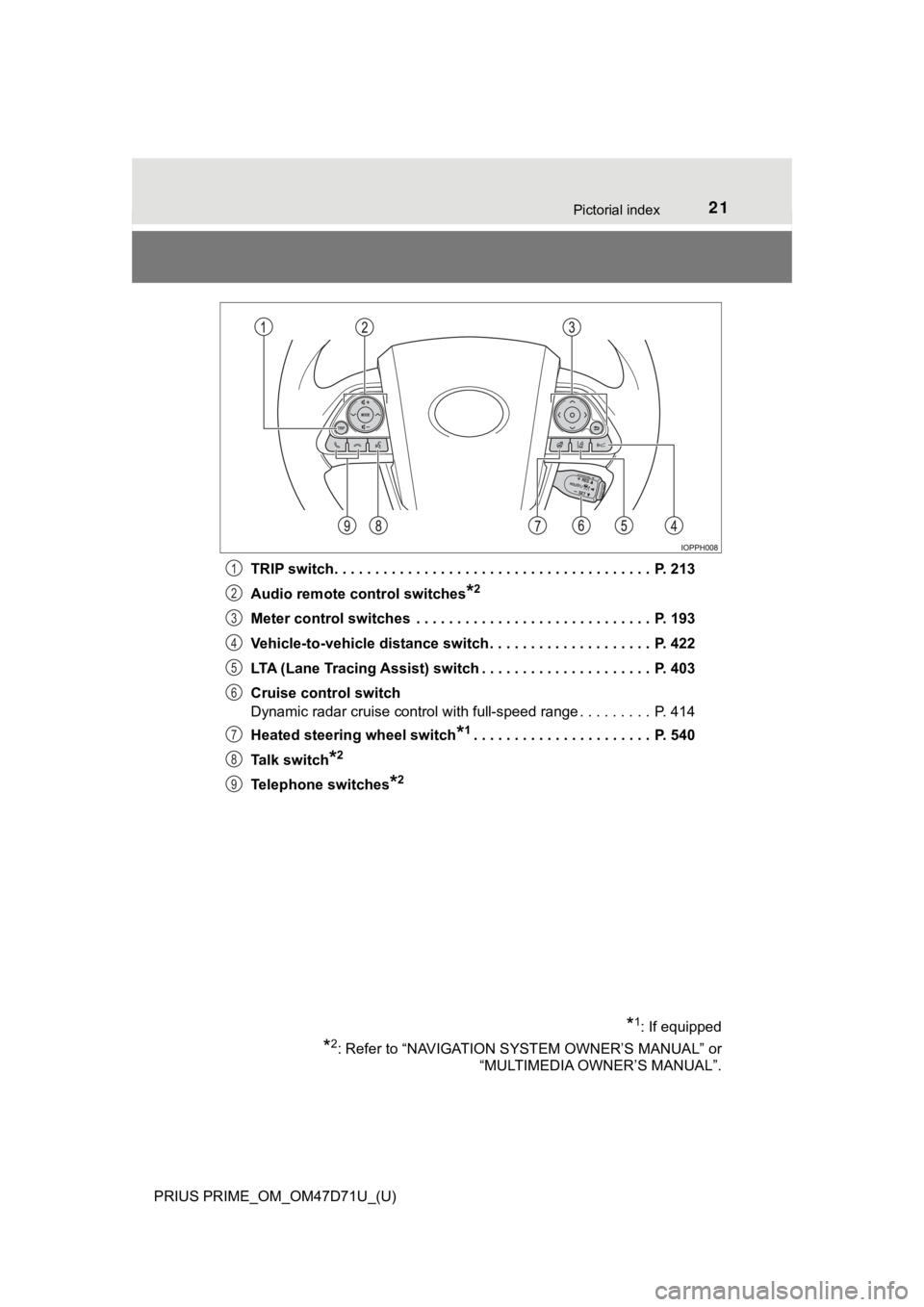
PRIUS PRIME_OM_OM47D71U_(U)TRIP switch. . . . . . . . . . . . . . . . . . . . . . . . . . . . . . . . . . . . . . . P. 213
Audio remote control switches
*2
Meter control switches . . . . . . . . . . . . . . . . . . . . . . . . . . . . . P. 193
Vehicle-to-vehicle distance switch . . . . . . . . . . . . . . . . . . . . P. 422
LTA (Lane Tracing Assist) switch . . . . . . . . . . . . . . . . . . . . . P. 403
Cruise control switch
Dynamic radar cruise control with full-speed range . . . . . . . . . P. 414
Heated steering wheel switch
*1. . . . . . . . . . . . . . . . . . . . . . P. 540
Talk switch
*2
Telephone switches*2
*1: If equipped
*2: Refer to “NAVIGATION SYSTEM OWNER’S MANUAL” or
“MULTIMEDIA OWNER’S MANUAL”.
1
2
3
4
5
6
7
8
9
Page 195 of 808
PRIUS PRIME_OM_OM47D71U_(U)
1953. Instrument cluster
3
Instrument cluster
Some information will be displayed automatically according to power
switch operation, vehicle condition, etc.
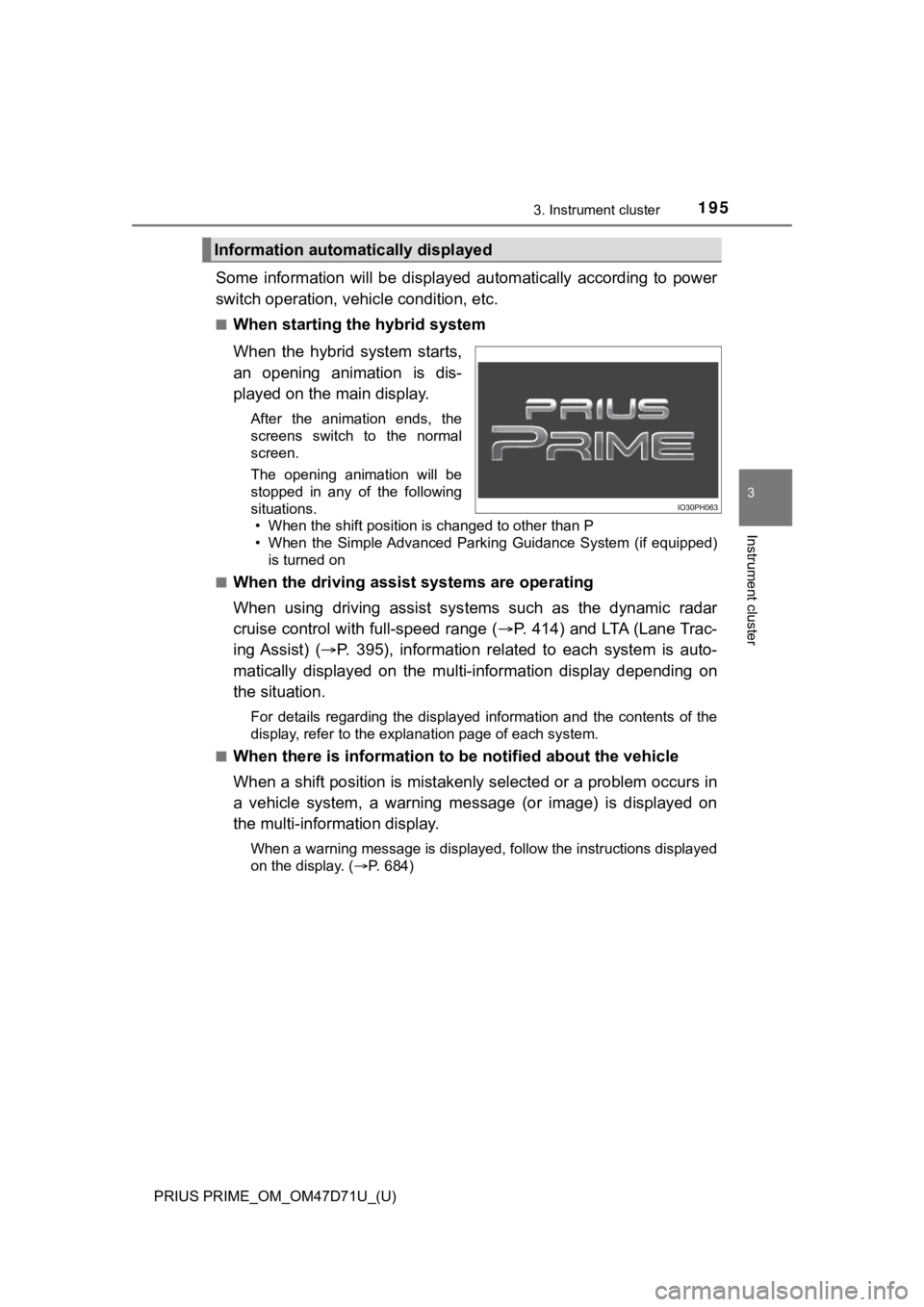
■When starting the hybrid system
When the hybrid system starts,
an opening animation is dis-
played on the main display.
After the animation ends, the
screens switch to the normal
screen.
The opening animation will be
stopped in any of the following
situations.
• When the shift position is changed to other than P
• When the Simple Advanced Parking Guidance System (if equipped)
is turned on
■
When the driving assist systems are operating
When using driving assist systems such as the dynamic radar
cruise control with full-speed range (P. 414) and LTA (Lane Trac-
ing Assist) (P. 395), information related to each system is auto-
matically displayed on the multi-information display depending on
the situation.
For details regarding the displayed information and the contents of the
display, refer to the explanation page of each system.
■
When there is information to be notified about the vehicle
When a shift position is mistakenly selected or a problem occurs in
a vehicle system, a warning message (or image) is displayed on
the multi-information display.
When a warning message is displayed, follow the instructions displayed
on the display. (P. 684)
Information automatically displayed
Page 207 of 808
PRIUS PRIME_OM_OM47D71U_(U)
2073. Instrument cluster
3
Instrument cluster
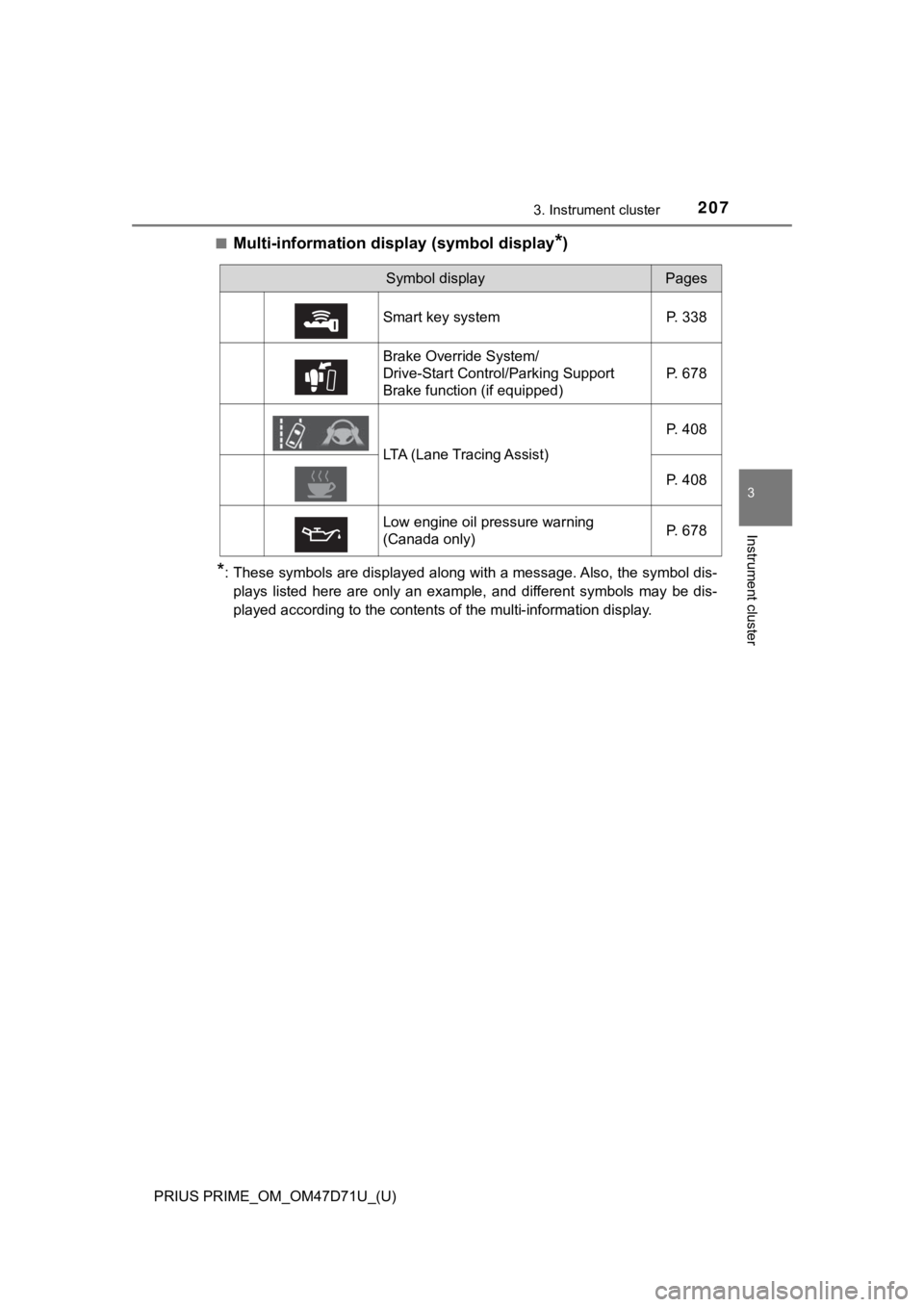
■Multi-information display (symbol display*)
*: These symbols are displayed along with a message. Also, the symbol dis-
plays listed here are only an example, and different symbols may be dis-
played according to the contents of the multi-information display.
Symbol displayPages
Smart key system P. 338
Brake Override System/
Drive-Start Control/Parking Support
Brake function (if equipped)P. 678
LTA (Lane Tracing Assist)P. 408
P. 408
Low engine oil pressure warning
(Canada only)P. 678
Page 221 of 808
PRIUS PRIME_OM_OM47D71U_(U)
2213. Instrument cluster
3
Instrument cluster
*: When there is a warning message that can be displayed, the color of
changes to amber.
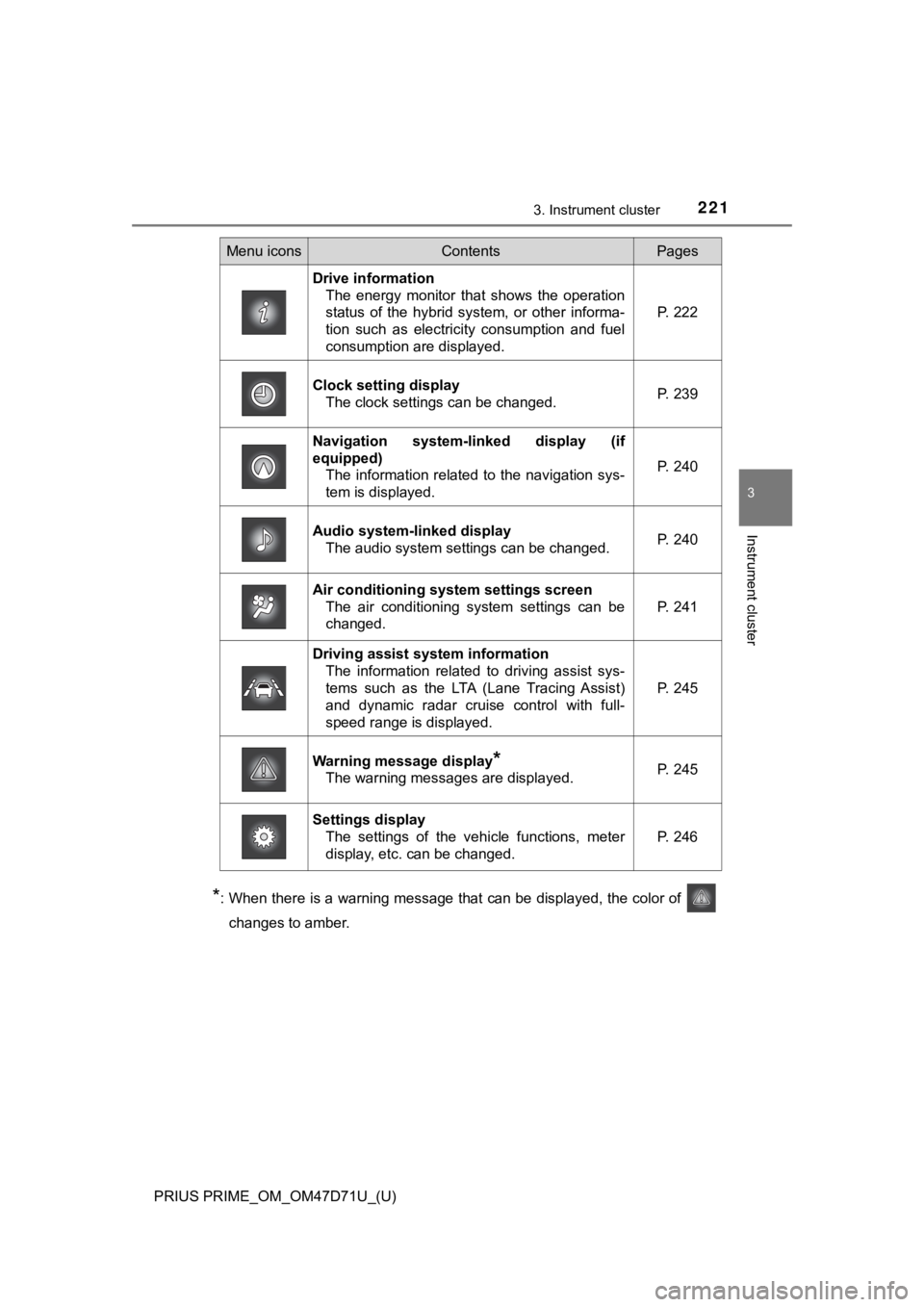
Menu iconsContentsPages
Drive information
The energy monitor that shows the operation
status of the hybrid system, or other informa-
tion such as electricity consumption and fuel
consumption are displayed.P. 222
Clock setting display
The clock settings can be changed.P. 239
Navigation system-linked display (if
equipped)
The information related to the navigation sys-
tem is displayed.
P. 240
Audio system-linked display
The audio system settings can be changed.P. 240
Air conditioning system settings screen
The air conditioning system settings can be
changed.
P. 241
Driving assist system information
The information related to driving assist sys-
tems such as the LTA (Lane Tracing Assist)
and dynamic radar cruise control with full-
speed range is displayed.
P. 245
Warning message display*
The warning messages are displayed.P. 245
Settings display
The settings of the vehicle functions, meter
display, etc. can be changed.
P. 246
Page 245 of 808
PRIUS PRIME_OM_OM47D71U_(U)
2453. Instrument cluster
3
Instrument cluster
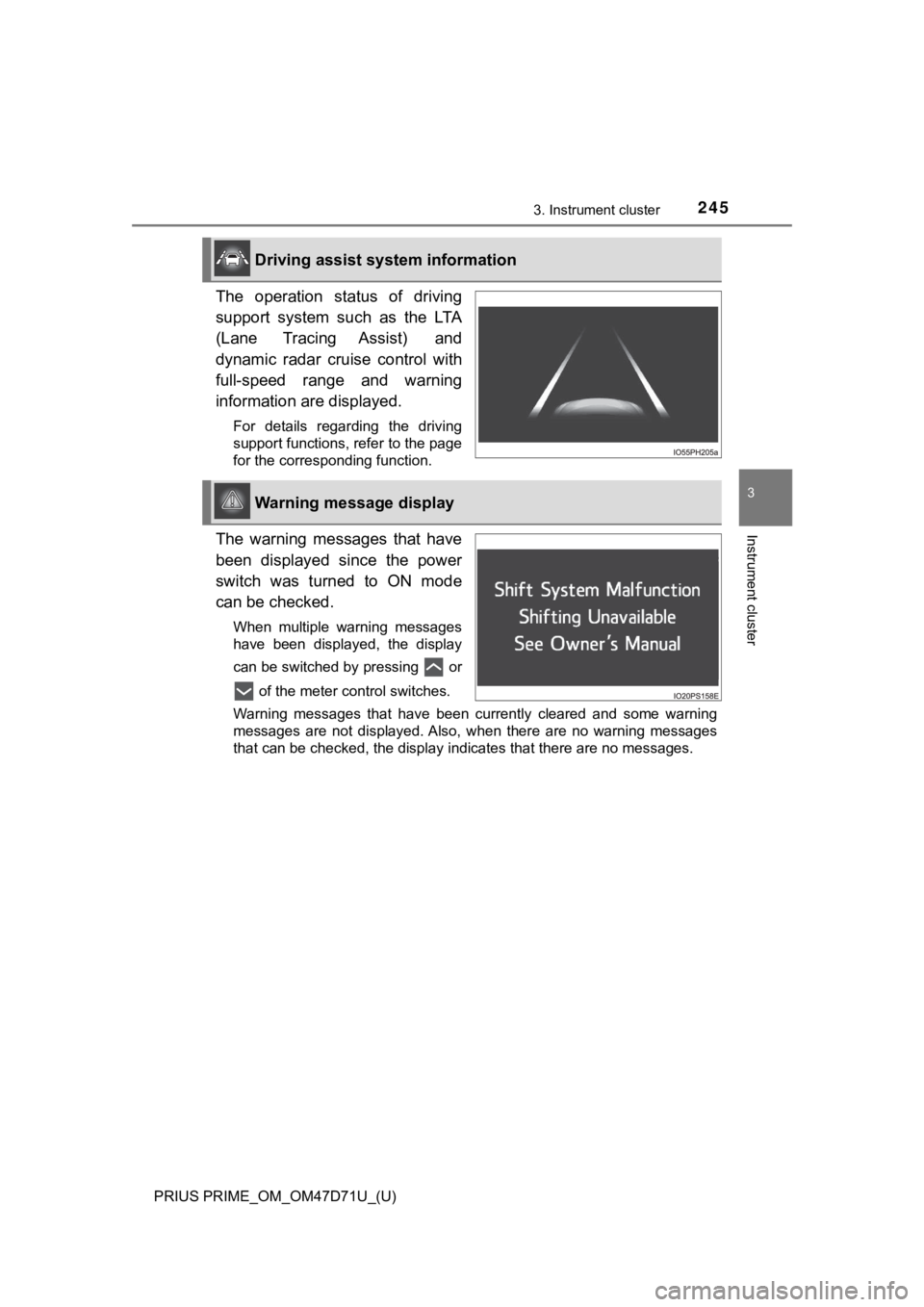
The operation status of driving
support system such as the LTA
(Lane Tracing Assist) and
dynamic radar cruise control with
full-speed range and warning
information are displayed.
For details regarding the driving
support functions, refer to the page
for the corresponding function.
The warning messages that have
been displayed since the power
switch was turned to ON mode
can be checked.
When multiple warning messages
have been displayed, the display
can be switched by pressing or
of the meter control switches.
Warning messages that have been currently cleared and some warning
messages are not displayed. Also, when there are no warning messages
<0057004b00440057000300460044005100030045004800030046004b00480046004e00480047000f00030057004b004800030047004c00560053004f0044005c0003004c00510047004c0046004400570048005600030057004b0044005700030057004b00
48005500480003004400550048000300510052000300500048[ssages.
Driving assist system information
Warning message display
Page 247 of 808
PRIUS PRIME_OM_OM47D71U_(U)
2473. Instrument cluster
3
Instrument cluster
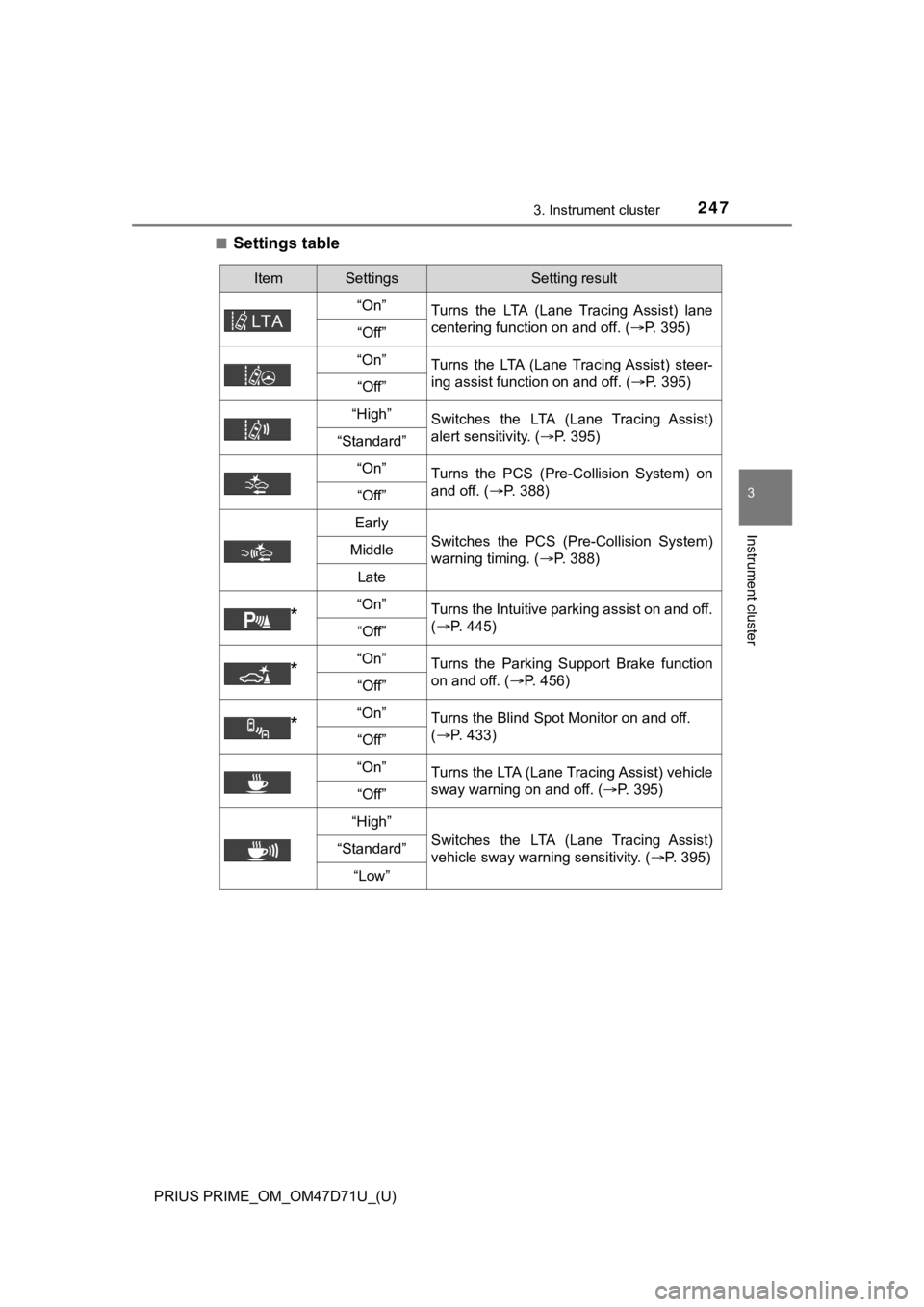
■Settings table
ItemSettingsSetting result
“On”
Turns the LTA (Lane Tracing Assist) lane
centering function on and off. (P. 395)
“Off”
“On”
Turns the LTA (Lane Tracing Assist) steer-
ing assist function on and off. (P. 395)
“Off”
“High”Switches the LTA (Lane Tracing Assist)
alert sensitivity. (P. 395)
“Standard”
“On”
Turns the PCS (Pre-Collision System) on
and off. (P. 388)
“Off”
Early
Switches the PCS (Pre-Collision System)
warning timing. (P. 388)Middle
Late
*“On”Turns the Intuitive parking assist on and off.
(P. 445)
“Off”
*“On”Turns the Parking Support Brake function
on and off. (P. 456)
“Off”
*“On”Turns the Blind Spot Monitor on and off.
(P. 433)
“Off”
“On”
Turns the LTA (Lane Tracing Assist) vehicle
sway warning on and off. (P. 395)
“Off”
“High”
Switches the LTA (Lane Tracing Assist)
vehicle sway warning sensitivity. (P. 395)“Standard”
“Low”
Page 257 of 808
PRIUS PRIME_OM_OM47D71U_(U)
2573. Instrument cluster
3
Instrument cluster
■Insert displays of the driving support systems
Insert displays are linked with the operation of the following sys-
tems and used to show some of the information shown on the multi-
information display on the head-up display.
*: If equipped
■
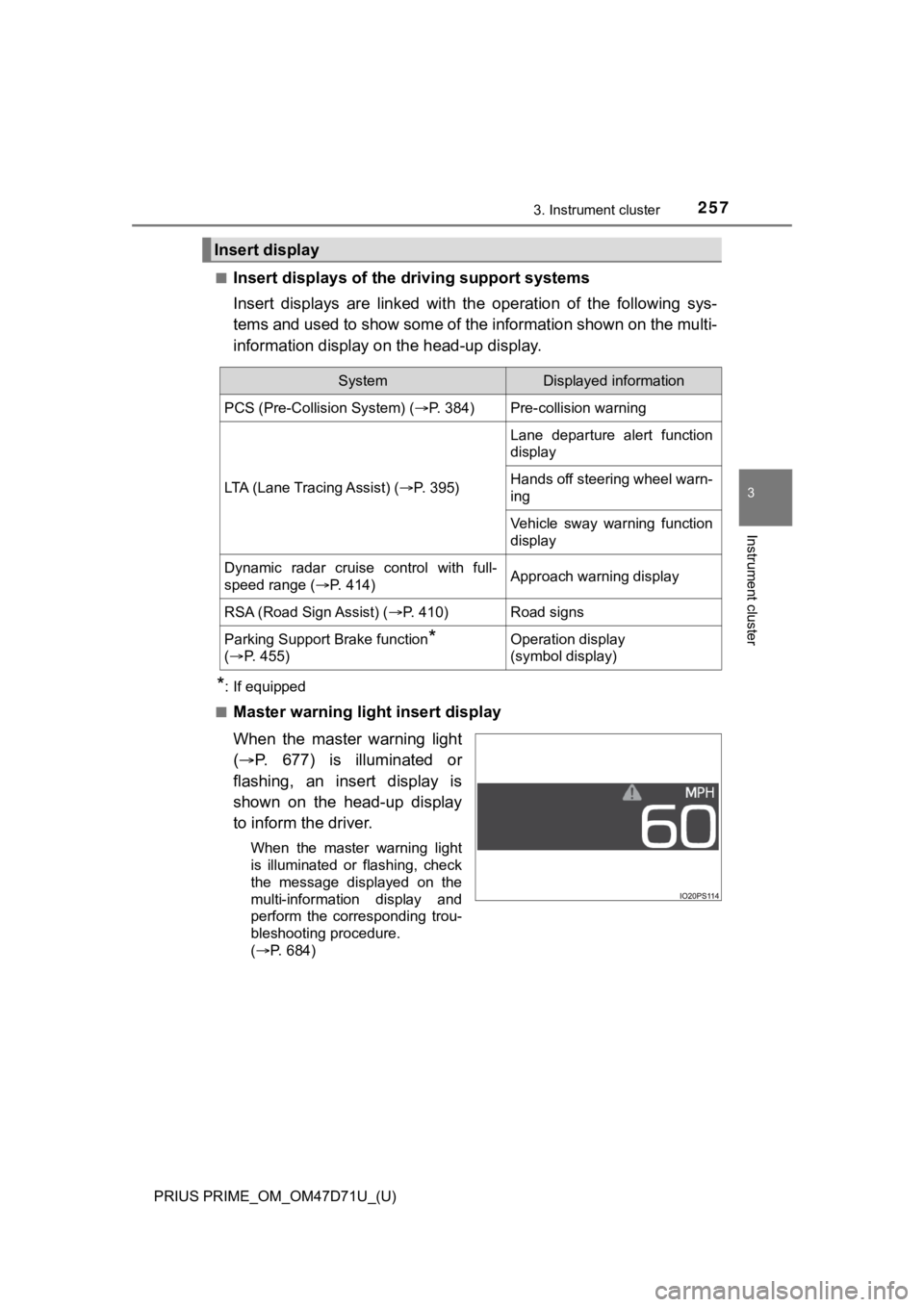
Master warning light insert display
When the master warning light
(P. 677) is illuminated or
flashing, an insert display is
shown on the head-up display
to inform the driver.
When the master warning light
is illuminated or flashing, check
the message displayed on the
multi-information display and
perform the corresponding trou-
bleshooting procedure.
(P. 684)
Insert display
SystemDisplayed information
PCS (Pre-Collision System) (P. 384)Pre-collision warning
LTA (Lane Tracing Assist) (P. 3 9 5 )
Lane departure alert function
display
Hands off steering wheel warn-
ing
Vehicle sway warning function
display
Dynamic radar cruise control with full-
speed range (P. 414)Approach warning display
RSA (Road Sign Assist) (P. 410)Road signs
Parking Support Brake function*
(P. 4 5 5 )Operation display
(symbol display)
Page 319 of 808
319
PRIUS PRIME_OM_OM47D71U_(U)
5Driving
5-1. Before driving
Driving the vehicle ............. 320
Cargo and luggage ........... 332
Vehicle load limits ............. 335
Trailer towing..................... 336
Dinghy towing ................... 337
5-2. Driving procedures
Power (ignition) switch ...... 338
Hybrid transmission........... 345
Turn signal lever................ 351
Parking brake .................... 352
5-3. Operating the lights
and wipers
Headlight switch ................ 353
AHB (Automatic High
Beam) ............................. 358
Fog light switch ................. 363
Windshield wipers and
washer ............................ 365
5-4. Refueling
Opening the fuel tank
cap .................................. 3715-5. Using the driving support
systems
Toyota Safety Sense 2.0... 376
PCS (Pre-Collision
System)........................... 384
LTA (Lane Tracing
Assist) ............................. 395
RSA (Road Sign
Assist) ............................. 410
Dynamic radar cruise
control with full-speed
range............................... 414
Driving mode select
switch .............................. 430
BSM
(Blind Spot Monitor) ........ 432
• The Blind Spot Monitor
function ......................... 437
• The Rear Cross Traffic
Alert function ................. 440
Intuitive parking assist....... 445
Parking Support Brake
function ........................... 455
S-APGS (Simple
Advanced Parking
Guidance System) .......... 467
Driving assist systems ...... 501
5-6. Driving tips
Winter driving tips ............. 507
Page 376 of 808
376
PRIUS PRIME_OM_OM47D71U_(U)
5-5. Using the driving support systems
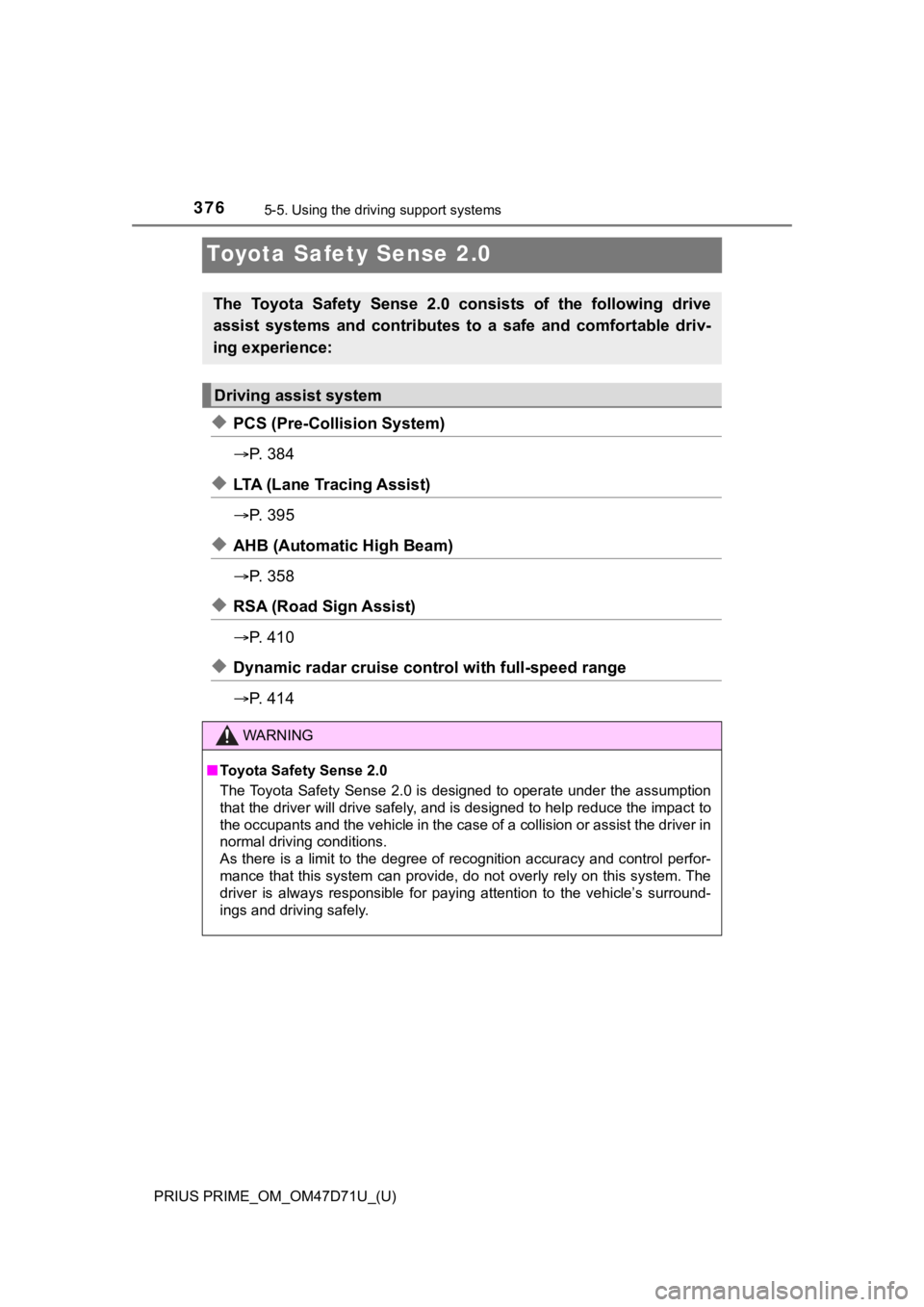
Toyota Safety Sense 2.0
◆PCS (Pre-Collision System)
P. 3 8 4
◆LTA (Lane Tracing Assist)
P. 3 9 5
◆AHB (Automatic High Beam)
P. 3 5 8
◆RSA (Road Sign Assist)
P. 4 1 0
◆Dynamic radar cruise control with full-speed range
P. 4 1 4
The Toyota Safety Sense 2.0 consists of the following drive
assist systems and contributes to a safe and comfortable driv-
ing experience:
Driving assist system
WARNING
■Toyota Safety Sense 2.0
The Toyota Safety Sense 2.0 is designed to operate under the assumption
that the driver will drive safely, and is designed to help reduce the impact to
the occupants and the vehicle in the case of a collision or assist the driver in
normal driving conditions.
As there is a limit to the degree of recognition accuracy and control perfor-
mance that this system can provide, do not overly rely on this system. The
driver is always responsible for paying attention to the vehicle’s surround-
ings and driving safely.