oil reset TOYOTA PRIUS PRIME 2021 Owners Manual (in English)
[x] Cancel search | Manufacturer: TOYOTA, Model Year: 2021, Model line: PRIUS PRIME, Model: TOYOTA PRIUS PRIME 2021Pages: 808, PDF Size: 74.05 MB
Page 588 of 808
588
PRIUS PRIME_OM_OM47D71U_(U)
7-2. Maintenance
■Repair and replacement
It is recommended that genuine Toyota parts be used for repairs to ensure
performance of each system. If non-Toyota parts are used in replacement or if
a repair shop other than a Toyota dealer performs repairs, confirm the war-
ranty coverage.
■Resetting the message indicating maintenance is required (U.S.A. only)
After the required maintenance is preformed according to the maintenance
schedule, please reset the message.
To reset the message, follow the procedures described below:
While the hybrid system is operating, switch the multi-information display to
the screen. (P. 246)
Press
or of the meter control switches, select (“Vehicle
Settings”), and then press .
Press
or of the meter control switches, select “Maintenance Sys-
tem”, and then press .
Press
or of the meter control switches, select “Oil Maintenance”,
and then press .
Press
or of the meter control switches, select “Yes”, and then press
.
■Allow inspection and repairs to be performed by a Toyota dealer
●Toyota technicians are well-trained specialists and are kept up to date with
the latest service information. They are well informed about the operation of
all systems on your vehicle.
●Keep a copy of the repair order. It proves that the maintenance that has
been performed is under warranty coverage. If any problem should arise
while your vehicle is under warranty, your Toyota dealer will promptly take
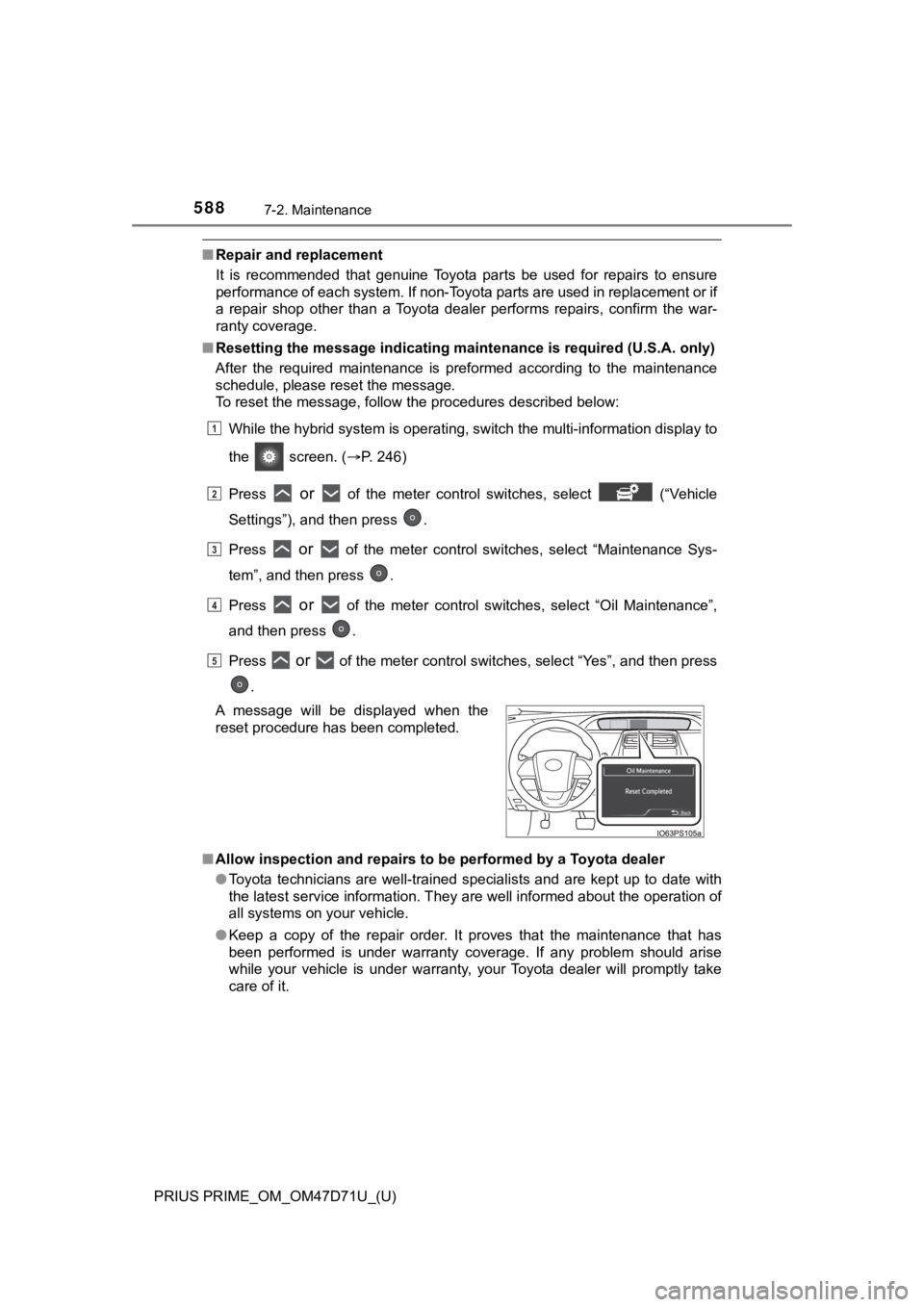
care of it. A message will be displayed when the
reset procedure has been completed.
1
2
3
4
5
Page 763 of 808
PRIUS PRIME_OM_OM47D71U_(U)
7639-2. Customization
9
Vehicle specifications
■Seat belt reminder (P. 679)
■Charge settings
■Maintenance system
■Vehicle customization
●When the Speed linked door locking function and the Shift position linked
door locking function are both on, the door lock operates as follows.
• When shifting the shift position to any position other than P, all the doors
will be locked.
• If the vehicle is started with all the doors locked, the Speed linked door
locking function would not operate.
• If the vehicle is started with any door unlocked, the Speed linked door
locking function will operate.
●When the smart key system is off, Smart door unlocking cannot be custom-
ized.
●When the doors remain closed after unlocking the doors and the automatic
door lock function is activated, the signals will be generated in accordance
with the operation signal (buzzer) and the operation signal (emergency
flashers) settings.
■In the following situations, customize mode in which the settings can be
changed through the multi-information display will automatically be
turned off.
●The power switch is turned off.
●The vehicle begins to move while the customize mode screen is displayed.
FunctionDefault
settingCustomized
setting
Vehicle speed linked seat belt
reminder buzzerOnOff––O
123
Charge scheduleSetting the charging schedule: P. 161
Charge currentChanging the upper limit of the charging cur-
rent:P. 132
Charging connector lock
(if equipped)Changing the charging connector lock settings:
P. 126
Traction battery heaterSetting “Traction Battery Heater” on/off:
P. 135
Oil Maintenance
(U.S.A. only)Resetting the message indicating maintenance
is required: P. 588
Tire pressure warning
systemInitializing the tire pressure warning system:
P. 615