Power TOYOTA PRIUS PRIME 2023 Owners Manual
[x] Cancel search | Manufacturer: TOYOTA, Model Year: 2023, Model line: PRIUS PRIME, Model: TOYOTA PRIUS PRIME 2023Pages: 680, PDF Size: 14.97 MB
Page 277 of 680
2775-3. Operating the lights and wipers
5
Driving
intermittent wiper operation when
the vehicle is stationary. (However,
when the sensor sensitivity is
adjusted to the highest level, the
mode will not switch.)
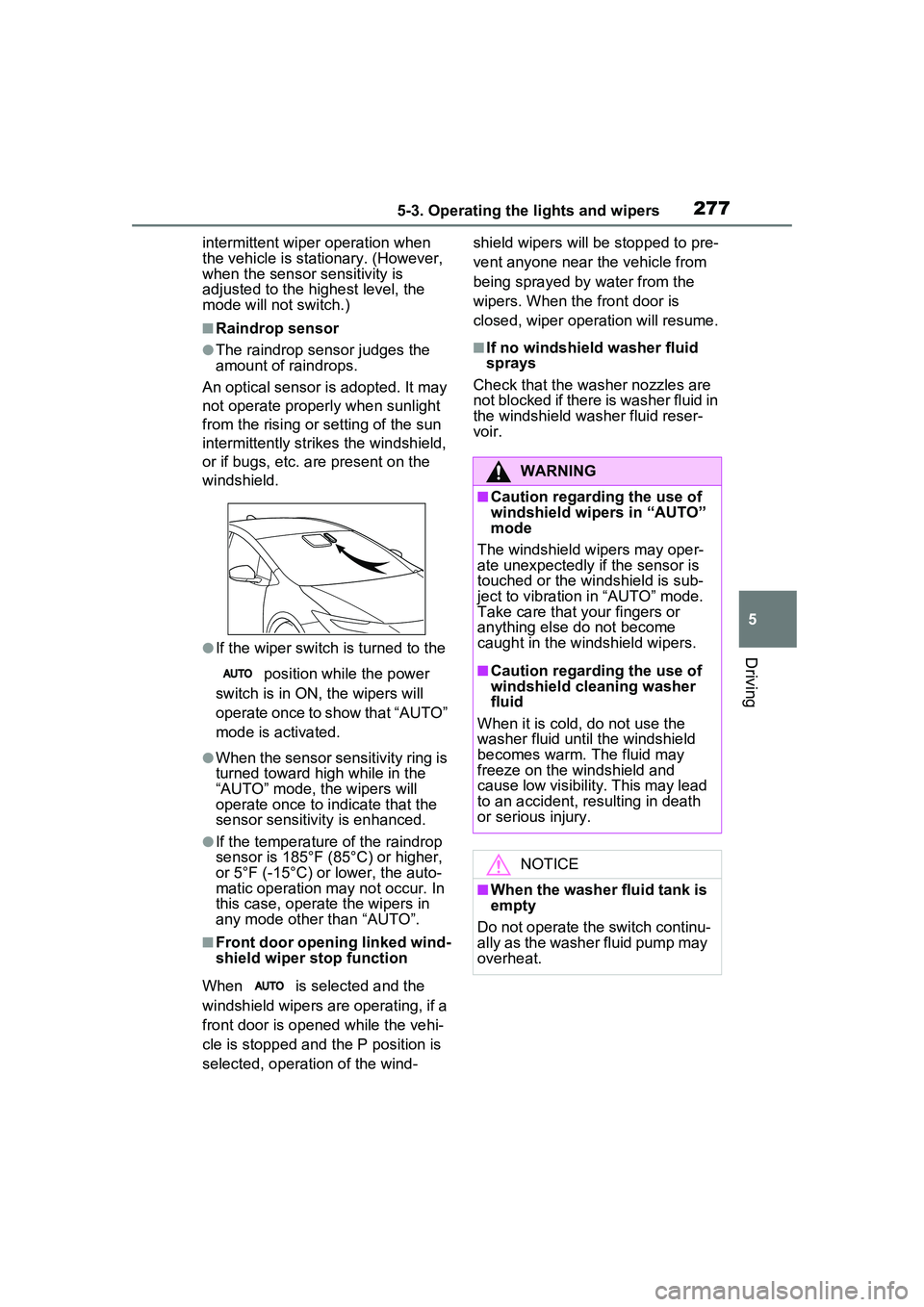
■Raindrop sensor
●The raindrop sensor judges the
amount of raindrops.
An optical sensor is adopted. It may
not operate properly when sunlight
from the rising or setting of the sun
intermittently strikes the windshield,
or if bugs, etc. are present on the
windshield.
●If the wiper switch is turned to the
position while the power
switch is in ON, the wipers will
operate once to show that “AUTO”
mode is activated.
●When the sensor sensitivity ring is
turned toward hi gh while in the
“AUTO” mode, the wipers will
operate once to indicate that the
sensor sensitivity is enhanced.
●If the temperature of the raindrop
sensor is 185°F (85°C) or higher,
or 5°F (-15°C) or lower, the auto-
matic operation may not occur. In
this case, operate the wipers in
any mode other than “AUTO”.
■Front door opening linked wind-
shield wiper stop function
When is selected and the
windshield wipers are operating, if a
front door is opened while the vehi-
cle is stopped and the P position is
selected, operation of the wind- shield wipers will be stopped to pre-
vent anyone near the vehicle from
being sprayed by water from the
wipers. When the front door is
closed, wiper operation will resume.
■If no windshield washer fluid
sprays
Check that the washer nozzles are
not blocked if there is washer fluid in
the windshield washer fluid reser-
voir.
WARNING
■Caution regarding the use of
windshield wipers in “AUTO”
mode
The windshield wipers may oper-
ate unexpectedly if the sensor is
touched or the windshield is sub-
ject to vibration in “AUTO” mode.
Take care that your fingers or
anything else do not become
caught in the windshield wipers.
■Caution regarding the use of
windshield cleaning washer
fluid
When it is cold, do not use the
washer fluid until the windshield
becomes warm. The fluid may
freeze on the windshield and
cause low visibility. This may lead
to an accident, resulting in death
or serious injury.
NOTICE
■When the washer fluid tank is
empty
Do not operate the switch continu-
ally as the washer fluid pump may
overheat.
Page 279 of 680
2795-4. Refueling
5
Driving
5-4.Refueling
Close all the doors and win-
dows, and turn the power
switch to OFF.
Confirm the type of fuel.
■Fuel types
P.607
■Fuel tank opening for unleaded
gasoline
To help prevent incorrect fueling,
your vehicle has a fuel tank opening
that only accommodates the spe-
cial nozzle on unleaded fuel pumps.
Opening the fuel tank
cap
The fuel tank of your vehicle
has a special structure,
which requires a reduction
in fuel tank pressure before
refueling. After the opener
switch has been pressed, it
will take several seconds
until the vehicle is ready for
refueling.
Before refueling the vehi-
cle
WARNING
■When refueling the vehicle
Observe the following precautions
while refueling the vehicle. Failure
to do so may result in death or
serious injury.
●After exiting the vehicle and
before opening the fuel door,
touch an unpainted metal sur-
face to discharge any static
electricity. It is important to dis-
charge static electricity before
refueling because sparks result-
ing from static electricity can
cause fuel vapors to ignite while
refueling.
●Always hold the grips on the
fuel tank cap and turn it slowly
to remove it.
A whooshing sound may be
heard when the fuel tank cap is
loosened. Wait until the sound
cannot be heard before fully
removing the cap. In hot
weather, pressurized fuel may
spray out of the filler neck and
cause injury.
●Do not allow anyone that has
not discharged static electricity
from their body to come close to
an open fuel tank.
●Do not inhale vaporized fuel.
Fuel contains substances that
are harmful if inhaled.
●Do not smoke while refueling
the vehicle.
Doing so may cause the fuel to
ignite and cause a fire.
●Do not return to the vehicle or
touch any person or object that
is statically charged. This may
cause static electricity to build
up, resulting in a possible igni-
tion hazard.
■When refueling
Observe the following precautions
to prevent fuel overflowing from
the fuel tank:
●Securely insert the fuel nozzle
into the fuel filler neck.
●Stop filling the tank after the fuel
nozzle automatically clicks off.
Page 281 of 680
2815-4. Refueling
5
Driving
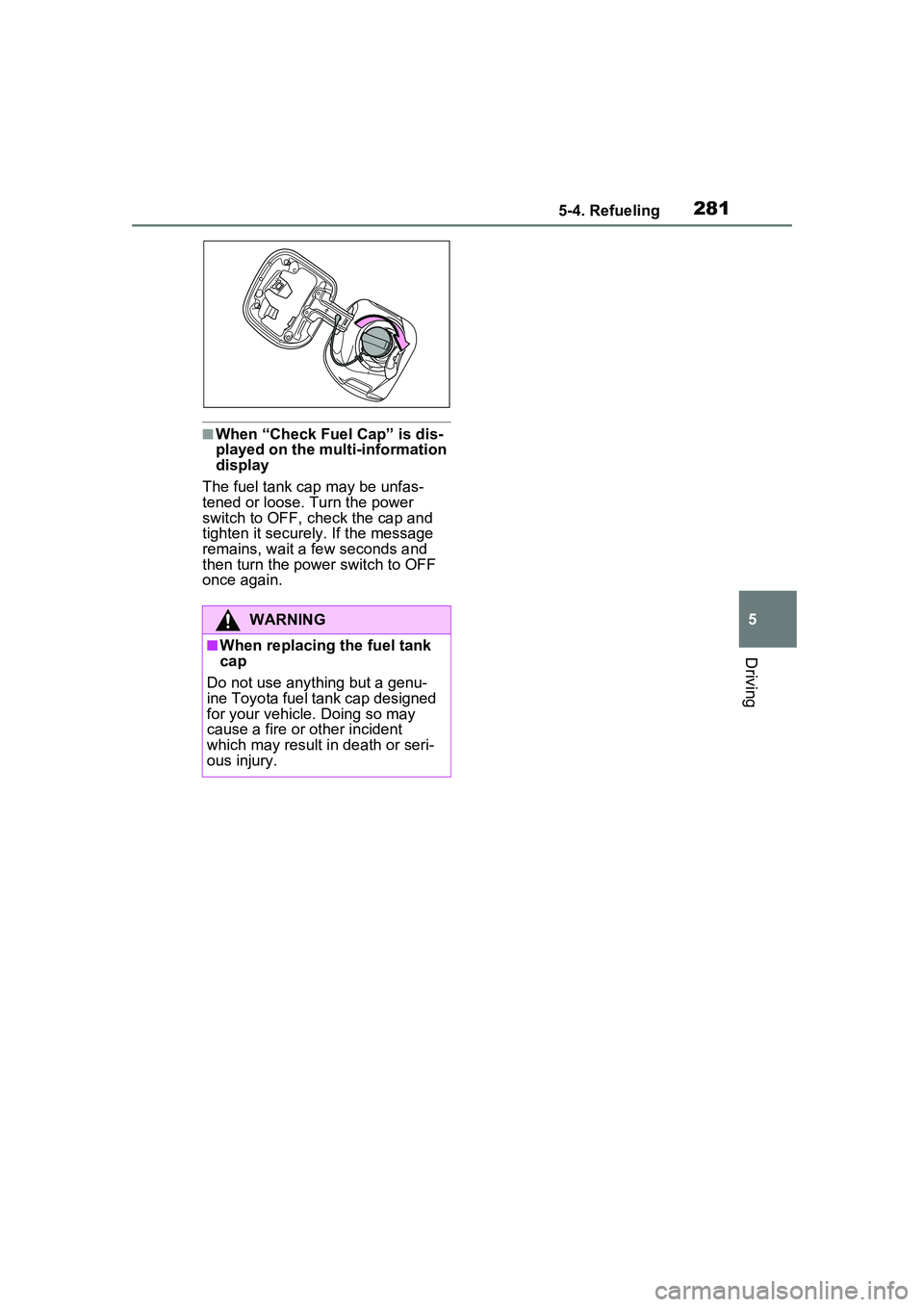
■When “Check Fuel Cap” is dis-
played on the multi-information
display
The fuel tank cap may be unfas-
tened or loose. Turn the power
switch to OFF, check the cap and
tighten it securely . If the message
remains, wait a few seconds and
then turn the power switch to OFF
once again.
WARNING
■When replacing the fuel tank
cap
Do not use anything but a genu-
ine Toyota fuel tank cap designed
for your vehicle. Doing so may
cause a fire or other incident
which may result in death or seri-
ous injury.
Page 283 of 680
2835-5. Using the driving support systems
5
Driving
■Selecting your vehicle’s
Toyota Safety Sense
3.0/Traffic Jam Assist ver-
sion
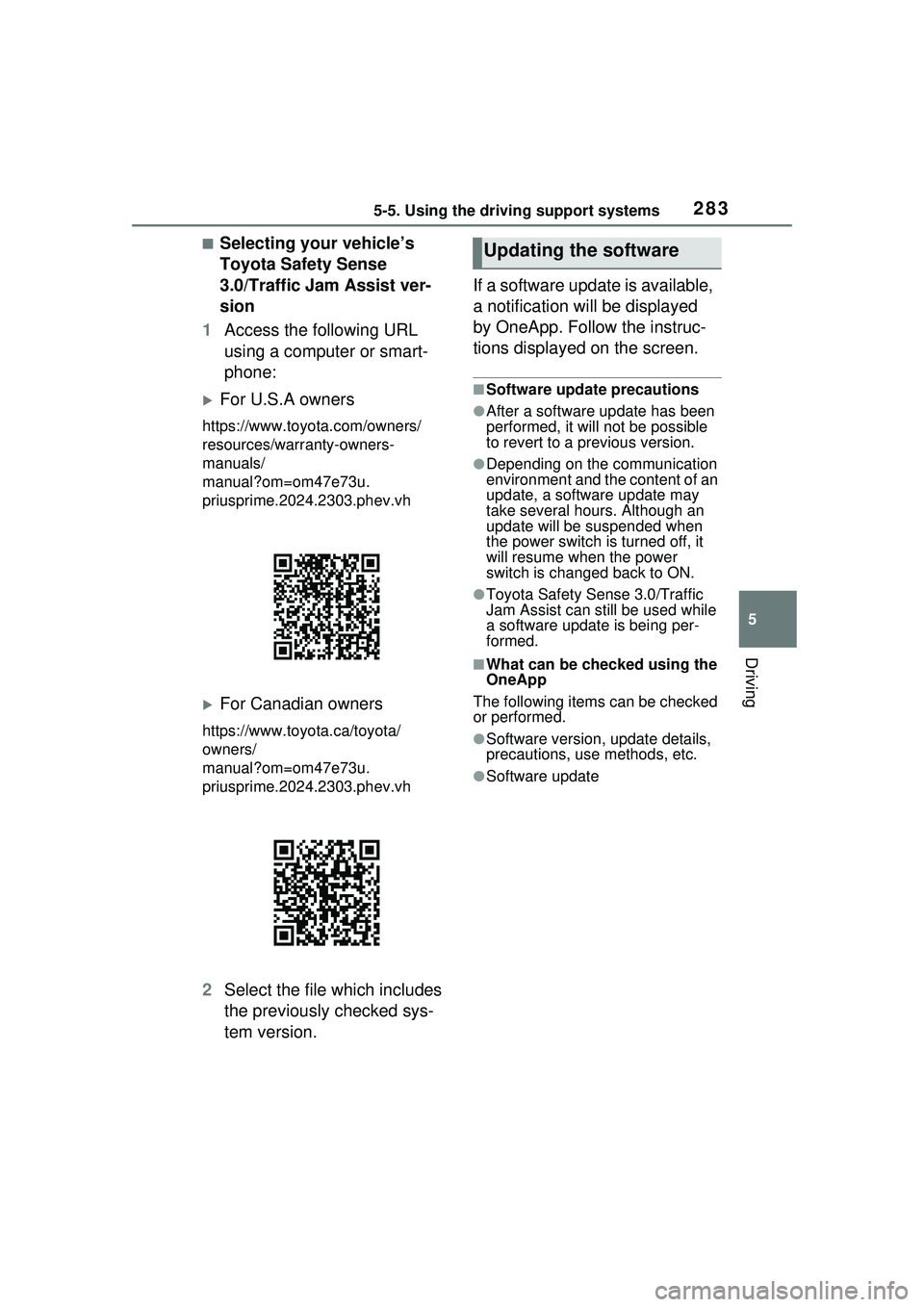
1 Access the following URL
using a computer or smart-
phone:
For U.S.A owners
https://www.toyo ta.com/owners/
resources/warr anty-owners-
manuals/
manual?om=om47e73u.
priusprime.2024.2303.phev.vh
For Canadian owners
https://www.toyota.ca/toyota/
owners/
manual?om=om47e73u.
priusprime.2024.2303.phev.vh
2 Select the file which includes
the previously checked sys-
tem version. If a software update is available,
a notification will be displayed
by OneApp. Follow the instruc-
tions displayed on the screen.
■Software update precautions
●After a software update has been
performed, it will not be possible
to revert to a previous version.
●Depending on the communication
environment and the content of an
update, a software update may
take several hours. Although an
update will be
suspended when
the power switch is turned off, it
will resume when the power
switch is changed back to ON.
●Toyota Safety Sense 3.0/Traffic
Jam Assist can still be used while
a software update is being per-
formed.
■What can be checked using the
OneApp
The following items can be checked
or performed.
●Software version, update details,
precautions, use methods, etc.
●Software update
Updating the software
Page 289 of 680
2895-5. Using the driving support systems
5
Driving
■Precautions for use
It is necessary to enter a connected
services contract, provided by
Toyota, to use these functions. For
details, contact your Toyota dealer.
●LCA (Lane Change Assist)
P.310
●Radar Cruise Control: Extended
resume time
P.331
●Traffic Jam Assist
P.348
■Situations in which the sensors
may not operate properly
●When the height or inclination of
the vehicle has been changed due
to modifications
●When the windshield is dirty,
fogged up, cracked or damaged
●When the ambient temperature is
high or low
●When mud, water, snow, dead
insects, foreign matter, etc., is
attached to the front of the sensor
●When in inclement weather such
as heavy rain, fog, snow, or a
sandstorm
●When water, snow, dust, etc. is
thrown up in front of the vehicle, or
when driving through mist or
smoke
●When the headlights are not illu-
minated while driving in the dark,
such as at night or when in a tun-
nel
●When the lens of a headlight is
dirty and illumination is weak
●When the headlights are mis-
aligned
●When a headlight is malfunction-
ing
●When the headlights of another
vehicle, sunlight, or reflected light
shines directly into the front cam-
era
●When the brightness of the sur-
rounding area changes suddenly
●When driving near a TV tower,
broadcasting station, electric
power plant, radar equipped vehi-
cles, etc., or other location where
WARNING
●Do not subject the driver moni-
tor camera or its surrounding
area to strong impact.
If subjected to a strong impact,
the driver monitor camera may
move out of alignment and the
driver may no longer be detected
correctly. In this case, have the
vehicle inspected by your Toyota
dealer.
●Do not disassemble or modify
the driver monitor camera.
●Do not attach accessories,
stickers (including transparent
stickers), etc. to the driver moni-
tor camera or its surrounding
area.
●Do not allow the driver monitor
camera or its surrounding area
to get wet.
●Do not cover the driver monitor
camera or place anything in
front of it.
●Keep the lens of the driver mon-
itor camera free from damage.
●Do not touch the lens of the
driver monitor came ra or allow it
to become dirty.
When there is dirt or fingerprints
on the camera lens, clean it with a
dry, soft cloth so as to not mark or
damage it.
●When cleaning the lens, do not
use detergents or organic sol-
vents that may damage plastic.
Page 295 of 680
2955-5. Using the driving support systems
5
Driving
■Pre-collision brake assist
If the system determines that
the possibility of a collision is
high and the brake operation by
the driver is insufficient, the
braking power will be increased.
■Pre-collision brake control
If the system determines that
the possibility of a collision is
extremely high, the brakes are
automatically applied to help
avoid the collision or reduce the
impact of the collision.
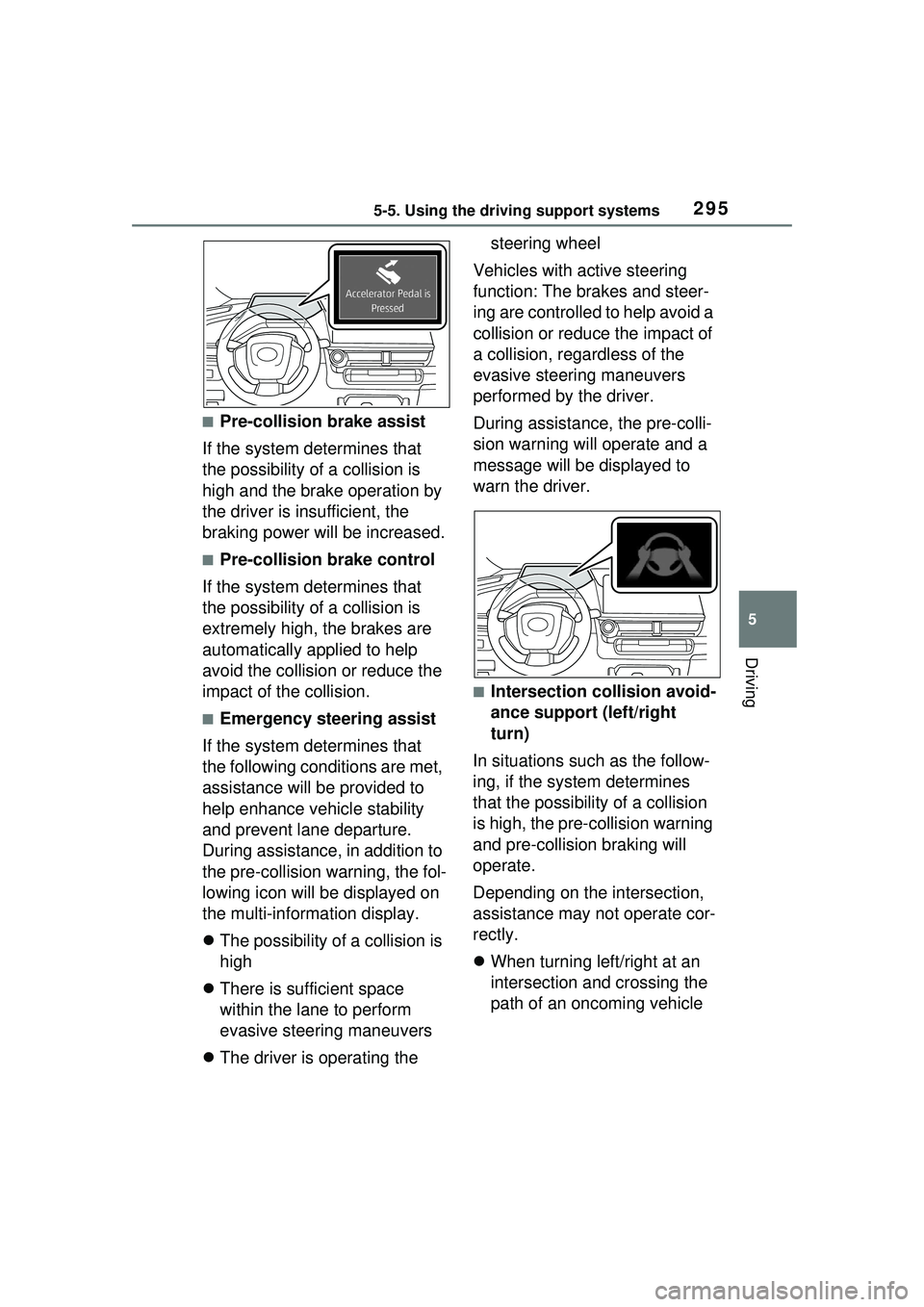
■Emergency steering assist
If the system determines that
the following conditions are met,
assistance will be provided to
help enhance vehicle stability
and prevent lane departure.
During assistance, in addition to
the pre-collision warning, the fol-
lowing icon will be displayed on
the multi-information display.
The possibility of a collision is
high
There is sufficient space
within the lane to perform
evasive steering maneuvers
The driver is operating the steering wheel
Vehicles with active steering
function: The brakes and steer-
ing are controlled to help avoid a
collision or reduce the impact of
a collision, regardless of the
evasive steering maneuvers
performed by the driver.
During assistance, the pre-colli-
sion warning will operate and a
message will be displayed to
warn the driver.
■Intersection collision avoid-
ance support (left/right
turn)
In situations such as the follow-
ing, if the system determines
that the possibility of a collision
is high, the pre-collision warning
and pre-collision braking will
operate.
Depending on the intersection,
assistance may not operate cor-
rectly.
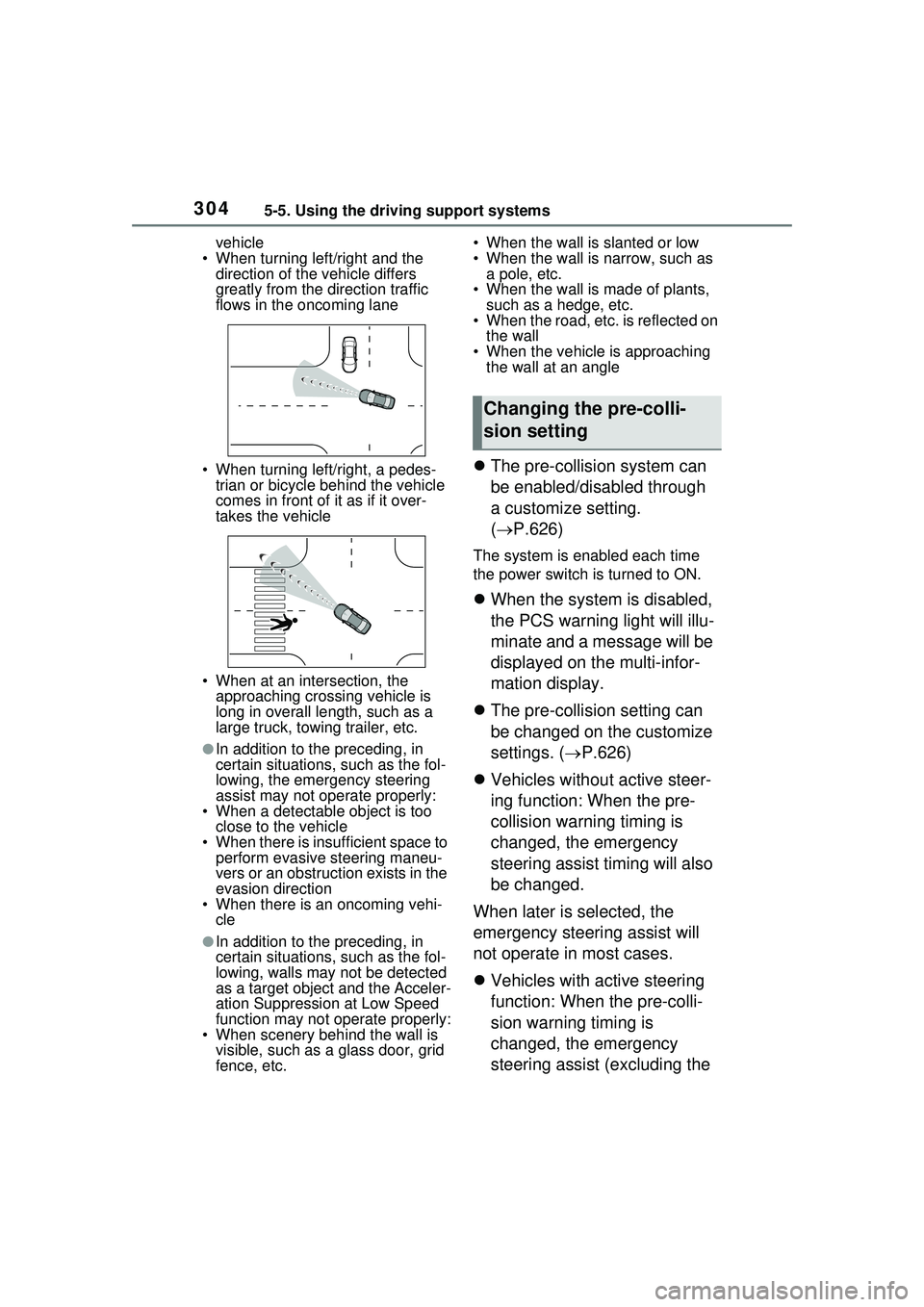
When turning left/right at an
intersection and crossing the
path of an oncoming vehicle
Page 304 of 680
3045-5. Using the driving support systems
vehicle
• When turning left/right and the direction of the vehicle differs
greatly from the direction traffic
flows in the oncoming lane
• When turning left/right, a pedes- trian or bicycle behind the vehicle
comes in front of it as if it over-
takes the vehicle
• When at an intersection, the approaching crossing vehicle is
long in overall le ngth, such as a
large truck, towing trailer, etc.
●In addition to the preceding, in
certain situations, such as the fol-
lowing, the emergency steering
assist may not operate properly:
• When a detectable object is too
close to the vehicle
• When there is insufficient space to perform evasive steering maneu-
vers or an obstruction exists in the
evasion direction
• When there is an oncoming vehi-
cle
●In addition to the preceding, in
certain situations, such as the fol-
lowing, walls may not be detected
as a target object and the Acceler-
ation Suppression at Low Speed
function may not operate properly:
• When scenery behind the wall is visible, such as a glass door, grid
fence, etc. • When the wall is slanted or low
• When the wall is narrow, such as
a pole, etc.
• When the wall is made of plants, such as a hedge, etc.
• When the road, etc. is reflected on
the wall
• When the vehicle is approaching the wall at an angle
The pre-collision system can
be enabled/disabled through
a customize setting.
( P.626)
The system is enabled each time
the power switch is turned to ON.
When the system is disabled,
the PCS warning light will illu-
minate and a message will be
displayed on the multi-infor-
mation display.
The pre-collision setting can
be changed on the customize
settings. ( P.626)
Vehicles without active steer-
ing function: When the pre-
collision warning timing is
changed, the emergency
steering assist timing will also
be changed.
When later is selected, the
emergency steering assist will
not operate in most cases.
Vehicles with active steering
function: When the pre-colli-
sion warning timing is
changed, the emergency
steering assist (excluding the
Changing the pre-colli-
sion setting
Page 323 of 680
3235-5. Using the driving support systems
5
Driving
rounding conditions
●In the following situations, system
operation may be canceled:
• When the brake control or output restriction control of a driving sup-
port system operates (For exam-
ple: PCS, drive-start control)
• When the system determines that
a detected object has moved
away from the vehicle
• When lane lines can no longer be
detected
• When the brake pedal has been depressed
• When the accelerator pedal has been depressed
• When the steering wheel has
been operated with more than a
certain amount of force
• When the turn signal lever is oper-
ated to the left/right turn position
WARNING
■Situations in which the sys-
tem may not operate properly
●Situations in which the lane may
not be detected: P.291
●When a detectable object stops
immediately before entering the
path of the vehicle
●When passing extremely close
to a detectable object behind a
guardrail, fence, etc.
●When changing lanes while
overtaking a detectable object
●When passing a detectable
object that is changing lanes or
turning left/right
●When there are objects (guard-
rails, power poles, trees, walls,
fences, poles, traffic cones,
mailboxes, etc.) in the surround-
ing area
●When there are patterns or a
painting ahead of the vehicle
that may be mistaken for a
detectable object
●When passing through a place
with a low structure above the
road (tunnel with a low ceiling,
traffic sign, signboard, etc.)
●When driving on snowy, icy, or
rutted roads
●When a detectable object is
approaching your vehicle
●When your vehicle or a detect-
able object is wandering
●When the movement of a
detectable object changes
(change in direction, sudden
acceleration or deceleration,
etc.)
●When suddenly approaching a
detectable object
●When a preceding vehicle or
motorcycle is not directly in front
of your vehicle
●When there is a structure above
a detectable object
●When part of a detectable
object is hidden by another
object (large luggage, umbrella,
guardrail, etc.)
●When multiple detectable
objects are overlapping
●When a bright light, such as the
sun or headlights of another
vehicle, is reflecting off of the
detectable object
●When the detectable object is
white and looks extremely bright
●When the color or brightness of
the detectable object causes it
to blend in with its surroundings
●When a detectable object cuts
in front of or emerges from
beside a vehicle
Page 346 of 680
3465-5. Using the driving support systems
Operation of this system is sep-
arated into 4 control states.
Through control state “warning
phase 1” and “warning phase 2”,
the system determines if the
driver is aware and responsive
while outputting a warning and
controlling the vehicle speed. If
the system determines the
driver is not responsive, it will
operate in control state “deceler-
ation stop phase” and “stop hold
phase” and decelerate and stop
the vehicle. It will then operate
continuously in “stop hold
phase”.
■Operating conditions
This system operates when all of
the following conditions are met:
●When the LTA is on
Or during the Traffic Jam Assist (if
equipped) controls
●When the vehicle speed is
approximately 30 mph (50 km/h) or more
During the Traffic Jam Assist con-
trols (if equipped), the system may
operate at below 30 mph (50 km/h).
■Operation cancelation condi-
tions
In the following si tuations, system
operation will be canceled:
●When LTA control has been can-
celed (the LTA switch has been
pressed, etc.)
●When the dynamic radar cruise
control has been canceled
●When driver operations are
detected (the steering wheel is
held, the brake pedal, accelerator
pedal, parking brake, emergency
flasher switch, or turn signal lever
is operated)
●When the driving assist switch is
pressed while in the stop and hold
phase
●When the power switch has been
turned from ON to off
●Situations in which some or all of
the functions of the system cannot
operate: P.291
■LTA control when operation is
canceled
When emergency driving stop sys-
tem operation is canceled, LTA con-
trol may also be canceled.
If driving operations are not
detected after the hands off
steering wheel warning oper-
ates, a buzzer will sound inter-
mittently and a message will be
displayed to warn the driver, and
the system will judge if the driver
is responsive or not. If driving
operations, such as holding the
steering wheel, are not per-
WARNING
●This system detects the condi-
tion of the driver through the
operation of the steering wheel.
This system may operate if the
driver is aware but intentionally
and continuously does not oper-
ate the vehicle. Also, the system
may not operate if it cannot
determine that the driver is not
responsive, such as if they are
leaning on the steering wheel.
●Situations in which the driver
monitor may not operate prop-
erly: P.291
Summary of the system
Warning phase 1
Page 356 of 680
3565-5. Using the driving support systems
display.
Each time the power switch is turned to ON, the Blind Spot
Monitor is enabled.
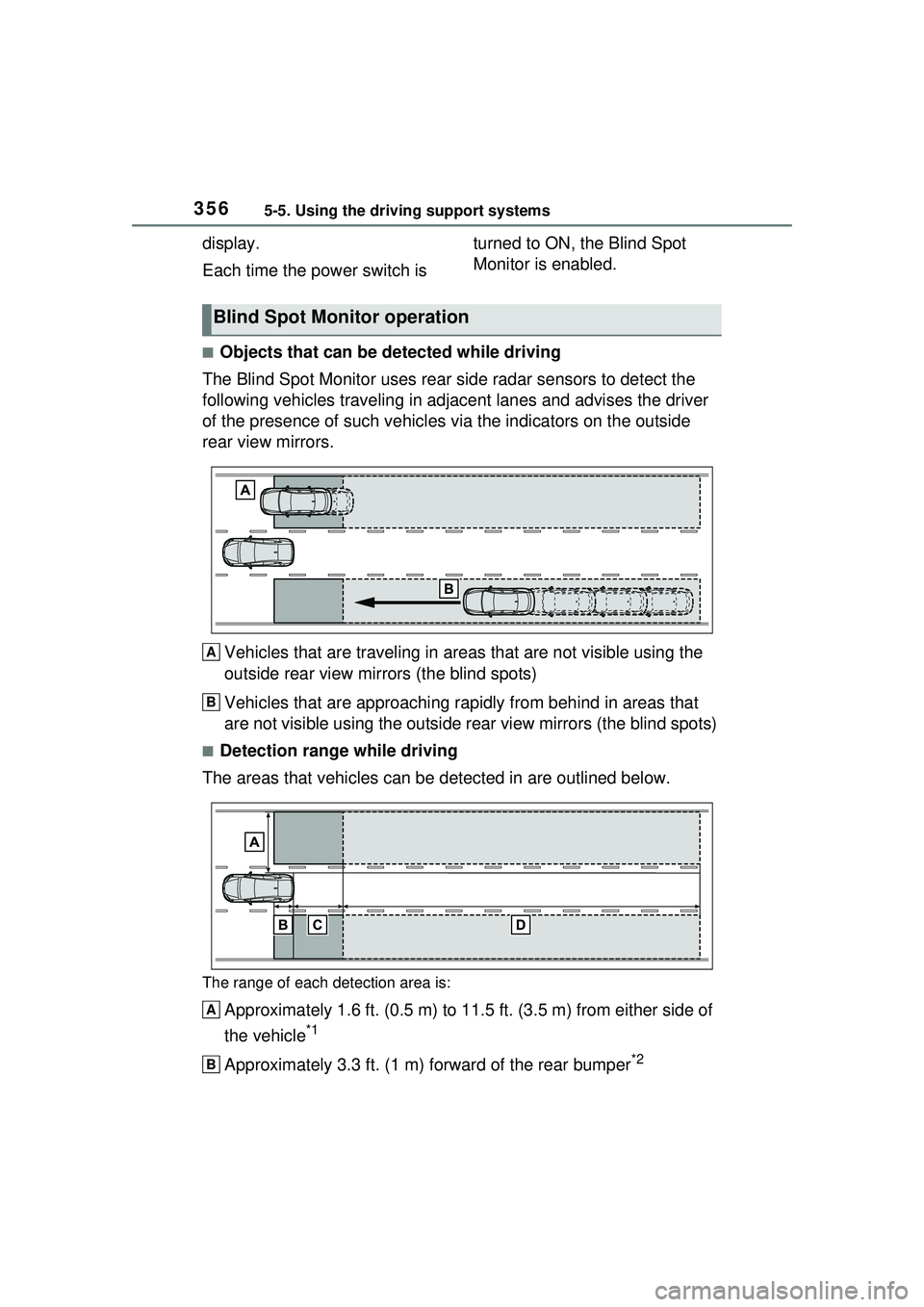
■Objects that can be detected while driving
The Blind Spot Monitor uses rear side radar sensors to detect the
following vehicles trav eling in adjacent lanes and advises the driver
of the presence of such vehicles via the indicators on the outside
rear view mirrors.
Vehicles that are traveling in areas that are not visible using the
outside rear view mirrors (the blind spots)
Vehicles that are approaching r apidly from behind in areas that
are not visible using the outside rear view mirrors (the blind spots)
■Detection range while driving
The areas that vehicles can be detected in are outlined below.
The range of each detection area is:
Approximately 1.6 ft. (0.5 m) to 11.5 ft. (3.5 m) from either side of
the vehicle
*1
Approximately 3.3 ft. (1 m) forward of the rear bumper*2
Blind Spot Monitor operation
A
B
A
B