ESP TOYOTA PRIUS PRIME 2023 User Guide
[x] Cancel search | Manufacturer: TOYOTA, Model Year: 2023, Model line: PRIUS PRIME, Model: TOYOTA PRIUS PRIME 2023Pages: 680, PDF Size: 14.97 MB
Page 67 of 680
671-3. Emergency assistance
1
For safety and security
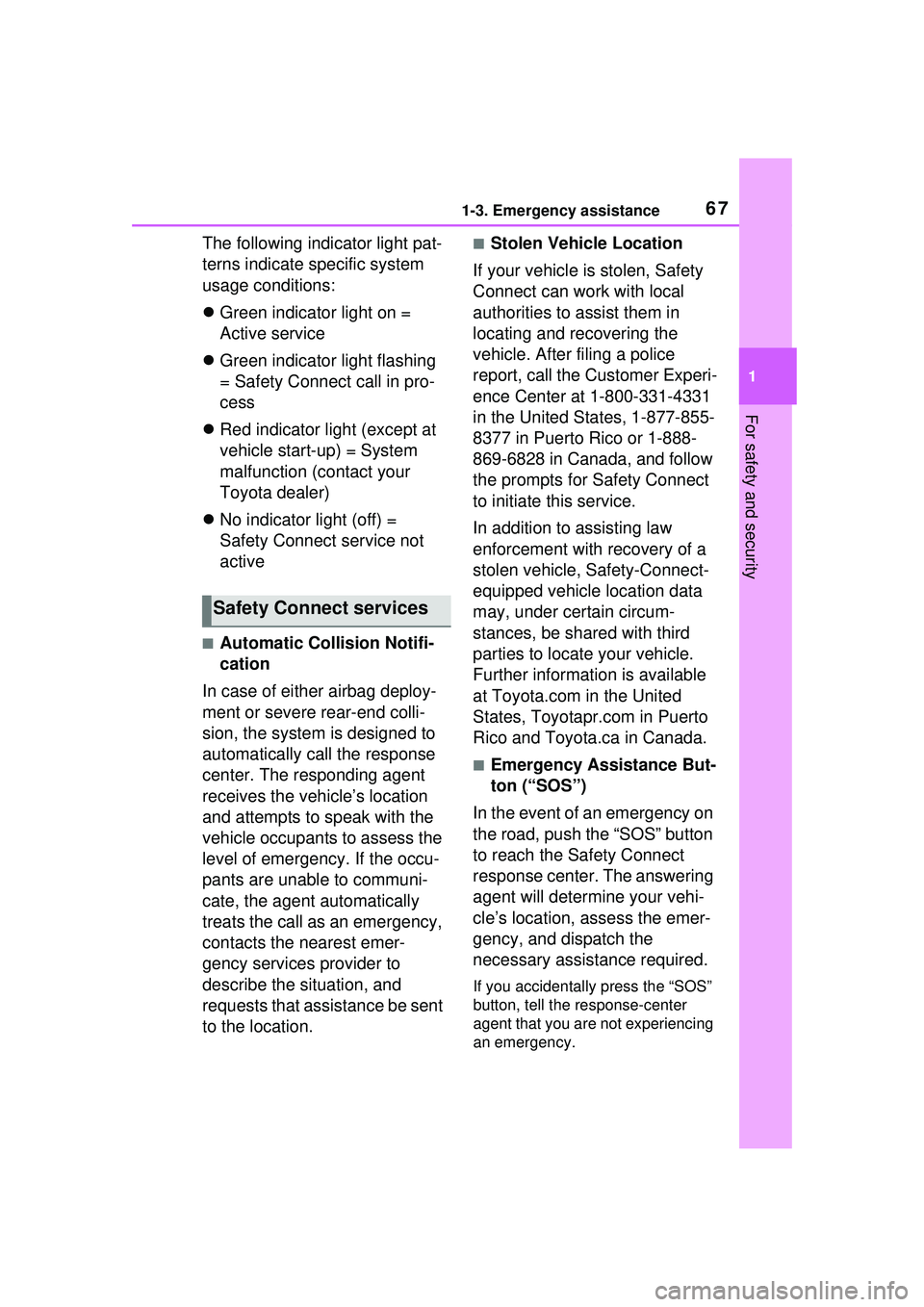
The following indicator light pat-
terns indicate specific system
usage conditions:
Green indicator light on =
Active service
Green indicator light flashing
= Safety Connect call in pro-
cess
Red indicator light (except at
vehicle start-up) = System
malfunction (contact your
Toyota dealer)
No indicator light (off) =
Safety Connect service not
active
■Automatic Collision Notifi-
cation
In case of either airbag deploy-
ment or severe rear-end colli-
sion, the system is designed to
automatically call the response
center. The responding agent
receives the vehicle’s location
and attempts to speak with the
vehicle occupants to assess the
level of emergency. If the occu-
pants are unable to communi-
cate, the agent automatically
treats the call as an emergency,
contacts the nearest emer-
gency services provider to
describe the situation, and
requests that assistance be sent
to the location.
■Stolen Vehicle Location
If your vehicle is stolen, Safety
Connect can work with local
authorities to assist them in
locating and recovering the
vehicle. After filing a police
report, call the Customer Experi-
ence Center at 1-800-331-4331
in the United States, 1-877-855-
8377 in Puerto Rico or 1-888-
869-6828 in Canada, and follow
the prompts for Safety Connect
to initiate this service.
In addition to assisting law
enforcement with recovery of a
stolen vehicle, Safety-Connect-
equipped vehicle location data
may, under certain circum-
stances, be shared with third
parties to locate your vehicle.
Further information is available
at Toyota.com in the United
States, Toyotapr.com in Puerto
Rico and Toyota.ca in Canada.
■Emergency Assistance But-
ton (“SOS”)
In the event of an emergency on
the road, push the “SOS” button
to reach the Safety Connect
response center. The answering
agent will determine your vehi-
cle’s location, assess the emer-
gency, and dispatch the
necessary assistance required.
If you accidentally press the “SOS”
button, tell the response-center
agent that you are not experiencing
an emergency.
Safety Connect services
Page 68 of 680
681-3. Emergency assistance
■Enhanced Roadside Assis-
tance
Enhanced Roadside Assistance
adds GPS data to the already
included warranty-based Toyota
roadside service.
Subscribers can press the
“SOS” button to reach a Safety
Connect response-center agent,
who can help with a wide range
of needs, such as: towing, flat
tire, fuel delivery, etc. For a
description of the Enhanced
Roadside Assistance services
and their limitations, please see
the Safety Connect Terms and
Conditions, which are available
at Toyota.com in the United
States, Toyotapr.com in Puerto
Rico and Toyota.ca in Canada.
Important! Read this informa-
tion before using Safety Con-
nect.
■Exposure to radio fre-
quency signals
The Safety Connect system
installed in your vehicle is a low-
power radio transmitter and
receiver. It receives and also
sends out radio frequency (RF)
signals.
In August 1996, the Federal
Communications Commission
(FCC) adopted RF exposure
guidelines with safety levels for mobile wireless phones. Those
guidelines are consistent with
the safety standards previously
set by the following U.S. and
international standards bodies.
ANSI (American National
Standards Institute) C95.1
[1992]
NCRP (National Council on
Radiation Protection and
Measurement) Report 86
[1986]
ICNIRP (International Com-
mission on Non-Ionizing Radi-
ation Protection) [1996]
Those standards were based on
comprehensive and periodic
evaluations of the relevant sci-
entific literature. Over 120 scien-
tists, engineers, and physicians
from universities, and govern-
ment health agencies and
industries reviewed the avail-
able body of research to
develop the ANSI Standard
(C95.1).
The design of Safety Connect
complies with the FCC guide-
lines in addition to those stan-
dards.
■Free/Open Source Soft-
ware Information
This product contains
Free/Open Source Software
(FOSS). The license information
and/or the source code of such
FOSS can be found at the fol-
lowing URL.
Safety information for
Safety Connect
Page 88 of 680
882-1. Plug-in hybrid system
Primarily using EV mode and
AUTO EV/HV mode when driv-
ing in cities and using HV mode
when driving on highways (or
freeways) can help conserve
fuel and electricity. (P.74)
When using Eco drive mode, the
torque corresponding to the
accelerator pedal depression
amount can be generated more
smoothly than it is in normal
conditions. In addition, the oper-
ation of the air conditioning sys-
tem (heating/cooling) will be
minimized, improving fuel and
electricity economy. ( P.422)
Eco-friendly driving is possible
by keeping the Hybrid System
Indicator within Eco area.
( P.158) Shift the shift position to D when
stopped at a traffic light, or driv-
ing in heavy traffic etc. Shift the
shift position to P when parking.
When using the N, there is no
positive effect on fuel consump-
tion. In the N, the gasoline
engine operates but electricity
cannot be generated. Also,
when using the air conditioning
system, etc., the hybrid battery
(traction battery) power is con-
sumed.
Drive your vehicle smoothly.
Avoid abrupt acceleration and
deceleration. Gradual accel-
eration and deceleration will
make more effective use of
the electric motor (traction
motor) without having to use
gasoline engine power.
Avoid repeated acceleration.
Repeated acceleration con-
sumes hybrid battery (trac-
tion battery) po wer, resulting
in poor fuel consumption. Bat-
tery power can be restored by
driving with the accelerator
pedal slightly released.
Make sure to operate the brakes
Plug-in Hybrid Elec-
tric Vehicle driving
tips
For economical and ecolog-
ical driving, pay attention to
the following points:
Using EV mode, AUTO
EV/HV mode and HV
mode effectively
Using Eco drive mode
Use of Hybrid System
Indicator
Changing the shift posi-
tion
Accelerator pedal/brake
pedal operation
When braking
Page 102 of 680
1022-2. Charging
■Locking the charging con-
nector
The charging connector will be
automatically locked when
inserting it into the AC charging
inlet.
(The setting can be changed:
P.103)
■Unlocking the charging
connector
The AC charging connector will
be unlocked when the doors are
unlocked using the smart key
system or wireless remote con-
trol.
The AC charging connector
locks when connected and
unlocks when the door is
unlocked, so locking/unlocking
the AC charging connector does
not necessarily correspond to
locking/unlocking the door.
WARNING
●The plug is not dirtied by dust
etc.
Remove the plug from the outlet
before inspecting it. If any abnor-
malities are found in the AC
charging cable as a result of the
inspection, immediately stop use
and consult your Toyota dealer.
■Maintaining the AC charging
cable
When the AC charging cable is
dirty, first remove the dirt with a
hard, wringed cloth, and then
wipe the cable with a dry cloth.
However, never wash it with
water. If the AC charging cable is
washed with water, fire or electric
shock may occur during charging,
possibly resulting in death or seri-
ous injury.
■When not using the AC
charging cable for a long time
Remove the plug from the outlet.
Dust could accumulate on the
plug or in the outlet, possibly
causing overheating which could
lead to a fire.
Also, keep the cable in a place
free from moisture.
Locking an d unlock-
ing AC char ging con-
nector
The AC charging connector
will be locked when it is
connected to the AC
charging inlet, preventing
the AC charging cable from
being disconnected while
charging.
Locking and unlocking
the AC charging connec-
tor
Page 120 of 680
1202-2. Charging
2Touch “Vehicle customize” on
the sub menu.
3 Touch “Charging”.
4 Touch “Charging current”.
5 Touch “8A”, and touch “OK”.
WARNING
■When charging
Observe the following precau-
tions.
Failure to do so may cause an
unexpected accident, resulting in
death or serious injury.
●Connect to a power source suit-
able for charging. ( P.106)
●Check that the AC charging
cable, plug and outlet are free of
foreign matter.
●Before charging, check that the
AC charging inlet is not
deformed, damaged or cor-
roded, and check that the inlet
is free of foreign matter such as
dirt, snow and ice.
If there is dirt or dust in these
areas, remove completely
before inserting the charging
connector.
●Only use outlets where the plug
can be securely inserted.
●Do not bundle or wind the AC
charging cable while charging,
as doing so may result in over-
heating.
●Do not touch the terminals of
the charging connector and AC
charging inlet with a sharp metal
objects (needles etc.) or hands,
or short them with foreign
objects.
●When charging outdoors, make
sure to connect to a weather-
proof outlet for outdoor use.
Ensure the weatherproof outlet
cover closes co mpletely. If the
weatherproof outlet cover can-
not be closed, install a weather-
proof outlet cover that will close.
●In order to stop charging at the
charging station, follow the
instructions of the charger.
●If any heat, smoke, odors, noise
or other abnormalities are
noticed during charging, stop
charging immediately.
●Do not insert the plug if the out-
let is submerged in water or
snow.
●When charging while it is raining
or snowing, do not connect or
disconnect the plug if your
hands are wet. Also, do not get
the plug or outlet wet.
●Do not charge the vehicle
during a lightning storm.
●Prevent the AC charging cable
from being caught in the door or
back door.
●Do not let the wheels on the AC
charging cable, plug, charging
connector and CCID (Charging
Circuit Interrupting Device).
●Firmly insert the plug into the
outlet.
●Do not use an extension cord
and converting adaptor.
●Close the hood before using the
charging system. The cooling
fan may start operating sud-
denly. Touching or getting close
to rotating parts such as the fan
may cause your hands or
clothes (especially a necktie or
scarf) to become caught and
result in a serious injury.
Page 137 of 680
1372-2. Charging
2
Plug-in hybrid system
driving.
The electrical consumption of
the hybrid battery (traction
battery) is suppressed
increasing EV driving dis-
tance by supplementing
power consumption for the
auxiliary systems using solar
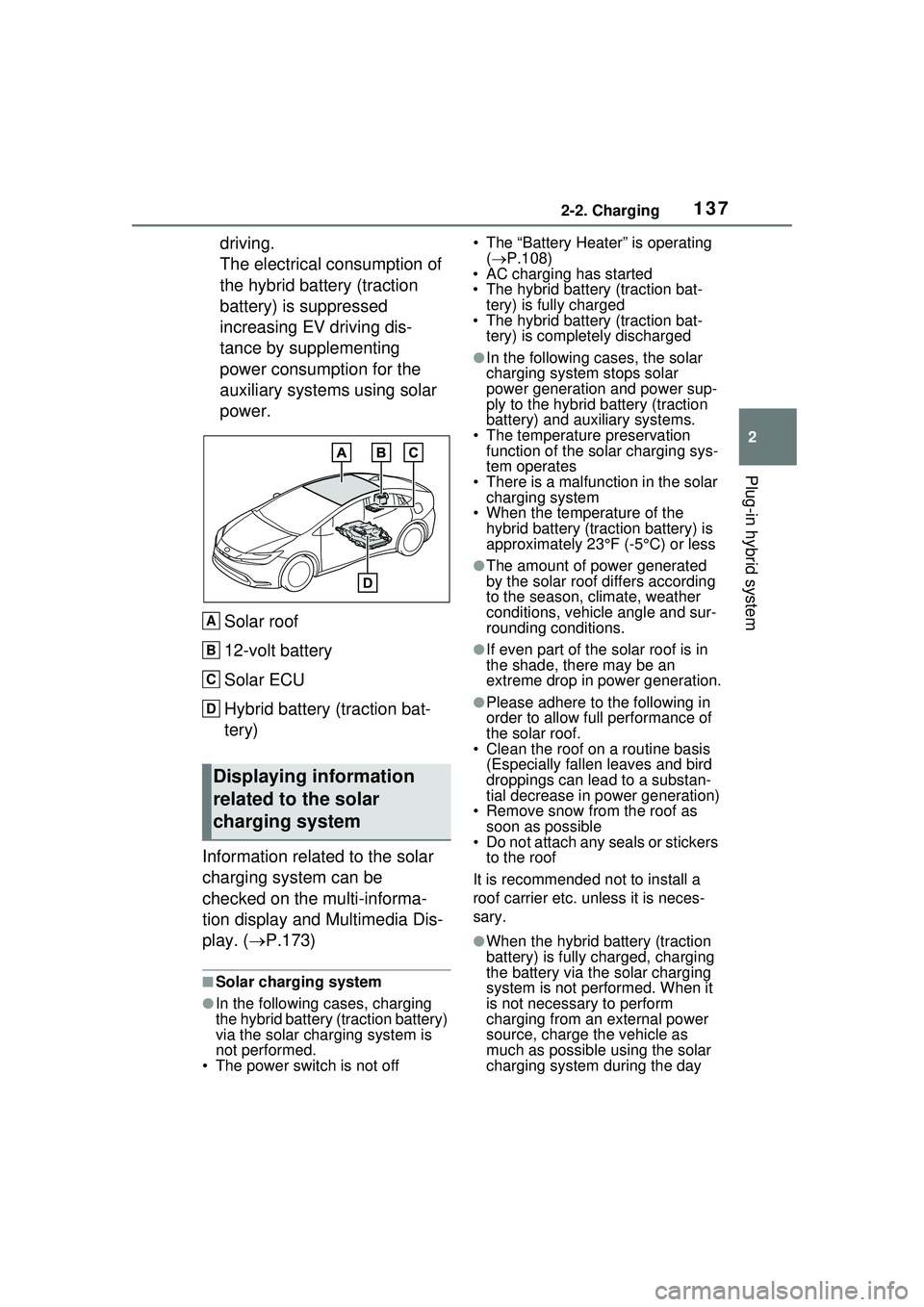
power.Solar roof
12-volt battery
Solar ECU
Hybrid battery (traction bat-
tery)
Information related to the solar
charging system can be
checked on the multi-informa-
tion display and Multimedia Dis-
play. ( P.173)
■Solar charging system
●In the following cases, charging
the hybrid battery (traction battery)
via the solar charging system is
not performed.
• The power switch is not off • The “Battery Heater” is operating
( P.108)
• AC charging has started
• The hybrid battery (traction bat-
tery) is fully charged
• The hybrid battery (traction bat-
tery) is completely discharged
●In the following cases, the solar
charging system stops solar
power generation and power sup-
ply to the hybrid battery (traction
battery) and auxiliary systems.
• The temperature preservation function of the solar charging sys-
tem operates
• There is a malfun ction in the solar
charging system
• When the temperature of the hybrid battery (traction battery) is
approximately 23°F (-5°C) or less
●The amount of power generated
by the solar roof differs according
to the season, climate, weather
conditions, vehicle angle and sur-
rounding conditions.
●If even part of the solar roof is in
the shade, there may be an
extreme drop in power generation.
●Please adhere to the following in
order to allow full performance of
the solar roof.
• Clean the roof on a routine basis
(Especially fallen leaves and bird
droppings can lead to a substan-
tial decrease in power generation)
• Remove snow from the roof as soon as possible
• Do not attach any seals or stickers
to the roof
It is recommended not to install a
roof carrier etc. unless it is neces-
sary.
●When the hybrid battery (traction
battery) is fully charged, charging
the battery via the solar charging
system is not performed. When it
is not necessary to perform
charging from an external power
source, charge the vehicle as
much as possible using the solar
charging system during the day
Displaying information
related to the solar
charging system
A
B
C
D
Page 160 of 680
1603-1. Instrument cluster
compliance with the License.
You may obtain a copy of the
License at
http://www.apache.org/licenses/
LICENSE-2.0
Unless required by applicable law or
agreed to in writing, software distrib-
uted under the License is distributed
on an “AS IS” BASIS, WITHOUT
WARRANTIES OR CONDITIONS
OF ANY KIND, either express or
implied. See the License for the
specific language governing permis-
sions and limitations under the
License.
The multi-information display
can be switched between dis-
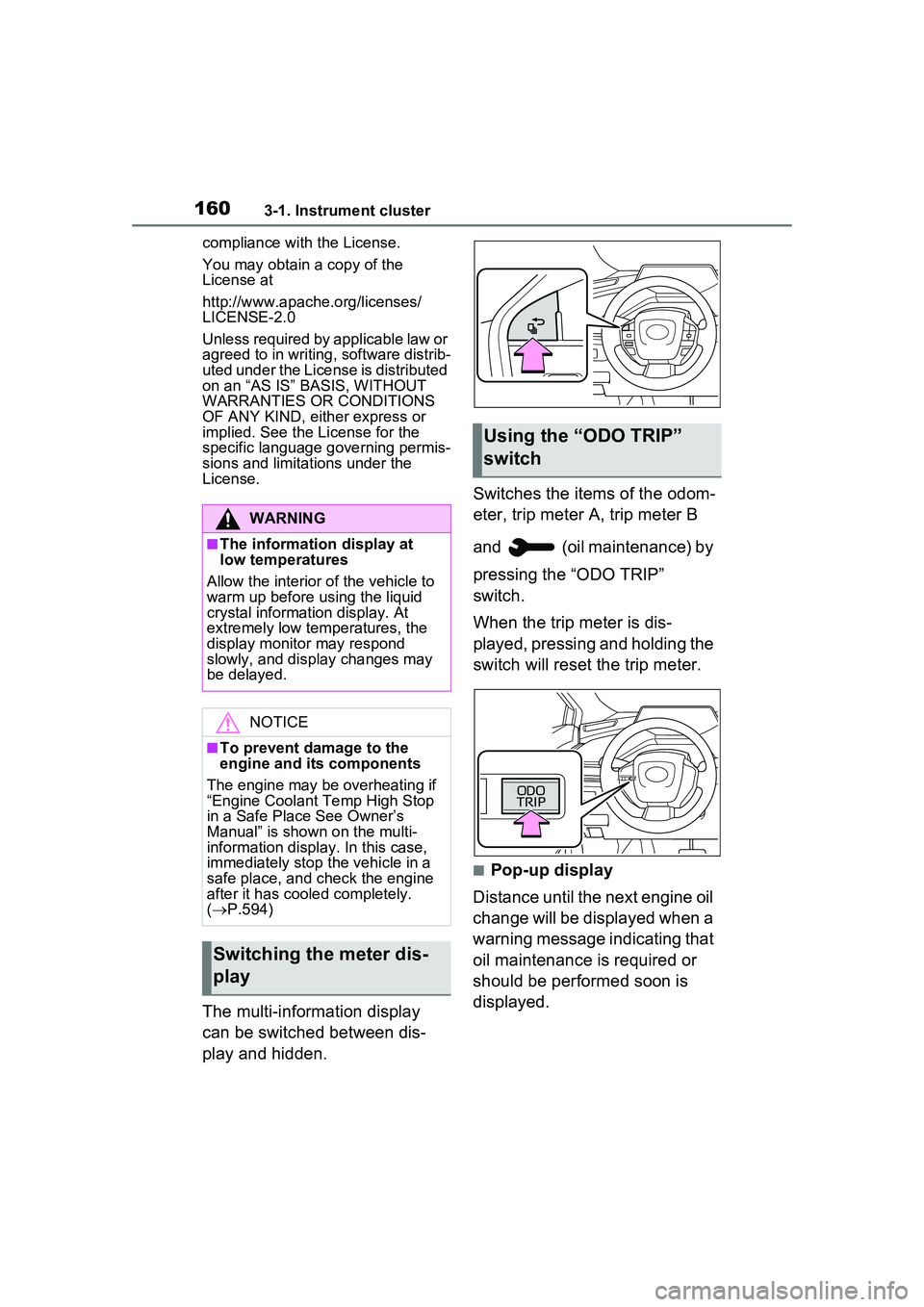
play and hidden. Switches the items of the odom-
eter, trip meter A, trip meter B
and (oil maintenance) by
pressing the “ODO TRIP”
switch.
When the trip meter is dis-
played, pressing and holding the
switch will reset the trip meter.
■Pop-up display
Distance until the next engine oil
change will be displayed when a
warning message indicating that
oil maintenance is required or
should be performed soon is
displayed.
WARNING
■The information display at
low temperatures
Allow the interior of the vehicle to
warm up before using the liquid
crystal information display. At
extremely low temperatures, the
display monitor may respond
slowly, and display changes may
be delayed.
NOTICE
■To prevent damage to the
engine and its components
The engine may be overheating if
“Engine Coolant Temp High Stop
in a Safe Place See Owner’s
Manual” is shown on the multi-
information display. In this case,
immediately stop the vehicle in a
safe place, and check the engine
after it has cooled completely.
( P.594)
Switching the meter dis-
play
Using the “O DO TRIP”
switch
Page 172 of 680
1723-1. Instrument cluster
●Settings for functions not
equipped to the vehicle are not
displayed.
●When a function is turned off, the
related settings for that function
are not selectable.
Select to display warning mes-
sages and measures to be
taken if a malfunction is
detected. (P.566)
Displays suggestions to the
driver in the following situations.
To select a response to a dis-
played suggestion, use the
meter control switches.
■Suggestion to enable the
power back door (if
equipped)
If the power back door system is
disabled (setting on set to
off) and the power back door
switch on the instrument panel
is operated, a suggestion mes-
sage will be displayed asking if
you wish to enable the power
back door system. To enable
the power back door system,
select “Yes”.
After enabling the power back door
system, press the power back door
switch again to open or close the
power back door.
■Suggestion to turn off the
headlights
If the headlights are left on for a
certain amount of time after the
power switch has been turned
off, a suggestion message will
be displayed.
When the headlight switch is in
the AUTO position: The mes-
sage asking if you wish to turn
the headlights off is displayed.
To turn the headlights off, select
“Yes”.
If the driver’s door is opened after
the power switch is turned off, this
suggestion message will not be dis-
played.
■Customization
The suggestion function can be
turned on/off. (Customizable fea-
tures: P.619)
WARNING
■Cautions during setting up
the display
As the hybrid system needs to be
operating during setting up the
display, ensure that the vehicle is
parked in a place with adequate
ventilation. In a closed area such
as a garage, exhaust gases
including harmful carbon monox-
ide (CO) may collect and enter
the vehicle. This may lead to
death or a serious health hazard.
NOTICE
■During setting up the display
To prevent 12-volt battery dis-
charge, ensure that the hybrid
system is operating while setting
up the display features.
Warning message display
Suggestion function
Page 184 of 680
1844-1. Key information
Be sure to carry the electronic
key of the vehicle if traveling
to a location with unreliable
communications.
If the smartphone battery is
depleted, the smartphone
cannot be used as Digital
Key. If the battery level is low,
be sure to charge the smart-
phone prior to going out.
The Digital Key system is
related to the smart key sys-
tem. If the smart key system
has been deactivated in the
vehicle customization setting,
the Digital Key will also be
disabled.
Depending on the radio wave
environment, the Digital Key
may not be able to be used.
( P.205)
When transferring vehicle
ownership, make sure to
delete the Digital Keys.
If the vehicle is not operated
for 14 days or more, the Digi-
tal Key will not connect auto-
matically. Therefore, it may
take some time before the
system operates after a door
handle is touched.
A part of the services may be
stopped for a certain period of
time due to server mainte-
nance. However, registered
Digital Keys can be used
during the maintenance.
A smartphone with the Digital Key App enabled will be able
to lock and unlock the doors,
start the hybrid system and
perform any other operations
as same as the electronic key
of the vehicle. Be especially
careful not to lose the smart-
phone or allow it to be stolen.
If the smartphone is lost or
stolen, contact your Toyota
dealer immediately.
When taking your vehicle to a
Toyota dealer for an inspec-
tion or repairs, make sure to
bring an electronic key.
With the Digital Key alone, no
vehicle lights will illuminate
when approached to the vehi-
cle. Also, with the Digital Key
alone, some functions, such
as the power back door’s
close & lock (walk-away)
function, etc., cannot be used.
Page 189 of 680
1894-2. Opening, closing and locking the doors
4
Before driving
message will be displayed on the
multi-information display for approx-
imately 6 seconds.
Also, as the second reminder, when
the doors are locked, a buzzer will
sound and the emergency flashers
will flash for a few seconds, and a
message will be displayed on the
multi-information display.
●The hybrid system is started
within approximately 10 minutes
after opening and closing a rear
door.
●A rear door has been opened and
closed after the hybrid system
was started.
The second reminder will not be
activated if a rear door was opened
before the doors are locked.
However, if a rear door is opened
and then closed within approxi-
mately 2 seconds, the rear seat
reminder function may not operate.
The rear seat reminder function
determines that luggage, etc. has
been placed in a rear seat based on
opening and closing of a rear door.
Therefore, depending on the situa-
tion, the rear seat reminder function
may not operate and you may still
forget luggage, etc. in the rear seat,
or it may operate unnecessarily.
■Open door warning buzzer
If the vehicle speed reaches 3 mph
(5 km/h), a buzzer sounds to indi-
cate that the door(s) or the hood is
not fully closed.
The open door(s) or hood is dis-
played on the multi-information dis-
play.
■Customization
The rear seat reminder function can
be enabled/disabled. (Customiz-
able features: P.618)The door cannot be opened
from inside the vehicle when the
lock is set.
WARNING
■To prevent an accident
Observe the following precautions
while driving the vehicle.
Failure to do so may result in a
door opening and an occupant
could be thrown out of the vehicle,
resulting in death or serious
injury.
●Ensure that all doors are prop-
erly closed and locked.
●Do not pull the inside handle of
the doors while driving.
Be especially careful for the
front doors, as the doors may
be opened even if the inside
lock buttons are in locked posi-
tion.
●Set the rear door child-protector
locks when children are seated
in the rear seats.
■When opening or closing a
door
Check the surroundings of the
vehicle such as whether the vehi-
cle is on an incline, whether there
is enough space for a door to
open and whether a strong wind
is blowing. When opening or clos-
ing the door, hold the door handle
tightly to prepare for any unpre-
dictable movement.
Rear door child-protector
lock