steering TOYOTA PRIUS V 2016 ZVW40 / 1.G Navigation Manual
[x] Cancel search | Manufacturer: TOYOTA, Model Year: 2016, Model line: PRIUS V, Model: TOYOTA PRIUS V 2016 ZVW40 / 1.GPages: 294, PDF Size: 4.85 MB
Page 9 of 294
9
PRIUS v_Navi_OM47B14U_(U)
15.06.25 17:59
1
2
3
4
5
6
7
8
1. BASIC OPERATION ........................ 70
QUICK REFERENCE ............................ 70
SOME BASICS ...................................... 71
2. RADIO OPERATION ....................... 79
AM/FM RADIO....................................... 79
XM Satellite Radio ................................. 89
INTERNET RADIO ................................ 96
3. MEDIA OPERATION ....................... 97
CD ......................................................... 97
USB MEMORY .................................... 100
iPod ..................................................... 104
Bluetooth
® AUDIO ............................... 109
AUX ......................................................... 114
VTR ..................................................... 116
4. AUDIO REMOTE CONTROLS ...... 118
STEERING SWITCHES ...................... 118
5. SETUP ........................................... 121
AUDIO SETTINGS .............................. 121
6. TIPS FOR OPERATING THE
AUDIO SYSTEM ........ .................. 123
OPERATING INFORMATION ............. 123
1. VOICE COMMAND SYSTEM
OPERATION ................................ 134
VOICE COMMAND SYSTEM .............. 134
CASUAL SPEECH
RECOGNIZATION ............................ 140
COMMAND LIST ................................. 141
1. USEFUL INFORMATION .............. 144
RECEIVING WEATHER INFORMATION ................................. 144
DATA SERVICES SETTINGS ............. 146
1. PHONE OPERATION (HANDS-FREE SYSTEM FOR
CELLULAR PHONES) ................ 148
QUICK REFERENCE .......................... 148
SOME BASICS .................................... 149
CALLING ON THE Bluetooth
®
PHONE .............................................. 153
RECEIVING ON THE Bluetooth
®
PHONE .............................................. 159
TALKING ON THE Bluetooth
®
PHONE .............................................. 160
Bluetooth
® PHONE MESSAGE
FUNCTION ........................................ 163
2. SETUP........................................... 168
PHONE/MESSAGE SETTINGS .......... 168
3. WHAT TO DO IF... ........................ 181
TROUBLESHOOTING ......................... 181
3AUDIO/VISUAL SYSTEM
4VOICE COMMAND SYSTEM
5INFORMATION
6PHONE
Page 43 of 294

43
1. BASIC INFORMATION BEFORE OPERATION
PRIUS v_Navi_OM47B14U_(U)
15.06.04 12:24
BASIC FUNCTION
2
8. LINKING MULTI-INFORMATION DISPLAY AND NAVIGATION SYSTEM*
The following functions of the navigation system are linked with the multi-informa-
tion display in the instrument cluster:
• Navigation
• Audio
etc.
These functions can be operated using multi-information display control switches
on the steering wheel. For details, refer to “Owner’s Manual”.
*: If equipped
Page 44 of 294
44
PRIUS v_Navi_OM47B14U_(U)
15.06.04 12:24
2. Bluetooth® SETTINGS
1. REGISTERING/CONNECTING Bluetooth® DEVICE
1Turn the Bluetooth® connection setting
of your cellular phone on.
This function is not available when
Bluetooth® connection setting of your cel-
lular phone is set to off.
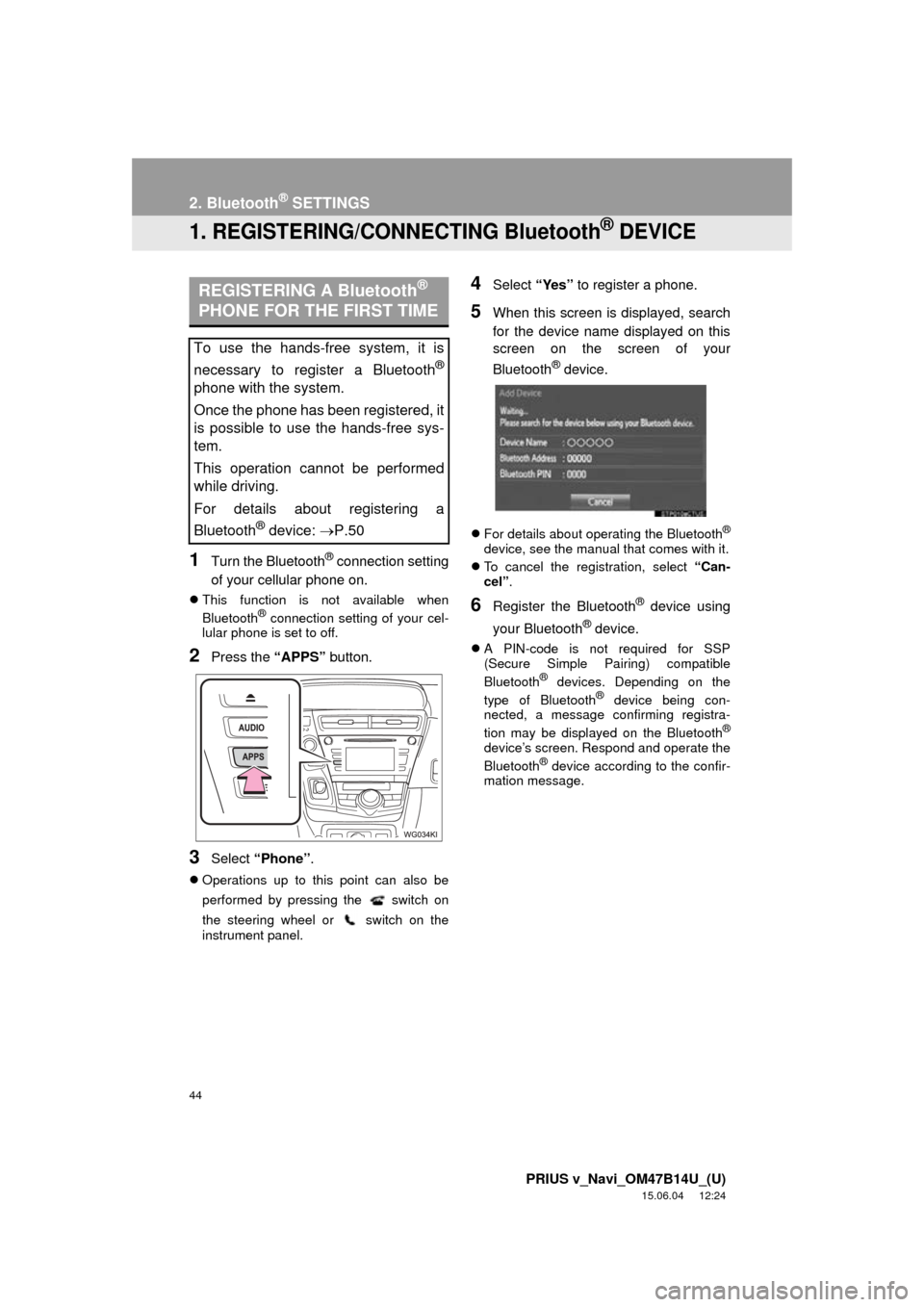
2Press the “APPS” button.
3Select “Phone” .
Operations up to this point can also be
performed by pressing the switch on
the steering wheel or switch on the
instrument panel.
4Select “Yes” to register a phone.
5When this screen is displayed, search
for the device name displayed on this
screen on the screen of your
Bluetooth
® device.
For details about operating the Bluetooth®
device, see the manual that comes with it.
To cancel the registration, select “Can-
cel”.
6Register the Bluetooth® device using
your Bluetooth
® device.
A PIN-code is not required for SSP
(Secure Simple Pairing) compatible
Bluetooth
® devices. Depending on the
type of Bluetooth® device being con-
nected, a message confirming registra-
tion may be displayed on the Bluetooth
®
device’s screen. Respond and operate the
Bluetooth® device according to the confir-
mation message.
REGISTERING A Bluetooth®
PHONE FOR THE FIRST TIME
To use the hands-free system, it is
necessary to register a Bluetooth
®
phone with the system.
Once the phone has been registered, it
is possible to use the hands-free sys-
tem.
This operation cannot be performed
while driving.
For details about registering a
Bluetooth
® device: P.50
Page 69 of 294
3
69
PRIUS v_Navi_OM47B14U_(U)
15.06.04 12:24
1
2
3
4
5
6
7
8
1. CD .................................................. 97
OVERVIEW ........................................... 97
PLAYING AN AUDIO CD ...................... 99
PLAYING AN MP3/WMA/AAC DISC.................................................... 99
2. USB MEMORY ............................. 100
OVERVIEW ......................................... 100
PLAYING A USB AUDIO ..................... 103
3. iPod .............................................. 104
OVERVIEW ......................................... 104
iPod AUDIO ......................................... 108
iPod VIDEO ......................................... 108
4. Bluetooth® AUDIO ...................... 109
OVERVIEW ......................................... 109
CONNECTING A Bluetooth®
DEVICE ............................................. 113
LISTENING TO Bluetooth
® AUDIO ..... 113
5.AUX ................................................. 114
OVERVIEW ......................................... 114
6. VTR .............................................. 116
OVERVIEW ......................................... 116
1. STEERING SWITCHES............... 118
1. AUDIO SETTINGS ...................... 121
AUDIO SETTINGS SCREEN............... 121
1. OPERATING INFORMATION ..... 123
RADIO.................................................. 123
CD PLAYER AND DISC ...................... 124
iPod ...................................................... 126
FILE INFORMATION ........................... 127
TERMS ................................................ 130
ERROR MESSAGES ........................... 131
3MEDIA OPERATION4AUDIO REMOTE CONTROLS
5SETUP
6TIPS FOR OPERATING THE
AUDIO SYSTEM
AUDIO/VISUAL SYSTEM
Page 70 of 294
70
PRIUS v_Navi_OM47B14U_(U)
15.06.04 12:24
1. BASIC OPERATION
1. QUICK REFERENCE
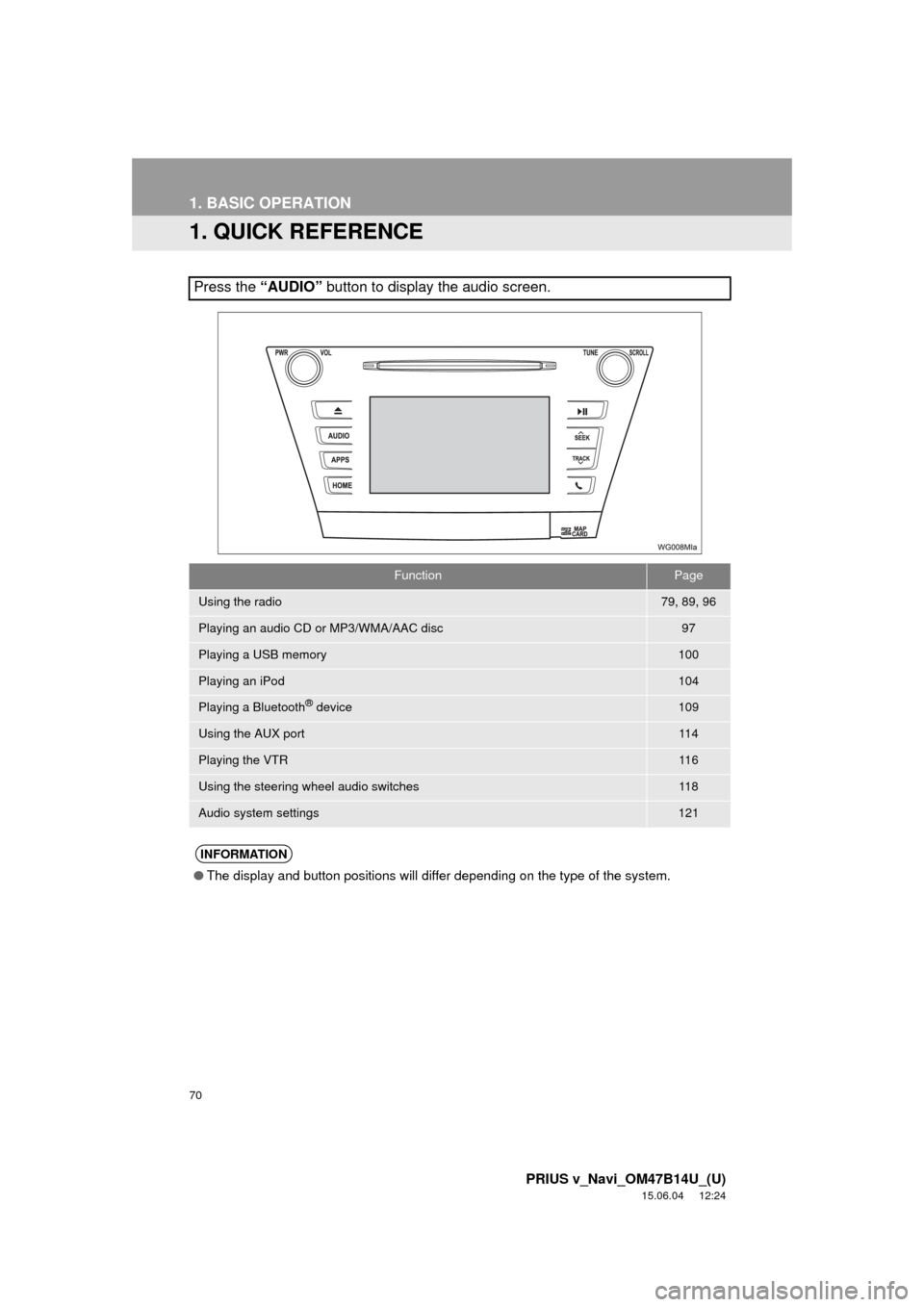
Press the “AUDIO” button to display the audio screen.
FunctionPage
Using the radio79, 89, 96
Playing an audio CD or MP3/WMA/AAC disc97
Playing a USB memory100
Playing an iPod104
Playing a Bluetooth® device109
Using the AUX port11 4
Playing the VTR11 6
Using the steering wheel audio switches11 8
Audio system settings121
INFORMATION
●The display and button positions will differ depending on the type of the system.
Page 96 of 294
96
2. RADIO OPERATION
PRIUS v_Navi_OM47B14U_(U)
15.06.04 12:24
3. INTERNET RADIO
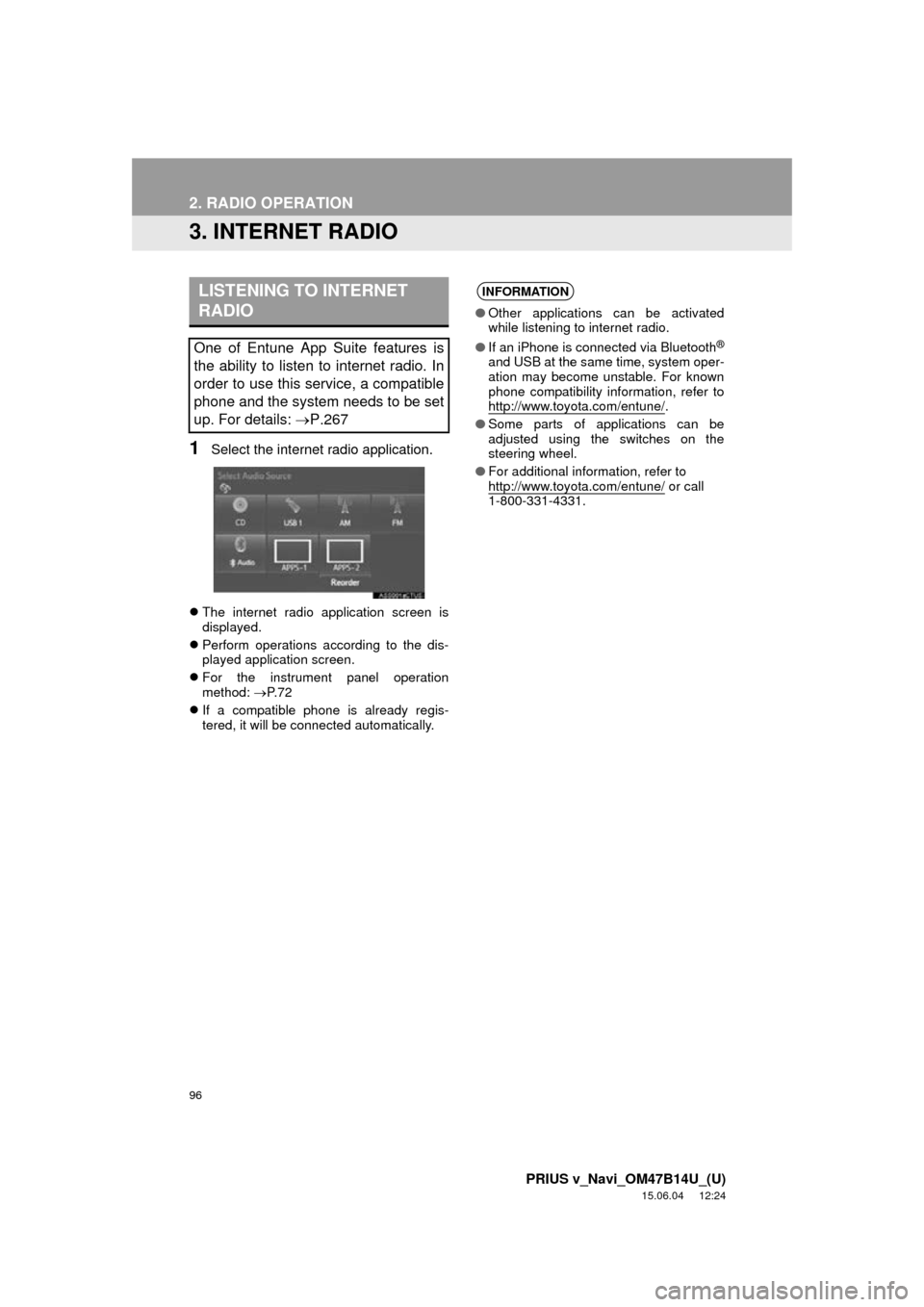
1Select the internet radio application.
The internet radio application screen is
displayed.
Perform operations according to the dis-
played application screen.
For the instrument panel operation
method: P. 7 2
If a compatible phone is already regis-
tered, it will be connected automatically.
LISTENING TO INTERNET
RADIO
One of Entune App Suite features is
the ability to listen to internet radio. In
order to use this service, a compatible
phone and the system needs to be set
up. For details: P.267
INFORMATION
●Other applications can be activated
while listening to internet radio.
● If an iPhone is connected via Bluetooth
®
and USB at the same time, system oper-
ation may become unstable. For known
phone compatibility information, refer to
http://www.toyota.com/entune/
.
● Some parts of applications can be
adjusted using the switches on the
steering wheel.
● For additional information, refer to
http://www.toyota.com/entune/
or call
1-800-331-4331.
Page 118 of 294
118
PRIUS v_Navi_OM47B14U_(U)
15.06.04 12:24
4. AUDIO REMOTE CONTROLS
1. STEERING SWITCHES
Volume cont rol switch
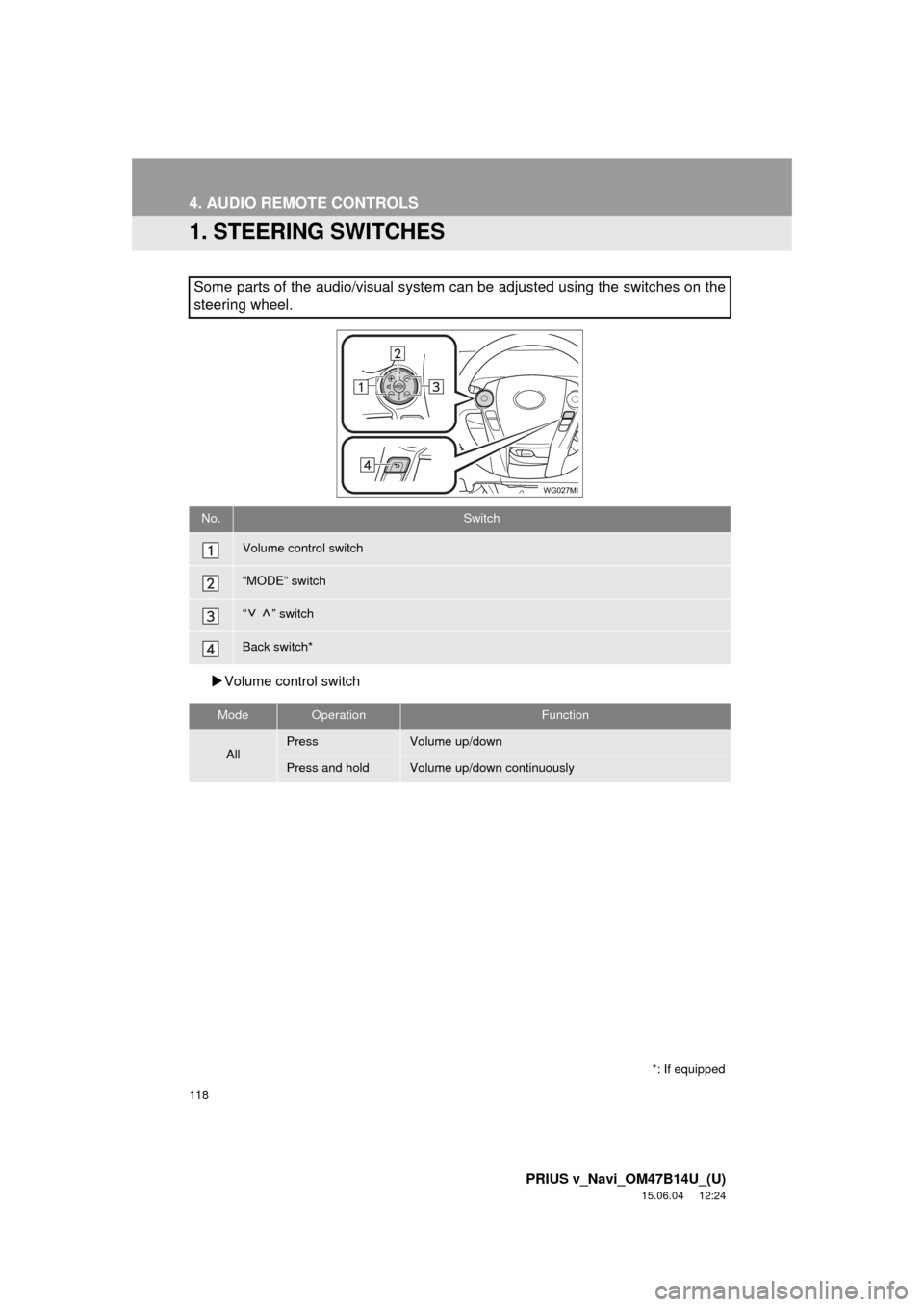
Some parts of the audio/visual system can be adjusted using the switches on the
steering wheel.
No.Switch
Volume control switch
“MODE” switch
“” switch
Back switch*
ModeOperationFunction
AllPressVolume up/down
Press and holdVolume up/down continuously
*: If equipped
Page 134 of 294
134
PRIUS v_Navi_OM47B14U_(U)
15.06.04 12:24
1. VOICE COMMAND SYSTEM OPERATION
1. VOICE COMMAND SYSTEM
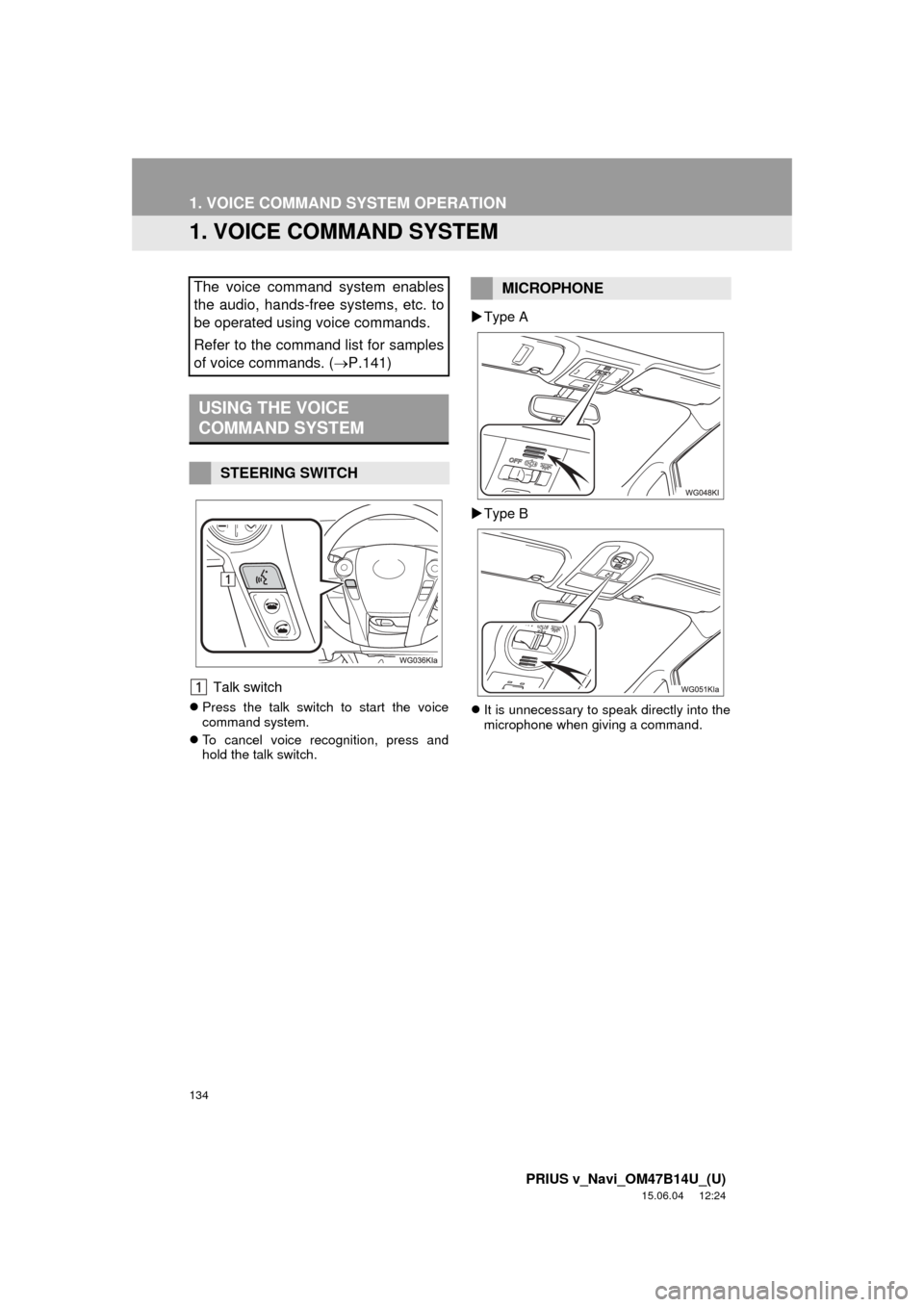
Talk switch
Press the talk switch to start the voice
command system.
To cancel voice recognition, press and
hold the talk switch.
Type A
Type B
It is unnecessary to speak directly into the
microphone when giving a command.
The voice command system enables
the audio, hands-free systems, etc. to
be operated using voice commands.
Refer to the command list for samples
of voice commands. ( P.141)
USING THE VOICE
COMMAND SYSTEM
STEERING SWITCH
MICROPHONE
Page 139 of 294
139
1. VOICE COMMAND SYSTEM OPERATION
PRIUS v_Navi_OM47B14U_(U)
15.06.04 12:24
VOICE COMMAND SYSTEM
4
1Press the talk switch.
2Say the phone number.
In the same manner as it is displayed on
the screen, “Dial
“Dial a number” say the phone number.
Say the phone number one digit at a time.
For example, if the phone number is
2345678:
Say “two three four five six seven
eight”
Do not say “twenty three forty five sixty
seven eight”
Calling to the following phone numbers
• 3 digit numbers (911, 411, 611)
• 7 digit numbers (Local phone numbers)
• 10 digit numbers (Area code + Local
phone number)
• 11 digit phone numbers (1 + Area code + Local phone number)
As the system cannot recognize additional
numbers, say the complete number with-
out stopping.
Calling to other phone numbers
3Say “Call” or press the switch on
the steering wheel.
INFORMATION
● In the same manner as it is displayed on
the screen, “Call
say the name, or the name and type of
phone, of a contact.
For example: “Call a contact” , “John
Smith” or “Call a contact” , “Mary
Davis”, “Mobile”
● There are 4 types of phones: Home,
Mobile, Work and Other.
● Short or abbreviated names in the con-
tacts list may not be recognized. Change
names in the contacts list to full names.
● Sometimes a voice recognition result
confirmation screen will be displayed.
After confirming the result, say “Yes” or
“No” .
● When the system recognizes multiple
names from the contacts list, a name
candidate list will be displayed on the
screen. If the desired name is not dis-
played on the top of the screen, say or
select the number of the name from the
candidate list (number 1, number 2, etc.)
to select a name from the candidate list.
● When a contact has multiple phone
numbers registered in the contacts list, a
candidate list will be displayed. If the
desired phone number is not displayed
on the top of the screen, say or select
the number of the desired phone num-
ber from the candidate list (number 1,
number 2, etc.) to select a phone num-
ber from the candidate list.
VOICE COMMAND EXAMPLE:
DIAL NUMBER
When the system recognizes multiple
phone numbers, a phone number candi-
date list will be displayed on the screen.
Pressing the
switch on the steering
wheel makes a call to the top entry on
the list. If the desired phone number is
not displayed on the top of the screen,
say the number of the desired phone
number from the candidate list to select
a phone number from the candidate list.
Page 148 of 294
148
PRIUS v_Navi_OM47B14U_(U)
15.06.04 12:24
1. PHONE OPERATION (HANDS-FREE SYSTEM FOR CELLULAR PHONES)
1. QUICK REFERENCE
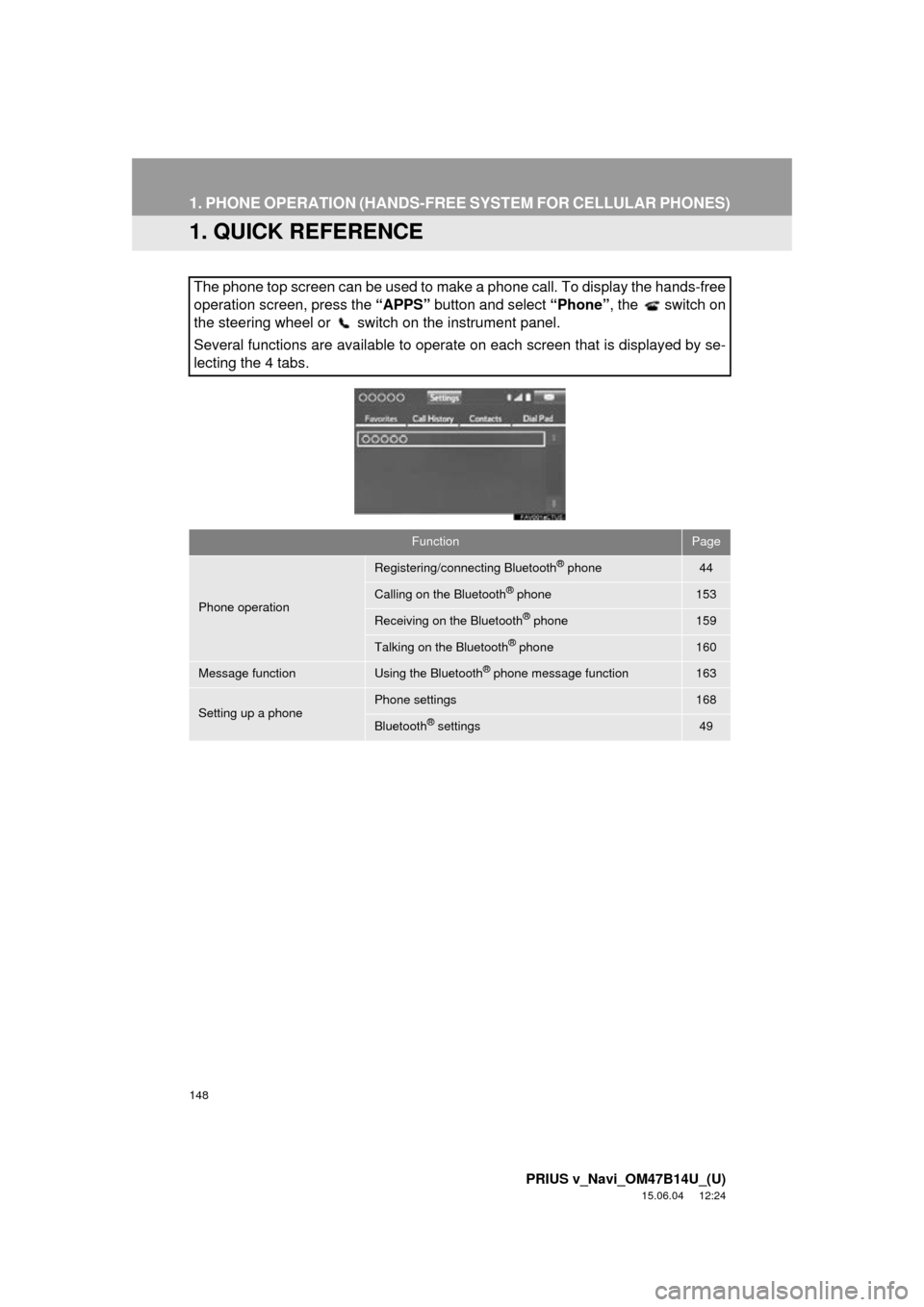
The phone top screen can be used to make a phone call. To display the hands-free
operation screen, press the “APPS” button and select “Phone” , the switch on
the steering wheel or switch on the instrument panel.
Several functions are available to operate on each screen that is displayed by se-
lecting the 4 tabs.
FunctionPage
Phone operation
Registering/connecting Bluetooth® phone44
Calling on the Bluetooth® phone153
Receiving on the Bluetooth® phone159
Talking on the Bluetooth® phone160
Message functionUsing the Bluetooth® phone message function163
Setting up a phonePhone settings168
Bluetooth® settings49