change time TOYOTA PRIUS V 2016 ZVW40 / 1.G Owners Manual
[x] Cancel search | Manufacturer: TOYOTA, Model Year: 2016, Model line: PRIUS V, Model: TOYOTA PRIUS V 2016 ZVW40 / 1.GPages: 620, PDF Size: 29.83 MB
Page 8 of 620

8
PRIUS v_OM_OM47B12U_(U)
For your infor mation
Please note that this manual applies to all models and explains all equipment,
including options. Therefore, you may find some explanations for equipment
not installed on your vehicle.
All specifications provided in this manual are current at the time of printing.
However, because of the Toyota policy of continual product improvement, we
reserve the right to make changes at any time without notice.
Depending on specifications, the vehicle shown in the illustrations may differ
from your vehicle in terms of color and equipment.
Approximately five hours after the hybrid system is turned off, you may hear
sound coming from under the vehicle for several minutes. This is the sound of
a fuel evaporation leakage check and, it does not indicate a malfunction.
A wide variety of non-genuine spare parts and accessories for Toyota vehi-
cles are currently available in the market. You should know that Toyota does
not warrant these products and is not responsible for their performance,
repair, or replacement, or for any damage they may cause to, or adverse
effect they may have on, your Toyota vehicle.
This vehicle should not be modified with non-genuine Toyota products. Modi-
fication with non-genuine Toyota products could affect its performance, safety
or durability, and may even violate governmental regulations. In addition,
damage or performance problems resulting from the modification may not be
covered under warranty.
Main Owner’s Manual
Noise from under vehicle after turning off the hybrid system
Accessories, spare parts and modification of your Toyota
Page 101 of 620
PRIUS v_OM_OM47B12U_(U)
1012. Instrument cluster
2
Instrument cluster
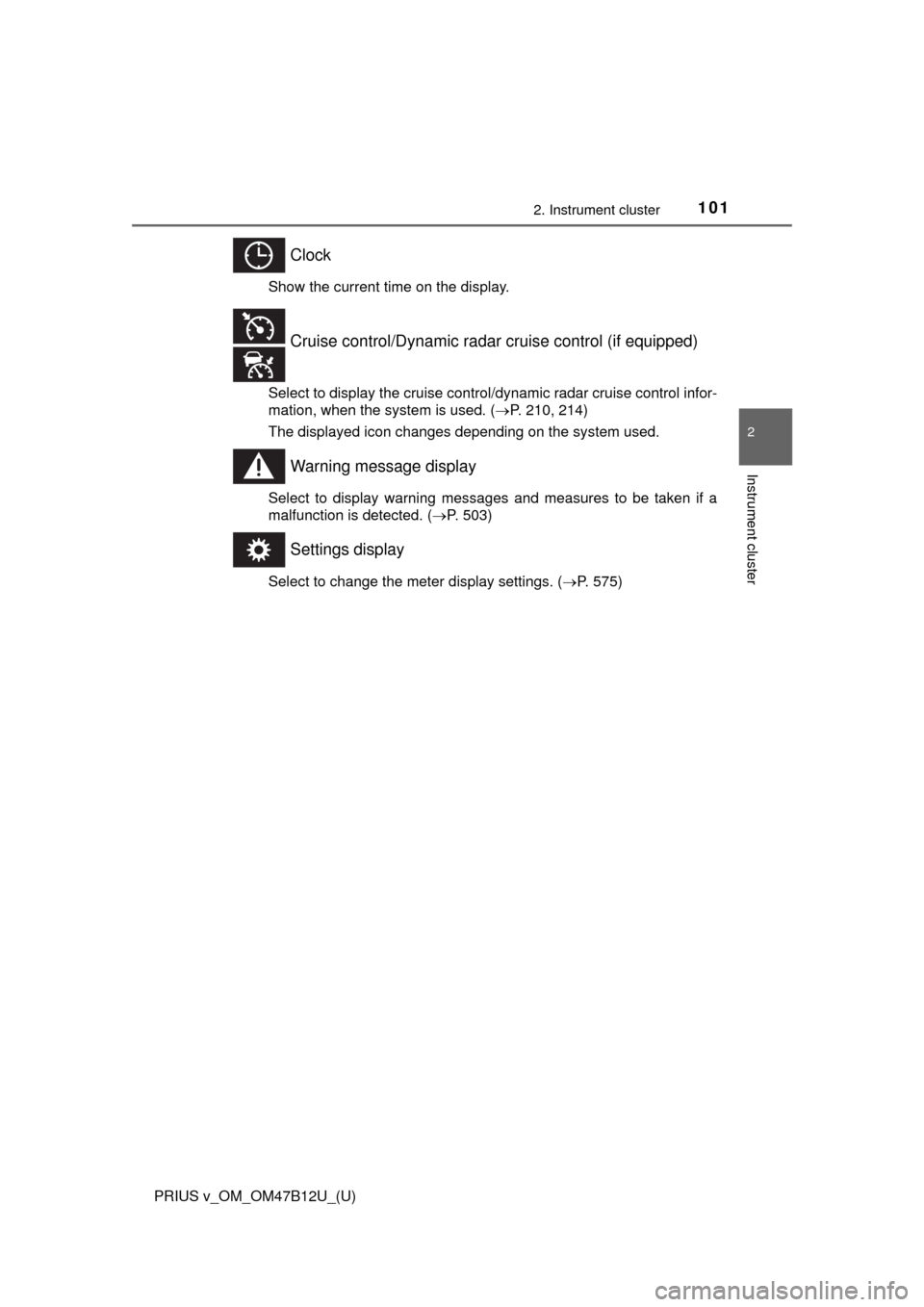
Clock
Show the current time on the display.
Select to display the cruise control/dynamic radar cruise control infor-
mation, when the system is used. (P. 210, 214)
The displayed icon changes depending on the system used.
Warning message display
Select to display warning messages and measures to be taken if a
malfunction is detected. (P. 503)
Settings display
Select to change the meter display settings. (P. 575)
Cruise control/Dynamic radar cruise control (if equipped)
Page 134 of 620

134
PRIUS v_OM_OM47B12U_(U)
3-2. Opening, closing and locking the doors
■Note for the entry function
●Even when the electronic key is within the effective range (detection areas),
the system may not operate properly in the following cases:
• The electronic key is too close to the window or outside door handle, near
the ground, or in a high place when the doors are locked or unlocked.
• The electronic key is near the ground or in a high place, or too close to
the rear bumper center when the back door is opened.
• The electronic key is on the instrument panel, luggage room, floor, or in
the door pockets or glove box when the hybrid system is started or power
switch modes are changed.
●Do not leave the electronic key on top of the instrument panel or near the
door pockets when exiting the vehicle. Depending on the radio wave recep-
tion conditions, it may be detected by the antenna outside the cabin and the
door will become lockable from the outside, possibly trapping the electronic
key inside the vehicle.
●As long as the electronic key is within the effective range, the doors may be
unlocked or locked by anyone.
●Even if the electronic key is not inside the vehicle, it may be possible to start
the hybrid system if the electronic key is near the window.
●The doors may unlock if a large amount of water splashes on the door han-
dle, such as in the rain or in a car wash when the electronic key is within the
effective range. (The door will automatically be locked after approximately
60 seconds if the doors are not opened and closed.)
●If the wireless remote control is used to lock the doors when the electronic
key is near the vehicle, there is a possibility that the door may not be
unlocked by the entry function. (Use the wireless remote control to unlock
the doors.)
●Touching the door lock sensor while wearing gloves may delay or prevent
lock operation. Remove the gloves and touch the lock sensor again.
●When the lock operation is performed using the lock sensor, recognition sig-
nals will be shown up to two consecutive times. After this, no recognition
signals will be given.
●If the door handle becomes wet while the electronic key is within the effec-
tive range, the door may unlock and lock repeatedly. Place the key in a posi-
tion 6 ft. (2 m) or more separate from the vehicle while the vehicle is being
washed. (Take care to ensure that the key is not stolen.)
●If the electronic key is inside the vehicle and a door handle becomes wet
during a car wash, a message may be shown on the multi-information dis-
play (if equipped) and a buzzer will sound outside the vehicle. To turn off the
alarm, lock all the doors.
●The lock sensor may not work properly if it comes into contact with ice,
snow, mud, etc. Clean the lock sensor and attempt to operate it again, or
use the lock sensor on the lower part of the door handle.
Page 176 of 620
176
PRIUS v_OM_OM47B12U_(U)
4-2. Driving procedures
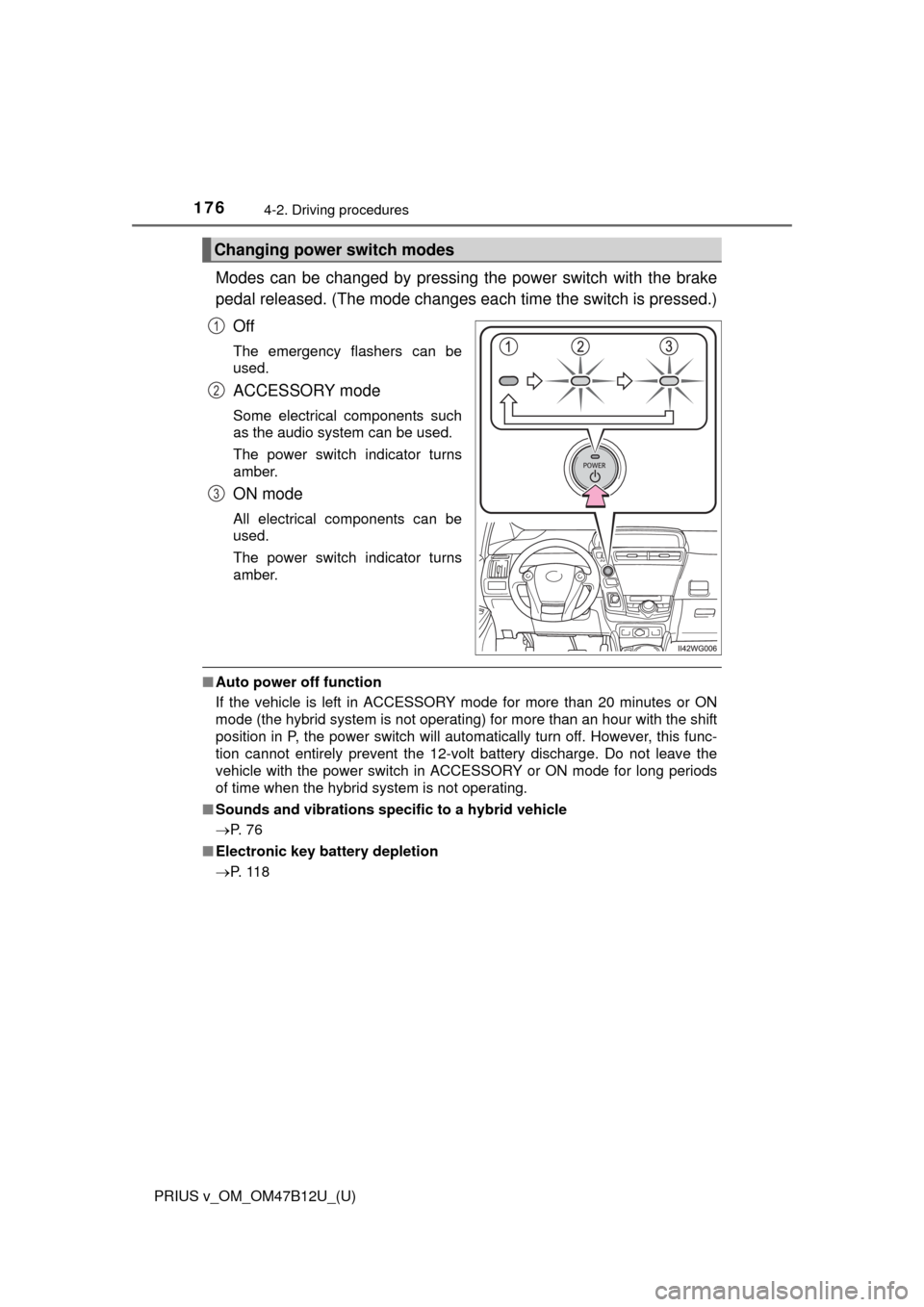
Modes can be changed by pressing the power switch with the brake
pedal released. (The mode changes each time the switch is pressed.)
Off
The emergency flashers can be
used.
ACCESSORY mode
Some electrical components such
as the audio system can be used.
The power switch indicator turns
amber.
ON mode
All electrical components can be
used.
The power switch indicator turns
amber.
■Auto power off function
If the vehicle is left in ACCESSORY mode for more than 20 minutes or ON
mode (the hybrid system is not operating) for more than an hour with the shift
position in P, the power switch will automatically turn off. However, this func-
tion cannot entirely prevent the 12-volt battery discharge. Do not leave the
vehicle with the power switch in ACCESSORY or ON mode for long periods
of time when the hybrid system is not operating.
■Sounds and vibrations specific to a hybrid vehicle
P. 7 6
■Electronic key battery depletion
P. 1 1 8
Changing power switch modes
1
2
3
Page 177 of 620

PRIUS v_OM_OM47B12U_(U)
1774-2. Driving procedures
4
Driving
■When the ambient temperature is low, such as during winter driving con-
ditions
When starting the hybrid system, the flashing time of the “READY” indicator
may be long. Leave the vehicle as it is until the “READY” indicator is steady
on, as steady means the vehicle is able to move.
■Conditions affecting operation
P. 133
■Note for the entry function
P. 134
■If the hybrid system does not start
The immobilizer system may not have been deactivated. (P. 82)
Contact your Toyota dealer.
■When the power switch indicator flashes in amber
The system may be malfunctioning. Have the vehicle inspected by your
Toyota dealer immediately.
■If the “READY” indicator does not come on
In the event that the “READY” indicator does not come on even after perform-
ing the proper procedures for starting the vehicle, contact your Toyota dealer
immediately.
■If the hybrid system is malfunctioning
P. 490, 505
■If the electronic key battery is depleted
P. 461
■Operation of the power switch
●When operating the power switch, one short, firm press is enough. If the
switch is pressed improperly, the hybrid system may not start or the power
switch mode may not change. It is not necessary to press and hold the
switch.
●If attempting to restart the hybrid system immediately after turning the power
switch off, the hybrid system may not start in some cases. After turning the
power switch off, please wait a few seconds before restarting the hybrid sys-
tem.
■Automatically P position selection function
P. 184
■When the shift control system malfunctions
The power switch will not be able to be turned off. In such a case, the switch
can be turned off after applying the parking brake.
Have the vehicle inspected by your Toyota dealer immediately.
Page 186 of 620
186
PRIUS v_OM_OM47B12U_(U)
4-2. Driving procedures
NOTICE
■Hybrid battery (traction battery) charge
If the shift position is in N, the hybrid battery (traction battery) will not be
charged. To help prevent the battery from discharging, avoid leaving the N
position selected for an extended period of time.
■Situations where shift control system malfunctions are possible
If any of the following situations occurs, shift control system malfunctions
are possible.
Immediately stop the vehicle in a safe place on level ground, apply the park-
ing brake, and then contact your Toyota dealer.
●Vehicles without multi-information display:
When the “P LOCK MALFUNCTION WHEN PARKING, PARK IN FLAT
PLACE AND APPLY PARKING BRAKE SECURELY” warning message
appears on the instrument cluster. (P. 492)
●Vehicles without multi-information display:
When the parking lock system warning light is illuminated.
●Vehicles with multi-information display:
When the warning message indicating the shift control system appears on
the multi-information display. (P. 505)
●When everything except the shift position indicator selection frame is illu-
minated.
●When the shift position indicator remains off.
■Notes regarding shift lever and P position switch operation
Avoid repeatedly operating the shift lever and P position switch in quick suc-
cession.
The system protection function may activate and it will not be temporarily
possible to shift the shift position other than P. If this happens, please wait
for approximately 20 seconds before attempting to change the shift position
again.
Page 211 of 620
PRIUS v_OM_OM47B12U_(U)
2114-5. Using the driving support systems
4
Driving
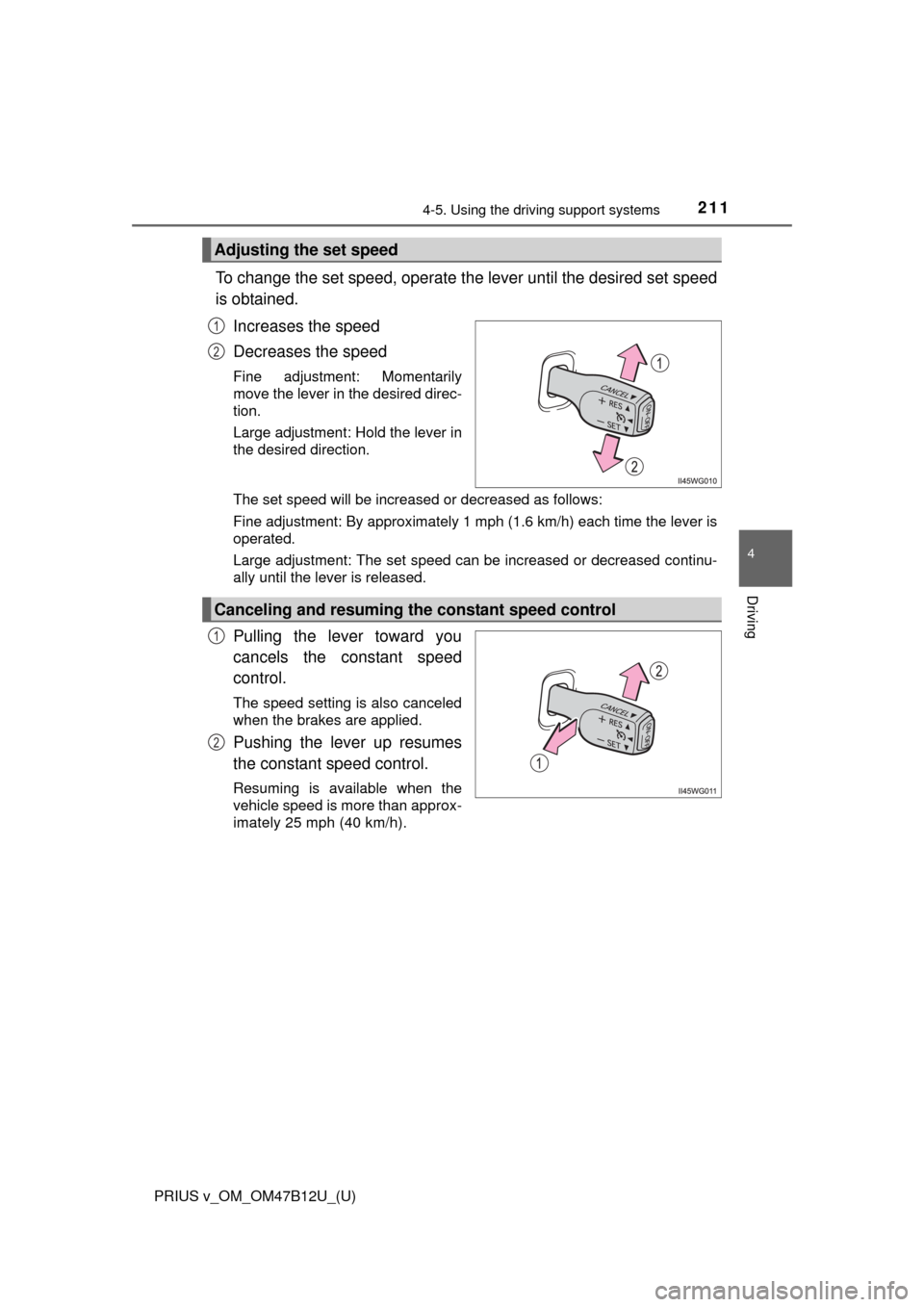
To change the set speed, operate the lever until the desired set speed
is obtained.
Increases the speed
Decreases the speed
Fine adjustment: Momentarily
move the lever in the desired direc-
tion.
Large adjustment: Hold the lever in
the desired direction.
The set speed will be increased or decreased as follows:
Fine adjustment: By approximately 1 mph (1.6 km/h) each time the lever is
operated.
Large adjustment: The set speed can be increased or decreased continu-
ally until the lever is released.
Pulling the lever toward you
cancels the constant speed
control.
The speed setting is also canceled
when the brakes are applied.
Pushing the lever up resumes
the constant speed control.
Resuming is available when the
vehicle speed is more than approx-
imately 25 mph (40 km/h).
Adjusting the set speed
1
2
Canceling and resuming the constant speed control
1
2
Page 216 of 620
216
PRIUS v_OM_OM47B12U_(U)
4-5. Using the driving support systems
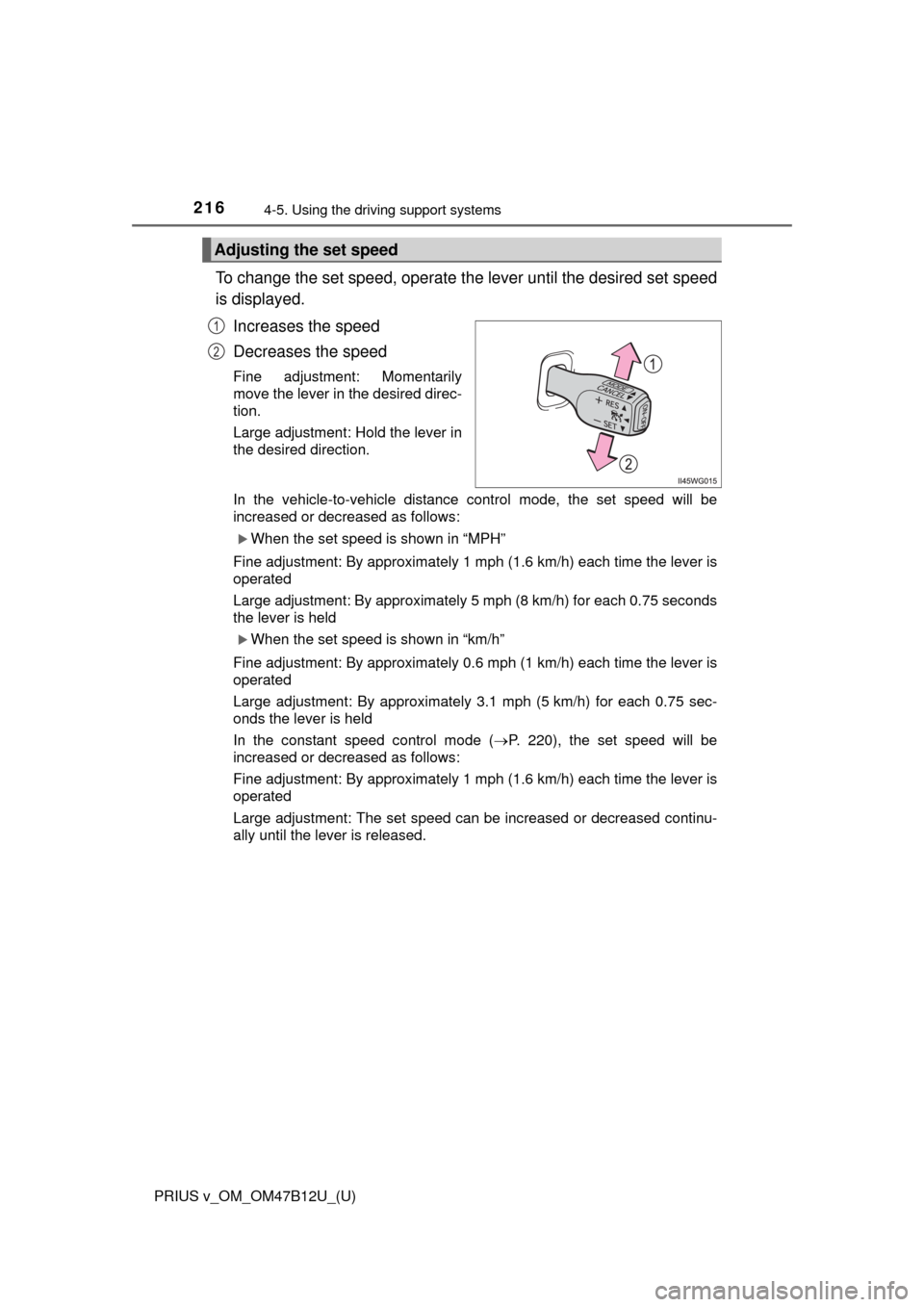
To change the set speed, operate the lever until the desired set speed
is displayed.
Increases the speed
Decreases the speed
Fine adjustment: Momentarily
move the lever in the desired direc-
tion.
Large adjustment: Hold the lever in
the desired direction.
In the vehicle-to-vehicle distance control mode, the set speed will be
increased or decreased as follows:
When the set speed is shown in “MPH”
Fine adjustment: By approximately 1 mph (1.6 km/h) each time the lever is
operated
Large adjustment: By approximately 5 mph (8 km/h) for each 0.75 seconds
the lever is held
When the set speed is shown in “km/h”
Fine adjustment: By approximately 0.6 mph (1 km/h) each time the lever is
operated
Large adjustment: By approximately 3.1 mph (5 km/h) for each 0.75 sec-
onds the lever is held
In the constant speed control mode (P. 220), the set speed will be
increased or decreased as follows:
Fine adjustment: By approximately 1 mph (1.6 km/h) each time the lever is
operated
Large adjustment: The set speed can be increased or decreased continu-
ally until the lever is released.
Adjusting the set speed
1
2
Page 231 of 620
PRIUS v_OM_OM47B12U_(U)
2314-5. Using the driving support systems
4
Driving
■LDA indicator
Even if the LDA switch is pressed, when the LDA indicator does not come on
the system may have a malfunction. Have the vehicle inspected by your Toy-
ota dealer immediately.
■Alert buzzer for lane departure alert
Depending on the audio system sound level or air conditioning fan noise
while the audio system or air conditioning system is in use, it may be difficult
to hear the alert buzzer.
■After the vehicle has been parked in the sun
The LDA may not be available and a warning message will be displayed for a
while after driving has started. When the temperature in the cabin decreases
and the temperature around the camera sensor (P. 227) becomes suitable
for its operation, turn the LDA switch on again after a short time.
■If there are lane markers on only one side of the vehicle
The lane departure alert will not operate for the side on which lane markers
could not be recognized.
■Conditions in which the function may not operate correctly
In the following situations, the camera sensor may be unable to recognize
lane markers causing the lane departure alert function to operate incorrectly.
However, this does not indicate a malfunction.
●When there are shadows on the road running parallel with lane markers, or
if a shadow covers the lane markers
●When driving through an area with no lane markers, such as a toll booth, a
crossing or before a ticket checkpoint
●When the lane markers are broken, Botts’ dots (raised pavement markers)
or stones
●When lane markers are obscured or partially obscured by sand, dirt, etc.
●When driving on a road surface that is wet due to rain, previous rainfall,
standing water, etc.
●When the lane markers are yellow (These may be more difficult for the sys-
tem to recognize compared to white markers.)
●When the lane markers are on a curb, etc.
●When driving on a particularly bright road surface, such as concrete
●When driving on a road surface that is bright due to reflected light
●When driving in a location where the light level changes rapidly, such as the
entrance to or exit from a tunnel
●When sunlight or the headlights of oncoming vehicles are shining directly
into the camera lens
●When driving on roads that are branching or merging
●When driving on winding roads or roads that are uneven
Page 234 of 620
234
PRIUS v_OM_OM47B12U_(U)
4-5. Using the driving support systems
NOTICE
■To prevent damage to or incorrect operation of the LDA
Observe the following to ensure that the LDA system functions correctly
●Do not modify the headlights or attach stickers to the surface of the lights.
●Do not modify the suspension. When performing a replacement, contact
your Toyota dealer.
●Do not install or place anything on the hood or the grille. Also, do not install
a grille guard (bull bars, kangaroo bar, etc.).
●If your windshield needs repairs, contact your Toyota dealer.
■Camera sensor
Observe the following to ensure that the LDA system functions correctly
●Keep the windshield clean at all times.
Performance could be affected if the windshield is dirty, or if raindrops,
condensation or ice are adhering to the windshield.
●Do not spill liquids onto the camera sensor.
●Do not attach window tinting to the windshield.
●Do not install an antenna in front of the camera lens.
●If the windshield area in front of the camera sensor is fogged up, use the
windshield defogger to remove the fog from that area. (P. 366)
When it is cold, using the heater with air blowing to the feet may allow the
upper part of the windshield to fog up. This will have a negative effect on
the images.
●Do not scratch the camera lens, or let it get dirty.
When cleaning the inside of the windshield, be careful not to get any glass
cleaner, etc., on the lens. Also, do not touch the lens.
For lens repair, contact your Toyota dealer.
●Do not change the installation position or direction of the camera sensor or
remove it.
The direction of the camera sensor is precisely adjusted.
●Do not subject the camera sensor to strong impact or force, and do not
disassemble the camera sensor.
●When replacing the windshield, contact your Toyota dealer.
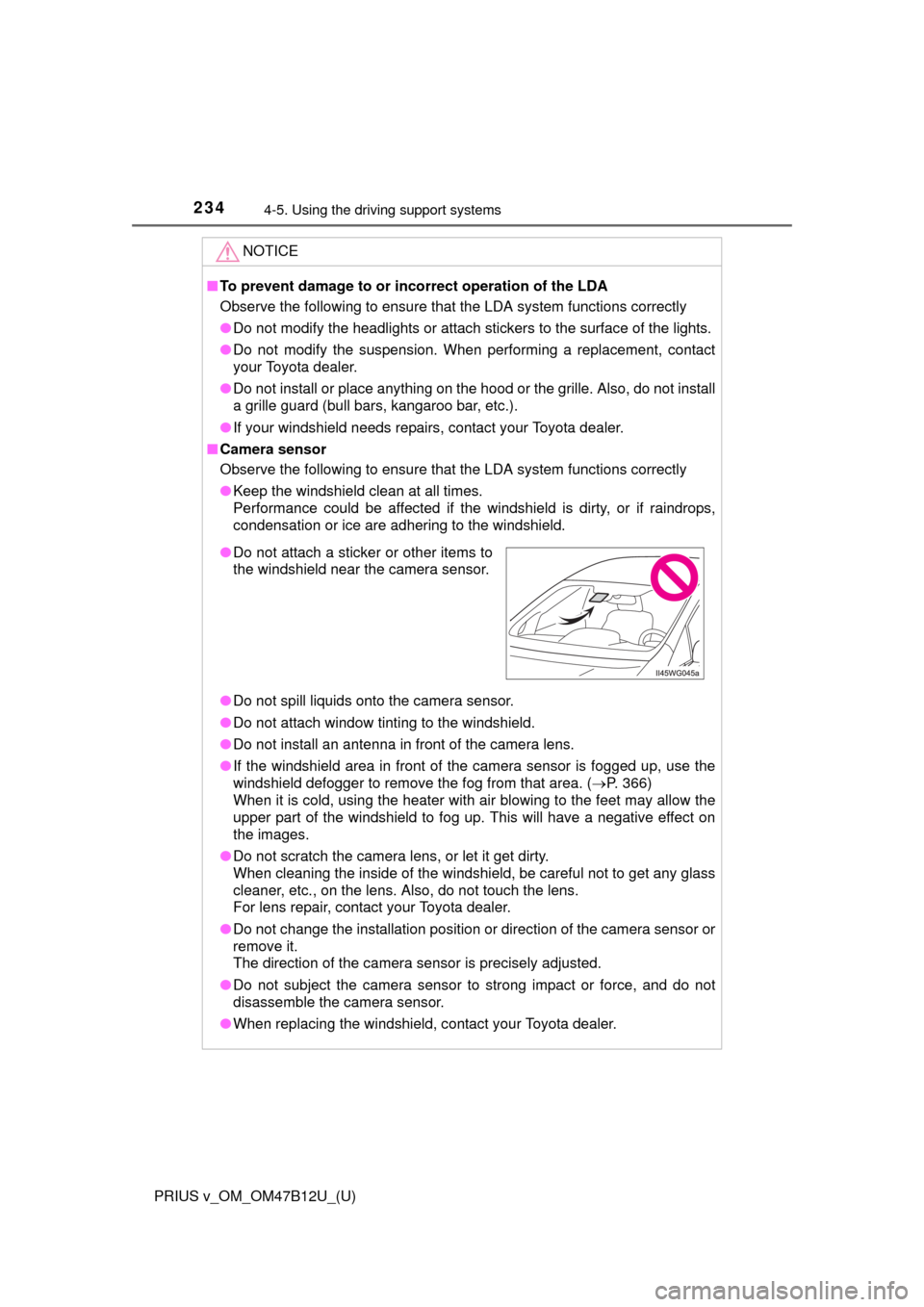
●Do not attach a sticker or other items to
the windshield near the camera sensor.