audio TOYOTA PROACE 2017 User Guide
[x] Cancel search | Manufacturer: TOYOTA, Model Year: 2017, Model line: PROACE, Model: TOYOTA PROACE 2017Pages: 516, PDF Size: 91.65 MB
Page 158 of 516
158
If a significant accumulation of snow or ice is present, or when using a bicycle carrier on the boot, deactivate the automatic rear wiper.
This function is activated by default.
Reverse gear
When reverse gear is engaged, the rear wiper will come into operation automatically if the windscreen wipers are operating.
In the vehicle settings menu, activate/deactivate "Rear wiper in reverse".
With the audio system
In the "Personalisation-configuration" menu, activate/deactivate "Rear wipe in reverse gear".
With the touch screen
Activation / Deactivation
Activation or deactivation of the function is done in the vehicle configuration menu.
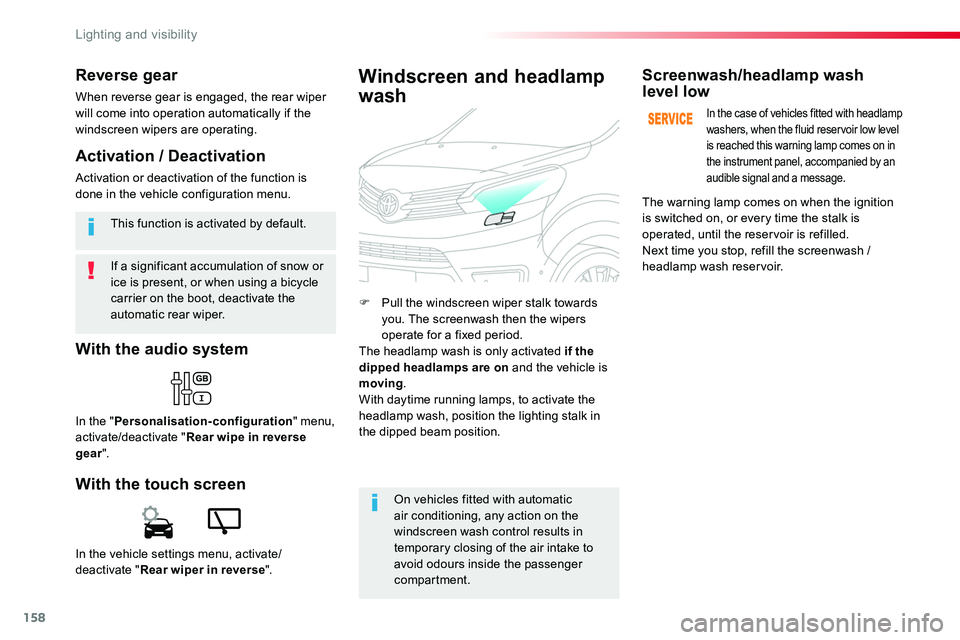
F Pull the windscreen wiper stalk towards you. The screenwash then the wipers operate for a fixed period.The headlamp wash is only activated if the dipped headlamps are on and the vehicle is moving.With daytime running lamps, to activate the headlamp wash, position the lighting stalk in
the dipped beam position.
Windscreen and headlamp
wash
On vehicles fitted with automatic air conditioning, any action on the windscreen wash control results in temporary closing of the air intake to avoid odours inside the passenger compartment.
Screenwash/headlamp wash level low
In the case of vehicles fitted with headlamp washers, when the fluid reservoir low level is reached this warning lamp comes on in the instrument panel, accompanied by an audible signal and a message.
The warning lamp comes on when the ignition is switched on, or every time the stalk is operated, until the reservoir is refilled.Next time you stop, refill the screenwash / headlamp wash reservoir.
Lighting and visibility
Page 160 of 516
160
Automatic operation of
hazard warning lamps
Hazard warning lamps
When braking in an emergency, depending on the rate of deceleration, as well as when the ABS regulation is invoked or in the event of an impact, the hazard warning lamps come on automatically.They switch off automatically the first time you accelerate.F You can also switch them off by pressing the button.
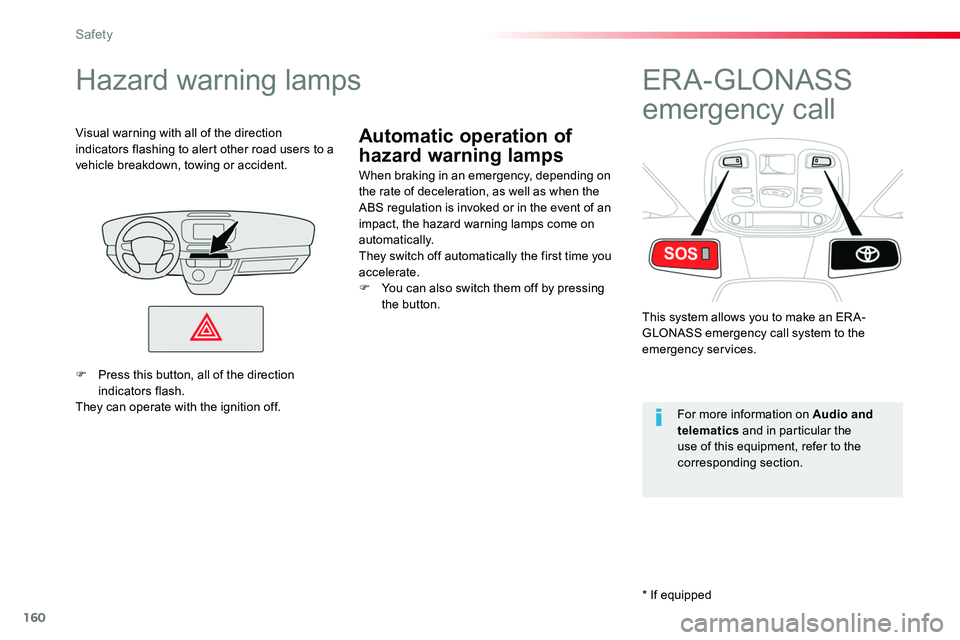
Visual warning with all of the direction indicators flashing to alert other road users to a vehicle breakdown, towing or accident.
ER A - GLONASS
emergency call
This system allows you to make an ER A-GLONASS emergency call system to the emergency services.
For more information on Audio and telematics and in particular the use of this equipment, refer to the corresponding section.
F Press this button, all of the direction indicators flash.They can operate with the ignition off.
* If equipped
Safety
Page 203 of 516
203
The presence in the recognition zone of the remote control of the "Smart Entry & Start System" system is essential.Never leave the vehicle with the engine running and with the remote control on your person.If the remote control leaves the recognition zone, a message is displayed.
Move the remote control into the zone to be able to start the engine.
If one of the starting conditions is not met, a message appears in the instrument panel screen. In some circumstances, it is necessary to turn the steering wheel slightly while pressing the "START/STOP" button
to assist unlocking of the steering; a message warns you when this is needed.
If the vehicle is not immobilised, the engine will not stop.
Switching off
F Immobilise the vehicle.
F With the remote control in the recognition zone, press the "START/STOP" button.
The engine stops and the steering column is locked.
Ignition on
(without starting)
With the ignition on, the system automatically goes into energy economy mode to maintain an adequate state of charge in the battery.
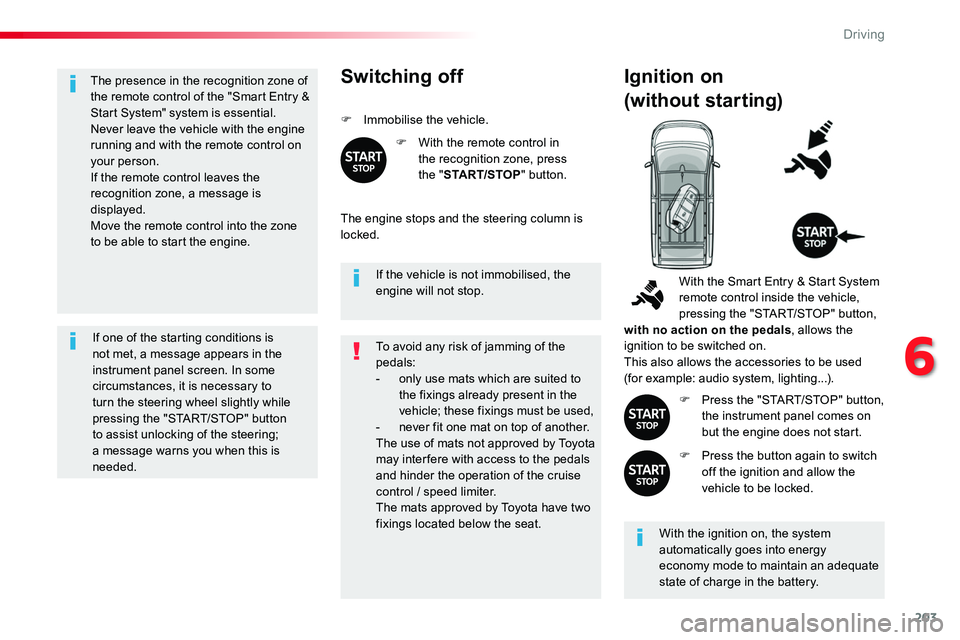
With the Smart Entry & Start System remote control inside the vehicle, pressing the "START/STOP" button, with no action on the pedals, allows the ignition to be switched on.This also allows the accessories to be used (for example: audio system, lighting...).
F Press the "START/STOP" button, the instrument panel comes on but the engine does not start.
F Press the button again to switch off the ignition and allow the vehicle to be locked.
To avoid any risk of jamming of the pedals:- only use mats which are suited to the fixings already present in the vehicle; these fixings must be used,- never fit one mat on top of another.The use of mats not approved by Toyota may inter fere with access to the pedals and hinder the operation of the cruise control / speed limiter.The mats approved by Toyota have two fixings located below the seat.
6
Driving
Page 220 of 516
220
Deactivation / Activation
With / Without audio system
F Press the button, its indicator lamp comes on, the system is deactivated.
F Press this button, the indicator lamp goes off, the system is activated
To deactivate the system:
With the touch screen
In the Driving menu, activate/deactivate "Stop & Star t system".
The system is reactivated automatically every time the engine is started by the driver.
If the system has been deactivated in STOP mode, the engine restarts immediately.
Opening the bonnetBefore doing anything under the bonnet, deactivate the Stop & Start system to avoid the risk of injury related to an automatic change to S TA R T m o d e .
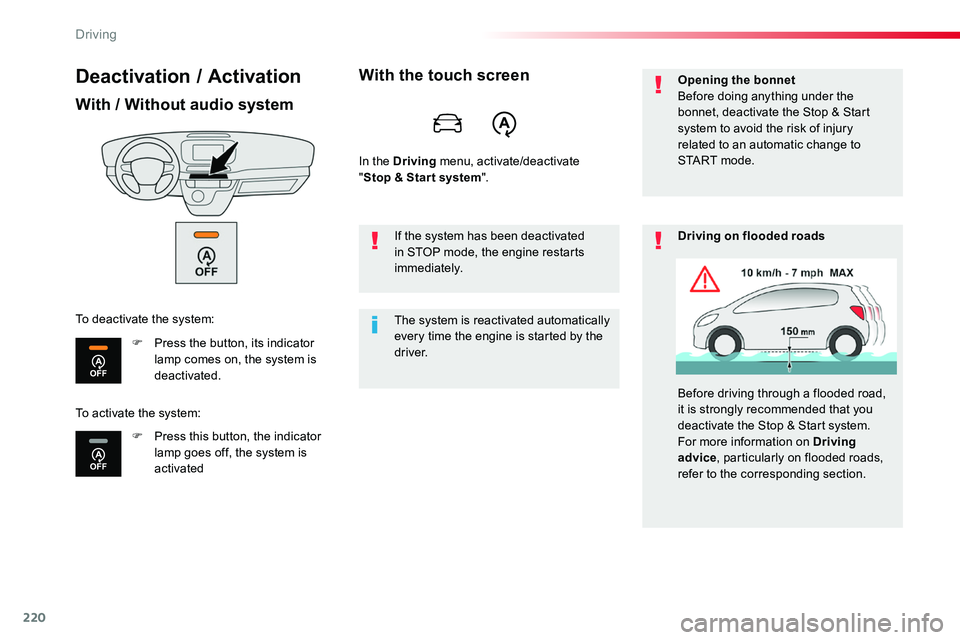
Driving on flooded roads
Before driving through a flooded road, it is strongly recommended that you deactivate the Stop & Start system.For more information on Driving advice, particularly on flooded roads, refer to the corresponding section.
To activate the system:
Driving
Page 222 of 516
222
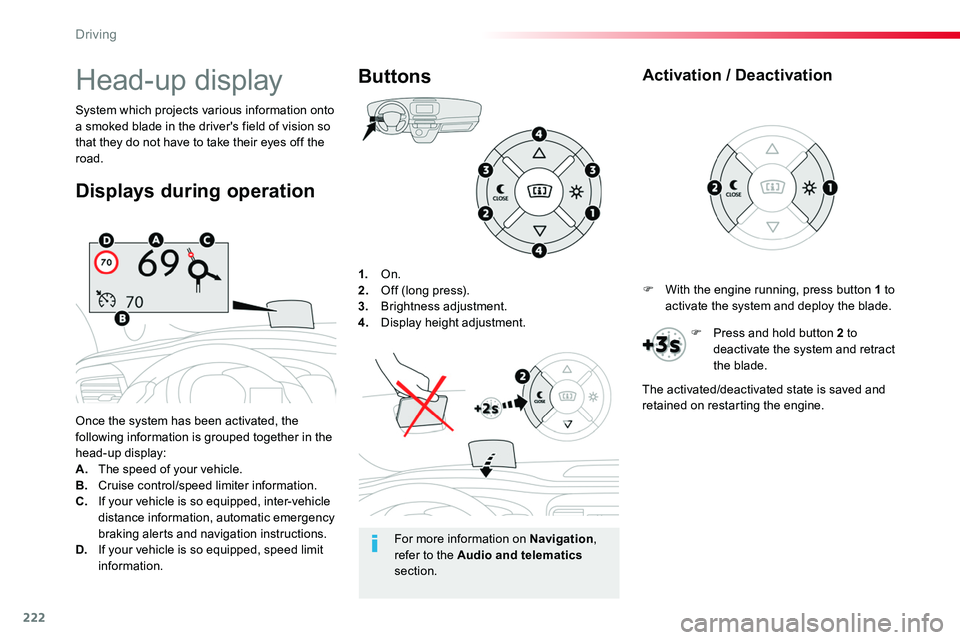
1. On.2. Off (long press).3. Brightness adjustment.4. Display height adjustment.
Once the system has been activated, the following information is grouped together in the head-up display:A. The speed of your vehicle.B. Cruise control/speed limiter information.C. If your vehicle is so equipped, inter-vehicle distance information, automatic emergency
braking alerts and navigation instructions.D. If your vehicle is so equipped, speed limit information.
System which projects various information onto a smoked blade in the driver's field of vision so that they do not have to take their eyes off the road.
Buttons
Displays during operation
Head-up display
For more information on Navigation, refer to the Audio and telematics section.
F With the engine running, press button 1 to activate the system and deploy the blade.
Activation / Deactivation
F Press and hold button 2 to deactivate the system and retract the blade.
The activated/deactivated state is saved and retained on restarting the engine.
Driving
Page 226 of 516
226
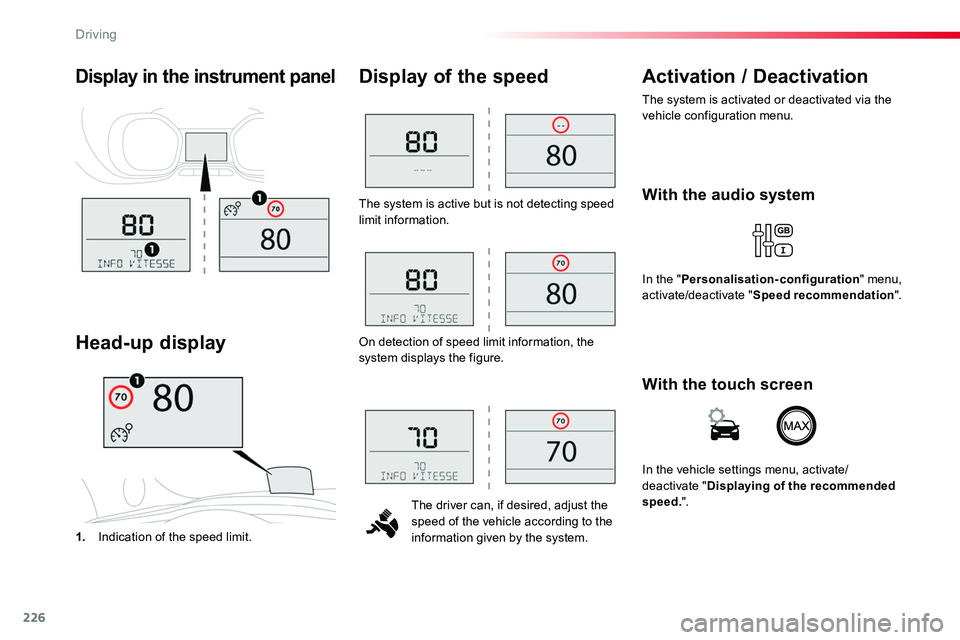
The system is active but is not detecting speed limit information.
The driver can, if desired, adjust the speed of the vehicle according to the information given by the system.
Display of the speed
1. Indication of the speed limit.
Head-up display
Activation / Deactivation
The system is activated or deactivated via the vehicle configuration menu.
Display in the instrument panel
On detection of speed limit information, the system displays the figure.
With the audio system
In the "Personalisation-configuration" menu, activate/deactivate "Speed recommendation".
With the touch screen
In the vehicle settings menu, activate/deactivate "Displaying of the recommended speed.".
Driving
Page 245 of 516
245
This level of alert is based on the time before collision. It takes account of the vehicle dynamics, the speed of your vehicle and the
one in front, the environmental conditions, the operation of the vehicle (cornering, pedals pressed, etc.) to trigger the alert at the best moment.
Level 2: visual and audible alert, warning you that a collision is imminent.A message indicating that you should brake is displayed.
Where the speed of your vehicle is too high approaching another vehicle, the first level of alert may not be displayed: the level 2 alert may be displayed di r e c t l y.Furthermore, the level 1 alert is never displayed with the "Close" threshold.Poor weather conditions (very heavy rain, accumulation of snow in front of the radar and the camera) may hinder the operation of the system, with the display of an operating fault message. The system remains out of service until the message disappears.
Programming the alert thresholds
The thresholds for triggering an alert determine how you wish to be warned of the presence of a vehicle moving or stationary ahead of you, or a pedestrian in your traffic lane.You can select one of three thresholds:- "Distant", to be warned early (cautious driving).- "Normal".- "Close", to be warned later.
In the vehicle settings menu, activate/deactivate "Collision risk alert and automatic braking".
With the touch screen
With the audio system
In the "Personalisation-configuration" menu, activate/deactivate "Auto. emergency braking".Then modify the alert threshold.
Then modify the alert threshold.Press on "Confirm" to save the change.
6
Driving
Page 247 of 516
247
Deactivation / Activation of
the alert and the braking
By default, the function is automatically activated at every engine start.The deactivation or activation of the function is done in the vehicle configuration menu.
With the audio system
In the "Personalisation-configuration" menu, activate/deactivate "Auto. emergency braking".
Autonomous emergency braking system with Pedestrian Detection
If the driver does not brake sufficiently to avoid an accident, this system will complete the braking.This emergency braking system will not act if you press the brake pedal.
With the touch screen
In the vehicle settings menu, activate/deactivate "Collision risk alert and automatic
braking".
In the event of a fault, you are alerted by the illumination of this warning lamp, accompanied by an audible signal and a message.Contact an authorized Toyota dealer or repairer, or another duly qualified and equipped professional.
Operating fault
There may be interference in the operation of the camera or it not work at all in the following situations:- poor visibility (inadequate street lighting, falling snow or rain, fog, ...),- dazzle (headlamps of an approaching vehicle on the other side of the road, low sun, reflection on a wet road, leaving a tunnel, alternating between light and shade, ...),- the area in front of the windscreen: dirty, misty, frosty, snow-covered,
damaged or covered by a sticker.The operation of the radar, located in the front bumper, may be disturbed in certain weather conditions: with accumulations of snow, ice, mud, ...
6
Driving
Page 249 of 516
249
With / Without audio system
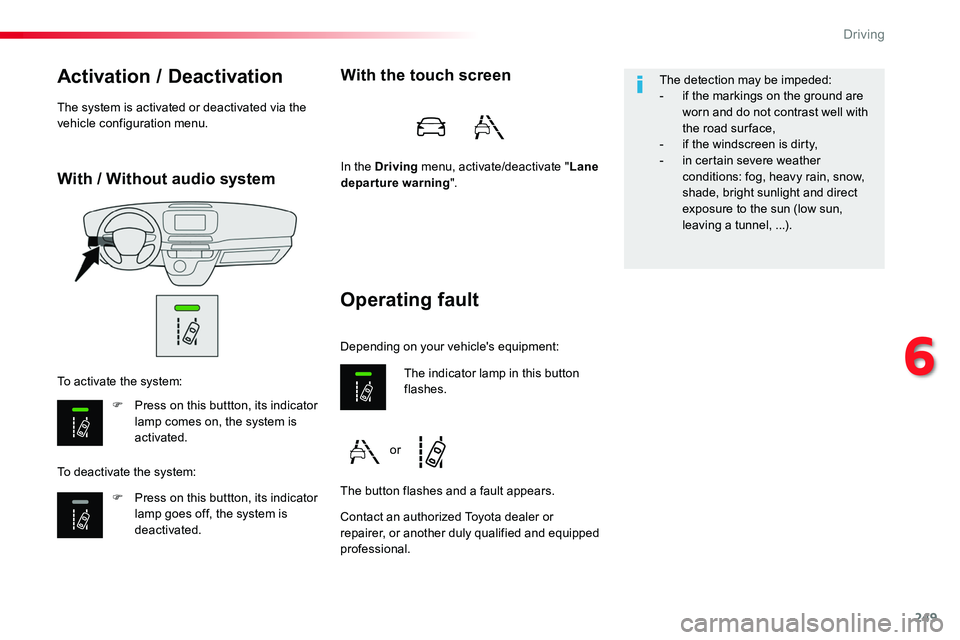
Activation / Deactivation
F Press on this buttton, its indicator lamp comes on, the system is activated.
F Press on this buttton, its indicator lamp goes off, the system is deactivated.
To activate the system:
To deactivate the system:
The system is activated or deactivated via the vehicle configuration menu.
Operating fault
With the touch screen
In the Driving menu, activate/deactivate "Lane departure warning".
Contact an authorized Toyota dealer or repairer, or another duly qualified and equipped professional.
The indicator lamp in this button flashes.
The button flashes and a fault appears.
Depending on your vehicle's equipment:
The detection may be impeded:- if the markings on the ground are worn and do not contrast well with the road sur face,- if the windscreen is dirty,- in certain severe weather conditions: fog, heavy rain, snow, shade, bright sunlight and direct exposure to the sun (low sun,
leaving a tunnel, ...).
or
6
Driving
Page 250 of 516
250
Driver Attention Alert
The system resets itself if one of the following conditions is met:- engine running, the vehicle has been stationary for more than 15 minutes,- the ignition has been switched off for a few minutes,- the driver's seat belt is unfastened and their door is open.
As soon as the speed of the vehicle drops below 40 mph (65 km/h), the system goes into standby.The driving time is counted again once the speed is above 40 mph (65 km/h).
The system cannot in any circumstances replace the need for vigilance on the part of the driver.Do not take the wheel if you are tired.
The system triggers an alert once it detects that the driver has not taken a break after two hours of driving at a speed above 40 mph (65 km/h).
It is recommended that you take a break as soon as you feel tired or at least every two hours.Depending on version, the vehicle either has the "Driving time warning system" only, or this combined with the "Driver Attention Alert".
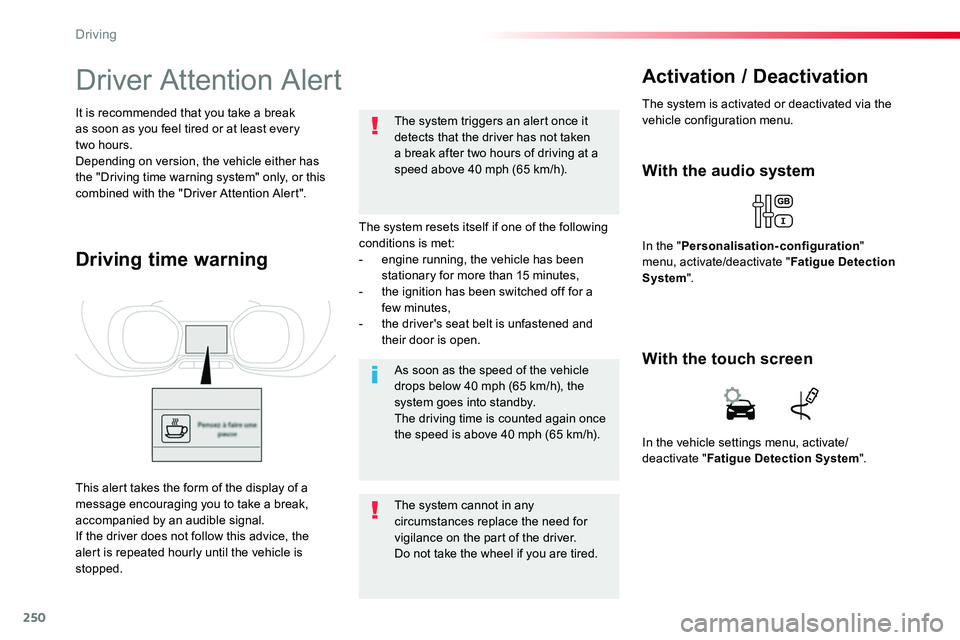
Driving time warning
With the audio system
In the "Personalisation-configuration" menu, activate/deactivate "Fatigue Detection System".
Activation / Deactivation
The system is activated or deactivated via the vehicle configuration menu.
This alert takes the form of the display of a message encouraging you to take a break, accompanied by an audible signal.If the driver does not follow this advice, the alert is repeated hourly until the vehicle is stopped.
In the vehicle settings menu, activate/deactivate "Fatigue Detection System".
With the touch screen
Driving