service TOYOTA PROACE 2017 Owner's Guide
[x] Cancel search | Manufacturer: TOYOTA, Model Year: 2017, Model line: PROACE, Model: TOYOTA PROACE 2017Pages: 516, PDF Size: 91.65 MB
Page 282 of 516
282
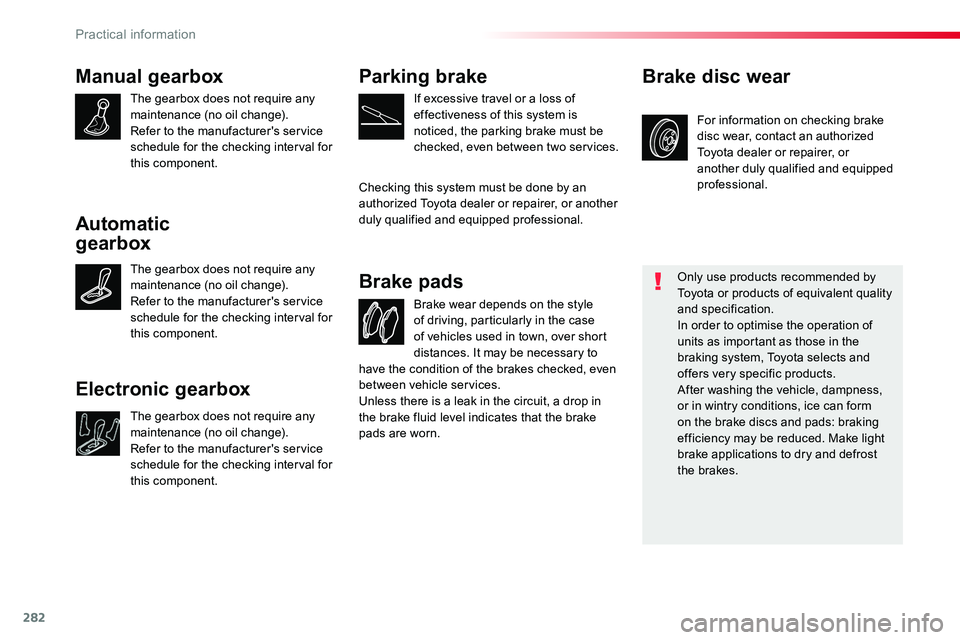
Manual gearbox
The gearbox does not require any maintenance (no oil change).Refer to the manufacturer's service schedule for the checking interval for this component.
Brake wear depends on the style of driving, particularly in the case of vehicles used in town, over short distances. It may be necessary to
Brake pads
For information on checking brake disc wear, contact an authorized Toyota dealer or repairer, or another duly qualified and equipped professional.
Brake disc wear
Only use products recommended by Toyota or products of equivalent quality and specification.In order to optimise the operation of units as important as those in the braking system, Toyota selects and offers very specific products.After washing the vehicle, dampness, or in wintry conditions, ice can form on the brake discs and pads: braking efficiency may be reduced. Make light brake applications to dry and defrost the brakes.
Parking brake
If excessive travel or a loss of effectiveness of this system is noticed, the parking brake must be checked, even between two services.
Checking this system must be done by an authorized Toyota dealer or repairer, or another duly qualified and equipped professional.
have the condition of the brakes checked, even between vehicle services.Unless there is a leak in the circuit, a drop in the brake fluid level indicates that the brake pads are worn.
Automatic
gearbox
The gearbox does not require any maintenance (no oil change).Refer to the manufacturer's service schedule for the checking interval for this component.
Electronic gearbox
The gearbox does not require any maintenance (no oil change).Refer to the manufacturer's service schedule for the checking interval for this component.
Practical information
Page 283 of 516
283
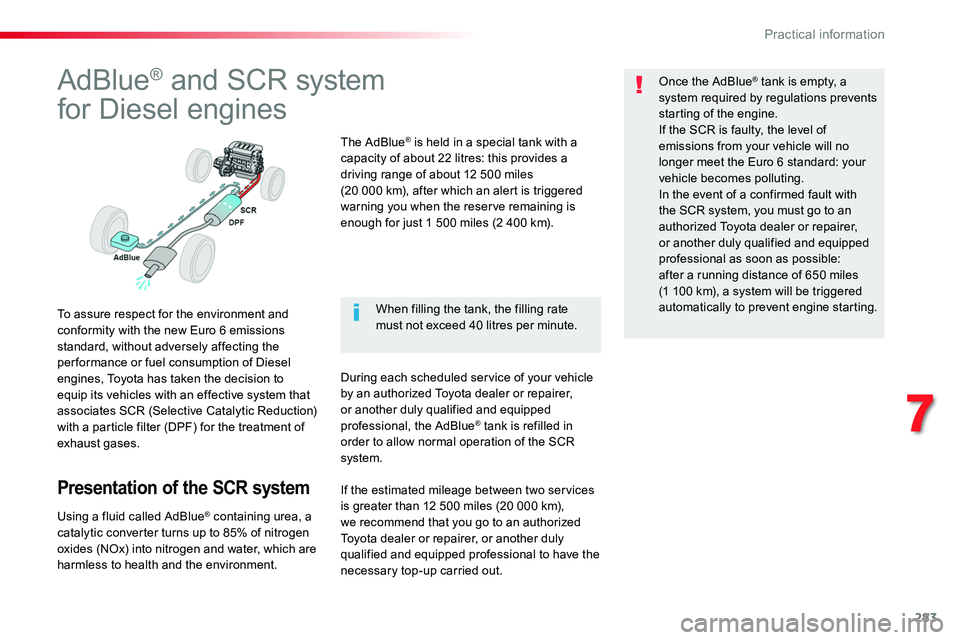
AdBlue® and SCR system
for Diesel engines
To assure respect for the environment and conformity with the new Euro 6 emissions standard, without adversely affecting the per formance or fuel consumption of Diesel engines, Toyota has taken the decision to equip its vehicles with an effective system that associates SCR (Selective Catalytic Reduction) with a particle filter (DPF) for the treatment of exhaust gases.
Presentation of the SCR system
Using a fluid called AdBlue® containing urea, a catalytic converter turns up to 85% of nitrogen
oxides (NOx) into nitrogen and water, which are harmless to health and the environment.
The AdBlue® is held in a special tank with a capacity of about 22 litres: this provides a driving range of about 12 500 miles (20 000 km), after which an alert is triggered warning you when the reserve remaining is enough for just 1 500 miles (2 400 km).
During each scheduled service of your vehicle by an authorized Toyota dealer or repairer, or another duly qualified and equipped professional, the AdBlue® tank is refilled in order to allow normal operation of the SCR system.
Once the AdBlue® tank is empty, a system required by regulations prevents starting of the engine.If the SCR is faulty, the level of emissions from your vehicle will no longer meet the Euro 6 standard: your vehicle becomes polluting.In the event of a confirmed fault with the SCR system, you must go to an authorized Toyota dealer or repairer, or another duly qualified and equipped professional as soon as possible: after a running distance of 650 miles (1 100 km), a system will be triggered automatically to prevent engine starting.When filling the tank, the filling rate must not exceed 40 litres per minute.
If the estimated mileage between two services is greater than 12 500 miles (20 000 km), we recommend that you go to an authorized Toyota dealer or repairer, or another duly qualified and equipped professional to have the necessary top-up carried out.
7
Practical information
Page 284 of 516
284
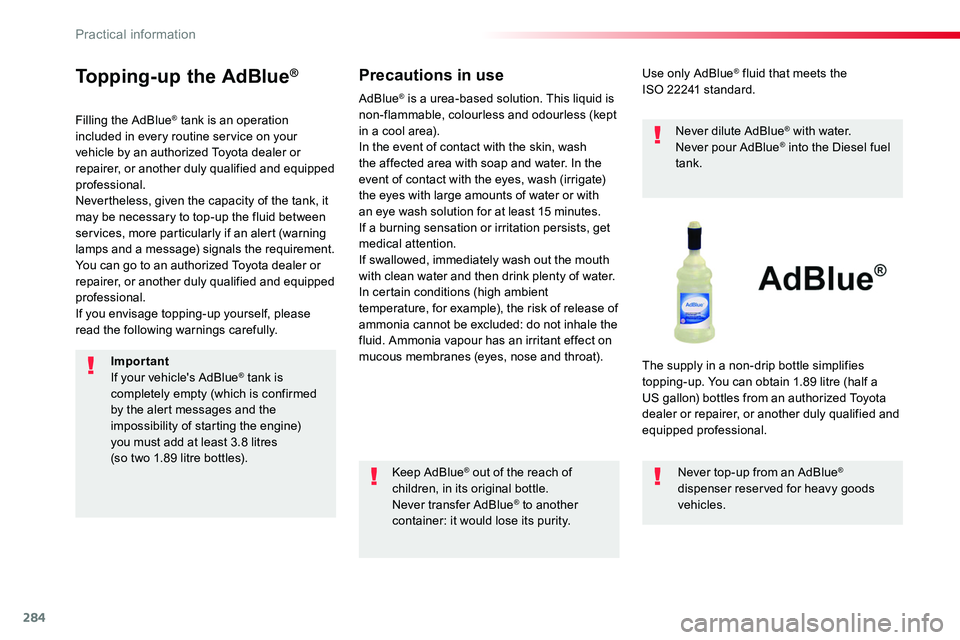
Topping-up the AdBlue®
Filling the AdBlue® tank is an operation included in every routine service on your vehicle by an authorized Toyota dealer or repairer, or another duly qualified and equipped professional.Nevertheless, given the capacity of the tank, it may be necessary to top-up the fluid between services, more particularly if an alert (warning lamps and a message) signals the requirement.You can go to an authorized Toyota dealer or repairer, or another duly qualified and equipped professional.If you envisage topping-up yourself, please read the following warnings carefully.
Precautions in use
Keep AdBlue® out of the reach of children, in its original bottle.Never transfer AdBlue® to another container: it would lose its purity.
Use only AdBlue® fluid that meets the ISO 22241 standard.
Never dilute AdBlue® with water.Never pour AdBlue® into the Diesel fuel tank.
The supply in a non-drip bottle simplifies topping-up. You can obtain 1.89 litre (half a US gallon) bottles from an authorized Toyota dealer or repairer, or another duly qualified and equipped professional.
Never top-up from an AdBlue® dispenser reserved for heavy goods vehicles.
AdBlue® is a urea-based solution. This liquid is non-flammable, colourless and odourless (kept in a cool area).In the event of contact with the skin, wash the affected area with soap and water. In the event of contact with the eyes, wash (irrigate) the eyes with large amounts of water or with an eye wash solution for at least 15 minutes. If a burning sensation or irritation persists, get medical attention.If swallowed, immediately wash out the mouth with clean water and then drink plenty of water.In certain conditions (high ambient temperature, for example), the risk of release of ammonia cannot be excluded: do not inhale the fluid. Ammonia vapour has an irritant effect on mucous membranes (eyes, nose and throat).ImportantIf your vehicle's AdBlue® tank is completely empty (which is confirmed by the alert messages and the impossibility of starting the engine) you must add at least 3.8 litres (so two 1.89 litre bottles).
Practical information
Page 323 of 516
323
For optimum service life of the battery, it is essential to maintain an adequate state of charge.In some circumstances it may be necessary to charge the battery:- if you use your vehicle essentially for short journeys,- if the vehicle is to be taken off the road for several weeks.Contact an authorized Toyota dealer or repairer, or another duly qualified and equipped professional.
Charging the battery using
a battery charger
F Switch off the ignition.F Switch off all electrical consumers (audio system, lighting, wipers, ...).
If you envisage charging your vehicle's battery yourself, use only a charger compatible with lead-acid batteries of a nominal voltage of 12 V.
Follow the instructions for use provided by the manufacturer of the charger.Never reverse polarities.
Never try to charge a frozen battery.If the battery has been frozen, have it checked by an authorized Toyota dealer or repairer, or another duly qualified and equipped professional, who will check that the internal components have not been damaged and the casing is not cracked, which could cause a leak of toxic and corrosive acid.
If this label is present, it is essential to use only a 12 V charger, to avoid causing irreversible damage to the electrical components related to the Stop & Start system.
It is not necessary to disconnect the battery.
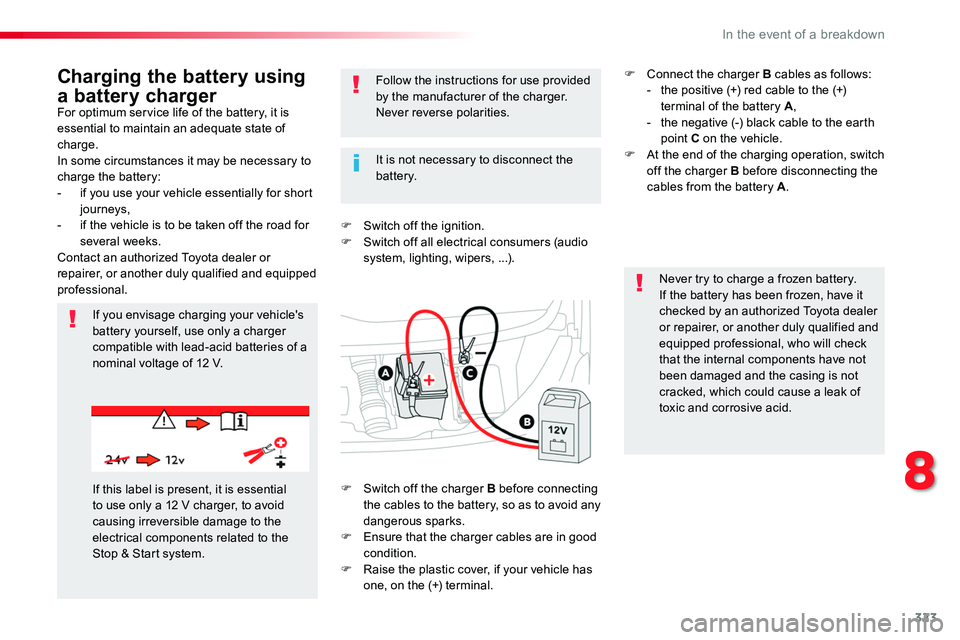
F Switch off the charger B before connecting the cables to the battery, so as to avoid any dangerous sparks.F Ensure that the charger cables are in good condition.F Raise the plastic cover, if your vehicle has one, on the (+) terminal.
F Connect the charger B cables as follows:- the positive (+) red cable to the (+) terminal of the battery A,- the negative (-) black cable to the earth point C on the vehicle.F At the end of the charging operation, switch off the charger B before disconnecting the cables from the battery A.
8
In the event of a breakdown
Page 324 of 516
324
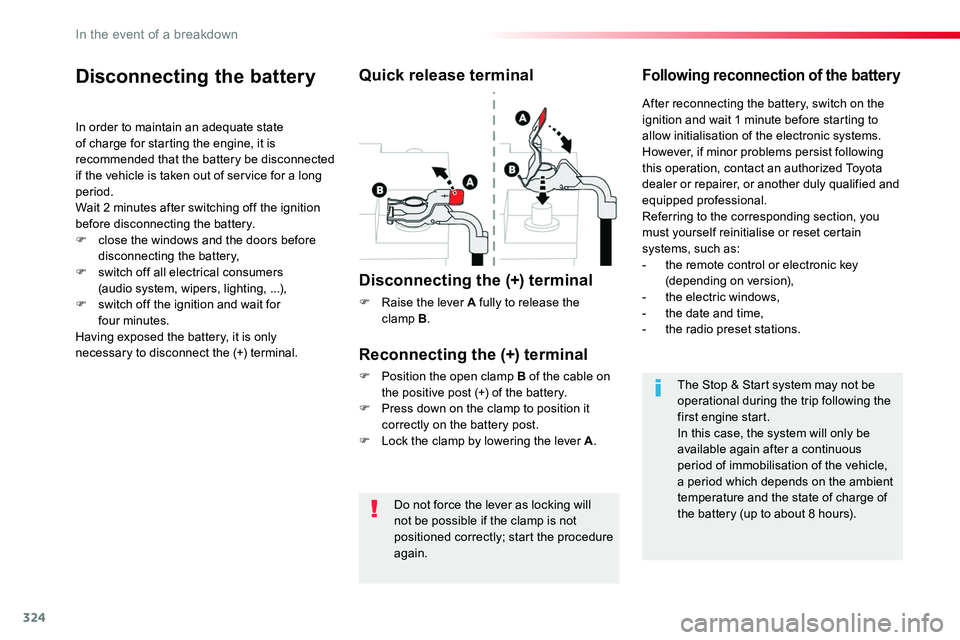
Do not force the lever as locking will not be possible if the clamp is not
positioned correctly; start the procedure again.
Disconnecting the battery
In order to maintain an adequate state of charge for starting the engine, it is recommended that the battery be disconnected if the vehicle is taken out of service for a long period.Wait 2 minutes after switching off the ignition before disconnecting the battery.F close the windows and the doors before disconnecting the battery,F switch off all electrical consumers (audio system, wipers, lighting, ...),F switch off the ignition and wait for four minutes.Having exposed the battery, it is only necessary to disconnect the (+) terminal.
Quick release terminal
Disconnecting the (+) terminal
F Raise the lever A fully to release the clamp B.
Following reconnection of the battery
Reconnecting the (+) terminal
F Position the open clamp B of the cable on the positive post (+) of the battery.F Press down on the clamp to position it correctly on the battery post.F Lock the clamp by lowering the lever A.
After reconnecting the battery, switch on the ignition and wait 1 minute before starting to allow initialisation of the electronic systems.However, if minor problems persist following this operation, contact an authorized Toyota dealer or repairer, or another duly qualified and equipped professional.Referring to the corresponding section, you must yourself reinitialise or reset certain systems, such as:- the remote control or electronic key (depending on version),- the electric windows,- the date and time,- the radio preset stations.
The Stop & Start system may not be operational during the trip following the first engine start.In this case, the system will only be available again after a continuous period of immobilisation of the vehicle, a period which depends on the ambient temperature and the state of charge of the battery (up to about 8 hours).
In the event of a breakdown
Page 326 of 516
326
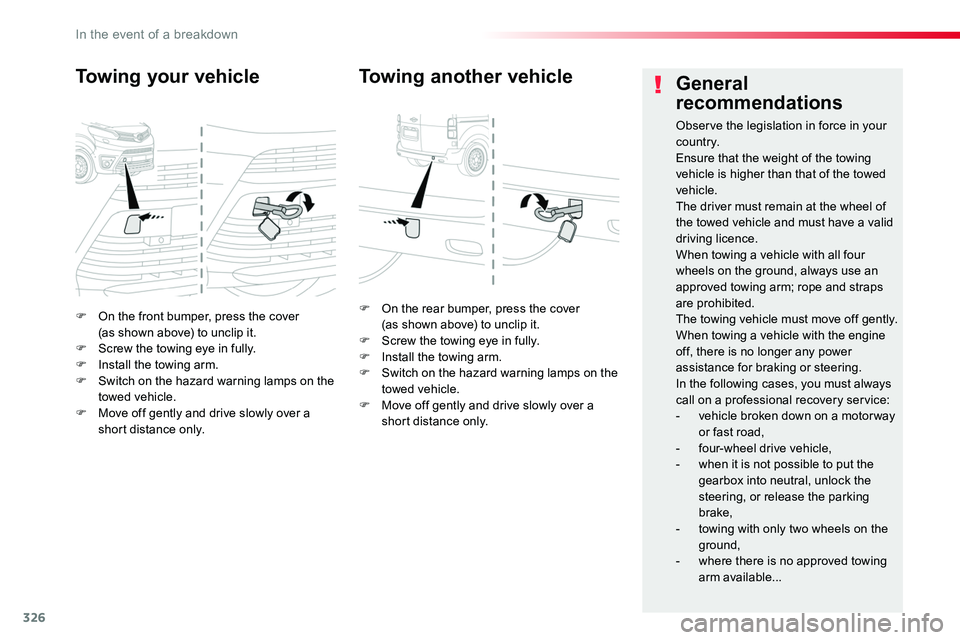
F On the front bumper, press the cover (as shown above) to unclip it.F Screw the towing eye in fully.F Install the towing arm.F Switch on the hazard warning lamps on the towed vehicle.F Move off gently and drive slowly over a short distance only.
Towing your vehicle
F On the rear bumper, press the cover (as shown above) to unclip it.F Screw the towing eye in fully.F Install the towing arm.F Switch on the hazard warning lamps on the towed vehicle.F Move off gently and drive slowly over a short distance only.
Towing another vehicleGeneral
recommendations
Observe the legislation in force in your c o unt r y.Ensure that the weight of the towing vehicle is higher than that of the towed vehicle.The driver must remain at the wheel of the towed vehicle and must have a valid driving licence.When towing a vehicle with all four wheels on the ground, always use an approved towing arm; rope and straps are prohibited.The towing vehicle must move off gently.When towing a vehicle with the engine off, there is no longer any power assistance for braking or steering.In the following cases, you must always call on a professional recovery service:- vehicle broken down on a motor way or fast road,- four-wheel drive vehicle,- when it is not possible to put the gearbox into neutral, unlock the
steering, or release the parking brake,- towing with only two wheels on the
ground,- where there is no approved towing arm available...
In the event of a breakdown
Page 338 of 516
338
ERA-GLONASS emergency call system (if equipped)
If an impact is detected by the airbag control unit, and independently of the deployment of any airbags, an emergency call is made automatically.
Localised Emergency Call
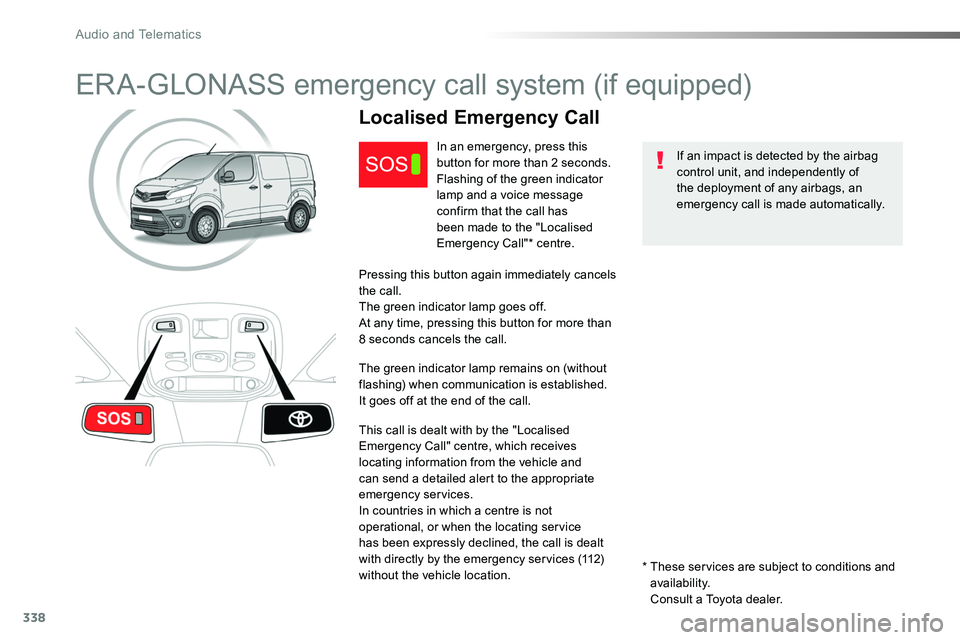
In an emergency, press this button for more than 2 seconds.Flashing of the green indicator lamp and a voice message confirm that the call has
been made to the "Localised Emergency Call"* centre.
Pressing this button again immediately cancels the call.The green indicator lamp goes off.At any time, pressing this button for more than 8 seconds cancels the call.
The green indicator lamp remains on (without flashing) when communication is established.It goes off at the end of the call.
This call is dealt with by the "Localised Emergency Call" centre, which receives locating information from the vehicle and can send a detailed alert to the appropriate emergency services.In countries in which a centre is not operational, or when the locating service has been expressly declined, the call is dealt with directly by the emergency services (112) without the vehicle location.* These services are subject to conditions and availability.
Consult a Toyota dealer.
Audio and Telematics
Page 339 of 516
339
Localised Assistance Call
For technical reasons, particularly to improve the quality of Telematic services to customers, the manufacturer reserves the right to
carry out updates to the vehicle's on-board telematic system.
The fault with the system does not prevent the vehicle being driven.
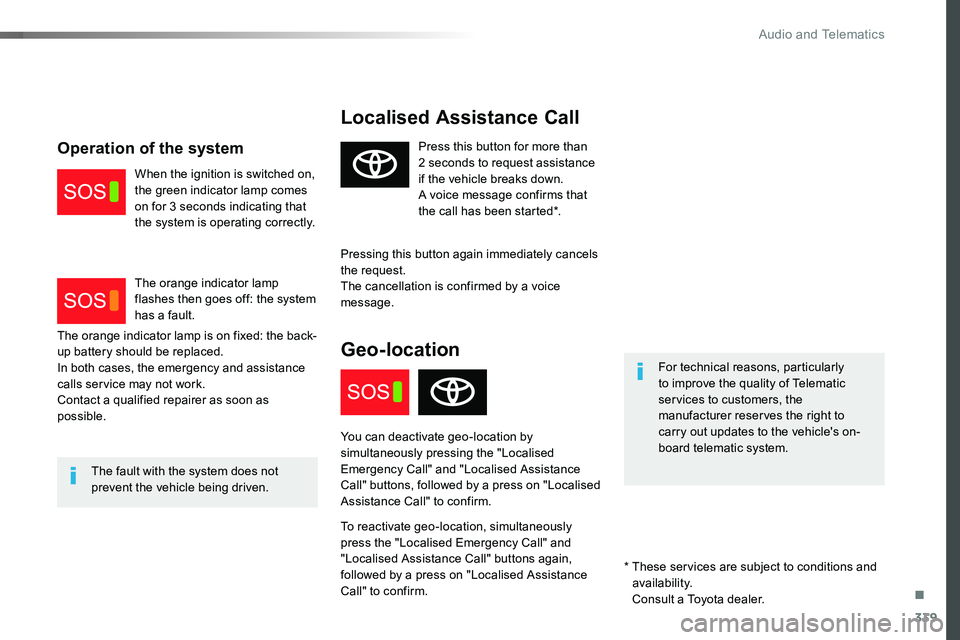
Press this button for more than 2 seconds to request assistance if the vehicle breaks down.A voice message confirms that the call has been started*.
Pressing this button again immediately cancels the request.The cancellation is confirmed by a voice message.
Geo-location
You can deactivate geo-location by simultaneously pressing the "Localised Emergency Call" and "Localised Assistance Call" buttons, followed by a press on "Localised Assistance Call" to confirm.
To reactivate geo-location, simultaneously press the "Localised Emergency Call" and "Localised Assistance Call" buttons again, followed by a press on "Localised Assistance Call" to confirm.
The orange indicator lamp is on fixed: the back-up battery should be replaced.In both cases, the emergency and assistance calls service may not work.Contact a qualified repairer as soon as possible.
Operation of the system
When the ignition is switched on, the green indicator lamp comes on for 3 seconds indicating that the system is operating correctly.
The orange indicator lamp flashes then goes off: the system has a fault.
* These services are subject to conditions and availability.
Consult a Toyota dealer.
.
Audio and Telematics
Page 343 of 516
343
12:13
23 °C531 kHz
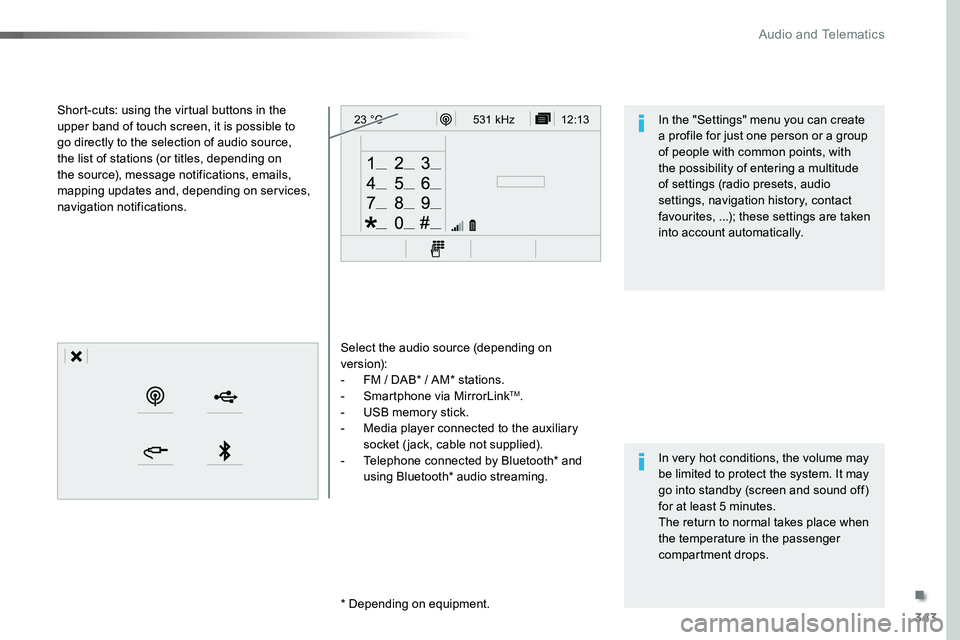
Select the audio source (depending on version):- FM / DAB* / AM* stations.- Smartphone via MirrorLinkTM.- USB memory stick.- Media player connected to the auxiliary socket (jack, cable not supplied).- Telephone connected by Bluetooth* and using Bluetooth* audio streaming.
* Depending on equipment.
Short-cuts: using the virtual buttons in the upper band of touch screen, it is possible to go directly to the selection of audio source, the list of stations (or titles, depending on the source), message notifications, emails, mapping updates and, depending on services, navigation notifications.
In very hot conditions, the volume may be limited to protect the system. It may go into standby (screen and sound off) for at least 5 minutes.The return to normal takes place when the temperature in the passenger compartment drops.
In the "Settings" menu you can create a profile for just one person or a group of people with common points, with the possibility of entering a multitude of settings (radio presets, audio settings, navigation history, contact favourites, ...); these settings are taken into account automatically.
.
Audio and Telematics
Page 345 of 516
345
12:13
23 °C12:13
23 °C531 kH z
FM/87.5 MHz
87.5MH z 12:13
23 °C 87.5 MHz
12:13
23 °C531 kH z12:13
23 °C
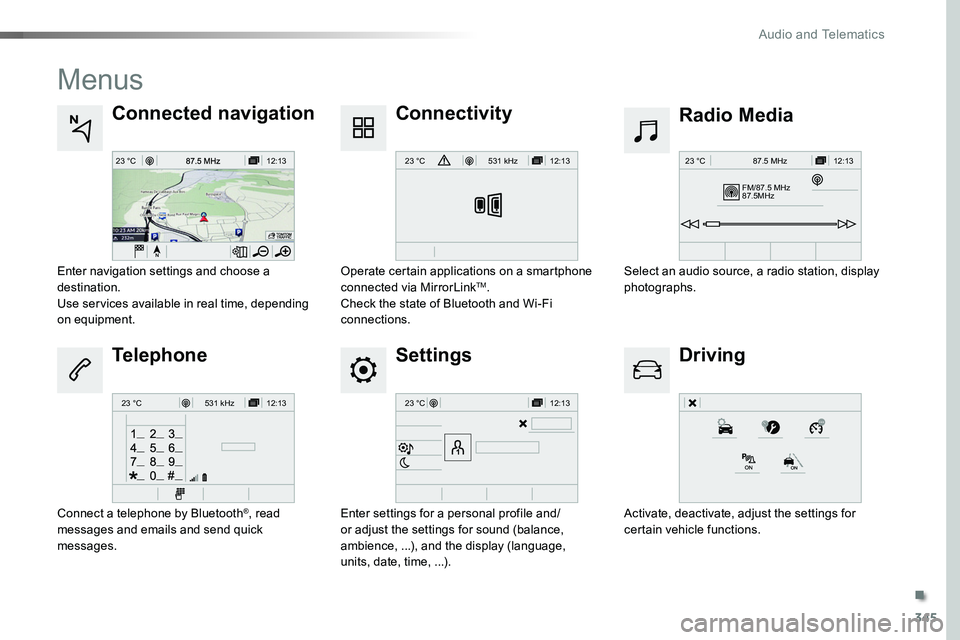
Menus
Settings
Radio MediaConnected navigation
Driving
Connectivity
Telephone
Enter settings for a personal profile and/or adjust the settings for sound (balance, ambience, ...), and the display (language, units, date, time, ...).
Select an audio source, a radio station, display photographs.Enter navigation settings and choose a destination.Use services available in real time, depending on equipment.
Activate, deactivate, adjust the settings for certain vehicle functions.
Operate certain applications on a smartphone connected via MirrorLinkTM.Check the state of Bluetooth and Wi-Fi connections.
Connect a telephone by Bluetooth®, read messages and emails and send quick messages.
.
Audio and Telematics